


The best AI for most teams on Classic Groove is its own Copilot, an add-on at $49 a month per account for existing customers ($79 for new users) that drafts replies from the conversation, your knowledge base and similar resolved tickets, but never sends one itself. Nothing built into Classic Groove answers customers on its own. For that you have three routes: Helply, the Groove team's rebuilt helpdesk, whose Support Agent answers customers on flat plans from $99 a month billed annually; Groove's REST API and webhooks, which let your own AI post replies or private notes; and MCP connectors or Zapier, which let Claude or ChatGPT read and act in Groove. If your team also works in Slack and email, an AI teammate like eesel works across those tools and can reach Groove through its API, and a coding agent can set it up for you with the eesel CLI, while the Groove access token goes into eesel's settings by an admin's hand, never into the chat.
How I picked these
I'm on eesel's support team, so I read Groove, a shared inbox helpdesk for email, chat and social messages, the way I'd judge any AI I had to work beside: who it answers, what it learns from, whether it sends anything without me, and what it costs a month. Every option here comes from Groove's own pricing FAQ, its help centre and API docs, Helply's pricing page, and the Zapier and Elaichi pages for Groove, read on 24 November 2026. If you're still weighing Groove itself, our Groove review for startups goes deeper, and our Groove vs Zendesk comparison sets it against the biggest name. Teams selling software can also read our Groove for SaaS guide.
The five routes split by who the AI works for. Copilot helps your agents write, Helply's agents answer your customers, the API and webhooks put your own code to work inside Groove, MCP connectors and Zapier hand Groove to an AI assistant, and an AI teammate like eesel works across the tools around it.
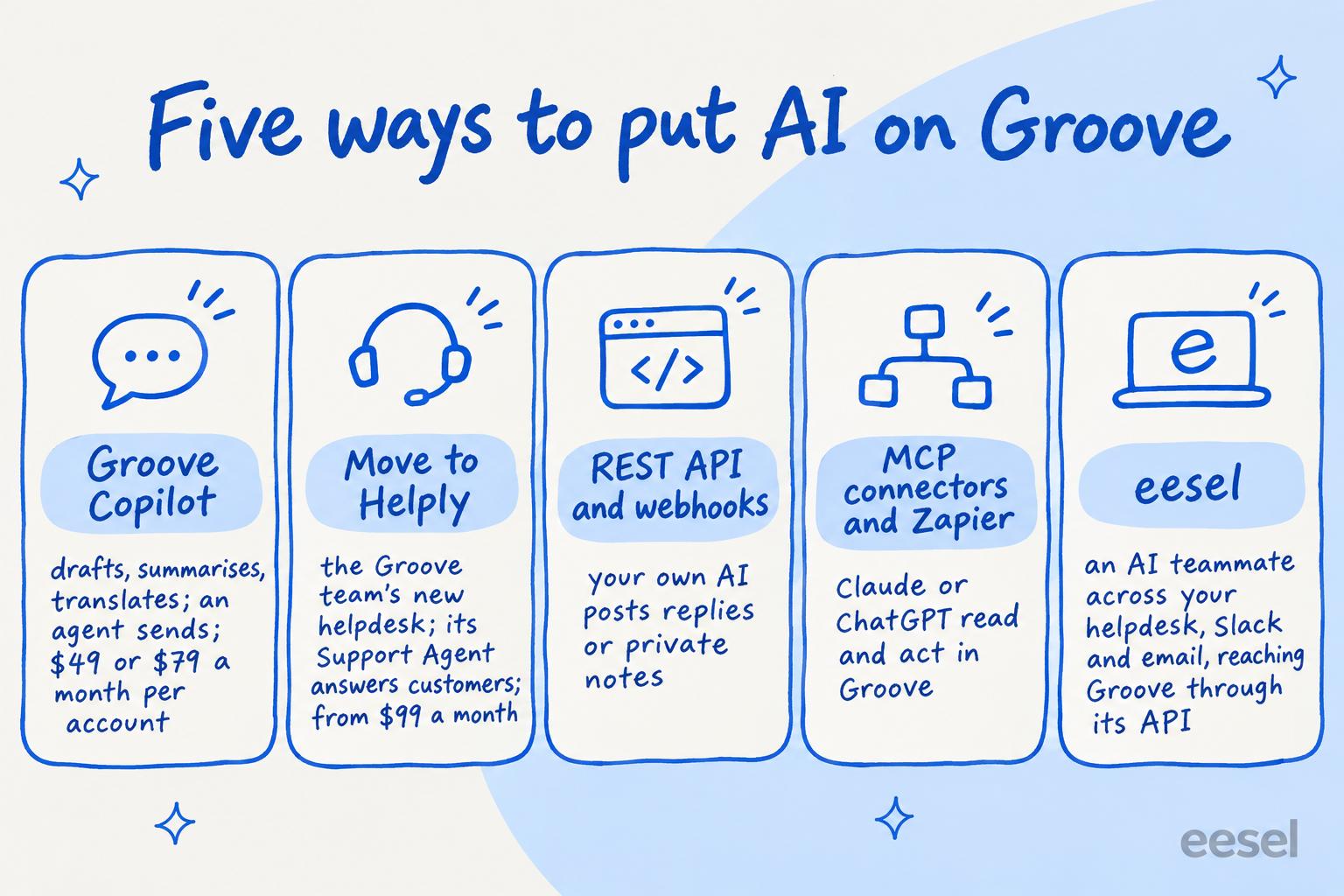
The best AI for Groove, compared
| Option | Works for | Plans | What you pay | Answers customers on its own? |
|---|---|---|---|---|
| Groove Copilot | Your agents, beside each ticket | Add-on to Classic Groove | $49 a month per account for existing customers, $79 for new users | No, an agent reviews and sends every reply |
| Helply Support Agent | Your customers, in a new helpdesk | Every Helply plan | From $99 a month billed annually, with 2,500 AI credits; extra credits $40 per 1,000 | Yes, it answers and resolves conversations |
| REST API and webhooks | Your own AI tool or code | Every Groove plan | No API charge listed; 200 to 800 calls a minute by plan; your AI model bills its own usage | Only what you build |
| MCP connectors and Zapier | Claude, ChatGPT or a no-code flow | Every Groove plan | Third-party pricing, such as Elaichi's 14-day free trial or Zapier's own plans | Only when the assistant is told to |
| eesel | Your team and customers, across your tools | Its own plans | One credit per ticket or chat, from $299 a month for 500 | Per person and per tool: on its own, ask first, or off |
The pick for most teams staying on Groove is Copilot, because it is the only option that works inside Groove's inbox with no setup. If you want AI to answer customers itself, the real choice is between moving to Helply, building on Groove's API, and an AI teammate like eesel that reaches Groove through that API. Building it yourself is a project. Our post on built-in AI vs a layer covers the wider trade-off.
Is Groove becoming Helply?
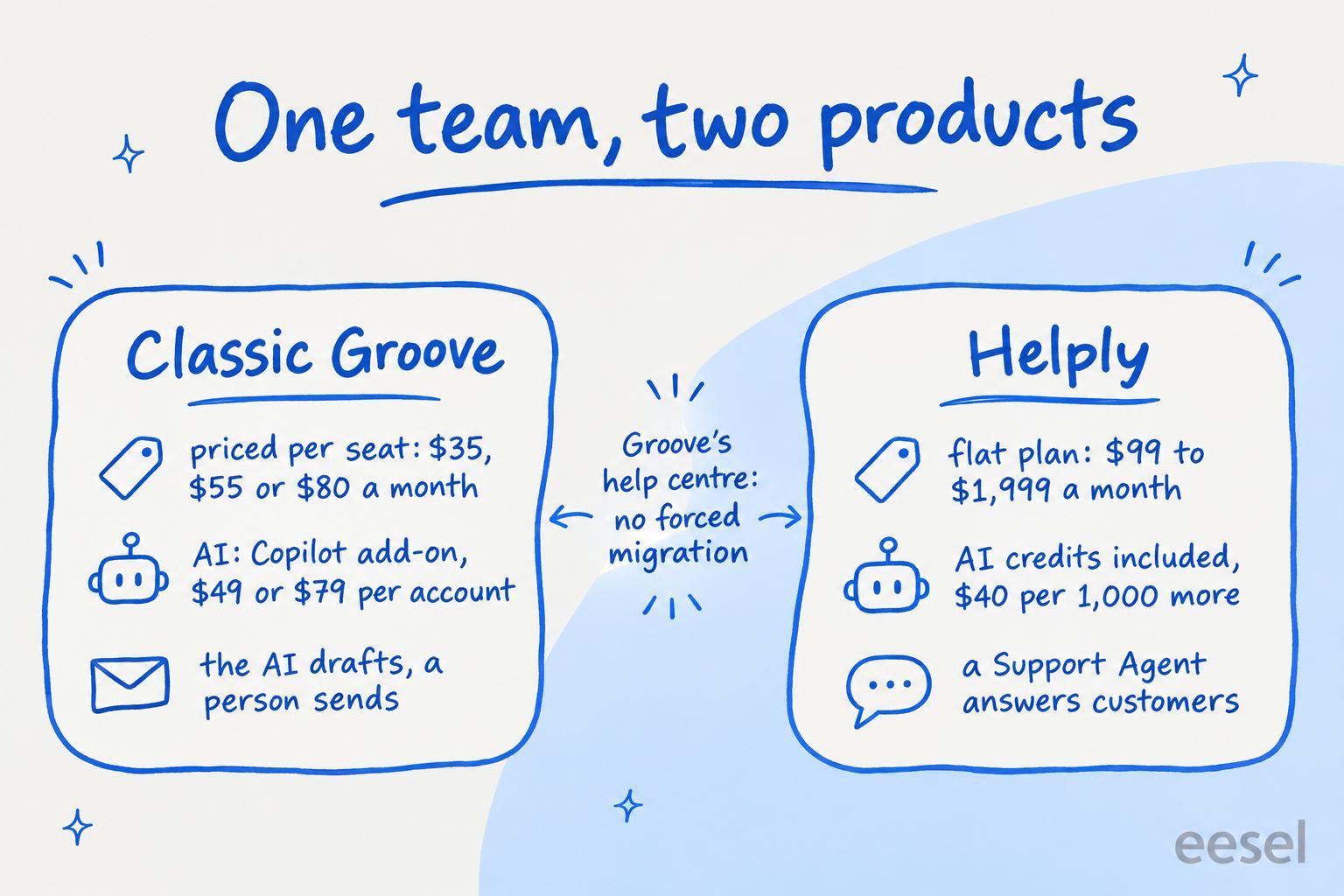
The brand is: groovehq.com now redirects to helply.com, a helpdesk the Groove team rebuilt around AI agents. What that means for an existing Groove account depends on which Groove page you read, and that's worth knowing before you spend money on AI for Groove.
Groove's own help article, Groove is Becoming Helply, says "nothing is changing for your account": no migration, no sunsetting, no price change, the same yourcompany.groovehq.com login, and a dedicated team still improving Classic Groove. It calls Helply "a separate product built specifically for B2B organizations, with a dedicated purchasing process and white-glove onboarding."
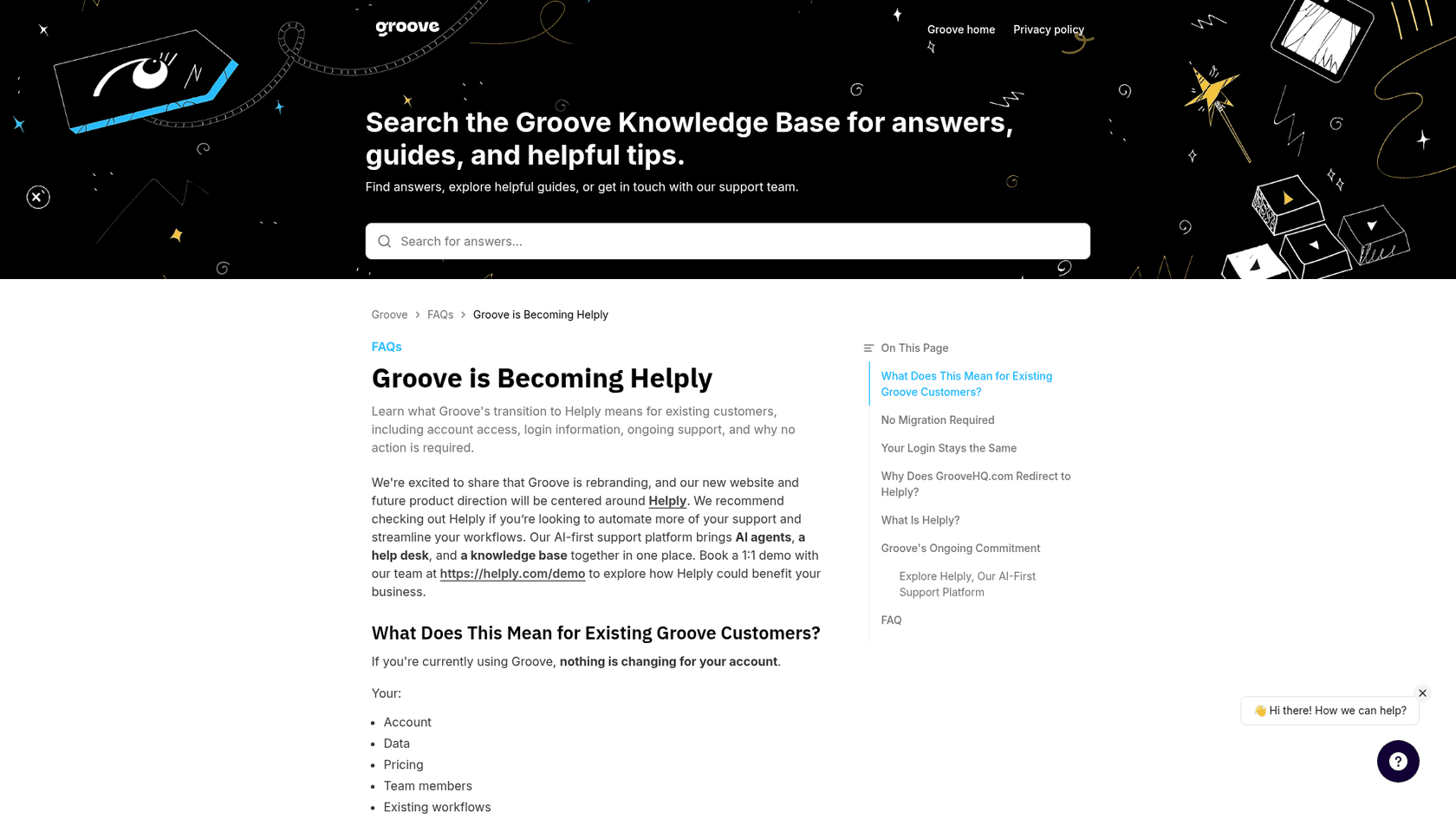
Helply's founder, Alex Turnbull, tells a different story in Groove is now Helply: "Your account is getting an upgrade to Helply. Same price, no upcharges, and all your data comes with you," with an email to follow on timing. He also explains why the AI went into a new product: "Every AI feature we shipped on Groove fought the old code." So expect Classic Groove's AI to stay an assistant for agents, and Helply to be where AI that answers customers lives. If the upgrade question matters to your budget, ask Groove support which page applies to your account.
1. Groove Copilot
Best for teams staying on Classic Groove whose agents write most replies by hand and want help drafting, summarising and translating.
What it does
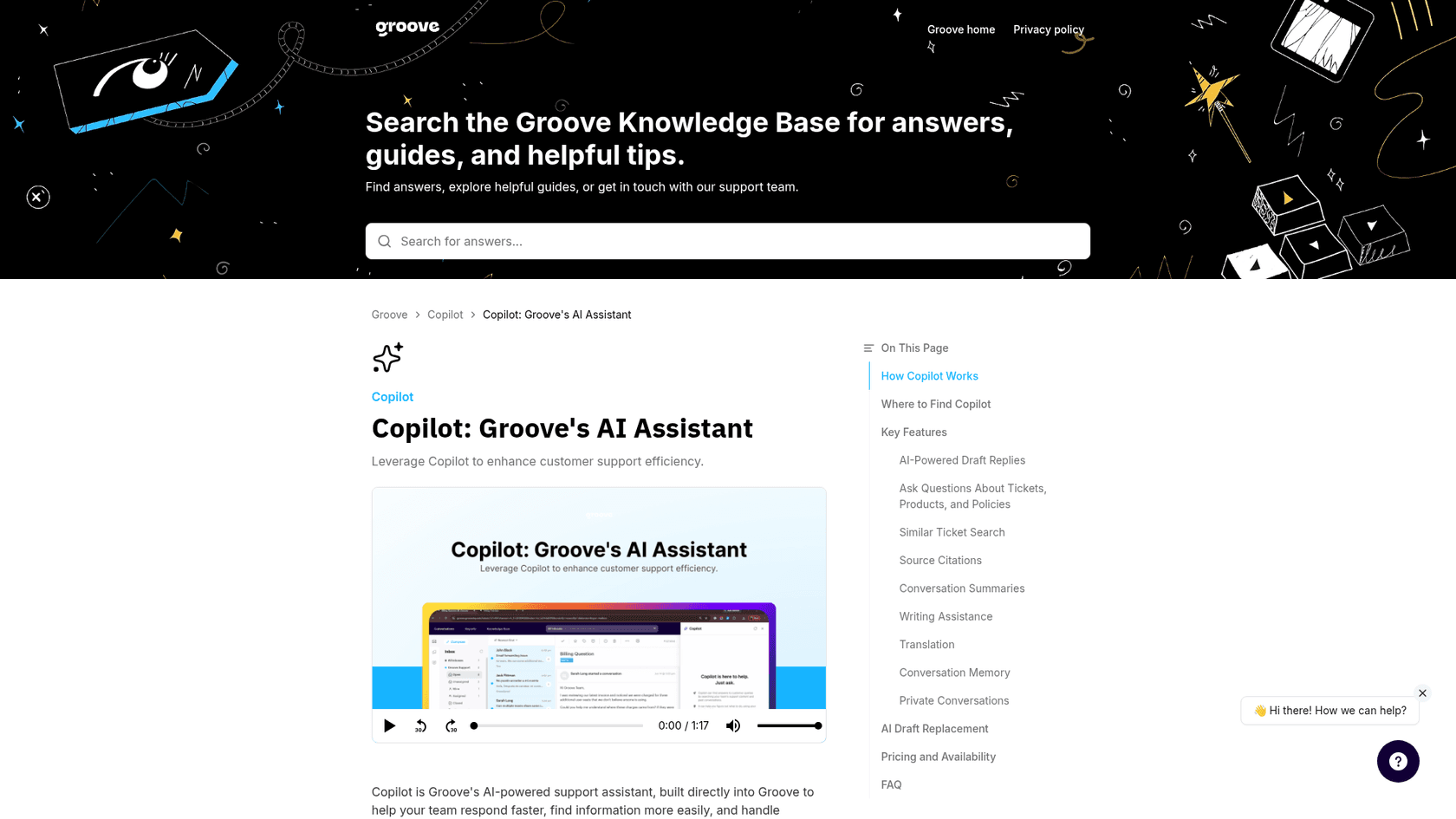
Copilot opens in a panel beside any ticket in the Groove inbox, from a purple button in the bottom-right corner, and already knows which conversation you're on. It drafts replies, which you can steer with your own instructions ("Write a friendly response explaining that the refund has been processed"), answers questions about the customer's issue, your product and internal policies, finds similar past conversations, and summarises a thread into key issues, context and customer sentiment. It also rewrites drafts (expand, rephrase, friendlier, more formal, more concise, fix grammar) and translates replies into more than 40 languages. Drafts and summaries can go in as internal notes.
It replaced Groove's older AI Draft feature, and Groove's FAQ is plain about the limit: "Copilot helps generate and improve responses, but agents always review content before sending." Each ticket keeps its own Copilot history, and Copilot chats are private to the agent using them.
What it learns from
Copilot drafts from three things: the current conversation, your knowledge base articles and similar resolved tickets. Every answer cites the articles and tickets it used, so an agent can check before sending. That's a real strength next to AI that only reads help articles: if your best answers sit in past conversations, Copilot can find them. Groove adds that "the more knowledge available in your knowledge base and ticket history, the more helpful Copilot becomes."
One catch for teams whose knowledge base moved: Groove's pricing FAQ says legacy knowledge bases migrated to the InstantDocs Legacy plan don't include InstantDocs' own AI features, which need a paid InstantDocs plan.
Pricing
Copilot costs $49 a month per account for existing Groove customers and $79 a month for new users, per Groove's pricing FAQ, on top of your Groove plan. The official free trial ended on 1 July 2026, though the Copilot article still says eligible accounts get 30 days free. You add or remove it under Settings, Billing, Summary.
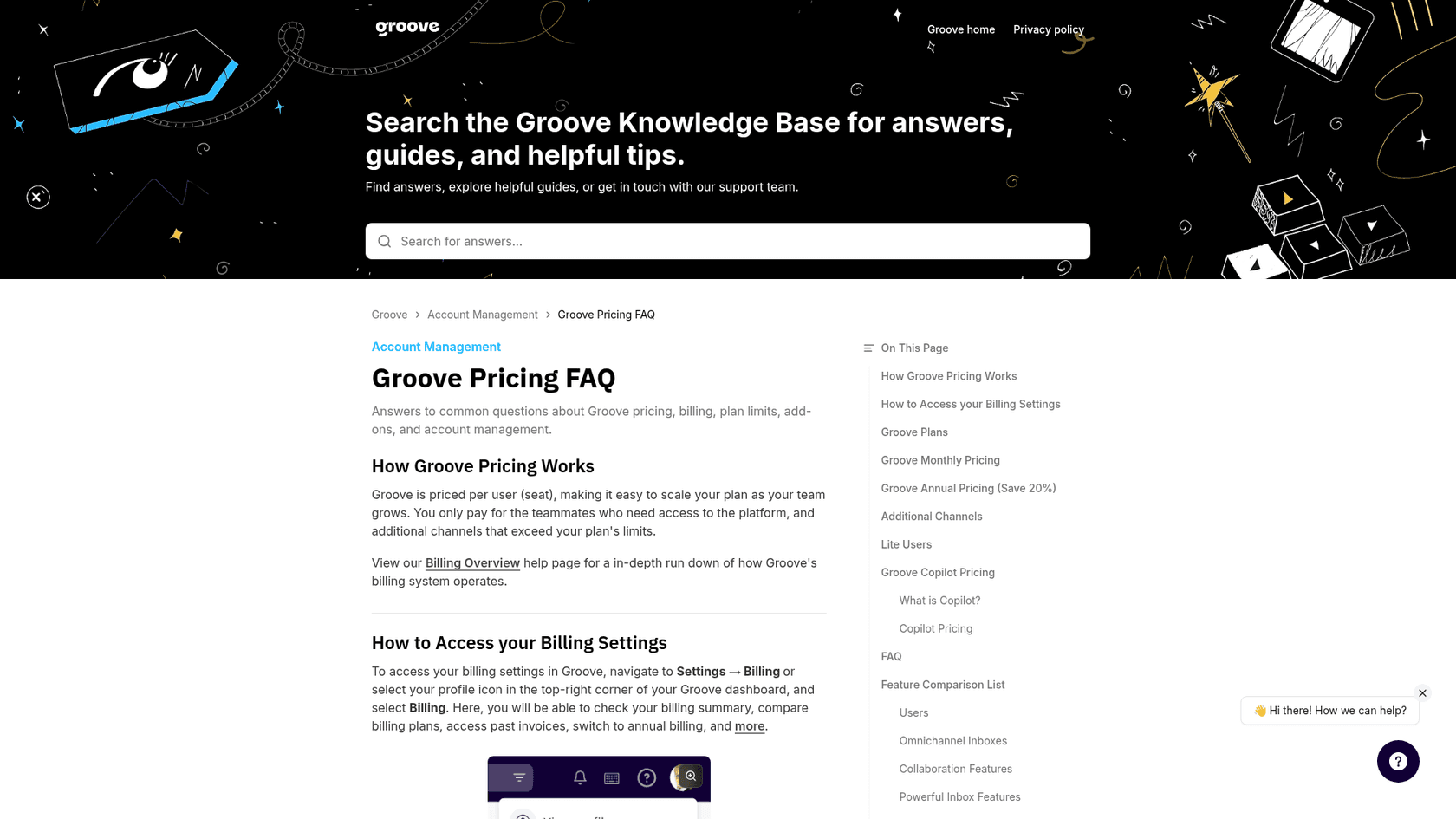
Groove itself is priced per seat: Standard $35, Plus $55 and Pro $80 per user a month, or $28, $44 and $64 billed yearly. Plus and Pro also list four AI tools in live chat (AI assist, AI summarize, AI sentiment and AI tag suggest) that Standard doesn't have. Because Copilot is one price per account, it gets cheaper per agent as your team grows: $49 across 10 agents is under $5 each.
What to watch
Copilot saves agents time but doesn't take conversations off their plate, because a person still opens every ticket and sends every reply. If your goal is fewer tickets reaching a person, Copilot won't move that number. Our guide to agent assist explains the difference between helping agents and answering customers.
My take: pick Copilot if you're staying on Groove and your agents spend their day writing replies, especially in more than one language. Skip it as your only AI if most of your tickets are repeat questions that don't need a person at all. It comes down to whether you want faster agents or fewer tickets.
2. Helply's Support Agent
Best for B2B teams ready to change helpdesk who want AI to answer and resolve conversations, built by the same team as Groove.
What it does
Helply is a full helpdesk, so this route means moving off Classic Groove rather than adding to it. Its founder post lists three kinds of agents: "Frontline Support Agents that answer and resolve customer questions," Background Agents that flag churn risk, feature requests and outdated help articles, and an internal Assist agent that drafts, summarises and investigates beside your team. Every plan includes the Support Agent and the Assist Agent. The Team plan and up add skills, MCP connectors and custom API actions, and Helply "ships with an MCP, so you can plug in your own AI if you'd rather," per the same post.
What it learns from
Helply's pricing page lists AI answers from its knowledge base on every plan and "AI QA and backtesting" from the Team plan. The founder post says existing Groove data comes across in the upgrade, and Helply's homepage says teams can migrate from Groove "while bringing over the knowledge and customer context their team and AI agents need."
Pricing
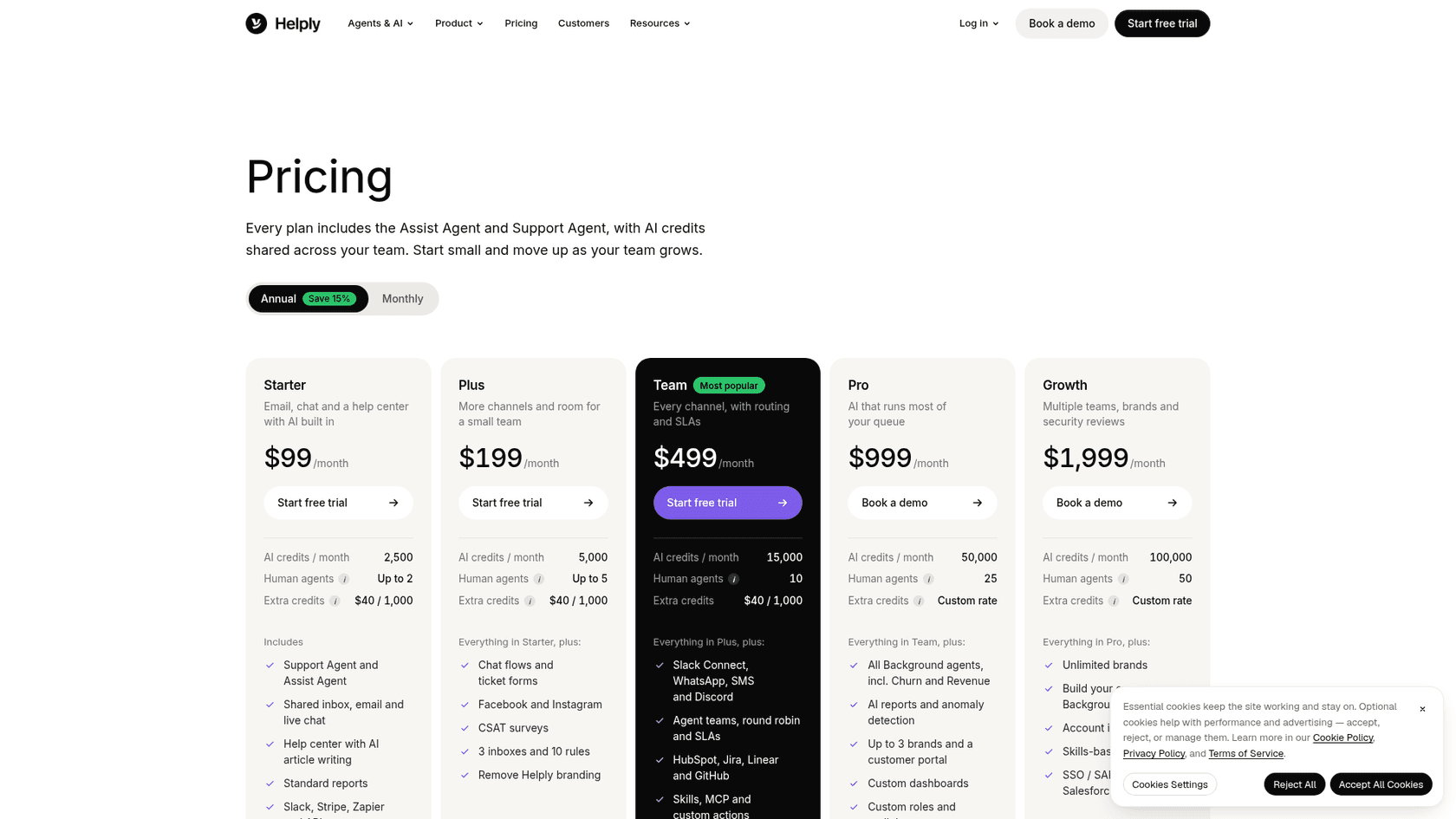
Helply plans run from $99 to $1,999 a month billed annually, each with a pool of AI credits: Starter $99 with 2,500 credits and up to 2 human agents, Plus $199 with 5,000 and up to 5, Team $499 with 15,000 and 10, Pro $999 with 50,000 and 25, and Growth $1,999 with 100,000 and 50, per Helply's pricing page. Monthly billing is available; annual saves 15%. Extra credits are $40 per 1,000 on Starter, Plus and Team (Starter tops up to 5,000 credits a month, Plus to 15,000), and extra human agents are $49 each from Team up.
A credit isn't a conversation. Helply says "one credit is one simple AI action, like triaging, summarizing or translating a conversation," that resolving a conversation end to end uses more, and that "most teams use about 6 credits a conversation when AI resolves around half of them, so 1,000 conversations a month uses about 6,000 credits." On that estimate, Starter's 2,500 credits cover about 400 conversations a month and Team's 15,000 about 2,500.
What to watch
Moving helpdesks is the cost no price table shows: retraining your team, rebuilding rules and saved replies, and pointing your email and chat at a new system. Groove's help centre also describes Helply as built for B2B organisations, with a dedicated purchasing process and white-glove onboarding, and Pro and Growth are sold through a demo. If you sell to consumers, check fit before you plan the move. Our Helply pricing guide works through the credits in more detail.
My take: pick Helply if you want AI that answers customers and you were going to change helpdesk anyway, since it carries Groove's history over. Skip it if Classic Groove works for your team and the only gap is AI, because a migration is a big price for one feature. Ask yourself whether your team would move helpdesk without the AI; if not, this isn't your route.
3. Groove REST API and webhooks
Best for teams with a developer who want their own AI model to draft private notes or send replies in Classic Groove.
What it does
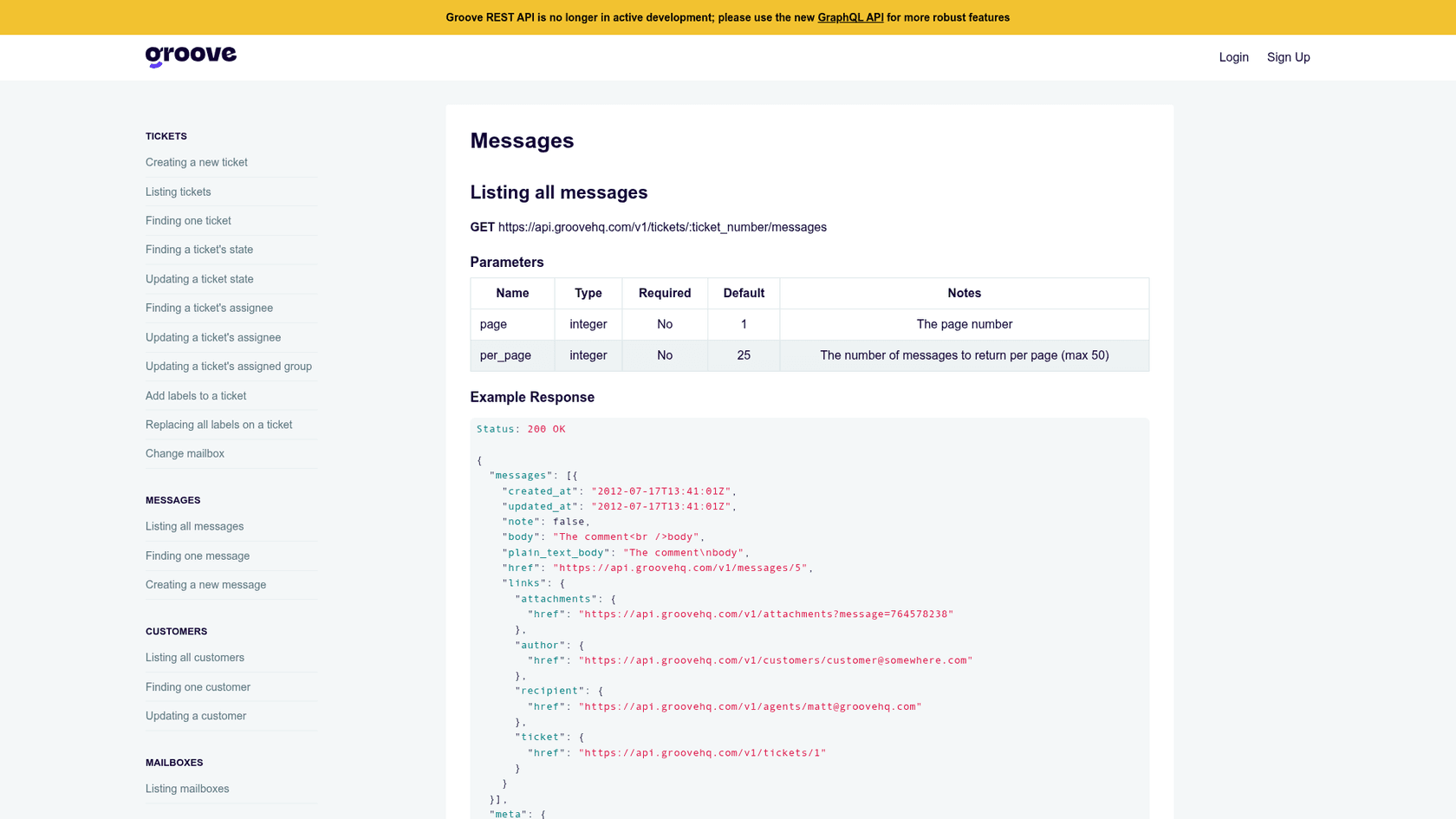
Groove has two APIs. The GraphQL API is v2, but its own docs warn that "the Inbox and Knowledge Base APIs are currently still being built" and point you to the REST API for those for now. The REST API is "no longer in active development," yet it's the one that can work a ticket today: authenticate with an admin's private access token as a Bearer header, then call https://api.groovehq.com/v1.
Its Create message endpoint posts to a ticket with a body, an author, and a note flag that makes the message a private note, which is the safe way to start: let your AI draft notes and have an agent send. Read the parameters closely, because send_copy_to_customer defaults to false, so test how a reply posted through the API reaches your customer before you rely on it. Other endpoints list tickets and their messages.
Webhooks push events to your URL, including ticket_started, customer_replied, agent_replied, note_added, ticket_assigned and ticket_closed, which is what wakes your AI when a customer writes in.
What it learns from
Whatever you give your own model. Through the API it can read tickets, their messages and customer records, so it can use past conversations as long as your code fetches them and your model is set up to use them.
Pricing
Groove's pricing FAQ lists API access and webhooks on every plan, with the plan setting only the rate limit: 200 calls a minute on Standard, 400 on Plus and 800 on Pro. "All API endpoints are available on all plans," it says. Your AI model's provider bills its own usage, and the cost that matters most is the developer time to build and maintain it.
What to watch
You're building on a REST API Groove has stopped developing, while the GraphQL one fills in. Nothing answers customers until you build it: the webhook receiver, the prompt, the hand-off rules and the reply. And the webhook payloads in the docs still show 2012 timestamps, so test against a real account rather than the examples.
My take: use the API if you have a developer and want AI that drafts private notes on Groove tickets, with a person sending. Skip it if nobody on the team will own the code. Before you start, name the person who fixes it when Groove changes the API under you.
4. MCP connectors and Zapier
Best for a support lead who wants Claude, ChatGPT or Cursor to look through Groove tickets, summarise them or reply from a chat window, without writing code.
What it does
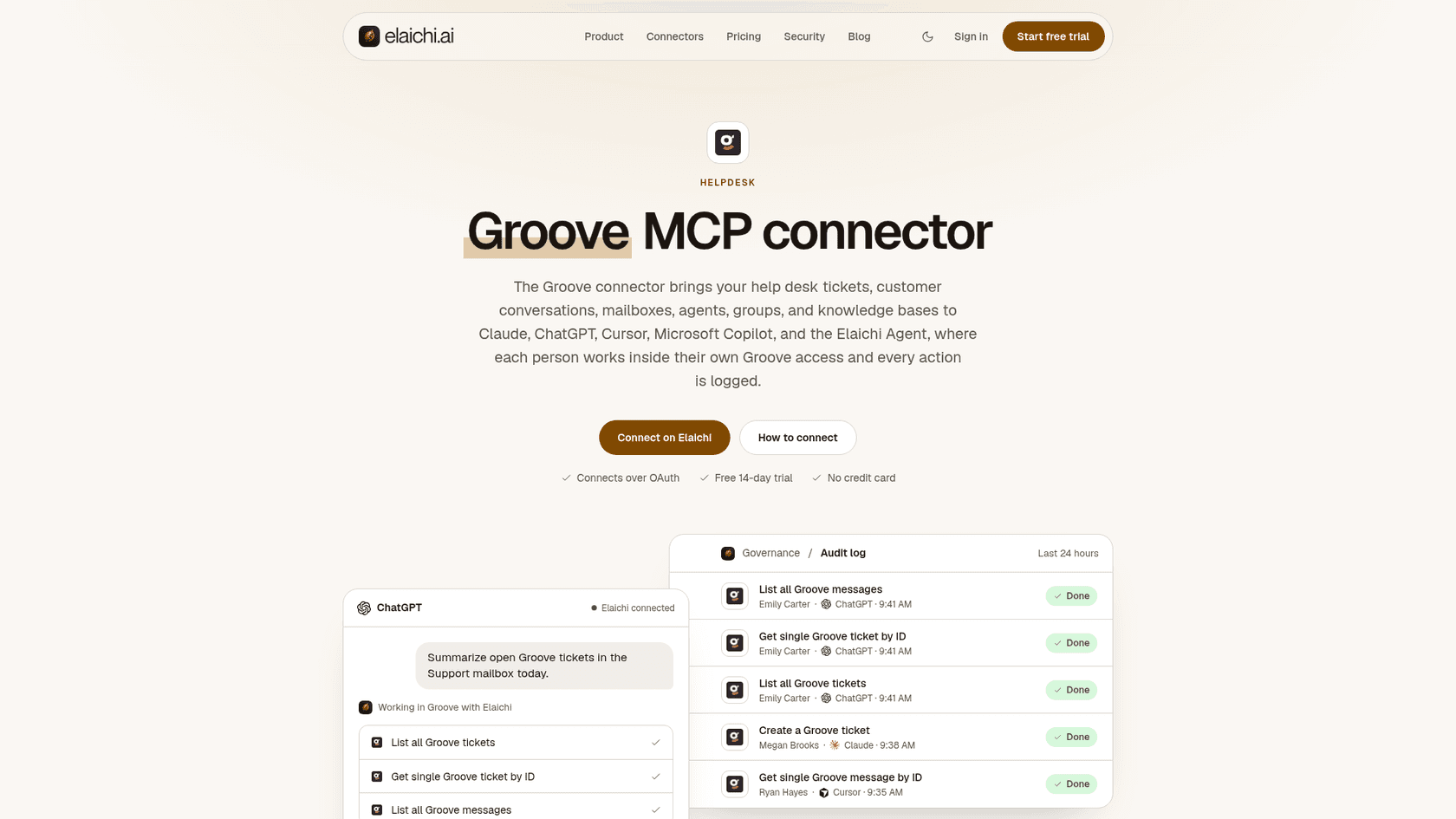
Groove doesn't list a Model Context Protocol server for Classic Groove, but third parties wrap its API as MCP tools. The Elaichi Groove connector is the most complete I found: it lists 73 Groove tools across tickets, messages, customers, mailboxes, folders and agents, works with Claude, ChatGPT, Cursor and Microsoft Copilot, and, in its words, "each person works inside their own Groove access and every action is logged." One of its listed jobs is replying to a ticket from your chat window, sent "as a new message on that ticket." It connects over OAuth with a 14-day free trial. Helply, by contrast, ships with its own MCP.
Zapier's Groove app is the no-code route, with triggers such as Ticket Started, Customer Replied, Agent Replied, Note Added, Ticket Tagged and Ticket State Changed, and actions to add a note, change the assigned agent, change the ticket state, and close or reopen a ticket. Zapier access is on every Groove plan. Pair a Customer Replied trigger with an AI step and an Add Note action and you have a basic drafting assistant, as long as the Zap can't trigger itself.
What it learns from
Whatever the assistant reads through the tools in that conversation: the tickets, messages and customer records it fetches. It doesn't learn between sessions unless the assistant has its own memory.
Pricing
Third-party pricing on top of your Groove plan: Elaichi after its free trial, Zapier by its own task plans, and your AI assistant's subscription.
What to watch
An MCP connector acts when someone asks it to, so it suits a lead tidying the queue or a weekly summary, not answering every new ticket. A Zap that writes where its own trigger listens (Add Note after Note Added) loops. And a connector holding a Groove token is another vendor with access to your customer conversations, so check it the way you'd check any vendor.
My take: use an MCP connector if you already work in Claude or ChatGPT and want Groove in that chat for reviews and one-off fixes. Skip it as your way to answer customers. These tools act when a person asks, so judge them on the tasks someone will actually start.
5. eesel
Best for teams that want AI to answer customers without moving off Groove, and whose work also runs through Slack, email or another helpdesk.
What it does
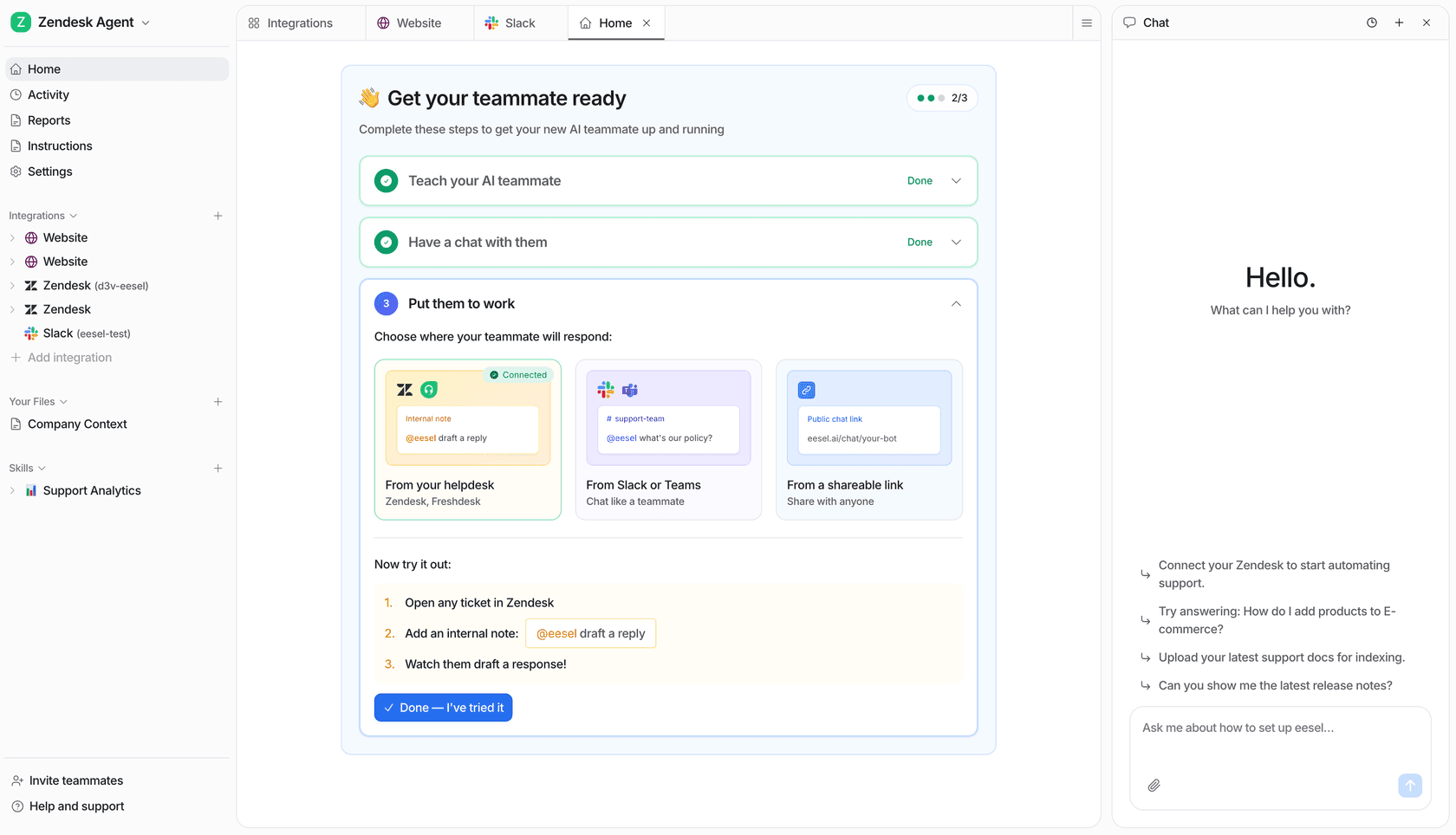
eesel is an AI teammate that joins the tools your team already uses, such as Zendesk, Help Scout, Slack and email, learns from past tickets, and answers customers and teammates there. What it may do depends on who is asking: for a teammate, a verified customer or an anonymous visitor, each tool runs on its own, asks first, or stays off, and anything set to ask first waits for a person's yes, as eesel's actions and approvals docs explain.
Groove isn't a built-in eesel integration, so this route is a setup your team does. eesel's Your APIs page lets it call Groove's REST API with an admin's access token stored in your settings, where the AI never sees it, so it can read tickets and post a reply or a private note. A webhook automation gives you a URL that Groove's customer_replied webhook can call, which wakes eesel with the ticket to work on.
What it learns from
Past tickets and help articles in the helpdesks it connects to natively, plus documents in tools like Google Drive and Confluence. On Groove, it reads what it fetches through the API, ticket by ticket.
Pricing
One fixed monthly plan in credits, with no per-seat charge: from $299 a month for 500 credits, where a ticket or chat is 1 credit however many replies it takes, per eesel's pricing. You can start with 100 credits for 7 days, no card needed.
What to watch
Because Groove is reached through its API, you build the hand-off: which webhook wakes it, whether it posts notes or replies, and when it leaves a ticket for a person. That's more setup than Copilot and less than writing your own AI on the API.
My take: pick eesel if you want AI that answers Groove customers without a migration and your team also works in Slack or email. Skip it if Copilot's drafts cover what you need. The deciding factor is whether you want an AI that only drafts or one that can reply on its own once you trust it.
What each setup costs a month
Groove bills per seat, Helply per plan, and Copilot and eesel per account, so the cheapest option flips with team size. The toggle below works out three setups at yearly billing: Classic Groove on Plus with Copilot, Helply on the smallest plan that fits your team, and Classic Groove on Plus with eesel answering customers.
Pick your team size to see what each setup costs a month and who ends up answering customers.
At every size, Copilot is the cheapest way to add AI to Groove, because it's one flat fee and Groove's seats are already paid for. Helply costs a little more and answers customers, but only after a migration. eesel costs the most of the three when you keep paying for Groove seats too, and it's the one that answers customers without moving helpdesk. Compare it with what a person costs to answer the same volume, not with Copilot alone.
Which AI should you pick for Groove?
If you're staying on Classic Groove and your agents write most replies, start with Copilot: it's the only one that works in Groove's inbox with no setup, and it reads past tickets as well as your help articles. If what you want is AI answering customers, decide first whether your team would move helpdesk. If yes, look at Helply, since it's the same team and brings your Groove history. If no, choose between building on Groove's API (a developer project) and an AI teammate like eesel reaching Groove through that API. Leave MCP connectors and Zapier for queue reviews and one-off tasks a person starts. If you're comparing helpdesks at the same time, start with our Groove pricing breakdown. Our Help Scout AI guide covers the closest email-first rival.
Try eesel next to Groove
If Groove's Copilot drafts well but your agents still open every ticket, the gap is an AI that can answer on its own once you trust it. eesel is an AI teammate that does that across your helpdesk, Slack and email, and on Groove it works through the API with a webhook to wake it. Start it on private notes, read what it would have said, then let it reply to the questions you choose, with anything risky set to ask first.
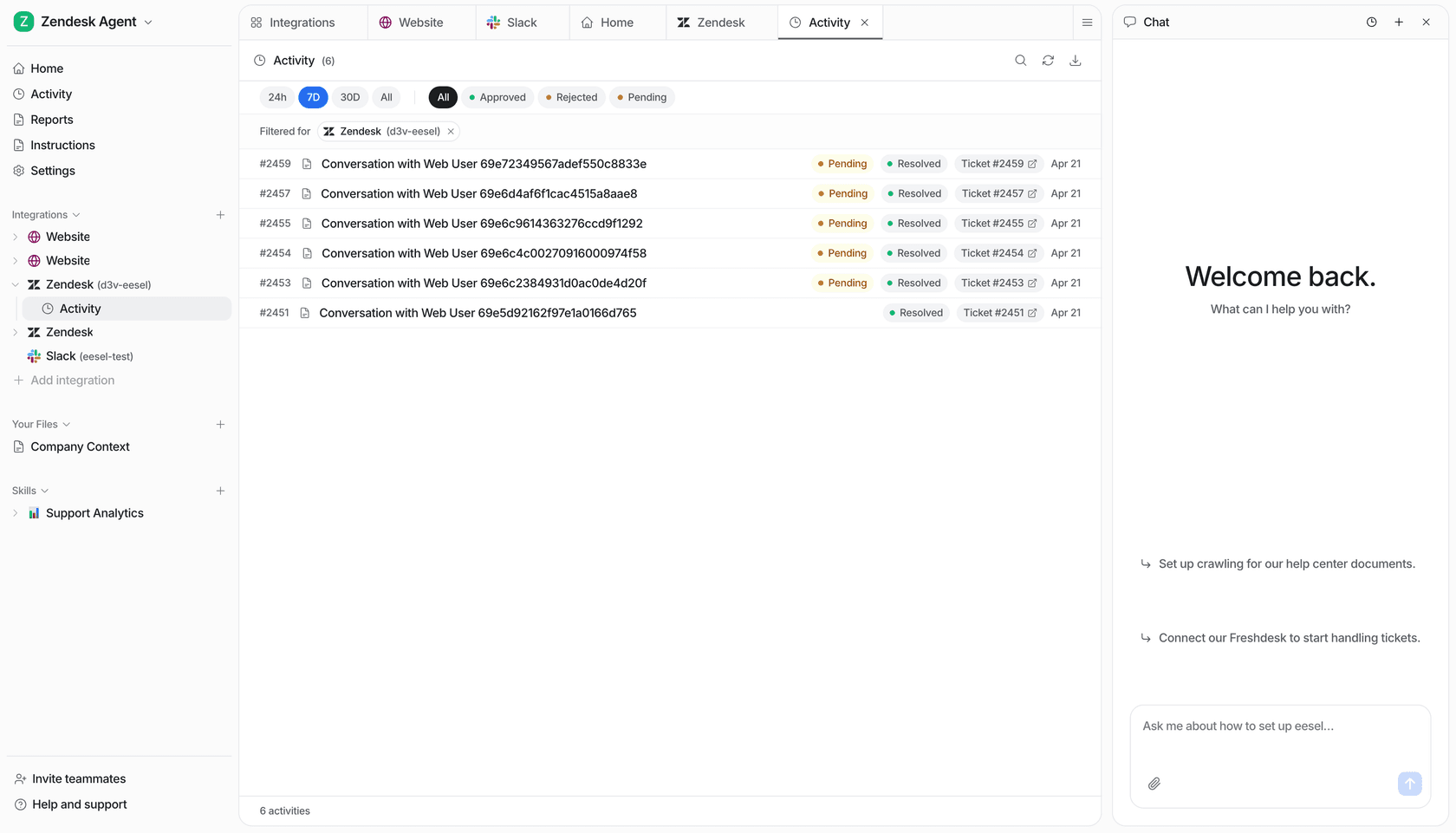
Try eesel with 100 credits for 7 days, no card needed, or book a demo with the eesel team.