

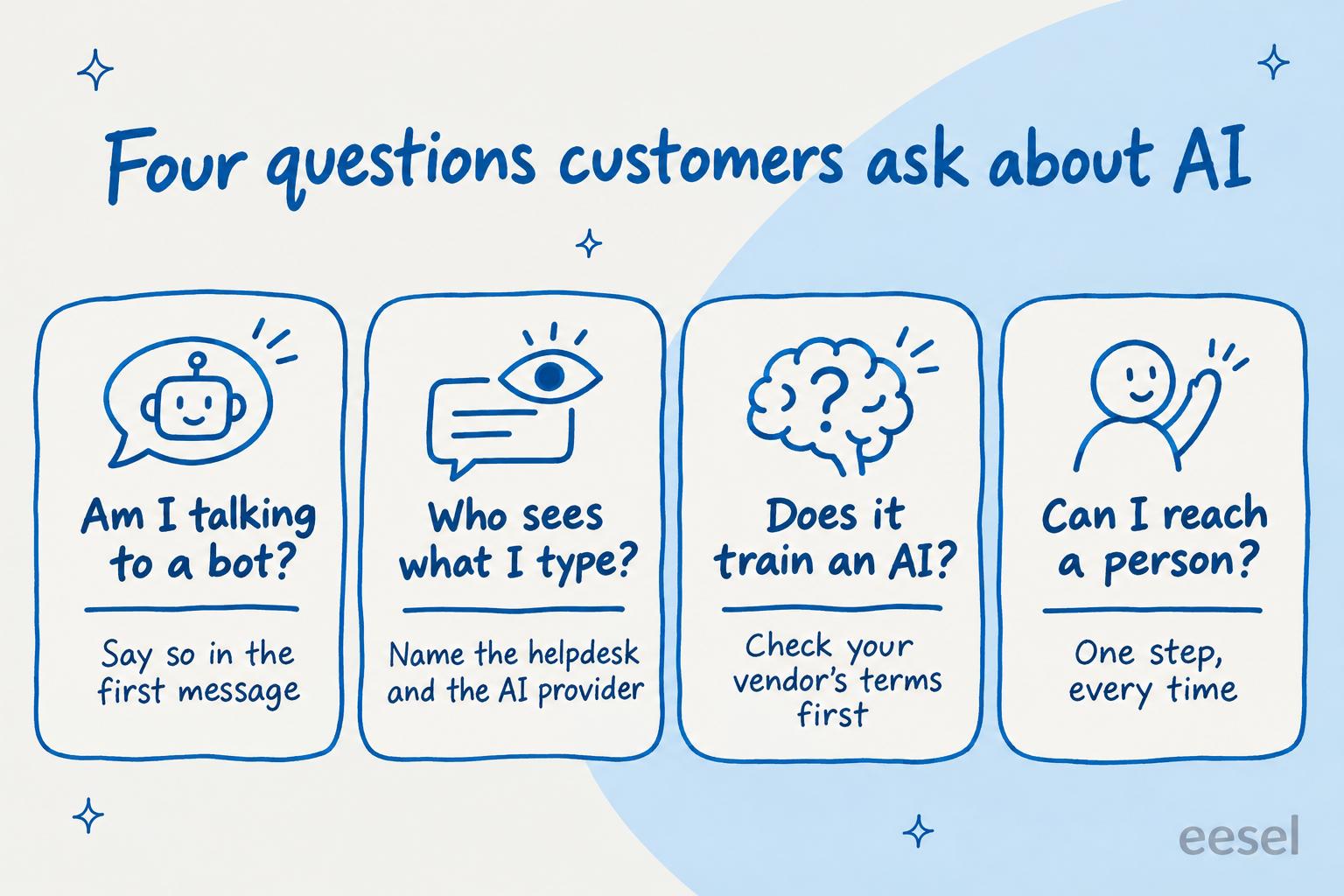
To explain AI data use to customers, answer four questions in plain words before they have to ask (am I talking to an AI, who sees what I type, does it train anyone's model, how do I reach a person), and on Zendesk check the training answer first: Zendesk's own labelling models train on sanitised customer data unless you ask Zendesk support to opt your subdomains out, while its generative AI features run on third-party models that aren't trained on your data.
Then say it's AI in the first message (Zendesk's terms and, in the EU, Article 50 of the AI Act both expect that), keep a human one step away, and put the same answers in a help center article your agents can link.
An AI teammate such as eesel answers your Zendesk tickets from your help center and past tickets and never trains or fine-tunes models on that data, so your training sentence is one line. An AI coding agent can load the approved article and macros into it with the eesel CLI and ask it test questions first, though connecting Zendesk still needs an admin's approval.
Why are customers asking how you use their data?
Because they expect to be told, and most teams haven't said anything yet. In Zendesk's CX Trends 2026 research, based on more than 11,000 consumers and business leaders in 22 countries, 95% of consumers expect clear explanations for AI-made decisions, and 80% of CX leaders say transparency will soon be required for any customer-facing AI.
I work on eesel's support team, so I see this question arrive the way your agents do: in the middle of a ticket about something else. "Before I send my order number, is this a bot?" "Does this go into ChatGPT?" The agent who gets it has about ten seconds to answer, and if the answer isn't written down somewhere, they guess. A guess is how a support team ends up promising "we never use your data for AI" on behalf of a vendor whose terms say something more complicated.
The worry behind the question is usually the same one. In a Hacker News thread about Atlassian collecting customer data for AI training by default, one reader put it like this:
"What about really sensitive stuff like if possibly private tickets that have all kinds of stuff like customer data, embargoed CVE fixes or even sensitive health related data, are they just cobble that all into a model so it can leak out to random people ?"

That is a fair fear about support tickets, which hold addresses, order histories and sometimes health details. The good news is that it has a checkable answer for your setup. The rest of this post is how to find it and say it.
What does Zendesk's AI actually do with customer data?
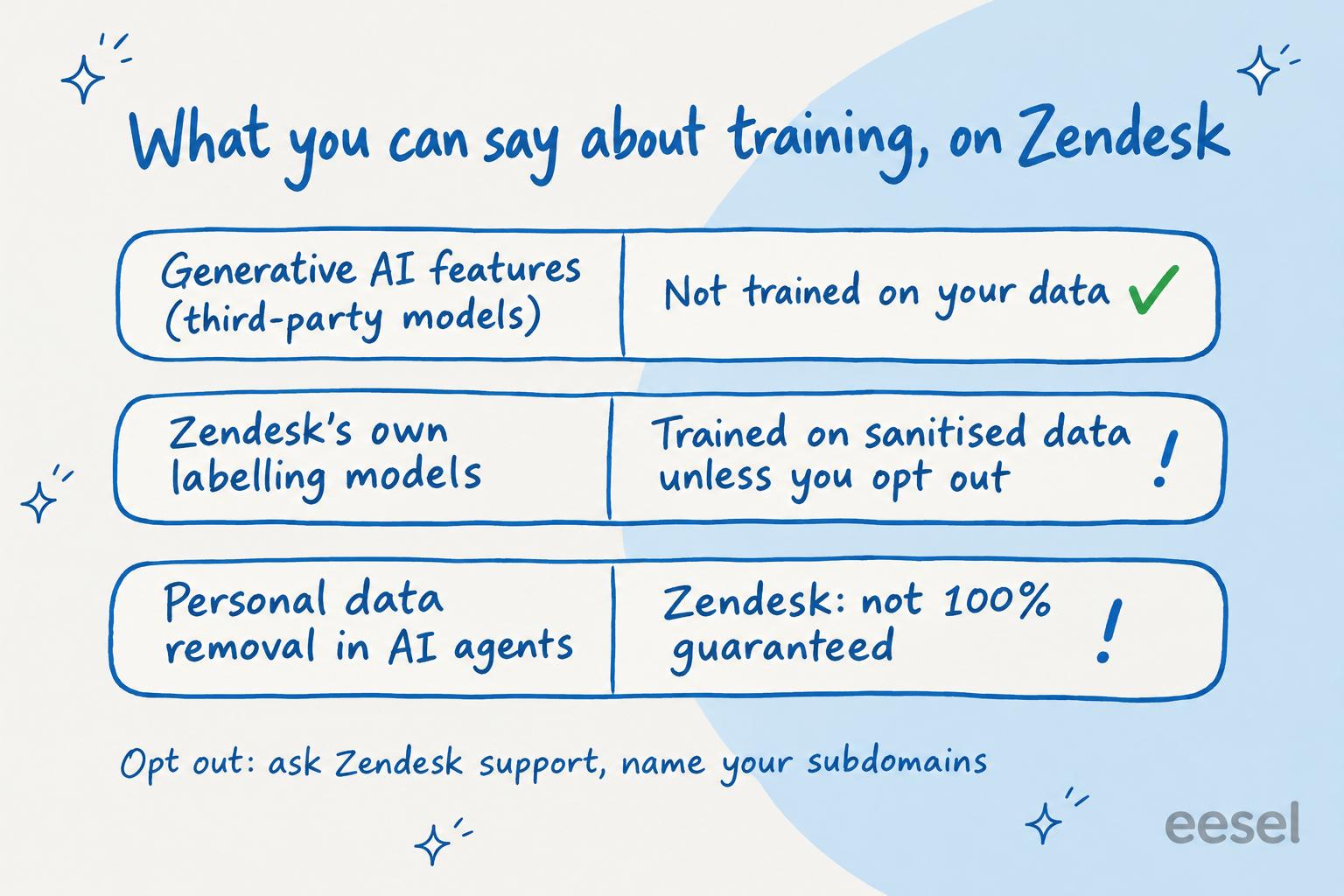
It depends on which Zendesk AI you mean, because Zendesk runs two kinds and they're treated differently. Zendesk's AI data use page and its service-specific terms set it out:
| Zendesk AI | What it is | Trained on your data? |
|---|---|---|
| Generative AI features (anything that writes text for you) | Pre-trained third-party large language models "such as OpenAI" | No. Zendesk says no third party will use your inputs to train their models |
| Zendesk's own machine learning models | Non-generative models whose outputs are labels, not passages of text | Yes, unless you opt out. "Most customers instruct Zendesk to train such functionality"; you opt out by contacting Zendesk support and naming your subdomains |
| AI agents (the messaging and email bots) | Processes transcripts to automate conversations and run analytics | PII is replaced with labels such as <EMAIL> and <IBAN> on arrival, but Zendesk "cannot guarantee that 100% of any PII data that might be received will be removed" |
Zendesk's case for the middle row is a reasonable one. Before its own models train on customer data, it excludes identifier fields such as username and email, runs a natural language processing algorithm over the free text to remove certain identifying details, and converts the text into numeric tokens. Because those models output labels rather than passages of text, Zendesk says they "do not create the risk of customer data being reproduced or shared in an improper context". That's a real answer to the Hacker News fear above.
It still isn't the same as "we don't use your data for AI", and that's the sentence I hear support teams want to write. So before anyone drafts a customer-facing line, find out two things: whether your account has been opted out of Zendesk's model training, and which AI features you actually have switched on. One email to Zendesk support answers the first. Our longer reads on Zendesk AI agent data privacy and Zendesk AI security cover the second.
Two more facts belong in your notes even if they never reach a customer. AI agents are not covered by Zendesk's Advanced Data Privacy and Protection add-on, per the same terms. And if you run Zendesk's generative AI with customers, the terms say you "will disclose to End Users that they are interacting with an AI system". Which brings us to step one.
Step 1: Say it's AI in the first message
Tell customers they're talking to an AI before they've typed anything that matters. Three things point the same way:
- Your Zendesk contract. The terms say that if you let Zendesk AI talk to customers without human review, you "will inform its End Users that they are interacting with an AI system".
- The law, if you serve the EU. Article 50 of the EU AI Act requires that people be told they're interacting with an AI system "in a clear and distinguishable manner at the latest at the time of the first interaction", unless it's obvious. The AI Act applies from 2 August 2026, and this part wasn't pushed back. Our EU AI Act guide for support teams has the detail.
- The conversation itself. Zendesk's own standard responses guidance makes the practical case: "If the user thinks they're talking to a human, they're likely to write long, conversational messages. The AI agent might have trouble understanding, and the user might feel that they've been misled."
Zendesk does part of this for you. In the messaging Web Widget, the "Generated by AI" disclosure now sits on the AI agent's name, once per group of messages, and the July 2026 release brought the same label to social and mobile channels, with an API control per channel to switch it off. Don't switch it off. A label is the cheapest disclosure you'll ever ship.
The label isn't the whole job, though, because a label tells people it's AI and not what that means. Put one line in the AI chatbot's greeting too. Norden-Frisia, a German ferry line, named its eesel bot CaptAIn and opens every chat with "Moin! Ich bin dein digitaler Reisekapitän" ("I'm your digital travel captain").
Step 2: Say who sees what they type
Name the parties, in one or two sentences. Customers don't need your subprocessor list in the chat, but they do want to know whether their message stays between them and you. A true version for a Zendesk team using generative AI reads something like:
"Your messages are stored in our helpdesk, Zendesk. Some replies are written with help from an AI model from Zendesk's AI provider, which isn't allowed to train on your messages."
Check every clause against your own setup before you use it. Two rules keep it honest:
- Don't promise that personal data is removed. Zendesk itself says its AI agent sanitisation can't catch 100% of it. "We remove personal details where we can" is true; "your data is anonymised" may not be. If you want past tickets cleaned before an AI learns from them, that's a setting to turn on, not a sentence to write; our guide to redacting PII in support transcripts covers how.
- Point to where it's stored if they ask. Region matters to some customers more than training does. Our post on AI support data residency explains what to check.
Step 3: Give the training answer you checked
This is the one customers care about most, and the one most often answered from memory. Write the sentence from your vendors' own terms, one vendor at a time: your helpdesk, any AI app on top of it, and any AI provider either of them uses.
For Zendesk, the true sentence depends on the opt-out from the table above. If you've opted out: "Our helpdesk's AI isn't trained on your messages." If you haven't: "Our helpdesk uses support conversations, with identifying details removed, to improve its own tools that sort and label tickets. AI-written replies come from a model that isn't trained on your messages." The second is longer, and it's also the one that survives a customer reading Zendesk's terms.
For eesel, the sentence is short because the policy is: eesel's security page says eesel does not train or fine-tune models on your data, and the AI providers process it only to generate your agent's responses, under commercial API terms that don't permit training on API data. Other vendors have their own versions; Slack's training policy and Salesforce's Einstein Trust Layer are two we've written up.
Step 4: Keep a person one step away
Every answer about AI should end with how to reach a human, because "can I talk to a person?" is the question underneath most of the others. Zendesk's AI agent persona guidance says it directly: "Tell your customer that they're speaking to an AI agent - and make sure that they can easily escalate to a human agent." The same page cites a figure that 70% of American customers prefer speaking to a human agent rather than an AI agent.
In practice that means a handoff the customer can trigger with plain words ("agent", "person", "human") and one that carries the conversation over so they don't repeat themselves. Our guides to Zendesk AI agent handoff and human handoff in chat cover the mechanics, and AI vs human support covers which questions should skip the AI entirely.
Step 5: Write it down where agents and customers can find it
The answers only help if the next agent who's asked can find them in ten seconds. Put them in three places:
- A help center article, "How we use AI in support", with the four answers and a link to your privacy policy. It's the page an AI agent can quote too, once it's in the knowledge base.
- A macro for each question, so a human agent replies with the approved wording rather than their own.
- The greeting, from step 1: one line, every channel.
Then decide who owns it. Vendor terms change (three of the Zendesk pages quoted here were edited this month), so put a date on the article and check it when you renew a contract or switch on a new AI feature. A customer who later finds a stale promise trusts you less than one who was told the complicated truth; our post on building customer trust makes the longer case.
Use the chooser below to get the reply for the question in front of you.
Pick the question your customer asked to see a reply you can adapt, and what to check before you send it.
Try eesel with your Zendesk
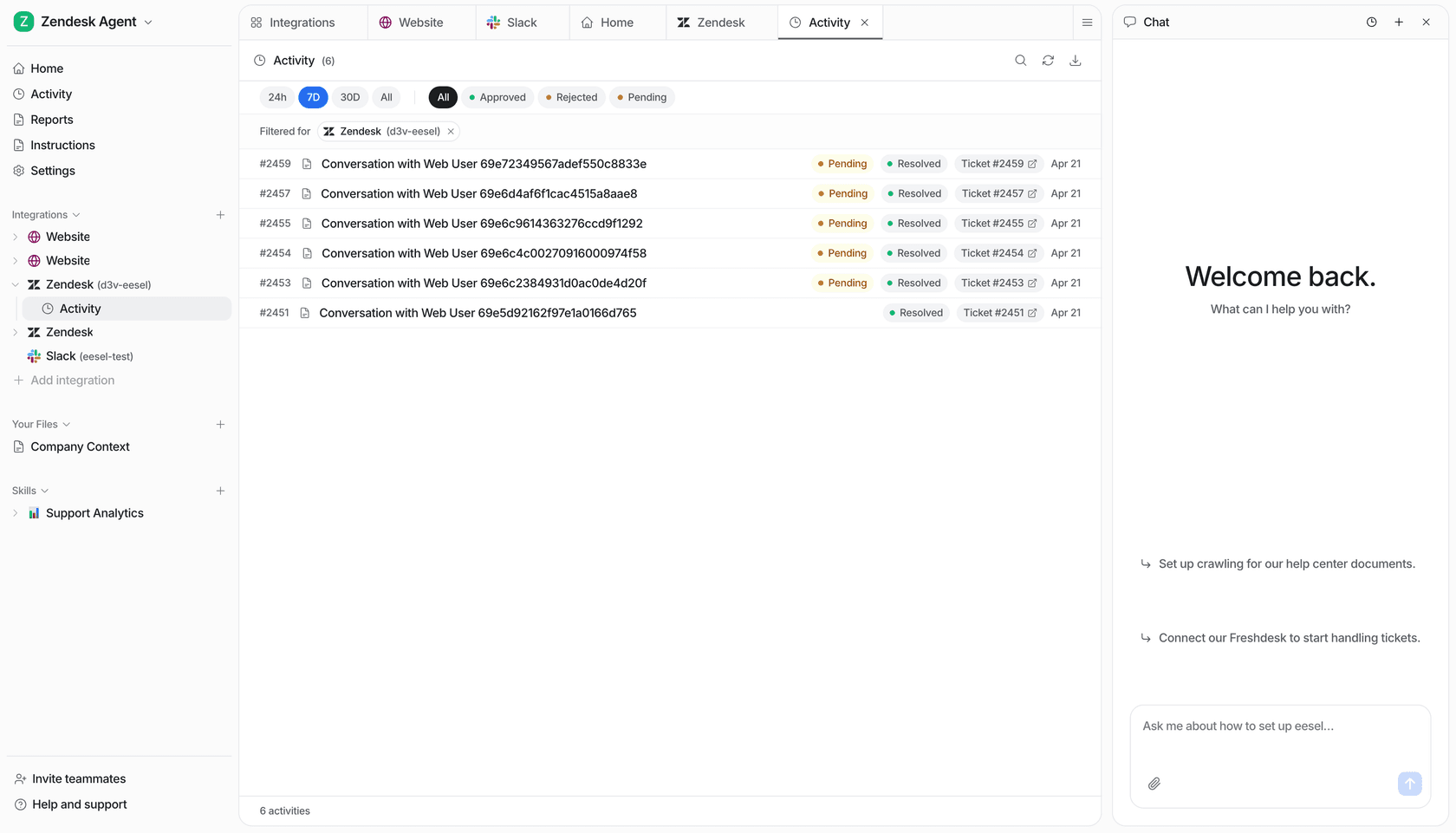
If the hardest part of this post was writing the training sentence, pick AI that makes it short. eesel joins your Zendesk as an AI teammate, learns from your help center, macros and past tickets, and answers or drafts replies inside the tickets your team already works. It doesn't train or fine-tune models on your data, it keeps each workspace's data separate, and you can turn on PII redaction so names, emails, card numbers and other personal details are masked in past tickets before they're stored or indexed. Its SOC 2 Type II audit is in progress, and every conversation and action is in the activity log, so when a customer asks what the AI did with their ticket, you can look.
What it may do depends on who's asking: it can act on its own for a team member, ask first before a refund for a verified customer, and stay away from billing for an anonymous visitor. smava, a German consumer-credit comparison platform, runs three eesel agents on one Zendesk across about 27,000 tickets a month, with a written list of things each agent must never do.
Try eesel on your Zendesk, and write the AI article with one less caveat.