


What WorkHub actually is now
Quick heads-up before the numbers, because this trips people up. WorkHub used to be pitched as a whole suite of workplace apps. As of 2026, workhub.ai is built entirely around one product: WorkBot, "AI Chatbot Software for Customer Support." The homepage, nav, and pricing are all about support automation across chat, voice, and (soon) email. The old task-management and employee-recognition apps are gone from the site.
So when you search "workhub pricing," what you're really pricing is WorkBot: a no-code AI chatbot you embed on your site, train on your URLs and docs, and point at customer questions. It also ships an AI voice agent for inbound calls.
WorkHub pricing plans in full
WorkHub runs three tiers, billed monthly or yearly (yearly saves 10%). Every plan bundles a monthly token allowance and access to what WorkHub calls "Advanced Models." Here's the full breakdown from the pricing page.
| Plan | Price | Monthly tokens | AI agents | Knowledge base | Voice agent |
|---|---|---|---|---|---|
| Free | $0/mo | 500,000 | 5 | 50 URLs | 1 test call |
| Pro | $100/mo ($1,080/yr) | 1,000,000 | 10 | Unlimited URLs | Full access |
| Enterprise | Custom | Custom | Unlimited | Unlimited | Full access |
A few details that matter more than the headline price:
- Free is a real, ongoing $0 plan, not just a trial. You get 5 AI agents, sentiment analytics, human takeover, and a single test call with the voice agent. It's usable for a low-volume site as-is.
- Pro at $100/month (or $1,080 billed annually, which works out to $90/month) lifts you to 1,000,000 tokens, 10 agents, unlimited knowledge base URLs, and full voice-agent access. A dedicated phone number for the voice agent is a +$20/month add-on.
- Enterprise is custom-quoted and adds unlimited agents, custom model training, on-premises deployment, SLAs, and a dedicated success manager.
There's also a 7-day free trial with no credit card, and support scales by tier: community support on Free, email with a 24-hour response on Pro, and 24/7 dedicated support on Enterprise.
The add-on that decides your real bill
Here's the line item that actually governs cost once you're live: extra tokens are $5 per 50,000, which is $0.0001 per token, or $100 per additional million. Unused tokens roll over month to month and don't expire, which is a nice touch. But it also means the sticker price ($0, $100, or "call us") is a floor, not a ceiling. What you pay depends entirely on how many tokens your conversations burn.
The catch: tokens don't map to conversations
This is the part worth slowing down on, because it's the whole story of WorkHub pricing. Every other unit in this market answers a question a support manager can actually reason about: how much per conversation, per resolution, or per ticket? WorkHub answers a different question: how many tokens?
A token is roughly 3-4 characters of text. That sounds tiny, and per token it is. But a single AI support chat doesn't spend one token. It spends tokens on pulling the right articles from your knowledge base, on the running conversation context, on generating each reply, and on every follow-up message the customer sends. Those add up fast, and the total swings wildly with how chatty the customer is and how much documentation the bot has to read.
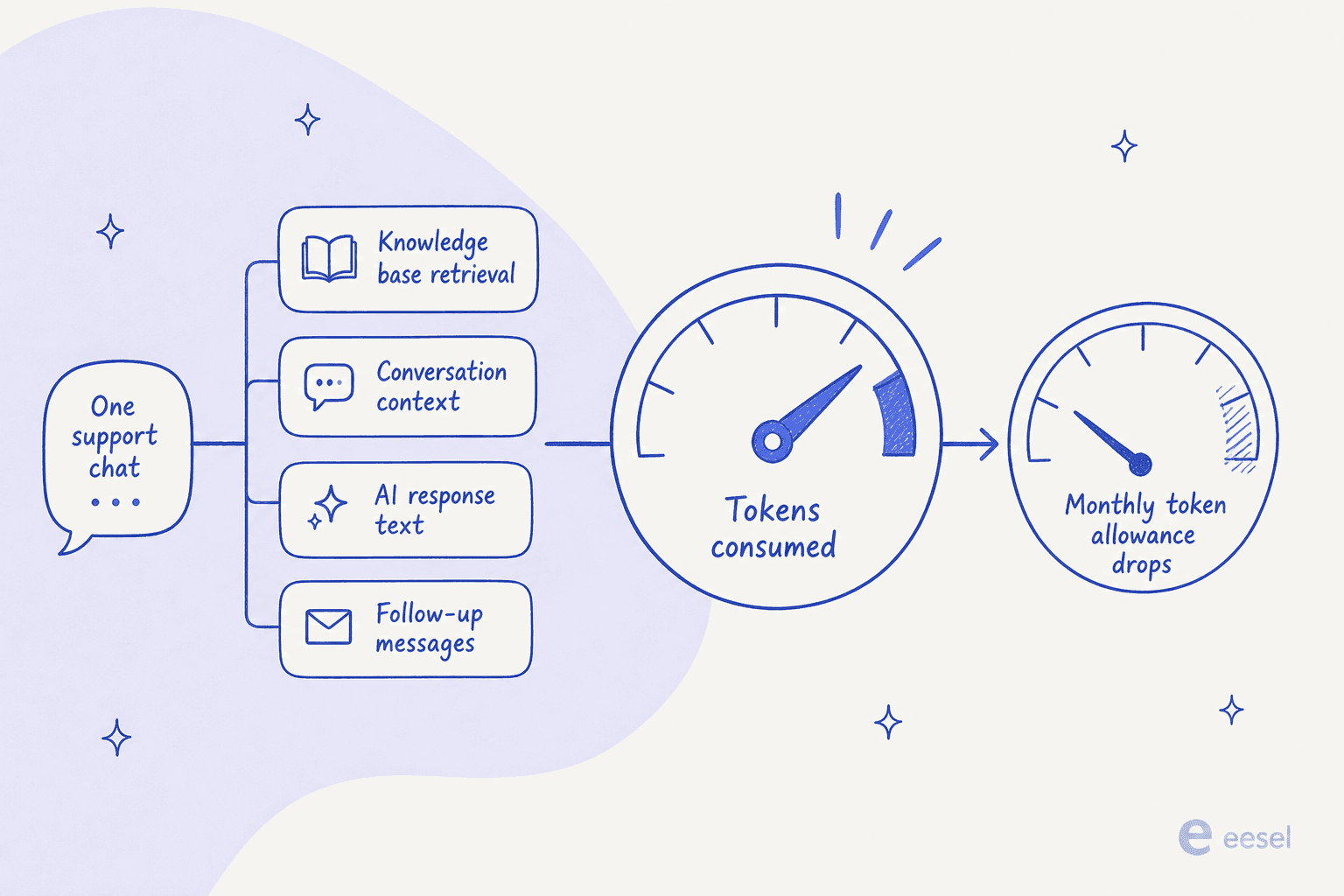
WorkHub doesn't publish an average token count per conversation, so you can't convert "1,000,000 tokens" into "X customers helped" from the pricing page alone. You have to run it, watch the meter, and back into the number. That's fine if you enjoy metering; it's a headache if you're trying to sign off a budget.
This isn't a WorkHub-only problem, to be fair. It's the same friction we hit constantly in our own sales calls, just with a different unit. The single most common pricing question we get isn't "how much" but "how do I predict this":
A buyer testing our AI once burned through 200 interactions in a single day of trialing, then spent the rest of the call worried about what that meant at 9,000 conversations a month. The number wasn't even high. The anxiety came from not being able to see it coming.
We've spent the last few years putting AI on live support queues, and the pattern is always the same: teams don't fear a high price nearly as much as they fear an unpredictable one. A unit you can't map to your own volume is the thing that kills the budget conversation.
What a month of WorkHub actually costs
Let's make the token math concrete. WorkHub doesn't give a per-conversation figure, so we'll use a planning estimate of ~8,000 tokens per resolved conversation (retrieval + context + a few back-and-forth replies). Treat that as a placeholder you should replace with your own measured number, not a WorkHub-published figure. On Pro's 1,000,000-token allowance, that's roughly 125 conversations before you hit overage.
Here's how the bill scales at that assumption, next to a credit-plan model (eesel's Teammate plans, 1 credit per conversation) for reference:
| Conversations/mo | Est. tokens | WorkHub Pro (base + overage) | Credit plan (eesel) |
|---|---|---|---|
| 100 | 800,000 | $100 | $0 (free plan, 100 credits) |
| 500 | 4,000,000 | $400 | $299 (500 credits) |
| 1,000 | 8,000,000 | $800 | $499 (1,000 credits) |
| 2,500 | 20,000,000 | $2,000 | $999 (2,500 credits) |
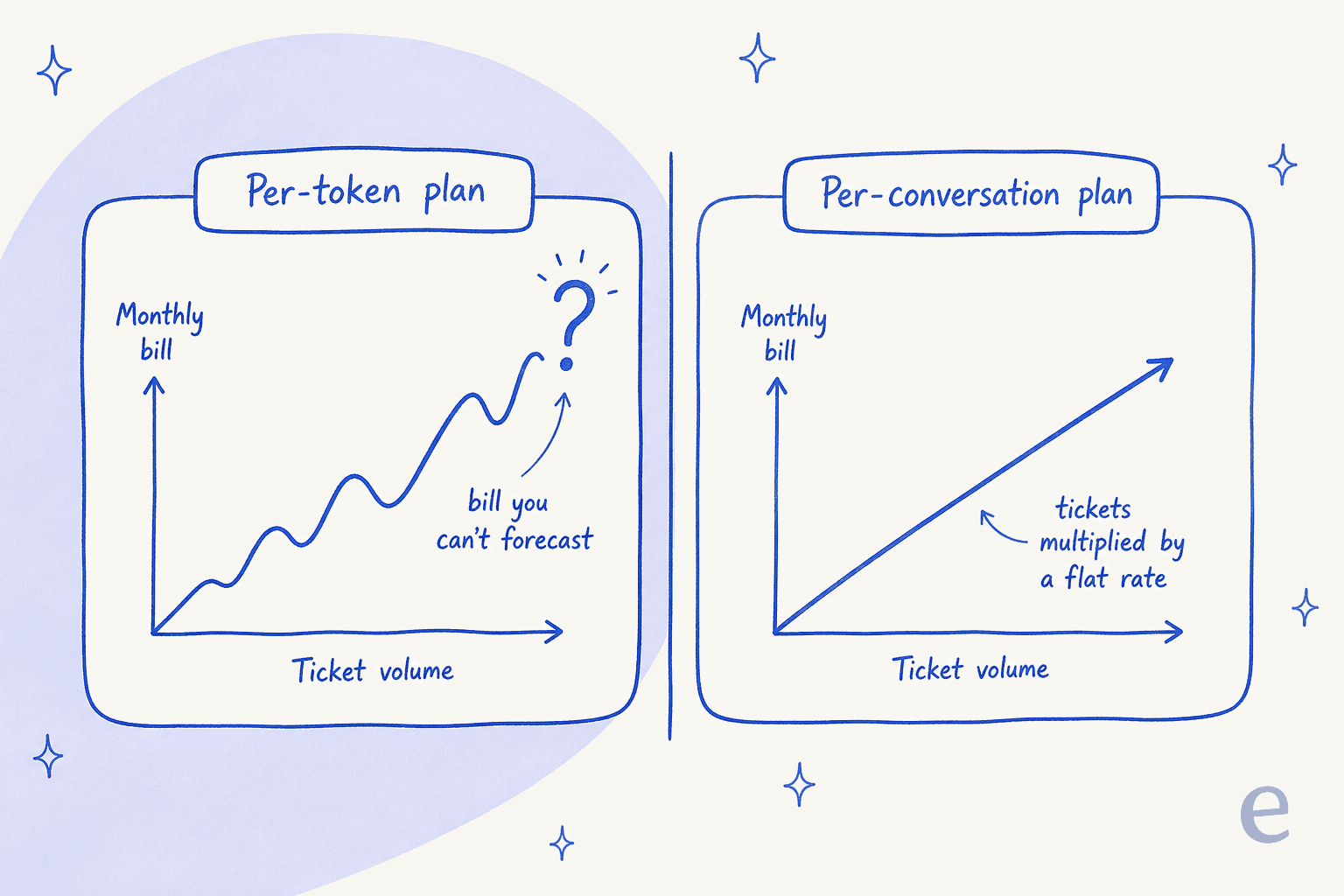
Two honest caveats. First, those WorkHub figures move a lot: if your conversations are shorter (say 3,000 tokens each), Pro's million tokens stretches to ~330 conversations and the picture improves. Second, the point of the table isn't "WorkHub is always pricier." It's that you can't fill in the WorkHub column until you've measured your own token burn, whereas the credit-plan column is just a lookup you can do before signing up.
Want to run your own numbers? Plug in your volume and token estimate:
How WorkHub's billing compares
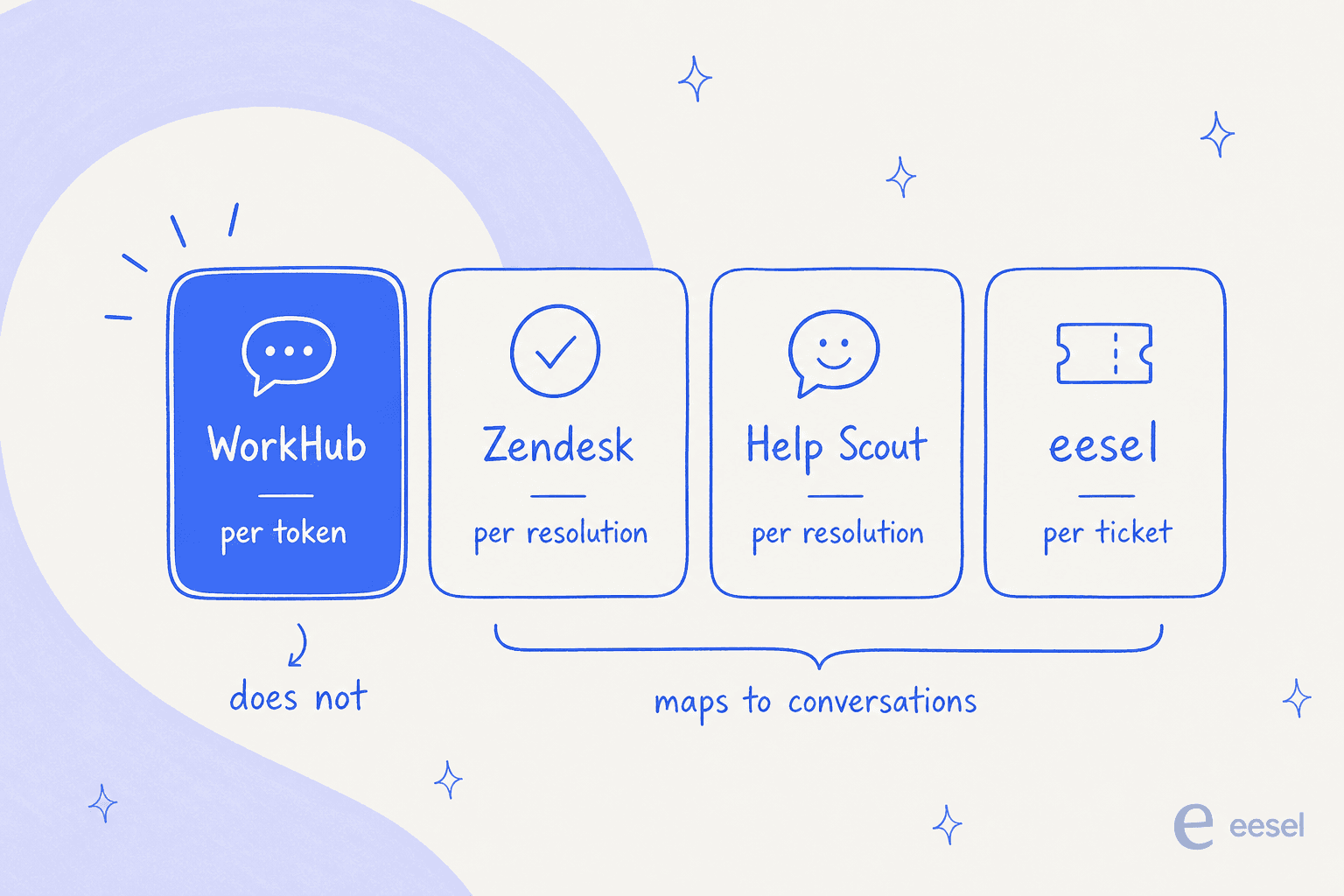
Zoom out and the market splits into two camps: tools that bill on a unit tied to a customer conversation, and WorkHub, which bills on tokens. Here's where the major AI support platforms land, all verified against their pricing pages on 2026-08-29.
| Tool | AI billing unit | Entry AI price | Maps to conversations? |
|---|---|---|---|
| WorkHub | Per token | $100/mo (1M tokens) | No |
| Zendesk | Per automated resolution | $1.50 / resolution | Yes |
| Freshdesk | Per session | $0.49 / session | Yes |
| Zoho Desk | Included per tier | Answer Bot on $40 tier | Partly |
| Gorgias | Per automated interaction | $0.90 / interaction | Yes |
| Help Scout | Per resolution | $0.75 / resolution | Yes |
| Front | Per conversation | from $0.05 / conversation | Yes |
| HubSpot | Per resolution | $0.50 / resolution | Yes |
| eesel | Credit per ticket or chat | From $299/mo (500 credits) | Yes |
Every tool except WorkHub prices on a unit you can count in advance. Help Scout's $0.75 per resolution only charges when the bot actually solves the ticket. Gorgias bills per automated interaction. eesel charges one credit per ticket on a fixed monthly price from $299, where one ticket is one credit no matter how many messages fly back and forth. WorkHub is the outlier: cheaper-looking on the surface, harder to forecast underneath.
That's not automatically bad. If you're a small site doing a few hundred short conversations a month, WorkHub's Free or Pro tier can be the cheapest option on this list, and the rollover tokens soften the sting of a quiet month. The trade-off is purely about visibility.
Is WorkHub worth it?
For its actual target buyer, yes, with eyes open. WorkHub is aimed at SMBs and SaaS teams that want a no-code chatbot live in minutes without wiring it into a full helpdesk. At that size, the free tier is real, Pro is cheap, and token rollover means you don't lose what you don't use. If that's you, it's a fair pick.
Two things to weigh before you commit. First, the numbers on WorkHub's site (60-70% of tickets resolved, up to 75% cost reduction, 1,000+ companies) are vendor self-reported, and the customer testimonials are attributed to generic titles like "Head of CX, Global E-commerce Giant" rather than named companies, so treat them as marketing rather than proof. Second, WorkHub is a standalone bot. It sits beside your helpdesk, not inside it, so it doesn't natively work your Zendesk or Freshdesk queue, tag tickets, or hand off with full context the way a helpdesk-native AI agent does. For a website FAQ deflector that's fine. For a team that lives in a shared inbox, it's a real limitation, and it's the main reason people go looking for WorkHub alternatives.
If the two things pushing you off WorkHub are "the pricing is hard to predict" and "it doesn't live in my helpdesk," that's worth naming, because it points straight at what you'd want instead.
Try eesel for predictable AI support pricing
If you want the thing WorkHub's token meter makes hard, a bill you can forecast before you turn it on, that's the whole idea behind eesel. It's an AI helpdesk teammate that plugs into the helpdesk you already run (Zendesk, Freshdesk, Gorgias, Help Scout, and more), reads your knowledge, and drafts or auto-resolves tickets right there in the queue.

Two differences that matter for anyone comparing on cost. Pricing is one fixed monthly price from $299 for 500 credits, one ticket is one credit regardless of message count, with no per-seat fee, so the estimator above becomes a lookup instead of a token guess. And before it answers a single customer, eesel simulates on your past tickets so you can see the resolution rate and the projected monthly cost up front. You start free on 100 credits, and if you run out you can turn on overage with a monthly cap you set so the bill never surprises you. That's the piece the token model can't give you.