


What OTRS actually is in 2026
OTRS is a service management platform from the German vendor OTRS Group, used across IT, HR, customer service, and security. It centers on ticketing, ITIL processes, a CMDB for asset management, a knowledge base and customer portal, SLA and escalation handling, and reporting, with a separate cyber-defense product called STORM. Think of it as an ITSM tool first, sold "directly from the manufacturer."
The single biggest source of confusion about OTRS is the fork story, and it directly shapes how you should read any pricing conversation. In April 2018 OTRS AG renamed its open-source edition ((OTRS)) Community Edition and its commercial edition simply "OTRS." Then, on December 23, 2020, the company announced that support and security fixes for the Community Edition would stop on January 1, 2021, roughly eight days' notice over the holidays. The last free release was version 6.
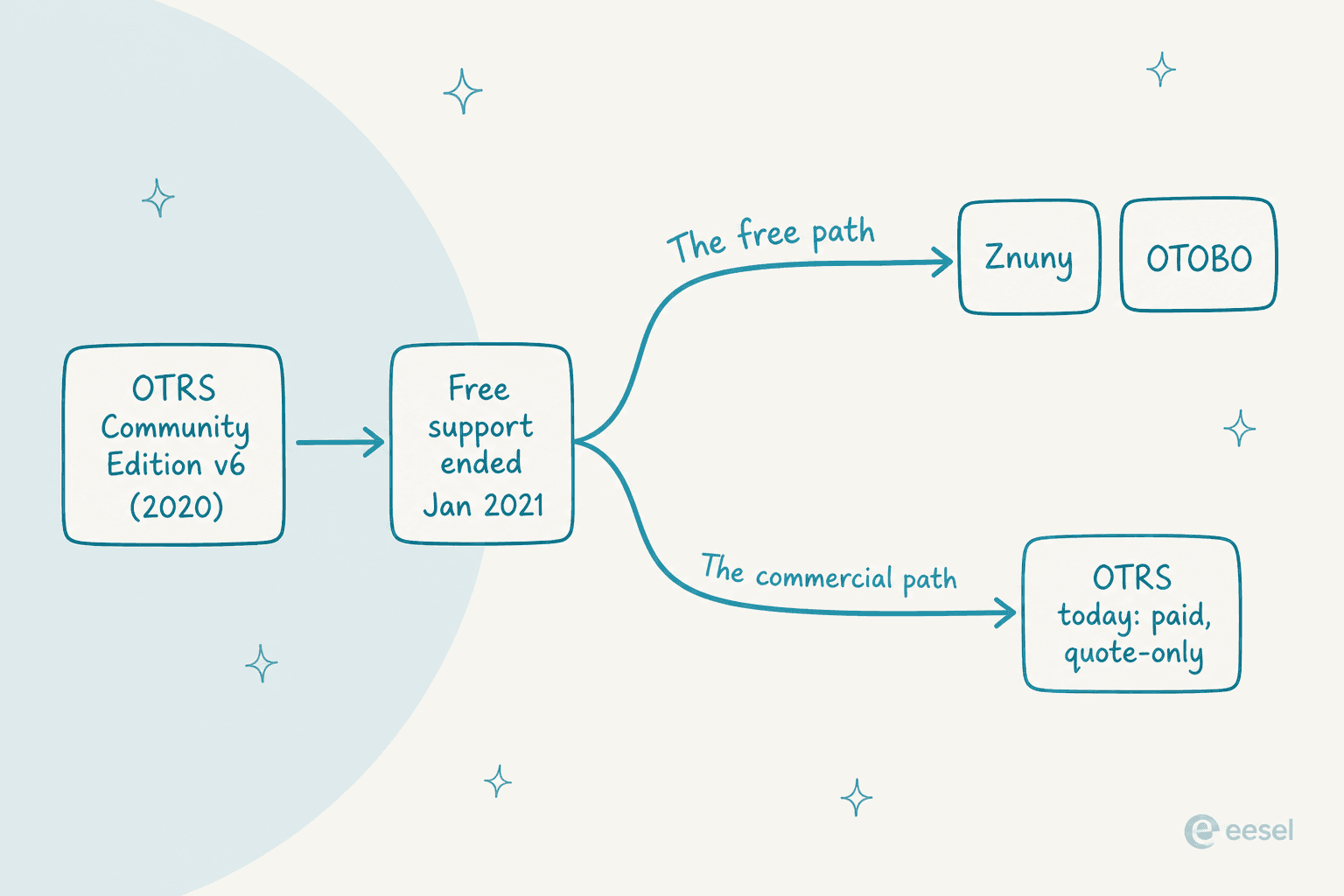
The community responded by forking the code. Znuny picked up security releases and maintenance for CE 6.0.x users, and OTOBO became a second fork from Rother OSS. So the free path is now Znuny or OTOBO, and OTRS is a paid, vendor-managed product. That is the fork in the road every legacy self-hoster hits, and it is why so many "OTRS pricing" searches are really "wait, do I have to pay now?" searches.
OTRS pricing: what's actually published
Here is the honest version. OTRS does not publish prices. The dedicated otrs.com/pricing/ and otrs.com/otrs-plans/ URLs are both dead (they 404). The real pricing signal lives on the How to Buy page, which describes a configure-and-quote model with three base packages. Every CTA on it is "Get a quote."
Because there are no dollar figures, the only concrete things to compare across tiers are the feature allowances. Here is what each package includes:
| Base package | Positioning | What's included | Price |
|---|---|---|---|
| Starter | Core functions | Ticketing, workflows, asset management up to 1,000 assets/CIs, basic processes | Quote only |
| Advanced (labeled "most popular") | Integration-focused teams | Everything in Starter, plus Kanban view, webservices, and a test system | Quote only |
| Pro | Unlimited configuration | Everything in Advanced, plus unlimited assets, 24x7 support, and 12,000 AI Credits | Quote only |
That is the entire public price ladder: three tiers, priced on request, differentiated mostly by asset caps and support level. Compared to a self-serve help desk where you can see a number and start a trial, this is a sales-led enterprise motion end to end. The upside is real flexibility; the downside is that you cannot estimate OTRS pricing without contacting sales.
How an OTRS quote gets built
OTRS markets its model as "complete flexibility to configure OTRS exactly as they need it," and the configurator walks through three steps. Understanding the steps is the closest you can get to a budget before a call.
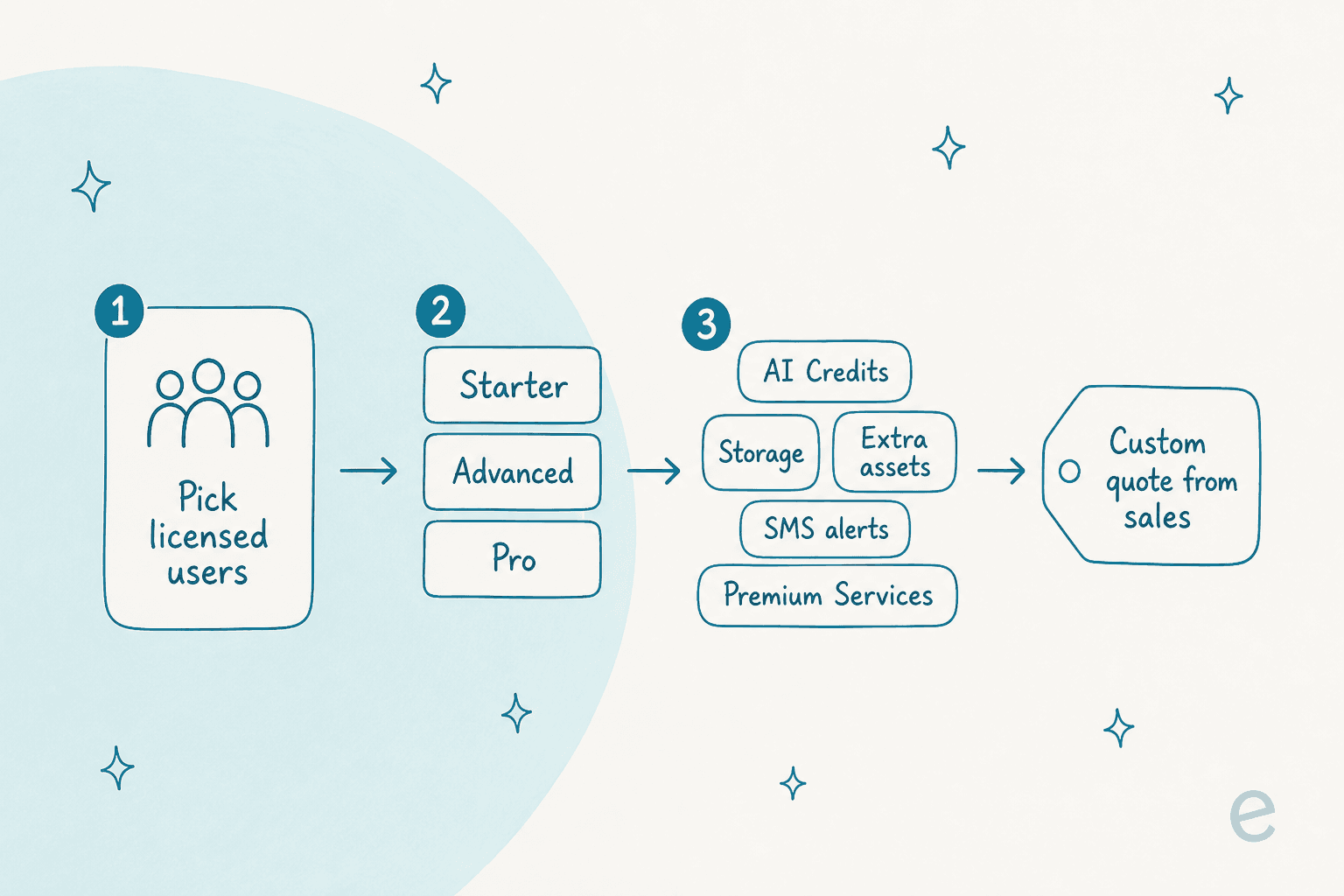
- Pick your licensed users. You select how many licensed users you need. OTRS calls this "scalable and flexible," and does not publish a per-user rate or a minimum seat count.
- Choose a base package. Starter, Advanced, or Pro, from the table above.
- Add extras. AI Credits, extra storage, extra assets, SMS alerts, on-premise services, and the Premium Services subscription all layer on top.
So the quote is really users × base package + extras, and only the first two are visible on the site. The whole thing lands on a "request a quote" form. It is a clean model to explain, but it means two teams the same size can pay very different amounts depending on which extras they end up needing.
The extras that stack on top
This is the part I would look at hardest, because it is where the total cost of ownership actually lives. The base package is the tip of the iceberg. Underneath it sit the modular add-ons, none of which carry a public price:
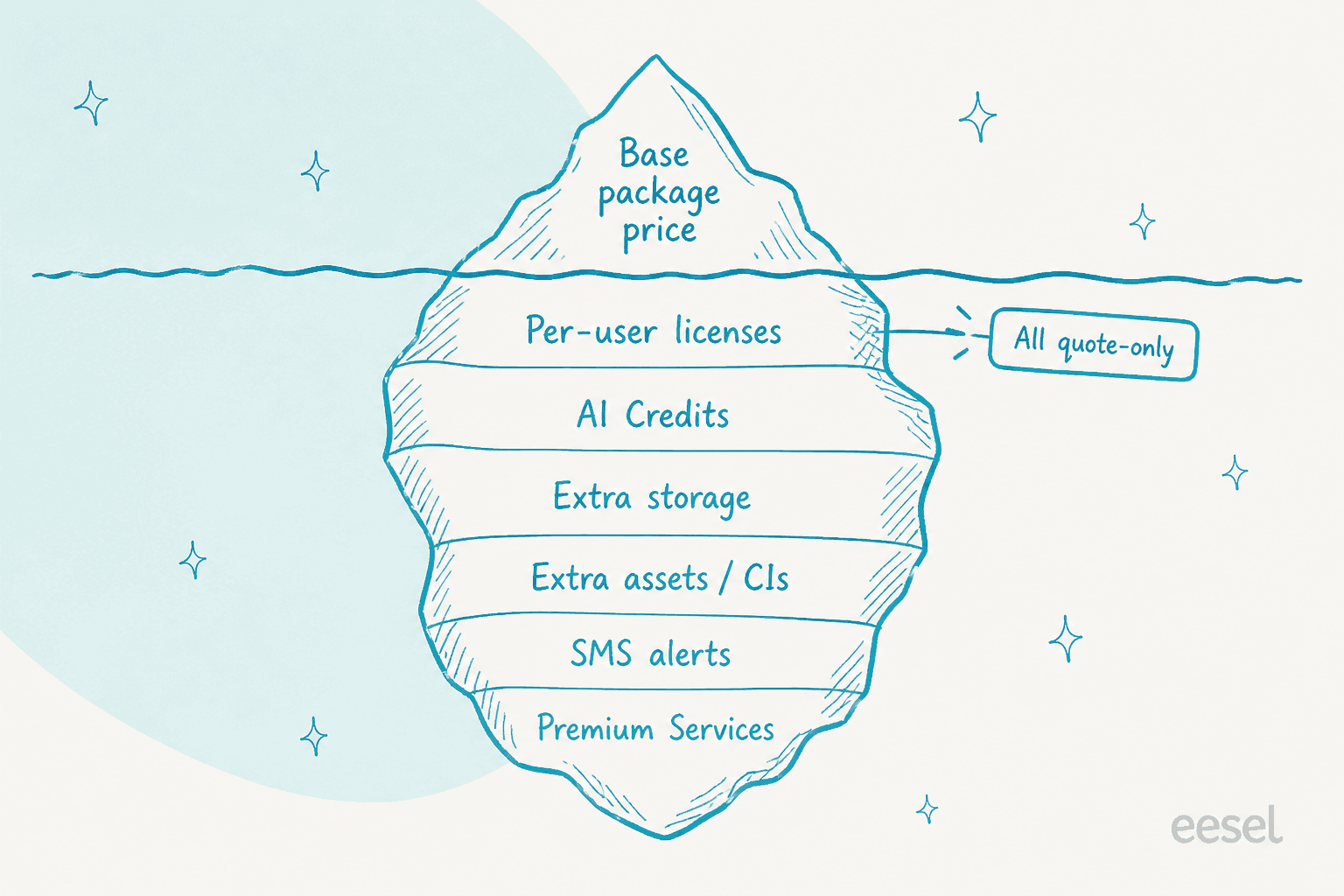
- AI Credits. OTRS sells AI ticket summaries and meters them as credits. Pro bundles 12,000, and you buy more as an extra. OTRS has not published what one credit buys, so it is hard to forecast your AI spend up front. This is a common pattern with ITSM automation tools that bolt AI on as a separate meter rather than folding it into the base price.
- Storage and extra assets/CIs. Starter caps at 1,000 configuration items, so an asset-heavy CMDB will push you toward extra-asset purchases or the Pro tier.
- SMS alerts and on-premise services are separate line items.
- Premium Services, which is its own subscription (more on that below).
None of this is hidden in a bad-faith way; it is just modular, and modular means the quote is the only place the real number appears. If you are the person who has to defend a budget, that is the friction to plan for.
OTRS Premium Services
Worth calling out on its own, because it can be a meaningful chunk of the spend. OTRS Premium Services is a subscription layer for expertise, described as "full access to configuration help, process consulting, enablement, and training, all bundled into a subscription aligned to your SLA." An entry-level package called "Launch" is referenced, with higher tiers above it.
Why this matters for pricing: OTRS is repeatedly described as powerful but complex to set up and administer. A subscription that sells you help configuring it is a strong signal that configuration is not a weekend job. When you model OTRS pricing, assume some Premium Services spend rather than treating it as optional, especially in year one.
What you can't know without a sales call
Let me be fair here, because a quote-only model is not automatically a bad thing. For a large, regulated buyer with a solutions engineer on the other side, a tailored quote is often exactly right, and OTRS's ISO 27001-certified data centers and German data-protection posture are genuine selling points for public-sector and security-conscious teams. OTRS holds a 4.4 out of 5 on Capterra across 96 reviews, which is a solid score.
But the things a smaller team most wants to know before committing are exactly the ones not on the page:
- The per-user rate, and whether there is a seat minimum.
- What an AI Credit actually costs once you burn through the 12,000 on Pro.
- Where Premium Services lands, and whether year-one implementation help is effectively mandatory.
- Total first-year cost at your team size.
If you need those answers to make a decision, budget for a sales cycle. If you would rather see a number today, that is where a transparent, published price changes the math.
The point of the calculator is not that eesel is cheaper than OTRS in every case (I genuinely cannot claim that, because OTRS has no number to compare). The point is that you can answer the "what will this cost me" question in ten seconds instead of a two-week sales cycle.
What real users say about OTRS
The review sentiment is remarkably consistent, and it tracks the pricing story. People who invest in OTRS tend to praise its depth, and the recurring complaint is the complexity that depth brings.
On the good side, the customization is the headline. Reviewers running larger IT operations lean on the flexible ticket categorization and process automation:
"The best part about OTRS is it can be fully customizable, it is a flexible and scalable platform that can be personalized to meet the particular needs of a business."

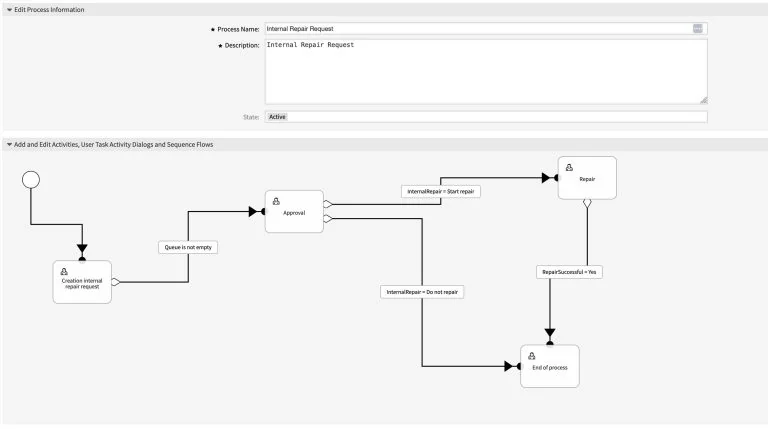
That flexibility shows up in the process builder, where you can model multi-step approval flows by hand:
The flip side is the learning curve, and it is the most common criticism by far. Setup and administration are repeatedly called arcane:
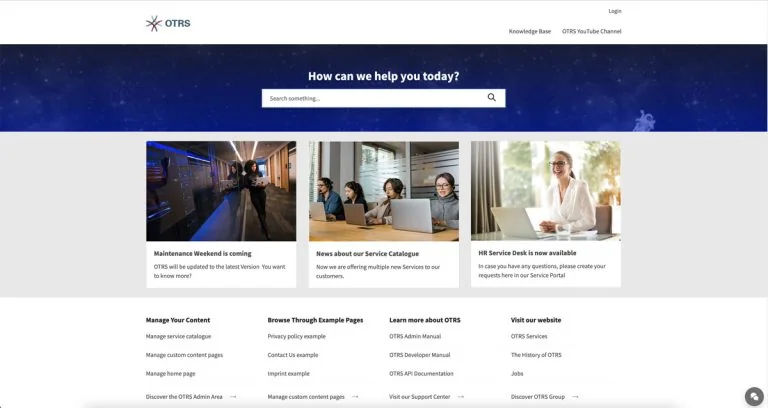
"The user portal was not user friendly at all, it created a lot of desafection with the users."
That customer portal is the external self-service surface end users see, and it is worth previewing before you commit, since it shapes a lot of the day-to-day experience:
Where OTRS clearly earns its keep is reporting. The statistics dashboards are strong out of the box, which matters for the enterprise buyers OTRS targets:
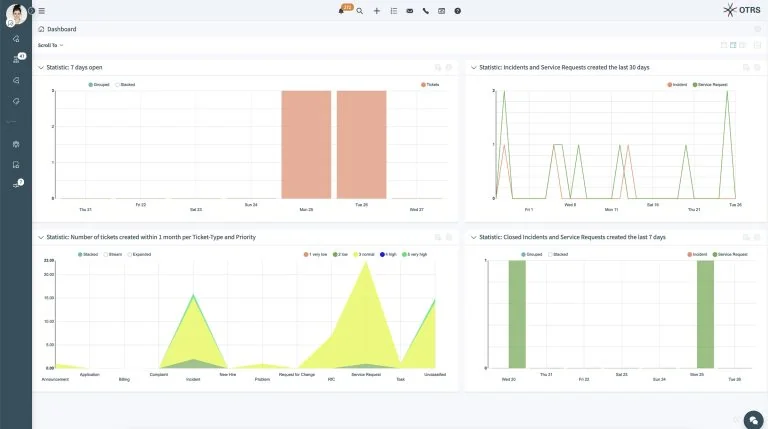
Put together, the sentiment reads as "powerful, but plan for the ramp." That is a reasonable trade for a big regulated team with an admin dedicated to it. It is a harder trade for a lean team that wanted to be answering tickets this week, which is the group most likely to bounce off the quote-only wall in the first place.
Try eesel
If you landed here trying to price a support tool and just want a number, that gap is exactly what eesel is built to close. eesel is an AI helpdesk teammate you hire rather than a platform you spend months configuring: it plugs into the helpdesk you already run, learns from your past tickets and knowledge base on day one, and starts drafting or autonomously handling replies. Most teams have their first agent live within 30 minutes.

The pricing is the deliberate opposite of quote-only: one fixed monthly price from $299/month for 500 credits (1 credit per ticket or chat), no per-seat fees and no platform fee, and only tickets the AI actually works on use credits. You can start with 100 free credits and no credit card, run a simulation against your own historical tickets before it goes live, and see the number before you commit. One of our customers, Gridwise, resolved 73% of tier-1 requests in the first month. Try eesel free, or if you need the enterprise-grade controls OTRS buyers care about, the same page covers SSO, HIPAA, and EU data residency as add-ons.