


Why the thank-you message is a support tool, not a marketing one
Most stores route the post-purchase message through their marketing stack, where it competes with promos for attention and gets optimized for opens and clicks. That is the wrong scoreboard. The confirmation message is the first thing a customer reads after handing you money, and it lands at the exact moment they are most anxious: did the order go through, when will it ship, what if I got the size wrong.
Every one of those anxieties is a ticket waiting to happen. WISMO ("where is my order") is consistently one of the highest-volume ticket categories in ecommerce, and it is almost entirely deflectable with information the store already has at checkout. When I look at what actually drives ecommerce support load, the pattern from real teams is blunt. One ops lead described wanting AI to auto-resolve half their email volume, and the categories they named first were WISMO, subscription management, and basic product questions, exactly the questions a good post-purchase sequence answers before the customer has to ask.
So the real KPI for a thank-you message is not open rate. It is how many tickets it prevents. A message that says "thank you for your order" and nothing else scores zero on that. A message that confirms the order, sets a shipping expectation, and hands over a live tracking link deflects the WISMO ticket outright. If you track your queue with a set of customer service KPIs, this is the cheapest lever on the board, and it moves your deflection rate without touching the helpdesk.
The anatomy of a message that deflects
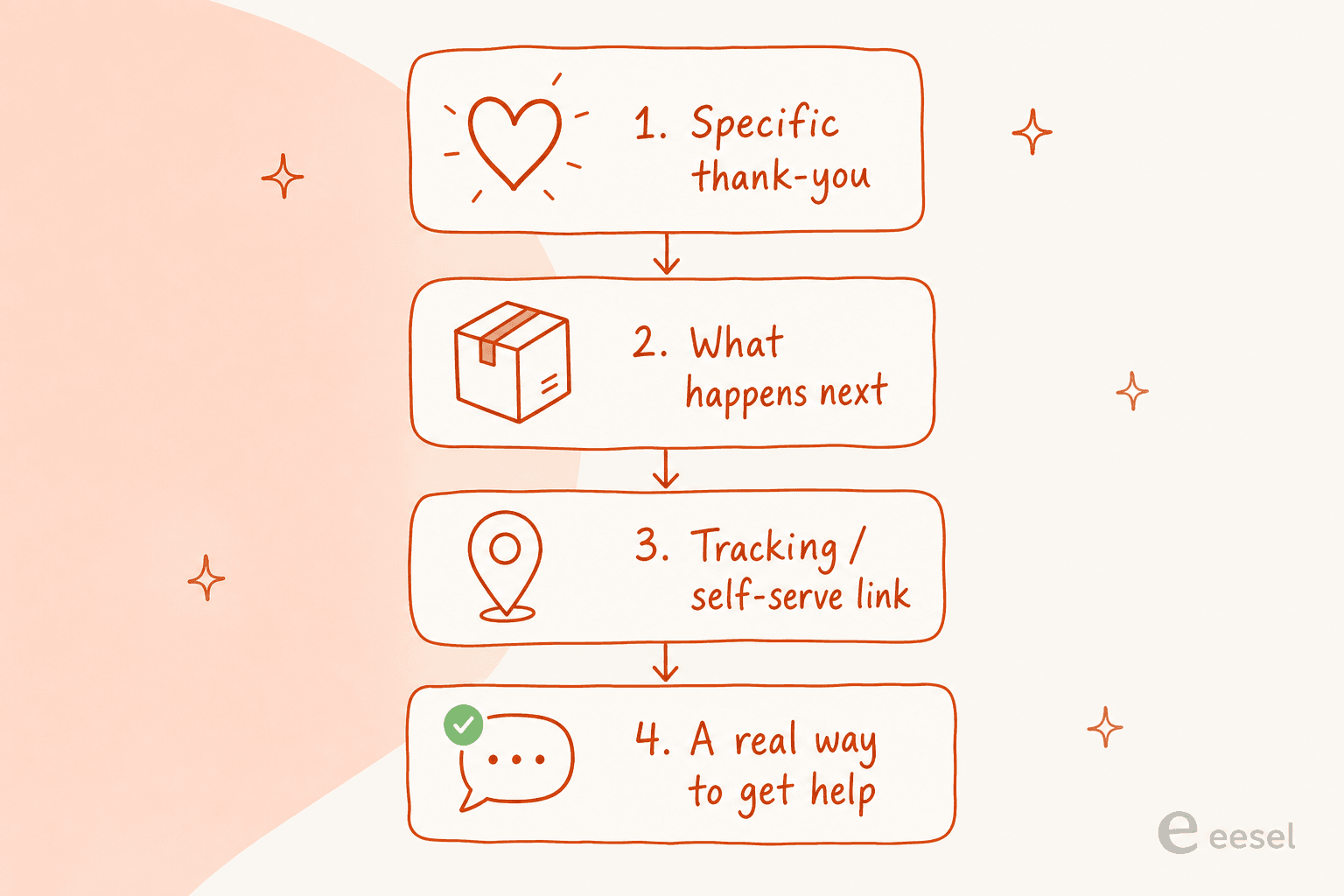
Every thank-you message that pulls its weight has the same four parts, in this order. Skip one and it either sounds generic or leaves a ticket on the table.
- A specific thank-you. Name the product or the order, not "your purchase." Specificity is the whole difference between a real message and filler.
- What happens next. Processing time, shipping window, and when they will hear from you again. This is the line that kills the "did it go through" ticket.
- The tracking or self-serve path. A live tracking link, an order-status page, or a clear "manage your order here." This is the WISMO deflector.
- One clear way to get help. Not a no-reply address. A real path to a human or an AI chatbot for orders that can actually look things up.
That fourth part is where most stores quietly lose trust. A confirmation email sent from no-reply@ tells the customer that the moment they have a question, they are on their own, which pushes them straight to a support ticket (or a chargeback). Treat the thank-you message as the opening line of a conversation, not a receipt.
Templates by channel
Each channel does a different job. Below are lift-and-edit templates for the four that matter, with every bracketed placeholder treated as mandatory, that is the part that keeps the message from reading like every other store's.
1. The order confirmation (transactional email)
The workhorse. It has to confirm, reassure, and set the shipping expectation in the first three lines, because that is all most people read.
"Hi [Customer Name], thank you for your order of [Product Name]! We've received it (order #[number]) and it's being prepared now. You'll get a shipping confirmation with tracking within [timeframe]. Need to change anything? Just reply to this email, a real person is on the other end."
The single highest-impact edit here is making the reply-to a monitored inbox rather than a no-reply. It converts a dead-end receipt into a support channel, and it is the change that most affects downstream ticket volume.
2. The post-purchase thank-you email (brand voice)
Sent shortly after the confirmation, this one can carry personality. It is the moment to sound like a brand a human runs, not a checkout system.
"Hi [Customer Name], your [Product Name] is officially on its way to becoming yours. Thank you for choosing us, it means a lot to a small team. While you wait: [one useful link, e.g. a how-to-use guide or care instructions]. Questions about your order? Reach us any time at [support link], we usually reply within [timeframe]."
Notice there is no discount code fighting for attention. A soft, useful link (setup guide, care instructions) beats a promo here, because it reduces the "how do I use this" ticket instead of creating a new expectation. If you do want to test offers, keep them below the order details, and see where a nudge actually converts in our note on AI upselling.
3. The shipping-update SMS
SMS earns its place for time-sensitive updates, not thank-yous. Keep it to one job: the tracking link.
"[Store]: your order #[number] just shipped! Track it here: [link]. Reply HELP for support or STOP to opt out."
The reply-to-support option matters as much on SMS as on email. A customer who can text a question back is a customer who does not open a ticket or leave a one-star review.
4. The packaging insert (the physical one)
The only message the customer physically holds, and the one most stores forget. It is prime real estate for the support path and a light next-step nudge.
"Thanks for your order! Scan here to track future orders, manage your subscription, or get help fast: [QR code / short link]. We're a small team and we read every message."
A QR code that lands on a self-serve order page or an AI support chat turns the insert into a deflection tool instead of a thank-you card that ends up in the recycling. It is also a natural place to invite a review, which feeds your CSAT loop.
Build your own message
Pick the channel and tone, and the builder assembles a starting point that already has the four parts in the right order. Edit the specifics before you send, that is the part that keeps it from sounding canned.
The post-purchase math
Here is why the confirmation message beats the promo that follows it. Say a store does 10,000 orders a month, and 8% of buyers would otherwise open a WISMO ticket. That is 800 tickets. A confirmation message with a live tracking link and a clear self-serve path routinely deflects the majority of those before they arrive.
At even a conservative 5 to 8 minutes of agent handle time per WISMO ticket, deflecting 500 of them monthly is 40 to 65 hours of support time you never spend, from a message you were already sending. If you track it, that shows up directly in your customer service metrics. It is the same logic behind every serious customer service automation project, except this one costs nothing but a rewrite. A quick macro library for refunds and shipping covers the replies the message doesn't pre-empt. Stores that lean into it usually go further and add chatbots for order status, returns and shipping so the follow-up questions self-serve too.
The mistake I see is stores measuring the post-purchase email against marketing benchmarks (opens, click-through, revenue per send) when they should measure it against ticket volume. Move it out of the promo mindset and into the support mindset, and the same message starts paying for itself in deflected work. It is the ecommerce version of good first-response automation: answer the predictable question instantly, and the queue shrinks.
Where AI actually helps (and where it doesn't)
The templates above are the floor. At volume, the ceiling is a system that writes the message from each order's real details and then handles whatever comes back. That is the difference between a static template library and a support layer that learns.
The honest version of this: AI is not going to hand-write a heartfelt thank-you better than your founder would. What it is good at is the repetitive, high-volume layer around the message, the tracking updates, the "where is my order" replies, the returns questions, the subscription changes. In eesel's own history running AI on live support queues, the pattern that holds is that the predictable, policy-driven questions are exactly what should be automated first, and the judgment calls stay with humans.
This is also where the trust question comes up, and it is the biggest one buyers raise. As one DTC CX lead put it to me, the goal is not an AI that tries to answer everything:
"The AI will never be able to answer 100% of the questions. I need an AI who is only handling the tickets that it's confident to handle, and all the other ones, leave them alone."
a DTC supplements CX lead
That is the right instinct, and it is how a post-purchase support layer should work: the AI drafts and resolves the confident, repetitive order questions, and anything it is unsure about goes to a person. An AI copilot for customer service can draft the reply for an agent to send, or a customer-facing agent can resolve it end to end, with a confidence bar you set. For an ecommerce store specifically, the best AI helpdesk for Shopify ties the message to live order data so the answers are real, not guessed.
What this looks like with eesel
Want your post-purchase questions to stop becoming tickets? eesel plugs into your helpdesk and store, learns from your past solved tickets and help docs, and drafts (or fully resolves) the order, tracking and returns replies that follow every thank-you message, in your store's own voice. You can simulate it against your real historical tickets before it ever answers a live customer, so you see the deflection number before you commit. It is free to try, and it works with Gorgias, Shopify, Zendesk and the rest of your stack. If Gorgias is your current setup, it is worth reading how it stacks up against the best Gorgias alternatives before you commit.

One thing to hold onto: this is the same team that has watched confident-sounding bots quietly give wrong answers, which is exactly why every rollout gets simulated against historical tickets first. The thank-you message sets the tone; the automation behind it has to earn the trust, not assume it. If you are weighing options, our roundup of the best AI helpdesk for ecommerce and the best AI customer service software for ecommerce both cover how to evaluate this without taking a vendor's word for the numbers.
Common mistakes that turn a thank-you into a ticket
- The no-reply sender. The fastest way to generate a support ticket is to make the confirmation email un-repliable. Every message should have a real path back to a human or an AI customer service chatbot.
- No tracking link. If the customer cannot self-serve their order status, they will ask you. A live link is the single most valuable line in the whole sequence.
- Generic filler. "We value your business" is the phrasing every store uses and no customer reads. Name the product, use your real voice, and cut the corporate canned response lines.
- Burying the offer as the point. A post-purchase upsell is fine below the order details; leading with it reads as pushy and undercuts the moment.
- Inconsistent voice across channels. The SMS, email and insert should sound like the same store. When AI drafts them, AI email personalization keeps the tone aligned across every touchpoint.
- Treating it as fire-and-forget. The follow-up questions still arrive. Route them into a real AI customer service workflow so the reply is as fast as the thank-you was.
The takeaway
A "thank you for your purchase" message is the cheapest support tool in ecommerce, and most stores waste it optimizing for opens instead of answers. Confirm the order, set the expectation, hand over the tracking link, and leave a real door open for help, and a meaningful slice of your ticket volume simply never shows up. Measure it against tickets deflected, not clicks, and then let AI handle the predictable follow-ups so the whole post-purchase experience stays fast, consistent, and human where it counts. If you want to see the deflection number before you commit, eesel is free to try.