What "reduce support tickets" actually means
Here's a distinction that decides whether your AI project works or backfires. There are three different things people lump together:
- Deflection redirects the customer away from a human, usually into a help article or a chatbot.
- Resolution means the issue is actually fixed, whether by the AI or by a person.
- Prevention means the question never needed to be asked, because the product, the docs, or the onboarding got better.
A support lead quoted in Corebee's analysis of 50+ support team discussions put it sharply:
"I don't believe in ticket deflection. I believe in making tickets unnecessary. There's a difference. Deflection redirects the customer. Making tickets unnecessary fixes what caused the question."
Most of this guide is about the middle one, resolution, because that's where the best customer service AI moves the needle fastest and most safely. But keep prevention in the back of your mind: every escalation your AI logs is a map of what to fix next. If you want the broader picture first, our overview of customer service automation covers the full toolkit.
The numbers: what AI really does to ticket volume
Let's anchor on real figures, because this is where the case for AI either holds up or falls apart.
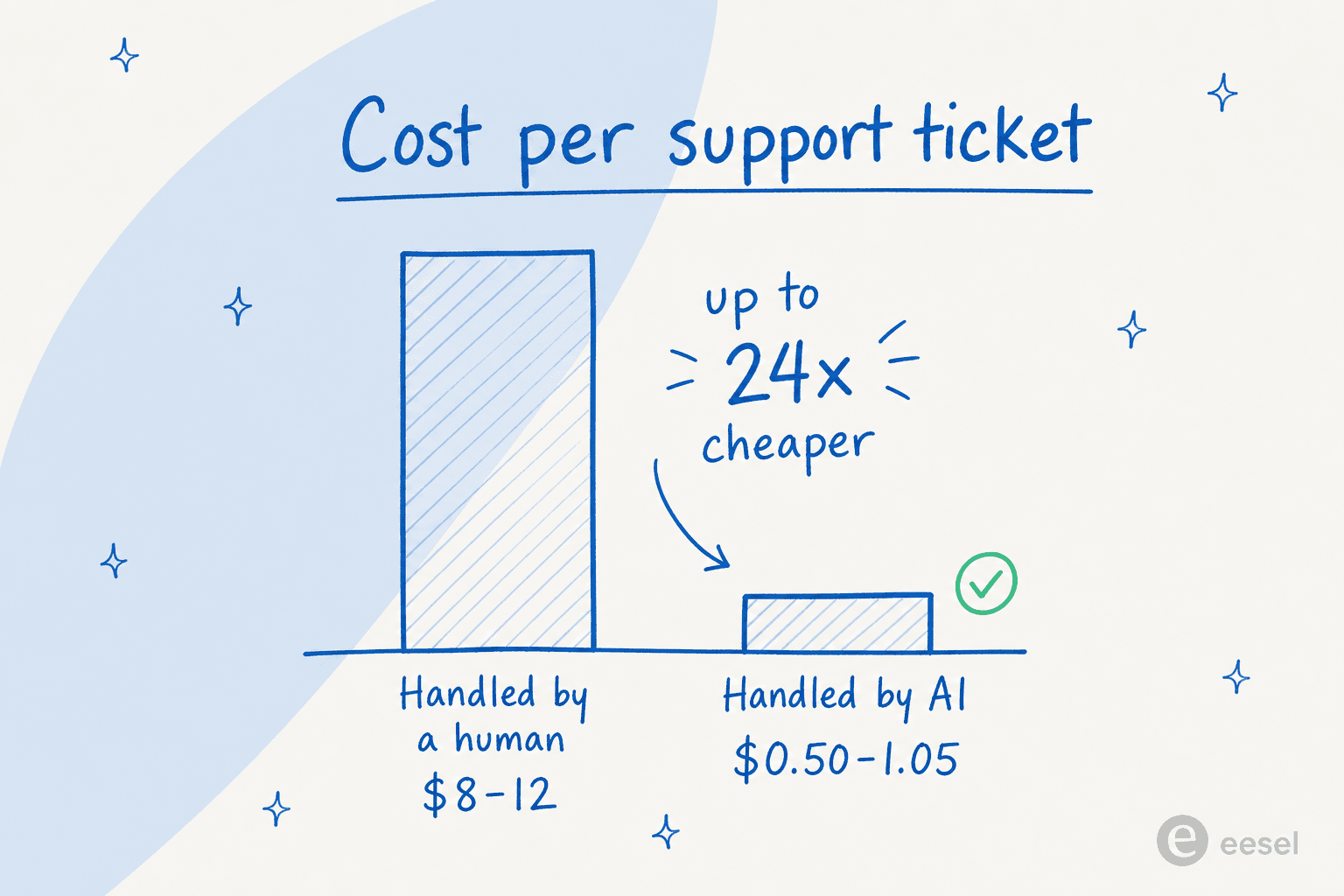
The cost gap is the headline. AI-handled tickets average $0.50-1.05 each, while human-handled tickets run $8-12 each, a 12x to 24x difference per interaction (Gartner and Forrester data, 2025).
On volume, the contrast with the old chatbots is stark. Traditional rule-based bots deflect roughly 15% of tickets. Modern LLM-based agents trained on a company's own content deflect 60-80% of routine ones (Help Scout). One B2B SaaS operator documented a drop from ~380 tickets a week to ~145 (a 62% reduction) after deploying a custom AI agent trained on their documentation, as shared on Reddit's r/SaaS.
Plenty of companies are already using AI for customer service, and the named-company numbers back this up:
| Company | Result | Source |
|---|---|---|
| Grammarly | 60% to 87% deflection in 10 days, CSAT 4.2/5 | Forethought case study |
| Bilt Rewards | 70% of 60,000 monthly tickets handled by AI | SaaStr |
| Duolingo | >80% deflection | SaaStr |
| Klarna | AI handles two-thirds of all support (~700 agents' worth) | SaaStr |
| Freshworks retail customers | 53% of queries resolved by Freddy AI | Freshworks |
Speed improves alongside volume. Klarna cut average resolution time from 11 minutes to 2, and across the industry, 65% of incoming queries were resolved without a human in 2025, up from 52% in 2023 (Help Scout). On cost, IBM puts the average reduction at 30%, with top-quartile teams hitting 53% per McKinsey, and payback periods of 6-9 months.
That's the optimistic case, and it's real. Now the part most posts leave out.
The deflection trap: why 80% on the dashboard isn't 80% in reality
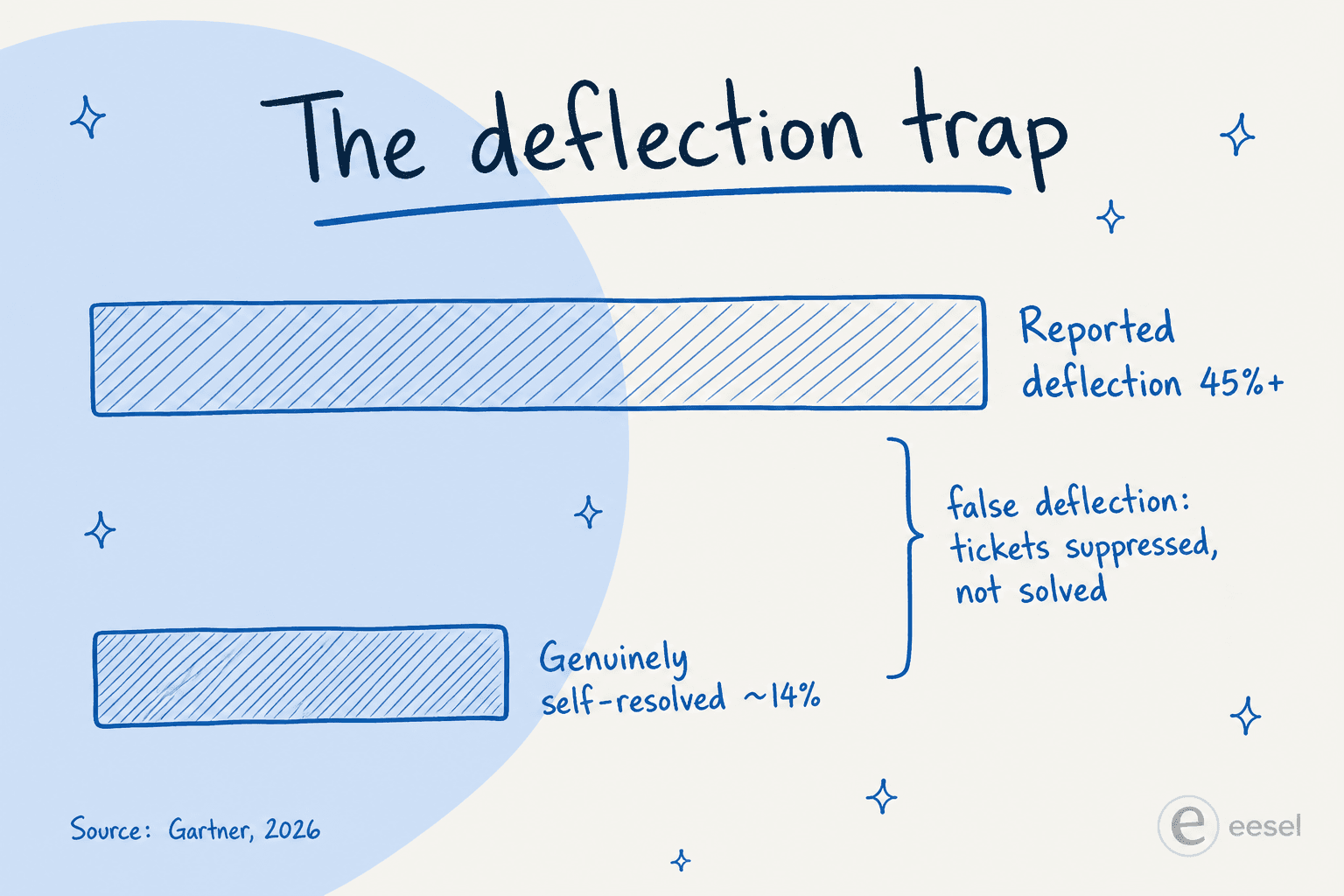
Here's the number that should reframe everything: Gartner found that AI deflects more than 45% of queries, but only about 14% reach genuine self-service resolution. The gap, roughly 31 points, is what practitioners call false deflection: tickets that were suppressed, not solved.
This isn't theoretical. ClarityArc's production analysis describes the exact loop:
"A system deflects 80 percent of inquiries and the metrics look outstanding. Meanwhile, customers keep contacting support about the same issues. Satisfaction scores drift. Support leaders wonder why impressive automation numbers are not translating into reduced workload."
Most teams overestimate their real deflection by 15-25%. And when you chase the metric itself, the incentives turn poisonous: the contact button gets buried, the bot loops, and the AI answers questions it should escalate. The most-cited failure pattern across Corebee's discussion analysis was blunt:
"Optimizing for ticket deflection with AI almost ruined our churn rate. Stop using bots as bouncers."
A SaaS founder, via Corebee
Their deflection rate hit 75%. Their highest-value customers churned because they felt blocked from a human. As one support lead in the same analysis called it, "ticket deflection is such a cursed metric on its own because it optimizes for fewer tickets, not better outcomes."
There's a quantified version of the risk too: when the knowledge base is inadequate, AI bots are 37% more likely to move an issue away from resolution than a human would. So the goal isn't a big deflection number. It's a big resolution number that survives a re-contact check. The good news is the recipe for that is well understood.
How AI ticket reduction actually works
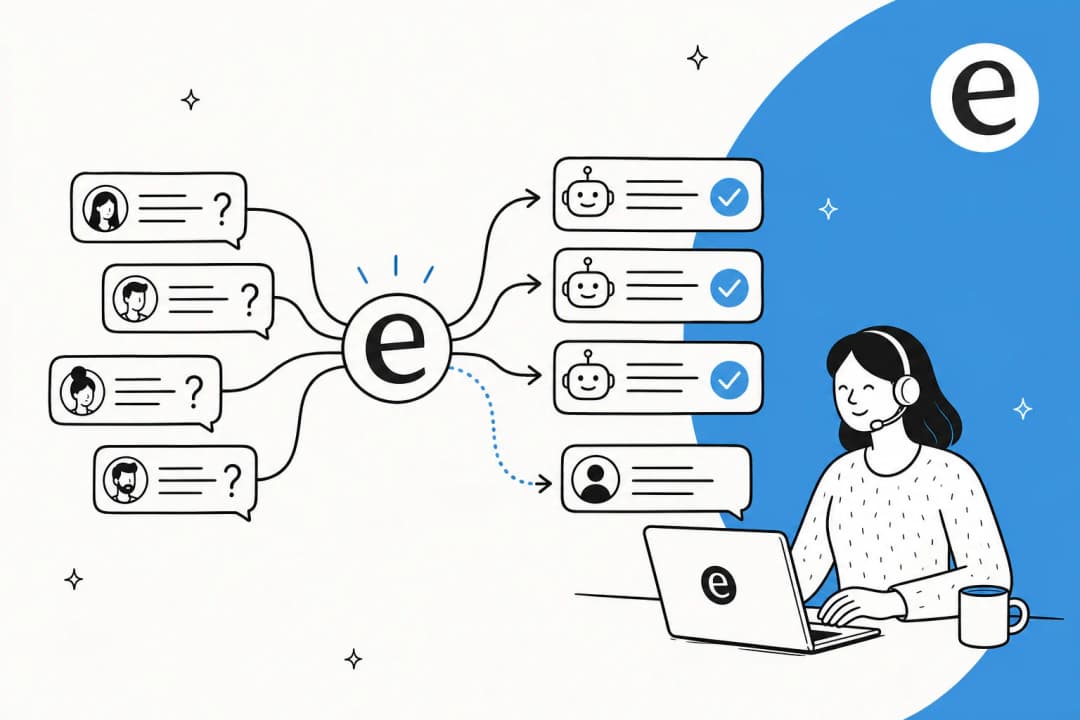
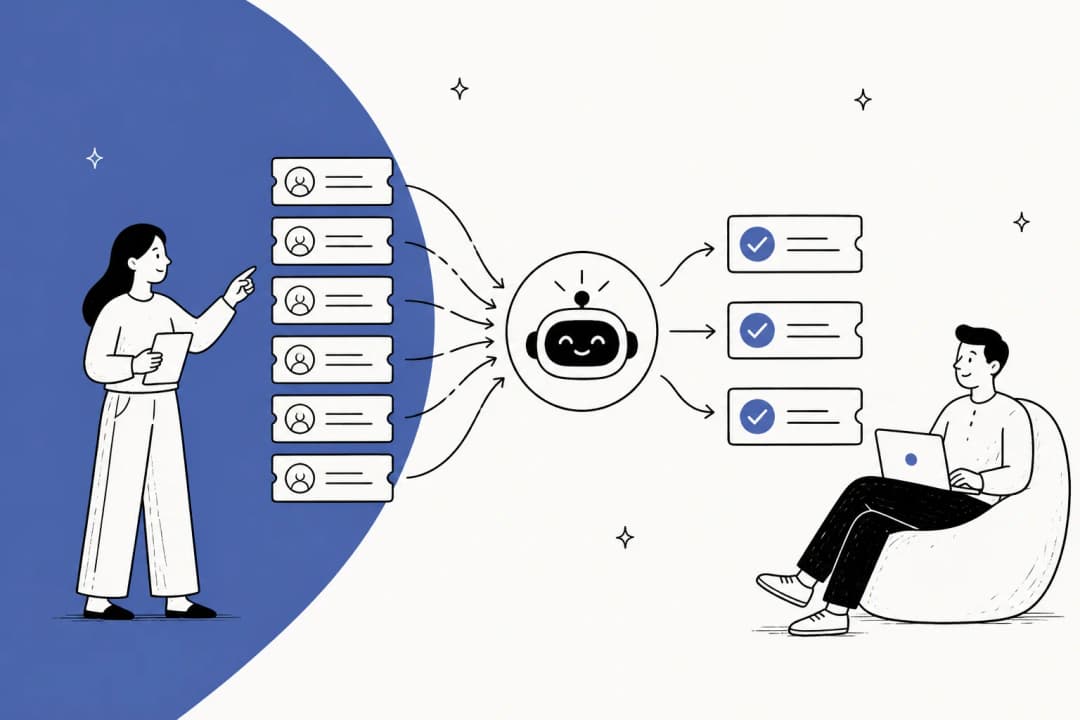
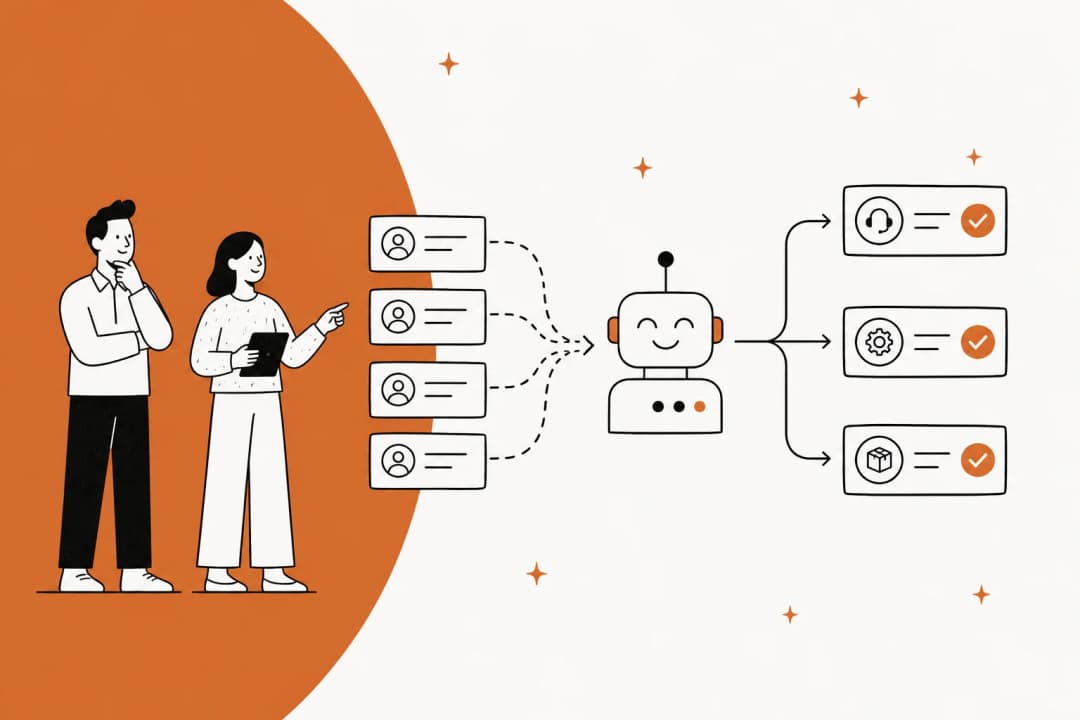
Before the playbook, it helps to see the machinery. A modern AI support agent isn't a decision-tree chatbot; it's a retrieval-and-reasoning pipeline:
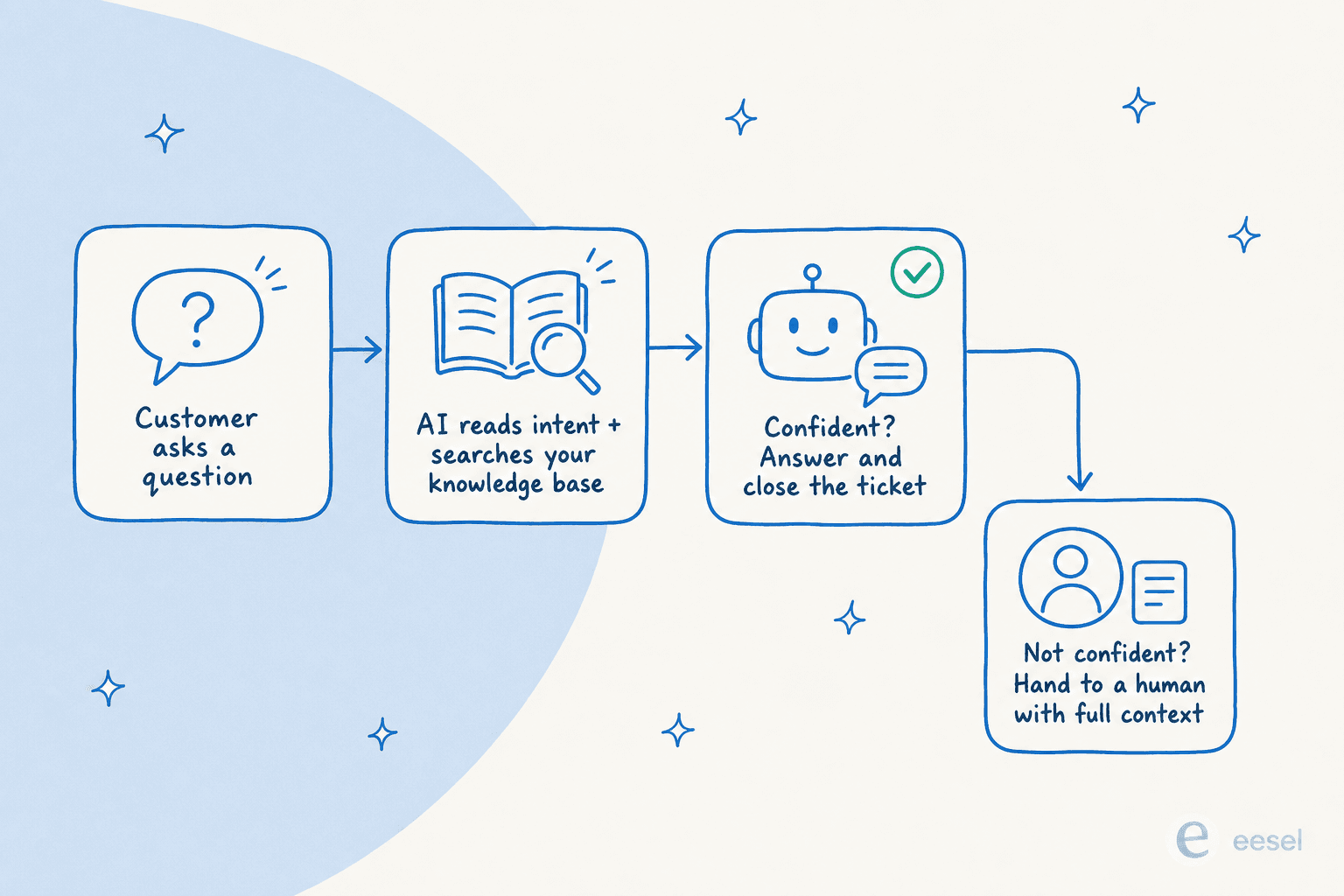
- The customer sends a query through chat, email, or a ticket portal.
- A large language model parses intent, urgency, and sentiment.
- Retrieval-augmented generation (RAG) searches your knowledge base for the matching articles and past resolutions.
- The model drafts an answer grounded in that content, not invented.
- A confidence scorer decides: high confidence auto-resolves, low confidence escalates with full context.
- If the query needs account-specific data, the AI pulls it from your CRM or order system and can take the action (a refund, a password reset, a subscription change) rather than just describing it.
The single most important sentence in all the research: the quality ceiling of any deflection system is set by the knowledge base it retrieves from, not by the AI model. Well-structured documentation alone increases genuine resolution by 15-25%. If you're seeing wrong answers, the model is rarely the culprit, and our piece on why your AI chatbot isn't answering correctly walks through the usual causes.
The playbook: six steps to actually reduce tickets with AI
This is the part you came for. Here's the sequence that separates a 62% real reduction from an inflated dashboard.
Step 1: Find your high-volume, repetitive ticket types
You can't automate what you haven't measured. Pull your last few months of tickets and cluster them by intent. Almost every team finds the same shape: a handful of question types dominate. For e-commerce it's order tracking, returns, and refunds; for SaaS it's password resets, billing questions, and how-to's.
One multi-brand e-commerce operator we spoke with described handling 500+ tickets a day where refund requests, unsubscribes, and order tracking dominated the volume. That concentration is your opportunity. If your helpdesk doesn't make this easy, AI ticket classification and theme analysis can surface the clusters for you.
Step 2: Fix your knowledge base before you deploy anything
This is the step everyone wants to skip and the one that decides the outcome. 61% of support leaders report a backlog of knowledge base articles to edit, and more than a third have no formal process for revising outdated ones (Help Scout). Deploying AI on top of stale docs produces confident, wrong answers, which is worse than no AI at all.
Before you switch anything on: write up the answers to your top 10 ticket types in plain language, kill or update anything outdated, and set a weekly habit of turning closed tickets into KB articles. If you're starting from scratch here, our guide on how to train AI on your knowledge base is a good companion, as is our roundup of AI knowledge base tools.
One thing eesel does to short-circuit this: it surfaces the topics your knowledge base doesn't cover and drafts the missing articles for you, so the gap-filling becomes a guided list instead of a guessing game.

Step 3: Start narrow, not everywhere
The most common way teams blow this is scope creep: pointing the AI at every ticket type on day one. High-complexity intents (nuanced complaints, deep technical troubleshooting) rarely exceed 25% deflection regardless of vendor, so throwing the AI at them just generates bad answers and frustrated customers.
Pick 2-3 query types where your KB is actually complete and let the AI own those first. Prove it works, expand from there. This is also where you should be able to test before you go live: eesel lets you run an agent against your past tickets in simulation, so you see exactly how it would have answered real historical cases, and fill the gaps, before it ever touches a live customer.
Step 4: Connect your systems so the AI can act
A bot that can only quote help articles will fail on most real queries, because most questions need account-specific context, not a generic article. "Where's my order?" needs your order system. "Cancel my subscription" needs your billing platform. Deep CRM, billing, and order integrations add 20-30% to deflection quality.
As one practitioner put it in Kustomer's guide, "the real unlock is when AI can actually resolve the issue end-to-end across your systems, not just suggest what to say." This is the difference between a chatbot bolted onto your helpdesk and a true AI helpdesk agent that works inside it. eesel runs natively inside Zendesk, Freshdesk, Gorgias, Slack, and 100+ other tools, reading and updating tickets the way a human agent would, rather than living in a separate widget. (If you mostly want to automate replies in Zendesk, the same approach applies.)
Step 5: Design the human handoff before you need it
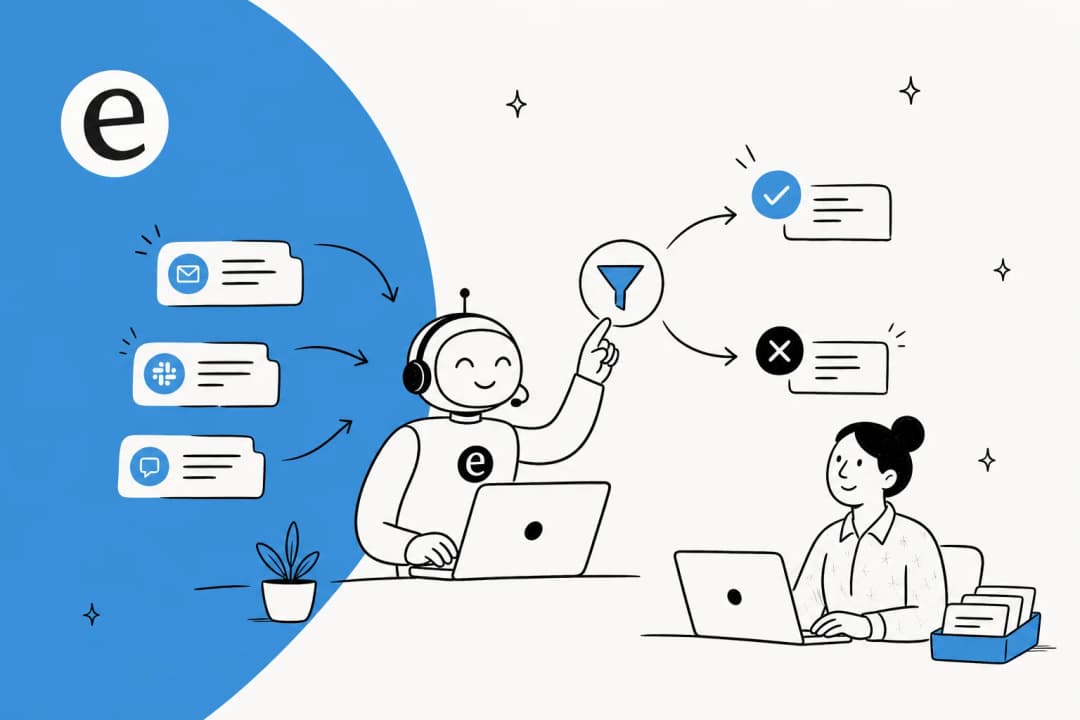
Every guide that's studied the failures says the same thing: the bot must have a clean, context-carrying escalation path. The customer should never have to re-explain their issue, and there should never be a loop with no exit.
The instinct to fight is making humans harder to reach to keep the deflection number up. That's the "bouncer" failure. Instead, set a confidence threshold: the AI handles only what it's sure about, and everything else goes to a person with the full conversation attached. This is exactly the control buyers ask for most. As one DTC supplements CX lead told us, "I need an AI who is only handling the tickets that it's confident to handle, and all the other ones, leave them alone." For more on getting routing right, see our guide to AI for support ticket triage.
Step 6: Measure re-contact rate, not deflection rate
This is what keeps you honest. The deflection dashboard tells you what got suppressed; the re-contact rate (did the same customer come back within 48 hours through any channel?) tells you what actually got resolved. Track that, plus CSAT before and after, and treat every escalation as a signal of a KB gap rather than a failure.

Run a weekly audit of 20-30 random AI conversations. The teams that do this are the ones that get from 40% real deflection to 70%+, and the difference is almost never the model. It's measurement discipline. Our AI customer service workflow guide has more on building this loop, and if your volume is concentrated in one platform, our breakdown of Zendesk ticket volume reduction goes channel-specific.
What to automate, and what to leave to humans
Not every ticket should go to AI, and pretending otherwise is how CSAT tanks. A simple rule: automate high-volume, low-emotion, well-documented work; keep humans on anything complex, sensitive, or emotionally charged.
| Hand to AI | Keep with humans |
|---|---|
| Order status / WISMO | Billing disputes and chargebacks |
| Password resets, account access | Complex technical troubleshooting |
| Returns, refunds, exchanges | Angry or distressed customers |
| Subscription changes | Compliance, legal, or sensitive PII |
| FAQ and how-to questions | High-LTV / VIP accounts wanting a person |
| Ticket tagging, routing, triage | Anything the AI isn't confident about |
The winning model in 2026 isn't AI replacing your team; it's AI handling the routine 60-80% so your people can focus on the 20-40% that really needs a human. If you're still shortlisting tools, our roundup of top AI customer service tools compares the main options. That framing also matters for buy-in: agents who feared replacement tend to come around once the AI is clearly taking the repetitive work, not their judgement calls.
A reality check on failure rates
One honest caveat, because we'd want to know it ourselves: 70-85% of AI initiatives fail to meet expectations, and 42% of companies abandoned most AI initiatives in 2025, up from 17% in 2024 (Help Scout). That sounds damning, but the failure pattern is consistent and avoidable: stale knowledge bases, scope that's too broad, no escalation path, and chasing deflection as a KPI. Every one of those is a choice you can make differently, and the six steps above are how. The teams that follow them are the Grammarlys and Bilts, not the abandonment statistic.
Try eesel
If you want to put this playbook into practice without a six-month rollout, that's what we built eesel for. It's an AI teammate that lives inside your existing helpdesk, learns from your past tickets, help center, and macros, and starts resolving tier-1 tickets, typically hitting 85%+ tier-1 resolution within a week of going live, with setup under 30 minutes and no data labeling.
The things that map directly to the steps above: you can simulate on your past tickets before going live, eesel detects knowledge gaps and drafts the missing articles, it works natively across Zendesk, Freshdesk, Gorgias and 100+ tools, and you set escalation rules in plain language so the AI only handles what it's confident about. One customer, the gig-economy analytics app Gridwise, summed up a typical first month:
"In the first month, eesel is resolving 73% of our tier 1 requests. Our team implemented and achieved results quickly during our 7-day trial. The platform even includes automations for ticket tagging, assignment, and status updates."
Kim Simpson, Gridwise

Pricing is usage-based at $0.40 per ticket with no per-seat or platform fees, so 1,000 automated tickets a month is about $400, and you can cap spend so there are no surprises. You can start free (no credit card) and test it against your own tickets, or check the full pricing first. Either way, you'll know within a week whether the numbers hold up for your team, which is rather the point.
Frequently Asked Questions
How much can AI actually reduce support tickets?
What is the difference between ticket deflection and ticket reduction?
How do I reduce support tickets with AI without hurting CSAT?
Which support tickets should I automate first?
How much does it cost to reduce support tickets with AI?


Article by
Alicia Kirana Utomo
Kira is a writer at eesel AI with a Computer Science background and over a year of hands-on experience evaluating AI-powered customer service tools. She focuses on breaking down how helpdesk platforms and AI agents actually work so that support teams can make better buying decisions.