What Kommunicate actually is
I spend my days on the support queue, and the thing I've learned to distrust fastest is a confident-sounding bot. We've watched AI quietly hand customers wrong answers, which is exactly why the part of Kommunicate's pitch that caught my eye isn't the automation, it's the control.
Kommunicate is an AI-first customer service platform built around a "controllable AI agent." Its founding argument is sharp: the problem in support isn't automation, it's "uncontrolled automation powered by an unmanaged AI Agent." So the whole product is organized around you deciding what the AI handles and where a human steps in. The tagline they keep coming back to is "automation without anxiety."
That's a real position, and it's the right one. Most teams don't fail because their bot is too dumb; they fail because it's too eager. A DTC supplements CX lead I spoke to put the whole thesis in one line: "I need an AI who is only handling the tickets that it's confident to handle, and all the other ones, leave them alone." Kommunicate is squarely aimed at that buyer.
A few facts to anchor the review:
- It's model-agnostic - you can run each agent on OpenAI, Anthropic's Claude, or Google Gemini, or wire up a classic Dialogflow intent bot. No model lock-in.
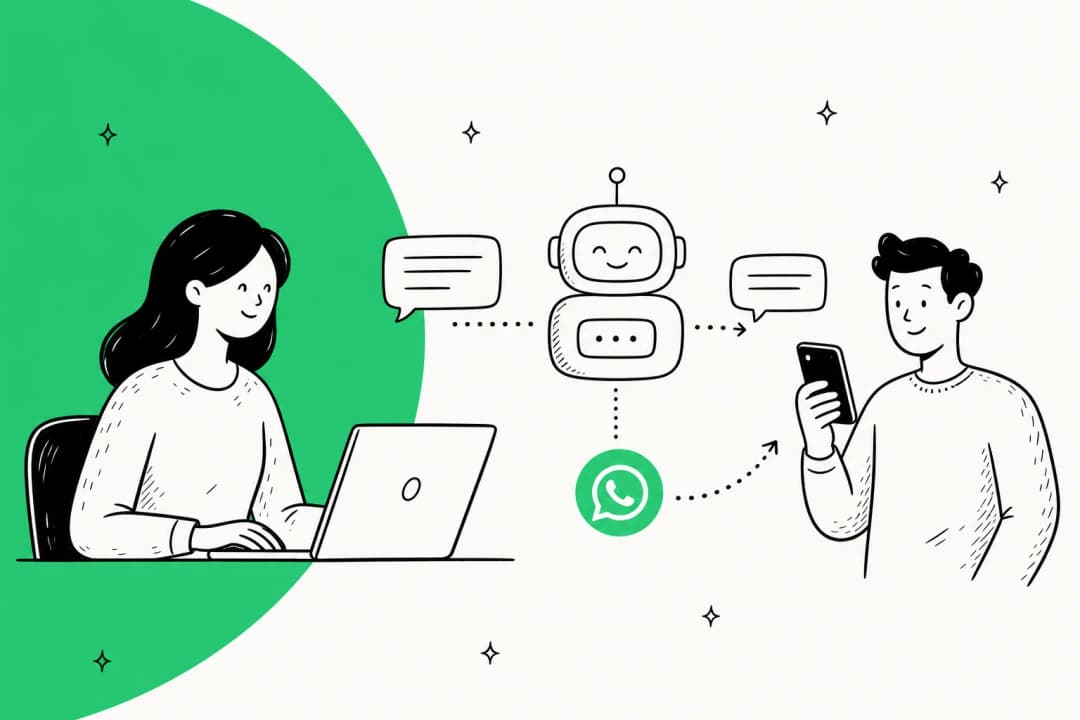
- It's omnichannel by design - one agent layer across web, WhatsApp, mobile apps, and email.
- It's pitched at SMB-to-mid-market support teams that want fast, controllable rollout. It is explicitly not trying to be the fully-autonomous, zero-human option, and that's a feature, not a bug. If you're still mapping the category, our overview of AI customer service software frames where tools like this sit.
It's worth saying upfront where the research got thin: Kommunicate rebuilt its site on Webflow in 2026, and the old /product, /generative-ai-bot, and Kompose builder marketing pages now 404. The picture below is reconstructed from the live homepage and the developer docs, which are still detailed.
How the controllable AI agent works
Under the marketing, the workflow is genuinely four steps, and it maps onto how a sane rollout should go.
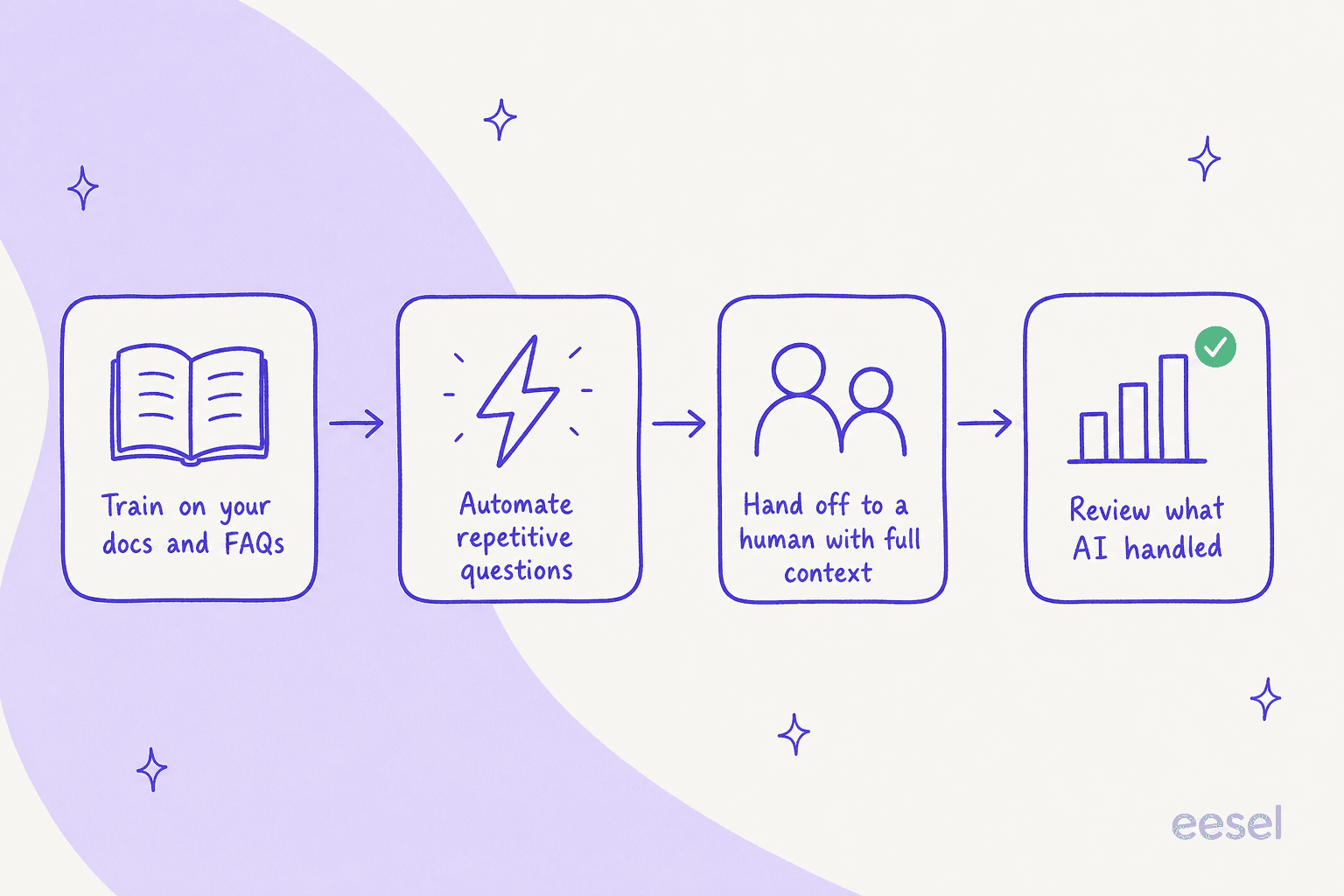
- Train. You point the agent at your website, help docs, or FAQs and it answers from that knowledge. There's even a no-signup builder where you paste a URL and get a working bot in seconds.
- Automate the safe stuff. It answers confidently where it's trained and stops where it's not, which is the scoping that keeps it from free-roaming into a hallucination. (If you've ever been burned by that, our piece on preventing AI hallucinations in support is the long version of why this matters.)
- Hand off. Complex, emotional, or edge-case conversations move to a human with full context intact. Handoff is native, not bolted on - and as someone who's inherited plenty of context-free escalations, this is the part I'd actually pay for.
- Improve. You get real-time visibility into what the AI handled, where it escalated, and how customers reacted.
There's a nice honesty in the product here. One homepage example shows the agent attempting an automatic refund, failing to reach the delivery partner, and surfacing a plain "Refund failed" error instead of pretending it worked. That's the right instinct for any AI agent versus a rule-based chatbot: fail loudly, don't fabricate.

The features that matter
I'll skip the feature-list recital and focus on the four things that actually change your day.
The no-code builder is the real selling point
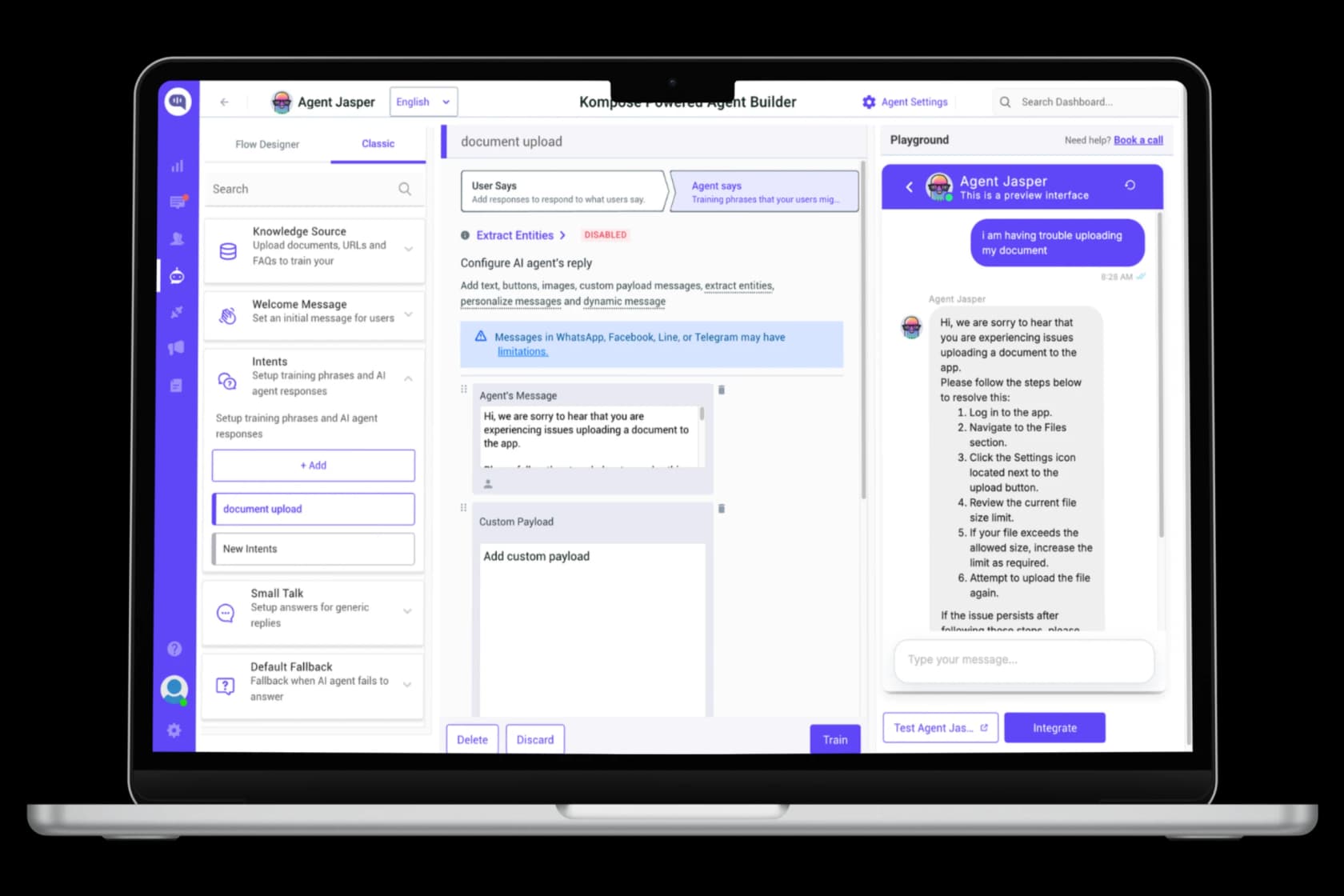
The thing reviewers love most is how little engineering it takes to get live. The builder (historically branded "Kompose") lets you set up intents, knowledge sources, welcome messages, and a live playground without writing code. One G2 reviewer running learner support across 193 countries put it plainly:
"The chatbot was intuitive to configure, with no complex coding required, and the availability of pre-built templates significantly accelerated deployment. The platform integrated seamlessly with our LMS through its APIs."
Verified User in Government Relations, G2

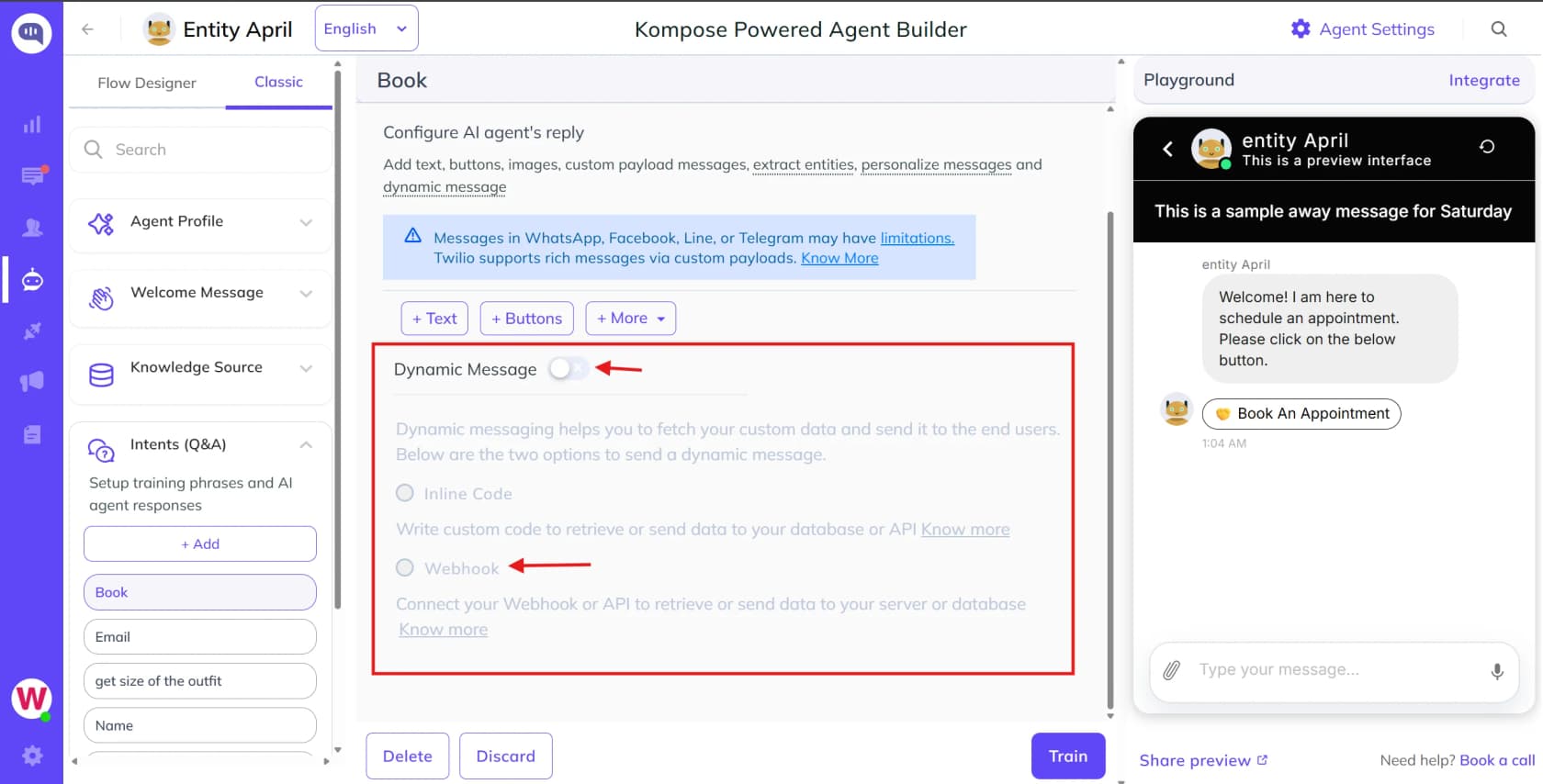
If you've fought with a clunky AI chatbot platform before, the speed here is the headline. A developer on Capterra said the quiet part out loud: "The ability to just drop a few lines of JS in and get a full chat window... I couldn't believe how fast I was able to set this up."
Omnichannel and integrations are a genuine strength
This is the single most consistent praise across every source I read. Kommunicate runs one agent across WhatsApp, Facebook Messenger, Instagram, Telegram, Line, web chat, email, and mobile SDKs for iOS, Android, Flutter, and React Native. It has native Zendesk integration plus Salesforce, Freshdesk, and HubSpot. (If you're shopping those ecosystems specifically, see the best Gorgias alternatives and Freshdesk alternatives.)
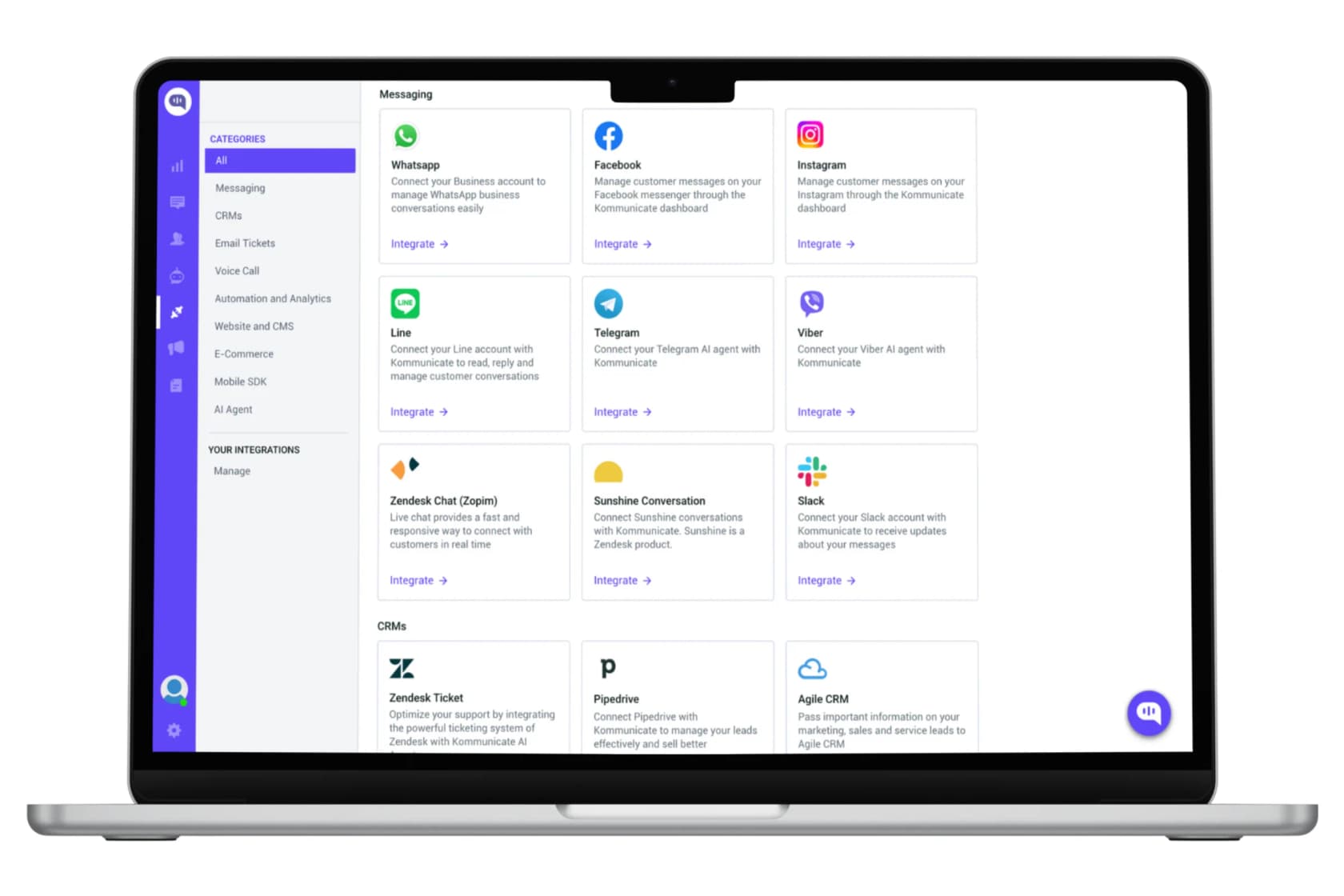
On Reddit, in a thread about picking a website chatbot, the recurring verdict was that "Kommunicate was really good for omnichannel." If you're a Shopify or DTC shop juggling channels, that breadth is real value - and it's the same reason it shows up in roundups of AI chatbots for Shopify.
Human handoff is built-in, not an afterthought
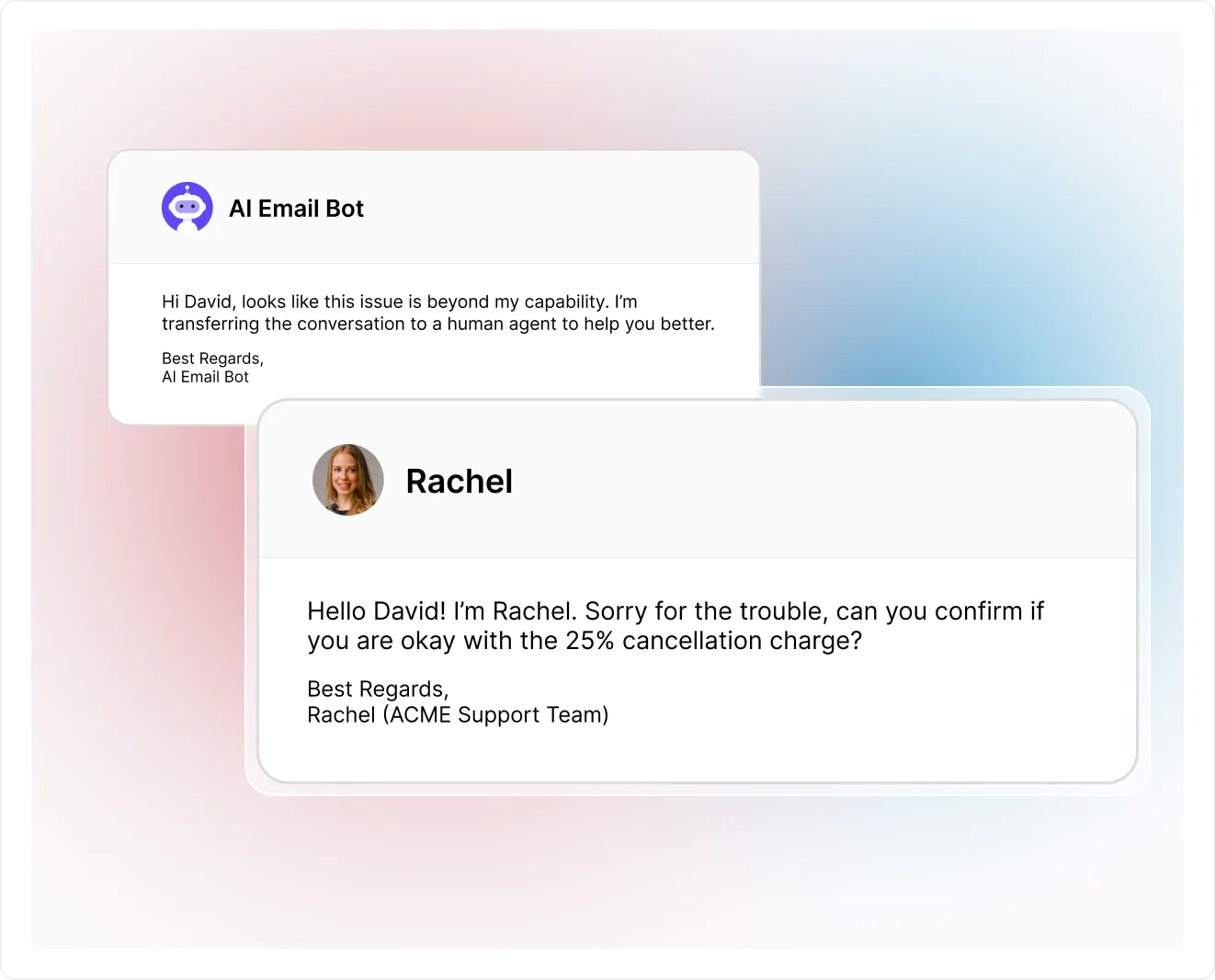
The handoff is the part I respect most. When the AI escalates, the conversation moves to a human with the full thread and context, routed via rules. Their docs even expose a KM_ASSIGN_TO payload for routing to the right team. This is the difference between AI live chat that frustrates customers and one that actually deflects tier-1 tickets without leaving people stranded.
Where it's thinner: reporting and depth
Now the honest part. The most common complaint, by a wide margin, is analytics. Reviewers want more than Kommunicate gives them:
"Reporting is very poor, an advanced analytics cannot be done, it must be improved."
Victor O., IT & Services, Capterra

Others echo it ("there are a few KPIs that could be shown") and a handful flag occasional instability and a "sometimes buggy" bot. If support metrics and dashboards are how you justify the spend internally, go in knowing this is the soft spot.
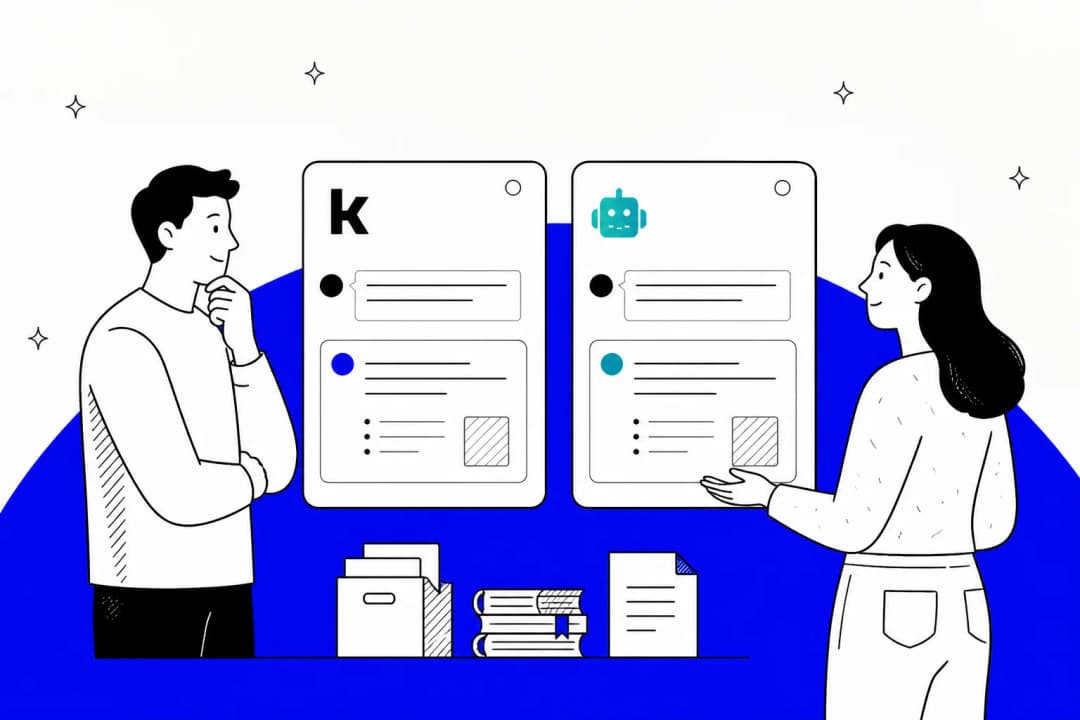
The deeper limitation is structural: Kommunicate trains on your help docs and FAQs (essentially an AI knowledge base chatbot), not your solved-ticket history. That's fine for a brochure-style bot, but it caps how much it can genuinely resolve. The hardest tier-1 answers usually live in how your team has actually replied over thousands of past tickets, and that's a different training input entirely.
Kommunicate pricing, and the conversation math
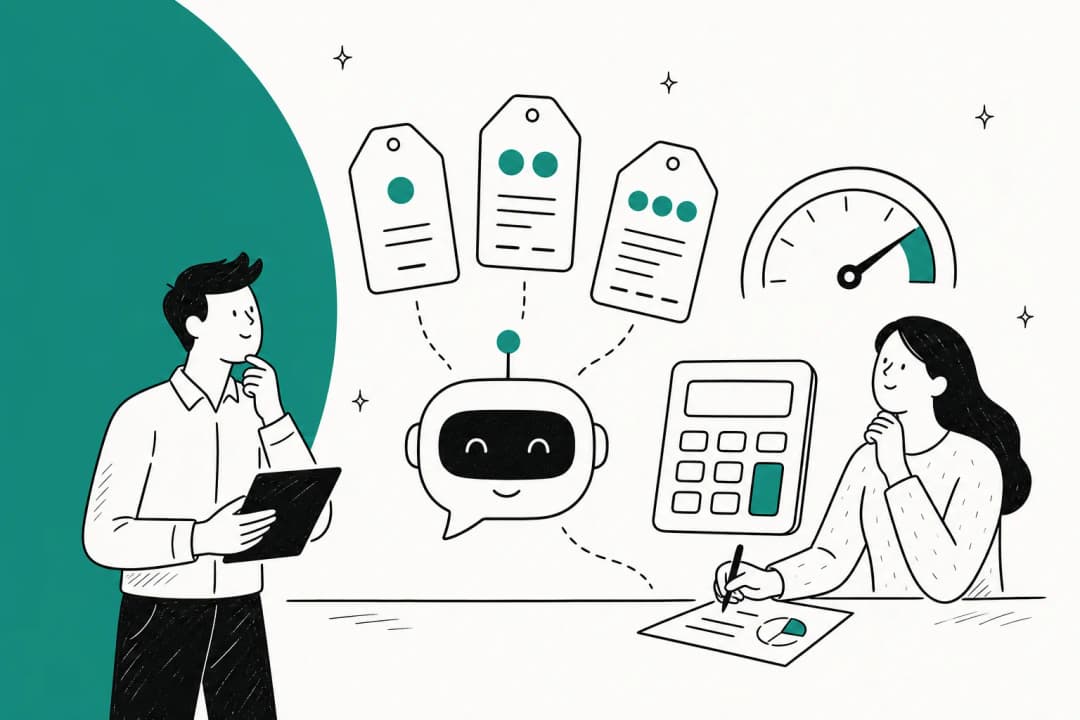
Here's the real cost, not the sticker. Kommunicate has three tiers, billed monthly or annually (save ~20%), with a 30-day free trial and no credit card.
| Dimension | Starter | Professional (Popular) | Enterprise |
|---|---|---|---|
| Monthly price | $40/mo | $200/mo | Contact Sales |
| Annual (per month) | $34/mo | $167/mo | Custom |
| AI agents included | 1 (+$20/mo each) | 2 (+$30/mo each) | Custom |
| Human seats included | 1 (+$20/mo each) | 3 (+$30/mo each) | Custom |
| Conversations/mo | 250 (~10K msgs) | 2,000–2,500 (~80K msgs) | Custom |
| Overage | $15 / 1,000 | $10 / 1,000 | Discounted |
| Voice AI | $0.06/min | $0.06/min | Custom |
| Chat history | 3 months | 1 year | Custom |
| Integrations | Core | Zendesk, Freshdesk, GA | Salesforce, HubSpot, Zapier |
| SSO / dedicated CSM / branding removal | No | No | Yes |
The unit that matters is the conversation. Per Kommunicate's own FAQ, "a conversation includes all messages exchanged in a session" - roughly 30–40 messages. So one chatty session and one quick FAQ each burn exactly one conversation. This is the number that decides your bill, not seats.

There's also a quieter gotcha worth flagging, straight from a Capterra reviewer: "It wasn't clear that a bot would count as a user of the software. This increased our cost." Add-on agents and seats stack on top of the base plan, so the headline $40 is rarely the real number once you scale.
To make this concrete, plug in your own volume:
For a small team under ~250 conversations a month, Starter is a steal at $40. But notice how fast Professional becomes the cheaper option once your overage stacks up - that crossover is the whole point. If you want to sanity-check the bigger picture, our breakdown of AI agent vs human agent cost is a useful companion.
What real users say
The sentiment picture is genuinely positive but on a modest sample: G2 sits at 4.8/5 across 24 reviews, Capterra at 4.6/5 across 43, and Trustpilot has just 3. Treat this as a small, mostly-happy SMB base rather than a deep well of data.
The praise clusters tightly around three things: ease of setup, integrations, and a responsive support team. That profile is typical of the lighter AI customer service companies aimed at smaller teams. One reviewer who switched off a pricier tool summed up the value angle:
"Kommunicate is exactly what we had been searching for... the pricing is very reasonable for what the software can actually do, and most importantly, it comes with a human fallback option which is extremely valuable."
Verified User in Apparel & Fashion, G2
The criticism is just as consistent: thin reporting, the occasional bug, a short trial, and one sharply negative long-term account from the legacy Applozic era complaining that "the software doesn't do what it says it will do" with dashboard-versus-mobile sync issues. That one's old and predates the current product, but it's a fair reminder that the depth isn't enterprise-grade yet. The common thread across AI chatbot problems is exactly this gap between a quick demo and sustained, measurable resolution. It's the same trust question that runs through every honest take on AI versus human customer support.
Where Kommunicate fits (and where it doesn't)
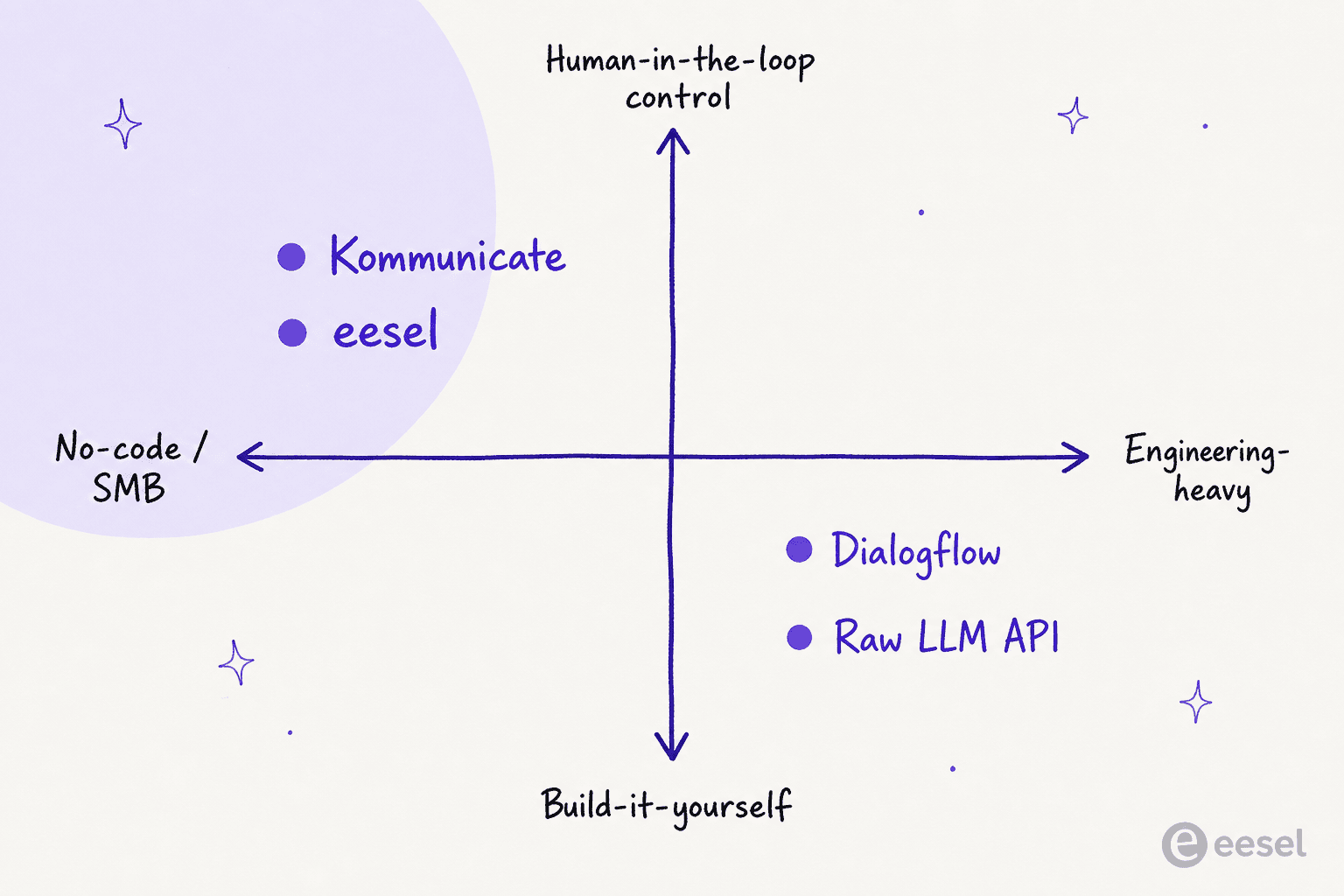
Stepping back, here's how I'd place it against the alternatives. Kommunicate lives in the no-code, human-in-the-loop, SMB-friendly corner. That's a crowded-but-valuable spot, and it's a very different animal from a raw Dialogflow build or a from-scratch LLM API project.
Verdict: Kommunicate is a strong pick if you're a small or mid-sized team that wants a controllable, omnichannel AI chatbot live this week, leans heavily on WhatsApp and web chat, and doesn't need deep analytics on day one. For more patterns in that mold, browse a few real AI chatbot examples. Skip it if your buying decision hinges on reporting depth, or if you need the agent to learn from your solved tickets and prove a resolution rate before you trust it on the live queue.
That last point is the real fork in the road. Kommunicate asks you to train on docs and trust the handoff. The heavier end of the market asks a different question: can you simulate the AI against your actual ticket history and see the number before you go live? If that's your bar, you've outgrown the starter tier of this category.
Try eesel AI
If the part of Kommunicate you liked is the control - automate what the AI is confident about, leave the rest alone - that's the exact instinct eesel AI was built around, just taken further. eesel layers onto the helpdesk you already run (Zendesk, Freshdesk, Gorgias, and more), learns from your past tickets and not just your help docs, and uses confidence-based routing so low-confidence answers stay as drafts instead of going live.

The differentiator is simulation: you run the agent against thousands of your historical tickets first, see the projected resolution rate by topic, fill the gaps, and then go live. It's why Gridwise saw eesel resolve 73% of their tier-1 requests in the first month - with the results visible during a 7-day trial. Pricing is usage-based with no per-seat fees, so it scales with resolutions, not headcount. It's free to try, and you can have it simulating against your real tickets in minutes.
Frequently asked questions
How much does Kommunicate cost?
What is a 'conversation' in Kommunicate's pricing?
Is Kommunicate good for small businesses?
Does Kommunicate integrate with Zendesk and WhatsApp?
What are the best Kommunicate alternatives?


Article by
Riellvriany Indriawan
Riell is a designer and writer at eesel AI with about two years of experience researching CX platforms, AI chatbots, and helpdesk software. She combines her design background with a sharp eye for how these tools actually look and feel in practice — making her comparisons unusually visual and user-focused.