

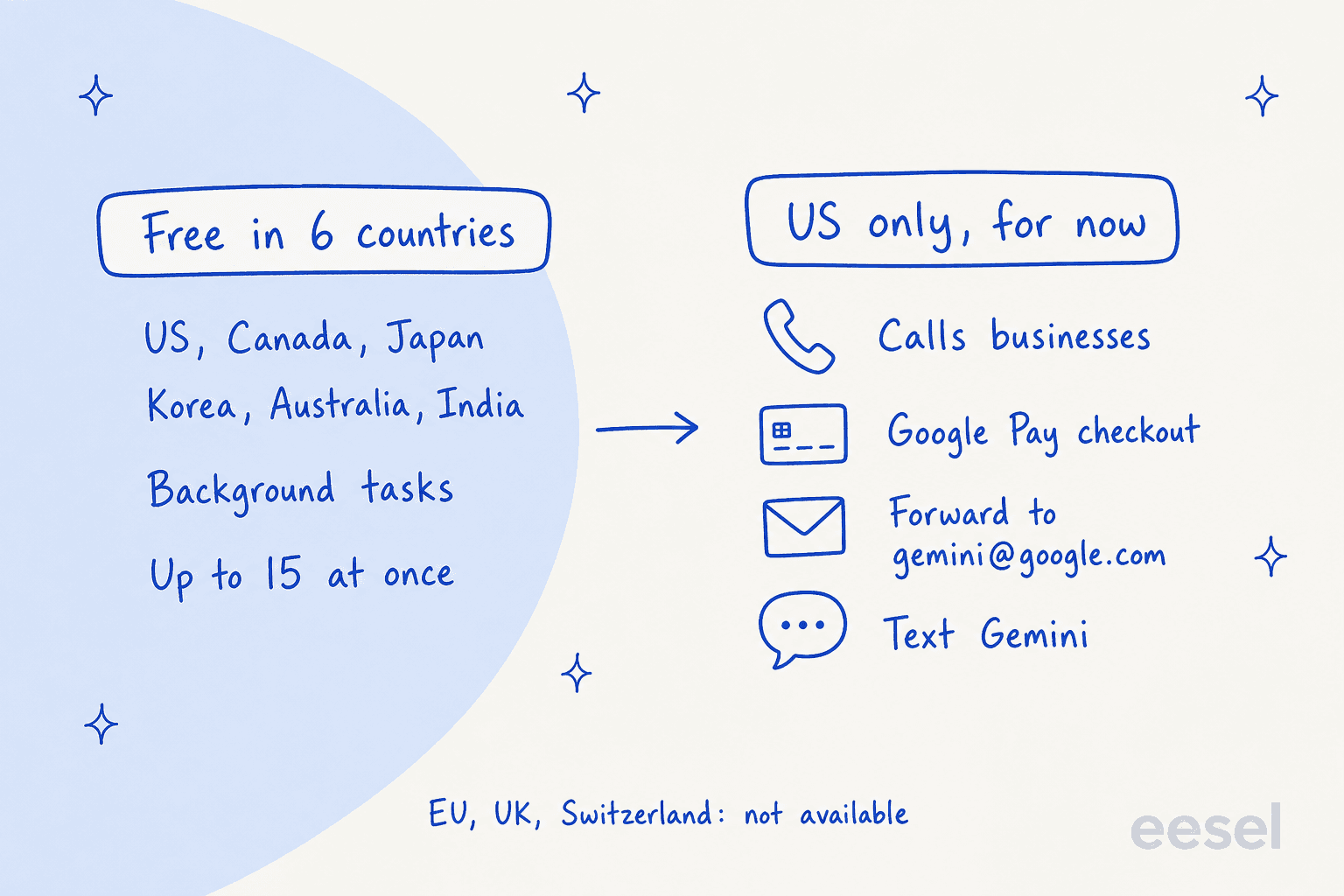
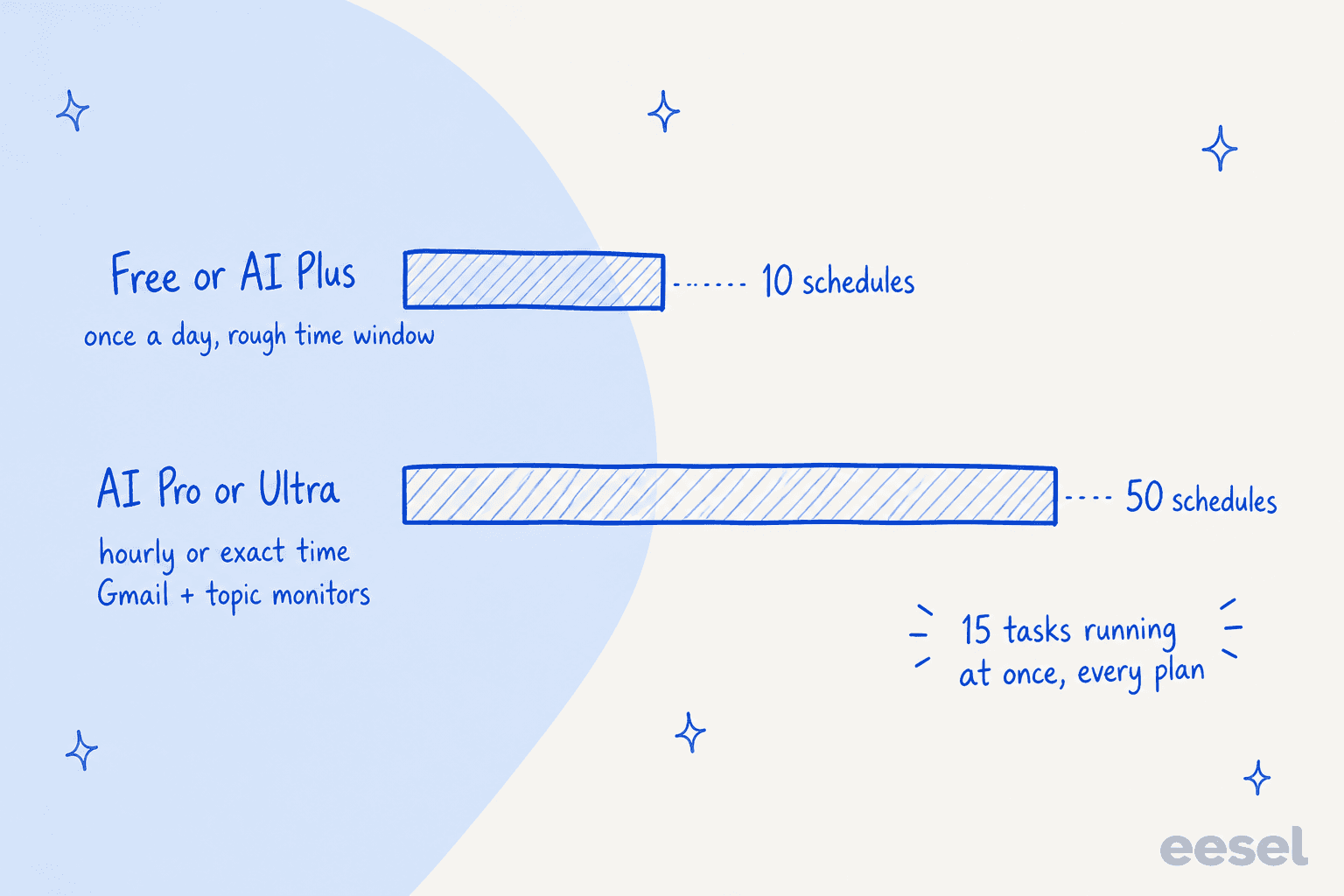
Gemini Tasks is Google's background agent, formerly Gemini Spark, and since November 17, 2026 it's free for adults in the US, Canada, Japan, South Korea, Australia and India. Paying mostly buys better schedules: 50 with hourly timing instead of 10 that run once a day.
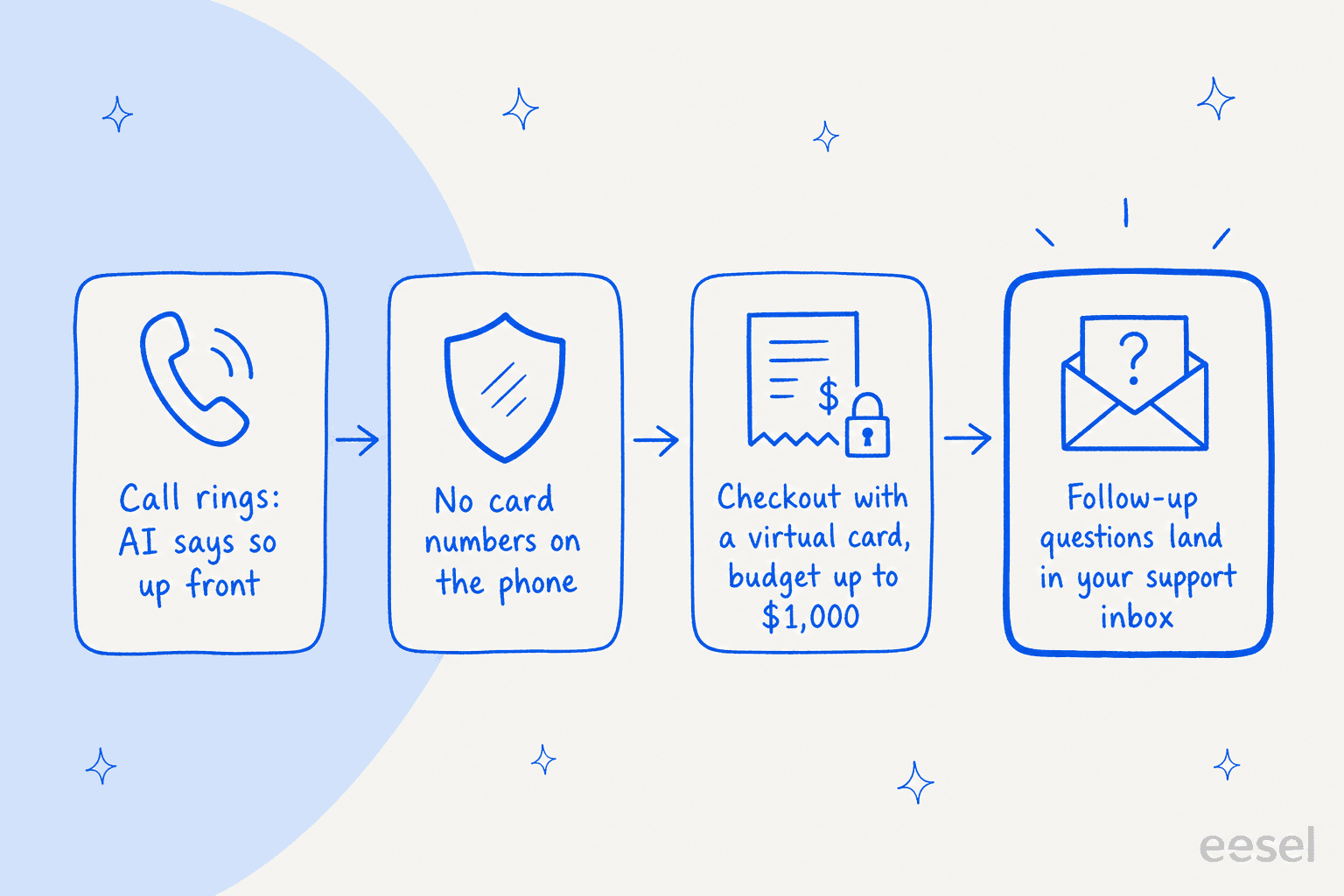
The bigger change is the US-only extras: Gemini can now phone businesses, check out with Google Pay under a budget of up to $1,000, and take jobs by email or text. If you run a US store, expect agent calls, agent orders and the questions after them. eesel answers those in your helpdesk with the order already looked up, and with the eesel CLI a coding agent can load your returns policy and test the answers first.
What is Gemini Tasks?
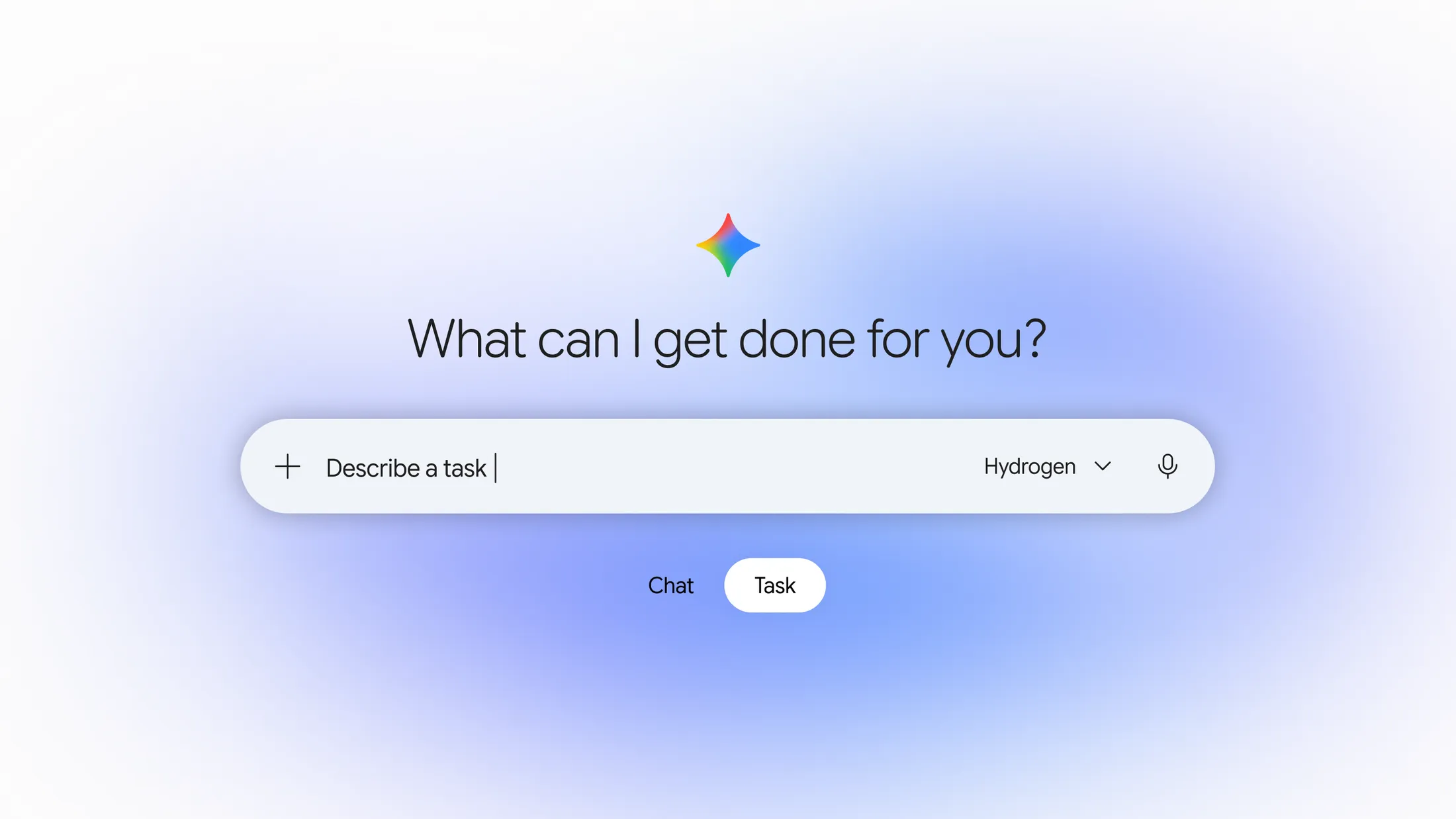
Gemini Tasks is a mode in the Gemini app for jobs, not questions. Under the prompt box there's now a toggle between Chat and Task. In Task mode you describe what you want done ("find a cheaper car insurance quote", "turn these school emails into calendar events"), and Gemini plans the steps, runs them in the cloud, and keeps going after you close your phone.
If the name is new to you but the product sounds familiar, that's because it is. Google launched it at I/O on May 19, 2026 as Gemini Spark, "a 24/7 personal AI agent", for Google AI Ultra subscribers in the US. Google's help center explains the rename plainly: people kept saying they wanted Gemini to finish "tasks", so "we renamed it Task to make it easier to understand." Your old Spark schedules are still in the sidebar. Even the task settings URL still says gemini-spark.
Here's the short history:
| Date | What changed |
|---|---|
| May 19, 2026 | Gemini Spark announced at I/O, running on Gemini 3.5; Beta for US Ultra subscribers |
| Jun 30, 2026 | Spark comes to the Mac app, plus custom MCP connections |
| Jul 29, 2026 | Spark reaches AI Pro in Australia |
| Nov 12, 2026 | Gemini 4 Hydrogen released, the model Tasks now runs on |
| Nov 17, 2026 | Renamed Tasks, free in 6 countries, calls, payments, email and texting added in the US |
The November 17 announcement, titled "Put Gemini to work for you", came from Josh Woodward, who runs the Gemini app and Labs. He says it is rolling out "free of charge for hundreds of millions of people."
I build AI agents at eesel, so I read launches like this one from the inside of the machine: what triggers the agent, what it can touch, and what happens when it gets something wrong. That's the lens for the rest of this post.
What can Gemini Tasks actually do?
A task can browse, run code, use your Google apps, and, in the US, make calls and payments. Under the hood each task gets three kinds of hands.
- A browser. Gemini can drive your local Chrome on desktop (with access to the sites you're already signed into) or a remote browser in the cloud that keeps going when your laptop sleeps. The remote one pauses at sign-in pages until you take over. On desktop this is Chrome auto browse.
- A remote computer. For heavy jobs, Gemini spins up a remote computer that runs code: pulling figures out of PDFs, crunching a spreadsheet, trimming a video. It's offline by default; you can turn on network access in task settings.
- Connected apps. Gmail, Calendar, Drive, Docs, Sheets, Keep, Google Tasks, Maps, Flights, Hotels, Google Pay and Wallet, plus third parties like Instacart, OpenTable and Canva, and any custom MCP server you connect. Like the ChatGPT agent and Claude for Chrome, it works across apps; Woodward says Gemini now connects with "more than 60 popular apps."
The output can be a file, too. The help article lists everything from .docx and .xlsx to .pptx, .mp4 and zipped code, plus native Docs, Sheets and Slides.
The November update added four things on top, all US-first:
| New in the US | How it works | The fine print |
|---|---|---|
| Phone calls | Gemini calls businesses for quotes, stock checks and bookings, even "dialing multiple shops at once" | Not in Indiana, Louisiana, Minnesota, Montana or Nebraska yet |
| Google Pay checkout | Set an item and a max price; Gemini watches, stages checkout, and pays with a virtual card | US, English only, budget up to $1,000, task expires within 14 days |
Forward anything to gemini@google.com and it becomes a task | Personal US Gmail account, max 10 attachments, creates new tasks only | |
| Texting | Hand off or steer tasks by text from Google Messages or iMessage | Verified US number, not end-to-end encrypted |
Woodward's own examples are the most useful way to picture it. He asked Gemini to "call the two nearest dealerships", and it found them on Maps, "called both at once", and put the appointment on his calendar "in less than five minutes." He forwarded school emails to gemini@google.com, and "in less than a minute, every date was on my calendar." He also had it dig through a "surprise $389 electric bill", logging into the utility portal through Google Password Manager.
Gemini Tasks is a personal agent. Google's help page is clear that "this feature isn't available if you sign in with a work or school Google Account." The business version is a separate product, the Gemini agent in Gemini Enterprise, still in private preview.
Is Gemini Tasks free, and what do paid plans add?
Tasks is free in six countries, and paying mostly buys you better schedules and more usage. Google's limits page ticks Tasks for every plan, from no subscription up to Ultra. What changes is how often things can run and how much compute you get before you hit a wall.
| No plan | AI Plus | AI Pro | AI Ultra | |
|---|---|---|---|---|
| US price | $0 | $4.99/mo | $19.99/mo | $99.99 or $199.99/mo |
| Tasks running at once | 15 | 15 | 15 | 15 |
| Active schedules | 10 | 10 | 50 | 50 |
| Schedule timing | Once a day, in a rough window | Once a day, in a rough window | Hourly or exact time | Hourly or exact time |
| Gmail and topic monitors | No | No | Yes | Yes |
| Usage vs free | Standard | 2x | 4x | 5x or 20x Pro |
| Context window | 32k tokens | 128k | 1M | 1M |
Prices come from Google's subscriptions page; limits from the schedules help page and the limits page. Usage is compute-based and "refreshes every 5 hours until you reach your weekly limit." Google publishes no fixed number of tasks per day, so a long research task eats more of your allowance than a quick one.
The schedule gap is the one I'd actually care about. A free schedule runs "up to once a day during a general time window: overnight, daytime, or evening." That's fine for a morning briefing. It's useless for "tell me the moment this restocks." Gmail monitors (run a task when an email matching a filter arrives) and topic monitors are Pro and Ultra only, and even there Google warns they're "not ideal for tracking fast-moving data."
One more paid difference hides in the permissions page: with a subscription you can choose whether Gemini uses your local Chrome or only the remote browser.
On the model side, the release notes say free tasks run on "Hydrogen 4". The Gemini 4 Hydrogen post adds a footnote: free users get it "via auto model selection when it's the appropriate model for the prompt." Google says Hydrogen cut fabricated claims by "more than 5x" compared with Gemini 3.8 Flash, and finishes tasks 2.5 times faster. My Hydrogen pricing post covers the API side.
Who can use Gemini Tasks right now?
Adults with a personal Google Account in six countries get it free; most other countries need Pro or Ultra; Europe gets nothing yet. The requirements in the help center are short:
- Be 18 or over.
- Sign in with a personal Google Account, not a work or school one.
- Have Gemini History turned on.
- Use the Gemini mobile app, the Mac app, or gemini.google.com.
Free: Australia, Canada, India, Japan, South Korea and the US. Paid (AI Pro or Ultra): everywhere else Gemini works, except the European Economic Area, Switzerland, the UK and Nigeria, where Tasks isn't available at all. Note that AI Plus is not listed as a qualifying plan outside the free countries.
The calls, Google Pay, email and texting features are narrower again: US only for now, and Google Pay, email and texting are English only.
How do you start a task in Gemini?
Flip the toggle under the prompt box from Chat to Task, then describe the job. Woodward's instruction is literally: "Open Gemini, flip the home-screen toggle from Chat to Task, and tell Gemini what you need done."
- Write the job, not the question. "Compare the three cheapest flights to Tokyo in March under $900 and put them in a sheet" works better than "flights to Tokyo?". You can type
@to pull in a saved skill, upload files, or add something from Drive. - Let it interview you. Typing "set up", "get started" or "interview me" in a task kicks off an onboarding chat where Gemini asks what you need.
- Steer while it runs. You can add instructions mid-task, and per Google, "Gemini updates its work without losing progress." The work panel shows completed, current and planned steps.
- Turn it into a schedule. Ask for it in the thread ("do this every Monday morning") or use the Scheduled page.
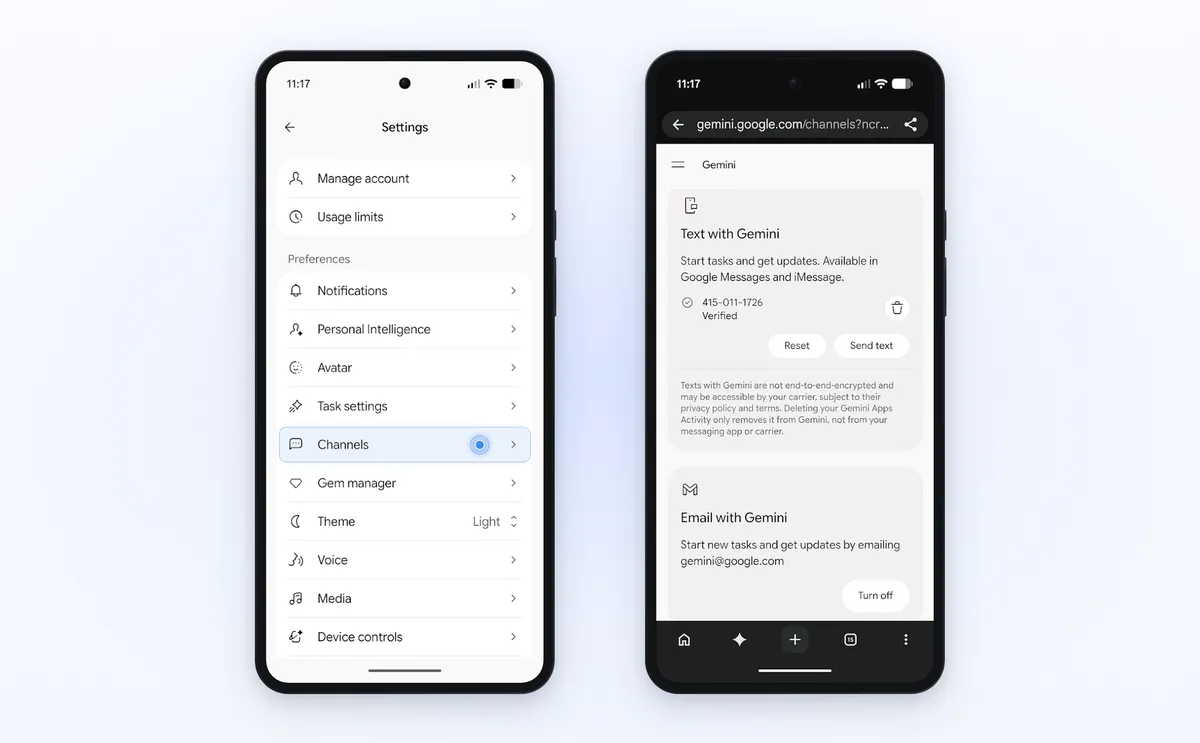
- In the US, set up channels. Go to Settings, then Channels, verify your phone number under "Text with Gemini", and turn on "Email with Gemini". Then forward an email to
gemini@google.comand you'll get a reply with a link to the new task.
A tip from building these things: be specific about the stopping point. "Find me a plumber" can end in a list, a call, or a booking. "Call three plumbers, get quotes for a leaking kitchen tap, don't book anything" can only end one way.
Is Gemini Tasks safe?
Google has put real guardrails around it, and it also tells you plainly that the agent still makes mistakes. "While we've tested tasks extensively to minimize mistakes, we haven't eliminated all of them," Woodward writes. The help center calls the feature "experimental."
Here's what keeps it in check:
- Isolation. Each account's tasks run in "a hardware-isolated virtual machine that's dedicated to your account and never shared with other users," on Google Cloud's Agent Compute Engine.
- Asking first. Gemini always asks before "sending communications, deleting your data, sharing sensitive info, making purchases, completing financial transactions, and filling out and submitting web forms", even if you've set a permission to "Always allow".
- Stopping when told. "If you deny an action in a task thread, Gemini stops and doesn't try another way to complete it."
- Prompt-injection filters that scan search results and webpages, plus Safe Browsing to limit which links it opens.
And here's what I'd keep in mind:
- Purchase confirmation can be switched off. The release notes say "nothing is purchased without your go-ahead", and that's the default. But the purchases help page says if you turn confirmation off, "Gemini automatically completes the transaction when your conditions are met." The $1,000 cap and 14-day expiry are your seatbelt then.
- Texts aren't private from your carrier. Texting runs over RCS Business Messaging and is "not end-to-end encrypted", per the privacy hub.
- Task data sticks around. The remote browser and computer carry over between tasks, and "deleting your Gemini history doesn't delete this data." Clear it in task settings.
- Offline schedules can't be stopped. "If a schedule runs when you are offline, you may not be able to stop Gemini from completing an unintended action."
- Some sites hand back the last click. "On some sites, Gemini can make it most of the way through and then hand the screen back to you to click the final button."
The pattern is sound: the agent can prepare almost anything, and risky steps wait for a person. eesel's support agents follow the same principle: the permissions for refunds or cancellations sit in settings, not in a hopeful line of the prompt.
What changes for businesses when Gemini calls or buys from you?
If you run a US business, some of your phone calls and orders now come from an agent, and the questions after them still come to you. This is the part most coverage skips, and it's where the reader's assumption ("this is a consumer feature") is wrong. Tasks is free to hundreds of millions of people, and its new skills point outward at businesses.
Here's what Google has committed to, from your side of the counter:
- Calls identify themselves. "Gemini identifies itself as an AI assistant, won't share payment or sensitive account details over the phone, and allows businesses to opt out at any time." Google points businesses to its opt-out page. The calls are for quotes, stock checks, bookings and, in Google's words, to "negotiate bills." It is a close cousin of the AI phone call tools businesses already use, pointed the other way.
- Payments are tokenized. Checkout uses the Agent Payments Protocol with Mastercard and Visa (American Express "coming soon"), and Gemini "may use a secure virtual card number." Google Wallet receipts "do not replace official receipts from the merchant."
- More is coming to merchants. Google says it will integrate the Universal Commerce Protocol into Gemini next. It's the same direction as OpenAI's ChatGPT Wallet and the Agentic Commerce Protocol.
What none of this changes: when the parcel is late, the size is wrong, or the customer wants a refund, the message lands in your support inbox, from a human who maybe never saw your checkout page. And with an agent doing the shopping, the customer may never have read your shipping estimate or returns policy on the way in. That makes refund automation and clear handoff rules worth sorting out early.
Phone calls are where I'd plan first. If an agent can call five shops at once for a quote, the shop that answers clearly and quickly wins the job. If you sell online, my guide to AI phone support for ecommerce covers the setup. Whoever answers (a person, an AI phone receptionist, or a voice agent) needs prices, stock and booking rules at hand, because the agent on the other end is going to compare you against the others in a summary.
For the written follow-ups, this is the job eesel's AI helpdesk teammate already does. Question Beauty, a cosmetics brand on Gorgias and Shopify, has eesel answer Messenger, email and chat in the language the customer wrote in. In one month it handled 990 tickets, sent 960 replies directly, and looked up 290 Shopify orders before answering. STIL Classics runs it the cautious way: 430 draft replies left as internal notes for a person to check, each written after the order was checked.
What are people saying about Gemini Tasks?
Early users like what it finishes, and complain about how often it stops to ask. The loudest theme, before and after the rename, is approval fatigue. On the Hacker News thread about the free launch, one user wrote:
"I’m a big Gemini fan but giving Gemini any task is a pain. It asks at every single step for approval, for example when I ask to update a bunch of tickets it often asks me for every ticket (even after setting it to “Always approve”). It constantly “loses” MCP connectors that are available in one message and aren’t in the next."

That's the flip side of the safety list above. An agent that asks before every risky step is safer, and also slower than doing it yourself when the steps are boring.
The happiest users run it against their own data. One Reddit user connected a self-hosted database as a custom app and dropped their nutrition and fitness subscriptions:
"Basically I've replaced every single paid nutrition and activity app and I only keep a gemini subscription. The custom app integration was very finicky when it was still called Spark, but now I didn't have a single issue."

Jobs that need a login are where it struggled most during the Spark beta. Research, inbox cleanup and price checks went well; bookings and account actions less so:
"It's nice for unauthenticated tasks but it fell apart when I asked it to do something as simple as hold a book at a library for me. It needed authentication And it prompted me for it but when I tried to put it in, it just didn't work at all."
The new Password Manager sign-in is Google's answer to exactly that, so it's worth retrying anything that failed for you on Spark. And plenty of people have simply drawn a line, like this commenter on the free launch:
"But I'm absolutely positively not giving an agent access to my personal files OR / write access to email OR ability to send it out OR access to my payment information."
My take: start with the read-only jobs (briefings, research, price watching), keep purchase confirmation on, and give it write access one app at a time once it has earned it.
Get ready for agent customers with eesel
Gemini Tasks makes it normal for a customer's agent to call, compare and buy. The follow-up still needs a good answer, and fast. eesel is an AI helpdesk teammate that joins your existing Gorgias or Zendesk queue, looks up the Shopify order before it writes a word, and either replies or leaves a draft for your team. It learns from your past tickets and help center, and you can test it on old tickets before it answers a real customer.