Askli review (2026): is this AI support chatbot worth it?

Rama Adi Nugraha

Katelin Teen
Last edited September 22, 2026
What Askli actually is
Askli sells itself as "your support on autopilot," and the pitch is specific: train a custom AI chatbot on your company data, add it to your site in minutes, and let it answer customer questions so your team handles fewer tickets. The homepage leads with a bold line, "instantly resolve 80% of your support queries," though there is no methodology or named customer behind that number, so treat it as a marketing headline rather than a benchmark.

The thing worth knowing up front is the lineage. Askli is a rebrand of Chaindesk, which was originally the open-source Databerry project. That is not a knock, it is context: the in-product inbox still says "Chaindesk," and the support address is still support@chaindesk.ai, so you are buying a codebase with a few years and three names behind it. Founded in France, it leans on GPT-family models and pitches itself as an AI agent you can stand up without code.
At the core are four products: an AI chatbot/agent, a shared inbox, AI-powered email support, and conversational forms. It is a tidy set for a small team, and the no-code angle is real. The catch, which I will get to, is what "support" means here versus what it means if you already run a helpdesk.
How Askli works
The build flow is the standard modern-chatbot loop, and Askli keeps it genuinely simple: import your data, train the agent, deploy it, then monitor the conversations.
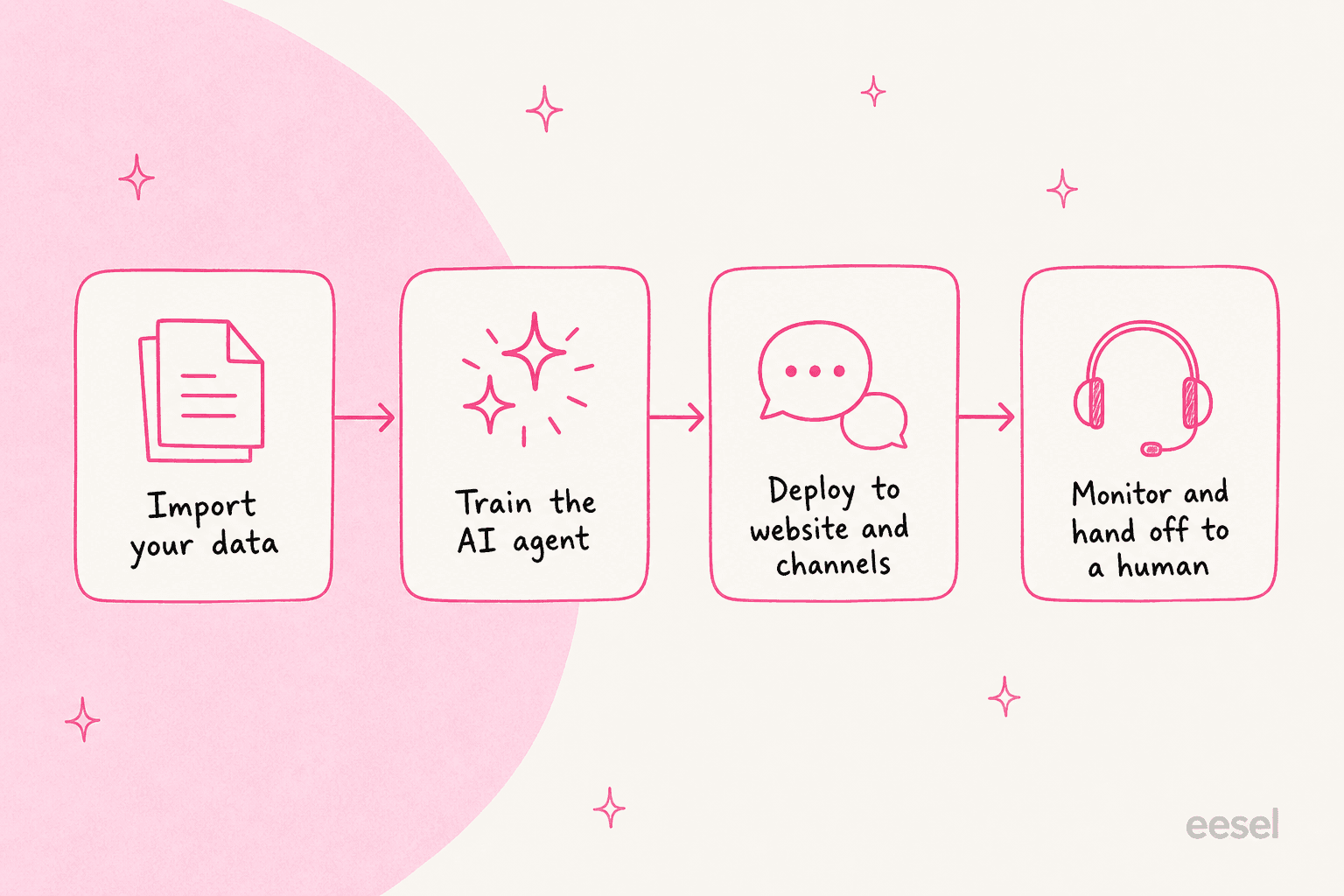
You feed a datastore from files, Notion, Google Drive, YouTube, and any public URL, the agent trains on that content, and it auto-retrains when your sources change (automatically where it can, or via a webhook or a manual trigger). Then you drop the agent onto a surface and watch conversations roll in, with the option to jump in yourself.
Two architectural details matter for a buyer. First, the split between an Agent (the deployable bot) and a Datastore (the knowledge it answers from) is clean and easy to reason about. Second, Askli supports function calling, so the agent can hit a custom API endpoint mid-conversation, and it can ask a human to approve an action first. That is a nice touch for anything beyond answering FAQs, and it puts Askli a step above the rule-based chatbots it competes with on the low end.
What is missing is a pre-launch test. There is a live Monitor view and human takeover after the fact, but no way to run the bot against your historical conversations before customers ever see it. For anyone who has watched a confident bot answer wrong in production, that gap is the whole ballgame, and it is the single biggest difference between Askli and the tools built for teams with real ticket volume.
The product suite, feature by feature
The AI chatbot and agent
This is the flagship. You get an embeddable website widget with a customizable launcher, suggested prompts, and answers grounded in your datastore. Askli calls its guardrails "trustworthy AI," meaning the bot is meant to stick to your knowledge base and skip off-topic chatter.
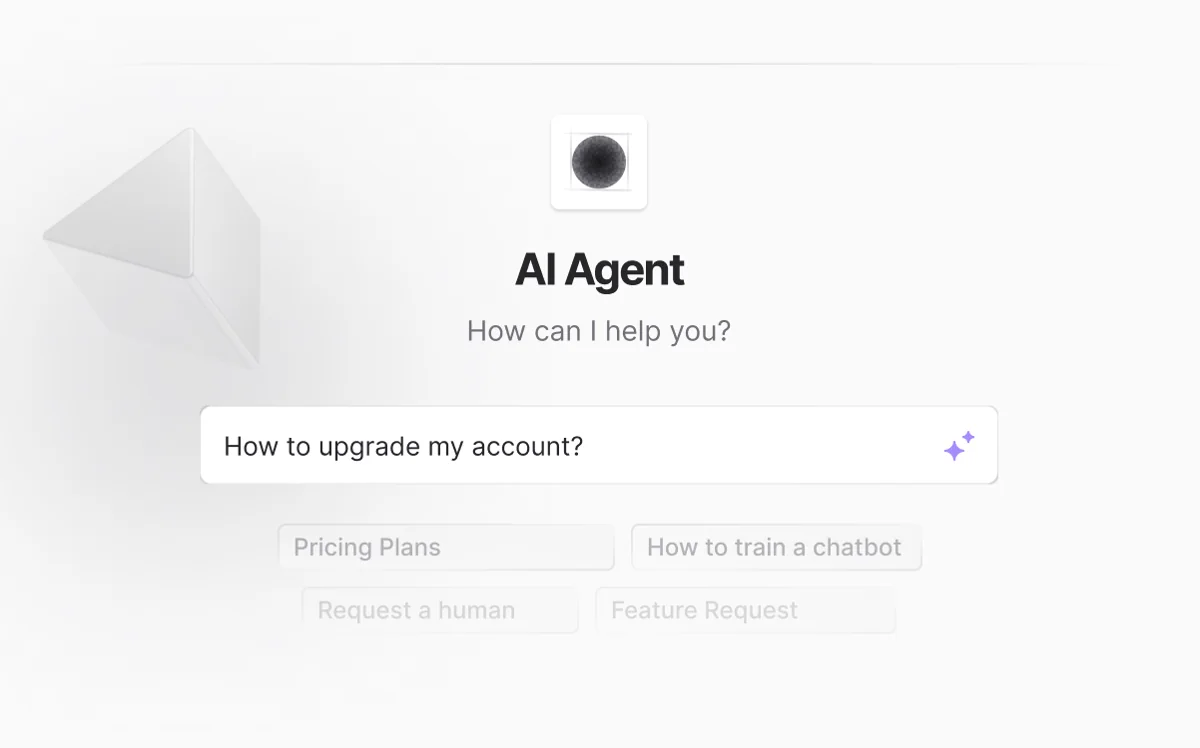
Beyond the website, the same agent deploys to WhatsApp, Slack, Telegram, WordPress, Shopify, and Crisp, and it captures leads along the way. If your support is mostly pre-sale questions on an ecommerce storefront, that omnichannel spread is a genuine strength.
The shared inbox
Every conversation across channels lands in one shared inbox, where you can filter by assignee, channel, agent, evaluation, or priority, take over from the AI with an "Intervene" button, and assign threads to teammates. Even after a human steps in, the AI keeps suggesting replies.

It is a competent, if basic, agent-assist layer. You will not find deep routing rules, SLAs, or reporting here, but for a small team the takeover-and-assign loop covers the essentials.
AI email support and conversational forms
The AI email support module handles email from Askli's own dashboard, and the useful wrinkle is that it drafts from your past email threads, not just documented articles, so replies improve as your history grows. It is framed as draft-assist rather than an unconditional auto-send bot, which is the sensible default. Conversational forms round things out by collecting lead or ticket info in a chat-style flow instead of a static form. "10x faster" and "less than 2 minutes to set up" are unquantified claims, but the direction is reasonable.
Where Askli plugs in, and where it doesn't
This is the section I would read first if I were evaluating Askli for a support team, because it is where the marketing and the reality diverge.
Askli's integrations split into three buckets: data sources that train the bot, deploy channels where the bot talks to customers, and a single ticketing hand-off. The important structural fact is that nothing here answers your existing helpdesk tickets. The bot lives on Askli's own surface (your website widget, WhatsApp, Crisp, and so on), and the customer talks to that.
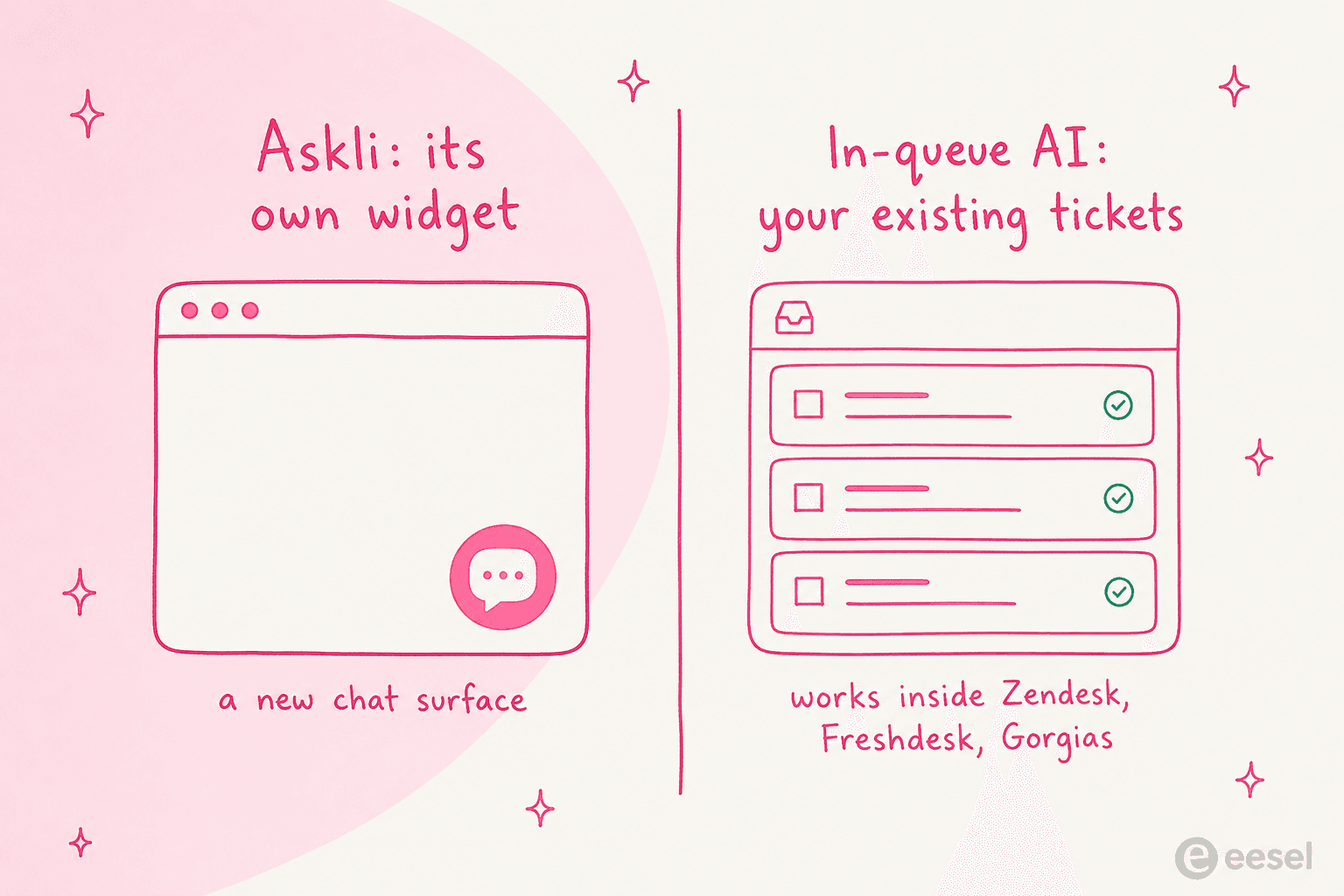
The one helpdesk name present is Zendesk, and it is easy to misread. On the Zendesk integration page, the flow is: when a visitor asks for a human, Askli creates a Zendesk ticket, and when the chat is marked resolved, Askli closes it. So the direction is Askli's chat, out to Zendesk as the ticket store, not Zendesk's inbound tickets in to Askli to be answered. There is no Freshdesk integration and no Gorgias integration at all, and Zendesk is not offered as a knowledge source either.
That is a fair design choice for a website-first chatbot, and it is worth stating plainly rather than dressing up: if your support already lives in a queue, Askli sits beside it, not inside it. Teams that want AI drafting and resolving the tickets already in their Freshdesk or Gorgias inbox are looking at a different shape of product.
On the developer side, Askli does expose a public REST API with authentication and endpoints for managing your data, plus an llms.txt index for its docs. It is oriented around managing datastores programmatically rather than driving the agent headlessly, so it is handy for keeping knowledge in sync, less so for building automated ticket workflows around it.
Askli pricing
Pricing is one of Askli's clearest strengths: it is public, self-serve all the way up, and cheap to start. Everything meters on message credits, where one credit is one AI reply (default model gpt-4o-mini, with GPT-4 available on every plan).
| Plan | Price | Message credits/mo | Agents | Datastores | Website loader | Team seats |
|---|---|---|---|---|---|---|
| Free | $0/mo | 200 | 1 | 1 | 25 pages | None |
| Growth | $49/mo | 20,000 | 2 | 2 | 250 pages | 10 |
| Pro | $99/mo | 40,000 | 5 | 5 | 1,000 pages | 25 |
| Enterprise | $499/mo | 400,000 | 100 | 100 | 10,000 pages | 200 |
Yearly billing knocks off 20%, and a "need a custom plan?" option routes to sales beyond the $499 tier.
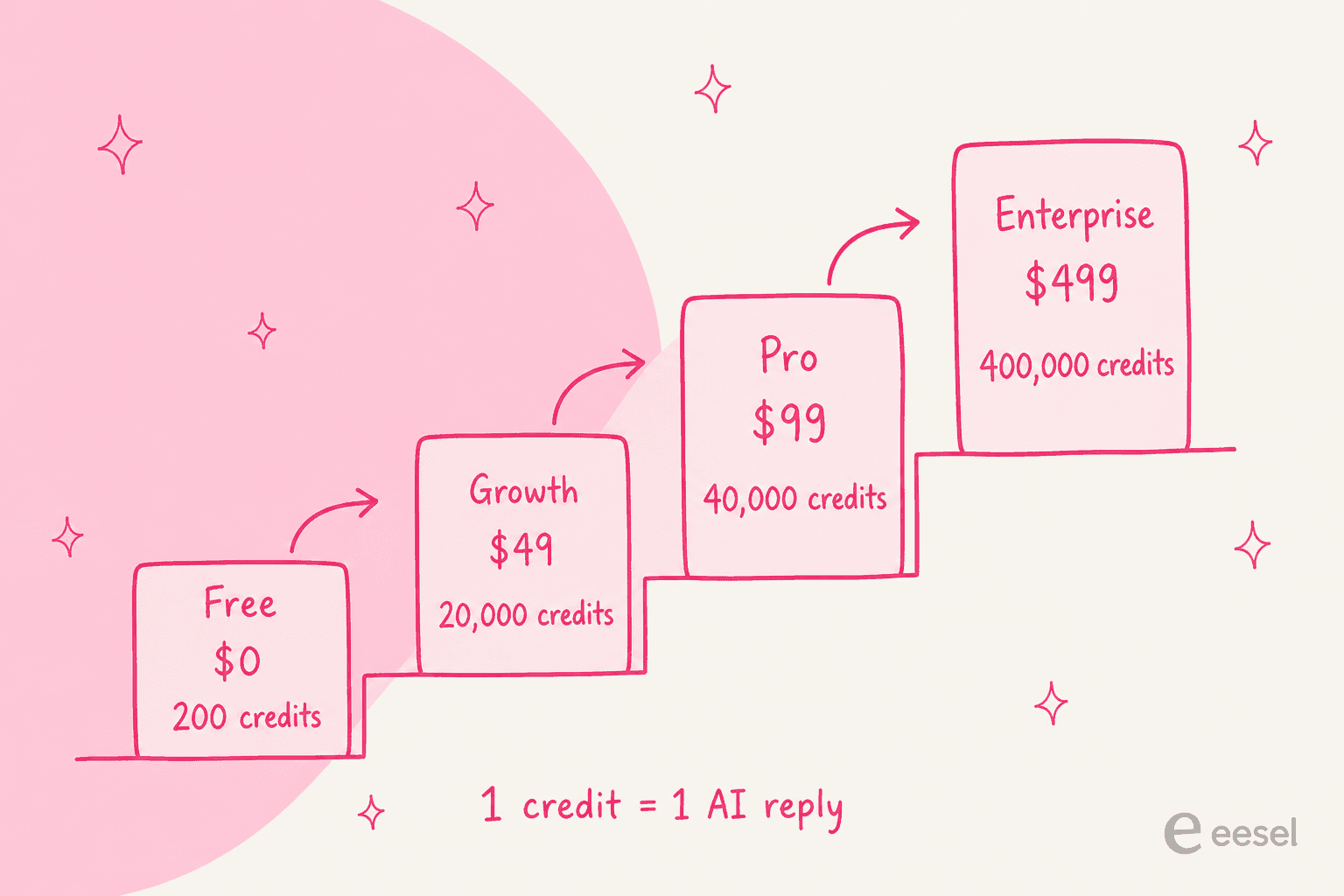
A worked example makes the credit meter concrete. On Growth at $49/mo you get 20,000 replies. If a typical resolved chat runs four AI messages, that is roughly 5,000 conversations a month before you need Pro, which is plenty for a small site. The thing to watch is that credits count every AI reply, so chatty back-and-forth burns them faster than a per-resolution model would, and the pricing page does not spell out what happens when you run out mid-month. If you are weighing that against other models, our take on what AI support should cost is a useful yardstick.
Two smaller notes. The free tier deletes idle agents and datastores after 14 days of inactivity, so it is a trial surface, not a place to park a low-traffic bot. And Askli lists white-label branding removal on every tier, including Free, which is unusually generous and reads slightly like a page quirk, so confirm it before you rely on it.
What real users say about Askli
Here is the part I cannot pad, so I will just be straight about it: independent reviews of Askli are essentially non-existent. Across the sources I trust for this, Reddit, G2, Capterra, Trustpilot, X, LinkedIn, and Hacker News, there is almost nothing to quote.
The G2 profile for Chaindesk sits unclaimed with zero reviews. Capterra and Trustpilot have no listing under any of the three brand names. The only real traces are the founder's old "Show HN" posts for Databerry, all sitting at one to three points with no product discussion. That is normal for an indie tool, and it is not a moral failing. But it does mean you cannot lean on a body of operator experience the way you can with a mainstream helpdesk, and for a tool you are trusting to talk to customers, that absence is itself a data point. If review depth matters to you, our roundups of the best AI support chatbots and AI tools for support teams lean toward tools with a public track record.
Who Askli is for
Askli is a fair pick if you are a small team or solo founder, your support is mostly FAQ deflection on a website or WhatsApp, and price is the main constraint. The free tier lets you try it for real, the omnichannel spread is wide for the money, and function calling gives you room to grow past pure Q&A. That is a legitimate niche, and Askli fills it without much fuss.
It is a weaker fit if your support runs through a helpdesk queue, if you need to prove the bot is safe before it goes live, or if you want the reassurance of a deep review history and a team that has clearly decided to buy rather than build. None of those are things Askli claims to do, so this is about matching the tool to your setup, not a mark against it.
Try eesel for AI inside your existing helpdesk
If that second description is you, this is where I will make eesel's case, because it is built for the exact gap Askli leaves. Where Askli deploys a new chatbot on its own widget, eesel's AI support agent joins the helpdesk you already use, Zendesk, Freshdesk, Gorgias, and more, and drafts or auto-resolves the tickets already sitting in that queue. Same customers, same inbox, no new surface for anyone to learn.

Two things we learned the hard way are baked in. We have spent years putting AI on live support queues, and we have watched a confident-sounding bot quietly give wrong answers, which is why every eesel rollout is simulated against your historical tickets first, so you see the resolution rate and the exact replies before a single customer does. One customer, Gridwise, had eesel resolving 73% of their tier-1 tickets in the first month off the back of that dry run. It is also why we lean on confidence, not bravado. As one support lead we work with put it:
The AI will never be able to answer 100% of the questions. I need an AI that only handles the tickets it is confident to handle, and leaves the rest alone.
That is the whole philosophy: handle what it is sure about, escalate the rest cleanly.
Pricing follows the same logic. eesel bills on tickets, not per resolution (around 40 cents per AI-handled ticket), so testing and iterating never runs up a surprise bill, and there is no penalty for the bot doing more work. If you would rather drive all of this from a terminal, the eesel CLI is an agent-friendly way to operate the same teammate and workspace: you can connect sources, push instructions, run a simulation, and check activity from scripts, and coding agents like Claude Code, Codex, and Cursor can drive it directly, which is a level of programmatic control Askli's data-management API does not reach.
Askli and eesel are answering different questions. Askli asks, "how do I put a cheap bot on my website?" eesel asks, "how do I get AI working on the tickets my team already handles, safely?" Pick the one that matches where your support actually lives.
Frequently Asked Questions
What is Askli?
How much does Askli cost?
Is Askli the same as Chaindesk?
Does Askli integrate with Zendesk or Freshdesk?
Is Askli a good AI chatbot for customer support?


Article by
Rama Adi Nugraha
Rama is a software engineer at eesel AI with two years of experience writing about B2B SaaS, AI tools, and customer support technology. Based in Bali, Indonesia, he brings a developer's perspective to product comparisons — cutting through marketing copy to what the integrations and APIs actually do.