AI responses in Zoho Desk: how to draft and send replies

Riellvriany Indriawan

Katelin Teen
Last edited September 25, 2026
Option 1: Zoho's native Zia reply features
Most people who ask "how do I get AI to answer in Zoho Desk?" start with Zia, Zoho's built-in AI. It shows up in a few places that touch replies:
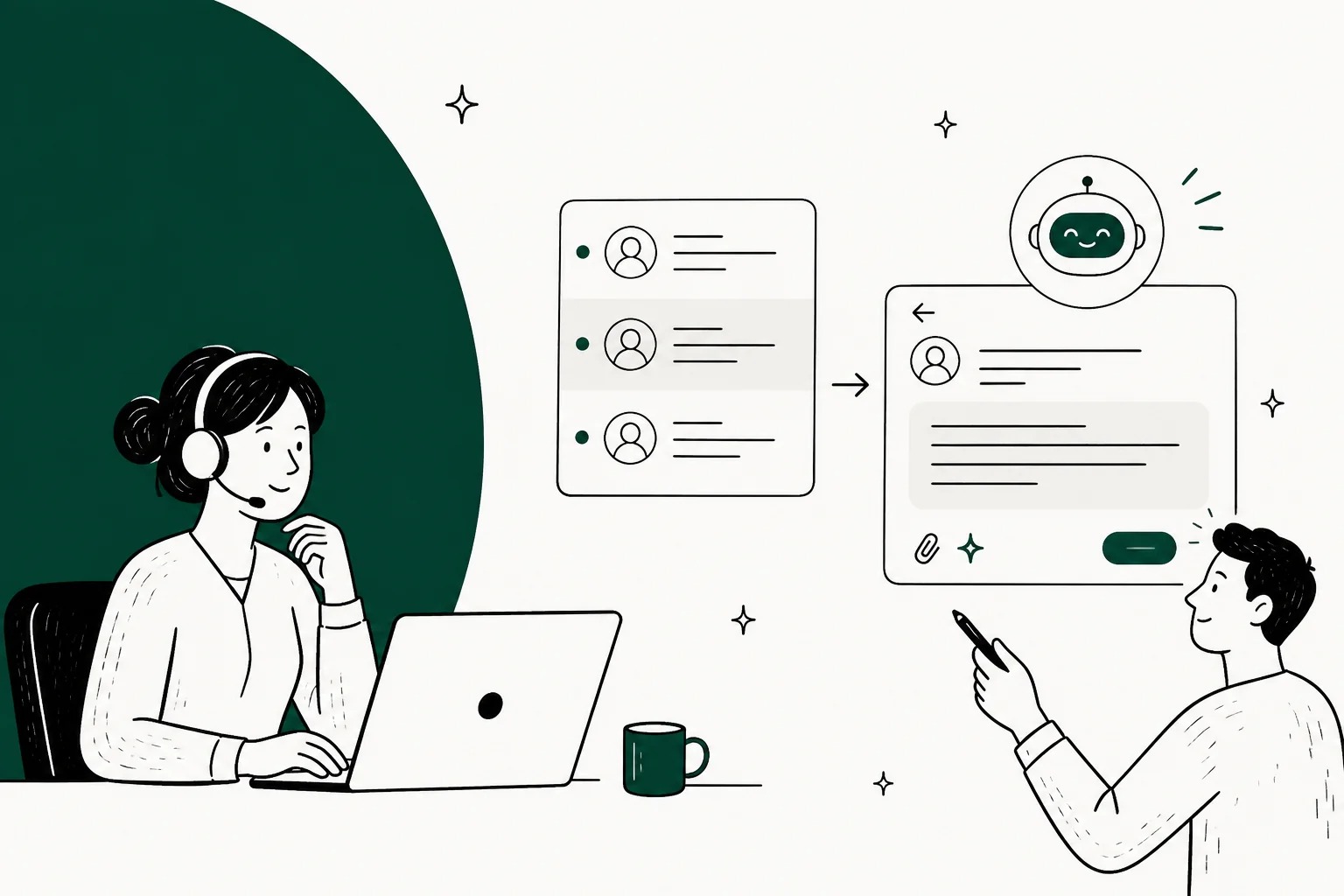
- Reply suggestions. Inside an open ticket, Zia can draft a suggested response an agent reviews and sends, using the ticket's context.
- Ticket summaries. Zia condenses a long thread so an agent gets up to speed before replying, with multi-language support on the paid tiers.
- Answer Bot. The customer-facing bot that answers on your help center and in the ASAP widget, pulling from your knowledge base.
Here's the honest walk-through of turning it on.
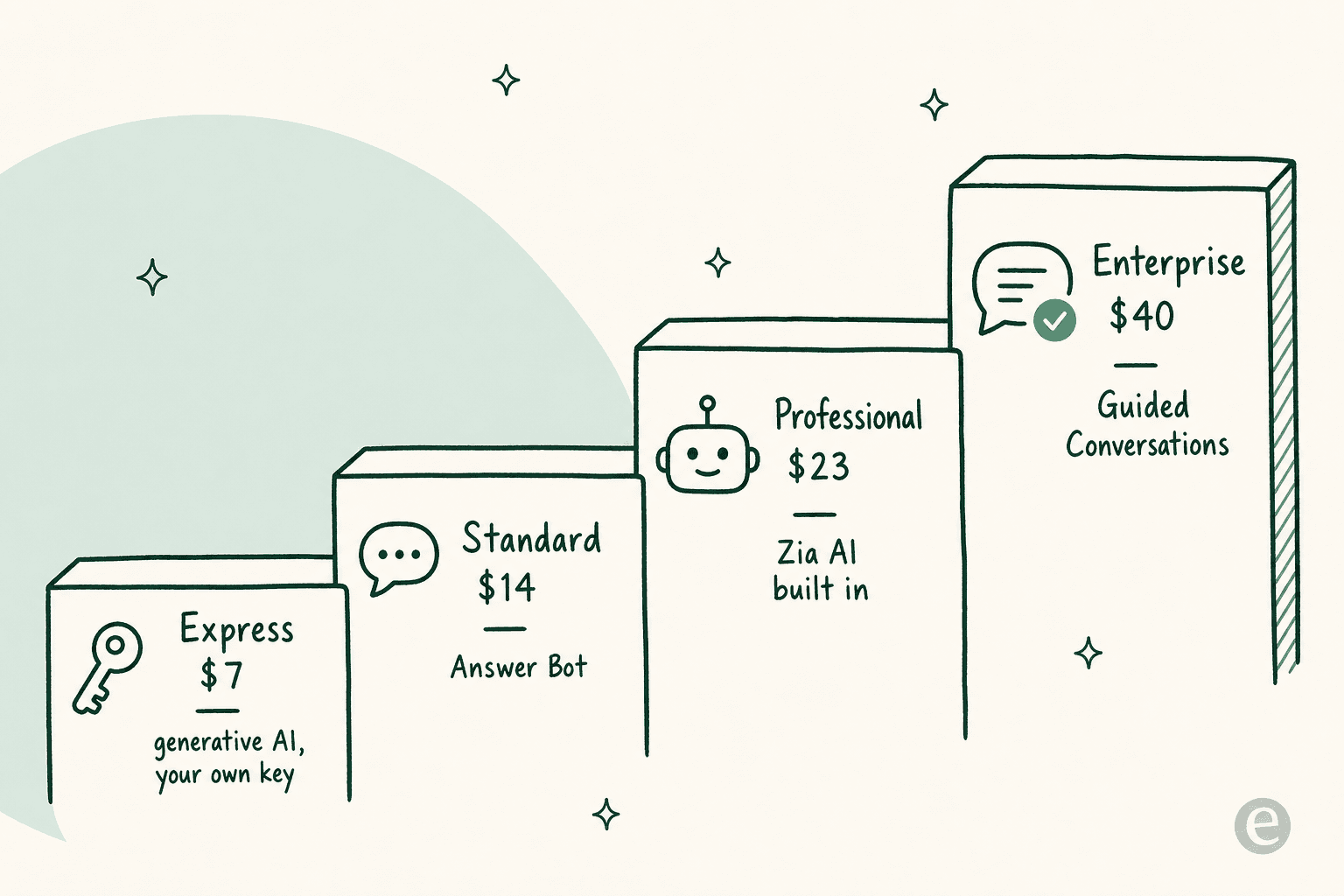
- Check which plan you're on. This matters more than any setting. Generative AI (summaries, sentiment, smart reply suggestions) starts on Express with your own model key; the Answer Bot needs Standard; full built-in Zia is Professional; Guided Conversations are Enterprise-only.
- Enable Zia in setup. In your Zoho Desk admin settings, switch on Zia for the departments you want, and, if you're on Express, connect your OpenAI key so the generative features have a model to call.
- Point it at your knowledge base. Zia's answers are only as good as the help center articles it can read, so publish and tidy those first.
- Use reply suggestions in the ticket editor. Once it's on, agents get a suggested draft they can accept, edit, or ignore.
The thing to internalise is that Zia's AI is spread across the price ladder, not bundled into one switch. That shapes what "AI responses" even means for your team.
Where Zia's responses fall short
I'll be fair here, because Zia does the basics fine. Summaries and sentiment tags are genuinely handy for an agent who's already in the ticket. The gap shows up when a customer asks something specific.
The first limit is knowledge sources. Zia trains mainly on your Zoho knowledge base articles, so it can't reach into Confluence, Google Docs, or Slack where a lot of teams actually keep their answers. If the answer isn't in a published article, Zia doesn't have it.
The second is answer accuracy, and users are candid about it:
"Desk will let you create a knowledgebase and has a LLama-based AI. When I last tried it, it did not impress."

Even the summaries have edges:
"I've started using some of Zia's features - the summary for a ticket is ok but struggles when there is a lot of content - it has a limit."
None of this makes Zia useless. It makes it an assistant that speeds up an agent, rather than a self-service layer that answers customers on its own. Our full Zoho Desk AI review goes deeper if you want the receipts.
Option 2: Bring your own model
The second route is the one power users on r/Zoho keep landing on: wire Zoho Desk to an external model yourself.
"Currently, we are using Zia, along with integrations that can leverage external generative AI models where required (ChatGPT)."
This is exactly what the Express plan's generative AI is built for. You bring your own OpenAI key, and Zoho uses it to power summaries, sentiment, and smart reply drafts. Teams that want more control build a custom integration (via Zoho's APIs or a tool like n8n) that pushes ticket context to a model and pulls a drafted reply back.
It's flexible, and it keeps your model spend transparent. The catch is that it's a project, not a setting, and it doesn't fix the knowledge-source problem. Your model still only knows what you feed it in the prompt, so someone has to plumb the right context in. For a lot of teams, connecting ChatGPT to Zoho Desk this way (or Claude) is more of a proof of concept than a production reply engine.
Option 3: Layer a dedicated AI in front of Zoho Desk
The third route is the one I'd actually reach for if the goal is deflection, not just faster typing. Instead of relying on the AI inside Zoho Desk, you put a dedicated AI on the front line: your website chat, your help center, or a public chat link. It answers what it can and hands the rest to Zoho Desk.
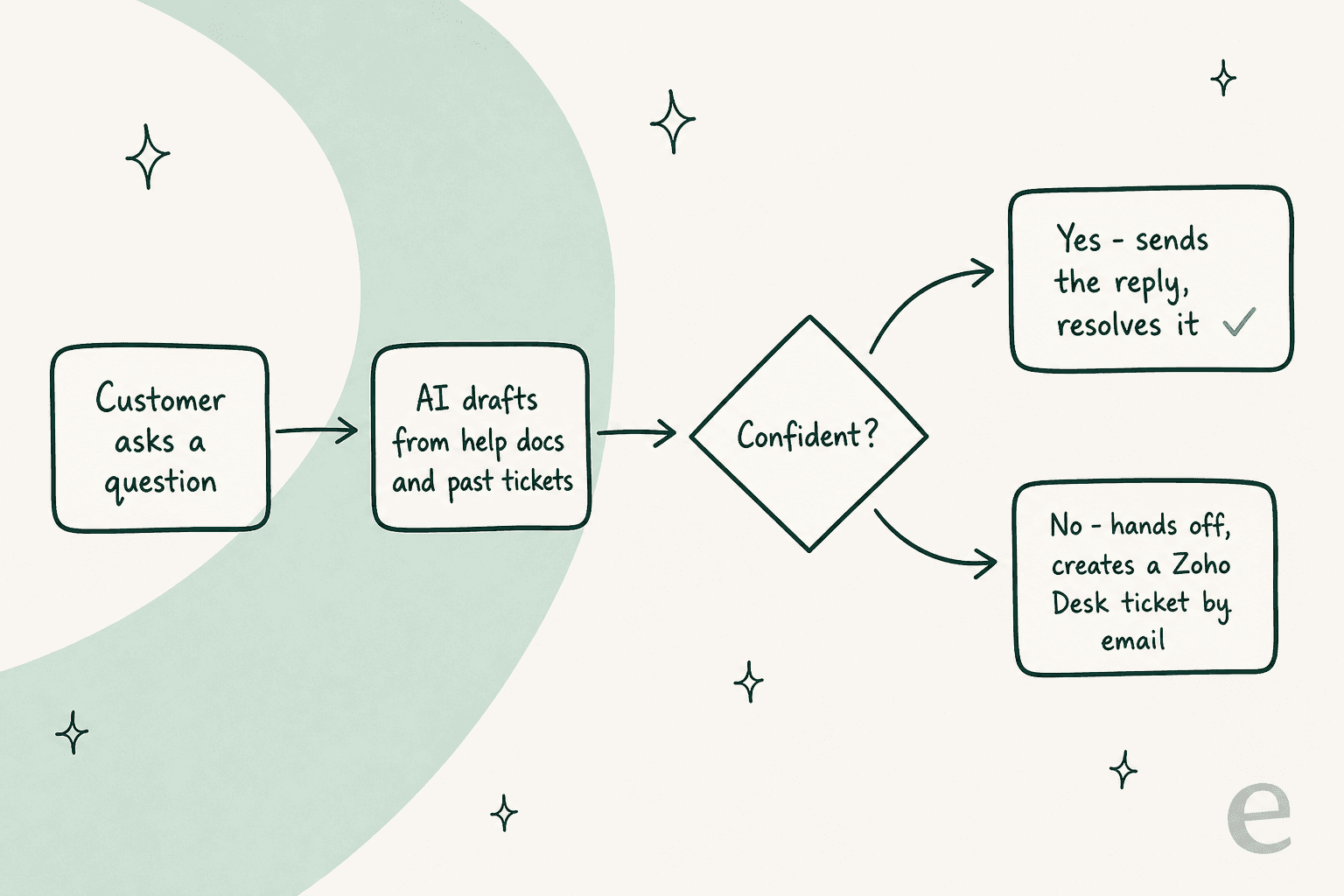
This is where eesel fits. One thing worth being upfront about: eesel doesn't have a native Zoho Desk plugin the way it plugs directly into Zendesk or Freshdesk. For Zoho Desk, it works as a layer in front, with unresolved chats handed off by email that land as tickets in your queue.
Here's the shape of it.
We've spent the last three-plus years putting AI on live support queues, and the one lesson that stuck is that a confident-sounding bot giving wrong answers is worse than no bot. So the setup is built to earn trust before it ever touches a customer.
- Connect your knowledge. Point the AI at your help docs, past tickets, and any other source you keep answers in, so it's trained on how your team actually replies, not a generic model.
- Simulate on real history. Before it goes live, run it over thousands of your past Zoho Desk tickets to see exactly what it would have said and what it would have resolved. This is the step Zia's native tools don't give you.
- Set a confidence threshold. Decide what it answers on its own and what it escalates. Anything below the line becomes a Zoho Desk ticket by email, so nothing gets dropped.
- Deploy the chat bubble. Add it to your site or help center and let it start deflecting the repetitive questions.

Because it trains on past tickets and not just published articles, it sidesteps Zia's biggest limit: it can answer things that were never written up as a formal help-center article. And it doesn't charge per seat, which changes the math a lot for small teams.
Which approach fits you
None of these is wrong. They fit different situations:
| Your situation | Best route | Why |
|---|---|---|
| Agents want faster drafting inside tickets | Native Zia | Reply suggestions and summaries live right in the editor |
| You have dev time and want full model control | Bring your own model | Express-tier generative AI or a custom API build |
| You want to deflect repetitive questions | Layered AI in front | Trains on past tickets, auto-resolves, hands off by email |
| Your answers live outside Zoho (Confluence, Slack) | Layered AI in front | Native Zia can't read external knowledge sources |
| You're on the Free or Express plan and can't upgrade | Layered AI in front | Skips Zoho's per-seat AI ladder entirely |
Pricing at a glance
Zoho's AI reply features are billed per user, per month, and they're spread across the plans rather than sold as one AI add-on. Here's the current ladder (billed annually):
| Plan | Price (per user/mo) | The AI reply feature you unlock |
|---|---|---|
| Free | $0 | None (email ticketing, 3 users) |
| Express | $7 | Generative AI (summaries, smart reply) with your own model key |
| Standard | $14 | Zia Answer Bot, knowledge base, ASAP widget |
| Professional | $23 | Built-in Zia AI (generative, predictive, analytical) |
| Enterprise | $40 | Guided Conversations, live chat |
A layered tool prices differently. eesel is usage-based at $0.40 per ticket or conversation handled, with no per-seat fee, no platform fee, and a free $50 of usage to start with no card. For a five-agent team, that's the difference between paying for five Professional seats every month whether or not the AI does much, versus paying only for the conversations the AI actually handles.
Try eesel for Zoho Desk
If your Zoho Desk queue is full of the same handful of questions, eesel is the fastest way to get AI actually answering them rather than just drafting for an agent. It trains on your help docs and past tickets, simulates against your real history so you can see the deflection number before you commit, and hands off anything it's unsure about as a Zoho Desk ticket by email, so nothing falls through.

You can try eesel free with $50 of usage and no credit card, or book a demo if you'd rather see it run against your own tickets first.
Frequently Asked Questions
How do I get AI responses in Zoho Desk?
Does Zoho Desk write replies automatically?
How much does AI in Zoho Desk cost?
Why are Zia's AI responses sometimes weak?
Can I add a third-party AI to send responses in Zoho Desk?


Article by
Riellvriany Indriawan
Riell is a designer and writer at eesel AI with about two years of experience researching CX platforms, AI chatbots, and helpdesk software. She combines her design background with a sharp eye for how these tools actually look and feel in practice — making her comparisons unusually visual and user-focused.