AI chatbot for logistics customer support: a practical guide

Riellvriany Indriawan

Katelin Teen
Last edited July 20, 2026
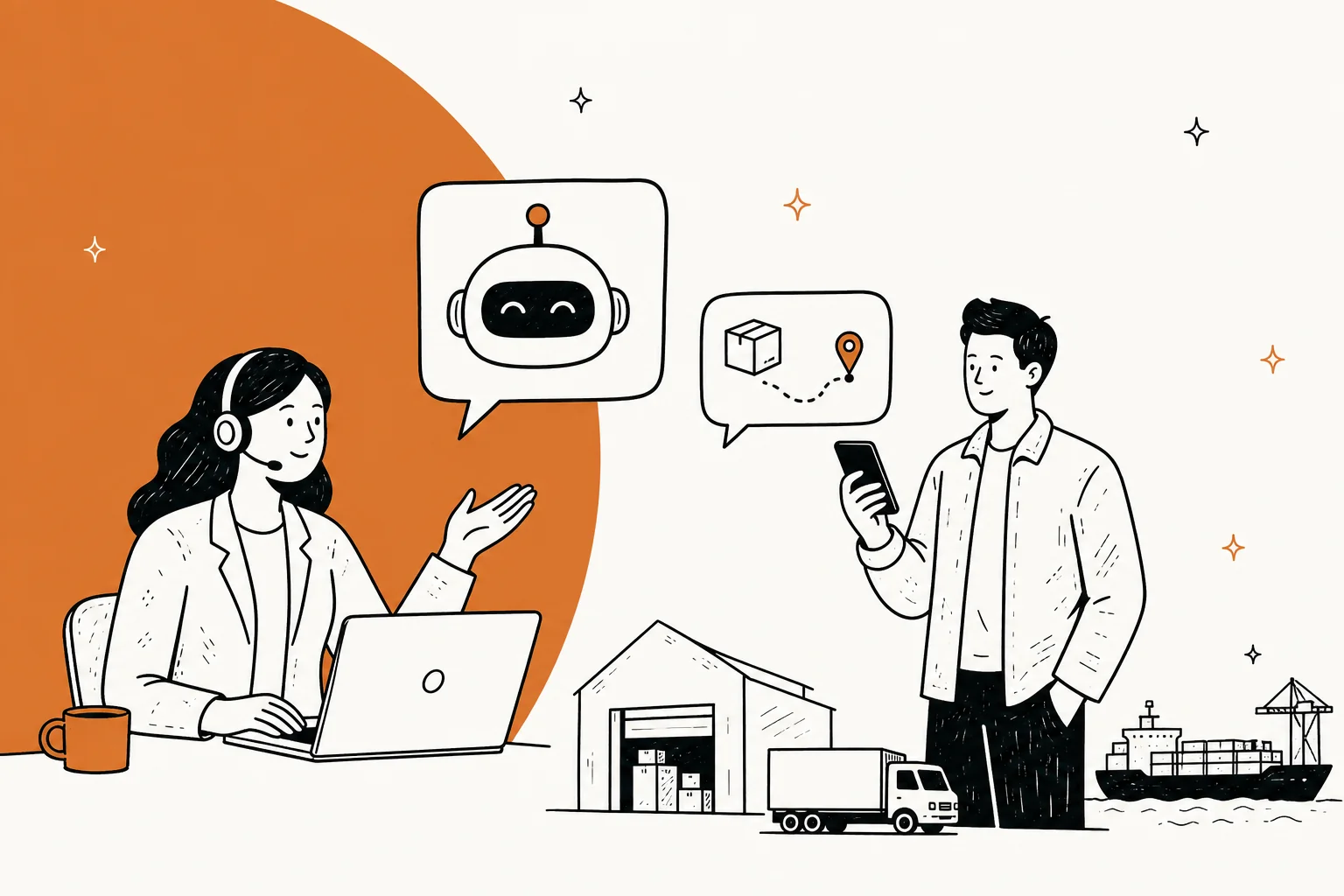
An AI chatbot for logistics lives or dies on one thing: whether it can read live data. A bot that only knows your help center can quote a returns policy, but it can't answer "where is my container?" - and tracking questions are roughly 35% of all inbound support volume for anyone shipping at scale (per post-purchase platform LateShipment). So the real test isn't how smart the model sounds, it's whether it's wired into your carrier APIs, your warehouse system, and your helpdesk.
I work on eesel's support team, and we've spent the last three-plus years putting AI agents on live support queues, including logistics operators. One of ours, CartonCloud (a warehouse-management platform), runs support on 717 knowledge items feeding an AI agent across Salesforce and Slack. The pattern that holds across every logistics rollout I've seen: automate the repetitive tracking-and-stock flood, route the genuinely messy exceptions to a human, and never let the bot guess. This guide is what actually works, where it breaks, and how to roll one out without a peak-season disaster.
Why logistics support breaks a normal chatbot
Most AI chatbots you've seen are built for one job: read a knowledge base, answer FAQs. Drop that same bot into a logistics queue and it falls apart on the very first ticket.
Here's the structural difference. In most industries, the answer to a support question already exists somewhere in writing. "How do I reset my password?" has a fixed answer. But the questions that flood a logistics team don't have fixed answers, they have current answers. "Where is my shipment?" depends on a scan that happened four minutes ago. "How much stock do I have in your warehouse?" depends on this morning's receiving. "Has my invoice been paid?" depends on your accounting system right now.
A chatbot with no live integrations can only handle policy, FAQ and process questions - useful, but it leaves the 30-40% tracking category completely untouched. That's the trap: teams buy a bot, it deflects the easy 15% of tickets, and the WISMO flood (where-is-my-order) keeps hitting human agents anyway. The bot looks busy and changes nothing.
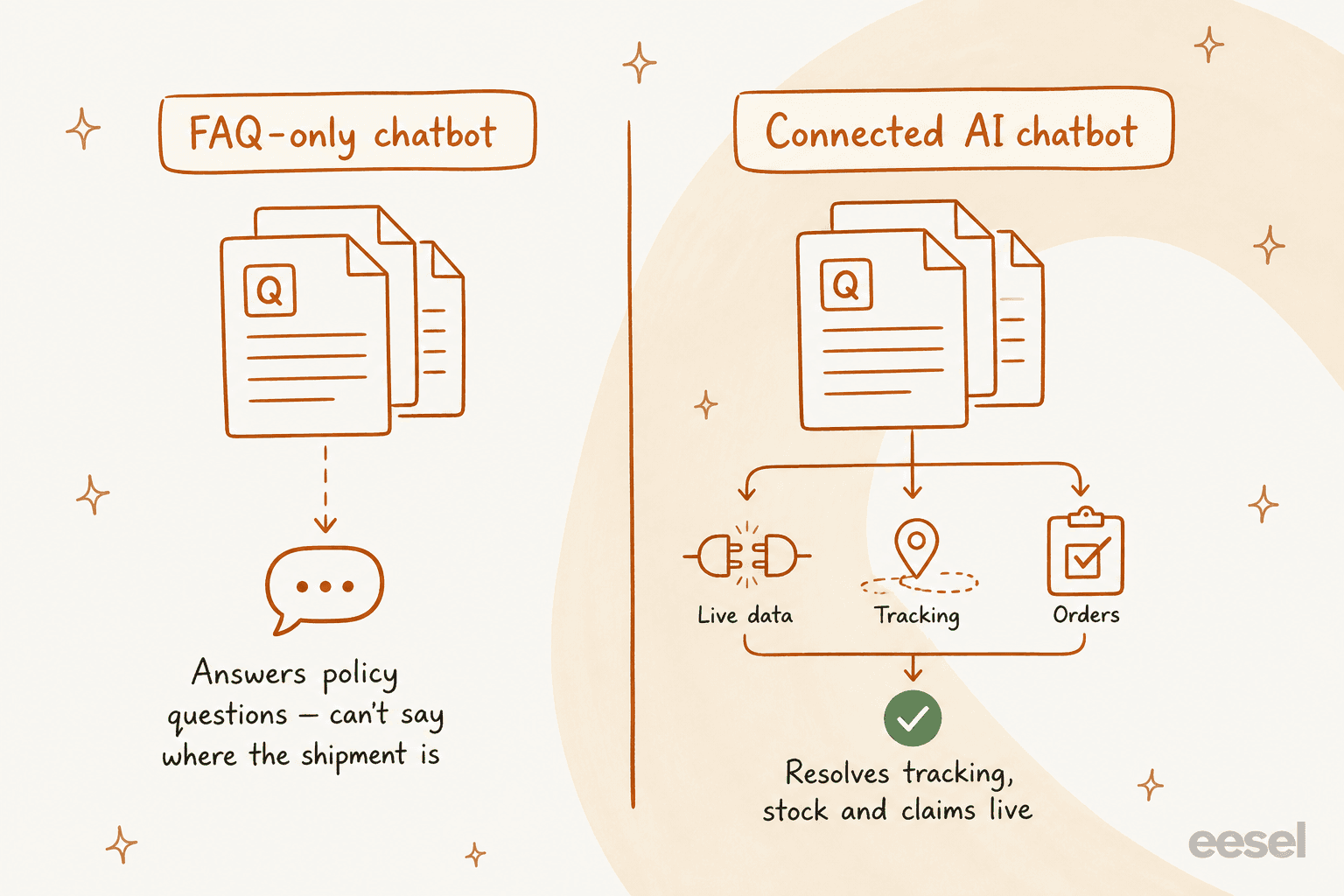
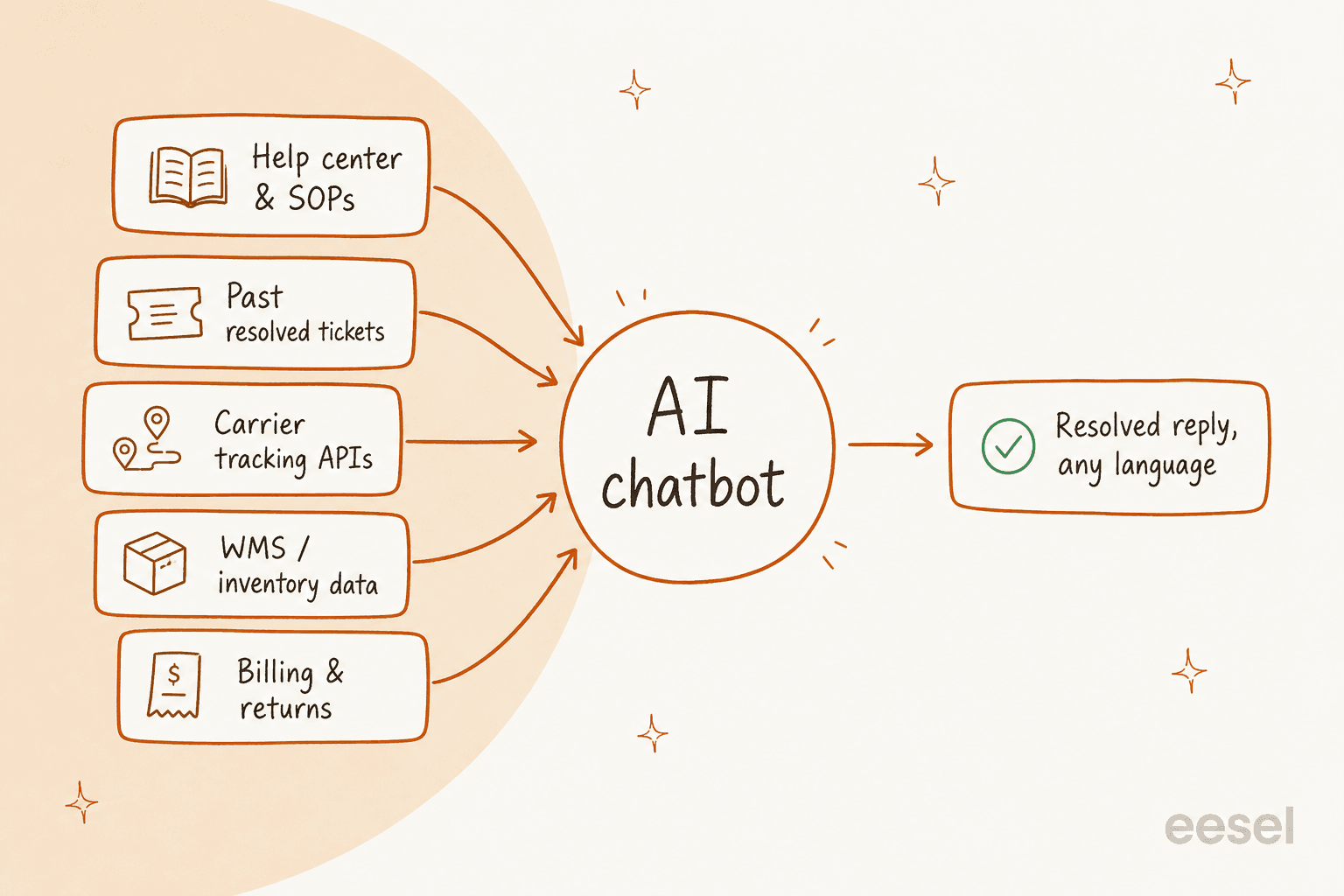
The useful version reads from everything at once: your help center and SOPs for policy, your past resolved tickets for tone and edge cases, and live systems for the moving parts. That's the difference between a bot that answers and a bot that resolves.
The tickets an AI chatbot actually handles in logistics
Not every logistics ticket is a good automation candidate. After enough rollouts you start sorting them into "the AI should own this," "the AI should tee this up for a human," and "leave this alone." Here's how the main categories fall.
| Ticket category | Share of volume | Good AI fit? | Why |
|---|---|---|---|
| Tracking / WISMO | 30-40% | Yes, fully | Repetitive, high-volume, resolvable from a live carrier lookup |
| Inventory & stock status (3PLs) | 10-15% | Yes, fully | A live WMS query answers it instantly, no judgment needed |
| Returns & exchanges | 5-10% | Yes, mostly | Eligibility checks and label generation automate cleanly |
| Delivery exceptions | 15-20% | Partly | Detect and triage automatically; escalate the non-standard ones |
| Claims (loss / damage / late) | 10-15% | Partly | File the routine first claim; humans handle disputes |
| Invoice & billing disputes | 8-12% | Partly | Answer status; hand off genuine disputes |
| Onboarding & config (WMS/3PL) | 8-12% | Yes, mostly | How-to answers live in docs and past tickets |
Tracking questions are the whole ballgame
If your AI chatbot does nothing else, it should own "where is my order?". This is the single highest-ROI thing an AI agent does in logistics, because it's the biggest category and the most repetitive. A bot wired to carrier tracking data can answer it in real time, in any language, at 2am, without a human ever seeing it.
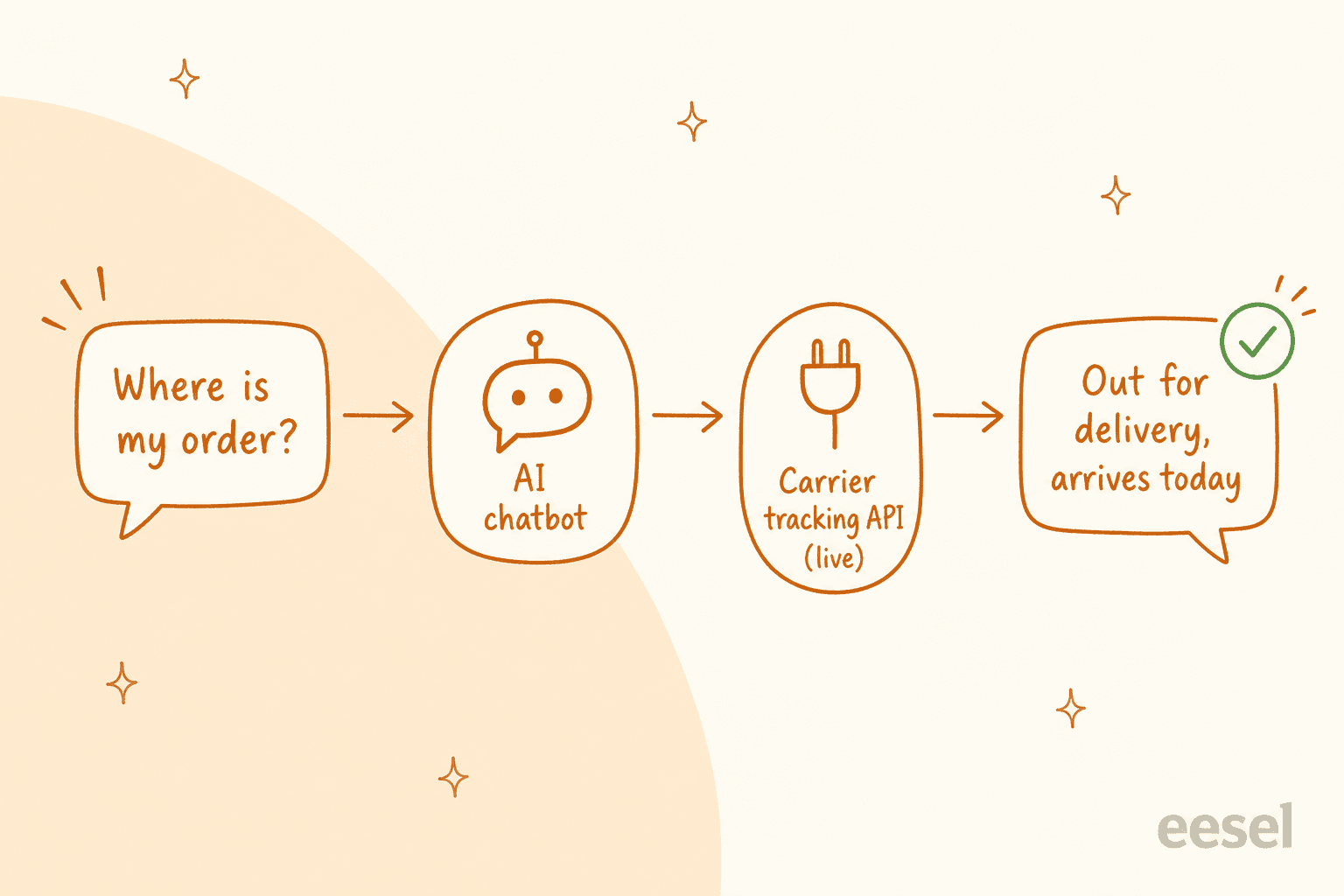
The bigger win is inverting the model entirely. Instead of waiting for the customer to ask, the AI watches every shipment and fires a proactive notification the moment an exception appears. LateShipment reports that brands using proactive delivery updates see up to 72% fewer delivery-related support contacts. The ticket never gets created because the customer already got the answer.
Claims and billing: the "tee it up" category
Carrier claims are where logistics teams quietly bleed money. Invoices carry errors on every billing cycle, and the filing window for an SLA refund is often just 15 days, so slow claims mean lost refunds. Support-automation vendor Sendcloud reports 8x faster claims resolution and 3x faster first-response times once the workflow is automated.
The honest read: an AI chatbot should detect the claim, gather the documents, and file the routine version. It should not argue a disputed dimensional-weight charge with a carrier. That's a human job, and pretending otherwise is how you get a confidently wrong answer on something with money attached.
"The tool allows us to increase the number of packages on which we make complaints (delays, losses, etc.)."
What separates a chatbot that works from one that annoys
Everyone can buy a chatbot. The gap between the ones that earn their keep and the ones support teams quietly switch off comes down to four things.
1. It's connected to live data, not just docs
Covered above, but it's the first filter for a reason. Ask any vendor a blunt question: "can it call our carrier tracking API and our warehouse system?" If the answer is "it reads your help center," you've got a FAQ deflector, not a logistics agent. Connected knowledge is what moves the resolution rate past the low double digits.
2. It knows when to shut up
This is the one I care about most from the frontline. The worst thing an AI chatbot can do isn't failing to answer, it's answering wrong with total confidence - telling a customer their package is "on the way" when it's actually stuck in customs. A supplements-brand CX lead we work with put the whole philosophy in one line:
"The AI will never be able to answer 100% of the questions. I need an AI who is only handling the tickets that it's confident to handle, and all the other ones, leave them alone."
That's the design goal. eesel uses confidence-based routing so a low-confidence answer becomes a draft for a human instead of a live reply. In logistics, where a wrong answer on a lost shipment torches trust, this matters more than a headline deflection number.
3. It escalates cleanly
A logistics chatbot needs great escalation, not just great deflection. When a package is held at customs and three parties are involved, the AI's job is to recognise it can't resolve this, package up everything it knows, and hand a human a warm, context-rich ticket, not dump a cold "I couldn't help" on the customer. A deflection bot that fights the customer instead of handing off is worse than no bot.
4. It works in every language your customers use
International logistics is multilingual by definition. A 3PL in California serving brands with customers in Mexico, China and Brazil can't staff an agent per language. A good AI chatbot answers in the customer's language automatically - eesel handles 80+ languages out of the box, trained on your own multilingual ticket history. Smava, one of our largest deployments, runs a fully automated agent on 100,000+ German-language tickets a month.
How much could you actually deflect? A quick reckoner
The math that matters isn't "what's the deflection rate," it's "what does that mean for my queue." Pick your monthly volume:
Your monthly logistics ticket volume
Deflection estimate based on tracking + stock making up ~35-40% of logistics volume. Costs use eesel's Teammate plans (500 credits $299/mo, 2,500 credits $999/mo; 1 credit per ticket).
The point isn't the exact figure, it's the shape: the savings scale with volume, and the biggest relief lands exactly when you need it, during peak season when human hiring can't keep up.
How to roll one out without torching customer trust
The failure mode I've watched most often isn't the AI being dumb. It's a team flipping a bot to full auto-reply on day one, it gets a few tracking answers wrong, customers notice, and the whole project gets shelved. Here's the sequence that avoids that.
1. Connect the helpdesk and knowledge first. Point the AI at wherever support already happens - Zendesk, Freshdesk, Gorgias, Front, Help Scout - plus your help center, SOPs, and past tickets. eesel does this across 100+ integrations so you're not rebuilding your stack.

2. Simulate on past tickets before it replies to anyone. This is the step teams skip and regret. Run the AI against thousands of your historical tickets and read what it would have said. You see coverage by category, spot the gaps, fill them, and re-run. We started doing this after watching confident-sounding bots quietly give wrong answers, and it's now non-negotiable on every rollout.

3. Start supervised, then grant autonomy by category. Let the AI draft replies for human agents to approve first. Once you trust it on tracking questions, let it auto-reply on just that category. Then add stock status. Leave claims and customs on manual until you've got the data to trust them. This is how a resolution rate climbs without a trust cliff. Gridwise got to 73% of tier-1 requests resolved in the first month this way, with results showing during a 7-day trial.

4. Watch the exceptions queue, not just the deflection number. A high deflection rate with a rising complaint rate is a bad trade. Track how clean your escalations are and whether customers re-open tickets after an AI answer. That's the real quality signal in logistics.
What the community actually says
Logistics practitioners are refreshingly skeptical of AI hype, and they're right to be. The recurring theme in r/supplychain discussions is that AI is great for predictable patterns and struggles the moment real-world disruption enters:
"For certain product categories with stable demand patterns the accuracy improvement was noticeable. But for anything with seasonal spikes or external disruption factors like port delays or raw material shortages, the models still struggled without a lot of manual intervention."

That maps perfectly to support. An AI chatbot handles the predictable, repetitive WISMO and stock queries beautifully. It needs a human for the port-delay-plus-customs-hold-plus-angry-B2B-client mess. Any vendor claiming 100% automation for logistics support hasn't worked a real queue during peak season.
The other consistent signal, straight from 3PL operators, is that visibility reduces tickets. Give clients a way to self-serve the answer and the inbound contact drops:
"Having your customers being able to access a portal and see what's happening is a huge reduction in communication on our end. They can go get the answer rather than asking Alex to go access the data, download the data, send it in an email."
An AI chatbot is the conversational version of that portal: the client just asks, and the answer comes back live.
Try eesel for logistics support
If you're running support for a 3PL, a carrier, a freight forwarder, or a brand shipping through a fulfilment partner, eesel is an AI agent that plugs into your existing helpdesk and learns from your past tickets on day one. It handles the tracking-and-stock flood automatically, drafts or answers in 80+ languages, and routes the genuinely hard exceptions to your team with full context, exactly the split this guide argues for.

The part I'd push hardest on: you can simulate it on your own historical tickets before it ever touches a live customer, so you see the resolution rate on your logistics queue up front instead of trusting a sales deck. Pricing is a fixed monthly plan from $299/month for 500 credits (1 credit per ticket) with no per-seat fees, which fits spiky logistics volume far better than paying for seats you only need at peak. It's free to try with 100 credits, no card. Want to see it on your queue? Book a demo.