JivoChat AI is two separate paid add-ons, not one feature. The AI Agent ($69 per agent a month, billed annually) answers customers from your website, up to 5 files and a Q&A list, and hands a chat to a person when stuck. The AI assistant ($13 a month) drafts replies your agents still send. Both suit FAQ-heavy chat, but neither checks an order or changes a booking: JivoChat routes those to people. eesel also learns from past replies and gets tested on real chats before launch. With the eesel CLI, a coding agent can load your FAQs and check test answers first.
What is JivoChat AI?
JivoChat is a live chat app that puts website chat, social messengers, WhatsApp and phone in one inbox. It's popular with small teams, and on the pricing page the base plans are $28, $42 or $56 per agent a month on annual billing. "JivoChat AI" isn't a plan. It's a pair of modules you add on top, and they do opposite jobs.
I'm a software engineer at eesel and I build the kind of AI agents this post is about, so when I look at a product like this I go straight to the help center to see what the thing actually does once the marketing page ends. JivoChat's help center is detailed, and it answers most of the questions a buyer would ask.
Here are the two pieces:
- The AI Agent answers customers by itself. JivoChat's AI Agent page says it can "resolve up to 80% of conversations automatically", speaks over 50 languages, and can handle more than 1,000 requests at once. Those are the vendor's own claims.
- The AI assistant (also called AI Copilot) helps your human agents. It drafts replies, changes the tone, fixes grammar and summarises chats, and per its product page "the final say is always with the human".
There's also an older piece: the Professional plan includes "Chatbot Integration" for connecting a rule-based bot. That's a third route, and it's not what most people mean today when they search for JivoChat AI.
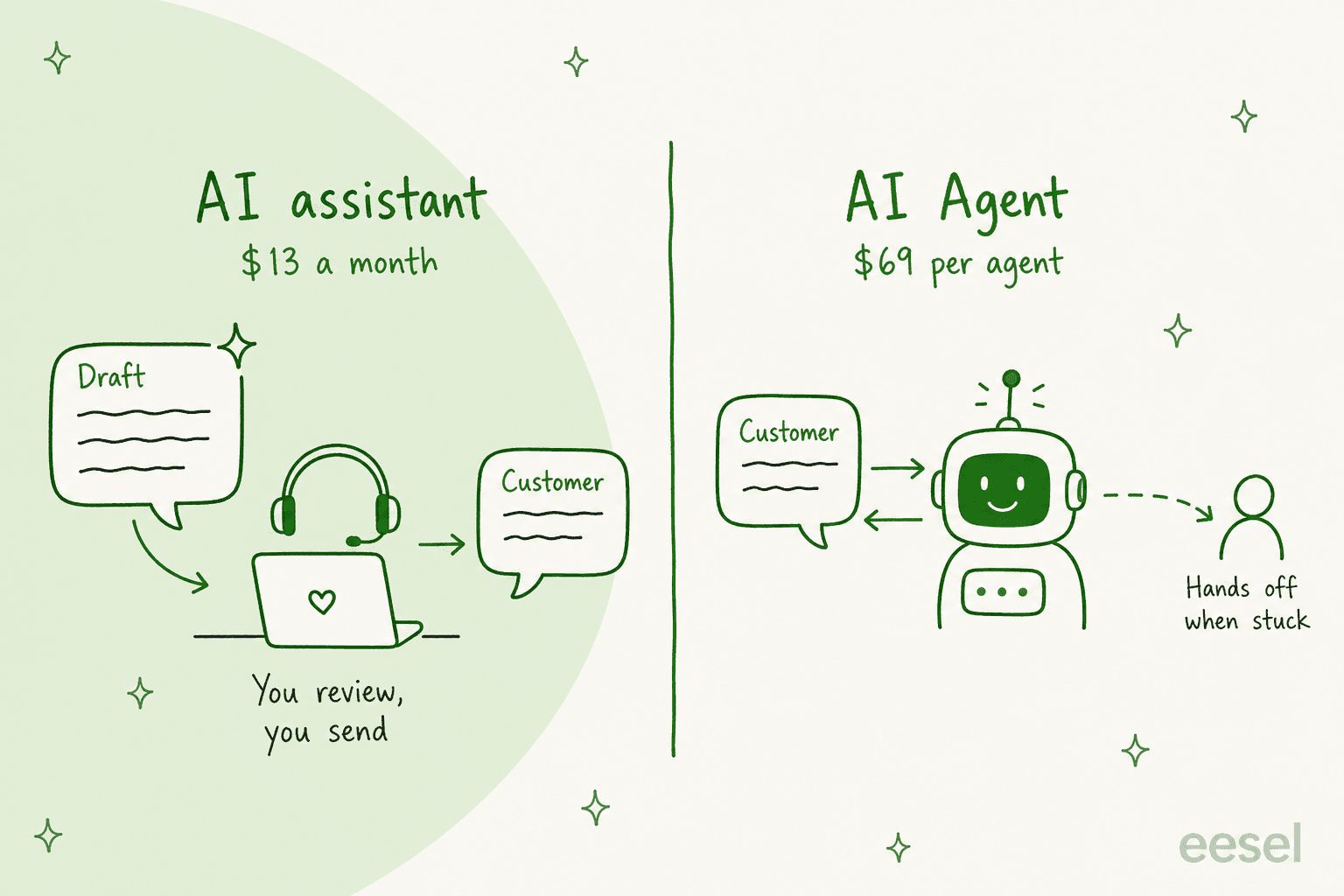
The split matters because the two solve different problems. If your agents are slow to type, the assistant helps. If you have too many chats for the people you have, only the AI Agent changes that, and it's priced very differently. My broader guide to AI live chat covers how other tools handle the same split.
How does the JivoChat AI Agent work?
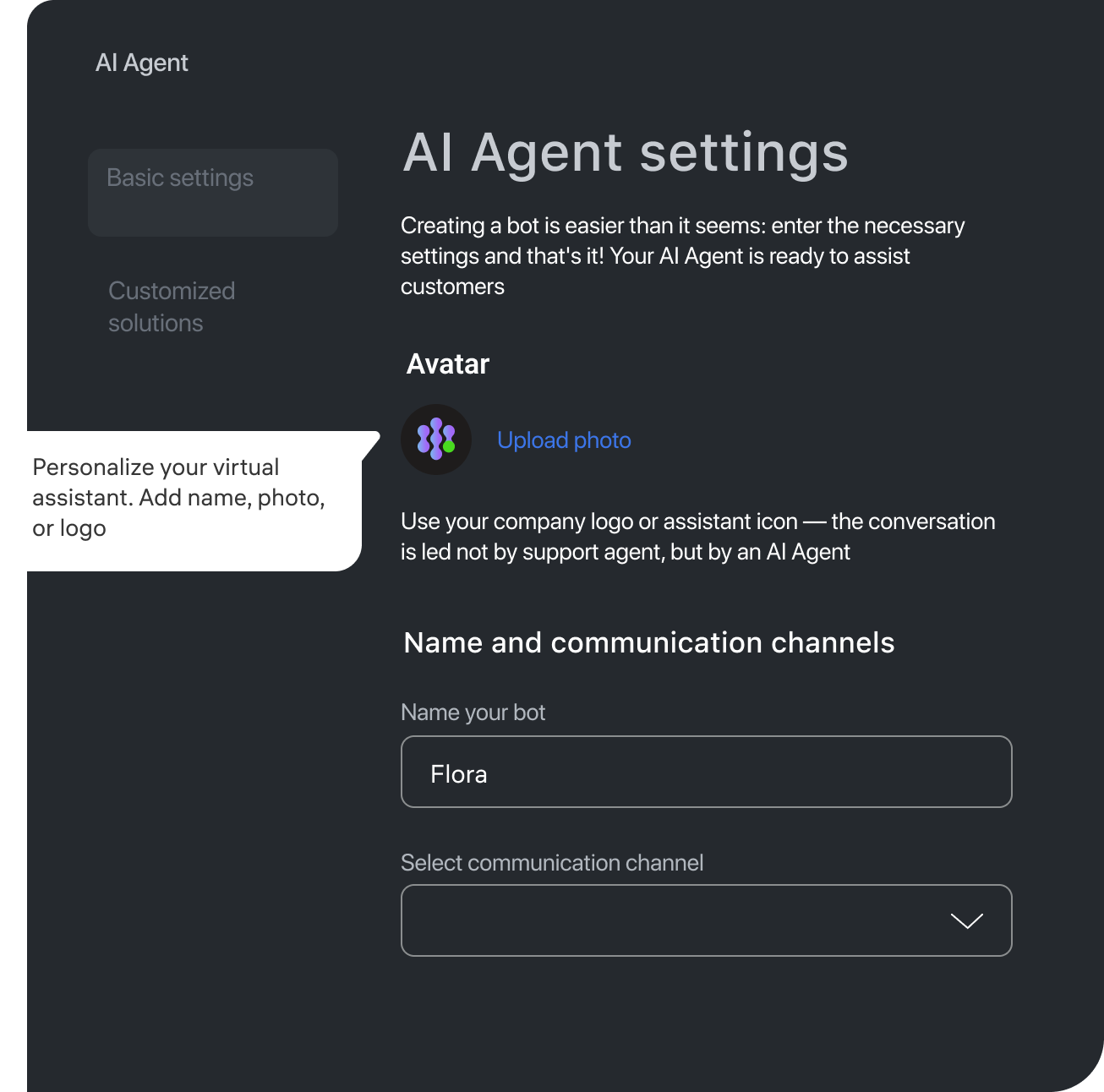
The AI Agent is an AI operator that sits in your JivoChat channels and replies like a team member would. You buy the module under Extensions, then Modules, and the setup article walks you through a four-step wizard. You can create up to 15 AI Agents, each with its own name, avatar and channels, so a store with two brands or two languages can give each its own bot.
Setting it up
Step one asks for your website. JivoChat scans your public pages and pulls out contacts, addresses, products, services and tone, which usually takes up to five minutes. There's a "No website" box if you'd rather fill it in by hand.
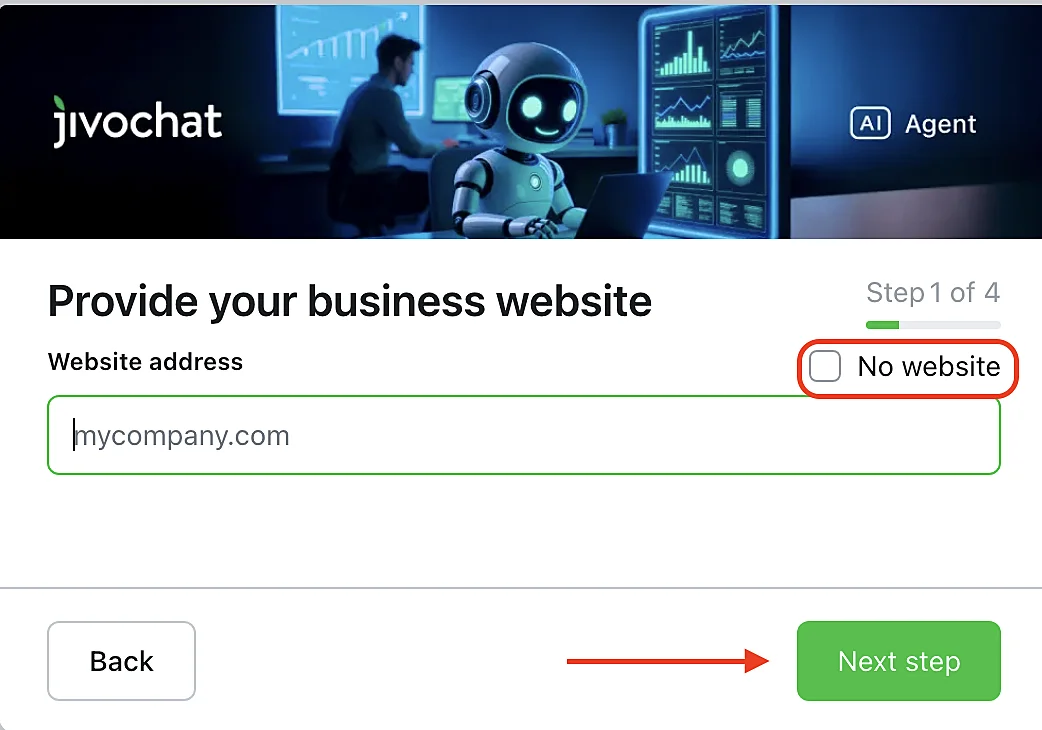
After that you pick channels, add a company description, upload files, and send test messages. Your instructions (when to hand over, when to close a chat, what to never promise) go only in the Details field, which supports Markdown. JivoChat is explicit that instructions inside an uploaded file are not read as instructions. That one trips people up, so write your rules in Details and keep files for facts.
What it learns from
The AI Agent answers from a fixed set of sources, and JivoChat's AI Agent page says it only considers your content. Here's the full list:
| Source | Limit | Notes |
|---|---|---|
| Website scan | Your main site | Updates may not show up in the knowledge base right away |
| Uploaded files | Up to 5 files, 30 MB each | .docx, .pdf, .xlsx, .csv, .md, .txt, .json and more |
| Web search | Up to 5 trusted domains | Public pages only, domain level, no logins |
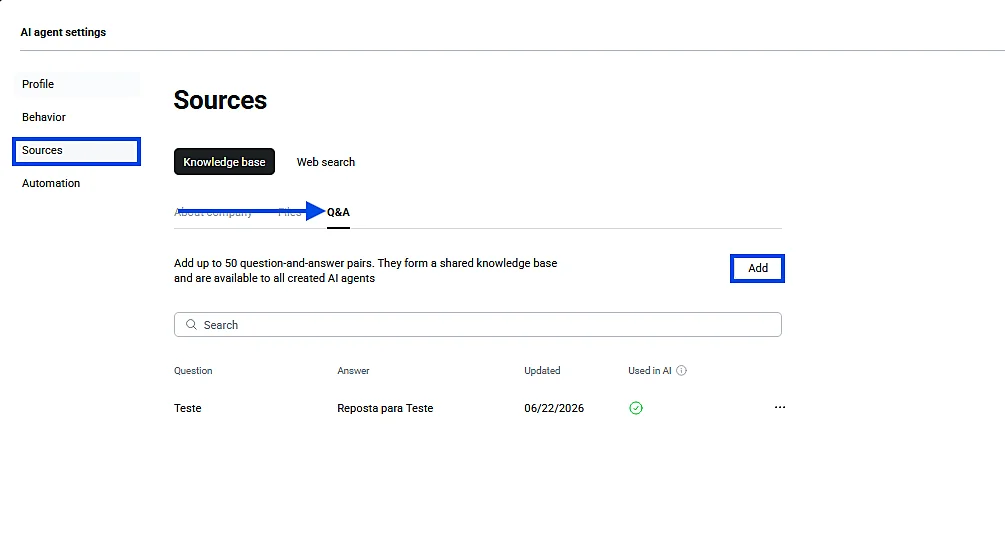
| Q&A pairs | Up to 50 | Shared across all your AI Agents, editable one by one |
| Details field | Free text, Markdown | Where your instructions live |
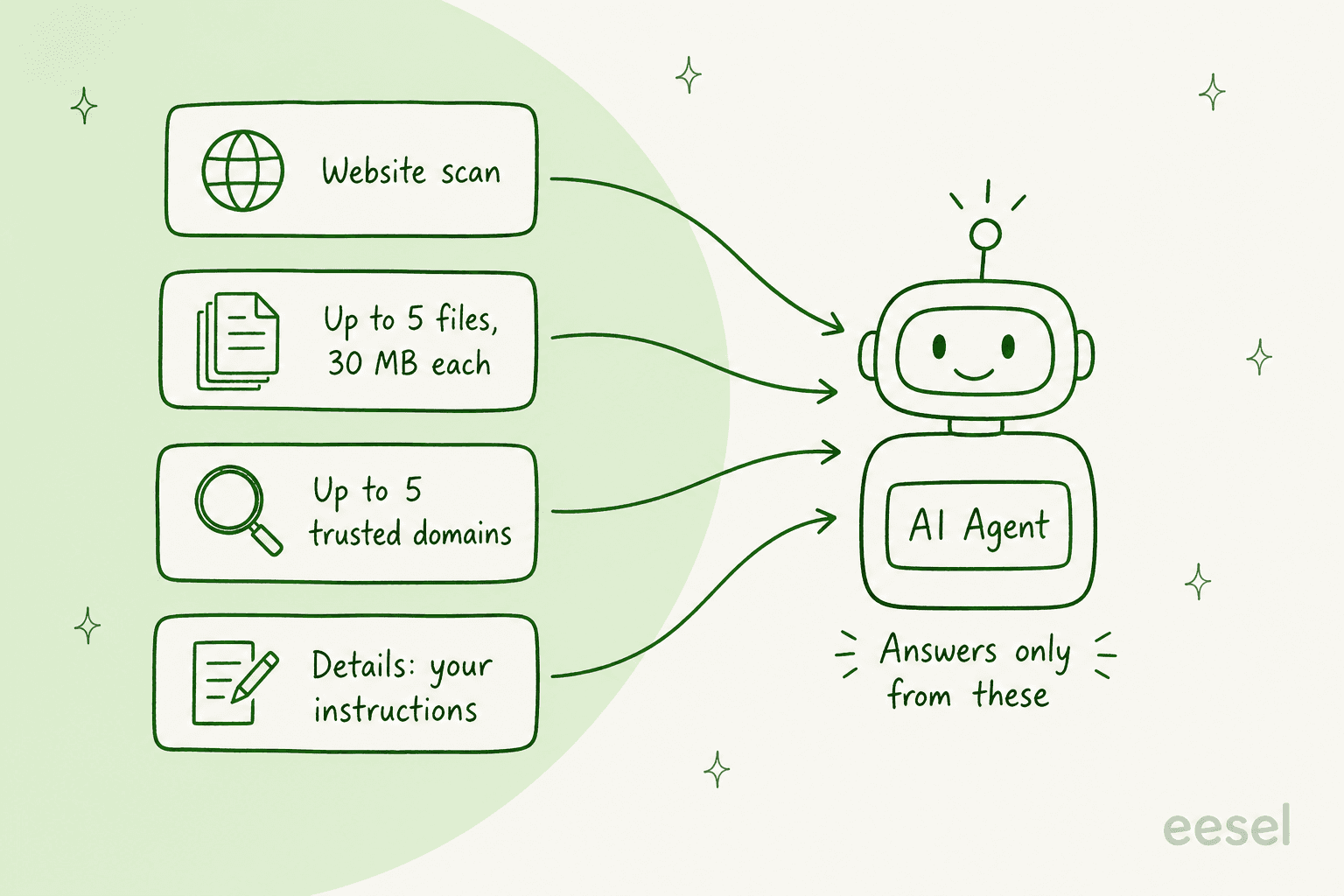
The knowledge base tips article has two useful tricks. Wrap product codes or plan names in double brackets, like [[MARK-II]], to force an exact match. And use the Q&A list for the questions you want answered word for word. One catch: uploaded files can't be edited in place, so changing a price means deleting the file and uploading a new one.
What's missing from that list is your chat history. The sources are documents and pages, so the AI Agent starts from what you've written down, not from how your team actually answers. JivoChat says human replies help it "learn faster", but past transcripts aren't a source you can point it at. If most of your know-how lives in old chats rather than in a help center, budget time to write it up first. My guide to an AI knowledge base covers how.
Tone, language and testing
The Behavior tab sets the voice: Informal, Business, Friendly, or a custom style. Response language can be fixed, or left on "Automatically detect" so it replies in whatever language the customer writes in. That's handy if you sell across borders, as covered in my guide to multilingual customer support.
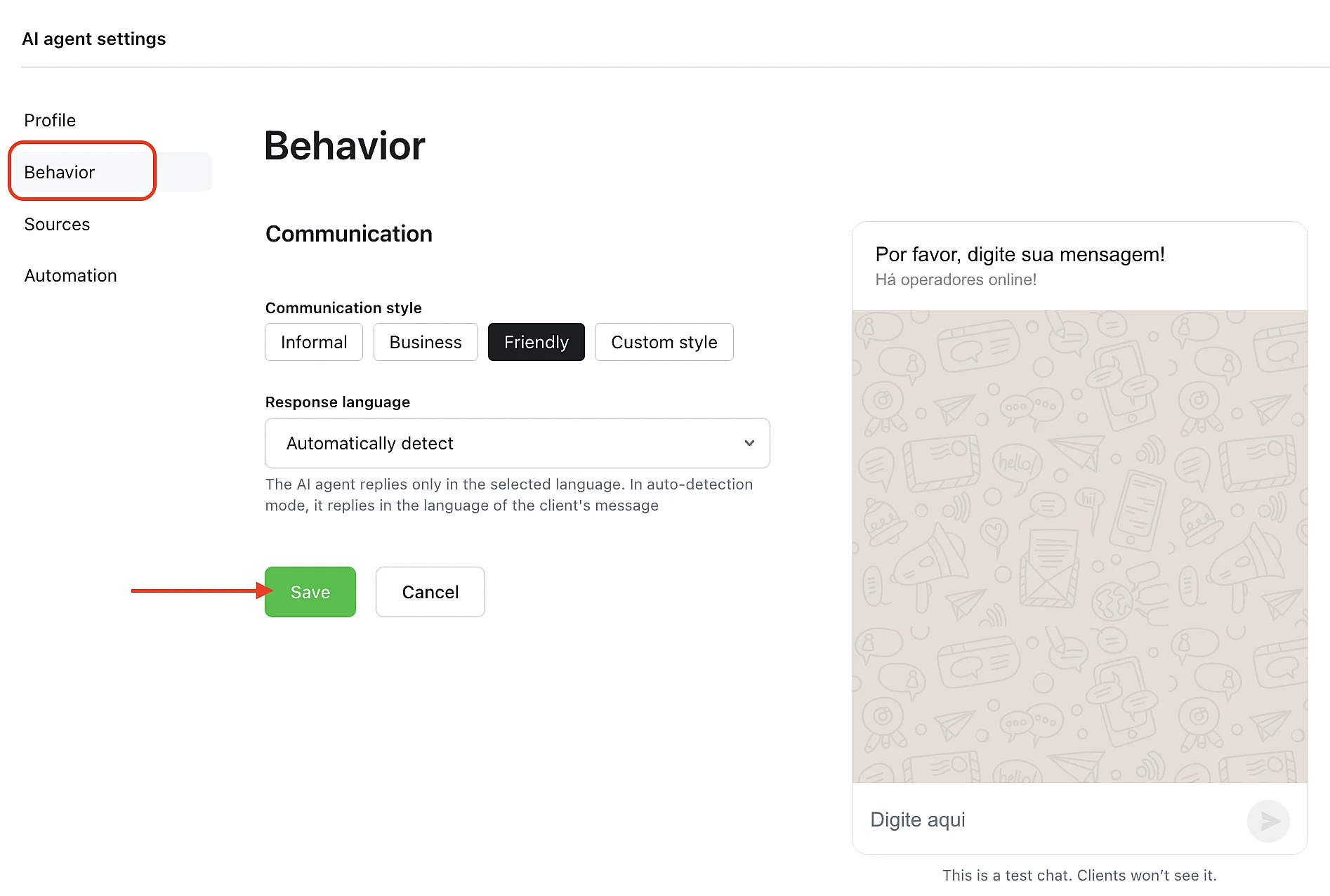
Next to every settings page there's a test chat that customers can't see. You type questions, it answers, you adjust. That's fine for spot checks. It's not the same as running the bot over a few hundred of last month's real questions to see where it goes wrong, which is the test I'd want before a bot talks to customers. I come back to this below.
When does the AI Agent hand a chat to a person?
It hands over whenever it hits something outside its sources or its rules. You can turn on an automatic summary at transfer, so the agent who picks it up doesn't have to scroll back, and the chat lands in Contact Center, then Inbox. If the AI Agent closes the chat itself, it moves to "All" and can fire a "Chat ended" event to your CRM.
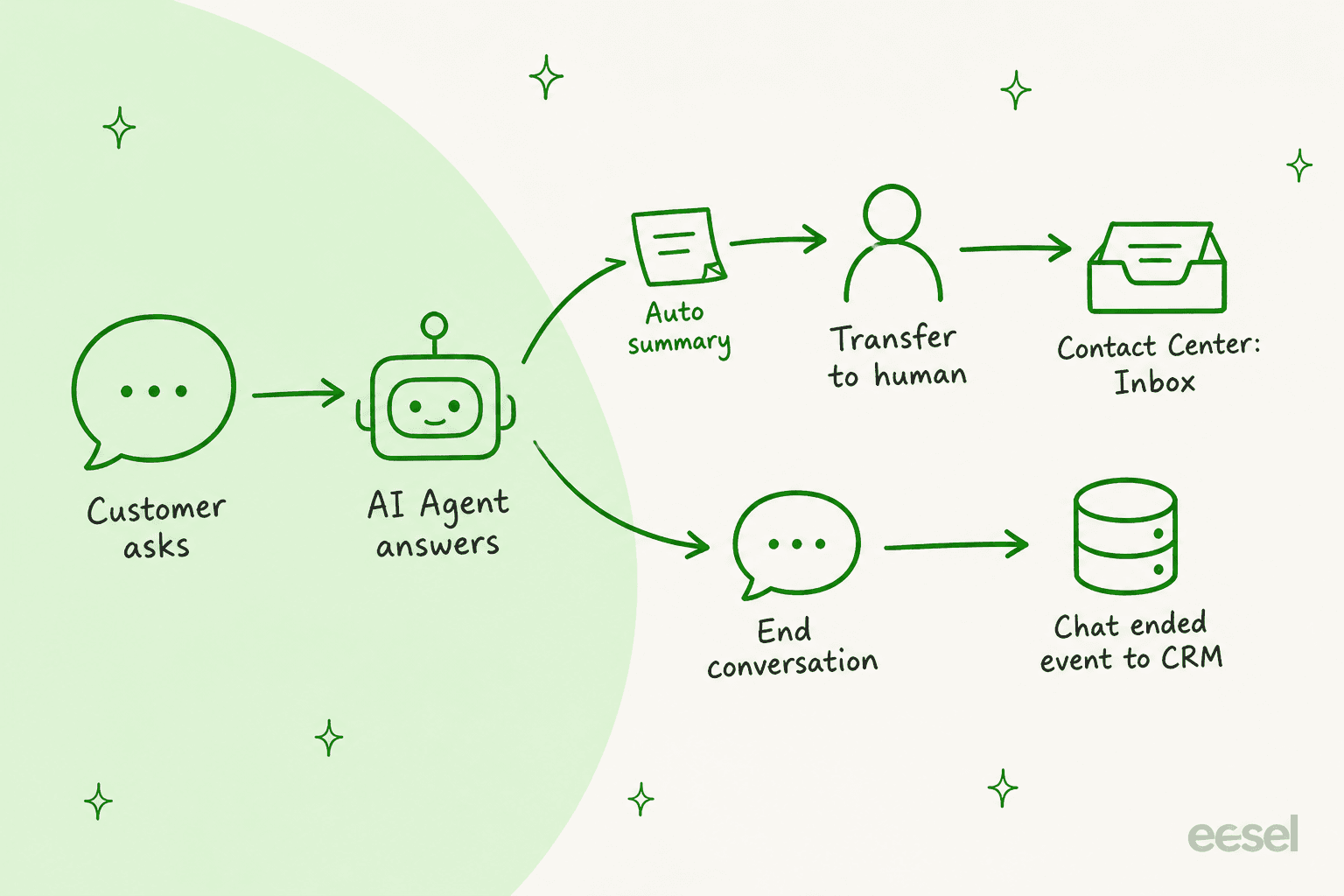
The most revealing part of the docs is JivoChat's own list of transfer reasons on the performance page. There are 14, and three tell you what the AI Agent is built for:
- Internal data verification: order status, delivery, booking.
- Agent action required: changing an order, updating data.
- Payments and refunds: charges, subscriptions, refunds, promo codes, balance.
In other words, the AI Agent answers from documents, and anything that needs a live lookup or an action goes to a person. For a lot of small businesses that's fine: opening hours, shipping policy, product specs and "do you ship to Norway" are most of the volume. For an online store where half the chats are "where's my order?", the AI Agent will pass those on, and the deflection you see will be lower than the 80% headline. That isn't a flaw so much as a design choice, and a careful one, since nobody wants a bot inventing a delivery date. My post on AI support agent permissions covers where I'd draw that line.
Two smaller details are worth knowing. The AI Agent saves up to 10 phone numbers and 10 email addresses per visitor, but contacts a customer shares after a human joins aren't recorded. And tags are capped at 3 per conversation and 10 per visitor.
How do you know if JivoChat AI is working?
JivoChat has a dedicated dashboard under Statistics, then AI Agent. It's one of the better ones I've seen in a live chat tool at this price, and it's honest about what it measures.
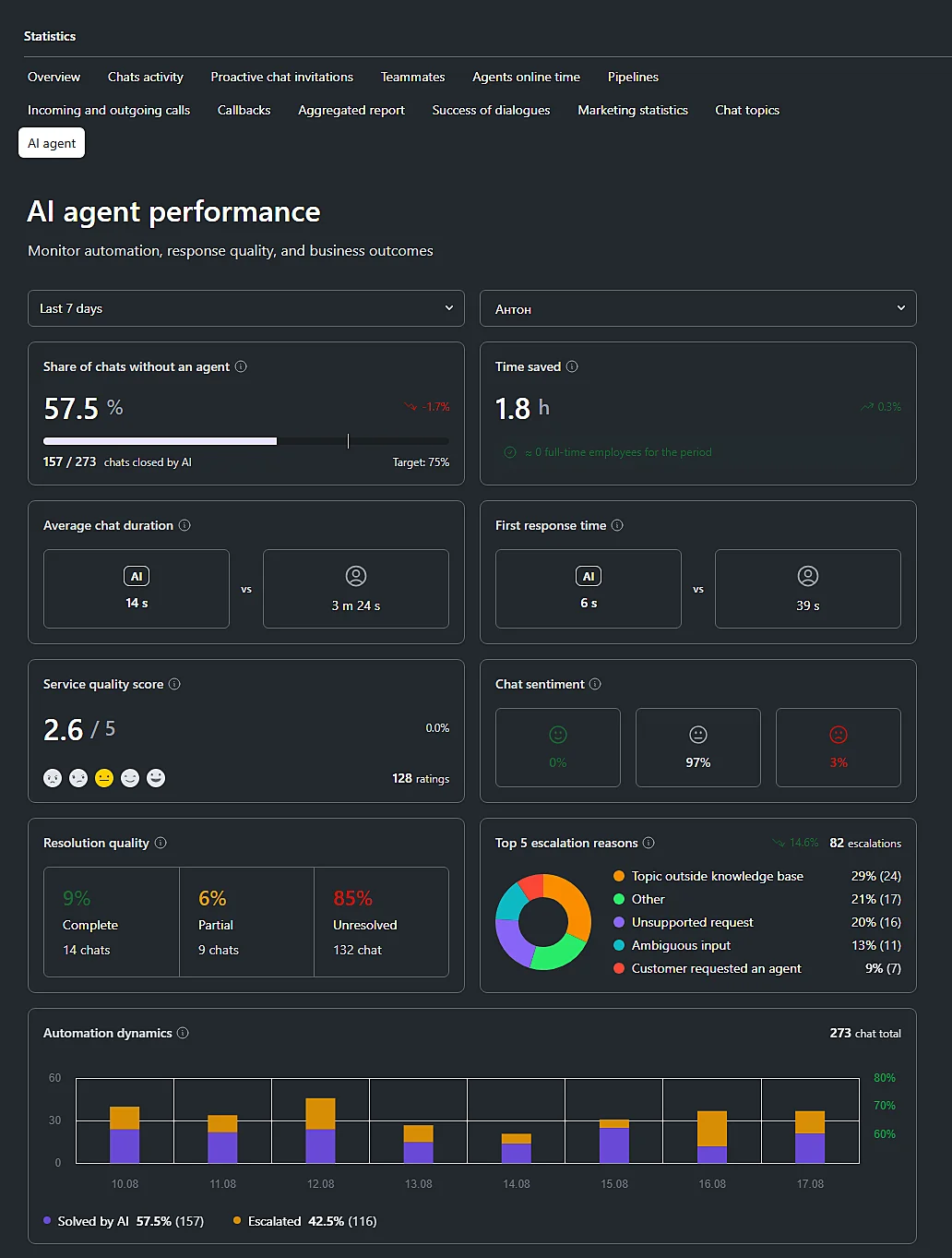
What each block tells you, per the evaluation guide:
| Metric | What it measures |
|---|---|
| Share of chats without an agent | Chats the AI closed with no human requested. JivoChat's target is 75%, which it calls "mature automation" |
| Time saved | Length of AI-only chats, turned into staff as hours saved ÷ (8 × days in the period) |
| Service quality score | An AI-assigned score from 0 to 5. JivoChat notes it is "an assessment made by AI, not by the customer" |
| Sentiment | Positive, neutral or negative |
| Resolution quality | Fully, partially or not resolved |
| Top 5 transfer reasons | Why chats went to a human |
The thing I'd watch is the gap between the first row and the fifth. "Without an agent" counts chats the AI closed. "Resolution quality" asks whether the customer got what they needed. JivoChat's own example screen shows 57.5% of chats closed by AI next to 9% fully resolved. That's sample data, not a benchmark, but it's exactly why JivoChat tells you to read the metrics together. A chat can end without a human and still leave the customer stuck. My guide to AI resolution rate goes deeper on that difference, and how to review AI conversations covers the weekly habit that catches it.
What does the JivoChat AI assistant do for agents?
The AI assistant works inside the reply box. Your agent types a rough answer, clicks the AI button, and picks what to do: change the tone, highlight key points, or fix spelling and grammar. It can also summarise a chat for a handover.
The more useful mode is Autopilot. Per the help article, it "will automatically prepare a response for the customer's next message", and the agent checks it before sending.
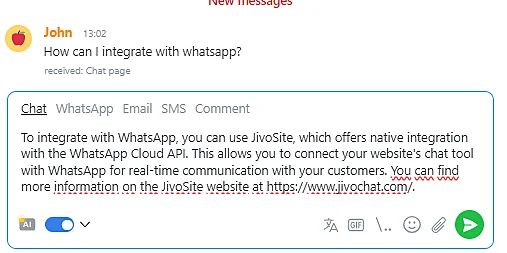
Setup is a "skill": you name it, pick an operator role, and fill in a company summary. That summary is what the model bases its answers on, so a thin summary gives thin drafts. You can set different skills for different channels. JivoChat claims that "up to 60%" of AI assistant replies need no corrections, citing its own research.
At $13 a month, this is the easy yes in JivoChat AI. It doesn't take any risk off your team, because a person still sends every reply, and it saves typing on the questions you answer ten times a day. If you want to compare it with drafting tools elsewhere, my AI copilot for customer service guide lays out the options.
How much does JivoChat AI cost?
Both AI modules sit on top of a paid plan. Here are the numbers from JivoChat's pricing page, on annual billing:
| Item | Price (annual billing) | Billed per |
|---|---|---|
| Basic plan | $28 | Agent, per month |
| Professional plan | $42 | Agent, per month |
| Enterprise plan | $56 | Agent, per month |
| AI assistant | $13 | Month |
| AI Agent | $69 | "Per agent", per month |
Monthly billing costs more. JivoChat's calculator gives 30% off for a year and 10% off for three months, so the monthly price is the highest.
The open question is the AI Agent's unit. The pricing page says "per agent" and doesn't say whether that's each human licence or each AI operator you create. That changes the bill a lot. Take a 3-person team on Professional with both AI modules:
- If "per agent" means each AI operator (1 bot): $126 + $13 + $69 = $208 a month.
- If "per agent" means each human licence (3 seats): $126 + $13 + $207 = $346 a month.
Ask JivoChat which one applies before you commit. My full JivoChat pricing post covers the rest of the add-ons, including WhatsApp at $27 a month.
For how other chat tools price their AI, Tidio AI pricing is a useful contrast, since it meters conversations. My wider guide to AI customer service cost compares the main models.
What do users say about JivoChat?
JivoChat's reviews are mostly about the live chat itself, and they're warm. It's rated 4.6 out of 5 on G2 from 51 reviews and 4.6 on Capterra from 105. Ease of use and price come up again and again.
"Honestly no other app could offer what they offer at their price. We're mostly using it for the Whatsapp integration, and chat statistics to better manage my communication channels."

"My favorite thing about Jivo Chat is how easy it is to use both as an administrator and as a user. Training a new agent on using the platform is easy and doesn't take much time."

The AI Agent is newer, and it hasn't built up its own review history yet, so treat the 80% claim as a vendor number until your own dashboard says otherwise. The other theme worth knowing is scale. One Capterra reviewer writes that it's "Great for a small team, not as scalable as other solutions", which matches who it's built for. For a fuller picture, see my JivoChat review.
Is JivoChat AI worth it?
For a small team already on JivoChat, the AI assistant is worth turning on and the AI Agent is worth a trial. Here's how I'd decide:
- Turn on the AI assistant if your agents answer the same questions all day. At $13 it's cheap, low risk, and it lives where they already work.
- Trial the AI Agent if most of your chats are pre-sales and policy questions answered on your website, and your rules fit in a Details field and 50 Q&A pairs.
- Look elsewhere if a big share of your chats need order or booking lookups, if your best answers live in years of past chats rather than in documents, or if you'd rather pay for answered conversations than per seat as you grow.
If you're in that last group, my roundups of JivoChat alternatives and AI chatbots for customer service are the next stop.
For the closest like-for-like option, look at Crisp AI, which also bundles chat and AI for small teams. LiveChat is the step up, and my LiveChat AI post covers its bot.
How eesel handles the same jobs
eesel doesn't integrate with JivoChat, so this isn't an add-on for it. It's an AI helpdesk teammate that does both of JivoChat's AI jobs: it answers customers in a chat bubble on your website, and it drafts replies for your team inside your helpdesk.
Two things work differently. First, it learns from your past replies as well as your pages, so it picks up how your team actually answers. Second, I've spent years watching AI on live support queues, and I've seen a confident-sounding bot give a customer the wrong answer. That's why every eesel rollout now runs against real past questions before it talks to a customer, not just a handful of typed tests.
Nordbutiker, a Swedish online store for e-bikes and mobility scooters, is a close match for the JivoChat use case. It runs a separate bot for each of 4 brands across Sweden, Norway, Denmark and Finland. The chat bubble on each store answers in that store's language from its own pages, and each bot also learns from the solved Zendesk tickets for its brand. Its agents use eesel to draft replies too, and spare parts and warranty cases go to a person. For drafting alone, Koffer.ch uses eesel to draft Freshdesk replies in 4 languages, and SaunaSpace drafts from about 1,550 pages, articles and past tickets.
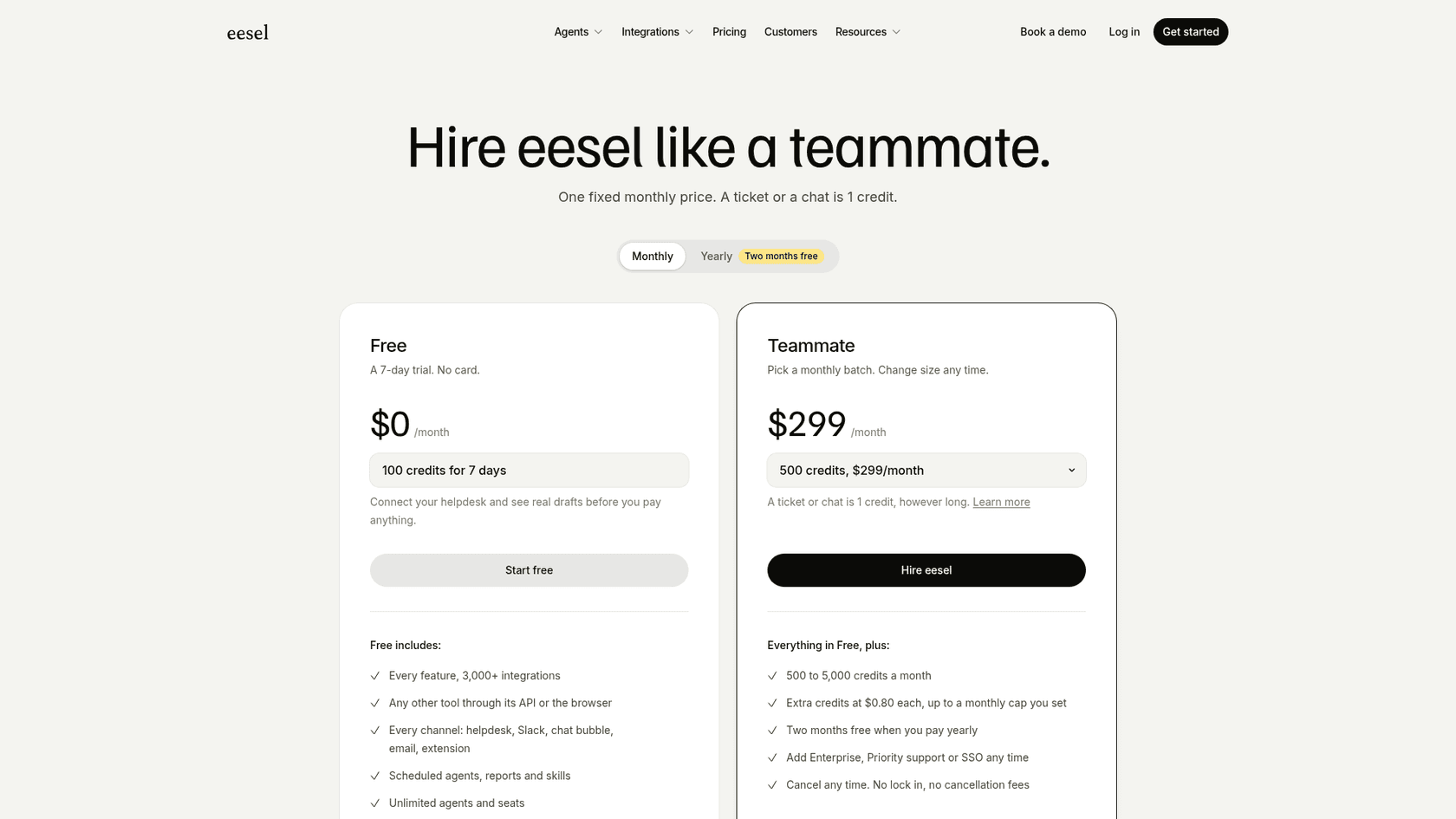
On pricing, the Teammate plan is $299 a month for 500 credits, where one chat or ticket is one credit however long it runs. That's per conversation, not per seat.
Try eesel
If you're looking at JivoChat AI because your chat is getting busy, try eesel on the busy part. It joins your website chat in a few minutes, reads your help pages and past replies, and answers like a new hire who has done the reading, with your team stepping in only when it hands over. You can test it against your own real questions for a week before you pay.