Grok Bot for HubSpot Service Hub: what it can and can't do in 2026

Rama Adi Nugraha

Katelin Teen
Last edited September 21, 2026
Why "Grok Bot for HubSpot Service Hub" is even a search
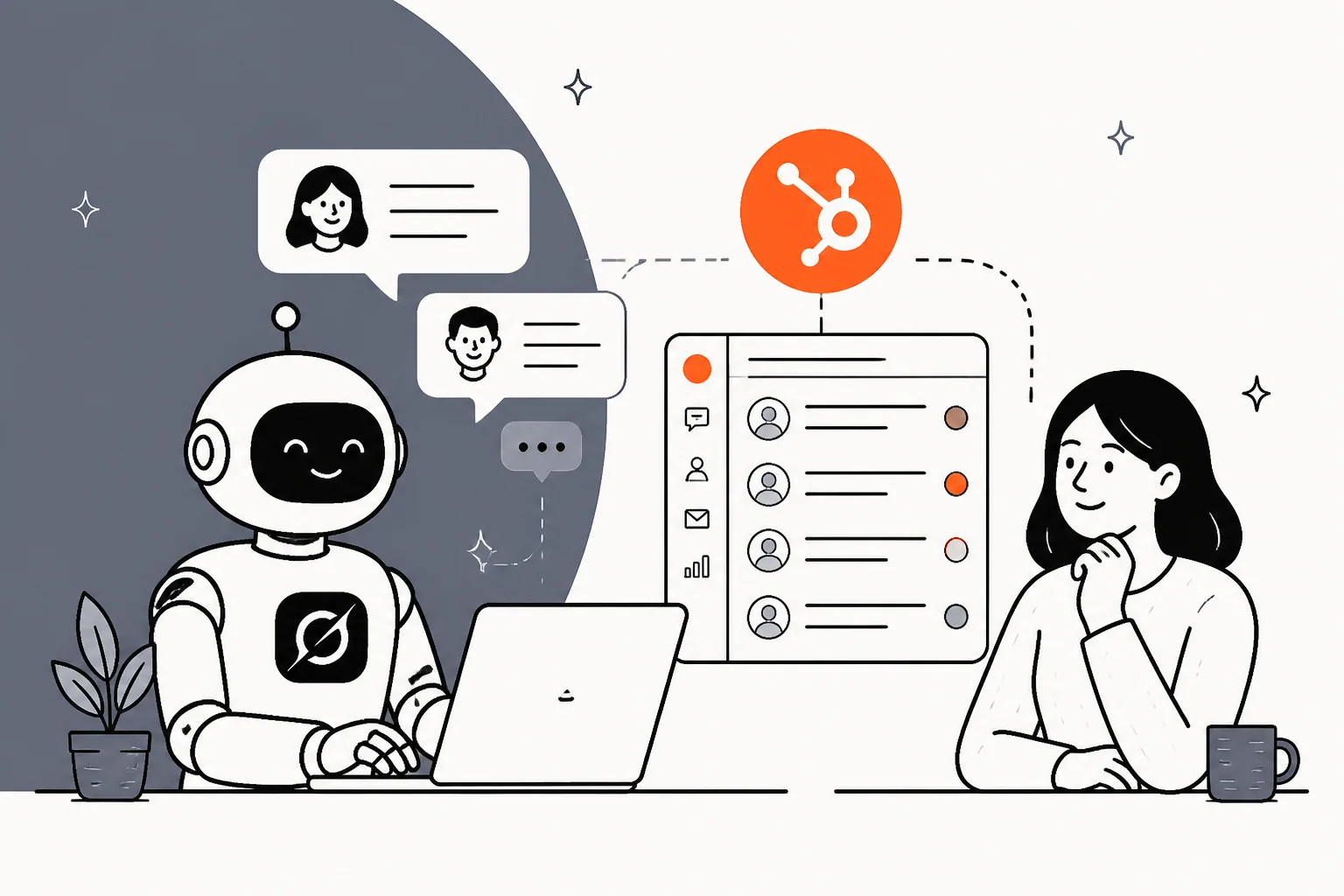
When xAI launched Grok Bot on 2026-08-11, the product page shipped with a handful of example prompts to show off what the agent could do. One of them names a helpdesk directly: "Sign in to Zendesk so I can work the support queue." So the idea of pointing Grok at a support desk isn't something the internet invented, it's xAI's own pitch, and there's nothing Zendesk-specific about the mechanism. If Grok can drive one browser-based helpdesk, it can drive Service Hub the same way.
Most teams asking this are already deep in an evaluation, weighing HubSpot against a Zendesk comparison or a Freshdesk one, so the AI layer is really the newest tiebreaker in that same shortlist.
I build integrations for a living, so my first instinct with any "it just works" agent is to go looking for the seams. And I'll say the honest version up front: the gap between "an agent can click through conversations in a demo" and "an agent I'd trust to answer a stranger's billing question unsupervised" is enormous. I've spent the last few years shipping AI onto live support queues, and I've watched confident-sounding bots quietly send wrong answers, which is exactly why I now simulate every rollout against a team's real historical tickets before it touches a single customer. So when a brand-new agent tells me it'll work my inbox, my first question is never "can it click," it's "what happens the first time it's confidently wrong at 2am."
That's the lens for this whole piece. Grok Bot is an interesting general-purpose worker. Let's look at how you'd point it at Service Hub, what it does well, and where the seams show for support specifically.
The two ways to connect Grok to HubSpot Service Hub
There's no official Grok-to-HubSpot integration, no listing in the HubSpot integrations directory, no toggle. So "Grok Bot for HubSpot Service Hub" really means one of two setups, and they behave very differently.
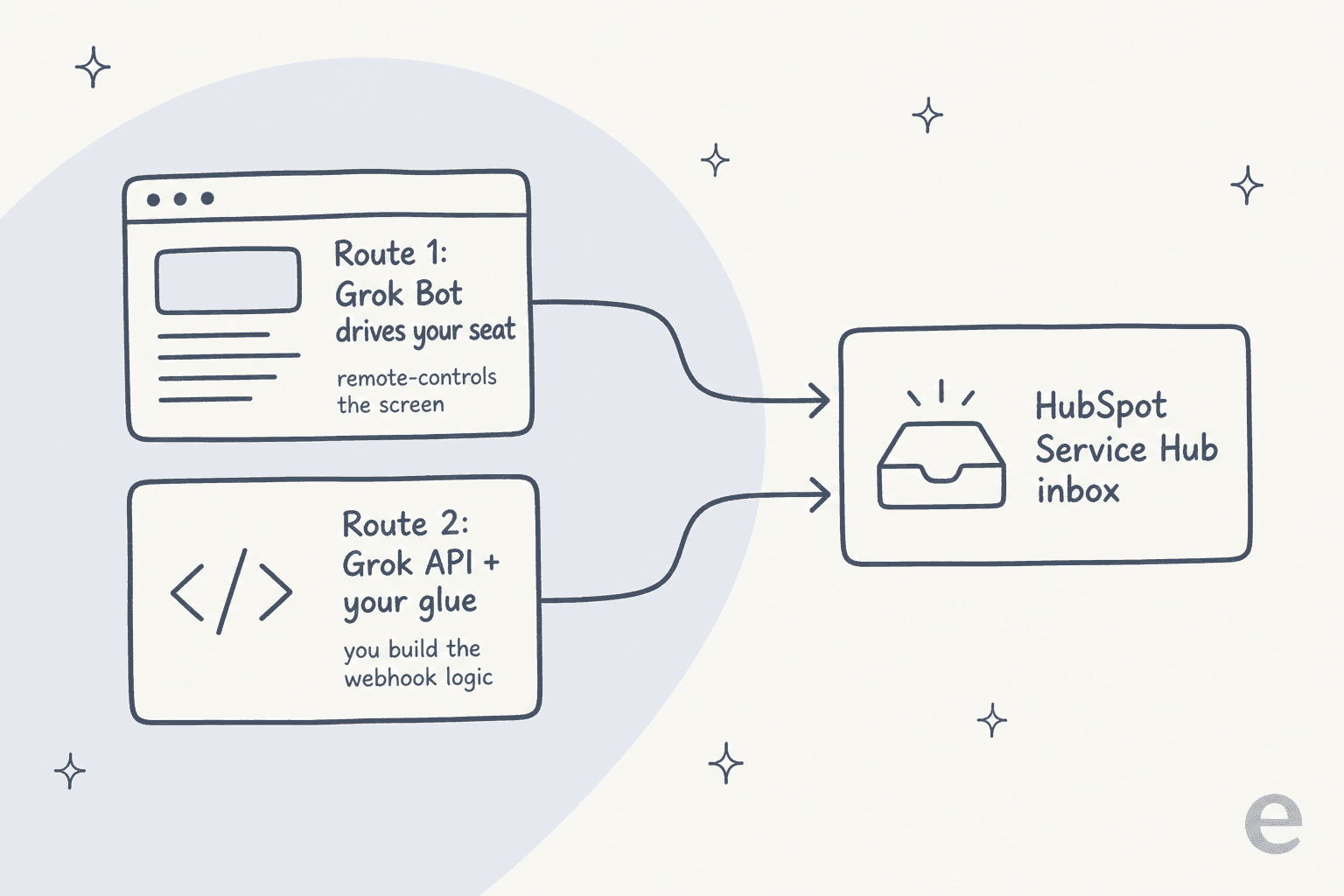
Route 1: Grok Bot drives your Service Hub seat
This is the route xAI's example prompt describes. Grok Bot runs on a managed cloud computer, opens a browser, and you tell it to sign in to HubSpot. It then works the shared inbox the same way a human agent would, reading conversations, drafting replies, clicking buttons.
The appealing part is that it needs zero engineering. You don't wire up an API, you just describe the job in plain language and Grok drives the UI. The catch is that it's operating your Service Hub seat by remote control from the outside, not participating as a first-class AI agent inside HubSpot like the Breeze customer agent does. Every action is a screen interaction, and there's no native concept of confidence, escalation, or conversation-level guardrails, only whatever text instructions you wrote for the bot.
Route 2: the Grok API plus your own glue
The more controllable route skips Grok Bot entirely and uses the Grok 4.6 model API. You set up a HubSpot webhook or workflow so that when a conversation comes in, your own code calls the model, gets a suggested reply, and posts it back through the HubSpot Conversations API.
This gives you real control: you decide what context the model sees, what it's allowed to do, and where a human steps in. If you'd rather not build from scratch, HubSpot documents a native path in its chatbot integration guide, though that routes you back to Breeze rather than Grok. The cost of the DIY route is that you're now maintaining a small internal product. Someone has to build the retrieval, write the prompt, handle the errors, own the escalation logic, and keep it running against HubSpot's API rate limits. Worth knowing before you start: HubSpot's own MCP and connector paths keep conversations read-only, so this route leans on the raw Conversations API to actually send a reply, and bulk writes cap at 10 records at a time. It's the classic build-versus-buy fork, and for most support teams the "build" side quietly turns into a permanent side project.
Either way, you're bolting an external brain onto Service Hub. That's fine for a script that summarises conversations. It's a different bar when the thing is talking to your customers.
What Grok Bot is good at
Before the caveats, credit where it's due, because Grok Bot is a real step forward for a certain kind of work.
Each bot owns its own routines, context, and domain, and bots can hand work to each other. One Hacker News commenter who'd been using it for a month put the appeal well:
"Biggest advantage is each one owns its own routines, context, and domain, and they can communicate between each other... each one has their own computer, which means async work feels like it actually works. I haven't had to juggle worktrees for the last month."

For open-ended, autonomous projects, sourcing suppliers, running research, chasing an expense across systems, that always-on, computer-using model is legitimately powerful. The eight roles xAI ships out of the box (Sales Outbound, Talent Scout, Paid Media, Expense Manager, Product Performance, Bug Reproduction, Account Health, and Chief of Staff) tell you where its heart is: broad, autonomous, individual-contributor knowledge work.
Which is also the first tell for support. Not one of those eight roles is a support agent. The tool that suggests "work the support queue" as an example ships zero support-shaped bots, and that mismatch runs deeper than a missing template. A HubSpot chatbot or the native Breeze agent at least starts from the assumption that it's answering customers; Grok Bot starts from the assumption that it's you, working alone.
Where it gets risky for a Service Hub inbox
Support has requirements that open-ended knowledge work doesn't: it touches customer PII, it runs unsupervised at volume, and a wrong answer is a customer-facing incident, not a re-run. This is the same reason the question of whether Service Hub AI is worth it always comes back to governance, not raw capability. Three things about Grok Bot's design collide with that.
One shared computer, one reused login
This is the big one. All of a user's bots share a single cloud computer. The bot never holds your HubSpot password, instead it hands you the screen, you type the credentials, and then the session persists on that shared computer where every other bot can reuse it. xAI's own docs say it twice: "Do not use separate Bots as a security boundary." Deleting a bot leaves its files and sign-ins behind.
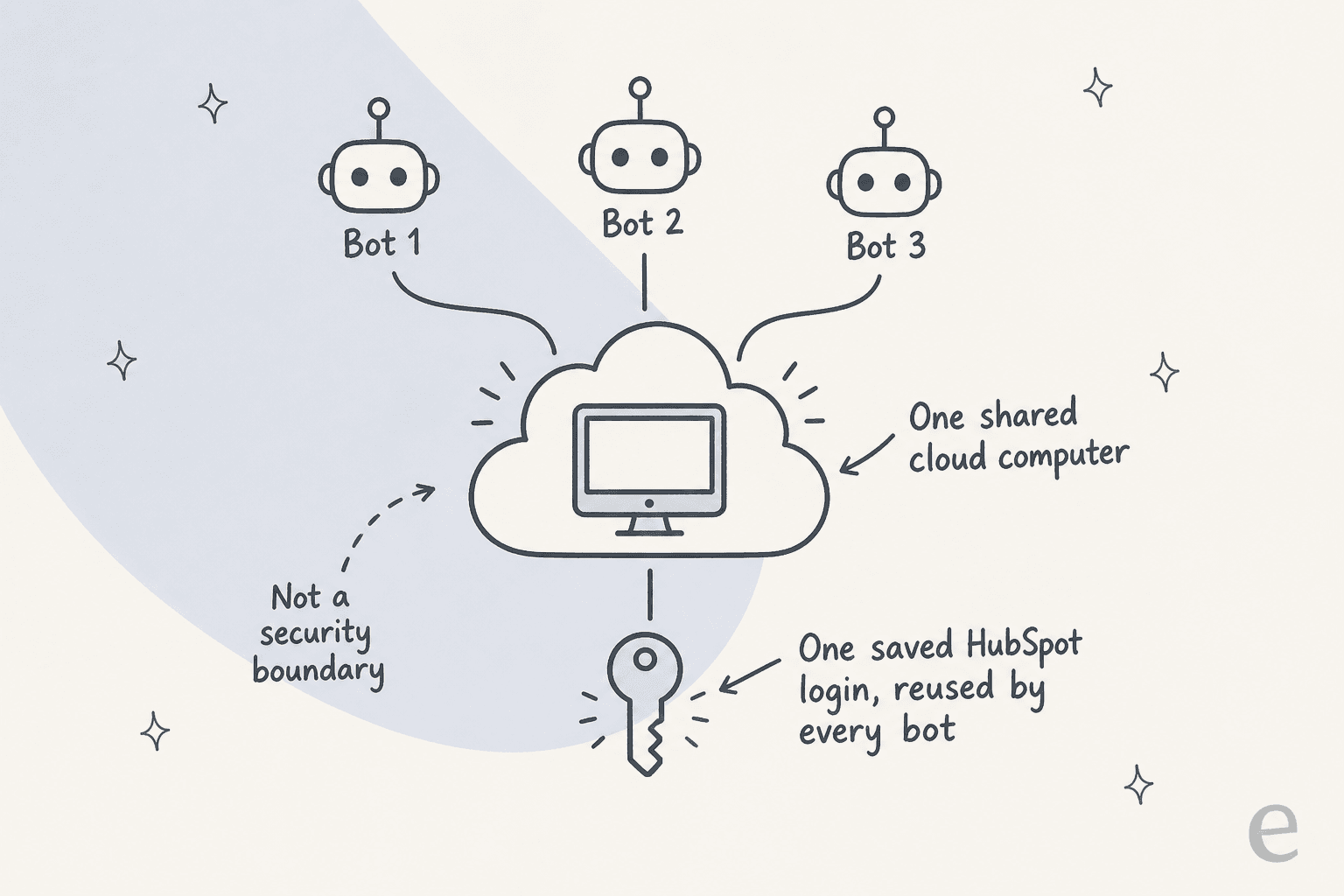
For a personal productivity setup that's a shrug. For a HubSpot account holding your entire CRM plus customer conversations, it means the boundary you'd want, "this bot can only see support, that one can't touch it," isn't something the product enforces. It also cuts against the granular user permissions you carefully set up inside HubSpot. One commenter framed the accountability problem sharply:
"By hijacking a real person's credentials, that person becomes the accountability sink. Very neat. Very deliberate."
Because the bot works through a signed-in human session, every action it takes in HubSpot is attributed to whoever signed in. That's an awkward place to be as a support lead, especially inside a system of record like the CRM where the timeline matters.
There's no dry run
The single most important habit in deploying support AI is testing it against your own history before it goes live. Grok Bot doesn't offer that. Its docs are explicit: "A test run performs real work. It can navigate websites, change files, and call connected tools." There is no sandbox, no read-only rehearsal, no "show me what you'd have replied to last month's conversations." The first time it works your inbox, it's working your real inbox.
Approvals help a little, but they're user-authored free text, not a product-enforced list of allowed actions. And approving something is not the same as being able to undo it: "An approval controls the proposed action. It does not reverse work already completed." If the bot has already sent the reply, the approval flow can't call it back. That's a rough fit for a channel where a wrong send is a customer email, not a draft.
The audit trail and the compliance page are both mostly blank
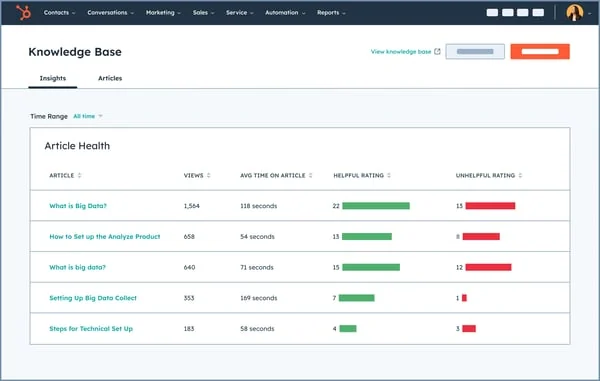
Two more gaps that matter more in support than in solo work. First, observability: xAI's docs describe an audit view of bot actions as "coming," in the future tense. So today, reconstructing exactly what an agent did across a shift of conversations is hard, which is a problem if you lean on HubSpot's own reporting to know what happened.
Second, compliance. Grok Bot claims no SOC 2, no ISO 27001, no GDPR, no HIPAA, publishes no data-retention period or residency terms, and defers to Cursor's terms of service. If your support data includes anything regulated, that's a hard stop rather than a footnote. This isn't a knock on Grok as a model, it's a beta agent that hasn't built the governance layer support teams need yet. HubSpot's own Breeze agent, for all its credit-metering quirks, at least runs inside HubSpot's compliance envelope.
The cost picture nobody screenshots
The sticker is the easy part: $200/month on Cursor Ultra, $120/seat/month on Cursor Premium Teams, or included with SuperGrok Heavy, per x.ai/bot. The part that surprises people is the meter underneath it.
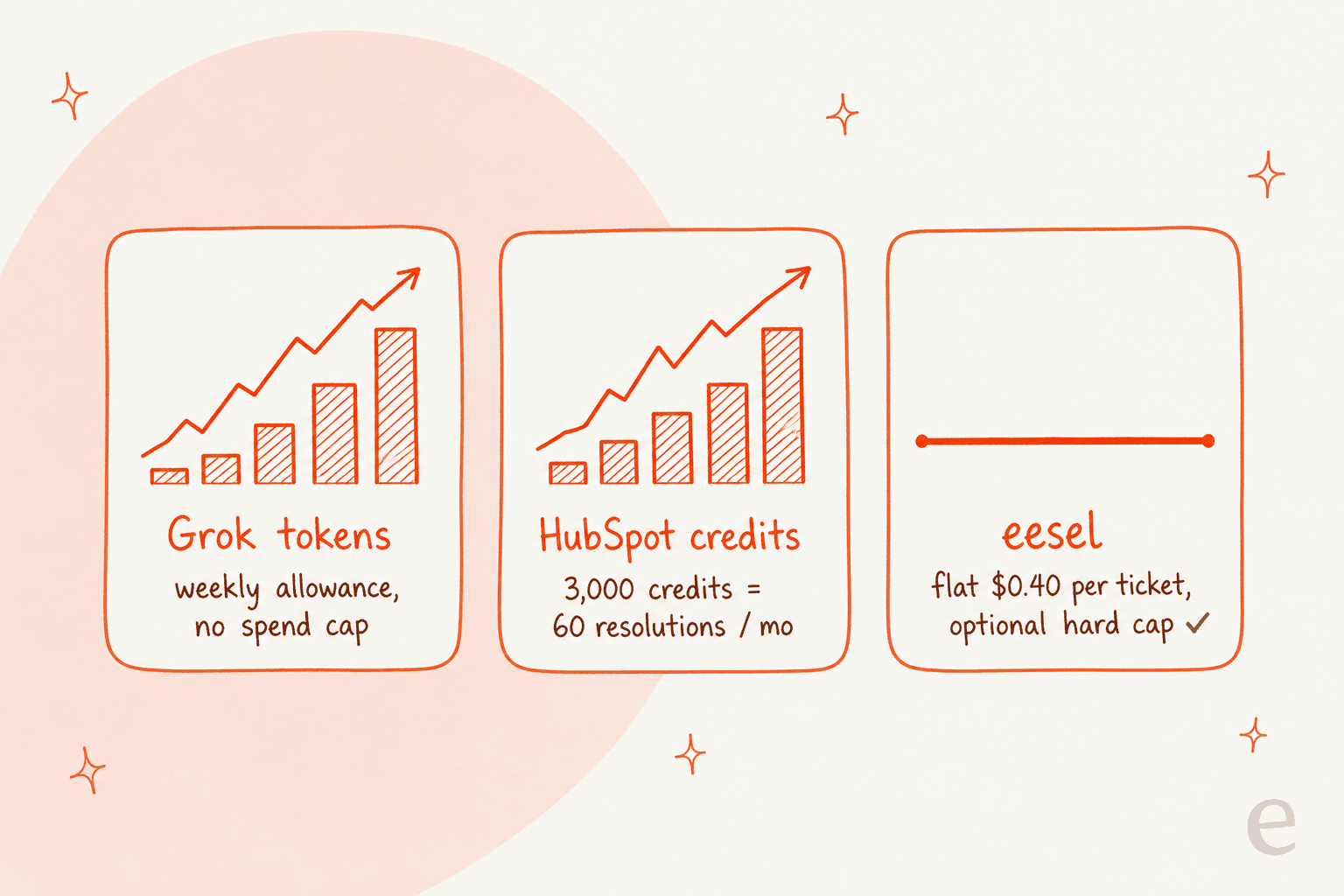
Grok Bot bills a weekly AI-token allowance on top of the seat, with overage "billed from model and token cost," and xAI's docs state plainly: "There is no Grok Bot-specific spend cap yet." Worse for cost control, "Grok Bot has no model picker, for members or admins," so you can't route routine conversation work to a cheaper model. An always-on agent working a support inbox is a high-token workload, and the same HN user who loved it flagged exactly this:
"I've used more tokens this month than not this month. That's not a typo... Always on perpetual agents use a LOT of tokens."
On the API route the math is different but not simpler: grok-4.6 runs $2.00 in / $6.00 out per million tokens, plus per-call fees for web and X search ($5 per 1,000 calls) and file search ($10 per 1,000).
And if you keep HubSpot's native AI running alongside it, you layer that meter on too. The Breeze customer agent bills 50 HubSpot Credits (about $0.50) per resolution, and Professional's included 3,000 credits work out to only about 60 resolutions a month, roughly two a day, shared with every other Breeze action. Run the credits out and the agent silently stops taking new conversations across every channel until the next reset.
Full numbers are in our HubSpot AI cost breakdown and the wider Breeze features and limits guide, plus the HubSpot pricing tiers underneath: Free at $0, Starter at $7/seat, Professional at $90/seat (plus a required $1,500 onboarding fee), and Enterprise at $150/seat.
The alternative: an AI agent that's actually built for HubSpot Service Hub
Here's the thing the two Grok routes have in common: both make you responsible for the safety layer that support needs, and neither gives you a way to rehearse first. If you're mid-evaluation, it's worth putting them beside the purpose-built Service Hub AI alternatives too. That's the exact gap eesel exists to close.
eesel is an AI teammate platform, and for HubSpot you hire the AI helpdesk teammate. Instead of driving your screen from the outside, it joins your Service Hub account as a real AI agent over OAuth, then trains on the material your team already trusts: your knowledge base articles, your saved snippets, and your past tickets. It reads tickets, drafts and sends replies, updates ticket properties, and moves records through pipelines using live CRM contact data, all inside HubSpot's own permission model rather than a borrowed human login.

It sits alongside the same HubSpot integrations you already run, rather than around them. The difference that matters most for support is the one Grok Bot doesn't have: you can simulate the agent against hundreds of your real historical conversations before it answers a live customer. It replays past tickets, scores its answers against what your team actually sent, and hands back the gaps plus suggested instruction changes. That's the "test it before you trust it" habit, built into the product instead of left to you.
You also get the controls that a live inbox needs. You can start in triage-only mode that just tags and routes, then switch on public replies when you're confident. And the audit trail Grok Bot lists as "coming" is here today: every run is logged with the reasoning behind it.

On cost, it's a flat $0.40 per ticket handled, billed regardless of outcome, with no per-seat fee and an optional hard monthly spend cap, so there's no uncapped token meter to babysit and no credit balance that quietly zeroes out your customer agent mid-month. On security, eesel redacts PII at ingestion, never trains models on your data, is GDPR compliant with EU residency on request, has SOC 2 Type II underway, and offers HIPAA with a BAA on its Enterprise plan.
And if the reason you were drawn to Grok Bot was the terminal-and-agent workflow in the first place, eesel meets you there too. It ships a real CLI and MCP server, so a coding agent like Claude Code, Codex, or Cursor can connect the HubSpot integration, edit the agent's instructions, list and approve runs, and read the activity log, all without opening the dashboard. You get the programmable, agent-driven feel without handing an unsupervised browser your CRM.
Try eesel for HubSpot Service Hub
If you came here wanting an AI agent working your HubSpot Service Hub inbox, that's exactly what eesel is for, and it plugs into Service Hub in a few minutes. It works like a new hire that already knows your knowledge base and past tickets, and the first thing it does is show you how it would have handled your last few hundred conversations, so you're never flipping a switch and hoping. Flat $0.40 per ticket, no per-seat cost, free to try with no credit card.

Frequently Asked Questions
Can Grok Bot work my HubSpot Service Hub inbox?
How much does Grok Bot cost for HubSpot Service Hub automation?
Is Grok Bot secure enough for customer data in HubSpot?
What's the difference between Grok Bot and HubSpot's own Breeze agent?
Does HubSpot Service Hub AI cost extra on top of my plan?
What's the easiest way to add a reliable AI agent to HubSpot Service Hub?



Article by
Rama Adi Nugraha
Rama is a software engineer at eesel AI with two years of experience writing about B2B SaaS, AI tools, and customer support technology. Based in Bali, Indonesia, he brings a developer's perspective to product comparisons — cutting through marketing copy to what the integrations and APIs actually do.