Chat Aid alternatives 2026: 7 tools that answer your team in Slack

Kurnia Kharisma

Katelin Teen
Last edited October 27, 2026
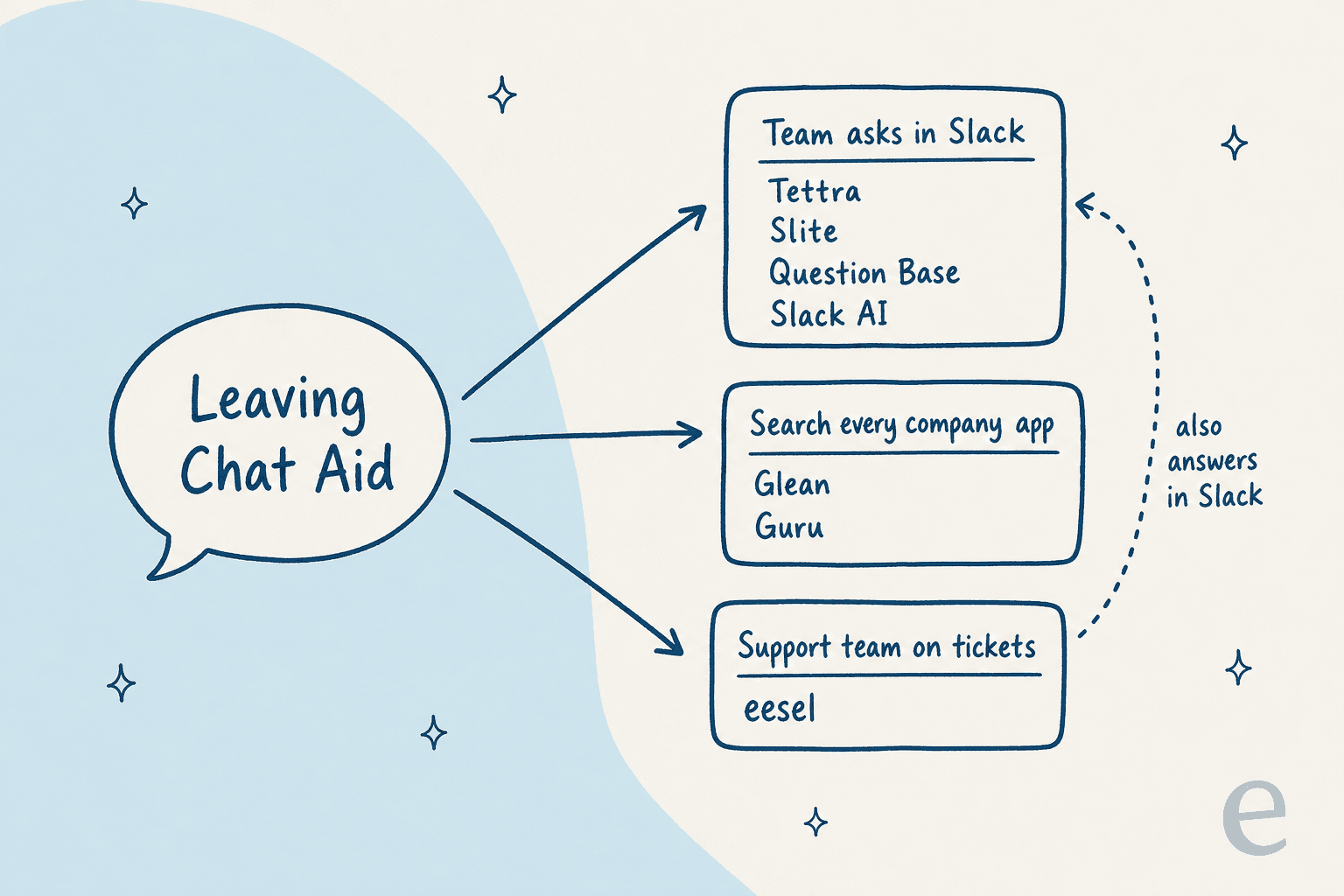
The best Chat Aid alternative depends on who is asking. If your team wants answers to pop up in Slack channels from verified docs, Guru is the closest swap, though it no longer publishes prices. If you want something cheap and Slack-first, Tettra costs $8 per user a month billed yearly, which only beats Chat Aid's $119 Team plan below 15 people.
The real reason to look past Chat Aid is usually where the question goes next. Chat Aid answers the teammate, and when that teammate is on your support team, they still carry the answer back into a ticket. None of the other tools below drafts in a helpdesk ticket either.
If your Slack questions and your customer tickets come from the same docs, eesel is the pick I'd make. It answers your team in Slack threads with the source linked, and drafts the customer reply in your helpdesk. Cactus Club Cafe runs it as tier 1 for its internal tech desk, drafting about 790 replies a month from the runbooks its team wrote.
Why do teams look for Chat Aid alternatives?
Chat Aid does a lot right. Its assistant, Chai, trains on 60+ connected apps and answers in Slack, Microsoft Teams, a Chrome extension, a web dashboard and an API, per the Chat Aid homepage. Every plan comes with unlimited seats, which is rare in a category where most tools bill per user. In my Chat Aid review I gave it 3.5 out of 5 as an internal answer bot.
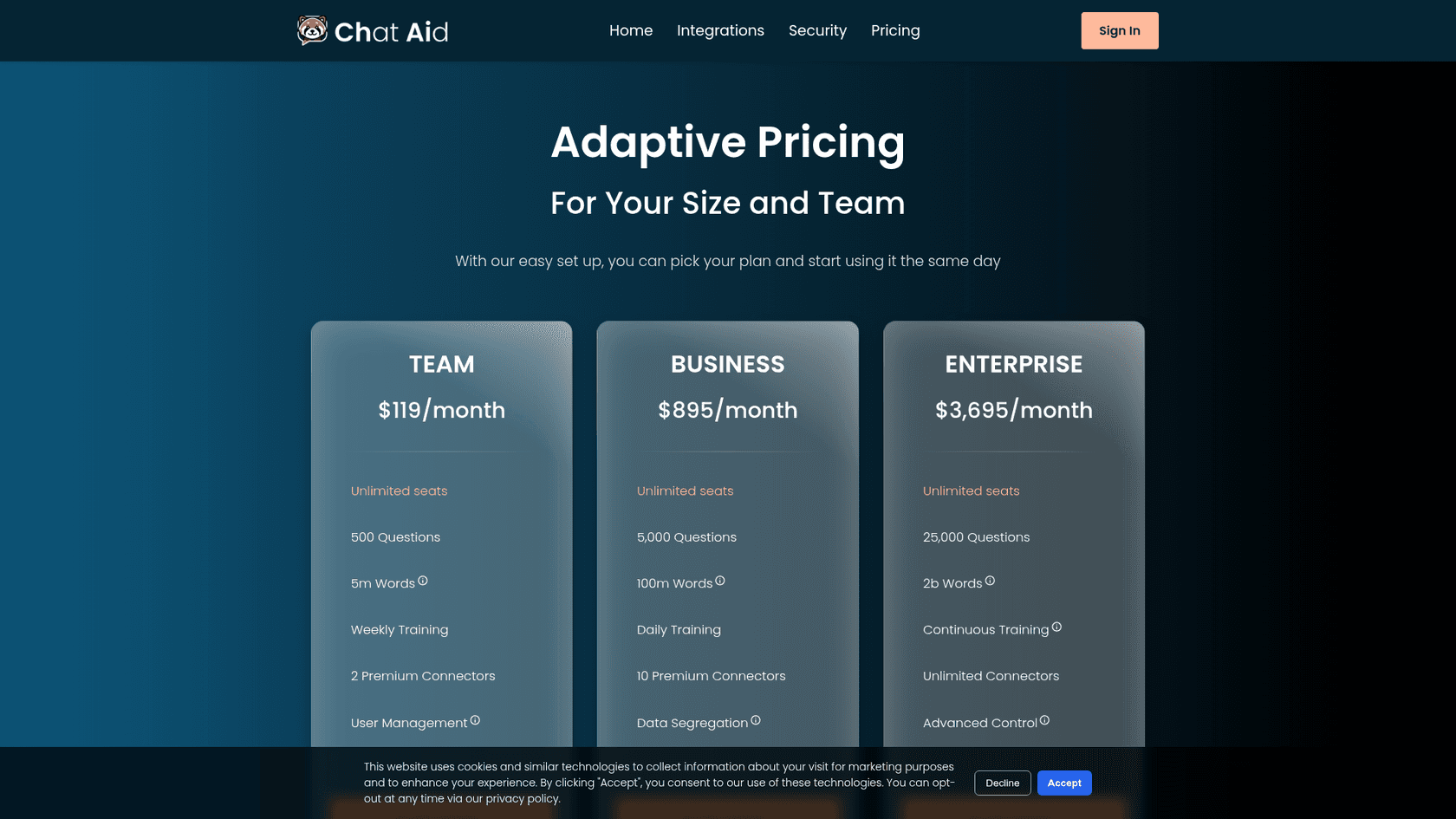
The reasons people start looking elsewhere are specific, and most of them show up on the Chat Aid pricing page:
- The cheap plan is a small plan. Team is $119 a month for 500 questions, on the Mini model, with a weekly retrain and 2 premium connectors. The next step, Business, is $895 a month for 5,000 questions. Overage is $10 per 100 questions, so most teams pay for questions as they go long before Business makes sense.
- The Gorgias connector is marked Beta and Premium. It pulls Gorgias tickets and contacts into Chai so your team can ask about them, but it doesn't draft or send anything in the ticket.
- There's almost no public track record. I couldn't find a single independent Chat Aid review on G2, Capterra or Reddit. That's not a mark against the product, but it means you're buying on a demo.
- It answers the teammate, not the customer. For an internal Q&A channel, that's exactly the job. For a support team, the agent still asks in Slack, reads the answer, and pastes it into the ticket.
I see that last one on eesel calls all the time. One B2B SaaS support team on Front, handling roughly 200 to 300 tickets a month, came in wanting AI that could answer across its user guide, Slack, internal knowledge base and past tickets in one place. Another hardware support team told me citations on every answer were non-negotiable. Both are Chat Aid's job description, plus one more step: the answer has to land where the work is.
How did I pick these Chat Aid alternatives?
I started from the job Chat Aid does: a teammate asks a question in Slack, and an AI answers from your docs and help center. Then I split the shortlist by the job that sits next to that one, because that's usually why someone leaves.
For each tool I read its own Slack setup docs, so I could say exactly how it answers: on its own, on a mention, or only for the person asking. I took every price from the vendor's own pricing page on October 27, 2026, and priced all of them for one buyer: a 30-person team asking about 500 questions a month. Where a vendor doesn't publish prices, I say so instead of guessing.
Chat Aid alternatives at a glance
Here's the whole field in one table, with Chat Aid on top for reference.
| Tool | Best for | How it answers in Slack | Answers from | Microsoft Teams | 30 people, 500 questions/mo | Billed by | Free trial | Security listed |
|---|---|---|---|---|---|---|---|---|
| Chat Aid (today) | Cross-team Q&A with unlimited seats | Answers when asked in Slack, with the source | 60+ connected apps | Yes | $119 (Team) | Questions | 30 days | SOC 2 Type II, ISO 27001, GDPR |
| Guru | Verified answers that pop up in channels | Detects questions in connected channels, or @guru | Guru Cards plus 100+ integrations | Yes | Quote only | Custom package | Demo first | SOC 2 Type II, HIPAA, GxP |
| eesel | Slack Q&A plus the customer ticket | @mention in a thread, or a DM | Confluence, Notion, Google Drive, help center, past tickets | Yes | $299 | Credits | 100 free credits | HIPAA with BAA on Enterprise, EU or US data |
| Glean | Company-wide search for large orgs | Detects questions; private unless Public Mode is on | Every connected company app | Yes | Quote only | Per user plus FlexCredits | Demo first | SOC 2 Type II, ISO 27001, ISO 42001, HIPAA, GDPR |
| Slite | A docs tool with answers built in | Answers in Slack | Slite docs (Basic), connected tools (Pro) | Not listed | $300 (Basic), $600 (Pro) | Per user | 14 days | SOC 2 Type II, HIPAA |
| Tettra | Small Slack-first teams | Kai answers in DMs and channels | Tettra pages and Google Docs | Not listed | $240 | Per user, 10 minimum | 30 days | Encryption, 99.99% uptime |
| Question Base | Expert-heavy teams that want escalation | Answers known questions, escalates new ones | Confluence, Notion, Google Drive, Jira and more | Slack only | $500 | Per user, $6,000/yr minimum | $1,000 pilot | SOC 2 Type II, HIPAA (Enterprise+) |
| Slack AI | Teams that only need Slack's own history | Answers in search, for you only | Slack messages and files; other apps on Enterprise+ | No | $450 (Business+) | Per user | Plan trial | Enterprise controls on Enterprise+ |
What would 30 people and 500 questions a month cost?
The pricing units don't line up. Chat Aid charges per question, eesel per credit, and most of the rest per seat. So I priced every tool for the same team. Here's what that comes to, billed yearly where the vendor offers it:
- Chat Aid Team: $119, with 500 questions included and unlimited seats.
- Tettra Scaling: 30 × $8 = $240.
- eesel Teammate: $299 for 500 credits, counting one credit per Slack question.
- Slite Basic: 30 × $10 = $300, with answers from Slite docs only. Slite Pro: 30 × $20 = $600.
- Slack Business+: 30 × $15 = $450. If you already pay for Pro at $7.25, the step up is $232.50.
- Question Base Annual Pro: 30 × $5 is $150 a month, but the $6,000 yearly minimum makes it $500.
- Glean and Guru: quote only.
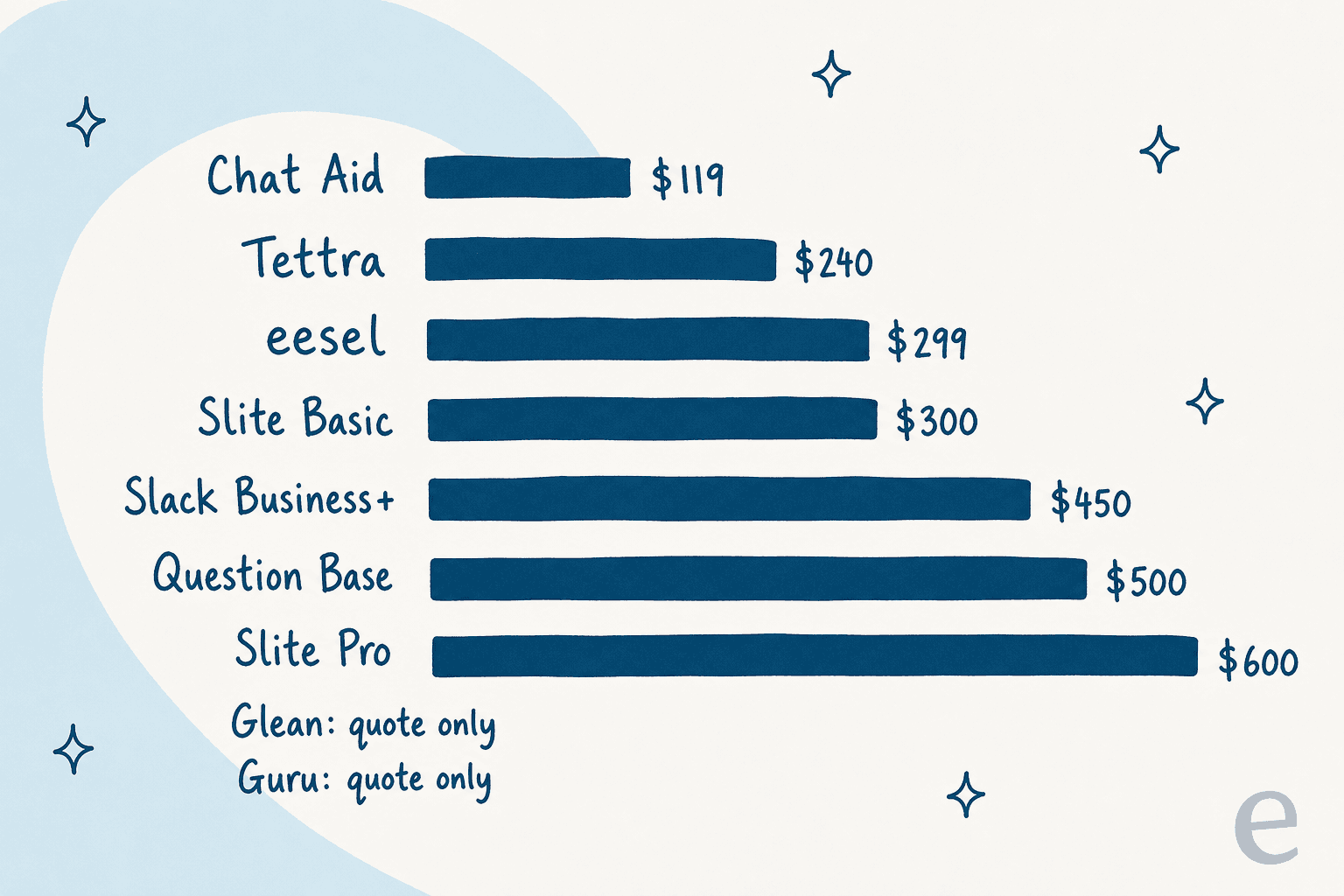
The surprise is how hard Chat Aid is to undercut. Unlimited seats make Chat Aid the cheapest tool here for a team of 30, and that stays true until question volume pushes it into overage. Seat pricing wins only for small teams, and question pricing wins only for big quiet ones. Plug your own numbers in below.
A cost line isn't the whole story, though. A tool that answers only the person who asked won't stop the same question showing up in the channel tomorrow. That's what the next seven sections dig into.
1. Guru
Best for: teams that want verified answers to show up in Slack channels without anyone typing a command.
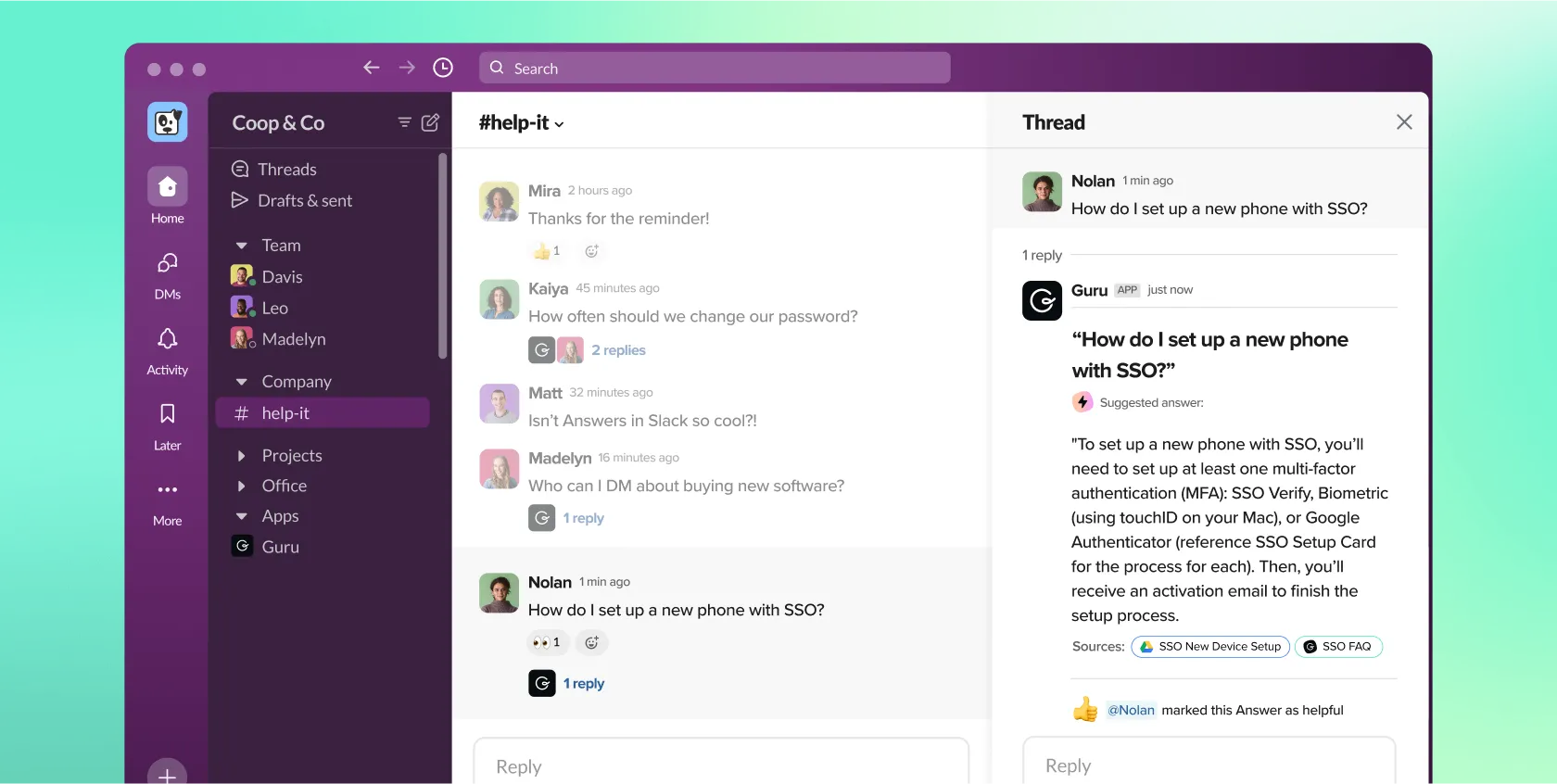
Guru is the closest thing to Chat Aid with a stronger opinion about content quality. It's a knowledge base built from Cards, and every Card has an owner who gets asked to re-verify it on a schedule. The AI answers sit on top of that.
How it answers in Slack
Per Guru's Slack setup guide, you connect a Knowledge Agent to a channel and it detects questions and suggests answers there, no command needed. People can also tag @guru for follow-ups in the thread. You can scope a custom agent to one channel, so an HR channel only answers from HR content.
The setting I'd look at first is Limit responses to sources shared with All Members. With it on, Guru only answers from content everyone in the workspace can see, so nothing restricted leaks into a public thread. That's the kind of guardrail Chat Aid buyers usually ask about after the first awkward answer.
"Through native Slack and browser extensions, our frontline specialists access verified answers directly in their live workflows. This direct data access minimizes context-switching and significantly impoves search performance and support response times."

Pros and cons
| Pros | Cons |
|---|---|
| Answers in channels on its own, with sources cited | No public pricing; you start with a sales call |
| Verification workflow keeps Cards current | Card format suits short answers more than long docs |
| Per-channel agents scoped to specific content | Searching and sharing Cards with /guru needs a Guru license |
| SOC 2 Type II, HIPAA, GxP; Slack, Teams and MCP | Answers stay in Slack; nothing is drafted in a helpdesk ticket |
The same G2 reviewer flagged the format trade-off: Guru's "card-based UI/UX is overly rigid for long-form technical documentation," per their review.
Pricing
The Guru pricing page no longer lists plans or per-seat prices. Guru sells one custom package sized to your "scale, knowledge complexity, and AI maturity", booked through a call.
| What's in the package | Details |
|---|---|
| Platform | Knowledge Agents, AI search, verification workflows, 100+ integrations, MCP |
| Expertise | Solution engineers for knowledge architecture, agent tuning and rollout |
| Governance | SOC 2 Type II, HIPAA, GxP, SSO, SCIM, data loss prevention masking, audit logs |
| Price | Quote only; reduced pricing for 501(c)(3) nonprofits |
My Guru pricing post tracks what changed when the plans came off the page.
Verdict
Pick Guru if your knowledge is the problem, not just finding it, and you're willing to have owners verify content on a schedule. Skip it if you want to sign up today, or if you're a team of 20 that liked Chat Aid's flat $119. The deciding factor is whether you'll staff the verification habit. My Guru review and Guru alternatives go deeper.
2. eesel
Best for: teams whose Slack questions and customer tickets come from the same docs.
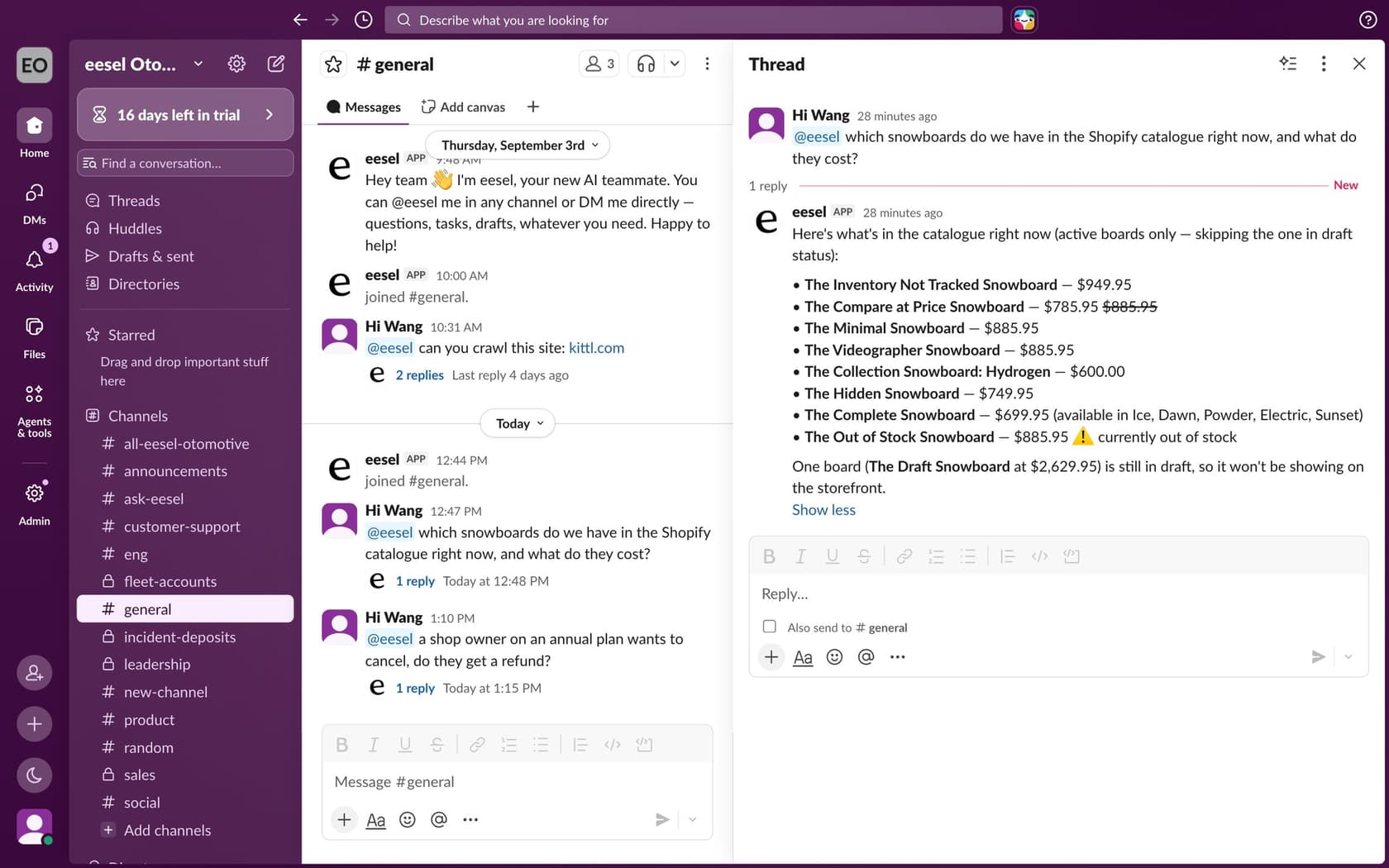
I work on eesel, so read this section with that in mind. eesel is an AI teammate you hire for a job. The relevant one here is the helpdesk teammate: it works your support tickets, and the same teammate answers your team in Slack and Microsoft Teams. That's the gap Chat Aid leaves for support teams.
How it answers in Slack
Per the eesel Slack docs, anyone can @mention eesel in a channel it's in, and it answers in the thread with a link to the source. Direct messages need no mention. It keeps answering follow-ups in that thread without being tagged again, and it asks before joining channels.
Slack is where it answers, not what it indexes. Answers come from what you connect, usually Confluence, Notion or Google Drive, plus your help center and past tickets. It searches only channels it's in, and private channels only when the person asking is a member too.
The part Chat Aid doesn't do: from the same thread, ask it to look up the newest tickets or draft a customer reply. The draft waits in the thread, and if an action needs approval, an approval card posts there with Approve and Deny buttons. Only people with edit rights in your eesel workspace can approve.
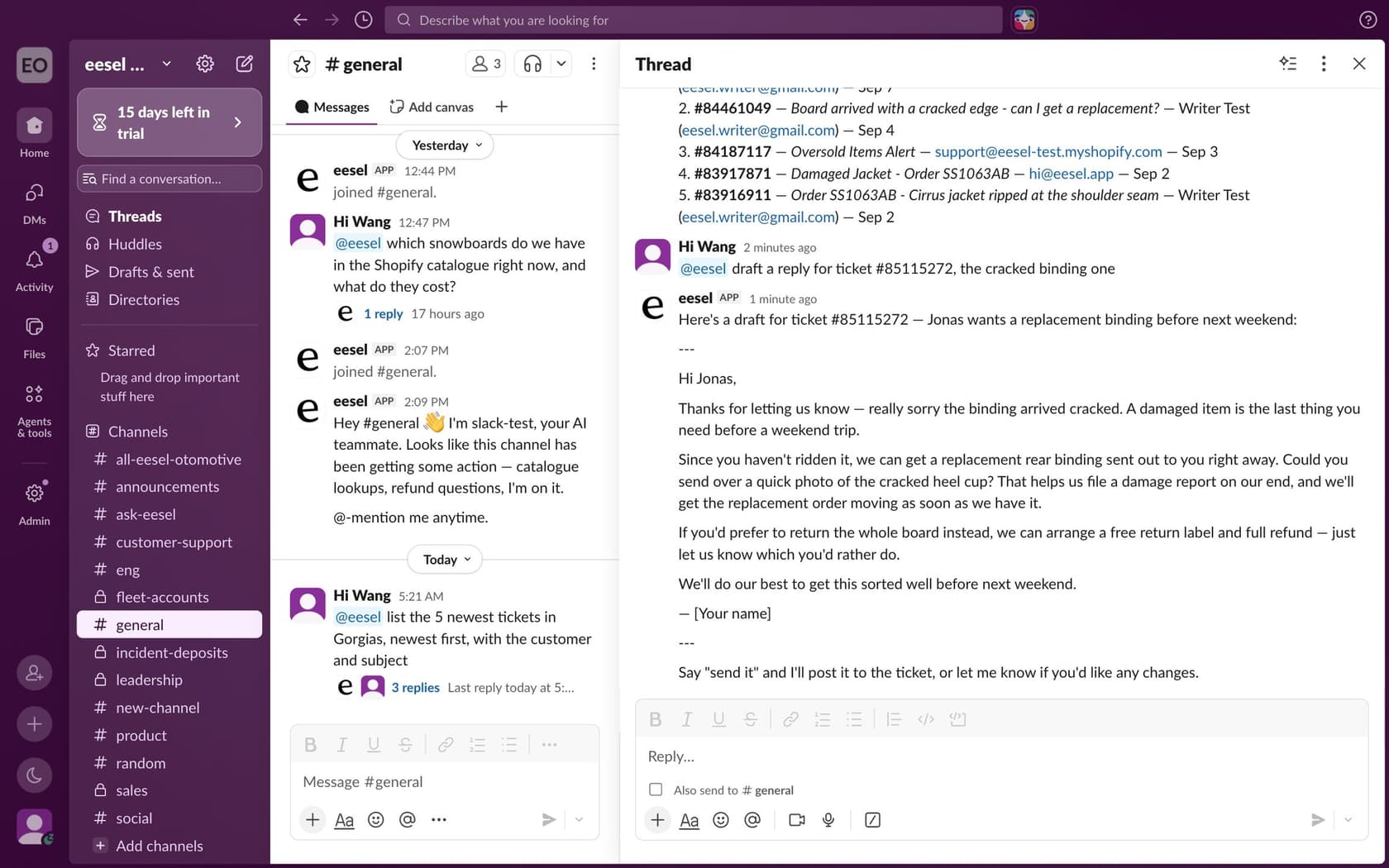
Real teams use both halves. SaunaSpace connected Gorgias, Slack and its website; its team drafts replies inside Gorgias and can call @eesel in Slack too. Lesson Pro has eesel post a plan for the week into a Slack channel early each Monday, listing every lesson still waiting for an instructor.
If you script things, the eesel CLI drives the same workspace from a terminal, or from a coding agent like Claude Code. eesel integrations connect slack sets up the connection, and eesel automations shows whether the Slack mention automation is on.
Pros and cons
| Pros | Cons |
|---|---|
| Answers in Slack and drafts in the helpdesk ticket, from one setup | Answers on a mention or DM, not on every question in a channel |
| Unlimited seats, like Chat Aid | Smallest paid plan is $299, above Chat Aid Team |
| Approval cards before anything is sent | Not listed in the Slack Marketplace, so Slack shows a "not approved by Slack" notice on install |
| HIPAA with a signed BAA and custom data residency on Enterprise | SOC 2 Type II is still underway |
Pricing
Prices from the eesel pricing page. One credit is a ticket or a chat, however long. Slack questions use credits too.
| Plan | Price | Credits a month | Notes |
|---|---|---|---|
| Free | $0 | 100 to try | Every feature and integration, no card |
| Teammate | $299 | 500 | Unlimited agents and seats |
| Teammate | $499 / $849 / $1,749 | 1,000 / 2,000 / 5,000 | Change size any time |
| Enterprise | Custom | Custom | SSO, HIPAA with BAA, custom data residency |
Overage is optional at $0.80 a credit with a monthly cap you set. Paying a year upfront gets two months free.
Verdict
Pick eesel if the people asking in Slack are often your support team, and the answer usually ends up in a ticket. Skip it if you only need a company Q&A channel and you're happy with Chat Aid's $119 plan, because eesel costs more for that job alone. The deciding factor is whether the answer needs to go somewhere after Slack.
3. Glean
Best for: large companies that want one search across every app, with permissions respected.
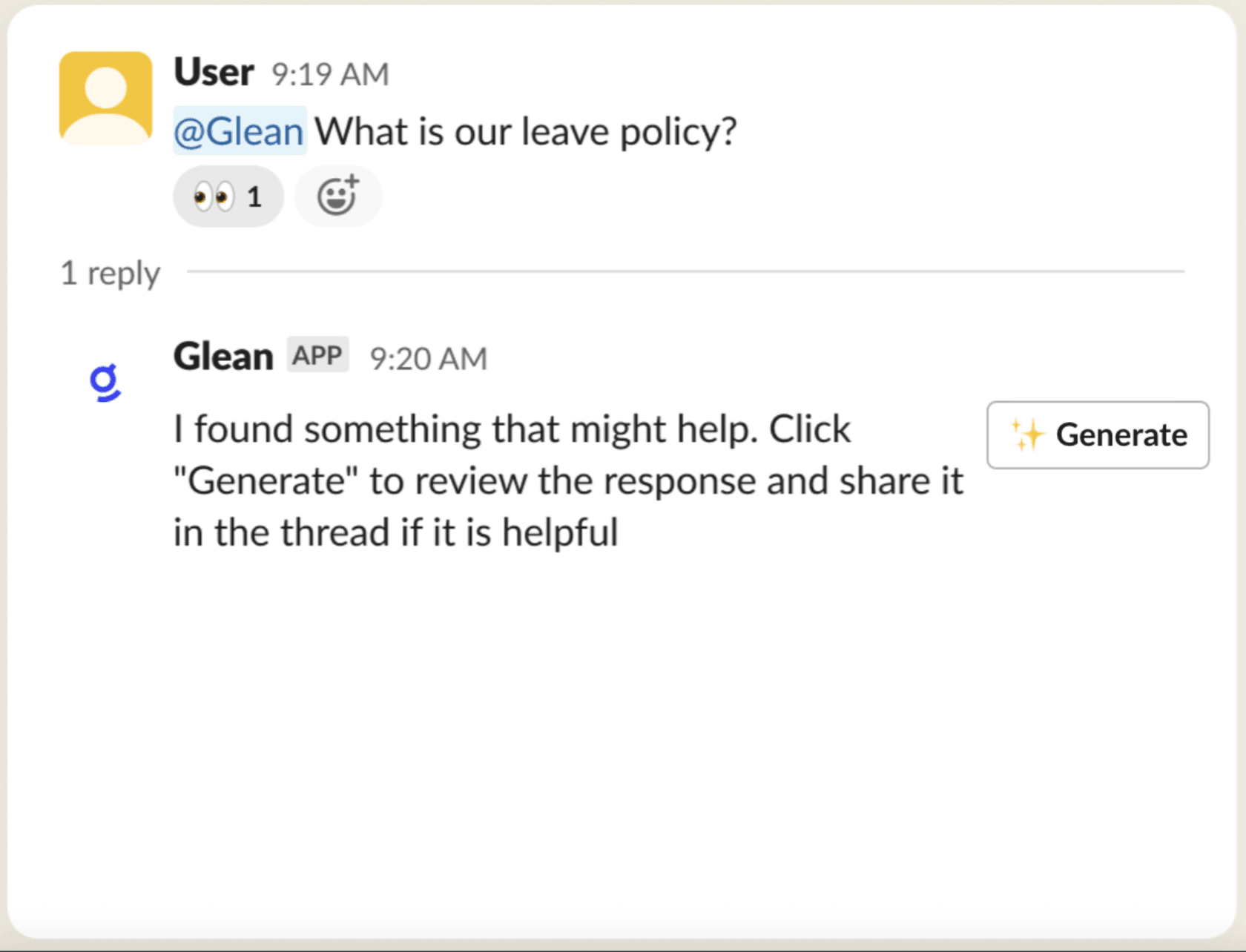
Glean is enterprise search with an assistant and agents on top. Its pitch is breadth: it connects to the apps a big company runs on and answers with the asker's permissions applied. It lists SOC 2 Type II, ISO 27001, ISO 42001, HIPAA and GDPR on the Glean homepage.
How it answers in Slack
Per Glean's Slack docs, Glean can detect questions in a channel and posts a prompt that an answer is available. You click to generate it, and by default the answer is private and visible only to you. Admins can turn on Public Mode so replies show to the whole channel.
That default is a real design choice. It keeps answers permission-safe, but it also means the next person with the same question asks again. Glean also skips questions aimed at a person with an @mention, treating them as action requests.
"It consumes all of our knowledge sources including Slack, Google docs, wiki, source code and provides answers to complex specific questions in a way that's downright magical."

Pros and cons
| Pros | Cons |
|---|---|
| Searches across the whole company, with permissions | No public prices; built to roll out to every employee |
| Slack, Teams, Zoom and GitHub surfaces | Slack answers private by default |
| Long compliance list | Advanced queries and agent runs draw on FlexCredits |
| Fast Mode queries unlimited per seat | More of a platform rollout than a Slack bot |
"Glean's the pricey one aimed at big companies, but from what I've seen, the others are either still in development or not quite hitting the mark."
Pricing
Glean doesn't publish prices. Its Enterprise Flex docs describe the model without dollar figures.
| Part | How it's billed |
|---|---|
| Enterprise Flex Seats | Per user, per month, "designed to be deployed to every employee" |
| Fast Mode queries | Unlimited per seat |
| Thinking and Adaptive Reasoning queries | Up to 100 per user a week included, then FlexCredits |
| Agent runs, meeting notes, slide generation | FlexCredits at the current rate card |
| Glean in Slack | Uses the same query entitlements as the assistant |
My Glean pricing post covers what to ask for in the quote.
Verdict
Pick Glean if you're a large company and the question is "where does this live across 40 apps?", not "what's our refund policy?". Skip it if you're a 30-person team leaving Chat Aid over cost. The deciding factor is headcount: Glean seats are meant for everyone. See my Glean alternatives for lighter options.
4. Slite
Best for: teams that want to swap their docs tool and their Slack bot for one product.
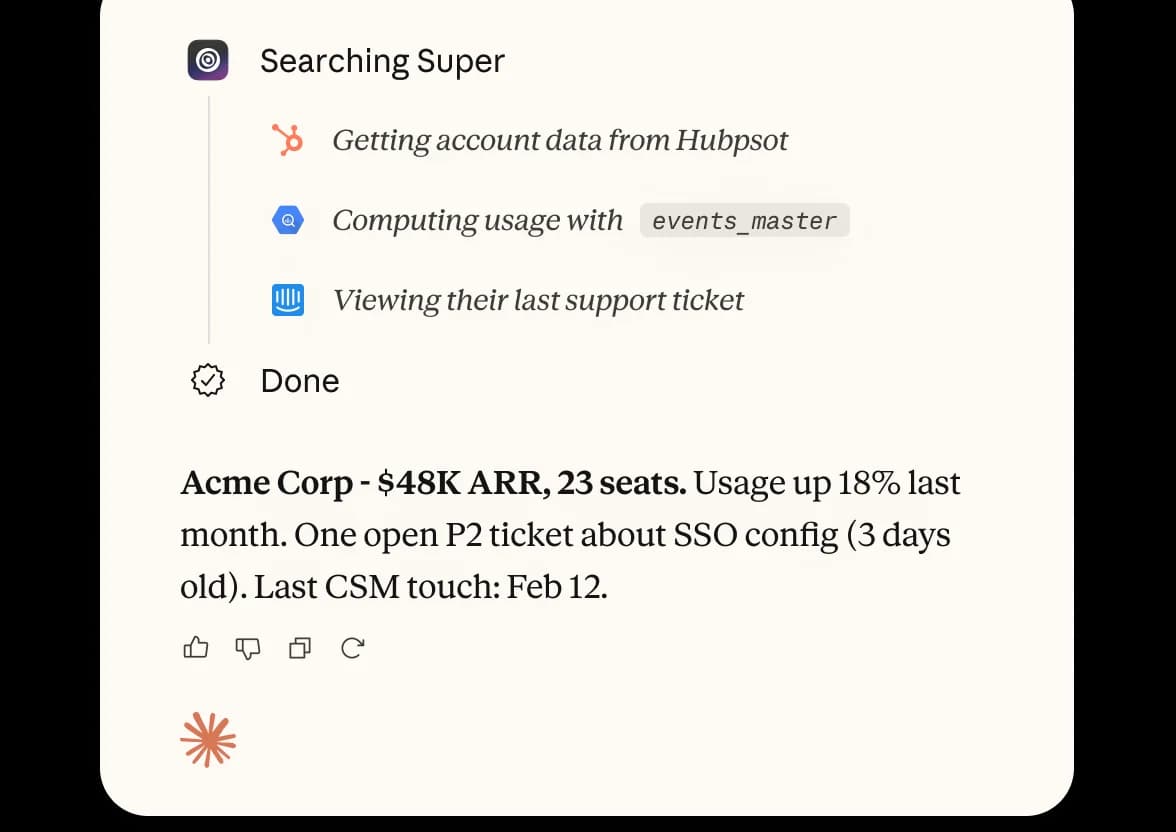
Slite is a knowledge base first. You write and verify docs in it, and its AI (called Ask on Basic, the Slite Agent on Pro) answers from them. Chat Aid reads your docs wherever they live; Slite wants to be where they live.
How it answers in Slack
Per the Slite pricing page, AI answers in Slack come from Slite docs on Basic, and from your connected tools on Pro. Pro adds the Slite Agent, doc fact-checking with suggested fixes, and agent workflows.
The catch on Basic: AI search and answers are capped at 30 monthly questions per seat. For 30 people that's 900 a month, plenty for most teams, but it's a cap Chat Aid's question plans don't phrase the same way.
Pros and cons
| Pros | Cons |
|---|---|
| Docs, verification and answers in one tool | Basic only answers from Slite docs |
| Doc fact-checking with suggested fixes on Pro | You'd migrate your docs to get the most from it |
| SOC 2 Type II, HIPAA with a BAA on eligible plans | Per-seat pricing gets heavy past 30 people |
| MCP and API access from Basic | Microsoft Teams isn't listed on the pricing page |
Pricing
From the Slite pricing page, billed yearly. There's a 14-day free trial with no card.
| Plan | Price | AI answers | Notable limits |
|---|---|---|---|
| Basic | $10 per user/month | Within Slite docs, in the app and Slack | 30 AI questions per seat a month, 30 AI edits per user |
| Pro | $20 per user/month | Across connected tools | 50 monthly agent credits per seat, OpenID SSO |
| Enterprise | Custom | Across connected tools | SCIM, audit log, SLA, reader-only seats |
My Slite pricing breakdown and Confluence vs Guru vs Slite comparison have more.
Verdict
Pick Slite if your docs are scattered and half-stale, and you'd rather fix that than bolt a bot on top. Skip it if your docs already live happily in Notion or Confluence. The deciding factor is whether you're willing to move your docs.
5. Tettra
Best for: small, Slack-first teams that want a simple wiki with an answer bot.
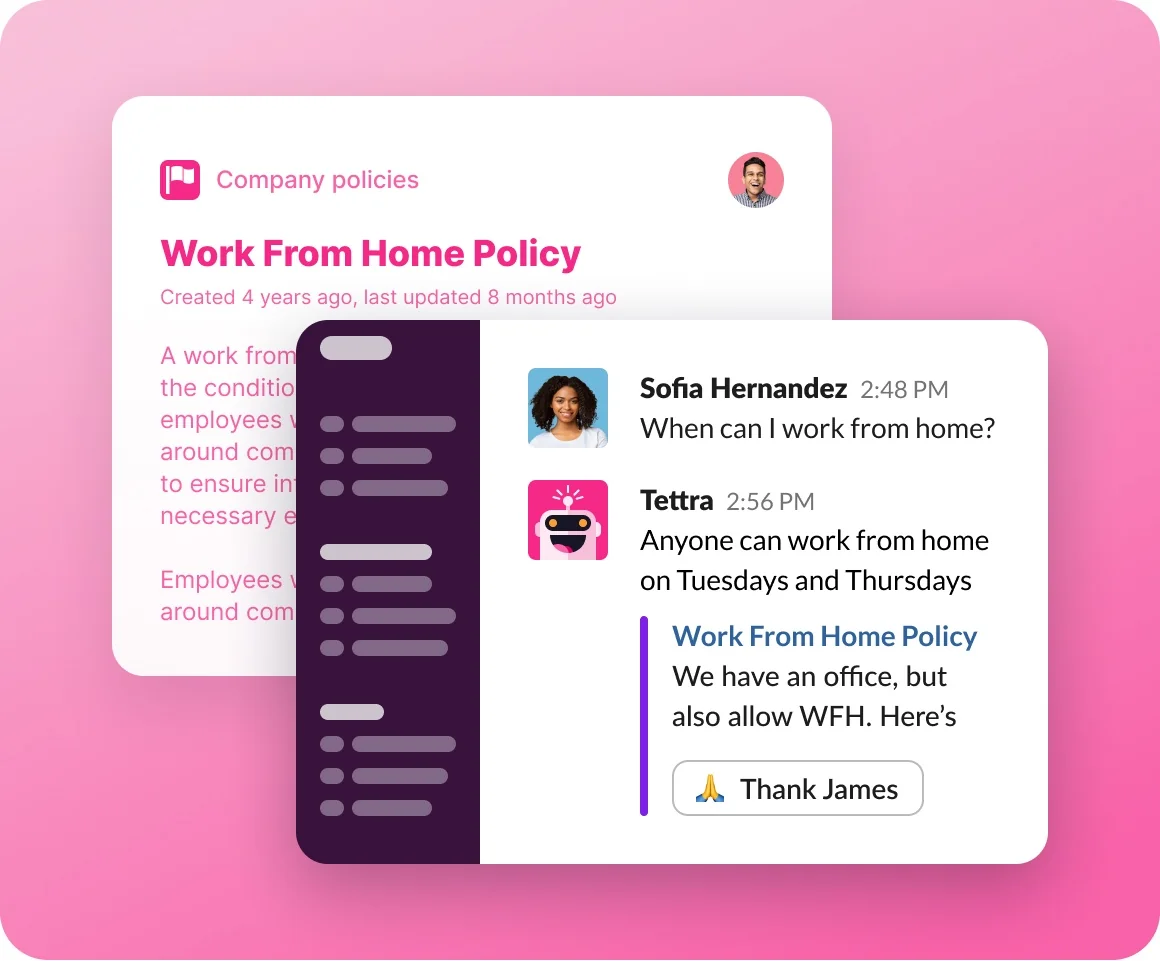
Tettra is an internal knowledge base built around Slack. Its AI bot, Kai, searches your Tettra pages and answers. If Kai can't find an answer, it helps find the right person to answer, per the Tettra homepage.
How it answers in Slack
Tettra's pricing page lists AI answers in Slack DMs and channels, AI thread summaries, and mining existing answers from Slack. Kai trains on Tettra pages and Google Docs. Experts get page requests, verification, and reports for stale and unowned pages.
It's a narrower source list than Chat Aid's 60+ connectors. If your answers live in Tettra and Google Workspace, that's fine. If they're spread across Notion, Jira and a help center, Tettra means moving them.
Pros and cons
| Pros | Cons |
|---|---|
| Cheapest seat price here at $8 | Answers from Tettra pages and Google Docs, not 60+ apps |
| Kai routes unanswered questions to a person | SSO and SCIM are paid add-ons on Scaling |
| Verification and stale-page reports | No Microsoft Teams app listed |
| 99.99% uptime last year, per Tettra | App is English-only (content can be any language) |
Pricing
From the Tettra pricing page:
| Plan | Price | Includes |
|---|---|---|
| Scaling | $8 per user/month billed yearly, 10-user minimum | AI answers, AI bot in Slack, Google Workspace, analytics, API |
| Enterprise | Custom | SSO and SCIM, hands-on training, custom import, custom reporting |
There's a 30-day free trial. Paying yearly is 20% off, and past 250 licenses Tettra discounts per-user rates.
Verdict
Pick Tettra if you're a team of 10 to 15 and Slack plus Google Workspace is your whole world. At that size it's $80 to $120 a month. Skip it if your docs live in five other tools. The deciding factor is where your knowledge lives today.
6. Question Base
Best for: larger teams where a few experts answer the same questions over and over.
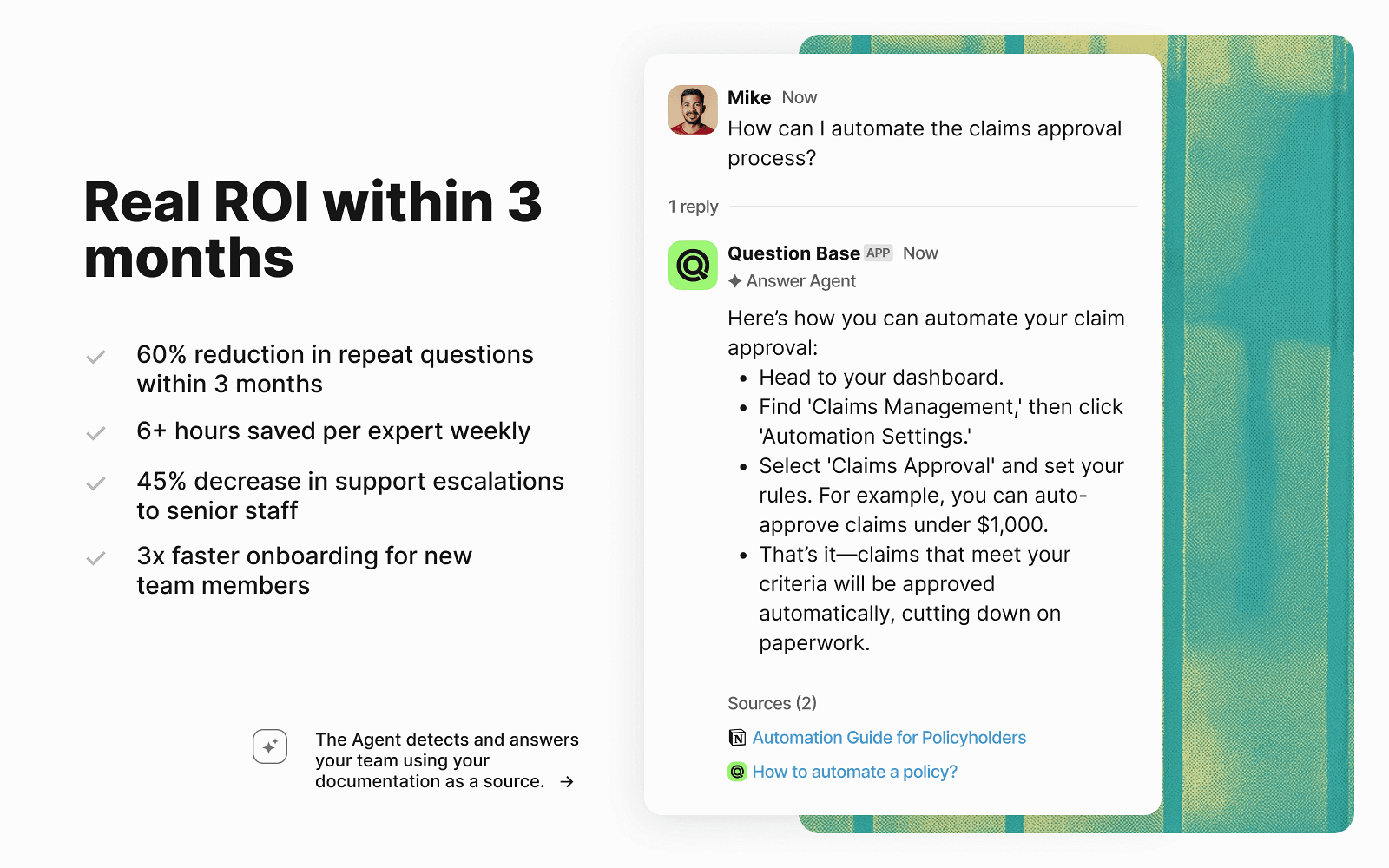
Question Base is the most Chat Aid-like tool on this list in what it does: an AI agent that answers questions in Slack using your docs. Where it differs is the loop around the answer, and the way it's sold.
How it answers in Slack
Per its Slack Marketplace listing, Question Base searches your connected docs (Confluence, Notion, Google Drive, Jira and more) when someone asks in Slack, and answers known questions on its own. When it hits a new question or isn't confident, it escalates to a designated expert. The expert answers in the thread, and Question Base saves that answer for next time.
That capture loop is the feature Chat Aid doesn't have. You can also set sources and escalation rules per channel, and track automation rate and time saved.
Pros and cons
| Pros | Cons |
|---|---|
| Escalates new questions to experts and learns from their answers | Slack only |
| Per-channel sources and escalation rules | $6,000 a year minimum on Annual Pro |
| SOC 2 Type II; HIPAA and AWS deployment on Enterprise+ | Every plan starts with a demo or pilot |
| Analytics on automation rate and time saved | Annual Pro covers 200 pages of integrated data per seat |
Pricing
From the Question Base pricing page:
| Plan | Price | Includes |
|---|---|---|
| Proof of Concept | $1,000 for 2 months | Hands-on setup, single channel, 10,000 pages |
| Annual Pro | From $6,000/year ($5 per user/month, paid yearly) | One team, unlimited questions and channels, Slack Connect, 200 pages per seat |
| Enterprise+ | From $20,000/year ($15 per user/month, paid yearly) | Custom sources, AWS deployment, white-labeling, multiple Slack workspaces, HIPAA |
Verdict
Pick Question Base if you have 100+ people and a handful of experts drowning in repeat questions, and you want a vendor to run the pilot with you. Skip it if you're a small team, because the $6,000 minimum is more than four years of Chat Aid Team. The deciding factor is whether the expert-escalation loop is worth a sales-led rollout.
7. Slack AI
Best for: teams whose answers already live in Slack messages and files.
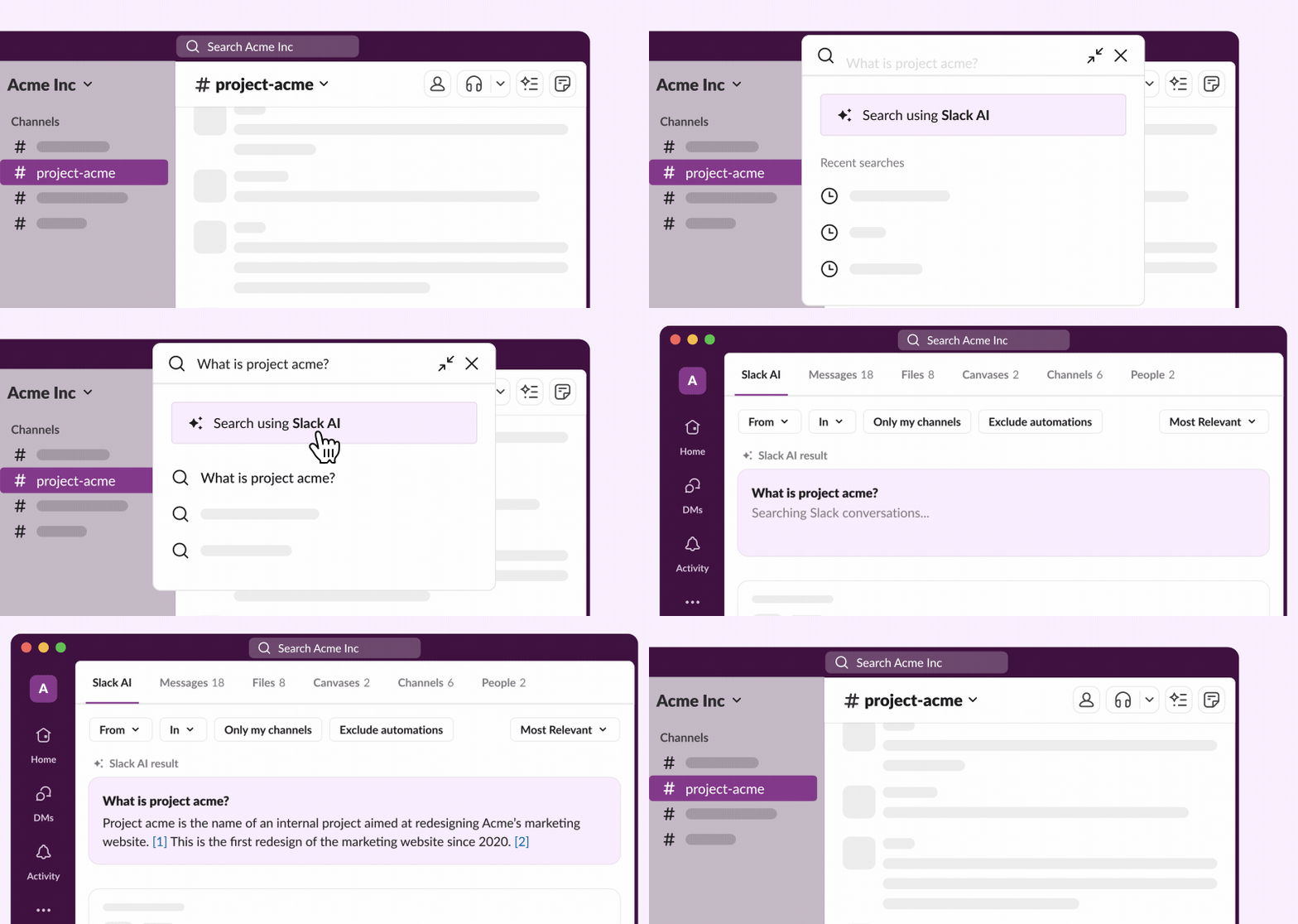
Slack AI is the option you might already be paying for. On the right plan, it answers questions from your workspace without adding another vendor.
How it answers in Slack
Per Slack's guide to AI features, you type a question into the search bar and AI answers appear at the top of your results, with citations to the messages or files behind them. You can share a good answer to a channel. Answers only include what you can already see.
Two limits matter for a Chat Aid buyer. First, it answers the person searching, not the channel, so nobody gets an automatic reply in #help. Second, answers come from Slack itself. Content from Google Drive, GitHub and other apps needs enterprise search, which is Enterprise+ only.
Simon Willison put the mechanics plainly on Hacker News:
"Slack AI answers questions using RAG against available messages and documents. If you can get a bunch of weird lies into a document that someone uploads to Slack, Slack AI could well incorporate those lies into its answers."
Pros and cons
| Pros | Cons |
|---|---|
| No new vendor; part of your Slack plan | Answers you in search, not the channel automatically |
| Answers cite the source messages and files | Other apps need Enterprise+ enterprise search |
| Also summaries, recaps, huddle notes, translations | Per-user price applies to everyone on the plan |
| Respects channel access | Your help center and docs outside Slack aren't covered on Business+ |
Pricing
From the Slack pricing page:
| Plan | Price per user/month | AI answers |
|---|---|---|
| Free | $0 | Not included |
| Pro | $7.25 billed yearly, $8.75 monthly | Summaries and huddle notes; no AI search answers |
| Business+ | $15 billed yearly, $18 monthly | AI search answers, Slackbot, recaps, file summaries |
| Enterprise+ | $45 billed yearly | Everything plus enterprise search across connected apps |
My Slack AI pricing guide and Slack AI search answers walkthrough cover the rest.
Verdict
Pick Slack AI if your team's knowledge mostly lives in Slack threads and you're already on Business+. Skip it if the point of Chat Aid was answering from your docs and help center. The deciding factor is where the answer lives.
Where does the answer land?
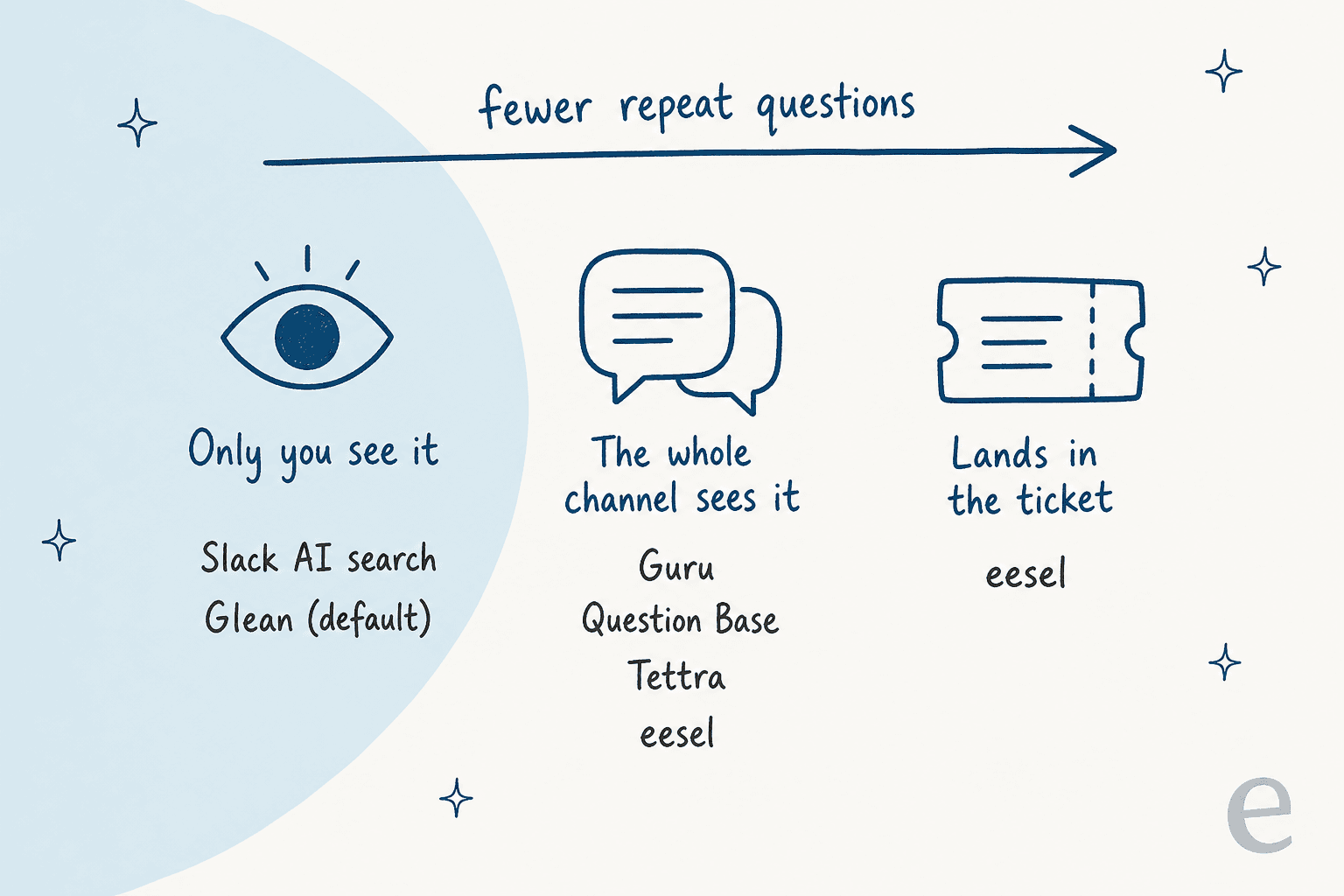
The biggest difference between these tools isn't the model or the connector count. It's who sees the answer, because that decides whether the same question comes back next week.
| Tool | Answers without a mention? | Who sees the answer | Can act after answering |
|---|---|---|---|
| Chat Aid | Answers when asked in Slack | Where you asked | No |
| Guru | Yes, in connected channels | The thread | No |
| eesel | No, on @mention or DM | The thread | Yes: looks up tickets, drafts replies, with approval |
| Glean | Yes, with a click to generate | Only you, unless Public Mode is on | Agents, via FlexCredits |
| Slite | Answers in Slack | The thread | Agent workflows on Pro |
| Tettra | Yes, in DMs and channels | The thread | Routes to a person |
| Question Base | Yes, known questions | The thread | Escalates to experts |
| Slack AI | No, you search | Only you, unless you share it | No |
A private answer saves one person a search; a thread answer saves the whole channel. If your #help channel is the problem, rule out the tools that answer privately by default, or plan to turn on their sharing settings.
How do you test a Chat Aid alternative before you switch?
Every tool here has a free trial, a pilot or a demo. Here's the test I'd run on two or three of them, side by side:
- Pull 20 to 30 real questions from your Slack history. Pick the ones people actually ask, not the ones in the vendor's demo. Mix easy policy lookups with messy ones that need two docs.
- Ask each tool the same questions in the same channel. Score each answer for accuracy, a working citation, and whether the right people can see it.
- Ask one question whose answer isn't in your docs. The good tools say they don't know, or route it to a person. The bad ones make something up.
- Test permissions with a private doc. Ask about something in a restricted folder from an account that shouldn't see it.
- Price the result at your real volume. Use your seat count and a month of question volume, not the plan name.
The citation check matters more than it sounds. That hardware support team I mentioned earlier said citations on every answer were critical, and they were right: a cited answer is one your team can check in five seconds, and an uncited one is a guess they have to trust. eesel's Slack docs say it plainly: like any AI, it can make mistakes, which is why every answer links to its source.
If the questions come from a support team, add one step: take five real customer tickets and see how many clicks it takes to get each answer into the ticket. That number is the gap between an answer bot and a helpdesk teammate. My AI knowledge base chatbot guide covers the setup side.
eesel for Slack questions and the tickets behind them
If your team leans on Chat Aid in Slack because answers are scattered across Confluence, Notion and your help center, eesel can take the same questions. Hire the helpdesk teammate, connect your docs, and anyone can @mention it in a channel and get the answer in the thread with the source. When the question is really about a customer, it drafts the reply in Zendesk, Gorgias or the helpdesk you already use, and waits for a person to approve.
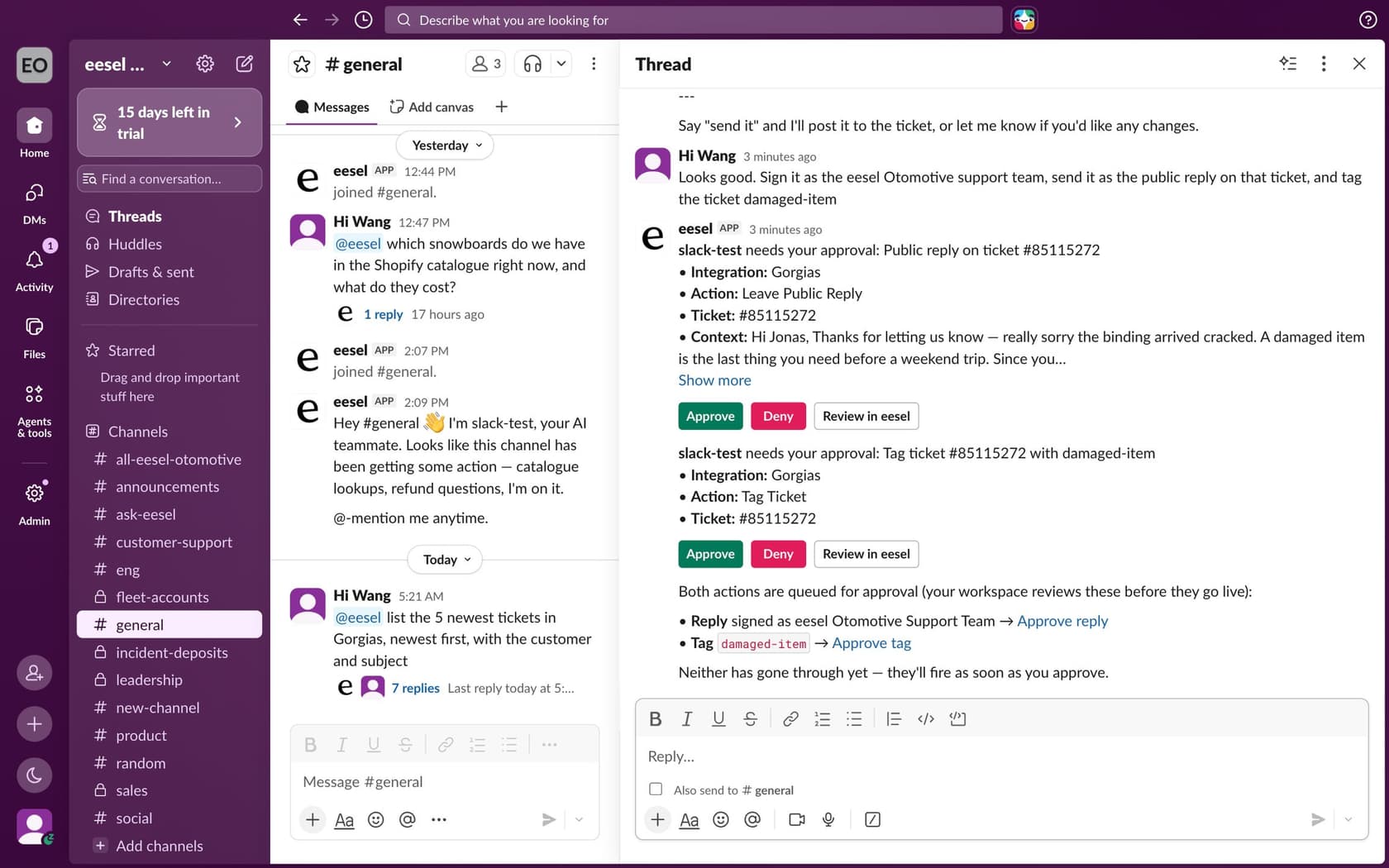
It starts free with 100 credits and no card, then $299 a month for 500. You can test it against your own past tickets before it touches a live one. Try eesel or see more in my best AI for Slack support roundup.
Frequently Asked Questions
What is the best Chat Aid alternative?
It depends on who asks the questions. For a team that wants answers to pop up in Slack channels from verified docs, Guru is the closest Chat Aid alternative. If those questions often turn into customer tickets, eesel answers in Slack and also drafts the reply in your helpdesk. My AI for Slack support roundup covers more options.
Is there a cheaper alternative to Chat Aid?
For a small team, not by much. Chat Aid Team costs $119 a month for 500 questions with unlimited seats. Tettra is $8 per user a month billed yearly with a 10-user minimum, so it only beats Chat Aid under 15 people. eesel starts at $299 for 500 credits. See my Chat Aid pricing breakdown for the overage maths.
Can Slack AI replace Chat Aid?
Partly. Slack AI search answers on Business+ ($15 per user a month billed yearly) come from your Slack messages and files, and only the person searching sees them. Answers from Google Drive, GitHub and other apps need enterprise search on Enterprise+. My Slack AI pricing guide has the plan details.
Which Chat Aid alternatives answer in Slack automatically?
Guru, Question Base and Glean can detect questions in a channel without a mention. Glean keeps the answer private to the asker unless an admin turns on Public Mode. eesel answers when someone @mentions it in a channel or messages it directly. My guide to building an AI Slack bot explains the trade-offs.
Do Chat Aid alternatives work with Microsoft Teams?
Some do. Guru has a Microsoft Teams bot, Glean lists Glean in Microsoft Teams, and eesel connects to Microsoft Teams as well as Slack. Tettra, Question Base and Slack AI are Slack tools. My AI in Microsoft Teams post goes further.
What's a Chat Aid alternative for Gorgias support teams?
If your support team uses Chat Aid to look up Gorgias tickets from Slack, eesel works the ticket itself. It drafts the reply inside Gorgias from past tickets and your help center, and your team can still ask it questions in Slack. SaunaSpace runs it that way.
How much do Chat Aid alternatives cost for a 30-person team?
For 30 people asking 500 questions a month, I priced Tettra at $240, eesel at $299, Slite Basic at $300, Slack Business+ at $450, Question Base at $500 and Slite Pro at $600, against Chat Aid Team at $119. Glean and Guru are quote-only. My internal knowledge base software guide covers more tools.