How to set up AI responses in Freshdesk: a practical guide

Kurnia Kharisma Agung Samiadjie

Katelin Teen
Last edited September 25, 2026
The three kinds of AI response in Freshdesk
Before touching a single setting, it helps to be clear about what "AI response" even means inside Freddy AI, because Freshdesk bundles a few different things under that banner and they do quite different jobs.
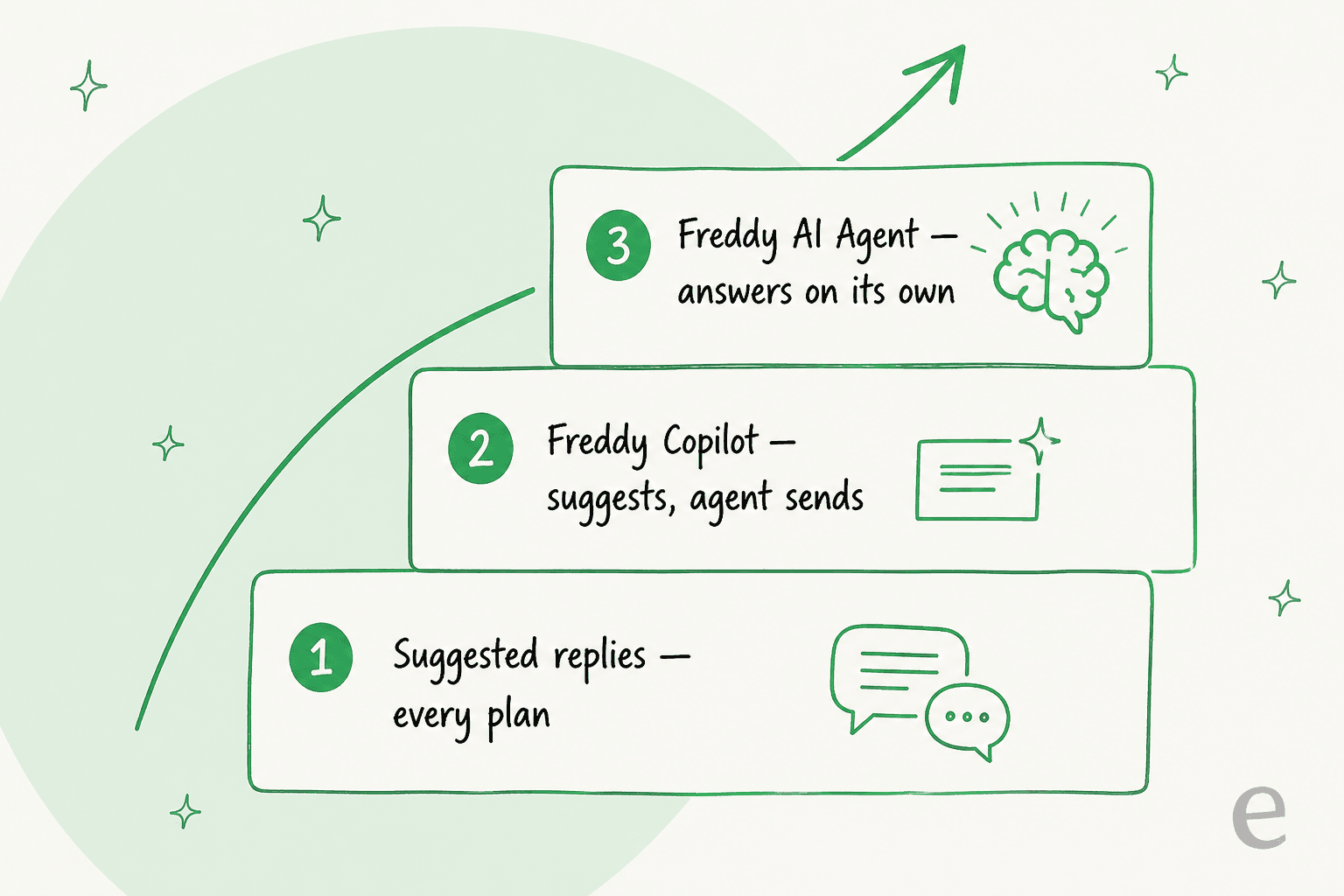
Here is the quick version of each:
- Suggested replies and writing tools. You start a reply and Freddy expands it, rephrases it, changes the tone, or recommends a solution article to paste in. A human writes and sends. These sit inside the reply editor and are the lightest touch.
- Freddy Copilot. It reads the whole conversation and your connected context, then hands the agent a ready-to-send draft. The agent reviews and sends, so a person is always in the loop. This is the Freddy Copilot add-on.
- Freddy AI Agent. This is the autonomous bot. It can answer customers end to end across email and chat, follow structured steps, and hand off to a human when it is out of its depth. This is the one people usually mean when they say "AI is answering my tickets."
There is also Freddy AI Insights, an Enterprise-only analytics layer, but that reports on conversations rather than answering them, so I will leave it aside here.
Knowing which level you actually need saves you from paying for the AI Agent when Copilot would do, or wrestling with Copilot when you really wanted the bot to just handle the easy stuff. For a wider look at what the suite includes, my Freshdesk AI features rundown goes deeper, and the Freddy AI review covers how it performs in the wild.
What you need before you start
A couple of prerequisites will trip you up if you skip them, so check these first:
- Admin access. You need to be an account admin to enable Freddy AI and manage most AI settings.
- A paid plan. Freshdesk plans start at $19 per agent per month on Growth, and Freddy features layer on top (more on cost below). There is a hidden Freshdesk free program, but it is email-first, capped at two agents, and ships with no complimentary AI sessions.
- A knowledge source. Grounded answers need somewhere to pull from: your Freshdesk knowledge base solution articles, uploaded files, or a website crawl. Past ticket history is not one of the native training inputs, which matters if your best answers live in old tickets rather than published articles.
- The channel set up. The AI Agent works on the channels you point it at, so have your email and chat widget ready before you switch it on.
If you are still deciding whether Freshdesk is the right home for all this, my Freshdesk review walks through the wider platform, and Freshdesk alternatives covers the tools people weigh it against.
A note from three years of doing this
I have spent the last three-plus years helping teams put AI agents on live support queues, and the one lesson that comes up on nearly every call is this: a bot that sounds confident is not the same as a bot that is right. I have watched an agent cheerfully tell a customer "yes, we support your model" for a product that was not in the knowledge base, simply because an article said the company "supports all models." That is why I now tell everyone to simulate a rollout against real past tickets before it ever answers a customer. On a recent call, an email-security company on Freshdesk told me they had tested Freddy AI and liked it, then found a dedicated agent more precise on their own ticket history. The tool matters less than whether you can prove it is right before you flip the switch.
Step 1: turn on Freddy AI
Everything starts in Admin. As an account admin, open your Freshdesk admin settings and enable Freddy AI for the account, then activate the Freddy AI Agent and point it at the channels you want it to cover.
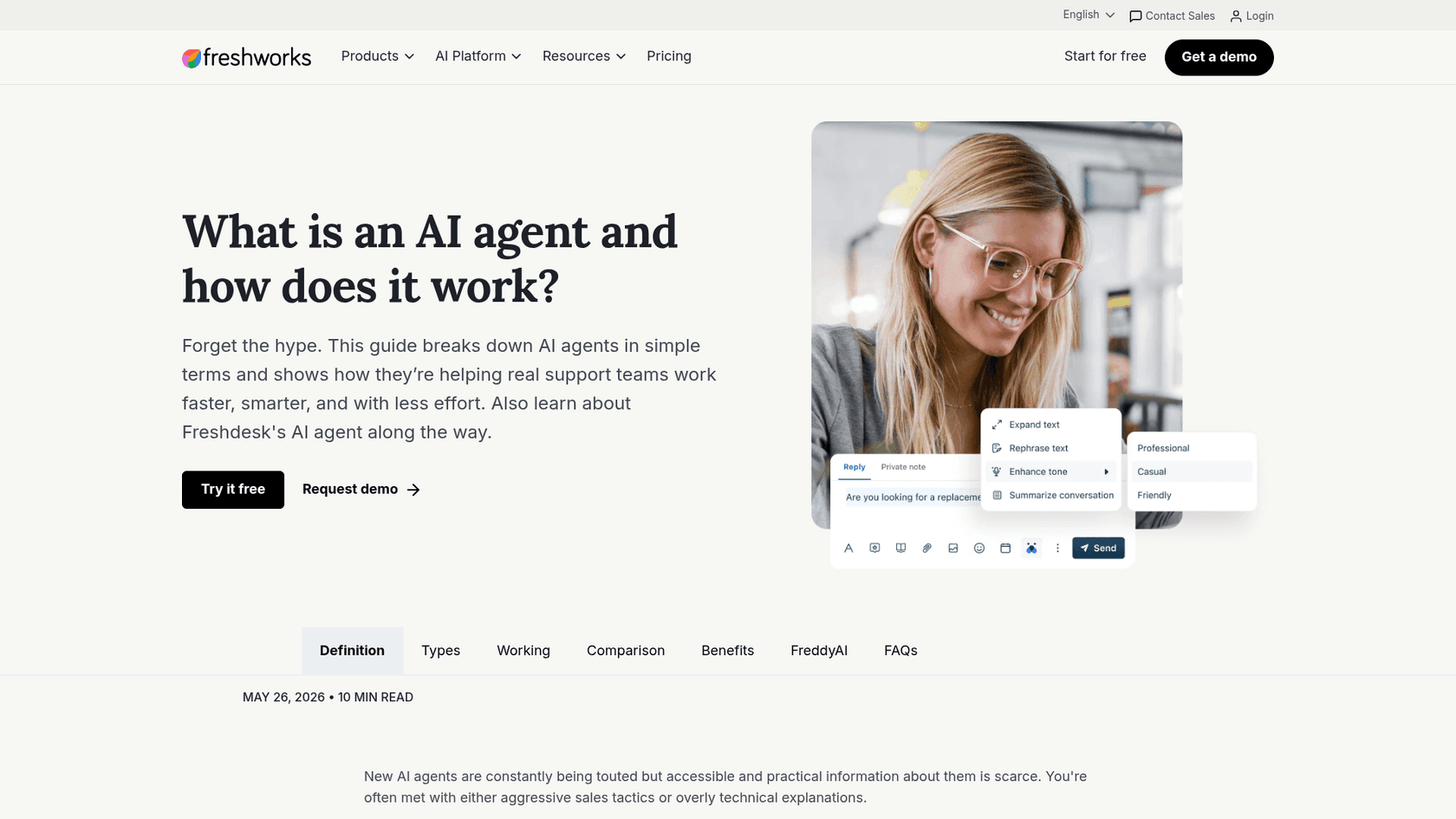
A couple of things to notice. The everyday writing tools live right inside the reply box, so agents get them the moment Freddy is on. The bigger pieces, Copilot and the AI Agent, are gated differently: the AI Agent is included on your plan with a session allowance, while Copilot is a paid per-agent add-on you enable separately. My full Freshdesk AI setup guide has the click-by-click version if you want it.
Step 2: pick and configure your response mode
This is the real decision. Below is each mode and how to get it working.
Suggested replies (AI helps you write)
If all you want is help drafting, the writing tools are already there. Open a reply, highlight your rough text, and use Freddy to expand it, tighten it, or shift the tone. It will not answer for you, it just makes the reply you were already going to write faster and cleaner. Good for teams that want a productivity nudge without handing over judgment. The reply suggester and the thank-you detector sit in this same lightweight band.
Freddy Copilot (AI suggests, you send)
Copilot is the middle ground, and honestly the one I would start most teams on. It reads across the conversation, your knowledge sources, and connected systems, then assembles a suggested reply so an agent is not staring at a blank box. It can also summarize a long thread before the agent picks it up.
To turn it on, add Freddy AI Copilot from your plan's add-ons (it is $29 per agent per month, on Pro and Enterprise). Because a human always sends, it is the lowest-risk way to put AI into your replies, which makes it a sensible first step before you trust anything to send on its own.
Freddy AI Agent (AI answers on its own)
The Freddy AI Agent is where "AI responses" get real. It resolves requests end to end across email and chat, follows the auto-triage and routing rules you set, and creates a ticket for a human when it needs to.
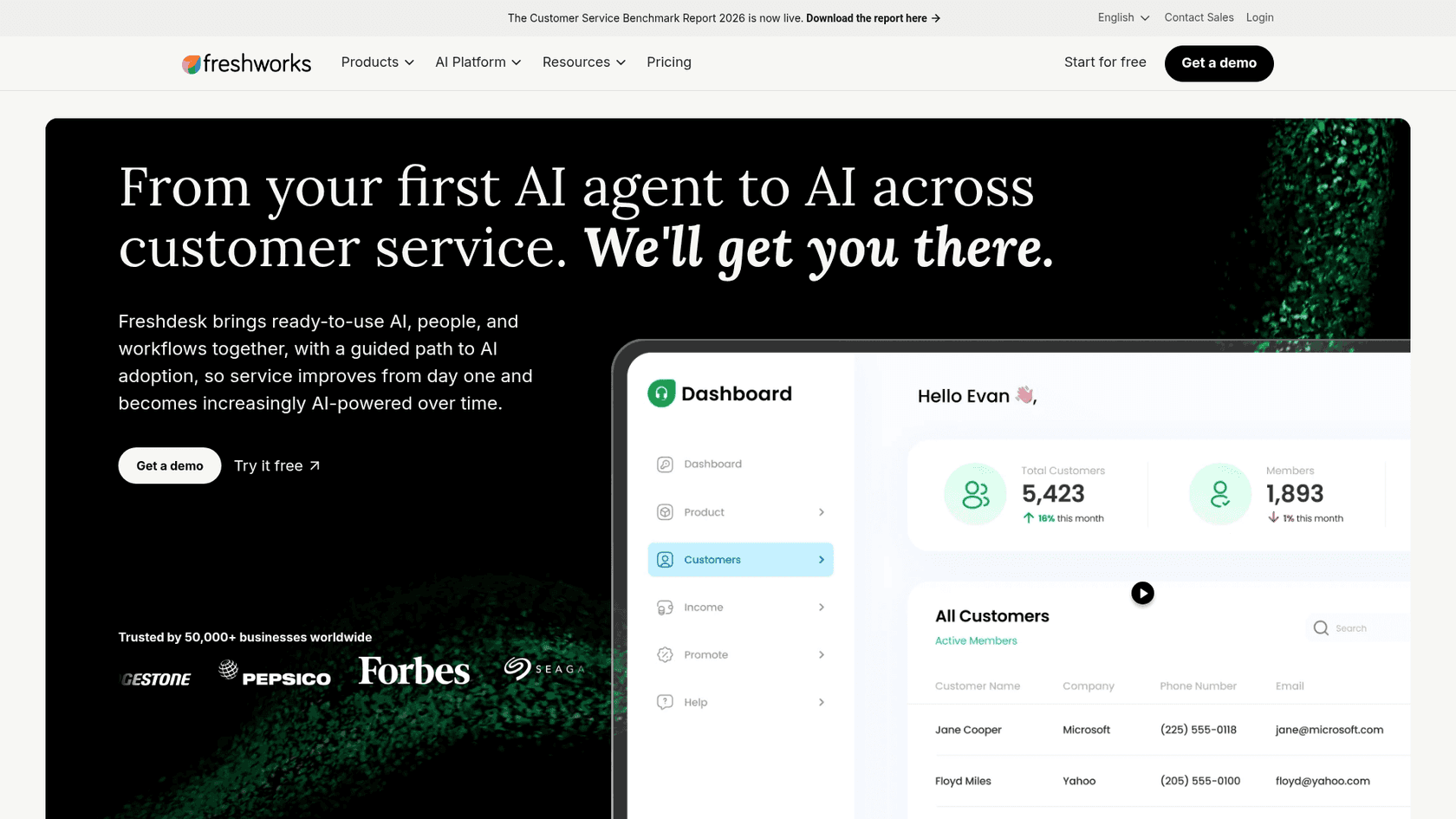
The good news is you do not need Pro to run it. The AI Agent is included on Growth too, with the first 500 sessions free. Then you build the logic: connect knowledge, write the guardrails, and decide when it should escalate. It needs real setup work before answers get good, so plan for a tuning period rather than a one-click launch. Freshdesk's own docs on AI Agent best practices are worth a read before you go wide, and I have a separate piece on training the AI assistant if you want the deeper version.
Step 3: ground the answers in your knowledge
An AI response is only as good as what it can read. This step matters more than the toggles.
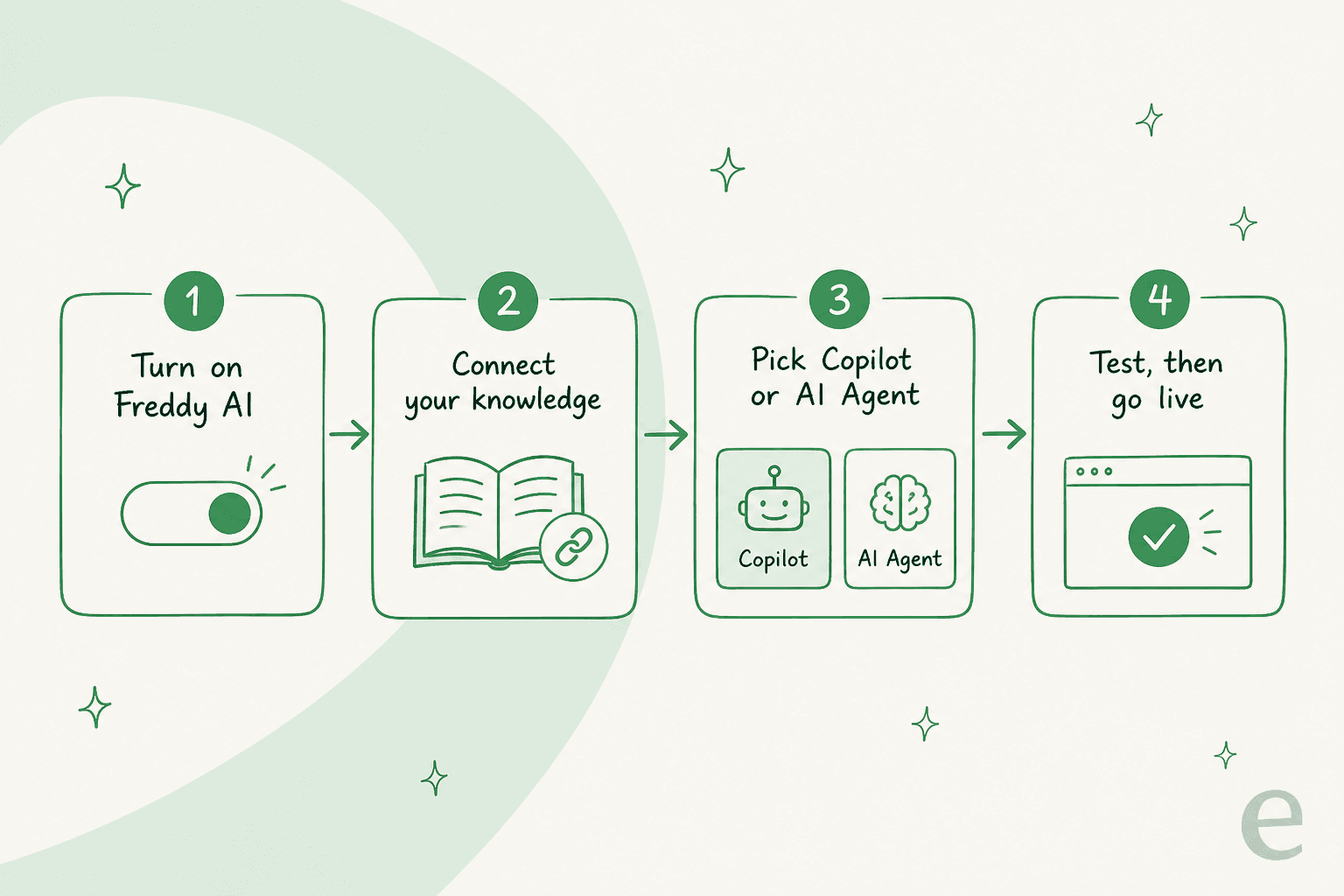
Point Freddy at your knowledge sources: published solution articles, uploaded documents, and a website crawl. A few things that actually change answer quality:
- Consolidate related help content into single, complete articles. A topic split across five short articles is easier for the AI to miss than one thorough one.
- Keep the source list tidy. Out-of-date articles do not just fail to help, they actively teach the AI wrong answers.
- Put a guardrail before the AI step for things it cannot resolve, like account-specific billing, so it hands those straight to a human.
One honest limit worth naming: Freddy trains on your articles, files, and website, but your past ticket history is not one of the native inputs. If your sharpest answers are buried in resolved tickets rather than published docs, you will need to write those up as articles first, or use a tool that can learn directly from ticket history.
Step 4: test before it faces a customer
This is the step teams skip and regret. Before the AI Agent answers a single live customer, scope it tightly and watch it.
Freshdesk's Enterprise plan includes a sandbox for staging changes, and on any plan you can keep the AI Agent limited to a handful of low-risk intents first, then widen it as you build trust. Keep an eye on the AI analytics for where it is guessing versus where it is grounded.
The reason to be careful is not hypothetical. On one call, a buyer scaling toward roughly 9,000 interactions a month burned through 200 AI interactions in a single test day, then went quiet worrying about what that would cost at full volume. Testing is where you catch both the wrong answers and the runaway costs, before either one reaches a customer or an invoice.
What Freshdesk AI actually costs
This is where most of the confusion lives, so here is the real picture from Freshworks' own pricing page.
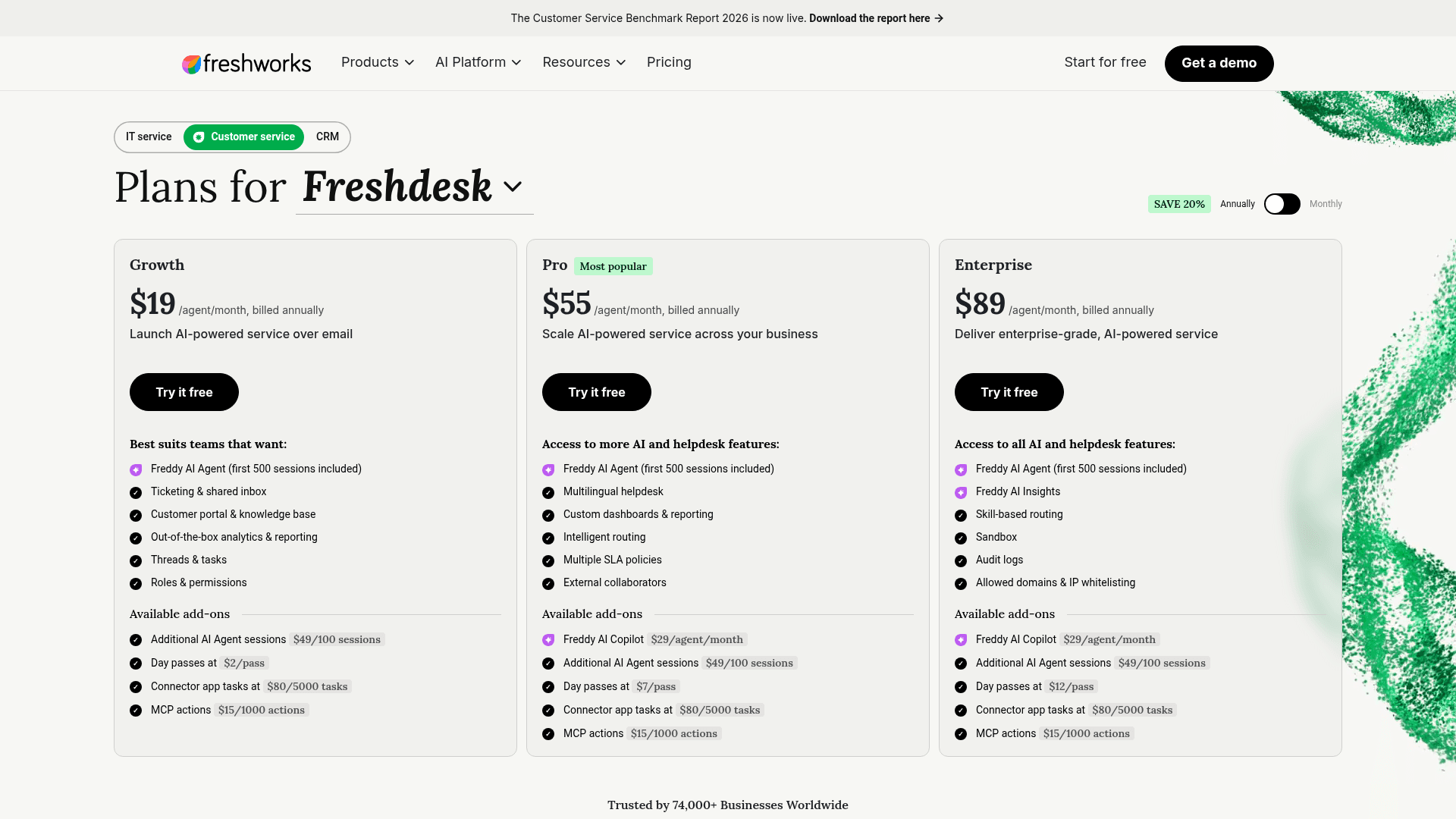
The plan tiers are Growth $19, Pro $55, and Enterprise $89 per agent per month, billed annually. On top of the seat cost, the AI is billed by session:
- Every plan includes 500 Freddy AI Agent sessions, one time, not a monthly refill.
- After that, extra sessions cost $49 per 100, which works out to $0.49 a session.
- An email session is a 72-hour window from the customer's first email, so every AI reply to that same customer inside the window counts as one session.
- Freddy Copilot is a separate $29 per agent per month add-on, on Pro and Enterprise only.
The detail that saves real money: because the autonomous agent is on Growth, a five-seat team does not need Pro to run it. Five Growth seats is $95 a month versus $275 on Pro, and both keep the AI Agent. My Freshdesk AI pricing breakdown and the note on session consumption go deeper on how the meter ticks.
The wrinkle is predictability. Session-based billing is fine until a busy month or a backlog reply pushes you past the included 500, and the free-alternatives question comes up precisely because that meter is hard to forecast.
The dedicated-agent alternative
Freshdesk's native tools are a real fit if you live inside Freshdesk already and your answers are mostly in published articles. But two things send teams looking: the setup-and-tuning effort, and per-session pricing that is hard to predict. A dedicated agent is built for exactly those two gaps.

Here is where eesel fits for a Freshdesk team specifically. It is an AI helpdesk teammate that installs on Freshdesk in minutes, and unlike Freddy it learns directly from your past tickets as well as your articles, so it sounds like your team from day one. Before it answers anyone, you can run a simulation over hundreds of your real historical tickets, and eesel scores its drafts against what your agents actually sent, so you see the real reply rate and where it needs work instead of guessing.
Pricing is the other half. eesel bills a flat $0.40 per ticket handled, one conversation is one task regardless of how many replies it takes, with no per-seat fees and a hard monthly spend cap you set yourself. That is the answer to the 200-interactions-in-a-day worry above: the cost is a straight line, not a meter you have to watch.
If you work from a terminal or want to automate the setup, eesel also ships a CLI. It drives the same teammate and workspace as the dashboard, so a person can inspect connections, instructions, and automations from the command line, scripts can wire changes into CI, and coding agents like Claude Code, Codex, and Cursor can operate it directly. It is the same agent, just reachable from your tools rather than only a browser tab. For the full menu of options, my best AI for Freshdesk roundup weighs the native route against the dedicated ones, and using ChatGPT with Freshdesk covers the DIY path.
Which path should you pick?
A quick way to decide:
- Stay native if your answers are already in clean, current solution articles, your volume is steady enough that 500 sessions covers you, and you want everything in one bill. Start on Growth with the AI Agent, not Pro.
- Add Copilot if you are not ready to let AI send on its own, but want every agent drafting faster. It is the safest first step.
- Bring a dedicated agent if your best answers live in past tickets, you want to test on real history before going live, or you need a flat, predictable per-ticket cost. See the Freshdesk integration for how it connects.
Whichever way you go, the order is the same: connect knowledge, test hard, then widen. The teams that get burned are the ones that flip the switch and hope. For more on getting the native agent right, best AI for Freshdesk and the Freddy AI review are the two I would read next.
Frequently Asked Questions
How do I turn on AI responses in Freshdesk?
Is the Freshdesk AI Agent available on the Growth plan?
How much does Freshdesk AI cost per response?
Can I test Freshdesk AI responses before customers see them?
What is the difference between Freddy Copilot and the Freddy AI Agent?
What is the best AI for Freshdesk responses?



Article by
Kurnia Kharisma Agung Samiadjie
Kurnia is a software engineer and writer at eesel AI with two years of SEO experience, writing about AI tools, helpdesk software, and customer support. He pairs a developer's understanding of how these products are built with search-driven research into what actually ranks and resonates with the people searching for them.