KalTalk pricing explained: every plan, cap, and real cost

Kurnia Kharisma

Katelin Teen
Last edited August 27, 2026

What KalTalk is, and why pricing is the whole question
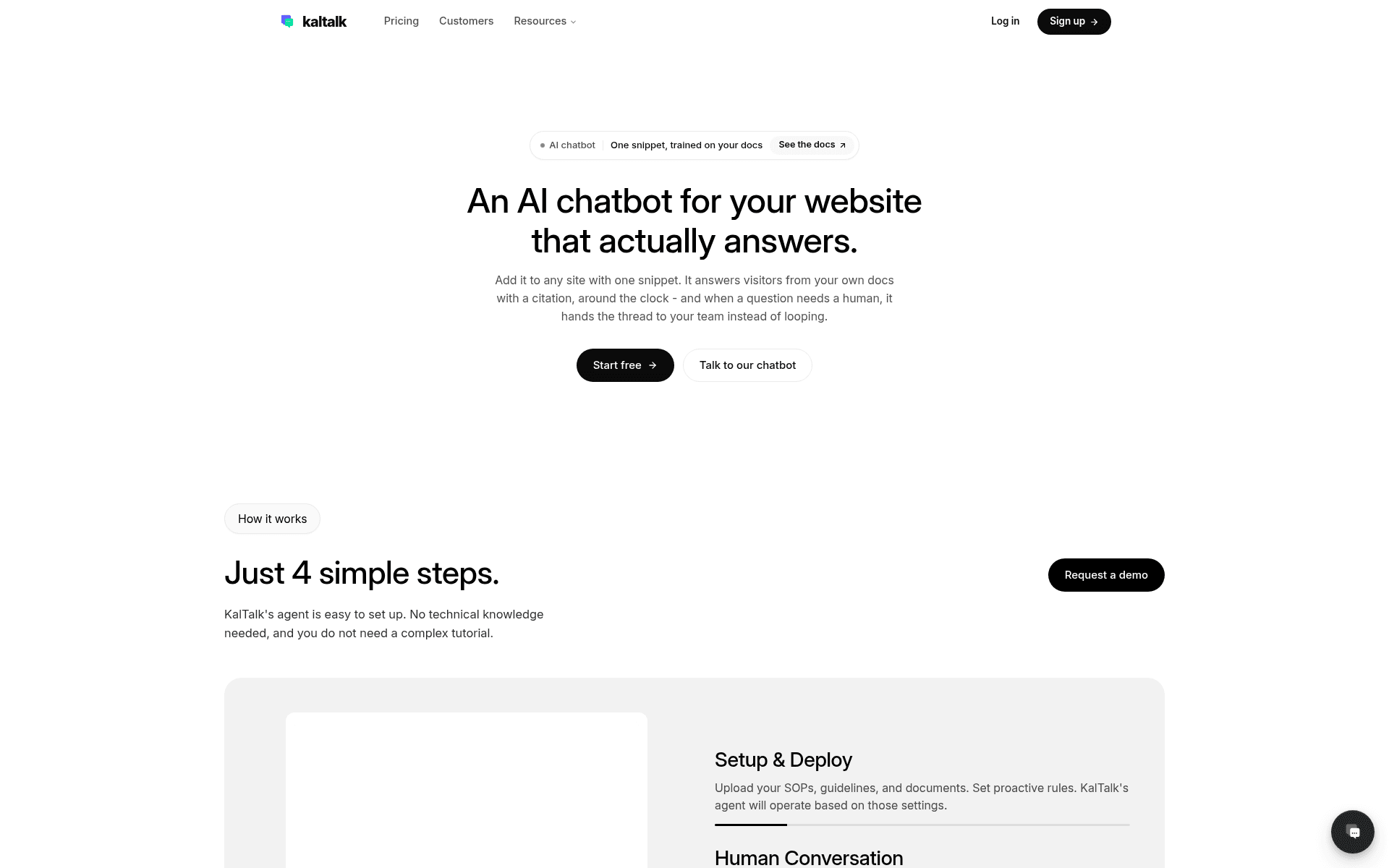
KalTalk is an AI-native support tool built for small teams. One configurable AI agent and your human agents share a single inbox across a website chat widget, email, and WhatsApp. The AI answers from your own docs with citations, hands off to a human when its confidence drops, and can even reach out to high-intent visitors like a light sales assistant.
I have spent a couple of years now watching teams shop for exactly this kind of tool, and the first question is always the same: what is this actually going to cost me once it is live. The honest answer is rarely the number on the pricing page. One budget-conscious buyer I worked with had watched a previous vendor's price more than double on them, and walked into every demo asking for a contractual price lock before they would even talk features. That instinct is right. With flat-cap pricing like KalTalk's, the sticker is the easy part; the caps behind it are what set your real spend.
So this post does the boring, useful work: every plan, every limit, the billable units defined properly, and a couple of worked examples so you can see where the price actually lands for a team your size.
KalTalk pricing at a glance
Here is the live pricing page. Note the Monthly/Annual toggle at the top, the default view (and the numbers below) are the annual-billed rates.
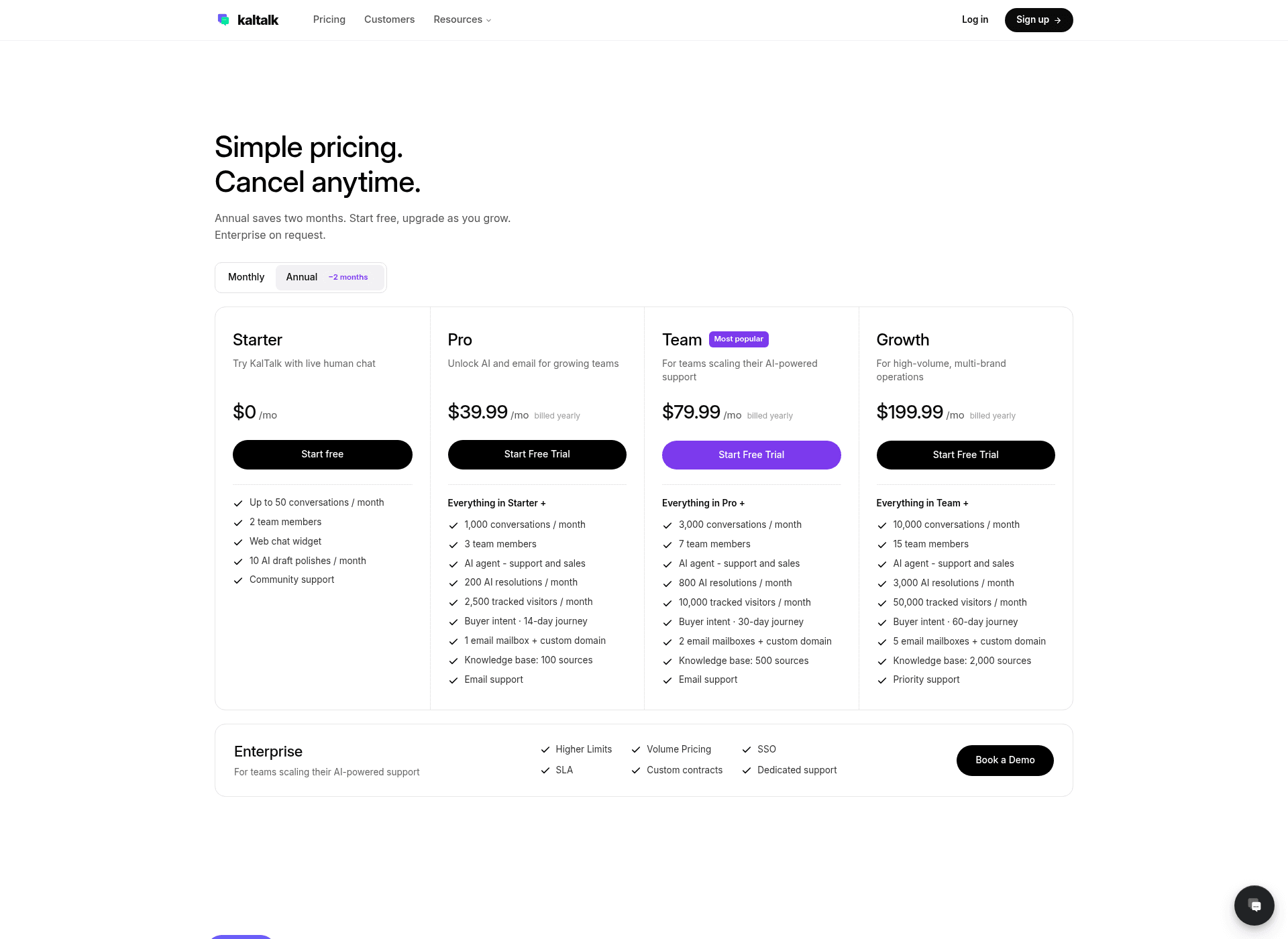
And here is every plan laid out with the limits that matter, so you can compare across tiers in one place:
| Plan | Price (billed yearly) | Conversations / mo | AI resolutions / mo | Seats | Email mailboxes | Knowledge base sources | Tracked visitors / mo |
|---|---|---|---|---|---|---|---|
| Starter | $0 | 50 | 0 (AI off, 10 draft polishes) | 2 | 0 | 0 | 0 |
| Pro | $39.99/mo | 1,000 | 200 | 3 | 1 | 100 | 2,500 |
| Team (most popular) | $79.99/mo | 3,000 | 800 | 7 | 2 | 500 | 10,000 |
| Growth | $199.99/mo | 10,000 | 3,000 | 15 | 5 | 2,000 | 50,000 |
| Enterprise | Custom | Unlimited | Unlimited | Unlimited | Unlimited | Unlimited | Unlimited |
A few things worth flagging before we go plan by plan. Pricing is billed per organization, not per seat, which is genuinely nice, adding a teammate does not change your bill until you cross the seat cap. There is no standalone /pricing page; the pricing anchor lives on the homepage. And the real AI product starts at Pro, since Starter is human live chat only.
Starter ($0/mo): human live chat, no AI
The free tier is a live-chat widget and nothing more. You get up to 50 conversations a month, two team members, and the web chat widget. It includes 10 "AI draft polishes" a month, which cleans up an agent's wording, but zero AI resolutions and zero knowledge base sources. In other words, the AI agent that KalTalk's whole pitch is built on is switched off here. Starter is a way to try the shared inbox, not a way to try the AI.
Pro ($39.99/mo): where the AI actually turns on
Pro is the real entry point. For $39.99/mo billed yearly you unlock the AI agent (support and sales), 1,000 conversations a month, 200 AI resolutions, three seats, one email mailbox with a custom domain, a 100-source knowledge base, and 2,500 tracked visitors for buyer-intent scoring on a 14-day journey. For a solo founder or a two-to-three person team, this is the plan you are comparing against everything else.
Team ($79.99/mo): the "most popular" step up
Team is KalTalk's flagged default. It roughly triples your headroom: 3,000 conversations, 800 AI resolutions, seven seats, two mailboxes, a 500-source knowledge base, 10,000 tracked visitors, and a 30-day buyer-intent journey. If Pro's 200-resolution cap is your bottleneck (and it often is, more on that below), Team is where you land.
Growth ($199.99/mo): high volume and multi-brand
Growth is for teams running real volume or multiple brands: 10,000 conversations, 3,000 AI resolutions, 15 seats, five mailboxes, a 2,000-source knowledge base, 50,000 tracked visitors, a 60-day journey, and priority support. It is a big jump from Team both in price and in what you get.
Enterprise (custom): the cap comes off
Enterprise is the only tier without hard caps, KalTalk lists unlimited conversations, resolutions, seats, mailboxes, and knowledge base sources per its own llms.txt, plus SSO, an SLA, custom contracts, and dedicated support. Pricing is quote-only via a demo booking. If SSO or an SLA is non-negotiable for you, this is the only plan that carries them.
The add-on: WhatsApp is $19 per number
The one clean, predictable add-on is WhatsApp. It is $19 per linked number, per month, and it works on any plan, including the free Starter tier. There are no per-message or per-conversation fees on it, you can add multiple numbers and cancel anytime (docs). If you run support through WhatsApp, budget that on top of your plan. It is the same channel eesel supports through its own WhatsApp integration, so it is a fair like-for-like line item to compare.
The part that decides your bill: AI resolutions
Here is the thing most pricing tables bury. KalTalk meters two different things, and they are not the same size.
A conversation is one chat or email thread for one customer, counted the moment it is created and never given back. An AI resolution is a conversation the AI moves to resolved with no human agent message in it. If a thread reopens and the AI resolves it again, that counts as a second resolution.
Now look at the gap between the two caps on each plan:
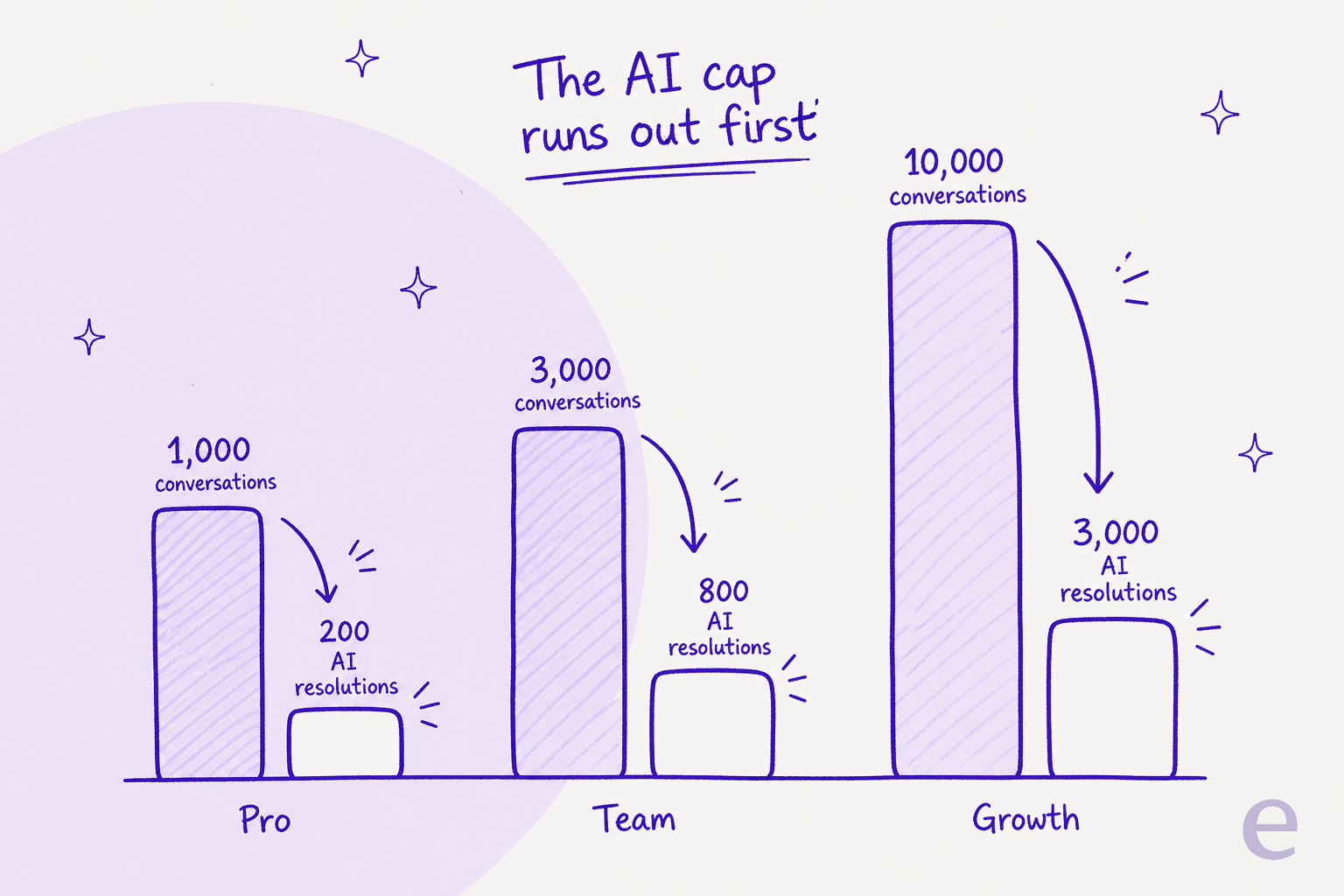
On Pro you get 1,000 conversations but only 200 AI resolutions. That is a 5-to-1 ratio. So if your AI is doing its job and actually resolving a decent chunk of your inbound, the resolution cap runs dry long before the conversation cap does. A team on Pro getting 600 chats a month, with the AI resolving even a third of them, blows straight past 200 resolutions and gets forced up to Team. The conversation number you anchored on was never the real limit.
This is the single most important thing to model before you pick a plan: estimate your AI resolutions, not your total volume. If you are unsure what "resolution" even means across tools, our explainer on AI customer service metrics untangles resolution rate, deflection, and containment, which vendors love to use interchangeably.
What happens when you hit a cap
This is the other half of the story, and it is where flat-cap pricing bites hardest. On every paid plan except Enterprise, when you exhaust a metered limit, KalTalk hard-blocks new conversations or AI replies until your next billing cycle and shows an upgrade prompt.
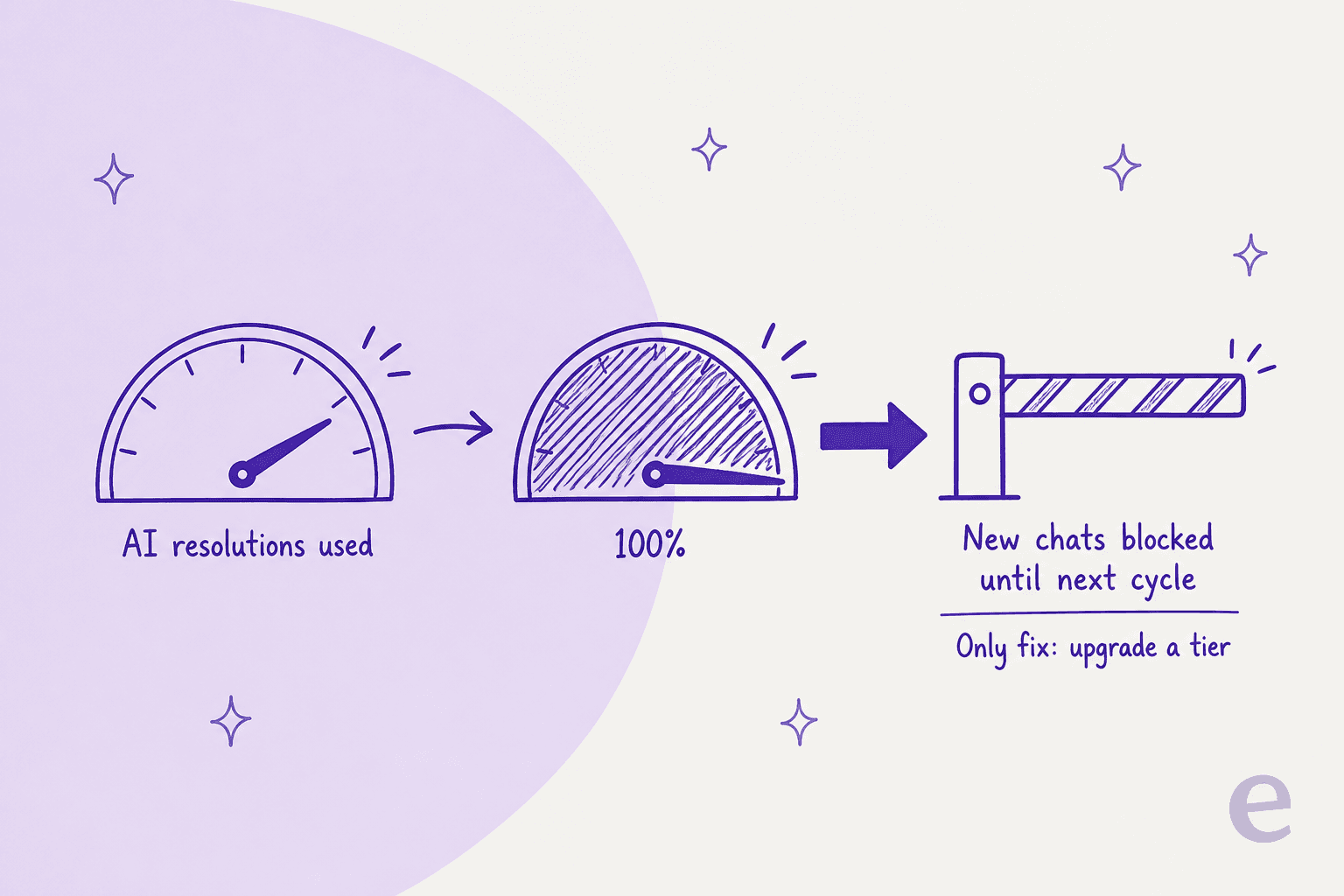
There is no published pay-as-you-go rate. You cannot just pay a bit more for the extra 40 resolutions you needed this month, the only lever is upgrading to the next tier, which then applies for the rest of your term. For a support tool, "new conversations blocked" is a scary sentence, it means a customer messaging you mid-cycle can hit a wall. In fairness, upgrades are immediate and prorated, so the fix is fast; but it is a jump to a bigger commitment, not a small metered top-up.
The practical takeaway: on flat-cap pricing you are choosing between two mild forms of waste. Buy a tier with comfortable headroom and you pay every month for capacity you may not touch. Buy tight to save money and you risk getting blocked, or bounced up a tier, right when volume spikes. This is the classic tradeoff that per-usage models are designed to remove, and it is worth reading alongside a straight AI agent vs human cost comparison when you build your budget.
Monthly vs annual: the sticker is the annual rate
One more thing that trips people up. The prices KalTalk shows by default ($39.99, $79.99, $199.99) are the annual-billed rates, meaning you pay for the year upfront. The pricing page's toggle advertises annual as saving two months, so the month-to-month rate is roughly 20% higher: Pro is $47.99/mo paid monthly, Team is $95.99/mo, and Growth is $239.99/mo (these higher figures show up in KalTalk's own llms.txt).
So Pro's real annual commitment is about $479.90 upfront. That is still cheap in absolute terms, but it is worth being precise: the headline $39.99 assumes you are prepaying a year, and if you want the flexibility of monthly billing you pay a fifth more for it.
Worked examples: what a team your size actually pays
Numbers in the abstract are hard to feel, so here are two realistic teams.
A small store, ~150 support conversations a month. Say the AI resolves 120 of them. That is well inside Pro's 1,000-conversation and 200-resolution caps. You pay $39.99/mo (annual), or $47.99 monthly. Add one WhatsApp number and it is $58.99/mo. For this team, KalTalk's flat pricing is genuinely a good deal, and this is exactly the sweet spot it is built for.
A growing team, ~1,200 conversations a month, AI resolving 500. Now Pro is out on two counts: you are over the 1,000-conversation cap and, more decisively, more than double the 200-resolution cap. You are on Team at $79.99/mo (annual) for 800 resolutions, and if you keep growing toward 800 resolved, you are already eyeing Growth at $199.99. The resolution cap, again, is what moves you up the ladder, not the raw conversation count.
Here is the subtler point those examples expose. Because the price is fixed but the cap is not always full, your effective cost per resolution swings wildly with how much you actually use:
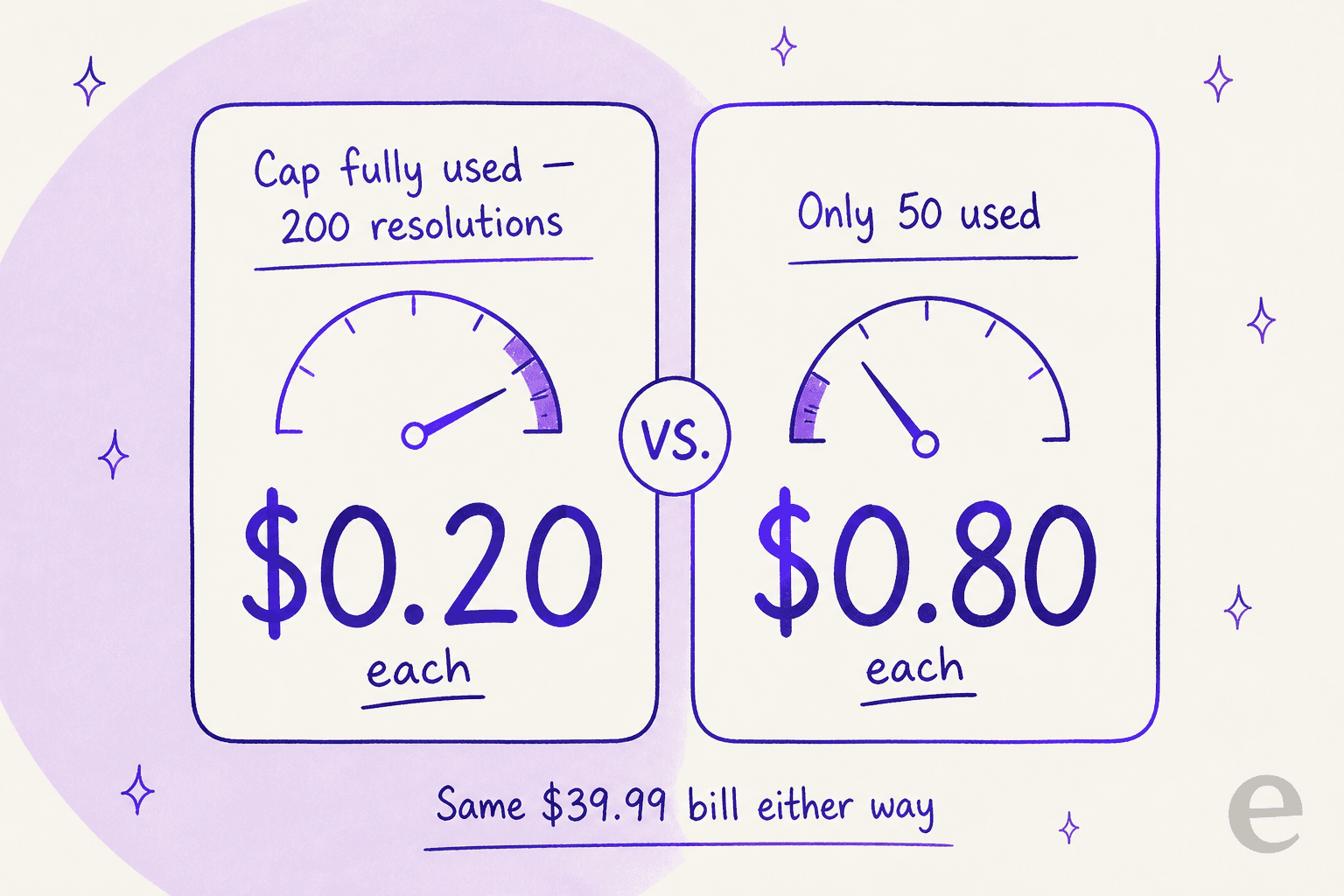
Fill Pro's 200-resolution cap and each resolution effectively costs you 20 cents, which is excellent. Use only 50 and you have paid 80 cents each for the same $39.99. Flat pricing rewards saturation and quietly penalizes the months you are slow. That is neither good nor bad on its own, it just means the deal depends entirely on whether your volume reliably fills the cap you bought.
How KalTalk's model compares to credit-based AI support
KalTalk's flat-cap approach is one of two philosophies in AI customer service software pricing. The other is a fixed monthly credit plan, where 1 credit covers a ticket or chat and you choose whether to allow overage.
This is where I will be upfront that I work on eesel, which sits firmly in the credit-plan camp, so treat this as the contrast, not a neutral verdict. eesel is an AI helpdesk teammate that joins the queue you already run, in Zendesk, Freshdesk, Front, Help Scout, Gorgias, or a website widget, rather than asking you to move into a new inbox.
The pricing model is the real difference:
| KalTalk | eesel | |
|---|---|---|
| Model | Flat monthly per org, hard caps | Fixed monthly credit plan, from $299/mo |
| Billable unit | AI resolution (capped per tier) | 1 credit per ticket or chat handled |
| Overage | None, you get blocked or upgrade | Optional, $0.80 per extra credit with a cap you set |
| Seat fees | Capped seats per tier | No per-seat fees |
| Test before you buy | Free Starter (human chat only) | Simulate on your past tickets |
| Runs inside your helpdesk | New shared inbox | Joins Zendesk, Freshdesk, Front, etc. |
With eesel, you are never charged per message or per reply, one credit covers one ticket or chat no matter how many back-and-forths it takes. There is no platform fee and no per-seat fee, and if a busy month arrives you can turn on overage instead of getting blocked. The plans look like this:
| Tickets or chats per month | eesel monthly price |
|---|---|
| 100 | Free plan (100 credits) |
| 500 | $299 |
| 1,000 | $499 |
| 2,500 | $999 |
| 5,000 | $1,899 |
Extra credits beyond your plan are $0.80 each if you turn overage on, and above 5,000 a month you talk to eesel for a custom plan.
The other piece flat-cap tools cannot easily match is the simulation step. Before eesel touches a single live ticket, we have spent years learning the hard way that a confident-sounding bot can quietly give wrong answers, so every rollout runs against your own historical tickets first, so you see the real resolution rate and exact cost on your actual data before going live. That is the answer to the "what will this actually cost me" question that the KalTalk buyer I mentioned at the top could never get from a pricing page.
None of this makes KalTalk a bad choice, for a small team that comfortably lives inside a tier and wants an all-in-one inbox with chat, email, and WhatsApp, its flat price is easy to reason about. It is a fit question, not a quality one, and it comes down to whether flat-with-hard-caps or a credit plan with optional overage matches how your volume behaves.
One honest caveat on KalTalk
Worth saying plainly: KalTalk looks new. As of this writing it has effectively no independent review footprint, no G2 product page, a Capterra listing showing 0 reviews, and roughly a single Trustpilot review. The two customer results on its homepage (an "80% of order-status tickets auto-resolved" claim and a "one person covers every escalation" claim) are vendor-published testimonials from two named founders, not third-party reviews. That is not a knock, every tool starts somewhere, but it does mean you are buying largely on the strength of a trial rather than a body of public feedback. Weigh that against the low price and lean on the free tier and trial before committing to an annual term.
Try eesel
If the caps and cap-cliffs above are the reason you are reading a KalTalk pricing breakdown in the first place, eesel is worth a look. It is an AI helpdesk teammate that plugs into the helpdesk you already run, learns from your past tickets and docs, and starts at $299/month for 500 credits (1 credit per ticket or chat) with no seat fees, no platform fee, and optional overage instead of a hard block. The part I would actually use first: a simulation on your past tickets to see the exact resolution rate and cost before anything goes live, then roll it out gradually.

You can try eesel for free and run the simulation on your own data before you decide anything.