Pylon vs ClearFeed (2026): pricing, AI, and the Slack question

Rama Adi Nugraha

Katelin Teen
Last edited September 22, 2026

The one-line version of each
Both companies started from the same observation. In B2B, your biggest customers don't use your ticket form. They message you in a shared Slack channel, and after 50 or 200 of those channels, requests fall through the cracks. Pylon and ClearFeed both turn that Slack sprawl into a real support queue, and both land on most shortlists of the best AI helpdesk software. What differs is how far they go.
Pylon is a YC-backed platform (founders Marty Kausas, Advith Chelikani, and Robert Eng) that repositioned in 2026 as "the agentic support platform for B2B." The pitch is that support people stop doing the work and instead direct AI agents that investigate, draft, and act. It's omnichannel, account-centric, and priced like enterprise software, meaning you talk to sales.
ClearFeed describes itself, in its own footer, as a "Conversational Support Platform on Slack." That phrase is load-bearing. Slack is not one channel among many; Slack is the agent's workspace. Everything else, Teams and email and web chat and Discord, is an inbound source that gets piped into Slack for the team to work from. It's cheaper, more transparent on price, and narrower on purpose.
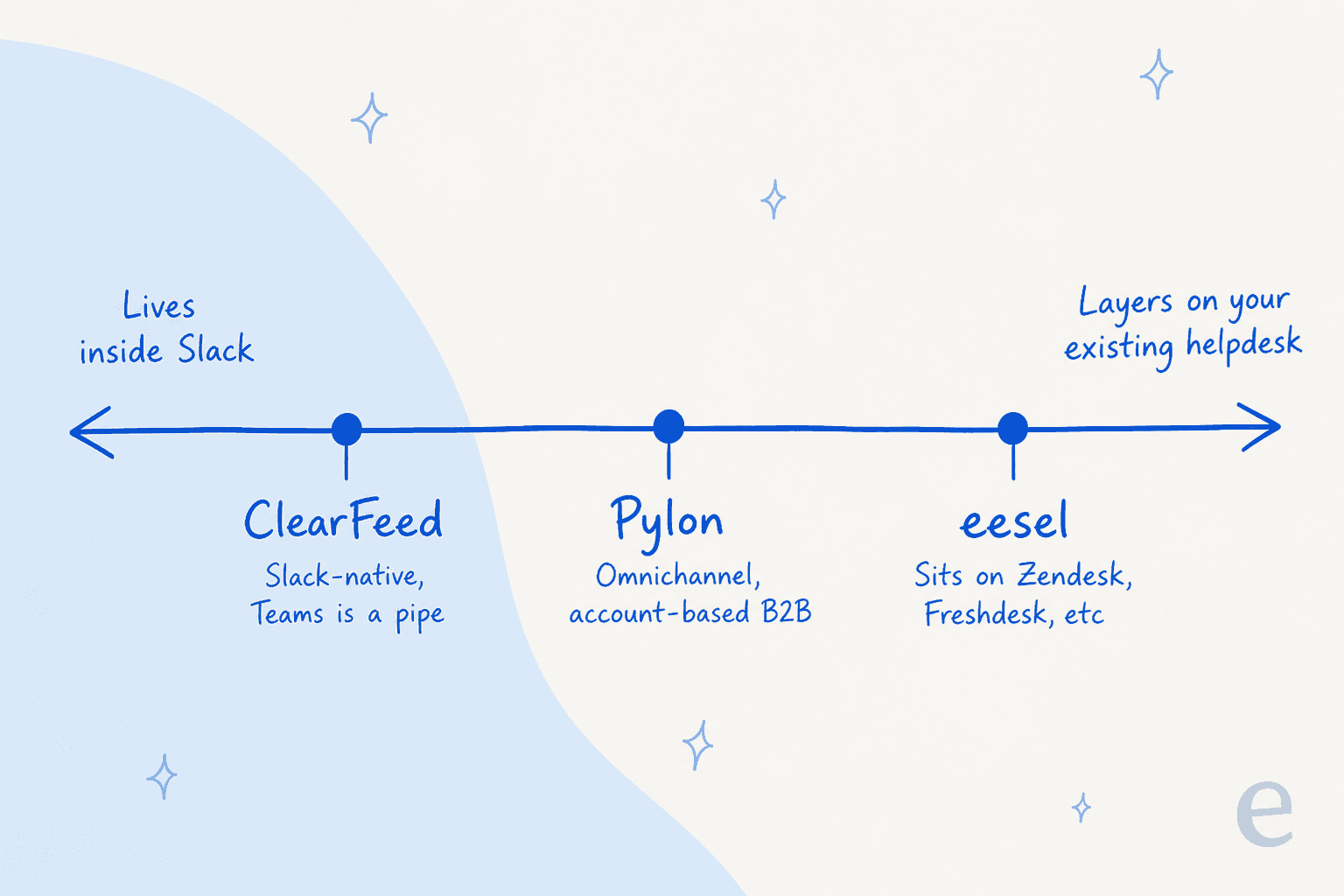
Pylon vs ClearFeed at a glance
Here's the honest side-by-side. I've kept every number to what each vendor publishes on its own pages or docs, and flagged where a figure only shows up in a third-party listing.
| Dimension | Pylon | ClearFeed |
|---|---|---|
| Core model | Omnichannel agentic support platform | Slack-first triage and helpdesk layer |
| Starting price | Not published; demo only (G2 lists $59/seat) | $24/agent/mo Starter, $49 Professional |
| Free trial | None advertised (demo-gated) | 14 days, no credit card |
| AI billing unit | Not disclosed publicly | Per invocation (credit), $2 per 10 credits overage |
| Primary channel | Slack, Teams, email, chat, SMS, WhatsApp, phone, Discord | Slack (Teams/email/chat route into Slack) |
| Historical-ticket AI test | Yes, backtest on past issues | No, one-question playground only |
| Helpdesk sync | Native platform (can replace Zendesk) | Bi-directional with Zendesk, Jira, Freshdesk, Salesforce |
| Certifications | SOC 2 Type II, ISO 27001, ISO 42001, GDPR | SOC 2 Type II, GDPR, HIPAA (no ISO) |
| Data regions | US + EU (AWS) | US only (us-east-1), EU "coming soon" |
| Mobile app | None (common complaint) | None |
| G2 rating | 4.7/5 (111 reviews) | 4.6/5 (160 reviews) |
| Funding | $51M+ (a16z, Bain, GC, YC) | $2.7M seed (Peak XV, 8VC) |
The pattern under the table: Pylon is the more ambitious, better-funded platform that wants to be your whole support stack, and ClearFeed is the focused, transparent tool that wants to make Slack support work without you leaving Slack.
Pricing: the biggest difference before you even log in
If you only take one thing from this comparison, take this. ClearFeed will tell you what it costs. Pylon won't.
ClearFeed publishes an actual rate card, though it's more complicated than it first looks. There are three separately-priced products, and the helpdesk product has two billing meters you choose between.
ClearFeed helpdesk, agent-based (the "seat" plan):
| Plan | Per agent / month | Agent band | AI included |
|---|---|---|---|
| Starter | $24 | 1-15 agents | Light AI; AI Pack is a $20/mo add-on |
| Professional | $49 | 1-15 agents | AI Pack included, 50 credits per agent |
| Custom | Quote | >15 agents | Volume AI discount |
There's a catch the pricing page doesn't mention: the agent plan carries a documented 200-tickets-per-agent-per-month quota. Blow through it and you get billed for additional agent licenses you didn't hire. It's pooled across your team, so it behaves like a volume plan wearing a per-seat label. Fair to ClearFeed, that page is the stalest in their docs, so treat the exact number as "documented" rather than freshly confirmed. Still, it's the kind of thing you'd want to surface in the demo.
Pylon, by contrast, has no public pricing whatsoever. The /pricing page is a "Schedule a personalized 30-minute demo" form. No tiers, no seat price, no AI billing unit. The only numbers that leak out are on its G2 listing, where Pylon itself has posted Starter at $59/seat/mo and Professional at $89/seat/mo, roughly 2x ClearFeed's published seat rates. Whether that's the real current price or an old placeholder, only a sales call will tell you.
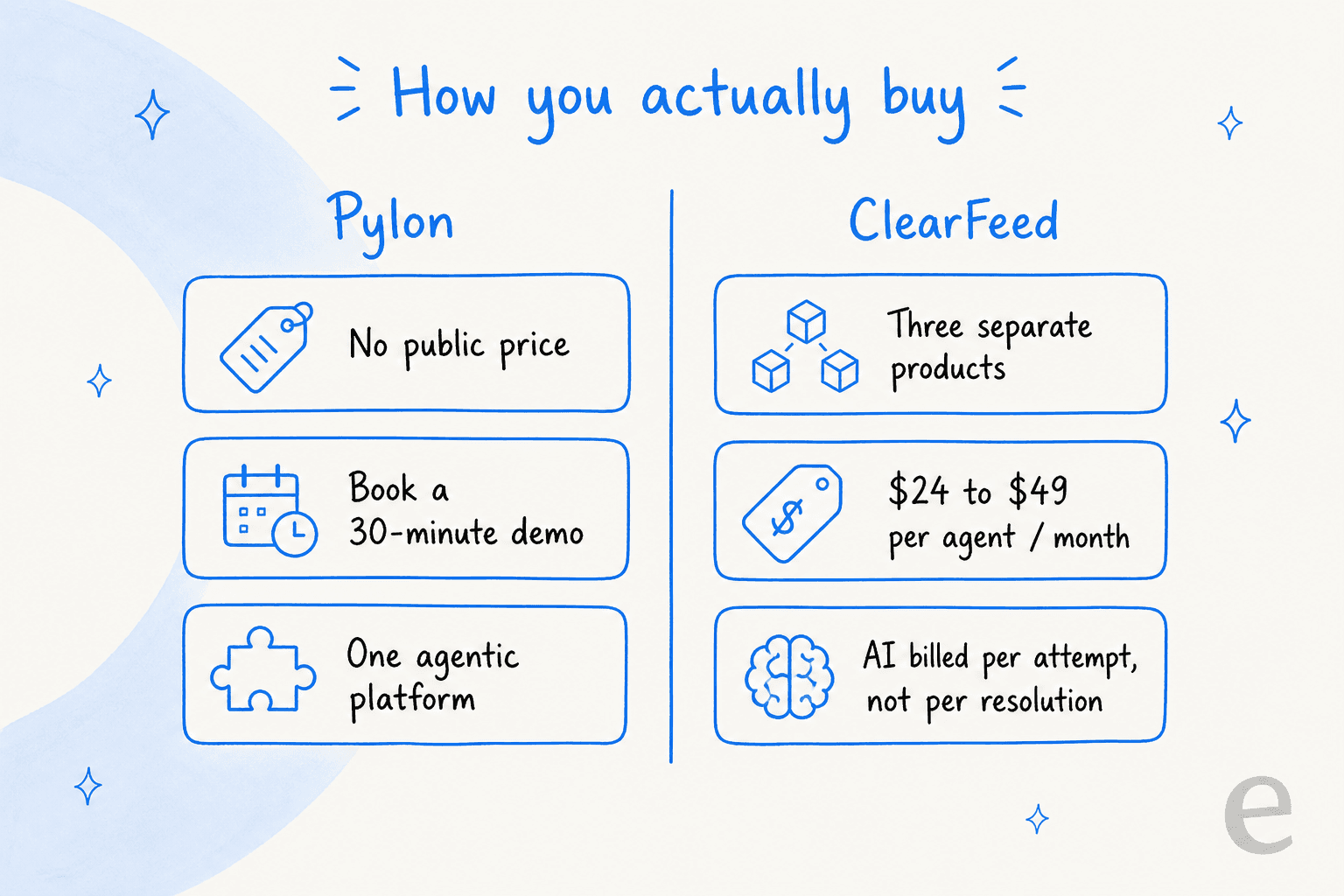
How ClearFeed meters its AI, and why it matters
ClearFeed's AI is billed per invocation, which they call a credit. This is the sharpest fact in the whole rate card, and it's worth quoting their docs directly:
A GPT-request is counted for the purposes of billing if GPT models are invoked to try to generate an answer. [...] it is not necessary that every GPT Request will lead to a successful answer. In some cases the GPT Models will not be able to compute an answer [...] and such invocations of GPT models DO count towards billing.
So you pay for the attempt, not the outcome. A confident wrong answer bills the same as a correct one. Overage is a flat $2 per 10 credits, or $0.20 per invocation, across every tier. That's the one number that never changes. It's a defensible model, but it means you can't easily forecast your AI bill, and there's no way to estimate accuracy before you turn it on (more on that below). This is the opposite of a per-resolution price, where you only pay when the AI actually closes something.
Pylon doesn't disclose its AI billing unit at all, which is a real gap for anyone trying to model cost. You genuinely cannot compare the two on AI economics from public information, because half the comparison is behind a sales call.
The AI agents: what each one actually does
This is where the platforms diverge most, and where reading the docs beats reading the homepage.
Pylon doesn't ship a single AI agent; it ships a family, and the docs flag most of them as beta. There's an Assist Agent (a human-in-the-loop copilot that drafts replies and suggests actions for a teammate to approve), Background Agents that run asynchronous investigations when a trigger fires, and a customer-facing Support Agent that can resolve issues end to end. They're stitched together with Skills, reusable plain-language instructions that teach any agent how to handle a workflow. It's a thoughtful agentic architecture, the kind you'd expect from a serious customer-service AI agent, and the standout in reviews is its MCP integration with Claude:
The MCP integration with Claude is the standout feature, we can search issues, pull account context, and triage tickets conversationally without switching tools. [...] the AI escalation flow saves us real time every day.

ClearFeed's AI is narrower and more concrete. It has three agent types: Answer Agents (answer from indexed knowledge and take actions in connected tools), Doc Updater Agents (flag stale documentation), and Insights Agents (natural-language analytics). The most interesting one for IT teams is the agentic action set: the Okta integration alone can reset passwords, unlock accounts, suspend users, and manage group membership, all from Slack, with the admin choosing which actions the agent is allowed to perform. If your use case is an internal IT helpdesk rather than customer-facing tier-1 deflection, that write-action capability is a real strength.
Both agents draw on connected knowledge (docs, past tickets, help centers) rather than fine-tuning. The honest read from users is that neither is magic on day one:
The AI agents still feel somewhat limited, they work best when you have excellent documentation, but they struggle with nuanced product understanding.
Testing before go-live: an under-discussed gap
Here's something that matters more than most feature checklists, and it comes straight from years of watching AI support rollouts go sideways: can you see how the AI will behave before it talks to a customer?
Pylon can, partially. Its Support Agent has a Test page where you build test cases from past issues and run the agent against them, which is a real historical backtest. ClearFeed can't, really. Its testing surface is a manual playground: you type one question, click Run, and read the answer. There's no way to ask "what would this agent have said to my last 500 tickets, and how many would it have gotten right?" That gap stings more here because of the per-invocation billing, since you can't estimate accuracy or spend before going live.
This is the part I care about most, honestly, because it's the thing that separates a demo that looks great from a rollout that doesn't quietly hand out wrong answers. At eesel we made simulation on past tickets the core of the product for exactly this reason: we've watched confident-sounding bots give wrong answers, and the only defense we trust is running against thousands of past tickets first and getting a forecast. If you want to go deep, we wrote a whole guide on AI agent testing and why preventing hallucinations starts before launch, not after.
Slack vs Teams: not equal in either tool
If your team lives in Microsoft Teams rather than Slack, read this section twice.
ClearFeed is candid about it in its own docs: Teams is an intake channel that routes into Slack, not a workspace of its own. A customer posts in Teams, the message appears in a Slack triage channel, and "support agents respond from Slack." Teams also costs more, since MS Teams channels are gated to the Professional plan while Slack is available on Starter, and the AI is deliberately reduced on Teams (one automatic reply per request, no Agent Assistant, no interactive mode). Two G2 reviewers name the Teams limits, and fairly, both blame Microsoft's platform rather than ClearFeed.
Pylon lists a broader channel set (Slack, Teams, Discord, Telegram, WhatsApp, SMS, phone, email, chat) and doesn't gate Teams behind a higher tier in any public doc, but it's still a Slack-Connect-first product at heart. Neither of these is the tool I'd reach for if Teams is your center of gravity; our take on AI in Microsoft Teams covers why that's a harder problem than the marketing suggests.
Integrations: platform vs bridge
This is my home turf, and it's where the two philosophies show clearest.
Pylon wants to be the system of record. It has native Salesforce, HubSpot, Pipedrive, and Attio CRM sync, issue-tracker links to Linear, Jira, and GitHub, call-recording connectors (Gong, Fireflies, Fathom), a data-warehouse layer (Snowflake, BigQuery, Redshift), and an MCP server so agents can reach external tools. One thing to note: despite older write-ups claiming it, Pylon does not currently list native PostHog, Mixpanel, or LaunchDarkly connectors; that product data flows in through the warehouse or a custom API instead.
ClearFeed is a bridge, and a good one. Its whole value is bi-directional sync with the helpdesk you already run: Zendesk (the deepest integration, with forms, CSAT, and field editing synced both ways), Freshdesk, Salesforce Service Cloud, Jira, and more. It also ships its own native ticketing, so it works standalone or as a layer. If you love your current helpdesk and just want Slack to feed it cleanly, ClearFeed is purpose-built for that job in a way Pylon isn't, because Pylon would rather be the helpdesk.
Security and compliance
Both take security seriously, with one clear split on certifications and data residency.
| Item | Pylon | ClearFeed |
|---|---|---|
| SOC 2 Type II | Yes | Yes (since 2023) |
| ISO 27001 | Yes | Not claimed |
| ISO 42001 (AI) | Yes | No |
| HIPAA | BAA on Enterprise | BAA on request |
| Data residency | US + EU (AWS) | US only, EU "coming soon" |
| SSO | SAML on standard | SAML Enterprise-only |
Pylon is the stronger story here, with ISO 27001 and the newer ISO 42001 AI-management certification plus EU data residency. ClearFeed covers the essentials (SOC 2, GDPR, HIPAA) but keeps every byte in us-east-1, so a European buyer with data-residency requirements should note that EU hosting is still a roadmap item.
What real users say
Both products are well-liked, and the ratings are close: Pylon sits at 4.7/5 on G2 across 111 reviews, ClearFeed at 4.6/5 across 160. The praise rhymes: Slack-native triage, one pane for fragmented context, and unusually responsive vendors.
The complaints rhyme too. Both get dinged for reporting and analytics, and neither has a mobile app. Pylon's fast shipping cuts both ways, with reviewers noting some features "aren't as completely thought out as they could be." ClearFeed's recurring ceiling is structural: it assumes the requester is in Slack.
We struggled a bit when we explored using ClearFeed beyond internal workflows, specifically as a customer-facing support tool. For our setup, the Slack dependency became a challenge since our external support doesn't use Slack.
On the Pylon side, the most useful signal is a real operator narrating a bake-off. Yuriy Zaremba, a founder scaling past 200 customers, picked Pylon over Thena and Unthread for a specific reason:
When we evaluated vendors few months ago [...] they all seemed alike. Thena, Unthread, Pylon, similar features, not enough value. This time it was different. [...] Pylon made an AI leap. AI assistants, AI knowledge base, AI account analytics. Tons of value.
That's the honest state of play: Pylon is pulling ahead on AI velocity in its niche, and ClearFeed is the dependable Slack layer that plays nicely with the helpdesk you already own.
So which should you pick?
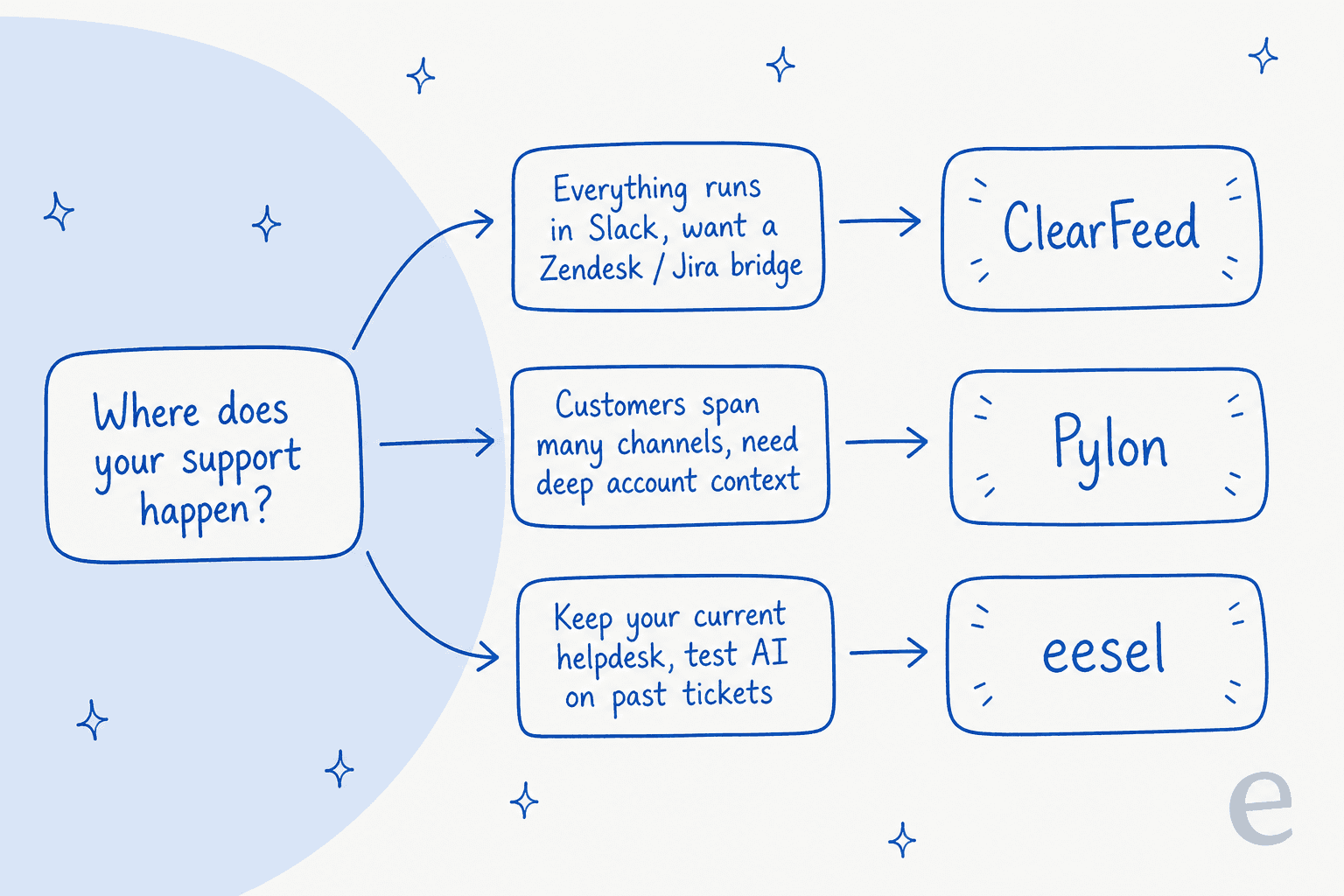
Here's how I'd actually decide, in plain terms:
- Choose Pylon if you're a scaling B2B company that wants one account-centric platform to run all of support, you're comfortable going through sales, and you value the deep agentic AI and CRM-grade account intelligence. It's the more complete platform, and the funding and customer growth back that up.
- Choose ClearFeed if your support genuinely runs in Slack, you want transparent per-seat pricing and a self-serve trial, and you want to keep Zendesk or Jira as your source of truth with Slack feeding it. It's the better bridge and the easier, cheaper start.
- Consider a layer instead of a switch if the real problem is "my helpdesk is fine, I just want AI on top of it." That's a different shape of answer, and it's the one I'd weigh before committing to either platform.
Where eesel fits in
Both Pylon and ClearFeed ask you to adopt a new platform. eesel takes the opposite approach: it's an AI helpdesk teammate that plugs into the helpdesk you already run, whether that's Zendesk, Freshdesk, Front, or a Slack workflow, and starts answering tickets without a migration.
Two things make it worth a look right next to these two. First, you simulate the teammate on your real past tickets before it goes live, so you see the resolution rate and the exact replies it would have sent, instead of finding out in production. Second, the pricing is flat and published: you pay per resolution, not per invocation, so a wrong answer or a "no answer found" doesn't cost you. For a lot of teams weighing Pylon's sales-gated platform against ClearFeed's per-attempt AI, "keep your helpdesk, add a teammate, test it first" is the lower-risk move. It's free to try, no demo required.
Frequently Asked Questions
What is the difference between Pylon and ClearFeed?
Both run B2B support out of Slack, but they aim at different sizes of problem. Pylon is a broad, omnichannel agentic support platform with deep account context, sold quote-only. ClearFeed is a Slack-first triage and helpdesk layer with published per-agent pricing and strong two-way sync into Zendesk and Jira. If you want a full platform, look at Pylon; if you want a Slack layer on top of the helpdesk you already run, look at ClearFeed.
How much does ClearFeed cost compared to Pylon?
ClearFeed publishes its helpdesk pricing: $24 to $49 per agent per month, plus usage-based and standalone AI plans. Pylon publishes no pricing at all and routes you to a 30-minute demo, though its G2 listing shows Starter at $59 and Professional at $89 per seat. For a flat, published per-resolution price that layers on your current helpdesk, eesel is worth a look too.
Do Pylon and ClearFeed work with Microsoft Teams?
Both support Teams, but neither treats it as equal to Slack. ClearFeed routes Teams messages into a Slack triage channel and gates several features to higher plans, and Pylon lists Teams as a channel but is built around Slack Connect. If Teams is your primary surface, read our take on AI in Microsoft Teams before committing.
Can you test Pylon or ClearFeed's AI before going live?
Pylon lets you run its Support Agent against past issues as a backtest. ClearFeed offers a one-question-at-a-time playground but no historical-ticket simulation. eesel was built the other way around: you simulate on thousands of your real past tickets and get a forecast before the agent answers anyone.
Is Pylon or ClearFeed better for a small support team?
ClearFeed is the easier self-serve start: a 14-day trial with no card, published seat pricing, and a single Slack install. Pylon is demo-gated and pitched at scaling B2B teams. Small teams that already live in Zendesk or Freshdesk may find an AI helpdesk agent that plugs into their existing tool a lighter first step than switching platforms.


Article by
Rama Adi Nugraha
Rama is a software engineer at eesel AI with two years of experience writing about B2B SaaS, AI tools, and customer support technology. Based in Bali, Indonesia, he brings a developer's perspective to product comparisons — cutting through marketing copy to what the integrations and APIs actually do.