What "Advanced AI" actually means in Zendesk in 2026
A quick orientation, because the naming has shifted twice in 18 months and the wrong vocabulary will trip you up when you're pricing this with your AE.
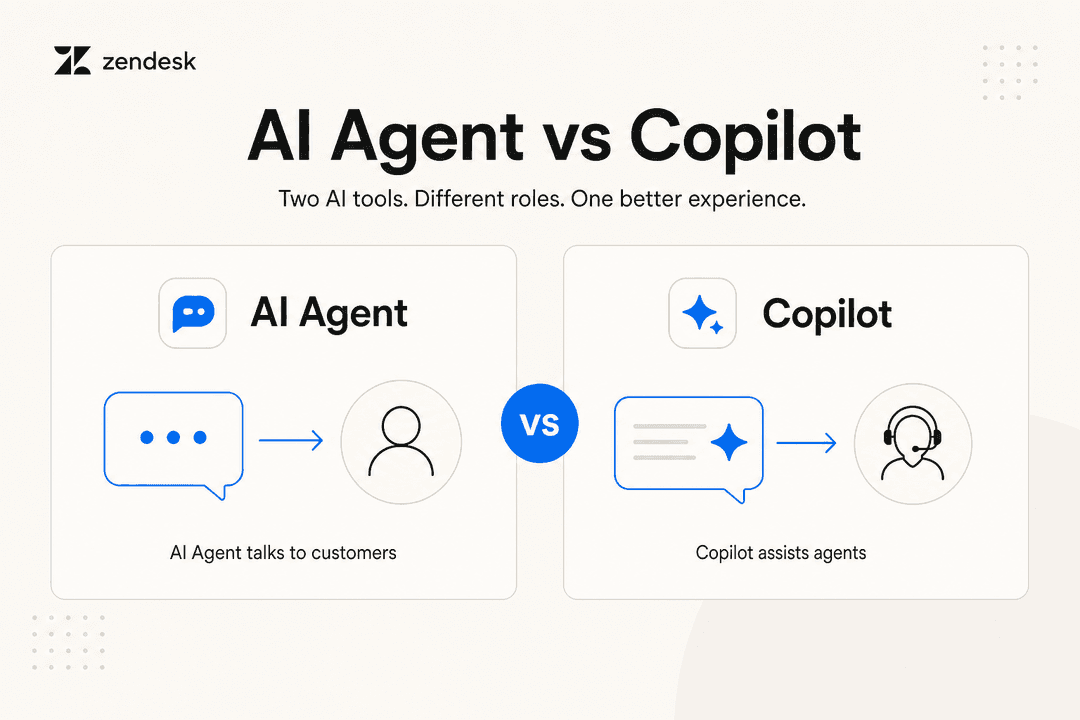
The original Advanced AI add-on (intelligent triage + Auto Assist + macro suggestions, ~$50/agent/month) was renamed Copilot in 2025. Zendesk then folded in AutoQA and Admin Copilot, so the add-on now covers four of the five Advanced AI use cases under one SKU. The fifth, the autonomous AI Agent that resolves tickets without an agent in the loop, is its own product, billed per resolution rather than per seat, and as of May 11, 2026 the Advanced flow (formerly Ultimate.ai) is the unified default rolling into every Suite/Support plan, with the legacy Essential tier sunsetting on December 31, 2026.
So when this post says "Zendesk Advanced AI use cases," it means:
| Use case | Sold as | Billed as |
|---|---|---|
| Intelligent triage | Copilot add-on | Per agent / month |
| Agent Copilot (Auto Assist + Admin Copilot) | Copilot add-on | Per agent / month |
| Generative replies + macro suggestions | Copilot add-on (some bundled) | Per agent / month |
| AI Agents Advanced (dialogues, actions) | AI Agents Advanced | Per automated resolution |
| AutoQA | Zendesk QA | Separate per-agent SKU (~$35/agent/month) |
Worth flagging the June 2026 terminology change: Zendesk renamed the "Intent" field to "Topic." Per the setup doc, customers who bought Copilot before June 11, 2026 still see "Intent" in ticket fields, views, triggers, automations, macros, SLAs, queues, and the ticket API "until later in 2026." Older accounts also keep these as custom fields that generate tags; new accounts get them as standard fields. If your screen says "Intent" and the docs say "Topic," you're looking at the same thing.
Use case 1: Intelligent triage (auto-classify every incoming ticket)
The most-used Advanced AI feature, and the one most likely to repay the add-on cost on its own.
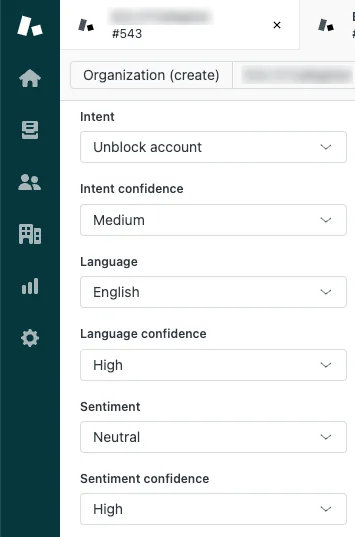
Intelligent triage runs an ML model over every ticket the moment it's created with a public comment, and stamps four structured fields onto it (source):
- Topic (formerly Intent): what the ticket is about, drawn from a prebuilt industry-specific taxonomy you can extend with custom topics.
- Sentiment: Very Positive → Very Negative, calibrated for support contexts so "I have an issue" doesn't automatically score negative.
- Language: one of about 150.
- Entities: product names, locations, IDs you've defined separately.
Each comes paired with a confidence score of High, Medium, or Low.
The lifecycle of a single triaged ticket is simple enough to fit on one diagram:
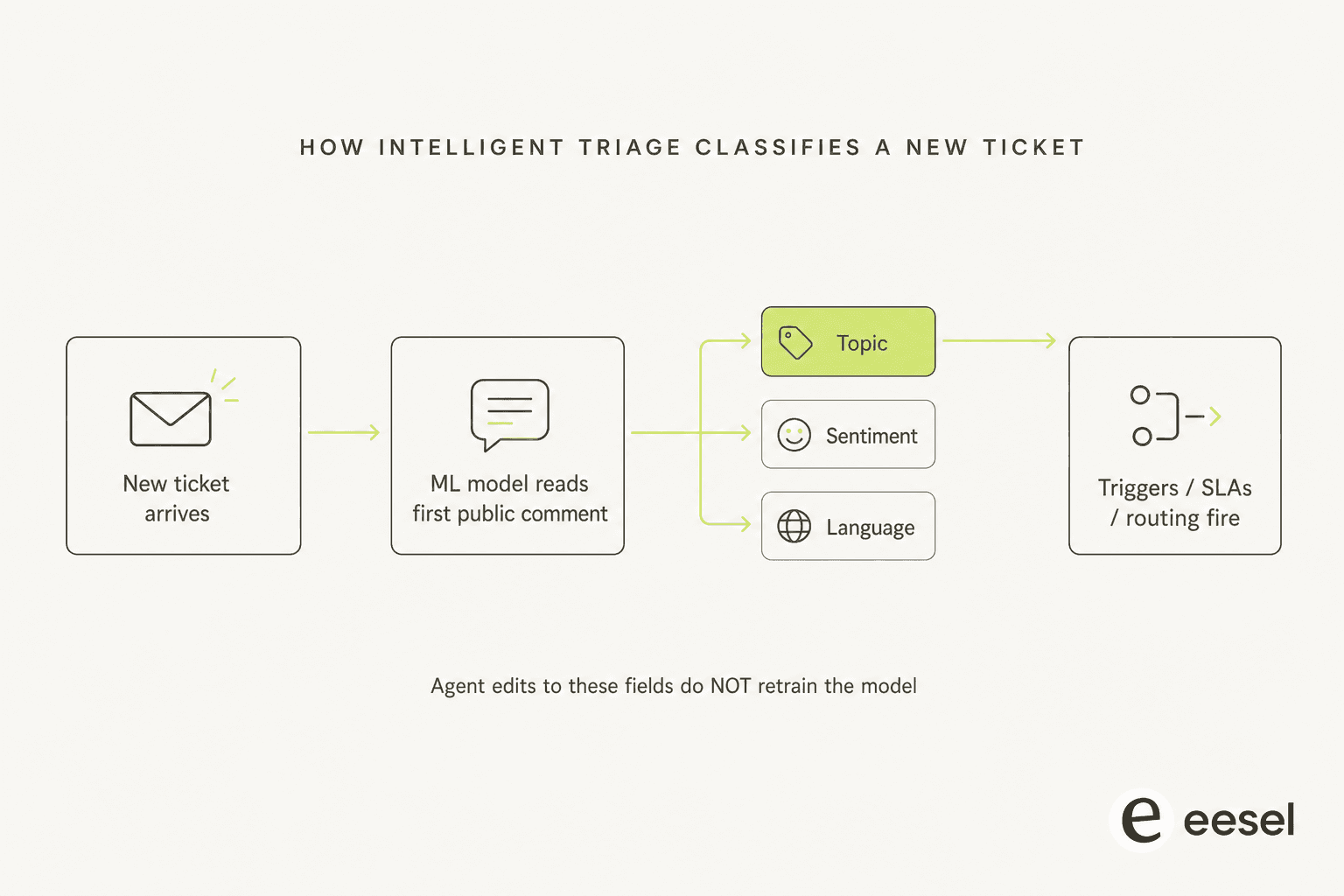
Those fields then drive every workflow that's downstream of a ticket arriving: triggers, SLAs, views, omnichannel routing, and Explore reporting. Zendesk's workflows doc lists the pattern library:
| Workflow | Example |
|---|---|
| Route by topic | Trigger sends billing-topic tickets to the billing group |
| Deflect by topic | Trigger sends a refund-policy link on the "refund" topic |
| Escalate by sentiment | SLA policy escalates Very Negative tickets |
| Soft-touch reply | Trigger sends a more empathetic auto-reply on negative sentiment |
| Language routing | Spanish-classified tickets land with the Spanish team |
| Auto-populate fields | Entity rules fill a product field when a product name is detected |
When admins flip on the (optional) ticket-header display, agents see the topic and sentiment at the top of the conversation without having to dig into the properties panel:

Where this works and where it breaks
It works when your account meets the industry-and-model-fit gate for topic detection. Zendesk's troubleshooting doc is unusually frank about this: "if you don't meet the industry and model fit requirements, you won't see topic predictions on tickets, but you can still see language and sentiment predictions." And it works when your taxonomy is curated rather than sprawling. Zendesk's own custom-topics doc warns that "creating a high number of custom topics can lead to performance issues".
Where it breaks, in our experience auditing setups:
- No retroactive classification. Tickets created before you turn triage on never get classified.
- Workflow values are English-only. The classifier reads ~150 languages, but the workflows doc is explicit: when you create triggers, views, or reports, "intelligent triage values are available only in English." If your team works in German, French, or Japanese, you'll need to build your routing logic in English regardless.
- Agent corrections don't retrain the model. Per Zendesk's viewing classifications doc, updating the topic, sentiment, or language fields manually doesn't feed back into accuracy. The "human-in-the-loop learning" model people assume from the marketing copy doesn't actually exist here.
- Dynamic detection over-triggers. A real user comment on Zendesk's own setup doc, March 2026: "Dynamic detection could be a great feature but it has been poorly implemented. Definitely too sensitive. It will switch on another intent simply based on the content of the very last message and completely disregards previous ones for additional context." - Habib-Sylvain Gourguet.
- The prebuilt taxonomy is rigid. Another user comment, September 2025: "The predefined categories for Intents are severely lacking. We need the ability to create our own top level and sub level categories… A lot of the predefined ones seem sales oriented and we do not do sales at all." - Richard McConniel.
If you want the full pattern library on this one, our Zendesk intelligent triage use cases and workflows walkthrough goes deeper on each workflow type.
Use case 2: Agent Copilot - Auto Assist and Admin Copilot
The most-quoted scale stat in the Zendesk pitch deck, 82% agent-productivity lift, 5.5 admin hours saved weekly, both on the Copilot product page, comes from this use case. It splits into two halves.
Auto Assist sits inside the Agent Workspace and watches an open ticket in real time. It surfaces a recommended next reply (drafted in the customer's language, drawing from your help center and macros), recommends next actions, and can autonomously execute approved actions inside Zendesk and across Shopify, Jira, and Slack. Agents accept, edit, or override.
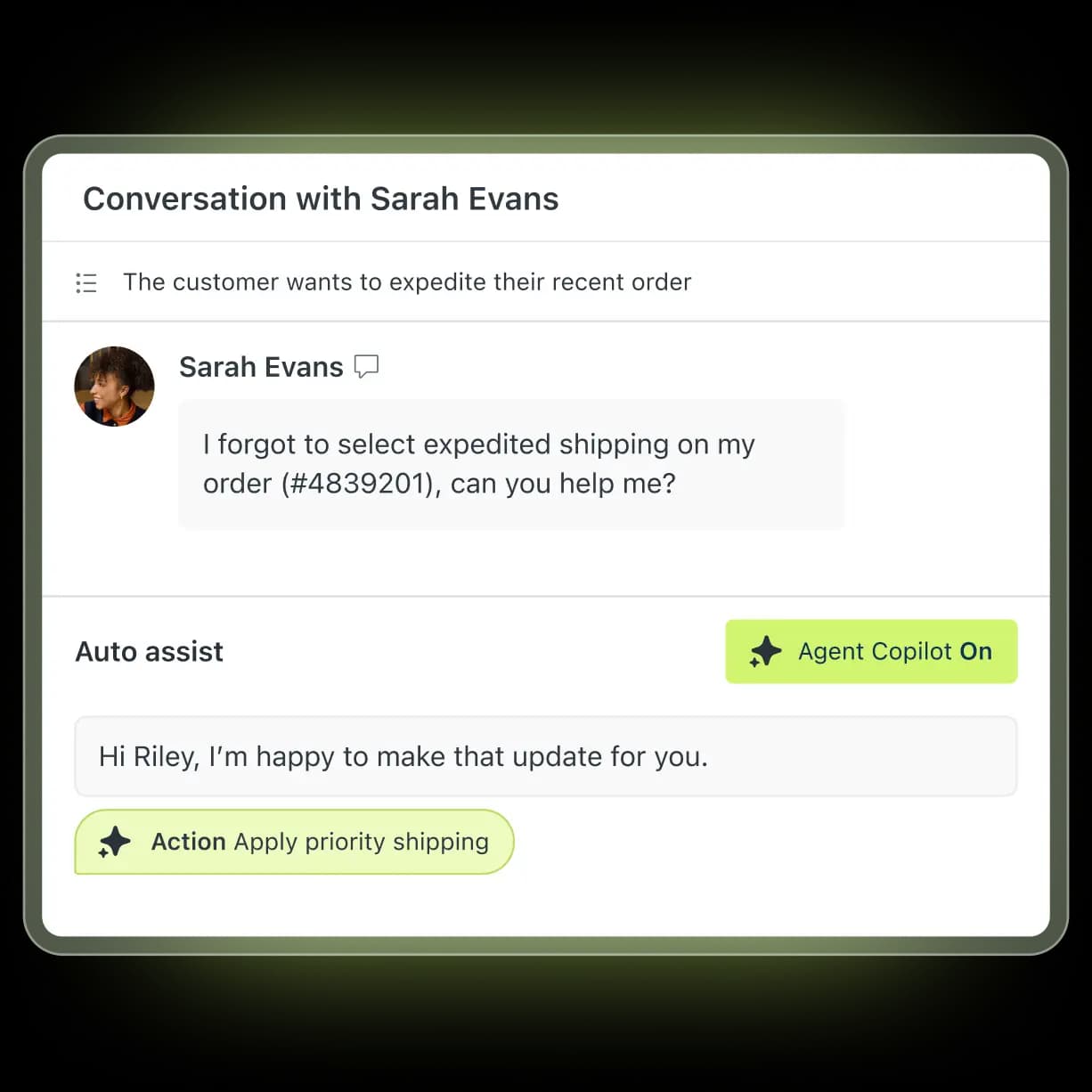
For the deeper mechanics of how Auto Assist actions are wired up (including which permissions a trusted agent needs), our Zendesk Copilot Auto Assist actions guide walks through configuration screen by screen. The sentiment display piece covers the in-ticket sentiment chip specifically.
Admin Copilot is the lesser-known half: a workflow-optimization layer for admins. It scans your trigger graph, automation rules, and macro inventory and recommends consolidations and cleanups. In practice this is where the "5.5 admin hours saved weekly" stat tries to land, although how much it returns depends entirely on the state of your existing rule set.
Practical take
If your agents already write replies fluently and your macro inventory is well-organized, Auto Assist saves seconds per ticket, not minutes, and the value is the consistency, not the speed. Where it earns its keep is on new hires and overflow staff: an agent who's been on the floor a week can sound like one who's been there a year, which is a measurable customer-experience win on the metrics that actually correlate with retention.
The breakage point is when the underlying knowledge is wrong. Auto Assist's drafts inherit the same gaps and contradictions your help center already has, and an agent who learns to trust the suggestions stops catching the mistakes the way they would with a blank reply box. We'd reach for Auto Assist only after a serious help-center cleanup pass. See our knowledge gap analysis guide for the workflow we use.
Use case 3: Generative replies and macro suggestions
This is the use case that quietly absorbs the most volume in well-set-up Zendesk shops, even when nobody talks about it.
Generative replies work on top of your connected knowledge sources (help center, Google Drive, PDFs, and the unified Zendesk knowledge graph) and write a reply from scratch when the question maps to material in your KB. Configured in AI suggested replies, they're presented as a draft for the agent to accept or edit. Closer to a smart macro than a fully autonomous response.
Macro suggestions is the other half: when an agent's about to reply, the system looks at the ticket content and pre-selects the macro it thinks fits best, instead of making the agent search the macro tree. Combined, these two are why a Suite Professional + Copilot agent typically clears more tickets per shift than the base-plan equivalent, even on tickets that never reach the autonomous AI Agent.
The whole feature is downstream of your KB hygiene. The most-cited Reddit thread on r/Zendesk in 2026 puts it bluntly: AI agents resolve well only on top of a clean, comprehensive KB. Teams without one see ~20% automation in the first month, climbing toward 70% only after sustained cleanup.
The single biggest configuration mistake we see: assuming the generative replies layer will fall back to a "general AI" when your KB doesn't cover something. It doesn't. AI agents cannot browse external pages or follow links; everything must live in the connected knowledge source. If you don't have it documented, the AI doesn't have it either.
Use case 4: AI Agents Advanced (fully autonomous resolution)
The marquee use case, and the one where the biggest dollars get spent.
The Advanced tier is the Ultimate.ai-derived autonomous agent, sold as "AI Agents Advanced" in 2026 and merging into the default flow on every Suite/Support plan between May 11 and June 12. It's the only Zendesk AI product that can resolve a ticket end-to-end without an agent ever touching it, with full dialogues (a branching flow builder), generative replies, authorized actions, API integrations, entity capture, pronoun and formality controls, and multi-LLM routing across messaging, email, API, web form, and (in EAP) voice. See our Zendesk AI Agents reviews for the field assessment, or the Zendesk AI Agents product page for the official feature list.
This is where things get expensive.
The billing unit, and the gotcha
Every plan ships with a baseline allowance of automated resolutions (ARs) per agent per month (5 on Support Team and Suite Team, 10 on Suite Professional, per Zendesk's pricing); anything over that bills at a per-resolution rate. As of May 18, 2026, Zendesk runs a three-tier resolution model:
- Verified Resolution: AI resolved + LLM verification confirmed. Counts against your allowance.
- Assisted Escalation: AI contributed and a human finished. Free.
- Contained Resolution: AI handled the request to completion, but the LLM check didn't confirm it was resolved. Free.
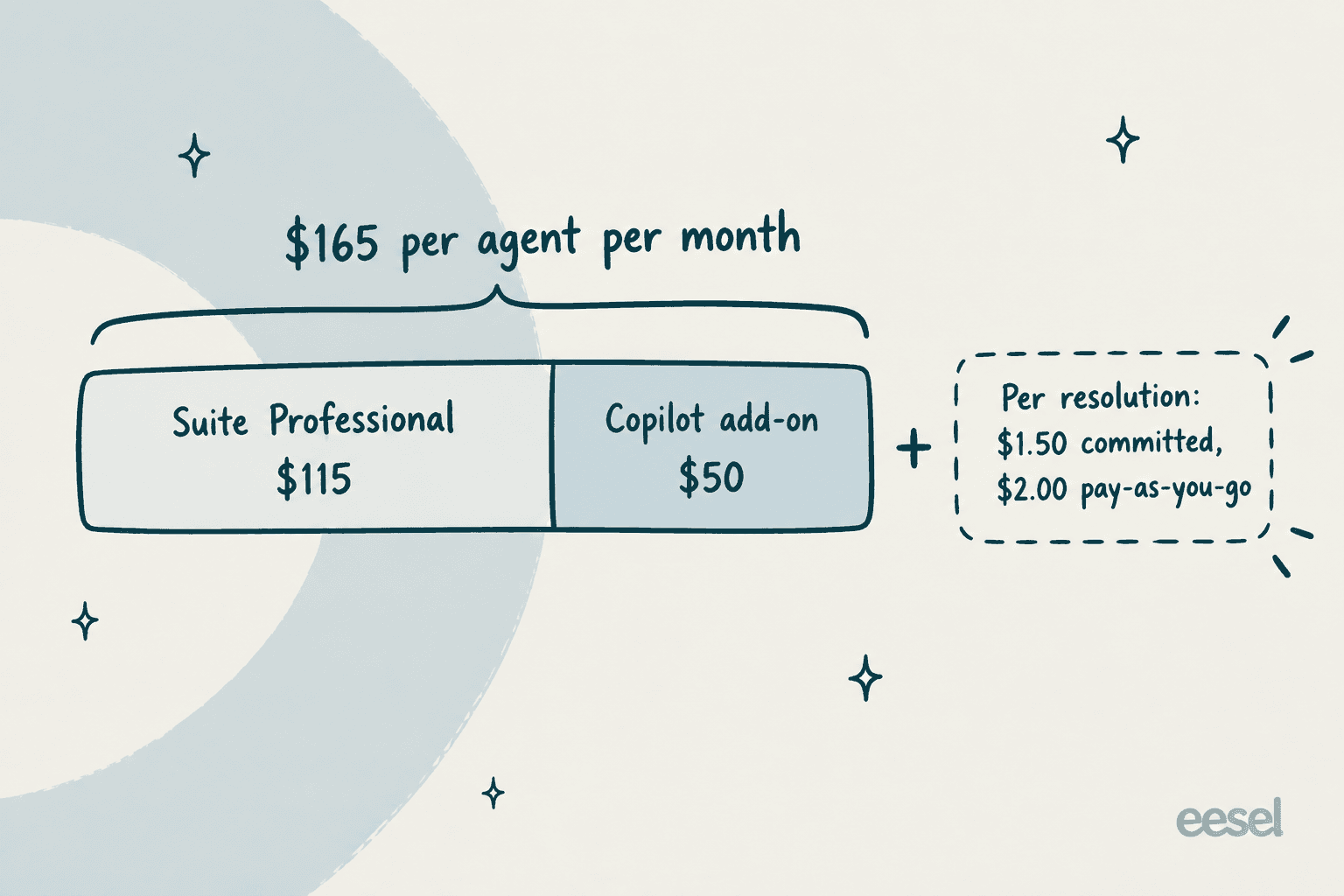
This replaces the older "silence for 72 hours = billable" model that triggered the most-quoted Reddit complaint of 2026: "ARs are a rip off, and it's a rushed product to get into the AI hype." Even so, the rate card is now public on Zendesk's pricing page: $1.50 per resolution committed and $2.00 pay-as-you-go, the same on Support Team, Suite Team and Suite Professional. Overage controls are pre-buying committed volume at a better rate, or capping monthly resolutions and pausing the AI when the cap is hit; the doc describes no softer warning step. Our deeper dynamic pricing breakdown walks through the math.
The honest summary: AI Agents Advanced is the strongest fully-autonomous resolution agent in the Zendesk product family, and the place most teams over-budget. If you're going down this path, build your business case off a verified-resolution forecast, not the gross volume of AI replies. Most of the noise lives in the contained tier, which doesn't bill.
If you'd rather decouple the autonomous agent from the per-resolution billing model, this is also the use case where customers most commonly swap to a marketplace AI like eesel (one fixed monthly price from $299/month for 500 credits, 1 credit per ticket, no platform fee, no per-seat). More on that below.
Use case 5: AutoQA - AI scoring on every conversation
The QA use case is the quiet one, and arguably the one with the highest ROI per dollar spent if your QA team is human-bottlenecked today.
Traditional support QA samples ~2% of conversations because that's what a human QA lead can review per week. AutoQA scores 100% of conversations on a structured rubric: tone, product knowledge, resolution, escalation pathway, and surfaces the failures into a coachable feed. From the Zendesk AI suite page, the pitch is comparable coverage to a 50-person QA team for the cost of the QA SKU.
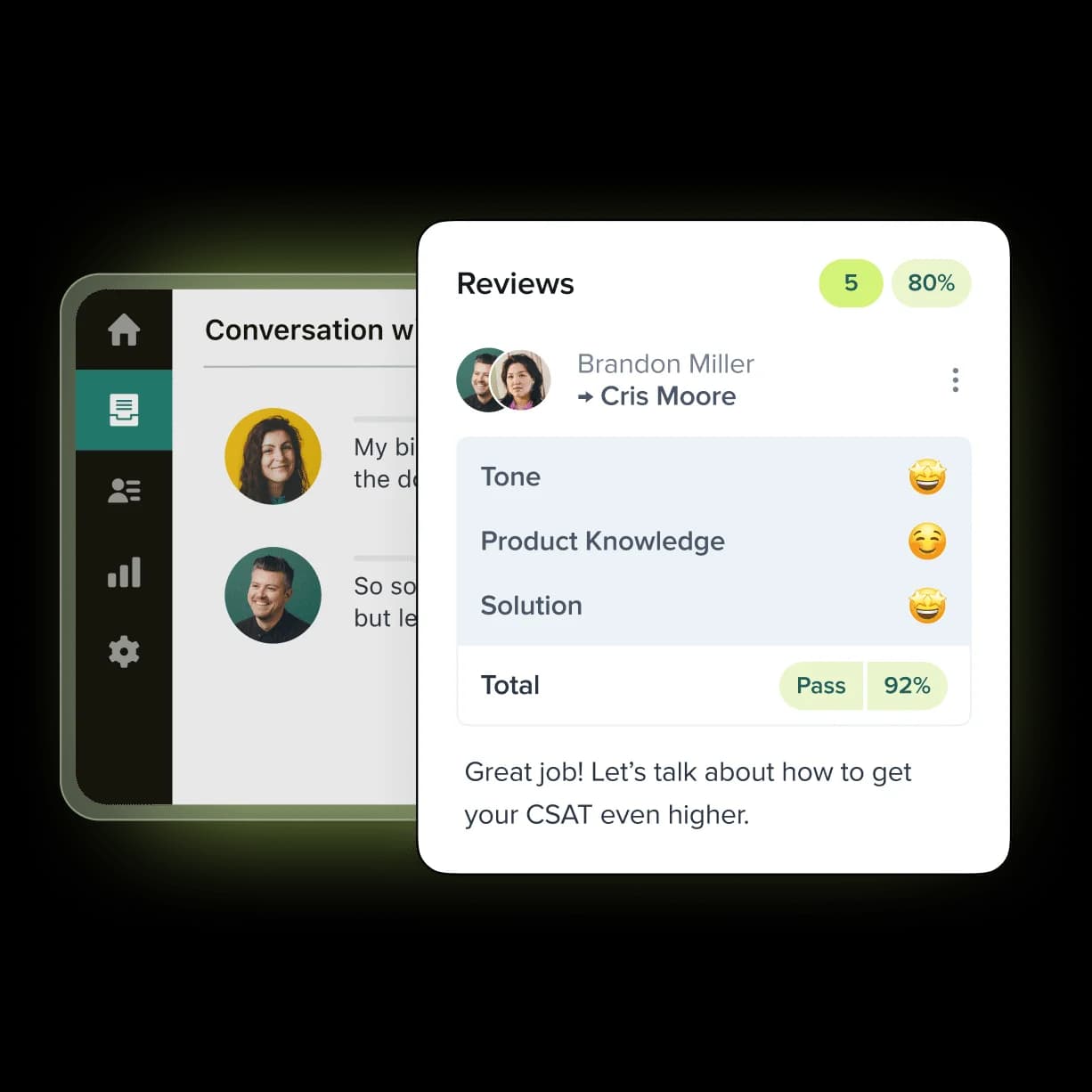
The piece worth knowing: AutoQA is technically Zendesk QA (the Klaus acquisition repositioned), not part of the Copilot add-on, and is a separate add-on: the pricing page lists it as "Requires QA add-on" with no standalone price. So if you're costing out a "full Advanced AI" rollout, this is the line item that doesn't bundle. Our QA scorecard criteria guide goes deeper on how to define a rubric that actually correlates with CSAT, and Zendesk QA agent feedback covers the coaching workflow.
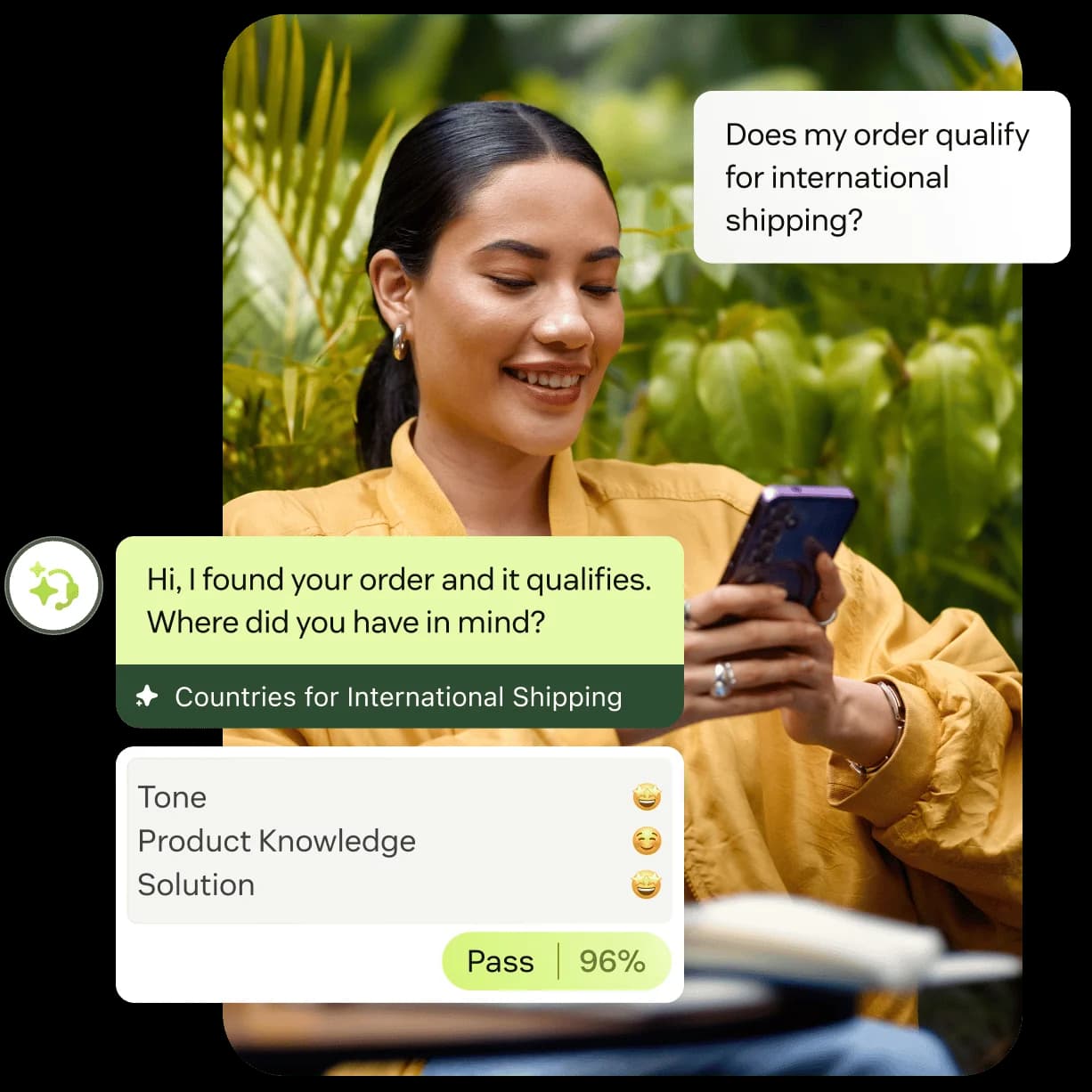
A real customer screenshot from the Zendesk product page tells the story better than any of our prose can. Agents see their scores alongside the conversations that produced them, with the coaching prompt baked in:
What it all costs together
The five use cases above don't all live on the same SKU. Pricing them honestly means knowing which add-on each lives on and what the unit of billing is.
| Use case | Add-on | Unit | Notes |
|---|---|---|---|
| Intelligent triage | Copilot (~$50/agent/mo) | Per agent | Bundled with the rest of Copilot, no separate fee |
| Agent Copilot (Auto Assist + Admin Copilot) | Copilot (~$50/agent/mo) | Per agent | Same SKU as triage |
| Generative replies + macro suggestions | Copilot (~$50/agent/mo) | Per agent | Some basic suggestions in lower plans |
| AI Agents Advanced | AI Agents Advanced | Per automated resolution | $1.50 committed, $2.00 pay-as-you-go |
| AutoQA (Zendesk QA) | Zendesk QA add-on (price not published) | Per agent | Separate SKU; not in the Copilot bundle |
A practical worked example: a 25-agent team on Suite Professional with the full Advanced AI stack, before any AI Agent autonomous volume, looks like:
- 25 × $115 (Suite Professional) = $2,875/mo base
- 25 × $50 (Copilot add-on) = $1,250/mo for triage + Auto Assist + macro suggestions
- Subtotal: $4,125/mo, or $165 per agent per month
- Plus the Zendesk QA add-on (no published price) and per-AR fees for whatever volume the autonomous AI Agent resolves, at $1.50 committed or $2.00 pay-as-you-go
The 14-day trial defaults to Suite Professional with Copilot included, so I'd test the add-on before committing.
A real Reddit thread captured the gap: "AI cost easily 2 to 3 times the base subscription once Copilot + AR overage stack on top." If you've been quoting "$50 for AI" internally, your real budget is closer to $165 per seat plus a usage component and QA.
For the deeper teardown, our Copilot add-on guide and Zendesk pros and cons review both go into the line-item maths.
Where Advanced AI falls short
A fair summary, because the use cases above are genuinely good when they work and worth knowing the friction on before signing:
- Usage cost needs watching. You can cap monthly ARs and pause the AI at the limit, or pre-buy committed volume, but the docs describe no softer warning step, so finance teams build their own monitoring on the side.
- No pre-launch simulation against your own data. Zendesk's testing guide lists three manual paths (a test site, a test-email trigger, and a Test AI agent button), and none replays your last 90 days of real tickets before going live. Most buyer regret on the autonomous use case traces back to this gap.
- The KB is the ceiling. The whole stack inherits the quality of your help center. Teams without a clean, current KB see 20% automation in month one, not the 80% on the marketing page.
- Workflow language coverage is asymmetric. Triage classifies ~150 languages; triggers and views consume them in English only. Multilingual teams have to build routing logic against English values regardless of where the customer wrote from.
- Essential is legacy. AI agents - Essential can't be created on new accounts after May 11, 2026 and sunsets on December 31, 2026. It answers from help center content and has no dialogues, actions or API integrations.
- Agent corrections don't retrain. Triage classifications are not a feedback loop. The model that ships is the model you live with until Zendesk retrains it on the back end.
- Vendor's own AI support is the rough demo. Multiple Capterra reviewers in 2026 cite Zendesk's own customer-facing AI chat as the worst-case demonstration of what the product delivers, which is the kind of objection that's hard to recover from in a procurement room.
None of this rules out Advanced AI for a Zendesk shop. It does mean the buying motion has to be honest about the total cost of ownership and the operational lift to keep the underlying KB and macro library good enough to feed it.
Try eesel for Zendesk
If the per-agent add-on plus per-resolution AR stack doesn't fit your buying motion, the most common alternative we see Zendesk customers reach for is keeping Zendesk as the ticketing core and dropping in a marketplace AI agent on top.
eesel AI for Zendesk installs as a native AI Agent inside Zendesk: same Agent Workspace, same triggers, same SLAs, same channels. It learns from your help center, past Zendesk tickets, and macros in minutes, drafts and sends replies in the customer's language across 80+ languages, updates ticket fields, and routes escalations, operating either as an autonomous agent or an assistant that proposes ready-to-send replies for human agents to approve.
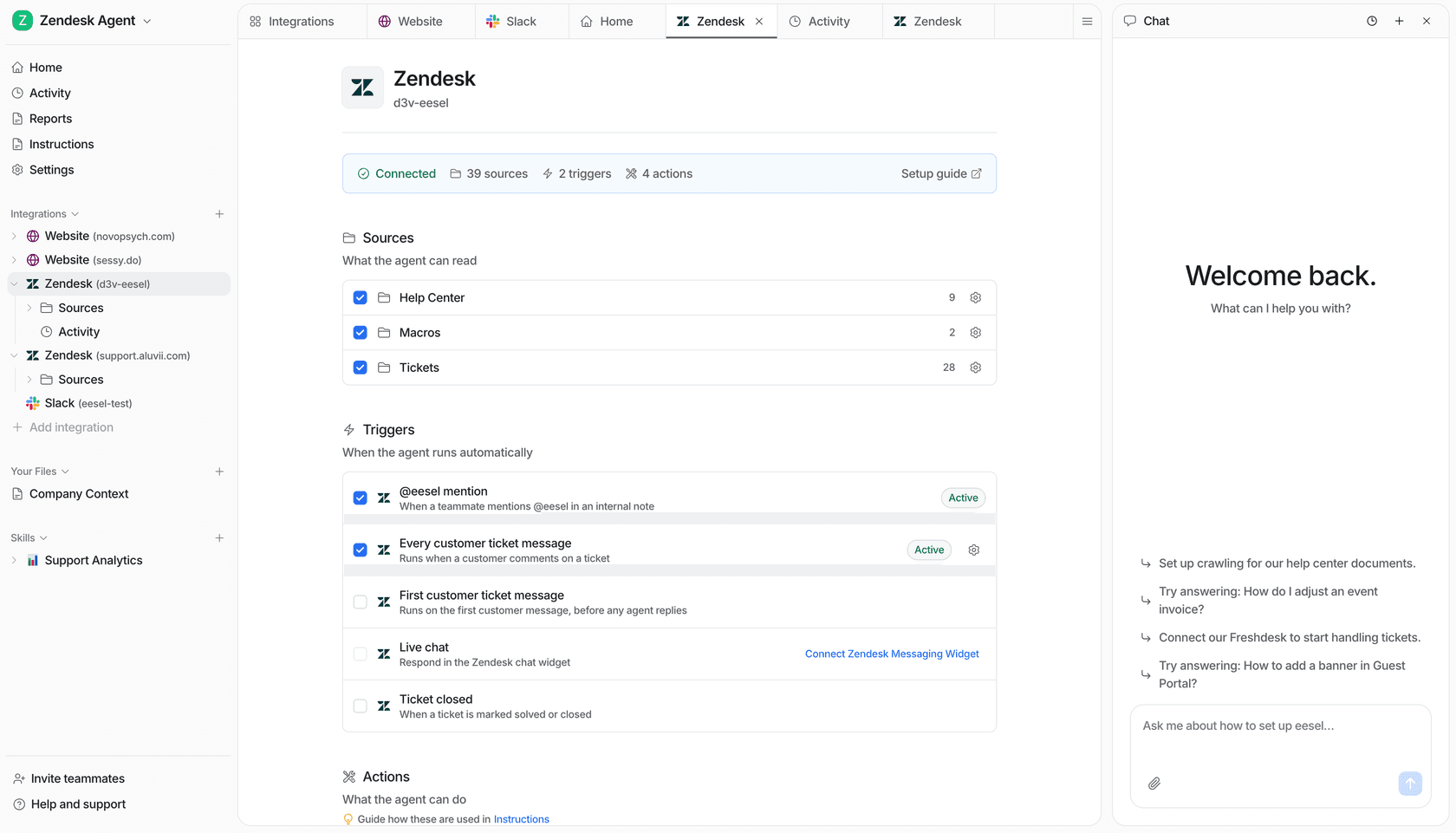
Three things move the needle versus Zendesk's own Advanced AI:
- One fixed monthly price from $299/month (500 credits, 1 credit per ticket or chat), no platform fee, no per-seat pricing, no "resolution" categorisation games. A single price your CFO can model against historical ticket volume.
- Simulation on your real past tickets before going live. You can replay the last 90 days of Zendesk tickets against the configured agent, see strengths and gaps, and fill the gaps before it touches a live conversation.
- Knowledge gap detection that surfaces topics the help center doesn't cover and drafts new KB articles to fill them, so the same KB cleanup that AutoQA flags as a weakness becomes a tractable workflow.
A few real customer numbers from the eesel for Zendesk page: Smava runs a fully automated Zendesk agent handling 100,000+ tickets/month in German; Ecosa hits 75% of tier-1 Zendesk tickets handled by AI across 522 knowledge items; and the integration is set up in under 30 minutes from the Zendesk Marketplace.
"In the first month, eesel is resolving 73% of our tier 1 requests. eesel offers easy Zendesk implementation and setup. Our team implemented and achieved results quickly during our 7-day trial. Responses are simple to fix and adjust."
Try eesel is free to start (no credit card), or book a demo if you'd like to see it running against a sample of your own tickets first.
Frequently Asked Questions
What are the main Zendesk Advanced AI use cases?
How much does Zendesk Advanced AI cost per agent?
What does Zendesk intelligent triage actually do?
Is Zendesk Advanced AI the same as the Copilot add-on?
What are the best Zendesk Advanced AI alternatives?


Article by
Kira
Kira is a writer at eesel AI with a Computer Science background and over a year of hands-on experience evaluating AI-powered customer service tools. She focuses on breaking down how helpdesk platforms and AI agents actually work so that support teams can make better buying decisions.