


The best WordPress chatbot plugin depends on the job: AI Engine (free, Pro from $59 a year) for builders who want an AI toolkit, Tidio (from $33 a month billed yearly) for live chat plus AI, and eesel for support teams that want answers from past tickets. WPBot ($39 a year) is a solid native option, Robofy ($40 a month) is the quickest to train on a website, and ProProfs Chat has a generous free plan but a WordPress plugin that hasn't been updated since December 2024. I checked every price and wordpress.org listing below on November 27, 2026.
I went through the six AI chat plugin options people ask me about most: their pricing pages, their wordpress.org listings, and what each chatbot can actually learn from. Below is a comparison chart, my take on each one, and what to check before you pick. If you want a longer list, our best AI chatbot for WordPress roundup covers ten.
What is a WordPress AI chat plugin?
A WordPress AI chat plugin is a chatbot you add to your site that uses a large language model to understand what visitors ask and reply in plain language. Older bots followed a fixed script; these answer from your own content, so they can:
-
Offer customer support around the clock, even when you're asleep.
-
Answer common questions instantly, which frees your team for the harder ones.
-
Hand a conversation to a person when the question needs one.
Think of it as an always-on website front desk. For a primer on the wider category, see what WordPress AI tools do.
How I picked the best chatbot plugins for WordPress
I judged every tool on the same five things:
-
Ease of setup: Can a non-technical person get it working without a developer?
-
AI quality and knowledge: What can the chatbot learn from, and how much of your real business knowledge does that cover?
-
Customization: Can you change how the bot looks and sounds, and control which questions it takes?
-
Integrations: Does it connect to your help desk, CRM or store?
-
Pricing: Is the bill predictable, and what does a growing site end up paying?
Best WordPress chatbot plugins compared
Here's how the six compare at a glance. Ratings and active installs are wordpress.org numbers from November 27, 2026.
| Feature | eesel AI | WPBot | Tidio | Robofy.ai | ProProfs Chat | AI Engine |
|---|---|---|---|---|---|---|
| Best for | Support from all your knowledge | Native WordPress experience | Live chat with AI | Quick website training | Free plan for one person | AI toolkit for builders |
| wordpress.org rating | No ratings yet | 4.7 (125) | 4.8 (395) | 5.0 (2) | 5.0 (8) | 4.9 (884) |
| Active installs | Fewer than 10 | 5,000+ | 70,000+ | 200+ | 100+ | 90,000+ |
| Trains on past tickets? | Yes | Not listed | Not listed | Not listed | Not listed | Not listed |
| Integrations | 3,000+ | Limited | Yes | Limited | 40+ on top plan | Limited |
| Starting paid price | $299/month | $39/year | $33/month billed yearly | $40/month | $19.99/operator/month billed yearly | $59/year |
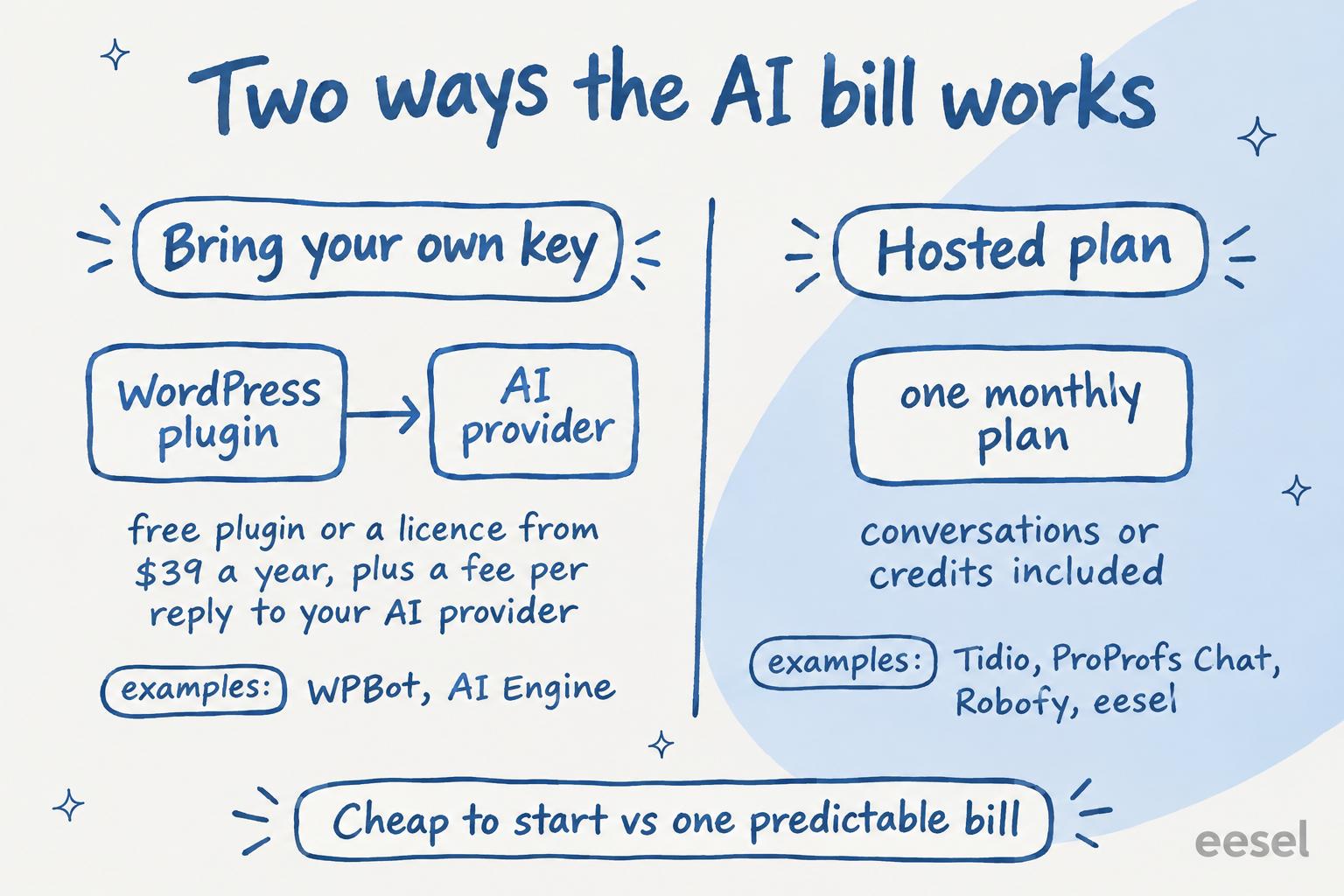
| Pricing model | Fixed monthly credits | Licence plus your AI key | Shared AI and human conversation quota | Monthly AI credits | Per operator, with AI chat caps | Licence plus your AI key |
The 6 best AI chat plugin options for WordPress in 2026
Here's my breakdown of each, starting with eesel, the one I know best because I work on it.
1. eesel AI
eesel's AI chatbot works more like a teammate than a widget. It learns from your help desk, past support tickets, Confluence pages and Google Docs, then answers on your site through a chat bubble you add with one script tag. eesel also has a plugin on wordpress.org, built for WooCommerce stores, and you can set it up from a coding agent with the eesel CLI.
What I liked:
-
Self-serve setup: You can get it running without a sales call.
-
Connects all your knowledge: It learns from past tickets and help centers and connects to 3,000+ integrations, so answers come from your business knowledge as well as your public pages.
-
You're in control: You decide which topics it handles alone and which it hands to your team, and you can test it against past tickets before it goes live.
-
Predictable pricing: One fixed monthly price, so a busy month doesn't surprise you.
What I didn't like:
- The wordpress.org plugin is new (version 0.1.3, fewer than 10 active installs) and aimed at WooCommerce, so most WordPress sites will use the script tag instead.
Pricing: eesel AI's pricing is a fixed monthly plan sized by credits, where one ticket or chat is one credit.
-
Free: $0, a 7-day trial with 100 credits and every feature, no card required.
-
Teammate: From $299/month for 500 credits up to $1,749/month for 5,000, with unlimited agents and seats.
-
More than 5,000 credits: Talk to eesel. Paying yearly gets you two months free.
2. WPBot
WPBot is a chatbot built for WordPress, now packaged by QuantumCloud as a "Growth Suite" with an AI writer, SEO and email tools alongside the bot. It connects to OpenAI, Gemini, Grok and OpenRouter, and you can run it on simple menus for basic questions or let the AI handle open-ended ones. It holds a 4.7 rating from 125 reviews and 5,000+ active installs on wordpress.org. My full WPBot review goes deeper.
What I liked:
-
It's built for WordPress, so it fits into your dashboard.
-
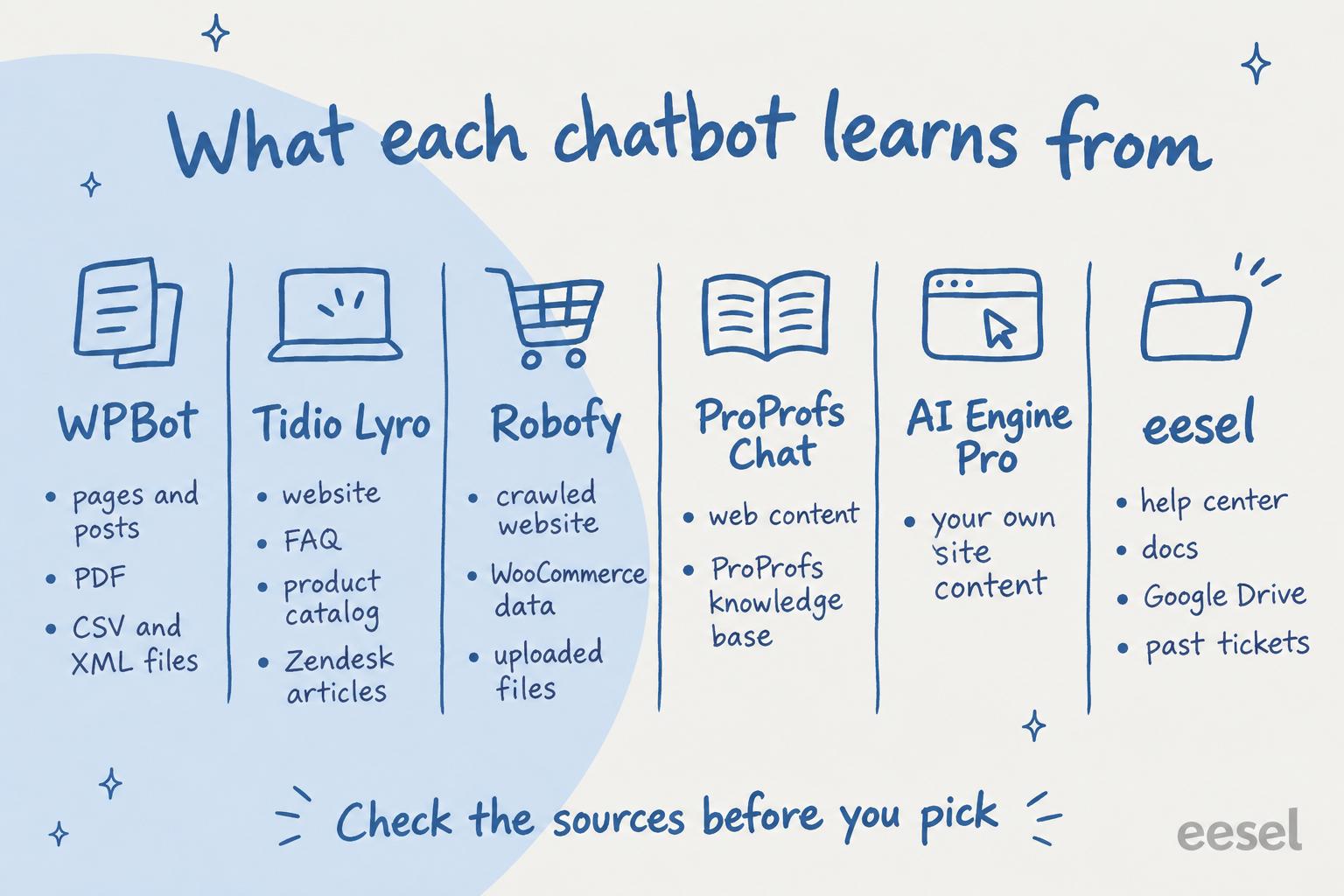
A RAG knowledge base reads your pages, posts and custom post types, plus uploaded PDF, CSV and XML files.
-
An embed code lets you use the same bot on non-WordPress sites.
What I didn't like:
-
The number of modules and settings can make setup feel complicated.
-
Past support tickets aren't among its listed knowledge sources.
-
You pay your AI provider separately for every reply on top of the licence.
Pricing: WPBot has a free plugin, plus yearly and lifetime Pro licences (wpbot.pro); WPBot alternatives covers similar tools.
-
Starter: $39/year for 1 site, or $149 lifetime for 5 sites. Basic RAG knowledge base.
-
Professional: $99/year for 2 sites, or $279 lifetime for 10 sites. Advanced RAG knowledge base.
-
Master: $189/year for 5 sites, or $369 lifetime for 50 sites. Adds the voice chat module.
3. Tidio
Tidio puts live chat, AI and automation in one inbox. Its AI agent, Lyro, answers on live chat, email, Messenger, Instagram and WhatsApp, and hands over to your team in the same conversation. It's the second most installed plugin here (70,000+ active installs, 4.8 from 395 reviews), and the setup is simple.
What I liked:
-
A clean all-in-one package for live chat and AI.
-
Flows, its visual automation builder, is easy to use if you're not technical.
-
A free plan covers the basics for small sites.
What I didn't like:
-
Lyro learns from your website, your FAQ, your store's product catalog and articles imported from Zendesk, so past tickets and internal docs aren't among its sources.
-
Lyro and human conversations share one quota, so a busy month can push you into a bigger tier (automatic upgrades are optional).
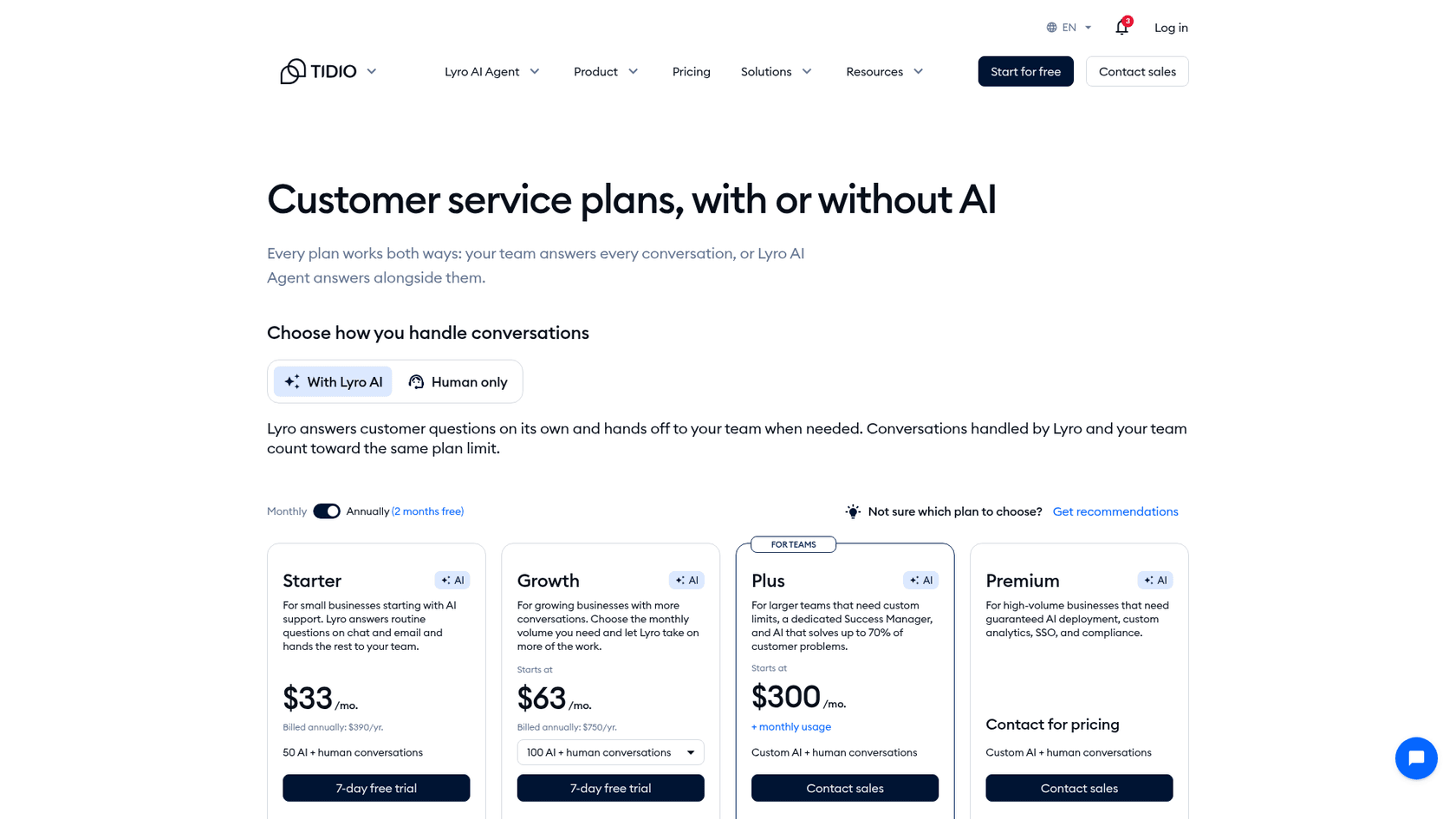
Pricing: Tidio rebuilt its pricing in November 2026: you pick "With Lyro AI" or "Human only", then a monthly conversation quota. Prices below are the With Lyro AI rates on Tidio's pricing page; the page says Human only costs less for the same quota. My Tidio pricing guide works through the tiers, and Tidio alternatives lists other options.
-
Free: 50 human conversations and 100 Flows visitors a month, plus a one-time 50 Lyro AI conversations that don't renew.
-
Starter: $33/month billed yearly ($390/year) for 50 AI and human conversations.
-
Growth: From $63/month billed yearly ($750/year) for 100 conversations, with quotas up to 1,000.
-
Plus: From $300/month plus monthly usage, custom limits, sales-led.
-
Premium: Contact sales, from 3,000 Lyro conversations.
4. Robofy.ai
Robofy.ai sells a no-code WordPress chatbot powered by ChatGPT. Give it your website and it crawls your pages to train the bot, which makes the first setup very quick. It also reads WooCommerce product and order data, which matters if you want an AI chatbot for WooCommerce. On wordpress.org it has 200+ active installs and a 5.0 rating from 2 reviews.
What I liked:
-
Setup is simple and fast.
-
The no-code builder suits beginners.
-
A good fit if the answers customers need are already on your site.
What I didn't like:
-
It trains on crawled pages, store data and uploaded files; past support chats aren't among its listed sources.
-
Usage runs on AI credits, so heavy months mean buying top-ups.
-
It has fewer integrations than the more established tools.
Pricing: Robofy.ai's pricing starts with a free WordPress plugin and a 14-day free trial, no card needed.
-
Starter: $40/month or $320/year for 2 chatbots, 100 training files or pages, and about 1,000 AI messages.
-
Pro: $99/month or $799/year for 10 chatbots, 1,000 training files or pages, and about 16,000 AI messages.
-
Enterprise: $399/month or $3,199/year for unlimited chatbots, 5,000 training files or pages, and about 66,000 AI messages.
5. ProProfs Chat
ProProfs Chat is a live chat tool with an AI chatbot, focused on lead capture and 24/7 support. Its biggest draw is a forever-free plan for a single operator with all premium features, which suits solo owners. Its WordPress plugin hasn't been updated since December 23, 2024 and was last tested with WordPress 6.7, so check it works with your version before you rely on it.
What I liked:
-
A generous free plan for one person.
-
Lead capture tools like pre-chat forms.
-
CRM and marketing integrations, with 40+ on its top plan.
What I didn't like:
-
The WordPress plugin is stale (100+ active installs), though you can still add the chat widget by script.
-
Paid plans cap AI conversations each month (100 on Essentials).
-
Training the AI on your web content needs the Business plan or higher.
Pricing: ProProfs Chat's pricing is per operator, and the old Team plan is now called Essentials.
-
Free: $0 forever for a single operator.
-
Essentials: $19.99 per operator/month billed yearly, with 100 AI chats a month.
-
Business: $29.99 per operator/month billed yearly, with 300 AI chats a month and AI trained on your web content.
-
Business Complete Elite: $179.97/month billed yearly for 3 operators and 1,500 AI chats a month.
6. AI Engine
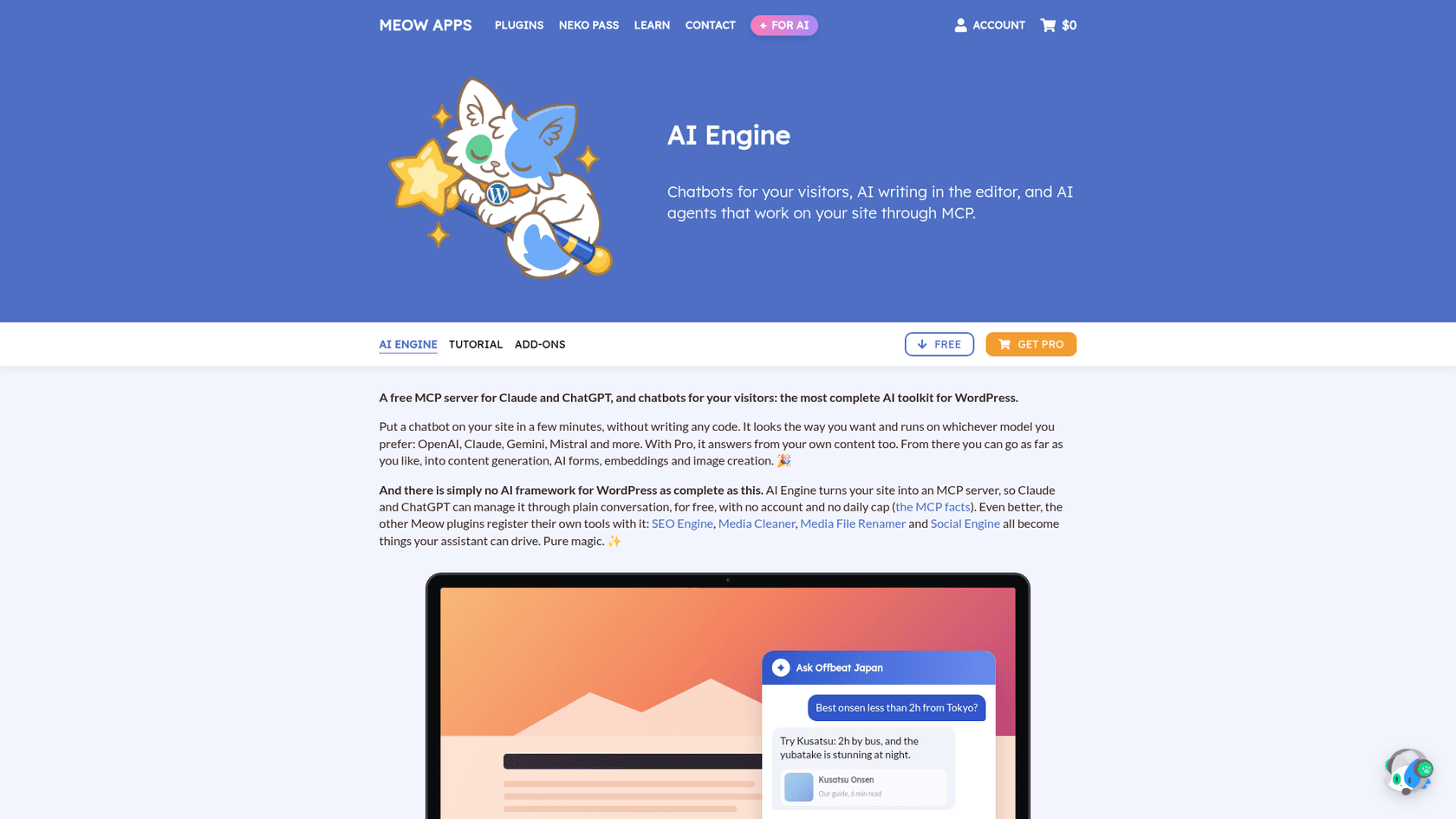
AI Engine by Meow Apps is the most installed plugin on this list (90,000+ active installs, 4.9 from 884 reviews). It's a full AI toolkit: chatbots for visitors, AI writing in the editor, and a built-in MCP server so Claude, ChatGPT and other agents can manage your site. If you mainly want ChatGPT on your site, see ChatGPT for WordPress.
What I liked:
-
It does far more than chat, from content generation to AI forms.
-
Chatbots run on OpenAI, Claude, Gemini, Mistral and more, or a local model.
-
The free version is genuinely usable for trying a chatbot.
What I didn't like:
-
Grounding the chatbot in your own content is a Pro feature.
-
You pay your AI provider directly for every reply, on top of any licence.
-
The chatbot is one part of a big plugin, which can be overkill if you only need chat.
Pricing: AI Engine has a free version on wordpress.org. AI Engine Pro costs $59/year for 1 site, $79/year for 5 sites or $149/year for 20 sites.
What to look for in a WordPress chatbot plugin
A few questions make the decision much easier.
-
Native plugin or embeddable widget? A native plugin lives in your WordPress dashboard, which is convenient. An embeddable widget works on any site and usually sits on a platform that pulls knowledge from across your business. Several tools here (WPBot, AI Engine Pro, eesel) offer both.
-
What can it learn from? A chatbot that only reads your public site is like a new hire who has never seen your internal docs. It can't explain a nuanced policy or a past fix. Look for one that connects to your help desk, internal knowledge base and past tickets.
-
Can you start small? You don't have to automate every chat on day one. Pick a few topics for the AI and test its answers on past conversations before widening its scope. Tools that pair AI with live chat plugins make the handoff easy.
-
How does the bill grow? Licence plugins add an AI provider charge per reply, and quota or credit plans move up a tier when traffic spikes. Work out what a busy month costs before you commit.
Go beyond a simple AI chat plugin
Plenty of plugins put a chat bubble on your site. The difference is what the bot knows. One that only reads your public pages is a slightly smarter search bar; one that learns from your help desk and past tickets can answer the way your best agent would.
If that's what you're after, eesel joins the tools you already use, answers on your website, inside your help desk or in Slack, and you decide what it handles on its own and what waits for a person. Try eesel AI for free and see its answers on your own questions before you pay anything.
Frequently asked questions
What is the best chatbot plugin for WordPress?
It depends on the job. AI Engine is the most installed of the six (90,000+ active installs, 4.9 stars on wordpress.org) and suits people who want a chatbot plus other AI tools, Tidio suits teams that want live chat and AI in one inbox, and eesel suits support teams that want answers drawn from past tickets. For a wider list, see our best AI chatbot for WordPress roundup.
What is the best free chatbot plugin for WordPress?
WPBot, AI Engine, Tidio and Robofy all have free plugins on wordpress.org. AI Engine's free version runs a chatbot on your own AI key, but grounding it in your own content needs Pro, and Tidio's free plan includes a one-time 50 Lyro AI conversations. More on Tidio's pricing.
How much does an AI chat plugin for WordPress cost?
Licence-based plugins start at $39 a year (WPBot Starter) or $59 a year (AI Engine Pro), plus what your AI provider charges per reply. Hosted tools start at $33 a month billed yearly (Tidio Starter), $40 a month (Robofy Starter) and $299 a month (eesel Teammate). WPBot pricing has the full breakdown.
Do I need my own OpenAI API key for a WordPress chatbot?
For AI Engine you connect your own provider key (OpenAI, Claude, Gemini and others) or a local model, so the AI bill comes from that provider. Hosted tools like Tidio, Robofy and eesel include the AI in their plan. See how ChatGPT for WordPress setups work.
Can a WordPress chatbot answer WooCommerce order questions?
Some can. Robofy reads WooCommerce product and order data, WPBot has a WooCommerce module, and eesel's wordpress.org plugin is built for WooCommerce stores. My guide to an AI chatbot for WooCommerce goes deeper.
Is a chatbot plugin better than live chat for WordPress?
Most teams want both: the AI handles repeat questions and hands the rest to a person in the same conversation. Tidio and ProProfs Chat bundle the two; compare more in WooCommerce live chat plugins.
How do I test an AI chatbot before it goes live?
Start it on a few topics and check its answers against real past questions before you widen its scope. eesel lets you run it against past tickets first; read more about an AI chatbot for your website.