
OpenClaw 2.0: what's new in the biggest update yet
I ship integrations and APIs for a living, so when an open-source project drops 16,977 pull requests in a single release, I stop scrolling and actually read the changelog. That's what OpenClaw 2.0 is: not a point update, but roughly half of every change the project has ever merged, landed at once.
For the last three years my team has been putting AI agents on live customer support queues, which means I've spent a lot of time reading past the launch-day copy to find what a release actually does under the hood. So this is the builder's read on OpenClaw 2.0: what actually changed, the one feature that reframes the whole project, and the catch nobody puts in the headline.
OpenClaw 2.0 is release v2026.8.1, shipped on 30 August 2026. The project calls it by far its largest update ever, built from 16,977 pull requests by 987 contributors (569 of them first-timers). It touches installation, the web UI, memory, skills, models, automations, the browser, and native apps.
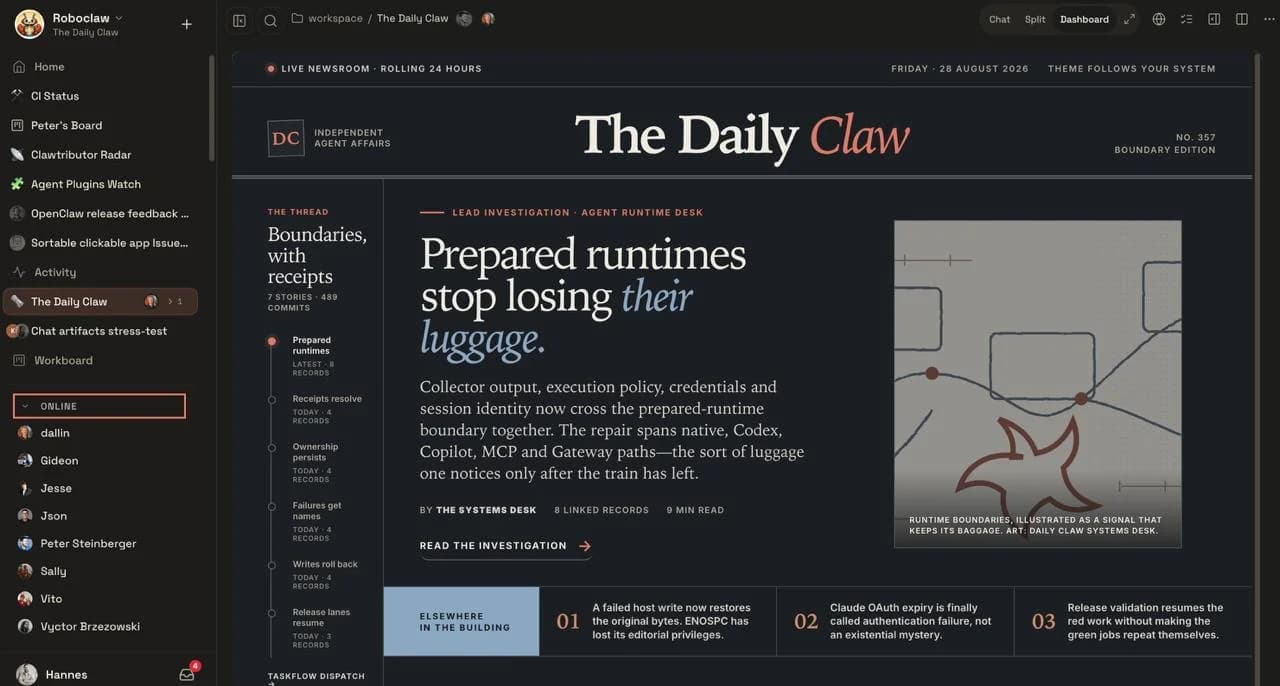
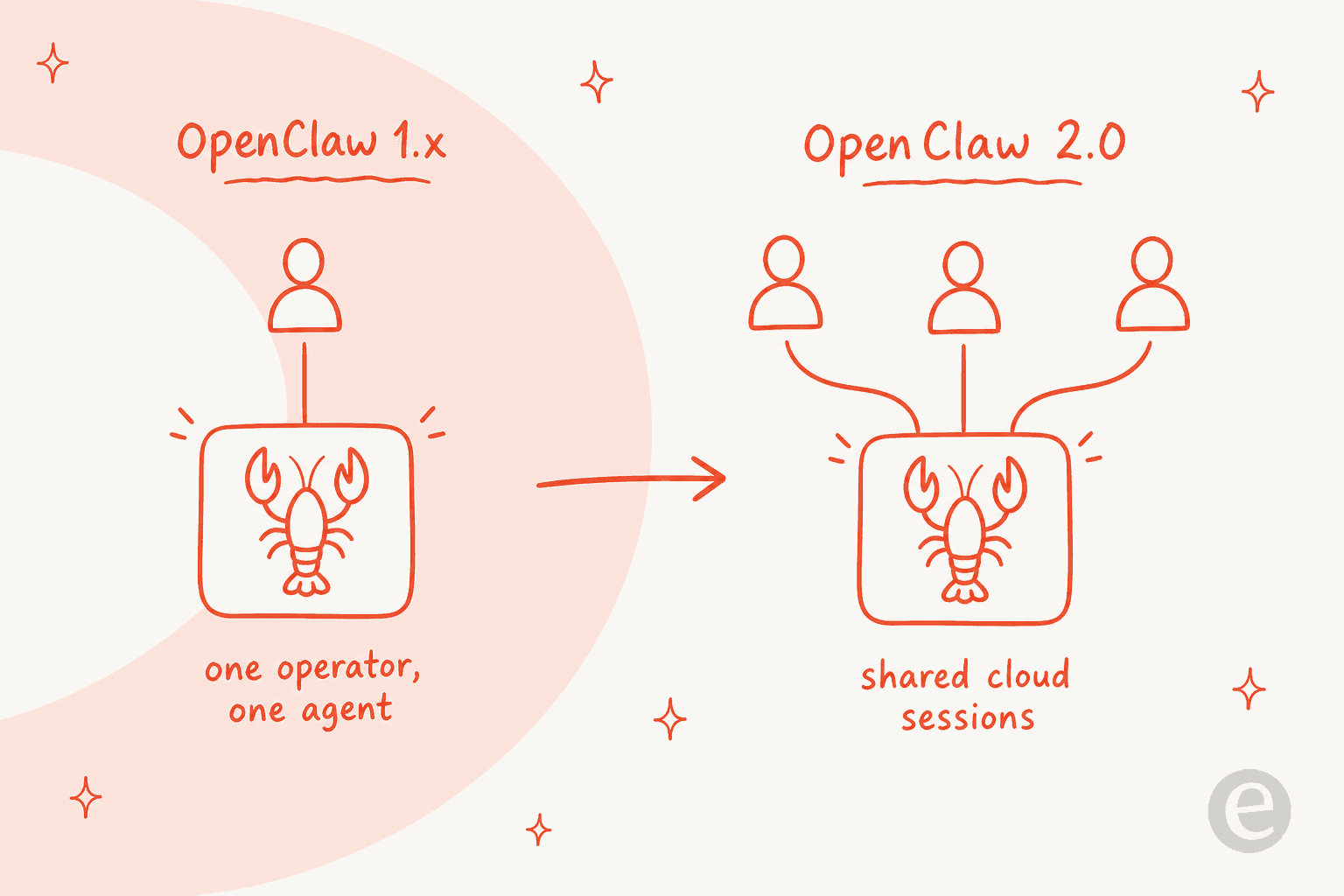
The one change that matters most is multiplayer. Version 1.x was explicitly "designed for a single operator." Shared cloud sessions now let a whole team work inside one agent conversation and hand tasks off with the context intact. The viral personal agent grew up into a team tool.
The catch didn't change. OpenClaw is still MIT-licensed, self-hosted, and bring-your-own-model. There's no hosted tier, no SLA, and the docs still tell you tools run on your host unless you sandbox them. You own the uptime and the blast radius, and the real cost lands as token spend, not a subscription. If that's a dealbreaker, the honest move is a managed AI helpdesk agent rather than a DIY one.
The "accidental" 2.0
The most telling thing about OpenClaw 2.0 is how the maintainers describe its own origin. Per the release post, the update started small: a push to simplify installation and rebuild the browser app as a first-class experience. Doing that properly meant carrying the cleanup through the rest of the codebase "until it became OpenClaw 2.0."
The numbers behind that are what make it a real release and not a marketing milestone. Before this, OpenClaw had shipped 106 releases in 230 days, usually a day or two apart. Then it went nearly seven weeks without shipping, because the team was rebuilding both the foundation and the process at the same time. The result was a release carrying roughly 50% of all pull requests ever merged into the project.
That's an unusual shape for an open-source update. Most 2.0s are a rename plus a few flagship features. This one is closer to a rewrite that happened to keep the same name, which is exactly why it's worth reading rather than skimming. If you're weighing whether to adopt it at all, my full OpenClaw review and alternatives roundup go wider than this changelog read.
The headline: OpenClaw is multiplayer now
Here's the change that reframes everything else.
OpenClaw's own README described version 1.x as an assistant "designed for a single operator." No seats, no shared workspace, no way to bring a colleague into a task without losing what the agent already knew. That single line was the reason it stayed a personal-productivity toy for most teams, however viral it got.
2.0 breaks that ceiling with shared cloud sessions. The maintainers hit the wall themselves while building the release, wanting to share tasks, collaborate on them, and sometimes hand them off entirely. Shared sessions turned OpenClaw into what they call "a multiplayer experience," where you bring the right person into live work or hand it over with the full context attached.
What makes this land is that people were already forcing OpenClaw into a team role before the feature existed. On Hacker News, one operator described the workaround plainly:
"The biggest unlock was wiring it up to my agency's whatsapp group - it's now basically a multiplayer chatgpt. Not a 'personal' assistant, but more of agency's assistant."

Another ran a whole team off a single shared agent:
"We run an OpenClaw agent for our entire team — he lives in a group chat. Runs our standups, checks in with everybody EOD on blockers."
2.0 takes that duct-tape pattern and makes it a supported feature. If you've been treating a personal AI assistant as a de facto team chatbot, this is the release that stops fighting you.
Pick the row that sounds like you. There's no wrong answer, just a different amount of ops work.
I want a personal agent I fully own and can tinker with
My whole team needs to share one agent with roles and history
I want an agent answering customer tickets, live, this month
Setup that starts from what you already have
The change most people will feel first is onboarding. In 1.x, setting up a Claw meant a wall of configuration before your first useful conversation. 2.0 inverts that.
Guided setup now starts by looking at what's already on your machine: an existing ChatGPT, Claude, or Codex sign-in, API keys you've set, or local models running in Ollama or LM Studio. It reuses those instead of asking you to configure them again, and it verifies the chosen model can actually answer before it saves the choice. Fresh OpenAI setups default to GPT-5.6, and the RAM-gated local default is Gemma 4. If you've set up an AI copilot before, this is the friendliest that model wiring has ever been in OpenClaw.
Small quality-of-life wins stack up here too. A Mac app opened from Downloads can offer to move itself into Applications so updates and launch-at-login work properly, and on Linux the installer makes openclaw available in new shells without you hand-editing startup files. Network installs that would expose the Gateway without authentication are now stopped before anything changes, which is the kind of guardrail that only shows up after enough people footgun themselves.
A web UI that finally feels like a chat app
Most people meet OpenClaw through its browser app, so the team rebuilt the Control UI as a first-class surface rather than a settings dashboard.
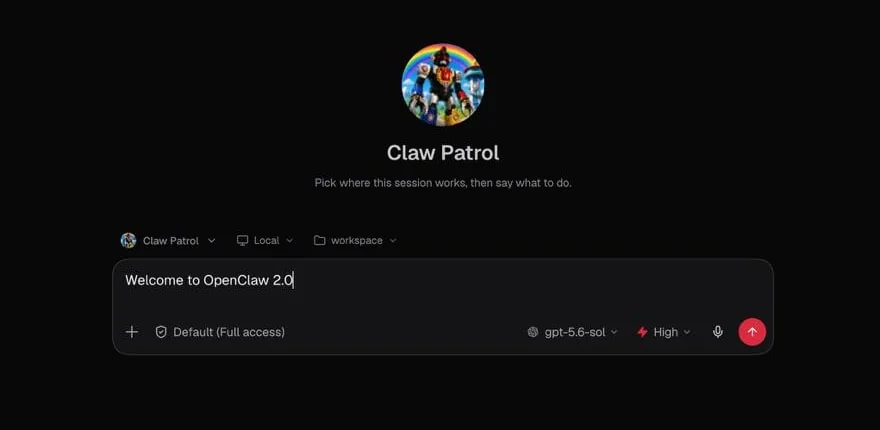
The new layout puts conversations at the centre with a familiar sidebar, so anyone who's used ChatGPT, Claude, Gemini, or Perplexity will feel at home. Settings and an Inbox for alerts stay tucked away until you need them, and conversations can open in real browser tabs. It's a small thing that does a lot of work: the browser app is where a first-time user decides whether the project is approachable or a config swamp, and 2.0 lands firmly on approachable.
Everything else that changed
The rest of the release is broad enough that no single section captures it. The pieces most likely to matter to you:
- Memory got a real backbone. An eligible personal agent can now recall relevant context from that same agent's other private conversations, including what mattered right before a reset. There's a built-in memory engine with a migration path from the old QMD store, and forgetting a derived memory doesn't wipe the original conversation.
- Skills became a full workflow. Skills turn a repeatable way of working into reusable instructions. 2.0 connects the whole path, create, validate, install, and review, plus a self-learning mode that can turn durable corrections into proposed skill improvements. It's a more governed version of the pattern I've seen teams reinvent for support tagging.
- Automations replaced cron (in name). Scheduled work now lives under one "Automations" name across the agent, UI, CLI, and docs, though existing
openclaw croncommands and schedule syntax still work. History now separates whether a job ran, whether its result was delivered, and whether the whole request completed. - Browser and Computer Use went deeper. OpenClaw can drive signed-in browser sessions through an isolated managed profile or the exact Chrome tabs you share via an official extension. Computer Use works on paired Macs and enabled Windows machines; Linux control is still experimental.
- Plugins are manageable from the UI. Admins can browse, install, enable, and remove plugins and vetted MCP connectors from the Control UI, with source review for managed installs, similar to how you'd wire tools into Claude Code via MCP.
- Native apps grew up. iPhone, iPad, and Android bring voice and attachments into chat, macOS adds a Quick Chat shortcut from the menu bar, and there's even Wear OS and Apple Watch support.
If you came in through a specific channel, the channel work is worth a look too: Telegram got richer media, Slack keeps live progress and the final answer together, Discord added voice rooms, and WhatsApp remains a popular front door.
The catch: you still own the hard part
Here's where I'd be doing you a disservice if I only cheered.
OpenClaw 2.0 is more capable and much easier to start, but the fundamental tradeoff of a self-hosted agent hasn't moved. The project's own docs are blunt about it: treat inbound messages as untrusted input, and tools run on the host for the main session unless you configure sandboxing. That's not a knock, it's just what owning the runtime means. It's also why an AI agent is a different animal from a rule-based chatbot: the power to act is the same power that needs guarding.
This is the same reason a self-hosted setup and an open-source chatbot platform both put more on your plate than a hosted product does. The community has been clear-eyed about it for a while. One of the most-upvoted Hacker News threads on the project calls it "a security nightmare" dressed up as a daydream, and the concern is specific, not vague:
"OpenClaw, for all the cool and flashy uses, is also basically an infinite generator for lethal trifecta problems because its whole pitch is combining your data with tools that can both read and write from the public internet."
2.0 does real work here, binding approvals to the exact request and session, and letting protected credentials reach a destination without becoming model-visible text. But the structural facts remain: schedules only fire while your Gateway is running, so uptime is yours; and there's no vendor SLA because there's no vendor. The token bill is yours too, and the community's own numbers on that are the honest headline, not the free license.
For a personal power-user, that ownership is the whole point. For a team trying to put an agent in front of customers, it's a pile of operational work that has nothing to do with the actual support.
Where a hired teammate fits instead
This is the distinction I keep coming back to: OpenClaw is infrastructure, and eesel is the employee.
OpenClaw hands you a powerful runtime and asks you to assemble the agent, host it, secure it, and keep it alive. That's the right call when you want a personal agent you fully own. It's the wrong call when what you actually need is a job done, reliably, in front of real customers.
eesel is an AI teammate platform: you hire ready-to-work teammates for a specific job, and each one arrives with the skills, integrations, and company context for its role. The AI helpdesk teammate joins your existing support queue, trains on your past tickets and help center, and, crucially, can be simulated against your own historical tickets before it ever answers a live customer. We built that simulation step because we've watched confident-sounding bots quietly give wrong answers, and a dry run over real tickets is the only way to catch it before your customers do. There's a second teammate, an AI blog writer, on the same platform, so you're hiring for the role rather than wiring up a raw model yourself. If you're pricing the trade against headcount, the AI vs human agents cost breakdown and our notes on measuring AI support ROI both help.
None of that replaces OpenClaw for the tinkerer who wants to own their stack. It's the answer for the reader who read "you own the uptime and the blast radius" and thought, that's exactly the part I don't want to own. If you want to compare the DIY route against managed options honestly, my best AI agents roundup is a good starting point, and there's a small-business version too.
My take
OpenClaw 2.0 is the release that turns the most-starred repo on GitHub from a viral personal-agent curiosity into something a team can actually share. The multiplayer shift is the real story, the setup rebuild removes the biggest reason people bounced, and the sheer scale of the update signals a project with serious momentum behind it.
It's also still a self-hosted runtime that hands you the keys and the responsibility in equal measure. That's a feature if ownership is what you're after, and a cost if you just want the work done. Know which one you are before you run the installer, and you'll be happy with whichever way you go.
Want the shortlist of hosted options for support specifically? Start with the best AI agent for customer service, or see real examples of AI agents already doing the job.
Frequently Asked Questions
What is OpenClaw 2.0?
What's new in the OpenClaw v2026.8.1 update?
Is OpenClaw 2.0 free?
Does OpenClaw 2.0 support teams now?
How do I install or update to OpenClaw 2.0?
openclaw npm package, and 2.0 rebuilt onboarding to detect what's already on your machine before asking you to configure anything. If you're upgrading an existing Claw, the supported update path now inspects your install before replacing it and keeps the previous CLI runnable if a candidate looks unsafe. The GitHub integration and other plugins carry over.