DeepSeek Harness alternatives: 8 coding agents to try in 2026

Kurnia Kharisma

Katelin Teen
Last edited October 7, 2026
Why people look past DeepSeek Harness
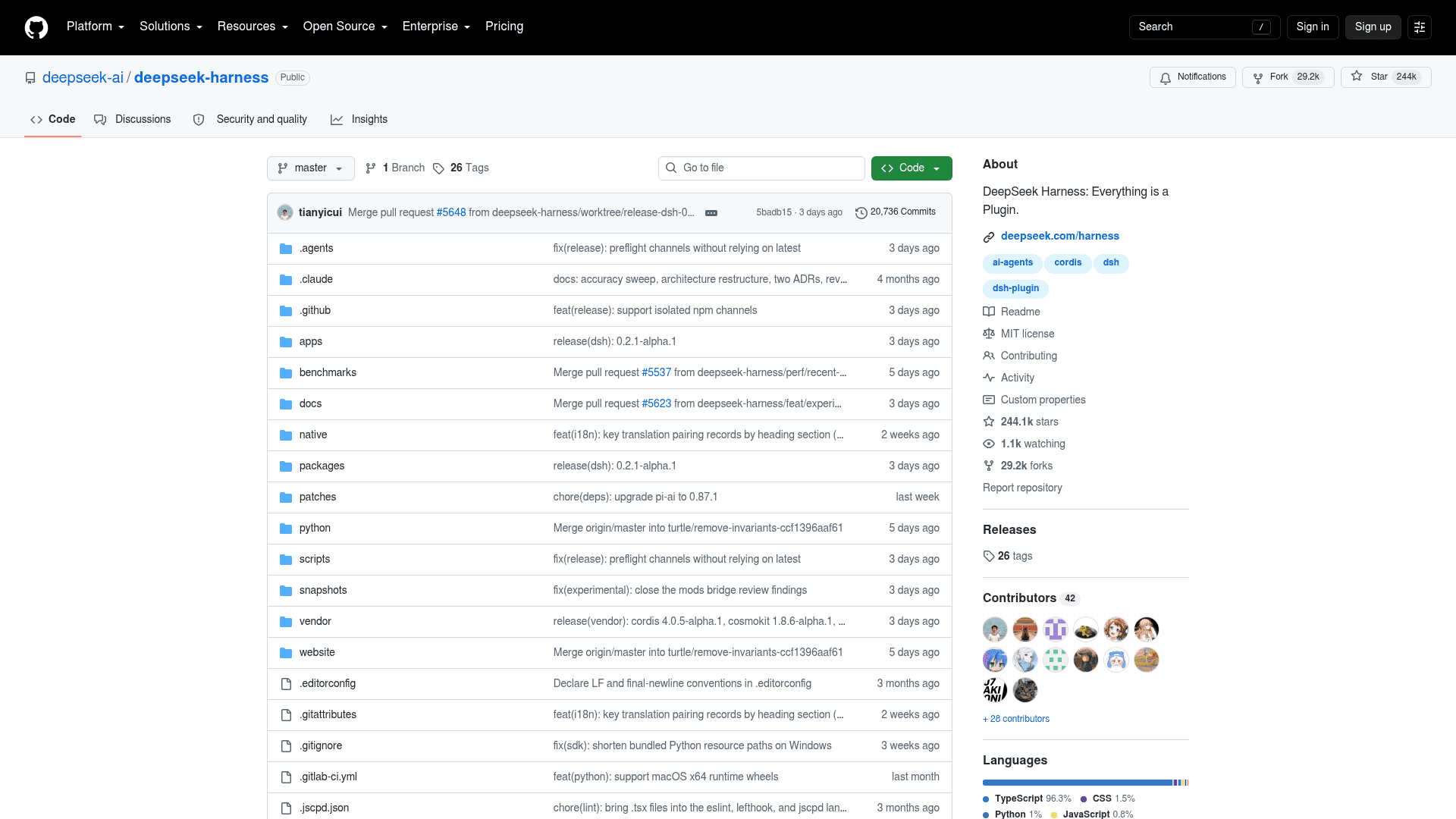
Credit where it is due first. DeepSeek Harness (the dsh command) is MIT-licensed, free, and built so every part, from the model adapter to the agent loop, is a plugin you can swap. It passed 244k GitHub stars in under two months and pulled 451,964 npm downloads in the week to 4 October. People who use it often love it.
Still, five reasons come up again and again when people start shopping around:
- It is a developer preview. The README warns of compatibility-breaking changes, and every release so far is a pre-release. The latest tag, dsh-v0.2.1-alpha.1, removed a set of runtime plugins outright.
- Session logs go to DeepSeek by default on the official API, through a session-log plugin you have to switch off in Settings.
- The Desktop build turns on telemetry. The web build only sends explicit feedback, but the Desktop app follows a separate product analytics policy.
- "Everything is a plugin" has a maintenance cost. Changing core behavior means patching core plugins, and every plugin install needs a restart.
- No Linux desktop app. Desktop builds cover macOS and Windows only.
One Hacker News user summed up point 4 in a single comment:
"I like DeepSeek Harness quite a bit, but the problem with "Everything Is A Plugin" is that when this includes core functionality, you still have to maintain downstream patches for those core plugins if you want to tweak existing behaviour. I currently have ~25 downstream commits and 0 new plugins."

The same user was fair about the privacy side in a follow-up comment: the session-log plugin only attaches transcripts to requests already going to DeepSeek's API, and with a local model nothing goes to DeepSeek by default. So the real question is less "is dsh bad?" and more "which of these five things bothers me?". The answer changes which alternative fits.
First, decide what you are replacing
An agent harness and a model are two different purchases. The harness is the loop, the tools, the sandbox and the interface; the model is the brain you pay for by the token. dsh happens to come from a model company, so it is easy to treat them as one thing. They are not.
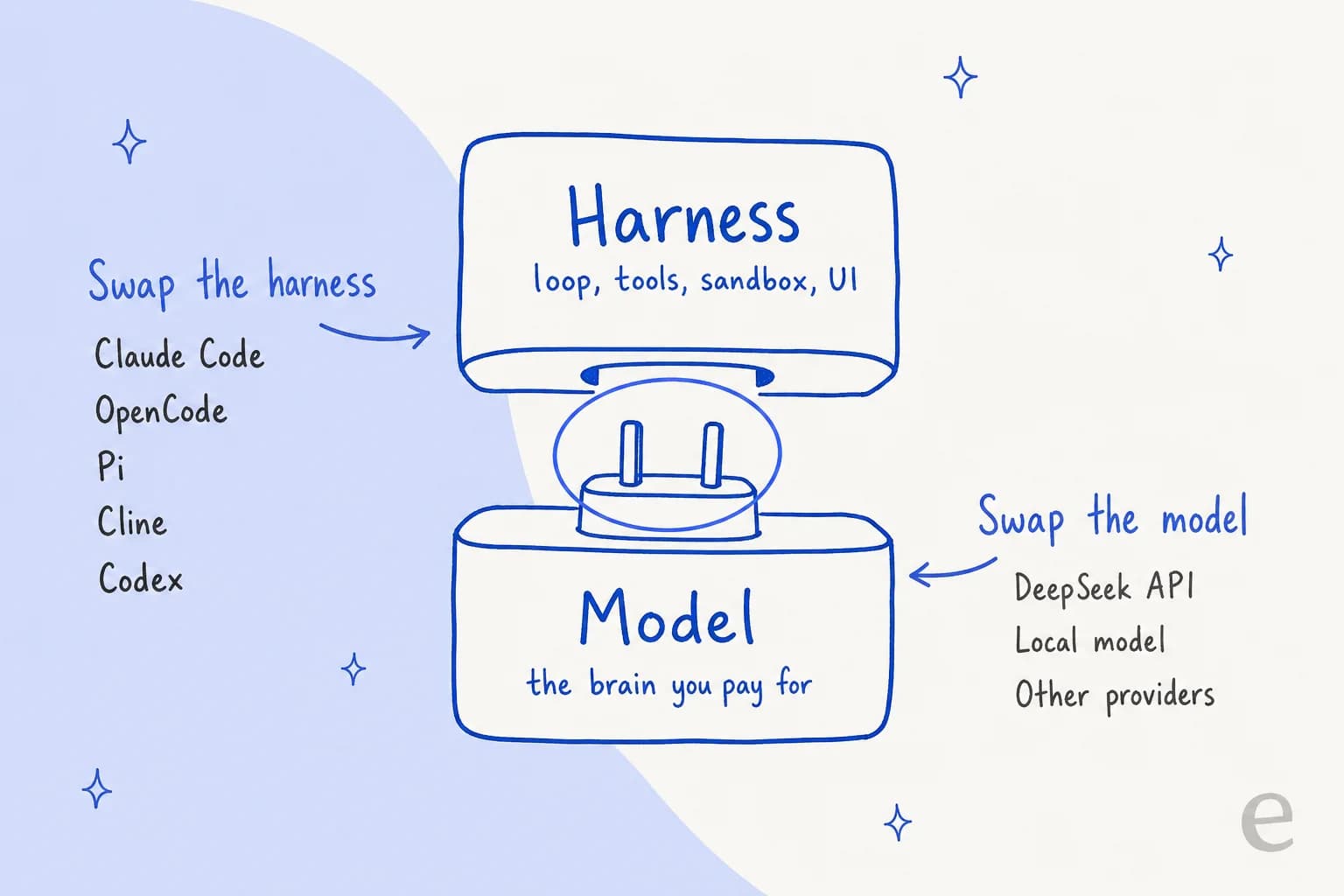
DeepSeek makes this easy to see. Its API accepts the Anthropic message format, and its own docs walk you through pointing Claude Code at DeepSeek with a handful of environment variables (ANTHROPIC_BASE_URL=https://api.deepseek.com/anthropic plus your DeepSeek key). Claude model names get mapped automatically: anything starting with claude-opus goes to deepseek-v4-pro, and claude-sonnet or claude-haiku go to deepseek-flash, per the Anthropic API guide. If you want the details of those variables, my post on Claude Code environment variables covers them.
One developer put the principle better than I could:
"You'd better take harness and provider as different parts. In your case, I think the major issue is OpenCode go provier, not necessariy OpenCode harness."
So before you switch, ask which half is the problem. If it is the preview churn or the defaults, swap the harness and keep cheap DeepSeek V4.1 Flash tokens. If it is the model, you could even keep dsh and point it at a local model. Ollama, the popular local model runner, added support within days of launch:
"Ollama now supports the DeepSeek Harness. ollama launch dsh. Run it completely in your own environment."
DeepSeek Harness alternatives at a glance
All numbers below were checked on 7 October 2026 against each project's GitHub repo, package registry and pricing page.
| Tool | Made by | License | GitHub stars | Weekly downloads | Runs DeepSeek models? | Surfaces | Default approval behavior | Telemetry default | Price of the tool |
|---|---|---|---|---|---|---|---|---|---|
| Claude Code | Anthropic | Proprietary | 149,646 | 14.8M (npm) | Via DeepSeek's Anthropic API (DeepSeek-documented, not Anthropic-supported) | Terminal, IDE, desktop, web | Auto mode: a classifier reviews actions | On (Anthropic API), opt-out | Pro $20/mo, Max from $100, or API |
| OpenAI Codex | OpenAI | Apache-2.0 (CLI) | 128,071 | 25.6M (npm) | Custom provider config (not tested end to end by OpenAI) | Terminal, IDE, desktop, cloud | Sandbox: workspace writes, network off | On (anonymous), opt-out | Free, Go $8, Plus $20, Pro from $100 |
| OpenCode | Anomaly | MIT | 212,060 | 3.3M (npm) | Yes, direct provider plus Zen and Go | Terminal, desktop, IDE, server | Most actions allowed | No setting documented | Free; Go $10 or $40/mo optional |
| Pi | Earendil | MIT | 112,973 | 5.2M (npm) | Yes, API key or gateway | Terminal, SDK | No approval prompts | Install reporting on, opt-out | Free |
| Cline | Cline | Apache-2.0 | 69,953 | 5.5M installs (VS Code, total) | Yes, first-class provider | VS Code, JetBrains, CLI, desktop, SDK | IDE asks per tool call; CLI auto-approves | On, opt-out | Free; ClinePass $9.99/mo optional |
| Goose | Agentic AI Foundation | Apache-2.0 | 55,016 | Not on npm | Via gateways, local or custom provider | Desktop (macOS, Linux, Windows), CLI | Autonomous mode | Opt-in | Free |
| Gemini CLI | Apache-2.0 | 107,241 | 453,215 (npm) | No, Gemini only | Terminal, IDE via ACP | Asks per tool call | On, opt-out | Free tier; Google AI Pro/Ultra | |
| Aider | Aider-AI | Apache-2.0 | 49,400 | 55,711 (PyPI) | Yes, documented | Terminal | Edits without asking, auto-commits to git | Opt-in (asks a random subset) | Free |
Two rows deserve a note. Download counts include CI and SDK installs, so they show reach, not head count. And Aider's last tagged GitHub release is from August 2025, which matters more than its star count; I get into that below.
How much each one does before asking
This is the dimension that surprised me most while reading the docs, and the one launch coverage rarely compares. Out of the box, these tools sit at very different points between "asks before everything" and "just does it".
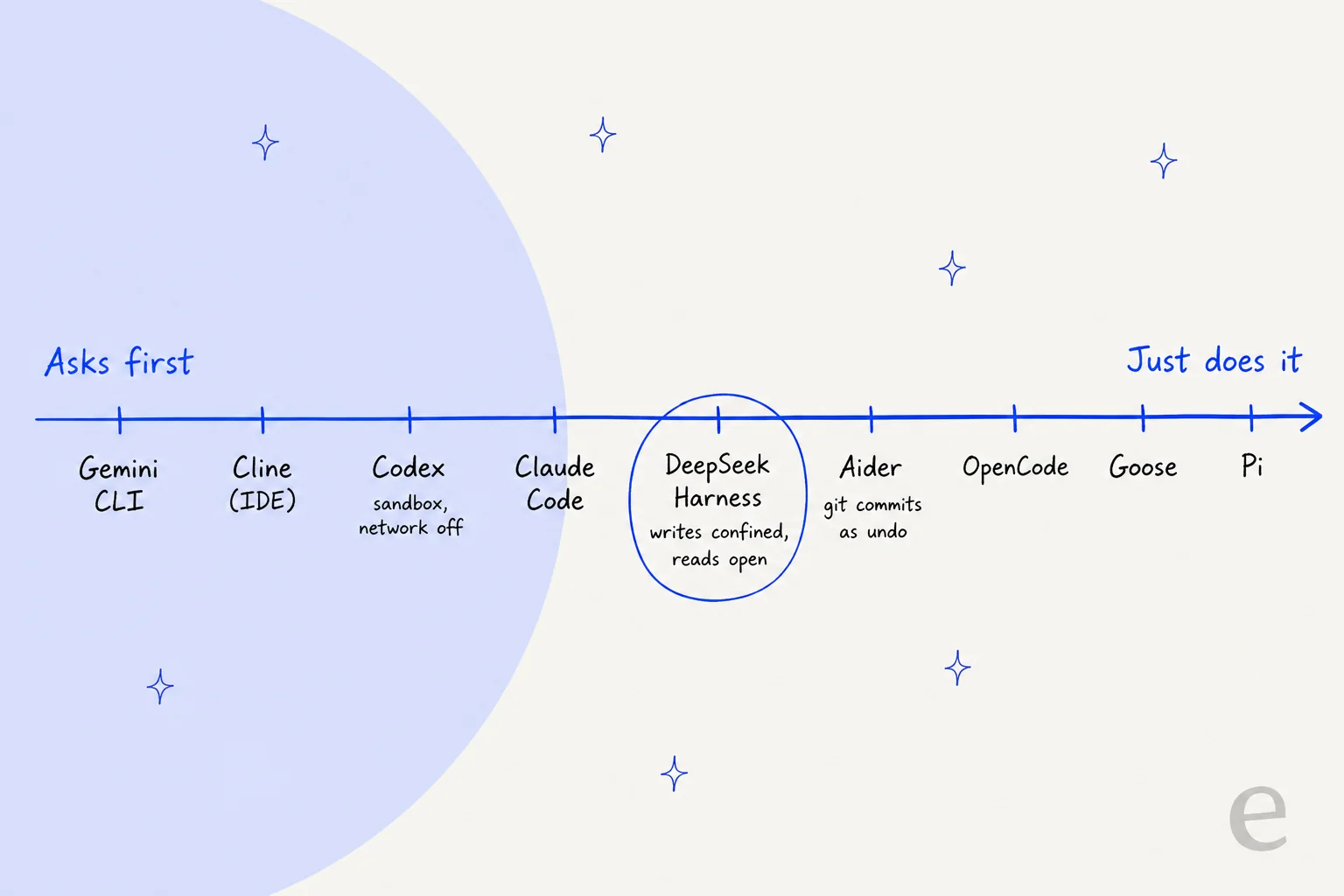
dsh sits in the middle: its workspace-write preset confines writes, but reads and network are open. If that middle ground worried you, Codex is the clear step toward caution, since it keeps network off by default and enforces it with the operating system's sandbox. If anything, a lot of the open alternatives are further toward "just does it" than dsh. OpenCode's docs say "most permissions default to allow", Goose's docs note that Autonomous Mode is applied by default, and Pi does not ask for approval before tool calls at all. None of that is wrong, it is a design choice for speed. Just make it on purpose.
1. Claude Code
Best for: teams who want the most complete coding agent and are fine with a closed-source tool.
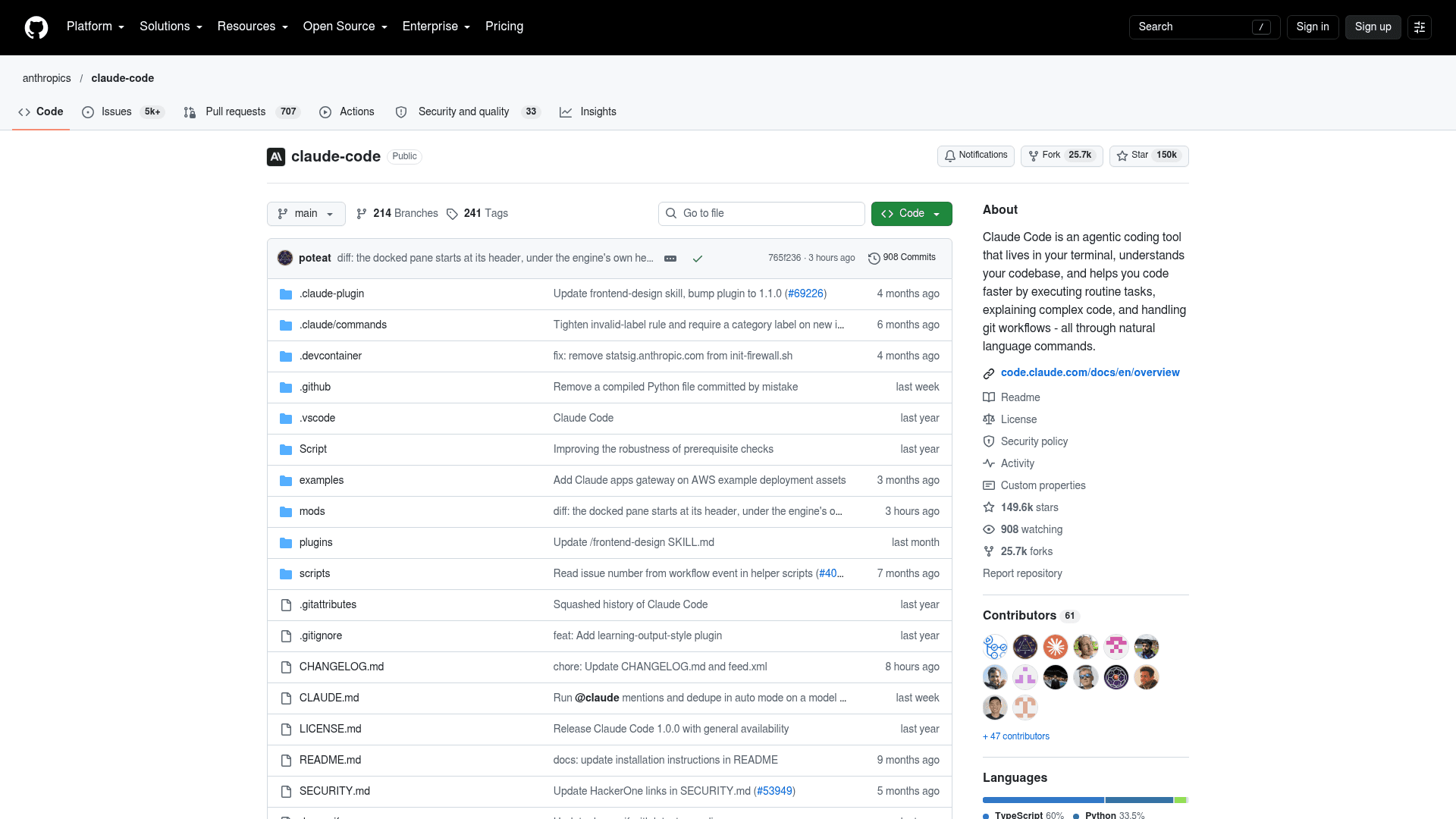
Claude Code is Anthropic's coding agent, and it now runs in the terminal, VS Code and Cursor, JetBrains, a desktop app and the web. It is the most downloaded closed tool on this list, with 14,786,283 npm downloads last week. Unlike dsh, it is not open source: the repo's license file reads "All rights reserved."
Works with DeepSeek: officially, Claude Code runs Claude models only, and Anthropic's LLM gateway docs say it does not support routing to non-Claude models. In practice, DeepSeek's own Claude Code guide shows how to point it at deepseek-flash, and plenty of developers do exactly that. Treat it as a DeepSeek-supported setup, not an Anthropic-supported one.
Defaults to check: there are six permission modes, and auto mode, where a second model reviews each action, is now the starting mode for interactive terminal sessions. The Bash sandbox is off by default, and when you switch it on, reads can still reach files like ~/.ssh. Usage metrics are on with the Anthropic API and off on Bedrock, Vertex and Foundry. My guide to Claude Code permissions walks through the modes.
Pricing:
| Plan | Price | Claude Code included? |
|---|---|---|
| Free | $0 | No |
| Pro | $20/month ($17/month billed annually) | Yes |
| Max | From $100/month | Yes, 5x or 20x Pro usage |
| Team | $25/seat/month standard, $125 premium ($20 / $100 annually) | Yes |
| Enterprise | $20/seat/month plus usage at API rates | Yes |
| API (per 1M tokens) | Sonnet 5.5 $2 in / $10 out; Opus 5.5 $4 / $20; Fable 5.1 $10 / $50 | Pay as you go |
All figures from Claude's pricing page. The Claude Code pricing post has worked examples.
Pros:
- The deepest extension system here: MCP, hooks, subagents, skills, plugins and an Agent SDK.
- Runs everywhere your team works, including the web and mobile.
- Stable release line rather than a preview.
Cons:
- Closed source, and Claude-only on paper.
- Subscription use is capped by usage limits, and heavy users end up on Max or API billing.
- Consumer plans keep data for 5 years if you allow training, per the data usage docs.
My take: the safest landing spot if dsh's preview churn is your main problem. One developer on Hacker News argued the opposite case, that Claude Code is only worth it on a subsidized subscription and that lighter harnesses do better on API rates. That is a fair challenge if you pay per token, and it is why Pi is on this list.
2. OpenAI Codex
Best for: people who want an open-source CLI from a big lab with the strictest sandbox defaults.
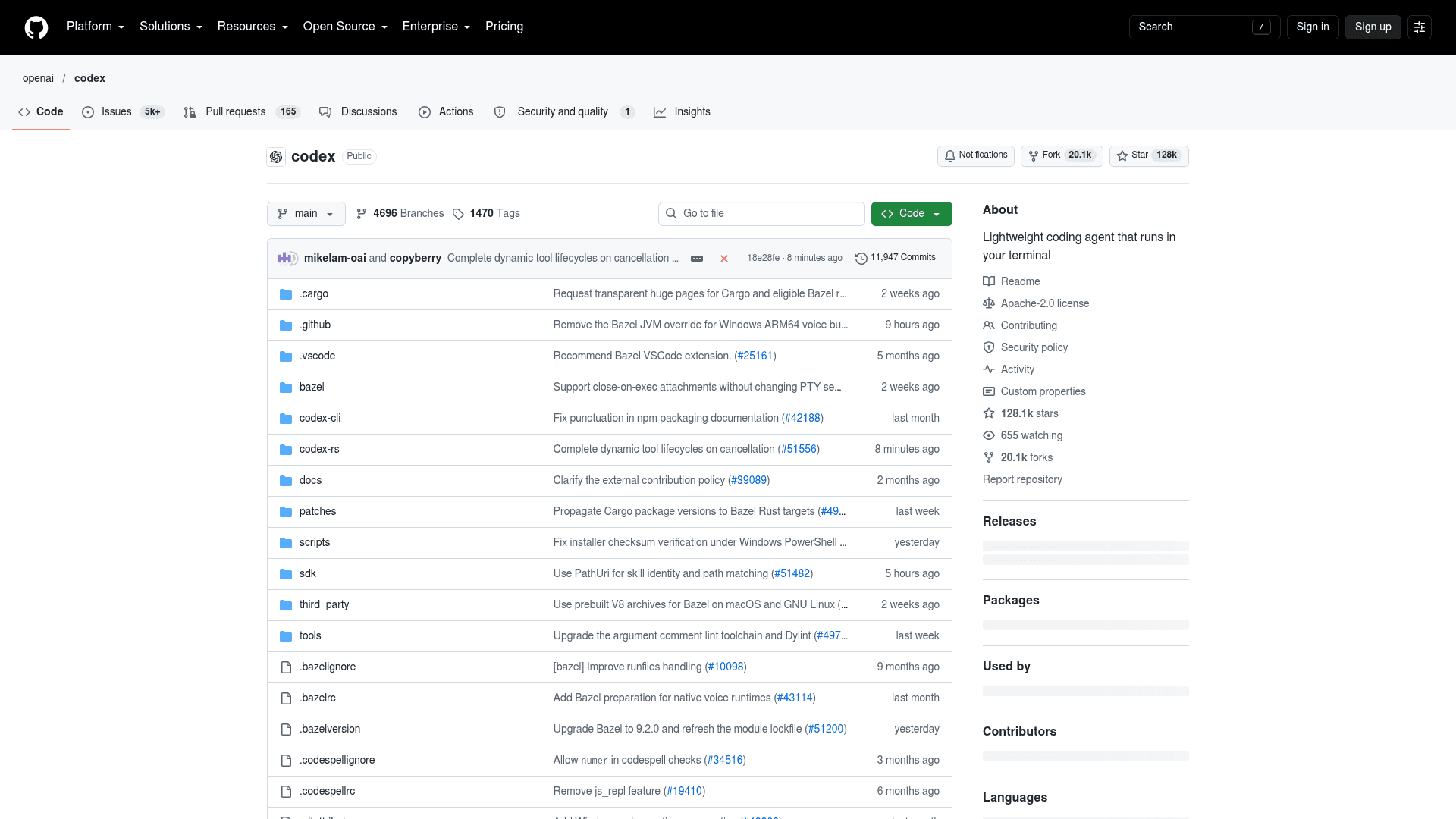
OpenAI Codex is the busiest project in this roundup by downloads: 25,613,321 npm downloads in the week to 4 October. The CLI is open source under Apache-2.0 and written in Rust; the IDE extension and Codex cloud are not, per OpenAI's open-source page.
It runs GPT-6.1 Sol for heavy work and GPT-6 Luna for lighter tasks. For other options in OpenAI's orbit, see my Codex alternatives list.
Works with DeepSeek: Codex supports custom model_providers in its config, an openai_base_url override and --oss for Ollama or LM Studio, per the advanced config docs. OpenAI does not document a DeepSeek setup, and recent Codex versions speak the Responses API, which is why some developers put a local router in between. DeepSeek does list Responses API support on its pricing page, but I have not seen it verified end to end, so test before you rely on it.
Defaults to check: this is the strongest default posture on the list. Locally, Codex runs in an OS-enforced sandbox with network off and writes limited to the workspace, using Seatbelt on macOS and bubblewrap on Linux, per the approvals and security docs. codex exec runs read-only by default. Anonymous usage data is on, and [analytics] enabled = false switches it off.
Pricing:
| Plan | Price | Codex access |
|---|---|---|
| Free | $0 | GPT-6 Luna in the desktop app, subject to rollout |
| Go | $8/month | Same Luna access |
| Plus | $20/month | Web, CLI, IDE and iOS; Sol and Luna |
| Pro | $100, $200 or $500/month | Higher limits; no five-hour cap at the moment |
| Business | $25/user/month ($20 billed annually) | No training on business data by default |
| API key | API rates | CLI, SDK and IDE, but no cloud features like GitHub review |
From the Codex pricing page. One honest catch: limits are given as message estimates, for example 15 to 160 Sol messages per five hours on Plus, which makes costs harder to predict than per-token billing. More in my Codex pricing breakdown.
Pros:
- Open-source CLI with a real OS-level sandbox and network off by default.
- AGENTS.md, an MCP client,
codex execfor CI, TypeScript and Python SDKs, and a GitHub Action. - Generous cheap tier: GPT-6 Luna is fast and inexpensive for routine work.
Cons:
- Built around OpenAI models; other providers are possible but on you to wire up.
- Opaque usage limits on subscription plans.
- Config churn: GPT-5.5 retires from Codex on 14 October, and older approval settings like
untrustedwere removed.
My take: if the "reads and network are not confined" line in dsh's docs is what sent you looking, Codex is the most direct fix. One cost comparison on Hacker News found GPT-6 Luna came out cheaper per message than DeepSeek V4.1 Flash in that user's setup, which is worth knowing before you assume DeepSeek always wins on price:
"Just yesterday I ran a comparison of $/message through my harness[0] comparing Deepseek models to Luna, and to my surprise Luna won. I suspect its partially due to Deepseek's long thinking times, and also maybe due to OpenRouter variance in cache pricing etc."
3. OpenCode
Best for: developers who want dsh's openness and model freedom in a more mature package.
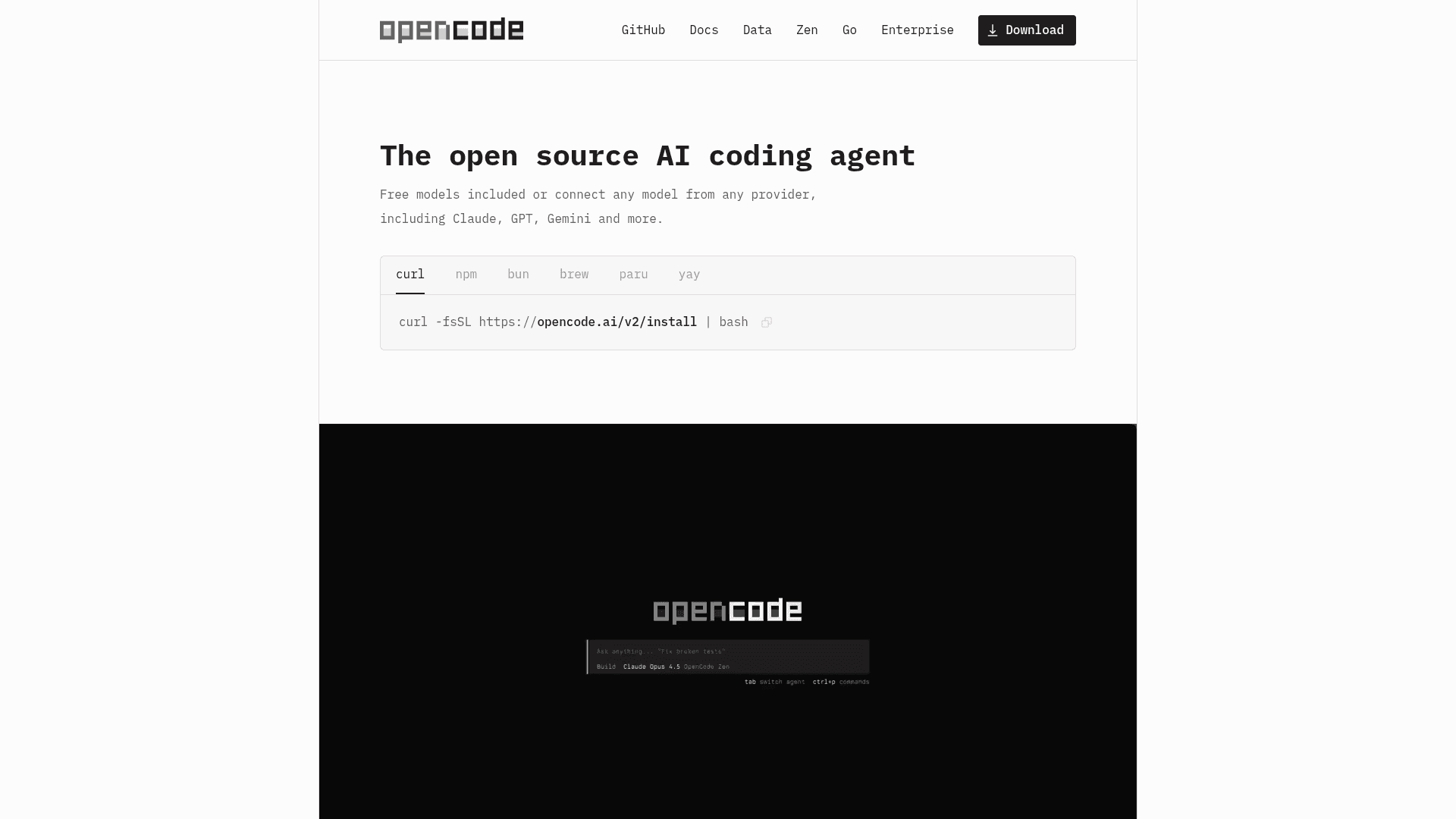
OpenCode is the open-source agent most people compare dsh against, and it has the most GitHub stars on this list at 212,060. It is MIT-licensed, runs as a terminal UI, desktop app or IDE extension, and has a headless server mode with a JavaScript SDK. The repo moved from sst/opencode to anomalyco/opencode, so older links redirect. It is on version 1.18.35, with a separate v2 line in testing.
Works with DeepSeek: yes, in three ways. You can connect DeepSeek directly with an API key through /connect (it is one of 75+ providers), use the pay-as-you-go OpenCode Zen gateway, or subscribe to OpenCode Go, which includes DeepSeek V4.1 Flash and V4 Pro.
Defaults to check: OpenCode leans permissive. Bash and edits run without asking, .env files are blocked from reads, and only actions outside the working directory or a detected "doom loop" trigger a prompt. Snapshots are on, so you can roll back changes. Sharing defaults to manual, and shared sessions sync to OpenCode's servers until you unshare them. I could not find a documented telemetry setting either way.
Pricing:
| Option | Price | What you get |
|---|---|---|
| OpenCode | Free (MIT) | Bring any provider or local model |
| Zen (pay as you go) | Per token; DeepSeek V4 Flash $0.14 in / $0.28 out per 1M | Tested model gateway, auto-reloads $20 when under $5 |
| Go | $10/month | Open coding models incl. DeepSeek, dollar-based limits |
| Go Plus | $40/month | Higher limits |
| Enterprise | Custom per-seat quote | SSO, central config, internal gateway |
Prices from the Zen and Go docs. Go limits work as a share of the plan per window: up to 20% in five hours, 50% in a week and 100% in a month.
Pros:
- Fully open, very active, and broad provider support including local models.
- Plugins, MCP, custom agents and commands, built-in LSP, and a GitHub integration you trigger with
/opencodein a comment. - The cheapest bundled DeepSeek access I found, through Go.
Cons:
- Permissive defaults: tighten
permissionrules before a first run on anything important. - Two release lines (v1 and v2) with different install commands for now.
- Some developers find it heavier on CPU than dsh.
My take: the most natural move for a dsh user who likes the open, model-agnostic idea but wants a project further from the preview stage. Do note this comment from a developer who went the other way, from OpenCode to dsh:
"I do not know why but opencode pushes CPU usage to very high which has NOT happened with DeepSeek harness even once."
4. Pi
Best for: tinkerers who liked dsh's plugin idea and want a smaller, stable core to build on.
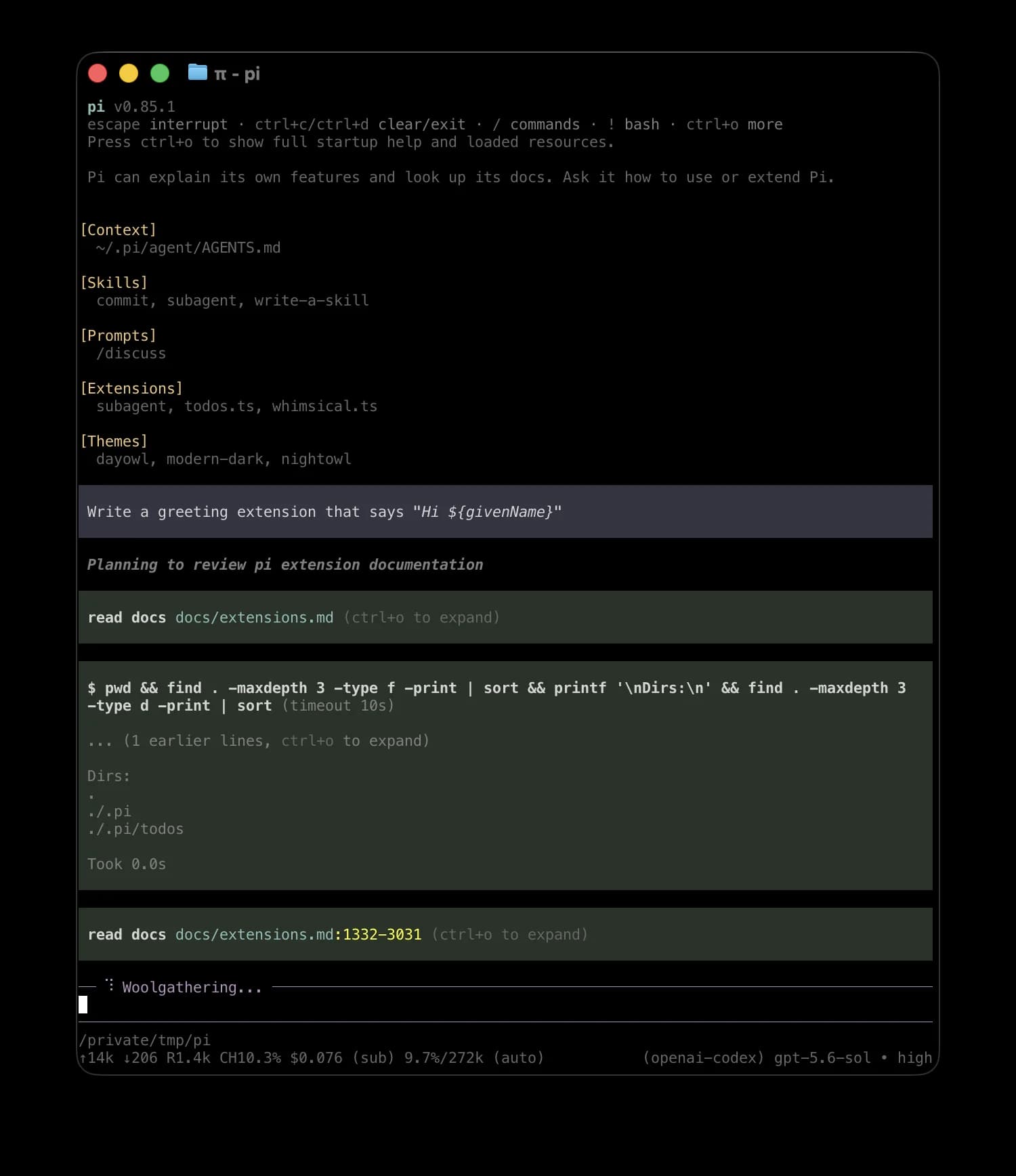
The Pi coding agent is the closest thing to dsh in spirit. It ships four tools (read, write, edit, bash) and a system prompt under 1,000 tokens, and everything else, from subagents to plan mode, is an extension. It is MIT-licensed, has 112,973 GitHub stars, pulled about 5.2 million npm downloads last week, and reached version 1.0 on 1 October under Earendil, the company founded by Flask creator Armin Ronacher.
Works with DeepSeek: yes. Pi connects to 30+ providers by API key, plus local runners like Ollama and llama.cpp. One long-time user described their split setup on Hacker News:
"Now one of my main drivers is out of the box pi’s 4 built in tools, and I add just two extra tools: pi-sandbox and a paid for search service tool. This setup works great with the latest deepseek v4 flash, switching to more powerful open models occasionally."
Defaults to check: Pi is the furthest toward "just does it". It does not ask for approval before tool calls and has no built-in sandbox, so isolation is your job, through Docker or one of the micro-VM options in its docs. Install telemetry is on by default and PI_TELEMETRY=0 turns it off.
Pricing: free. You pay your model provider. If you log in with a Claude subscription, Pi warns that Anthropic bills third-party usage as per-token extra usage.
Pros:
- Tiny, predictable prompt, which keeps token costs low on cheap models.
- Huge extension ecosystem (11,394 npm packages tagged for Pi), and since 0.99.0 built-in MCP through "Codemode".
- Stable 1.0 release, unlike dsh.
Cons:
- YOLO by default; permission gates are extensions you add.
- Batteries not included: subagents and plan mode are add-ons.
- Supply-chain caution applies to any large package ecosystem.
My take: if you were using dsh because you like owning your harness, Pi is the one I'd try first. Several dsh users already port ideas between the two.
5. Cline
Best for: developers who want the agent inside VS Code or JetBrains rather than a separate app.
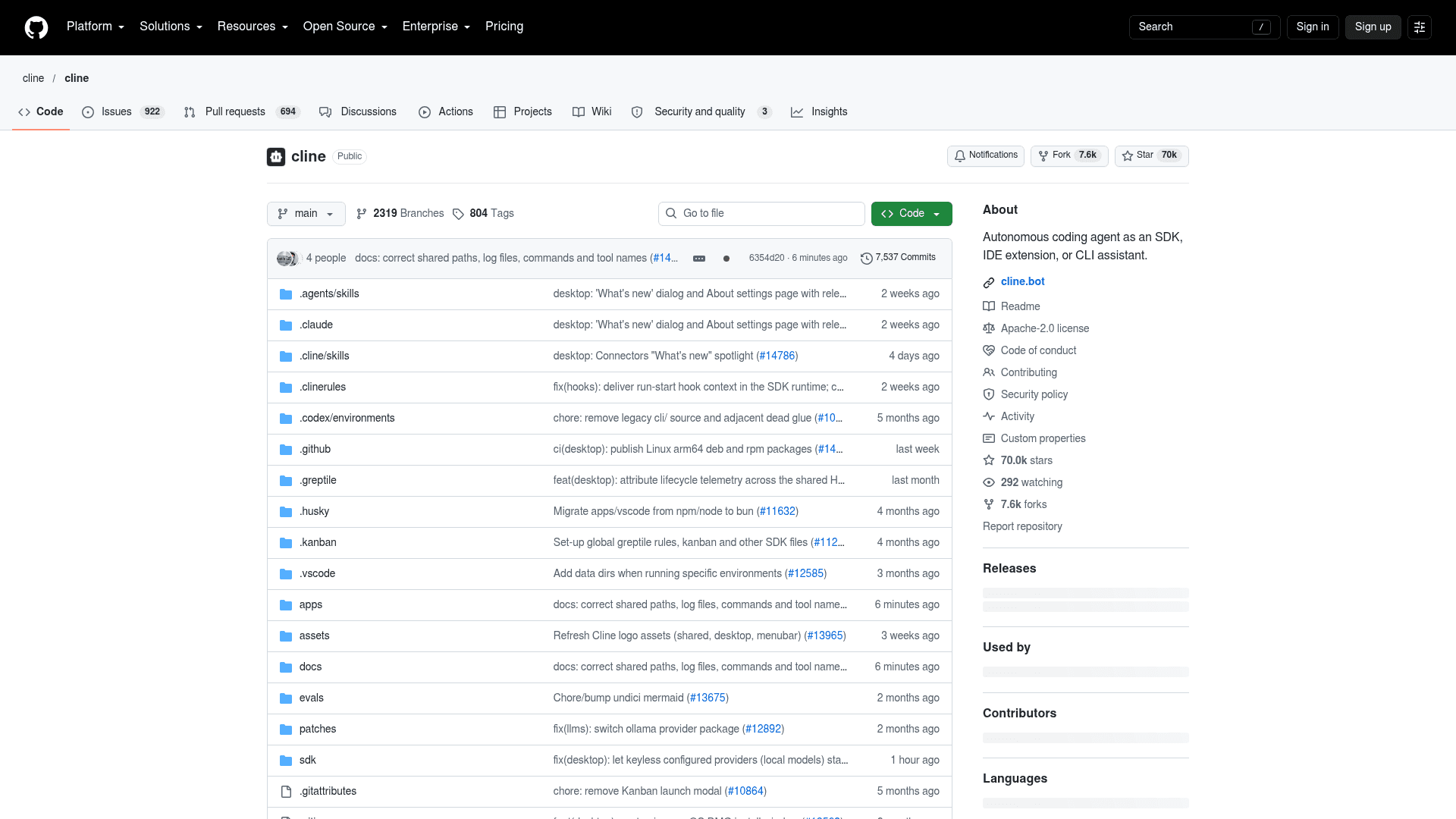
Cline started as a VS Code extension and now also ships a CLI, a desktop app, a Kanban view for running agents in parallel, and an SDK. The VS Code extension alone has 5,544,325 installs. It is Apache-2.0 licensed with about 70,000 GitHub stars.
Works with DeepSeek: DeepSeek is a first-class provider you can use with your own key, and it is also inside ClinePass, Cline's optional flat-rate plan for open models. DeepSeek's own docs even keep a Cline integration page.
Defaults to check: this one depends on where you run it. In the IDE, auto-approve is evaluated per tool call, and the Auto Approve docs recommend leaving edits, commands, browser and MCP off. The CLI is the opposite: --auto-approve defaults to true and there is no allow or deny list for shell commands, per the CLI overview. Checkpoints in a shadow git repo are on everywhere. Telemetry is on by default across products, with one opt-out setting.
Pricing:
| Plan | Price | Notes |
|---|---|---|
| Open Source | Free | Extension, CLI, BYO key or local model |
| ClinePass | $9.99/month | 2 to 5x usage on open models incl. DeepSeek V4 Pro and V4.1 Flash |
| Enterprise | Custom | SSO, RBAC, audit logs, central billing |
From Cline's pricing page and ClinePass guide.
Pros:
- Plan and Act modes, with a different model per mode.
- Reads
.clinerules,AGENTS.mdand Cursor or Windsurf rules files. - The cheapest flat-rate way to run DeepSeek in an editor.
Cons:
- The CLI acts without asking unless you pass
--auto-approve false. - No sandbox documented; the docs point you to isolated environments.
- ClinePass usage caps are given as multiples, not hard token numbers.
My take: if what you missed in dsh was a real editor integration, Cline is the obvious pick. Just remember the IDE and CLI have opposite defaults.
6. Goose
Best for: people who want a polished open-source desktop app, especially on Linux.
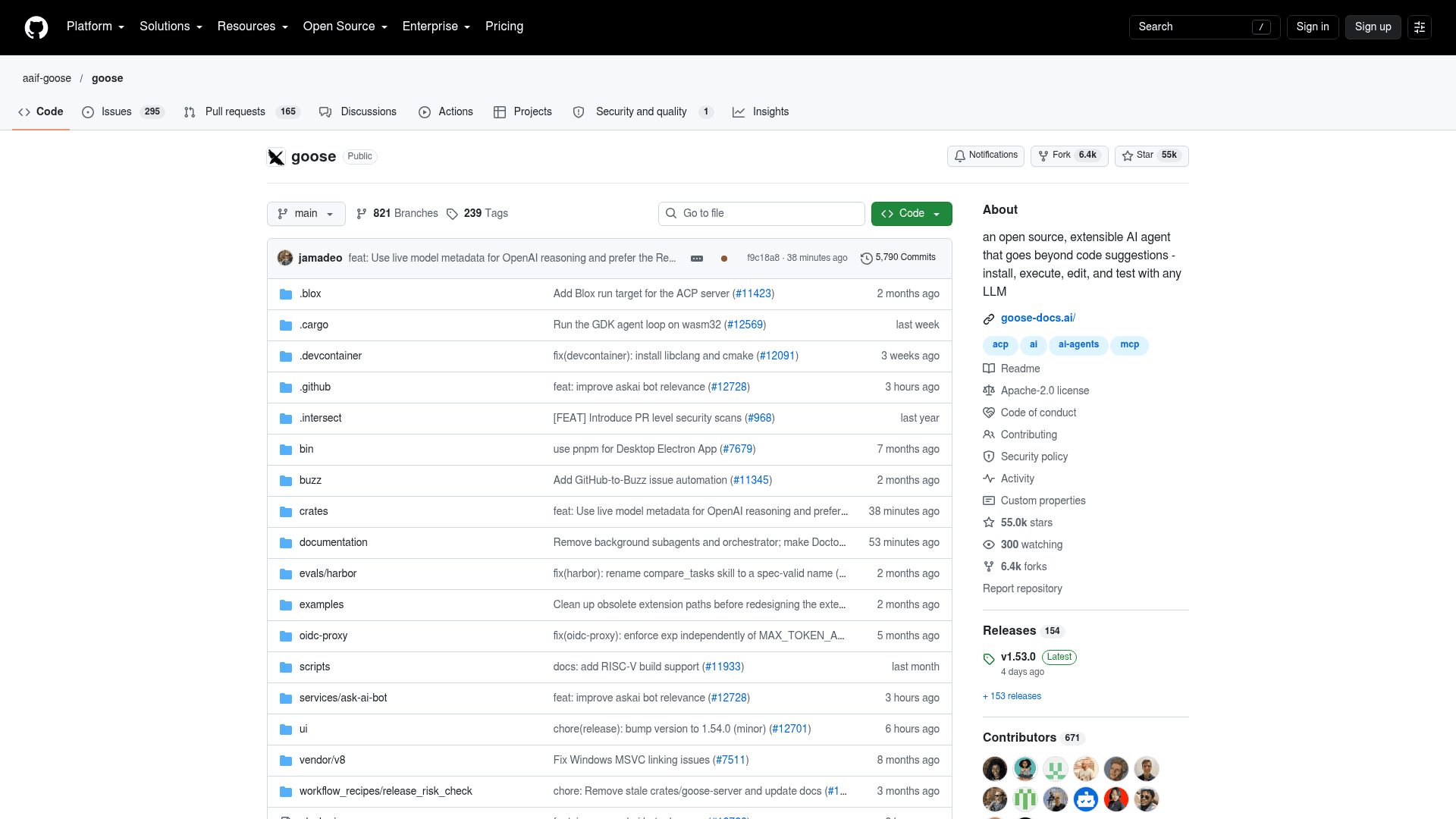
Goose began at Block and was donated to the Agentic AI Foundation at the Linux Foundation in April 2026, alongside MCP and AGENTS.md. It is written in Rust, Apache-2.0 licensed, and ships roughly weekly; the latest release is v1.53.0 from 2 October. Its desktop app covers macOS, Windows and Linux, with DEB, RPM and Flatpak builds, which directly fills dsh's biggest platform gap.
Works with DeepSeek: there is no dedicated DeepSeek row in the providers list, but DeepSeek V4 models are available through listed gateways, through Ollama locally, or through a custom provider for any OpenAI-compatible endpoint. Goose can also use Claude Code or Codex as its model backend through ACP.
Defaults to check: Autonomous Mode is the default, so Goose can edit and delete files without asking until you switch to Manual or Smart Approval. Prompt-injection detection is opt-in, and I found no built-in OS sandbox. On the plus side, usage data is opt-in: Goose asks on first use.
Pricing: free and open source; you pay your model provider. Goose documents free routes through Groq, Gemini's free tier, local models, and $10 of starter credits on Tetrate's router.
Pros:
- The best cross-platform desktop app here, Linux included.
- 70+ MCP extensions and reusable "recipes" for packaged workflows.
- Foundation governance rather than a single company.
Cons:
- Autonomous by default with no OS sandbox.
- DeepSeek goes through a gateway or custom provider rather than a built-in option.
- Fast-moving repo; expect frequent updates.
My take: the right answer if "no Linux desktop" was your dsh complaint. Flip it to Smart Approval on day one.
7. Gemini CLI
Best for: anyone who wants a capable agent for free and does not need DeepSeek models.
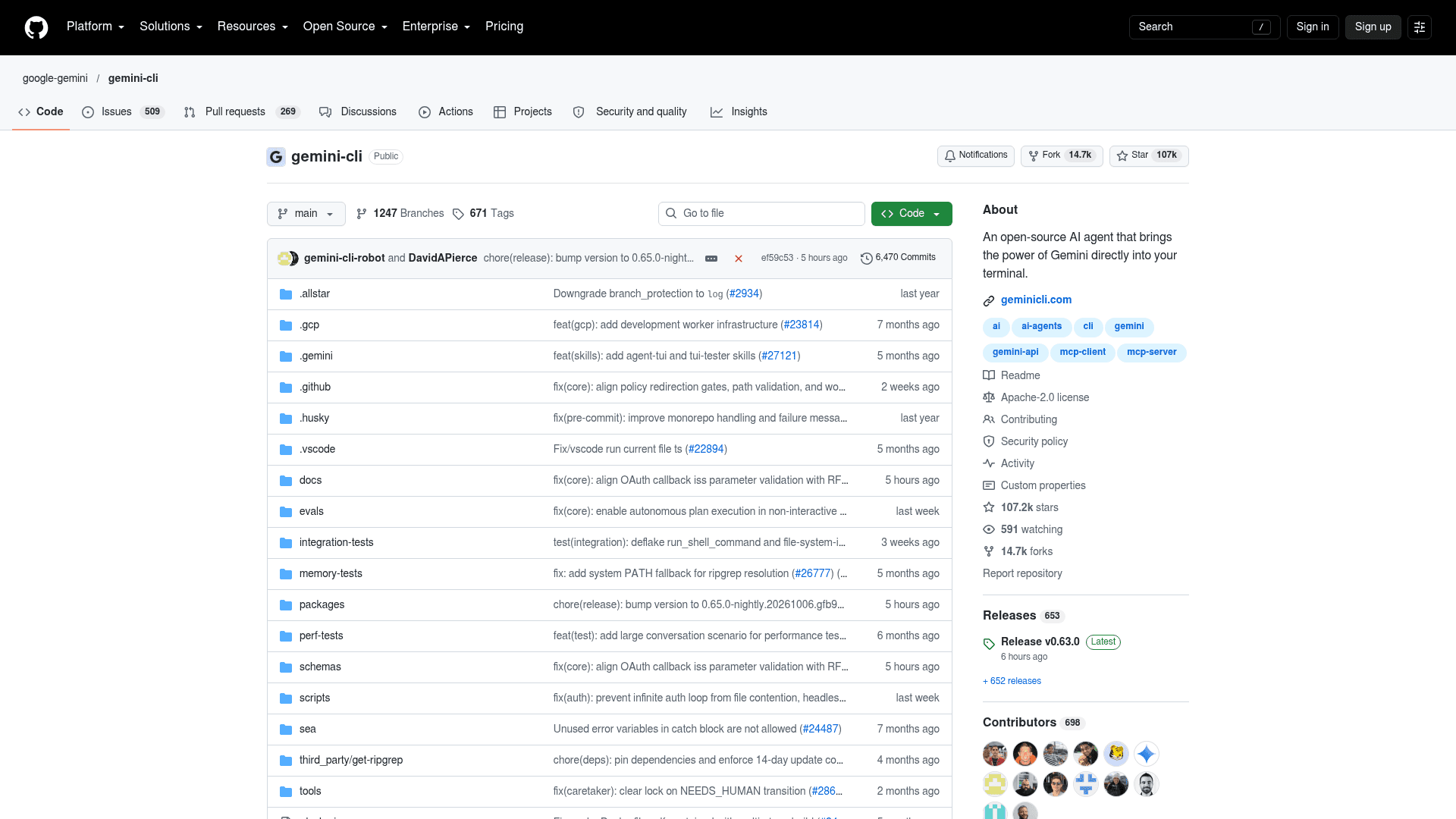
Gemini CLI is Google's open-source terminal agent, with 107,241 stars and, as it happens, almost exactly dsh's weekly npm volume at 453,215 downloads. Like dsh it is still pre-1.0 (v0.63.0), but Google ships stable releases every Tuesday on a published schedule.
Works with DeepSeek: no. It runs Gemini models only, which is why it is lower on this list for a DeepSeek audience. I include it because "free" is the other big reason people try dsh.
Defaults to check: it asks for approval on every tool call by default, the most cautious default here. The sandbox is opt-in with -s. Usage statistics are on by default and can be turned off in settings.json; Google says they cover tool and model names and timings, not prompts or file content.
Pricing:
| Sign-in | Daily requests | Model choice |
|---|---|---|
| Personal Google account | 1,000/day, 60/minute | Google picks across the Gemini family |
| Gemini API key, free tier | 250/day | Flash only |
| Google AI Pro | 1,500/day | Gemini models |
| Google AI Ultra | 2,000/day | Gemini models |
| Gemini API or Vertex AI | Pay as you go | Your choice |
From the quota and pricing doc. Note that Google's own README quotes a higher API-key free tier than this doc does.
Pros:
- The most generous free tier on the list.
- Cautious approval default, plus trusted folders and a policy engine.
- MCP, extensions,
GEMINI.md, headless JSON output and a GitHub Action.
Cons:
- Gemini only, so no DeepSeek.
- With a Google login on the free tier, you do not choose the model.
- Usage statistics on by default.
My take: a smart second tool to keep around for free work, not a direct dsh replacement.
8. Aider
Best for: developers who want every AI change to land as a clean git commit.
Aider is the veteran of terminal coding agents and still has a loyal following, with 49,400 GitHub stars and about 55,700 PyPI downloads last week. Its model is simple: you add files to the chat, it edits them, and it commits each change to git with a descriptive message, so /undo is always one command away.
Works with DeepSeek: yes, there is a dedicated DeepSeek page and aider --model deepseek is the first example in the install docs. Aider's well-known polyglot leaderboard shows DeepSeek-V3.2-Exp Reasoner at 74.2% for $1.30 per run, but the board's newest entry is from October 2025, so it has no V4 scores.
Defaults to check: edits are applied without a prompt, --auto-commits is on, and pre-commit hooks are skipped by default. Shell commands are suggested and then confirmed. Analytics are opt-in, asked of a random subset of users.
Pricing: free; you pay only for the model.
Pros:
- Git as the safety net is simple and easy to reason about.
- Only files you add can be edited, which limits the blast radius.
- Repo map, lint-after-edit, architect mode and easy scripting with
--message.
Cons:
- The last tagged GitHub release was v0.86.0 in August 2025, and the latest PyPI release was February 2026. Main still gets commits, but slowly.
- No documented MCP support.
- Terminal only, and the docs still describe DeepSeek V3 as current.
My take: I'd only pick Aider today if its git-first workflow is exactly what you want. Its release pace has slowed while the others ship weekly.
Which one should you pick?
Go back to the five reasons people leave dsh. Each one points somewhere different.
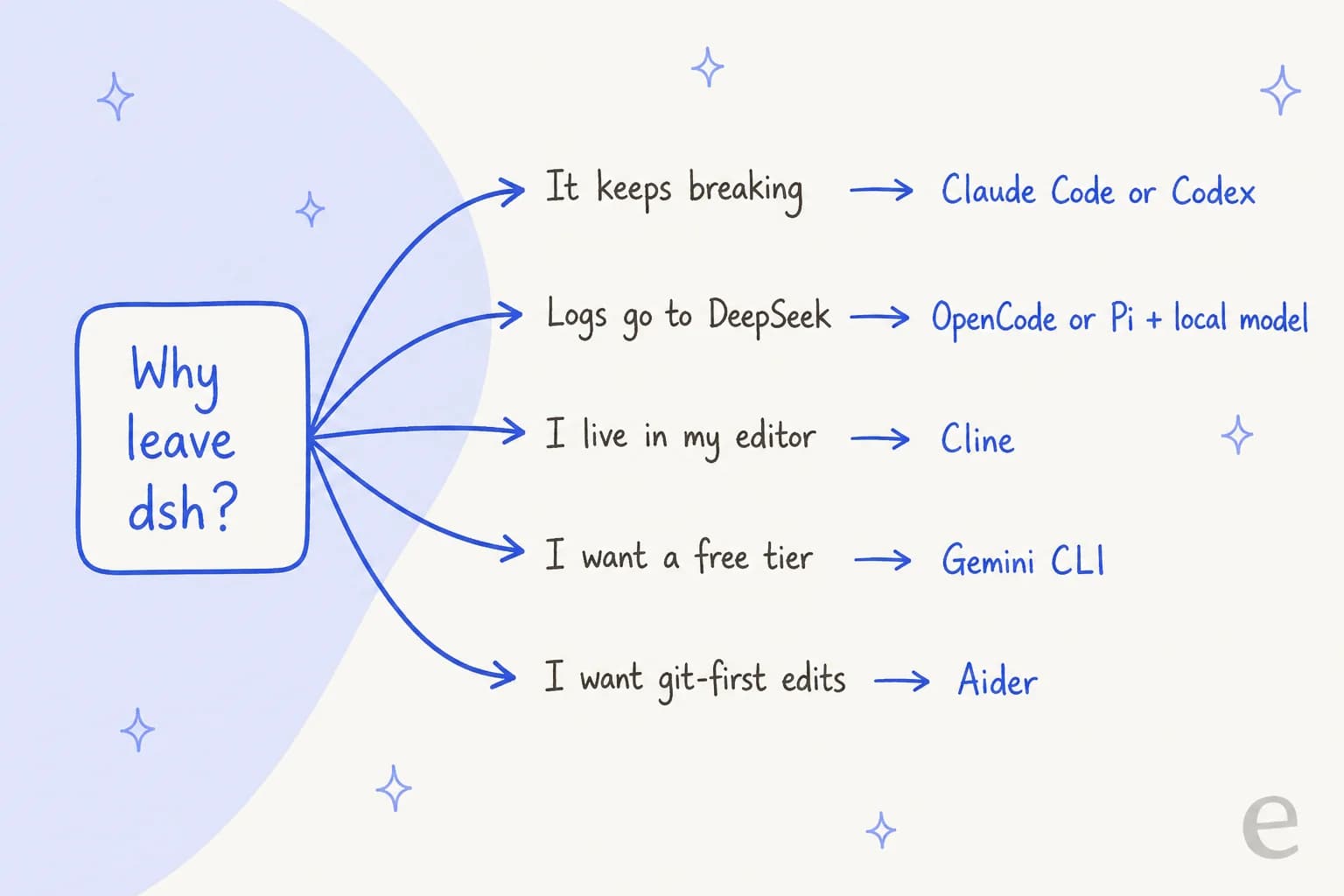
- Preview churn: Claude Code or Codex. Both are settled products, and you can still run Claude Code on DeepSeek tokens if price was the draw.
- Session logs and privacy: OpenCode or Pi with a local model, so nothing leaves your machine. Or keep dsh and switch its session-log plugin off.
- Editor workflow: Cline, with the IDE's ask-first defaults.
- Linux desktop: Goose.
- Free: Gemini CLI, accepting the Gemini-only limit.
Plenty of developers don't pick one. A Hacker News user described running Claude Code for heavy work, switching to Codex when they hit the five-hour limit, and finishing in OpenCode with DeepSeek. For a wider list, my roundups of AI coding assistant tools and Cursor alternatives go beyond terminal agents.
A note if you are building a support agent
Some people come to harnesses like dsh with a different goal: cheap tokens make it tempting to build your own customer support bot. A small Ask HN thread asked exactly that about dsh.
I see this from the other side. eesel has spent years putting AI agents on live support queues, and I've watched a handful of customers leave to build directly on a model API themselves, then run into the same missing pieces. The harness is the smaller half of that job. A support agent also needs a two-way connection to your helpdesk, a way to keep your help center and past tickets in sync, rules about what it can do without a human, and testing on real past tickets before it talks to a customer. None of the eight tools above ship those, because they are built for code.
Try eesel
The clean way to put it: these harnesses are infrastructure, and eesel is the employee. eesel is an AI teammate platform where you hire ready-to-work teammates for specific jobs. For support, that is the AI helpdesk teammate: it plugs into Zendesk, Freshdesk, Gorgias and other helpdesks, learns from your past tickets and help center, and you can simulate it against your own ticket history before it answers anyone.

Since you are evaluating terminal agents, the part you will care about is the eesel CLI. It operates the same teammate and workspace as the dashboard, so anything you can click you can script. npx @eesel/cli init sets up a workspace, eesel integrations connect links your helpdesk, eesel instructions reads and edits the teammate's standing rules, eesel approvals list shows actions waiting for a human, and eesel activity lets you read each run in detail. Every command prints JSON, writes support --dry-run so you see the exact call before it happens, and CI can authenticate with an API token. That makes it easy for Claude Code, Codex, OpenCode or Pi to set up and test a support teammate for you. Each eesel workspace is also an MCP server, so a coding agent can talk to it directly. My guide to managing AI agents from the terminal walks through the pattern.
You can start on the free plan with 100 credits and no card; paid teammate plans start at $299/month for 500 credits, where one ticket or chat is one credit. Try eesel if what you want at the end is answered tickets, not another harness to maintain.
Frequently Asked Questions
What is the best DeepSeek Harness alternative?
For most developers it is Claude Code or OpenAI Codex if you want a stable tool, and OpenCode if you want an open-source, model-agnostic harness that still runs DeepSeek models. If you liked dsh for its plugin system, the Pi coding agent is the closest in spirit.
Can I use DeepSeek models without DeepSeek Harness?
Yes. DeepSeek publishes an Anthropic-compatible API and its own guide for running Claude Code on DeepSeek models, and OpenCode, Cline, Pi and Aider all connect to DeepSeek directly with an API key. The harness and the model are separate choices. My DeepSeek V4.1 Flash overview covers the model side.
Is there a free alternative to DeepSeek Harness?
OpenCode, Pi, Cline, Goose and Aider are all free and open source; you only pay for the model. Gemini CLI goes further with a free tier of 60 requests a minute and 1,000 a day on a personal Google account, though it only runs Gemini models. For paid options, see my Claude Code pricing and Codex pricing breakdowns.
Which DeepSeek Harness alternative is the safest by default?
Codex has the tightest defaults: writes stay in the workspace and network access is off, enforced by the operating system. Gemini CLI and the Cline IDE extension ask before each tool call. OpenCode, Goose and Pi let the agent act without asking out of the box, so tighten their permission settings before pointing them at important code.
How does DeepSeek Harness compare to OpenCode?
Both are open source and model-agnostic. DeepSeek Harness is younger, still a developer preview, and built so every part is a plugin. OpenCode is further along at version 1.18, has 212,060 GitHub stars, supports 75+ providers, and sells optional Zen and Go plans that include DeepSeek models. Some developers report dsh feels lighter on CPU. See my roundup of open-source AI agents for more.
Why are people looking for DeepSeek Harness alternatives?
The common reasons are that dsh is a developer preview with breaking changes in each release, session logs upload to DeepSeek by default on the official API, the Desktop build turns telemetry on, and there is no Linux desktop app. None of these is a dealbreaker on its own, but together they push teams toward a settled agentic coding CLI.
Can a DeepSeek Harness alternative answer customer support tickets?
Not on its own. Coding harnesses give you an agent loop and tools, but a support agent also needs a helpdesk connection, knowledge sync, approval rules and testing on past tickets. An AI teammate like eesel's helpdesk teammate arrives with those, and any of these coding agents can still set it up through the eesel CLI.



Article by
Kurnia Kharisma
Kurnia is a software engineer and writer at eesel AI with two years of SEO experience, writing about AI tools, helpdesk software, and customer support. He pairs a developer's understanding of how these products are built with search-driven research into what actually ranks and resonates with the people searching for them.