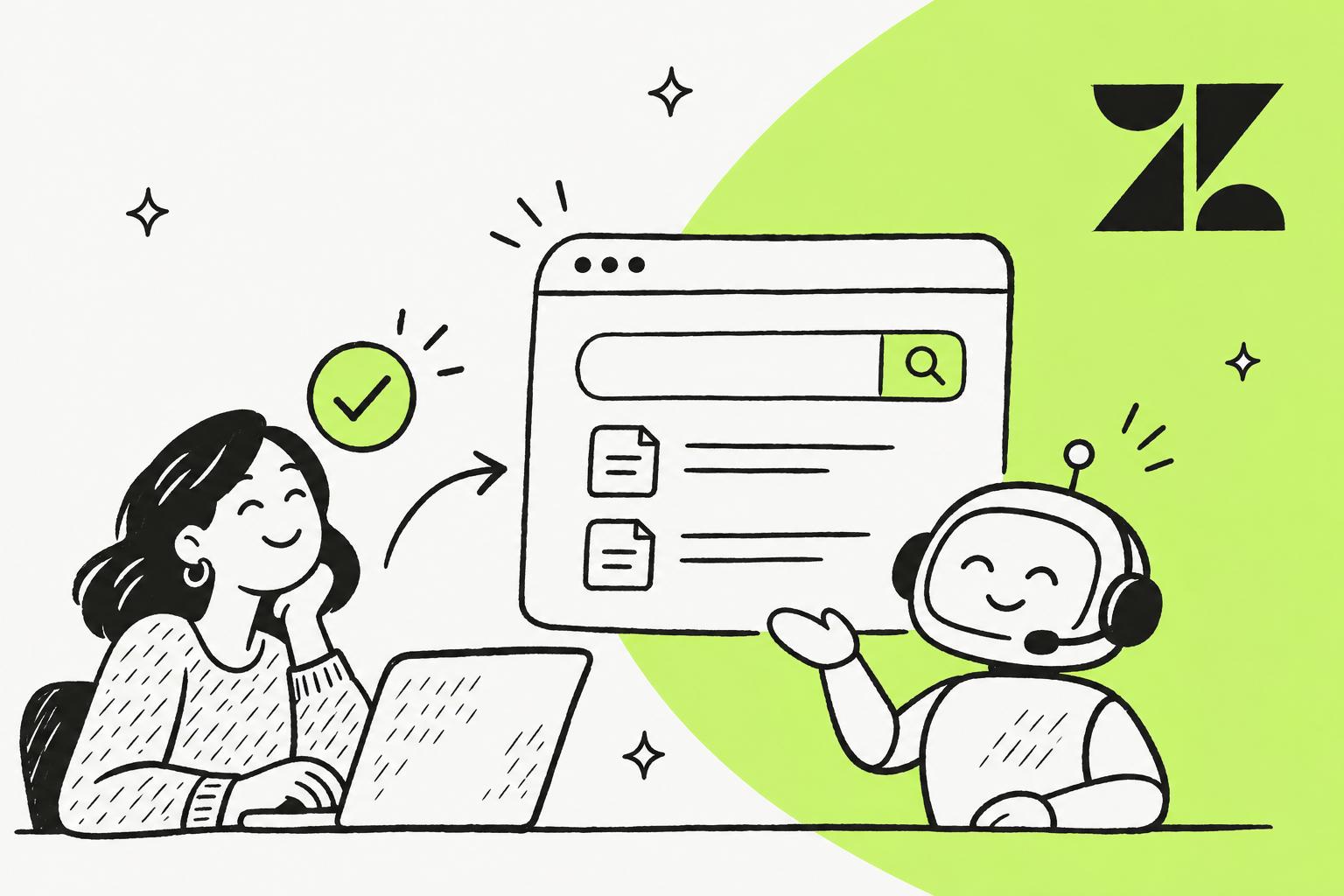
To reduce customer frustration with self-service, fix the moments where it fails, not the number of people you send to it: in a Gartner survey of 5,728 customers, only 14% of service issues were fully resolved in self-service, and even "very simple" issues resolved there only 36% of the time. In Zendesk that means four fixes: read the searches that return nothing, ask why when an article gets a downvote, let customers reach a person before they give up, and pass the whole conversation on when they do. An AI agent such as eesel can answer from your help center and past tickets and hand over cleanly, and an AI coding agent can load your approved articles and macros into it with the eesel CLI and ask it test questions before it goes live, though connecting Zendesk still needs an admin's approval.
Why does self-service frustrate customers?
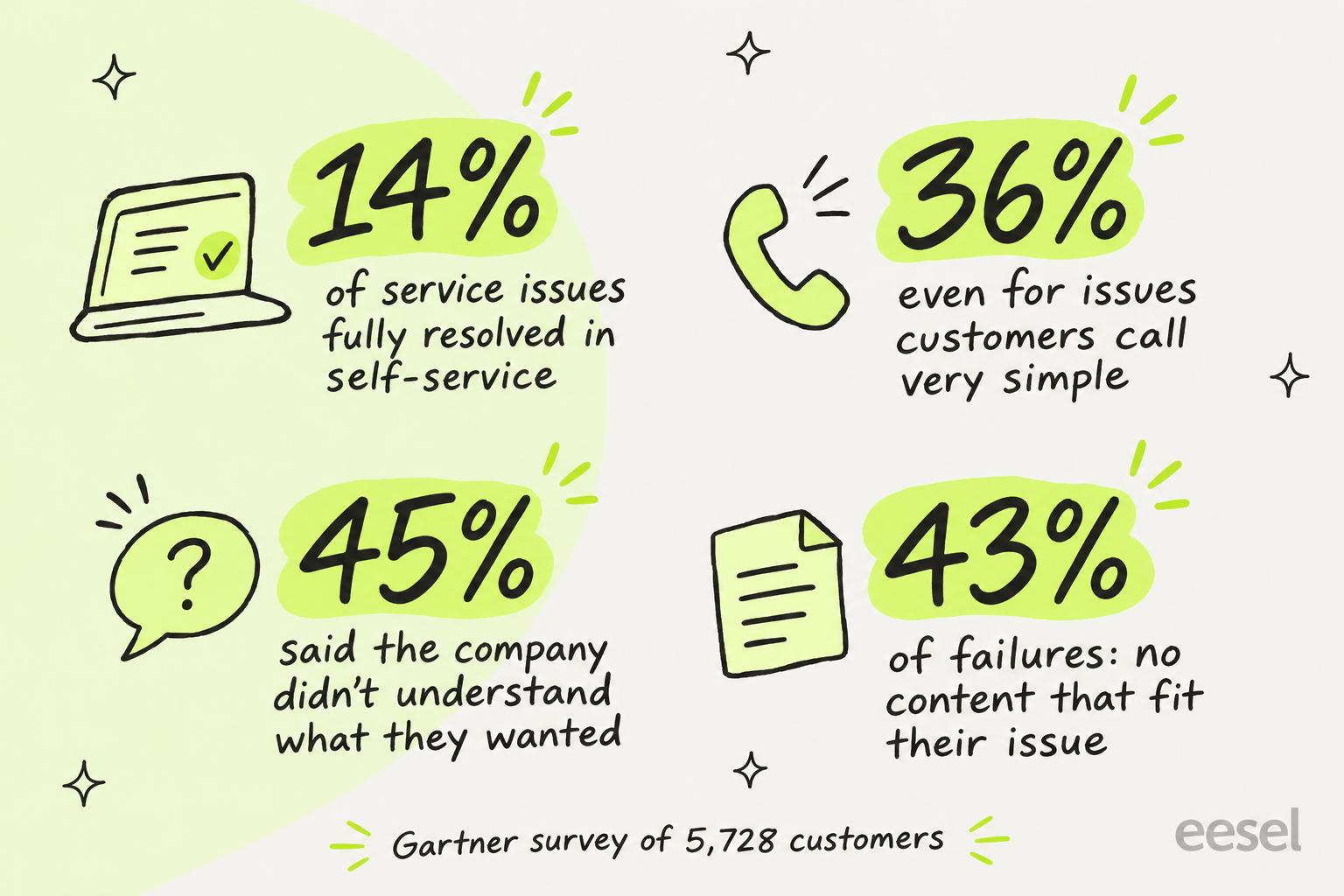
Self-service frustrates customers when it doesn't finish the job, and most of the time it doesn't. Gartner's survey, run in December 2023, found that 73% of customers use self-service at some point in their journey, but only 14% of issues end there.
The reasons are specific. 45% of customers who started in self-service said the company didn't understand what they were trying to do, and the most common reason self-service failed, in 43% of cases, was that customers couldn't find content relevant to their issue. Gartner's Eric Keller put it this way: "Customers feel frustrated by self-service journeys that feel too rigid to deal with the complexities of their service issues."
And a failed attempt costs more than no attempt. The customer arrives at your agents having already spent time, often having already explained the problem to a bot. Zendesk's CX Trends 2026 research found 74% of consumers are frustrated when they have to repeat information, and 85% of CX leaders say customers will drop brands that can't resolve issues on first contact.
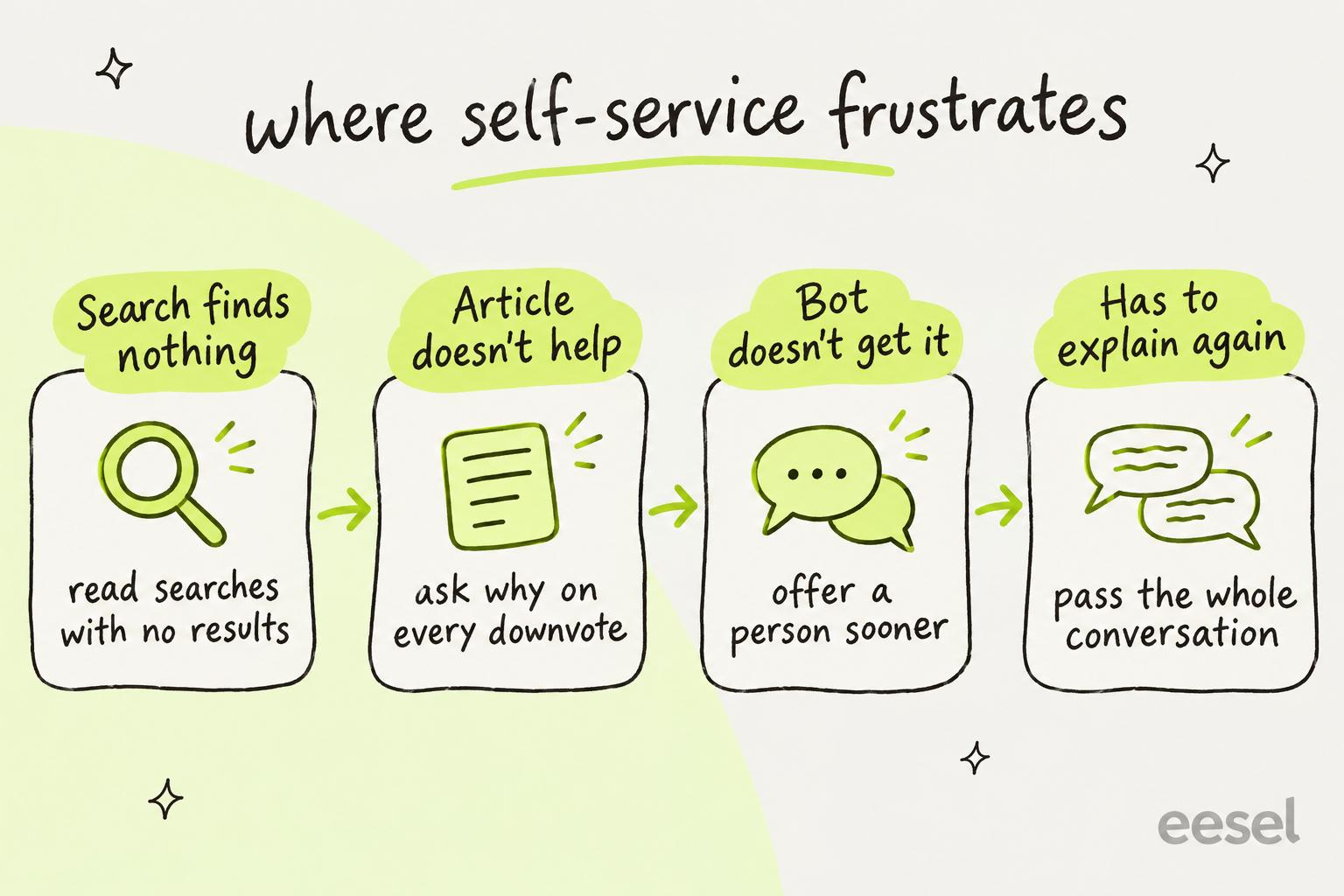
I work on eesel's support team, and the frustrated tickets we see after self-service almost always say one of four things: "I searched and found nothing", "the article didn't help", "the bot kept going in circles", or "I already told the bot all this". Each one is a different failure with a different fix, so the steps below take them in the order a customer meets them.
Step 1: Find the searches that return nothing
The cheapest fix is the content that isn't there, because Zendesk already records it. The Search dashboard (Analytics, then the Zendesk Knowledge dashboard, then the Search tab) shows what customers typed into your help center and what happened next.
The reports to open first:
- Searches with no results (top 5): the five most searched-for strings that returned nothing. Each is an article you haven't written, or one written in words customers don't use. Zendesk deflection by channel covers measuring self-service channel by channel.
- Search queries overview (last 30 days): every search string with how often it was searched, the average number of results, the average click-through rate, and the number of tickets created after it. A query with plenty of results, no clicks and tickets afterwards is a title or snippet that doesn't look like the answer.
- Ticket to search ratio: tickets created after a search, over time. If it climbs after a product change, your help center fell behind.
You can filter all of it by time, brand, search channel, user role and locale, so you can check whether the Web Widget fails where the help center doesn't. If your requests live in a portal, our Zendesk self-service customer portal guide covers that side. The dashboard keeps up to 390 days of data, and it needs a Suite plan or Support with Knowledge Professional or Enterprise.
Write the missing articles in the customer's words. If the top no-result search is "cancel order", an article titled "Managing your subscription" won't be found by the people who need it. For a fuller audit, our Zendesk knowledge-based self-service guide covers structure and upkeep.
Step 2: Ask why when an article doesn't help
An article that exists but doesn't help is worse than a missing one, because the customer read it first. Gartner's advice is to let both customers and reps flag ineffective content, and to run an ongoing process for fixing it.
Zendesk's Copenhagen theme already lets customers vote on articles. A downvote tells you that an article failed but not why. Zendesk's own recipe for downvote feedback adds a "Please tell us why" link after a negative vote, which opens a request form with the article's URL filled in, so the feedback arrives as a ticket you can route to whoever owns the article.
Two catches before you start:
- It means editing the theme's CSS, the Article Page template and its JavaScript, and an edited standard theme becomes a custom theme, which Zendesk doesn't support or update automatically. Keep a note of what you changed.
- The recipe's prefilled form needs a theme on Templating API version 2, and Zendesk is retiring templating APIs v1 to v3 in favour of v4, so check your theme's version against the recipe first.
Reps see the other half. When an agent answers a ticket that a help center article should have answered, that's a flag too; Gartner suggests making knowledge creation part of resolving the issue rather than a separate job. A knowledge base article template keeps those fixes in one shape.
Step 3: Let customers reach a person before they give up
Here's the part most self-service setups get backwards. Zendesk's own escalation guide gives the example of four agents working 9am to 5pm and handling 200 to 250 conversations a day, and suggests reserving messaging escalations for high-impact issues and offering escalation "only when there's no possibility that the AI agent can guide customers to self-service resources."
That protects the team's queue. It's also exactly the rigid journey Gartner's customers complained about. A customer whose problem the bot doesn't understand isn't helped by another article link (the classic deflection trap), and every extra loop makes the conversation that eventually reaches a person harder.
You don't have to choose between a flooded queue and a trapped customer, because Zendesk's escalation blocks have the pieces:
- Check availability first. An availability block at the start of the escalation path lets the AI agent hand over on messaging only when agents are online.
- Escalate by email when nobody is. Outside business hours, the same path can turn the conversation into a ticket instead of a dead end. Zendesk's workflow recipe shows this setup.
- Plan for the escalation failing. The Escalation fallback field picks which dialogue runs if the handover doesn't work, such as the "Failed escalation reply" system reply. Make sure that reply tells the customer what happens next.
So offer the person as soon as the AI agent can't solve the problem, and let availability decide the channel, not whether they get one. Our Zendesk AI agent handoff guide walks through the setup.
Step 4: Don't make them say it twice
The last frustration is the one customers remember: explaining the problem again to the agent who finally picks it up. CX Trends 2026 found 81% of consumers want agents to continue the conversation without backtracking.
Zendesk's escalation guide lists what an AI agent can do before it hands over:
- Gather information such as order number, name or email.
- Add tags and update fields for your workflow.
- Identify suitable agents to take the conversation.
Use all three. A form that collects the order number before escalating saves the agent's first reply. A tag like the topic the customer picked lets routing send it to the right group, so it isn't reassigned twice. And if the customer is signed in, Zendesk's recipe skips asking for name and email at all.
Then check what an agent actually sees when an escalated conversation lands. If the transcript is there but agents start with "How can I help?", the fix is a macro or a habit, not another bot setting. My colleagues cover the agent side in giving agents full customer context.
Where is your self-service losing customers?
The quickest way to pick where to start is to read twenty tickets that came in after a self-service attempt and sort them by what the customer says they did first. Pick the one you see most.
Pick the line your tickets say most often to see what to look at and what to fix first.
What goes wrong when teams try to fix self-service?
The usual mistakes:
- Counting visits, not resolutions. A help center with rising traffic and rising tickets isn't working. Track the ticket to search ratio, and read deflection vs resolution rate before you report a win.
- Hiding the contact option. Making a person hard to reach lowers tickets for a month and raises the frustration of every ticket that still arrives. Gartner's 45% are the people who couldn't explain themselves to the system.
- Writing articles in your words. Product names and internal terms don't match what customers type. The no-result searches tell you the words to use.
- Fixing the bot before the content. An AI agent answers from what you give it. If 43% of failures are missing content, a smarter bot over the same help center hits the same gap; more on that in how to improve self-service with AI.
- A handoff with no context. The escalation works, the customer reaches a person, and the person asks them to start again. That second explanation is where customer effort turns into churn.
Try eesel next to Zendesk
If your help center has the answers but customers still don't get them, eesel can close the gap. eesel is an AI teammate that works inside Zendesk: it answers from your help center, macros and past tickets, so a question your articles never covered can still get the answer your agents gave last time. When it can't solve something, it hands the conversation to a person with what the customer already said, so nobody explains twice.
Billwerk+, a subscription billing company in Frankfurt, put eesel in a chat bubble on its Optimize help centre to let customers self-serve. Their CTO, Martyn Arbon, said: "Optimize bot has been used a lot by customers and has seen to be successful."
You decide what it may do on its own. Each action can run by itself, wait for a person's yes, or stay off, per actions and approvals, so it can start by drafting replies for agents and answer customers once you trust it. If you're comparing it with Zendesk's built-in options, what is Zendesk AI covers that side. Try eesel on your own Zendesk account.