When customers can solve their own problems, everyone wins. They get instant answers. Your support team handles fewer repetitive tickets. But here's the catch: not all self-service channels perform equally. Your help center might deflect 40 tickets for every one that gets submitted, while your email channel barely manages 5:1.
Understanding Zendesk deflection by channel isn't just about tracking a single metric. It's about knowing where your self-service strategy works, where it falls short, and how to optimize each channel for maximum impact. This guide breaks down exactly how to measure deflection across every channel in your Zendesk setup, what benchmarks to aim for, and how to improve your numbers.
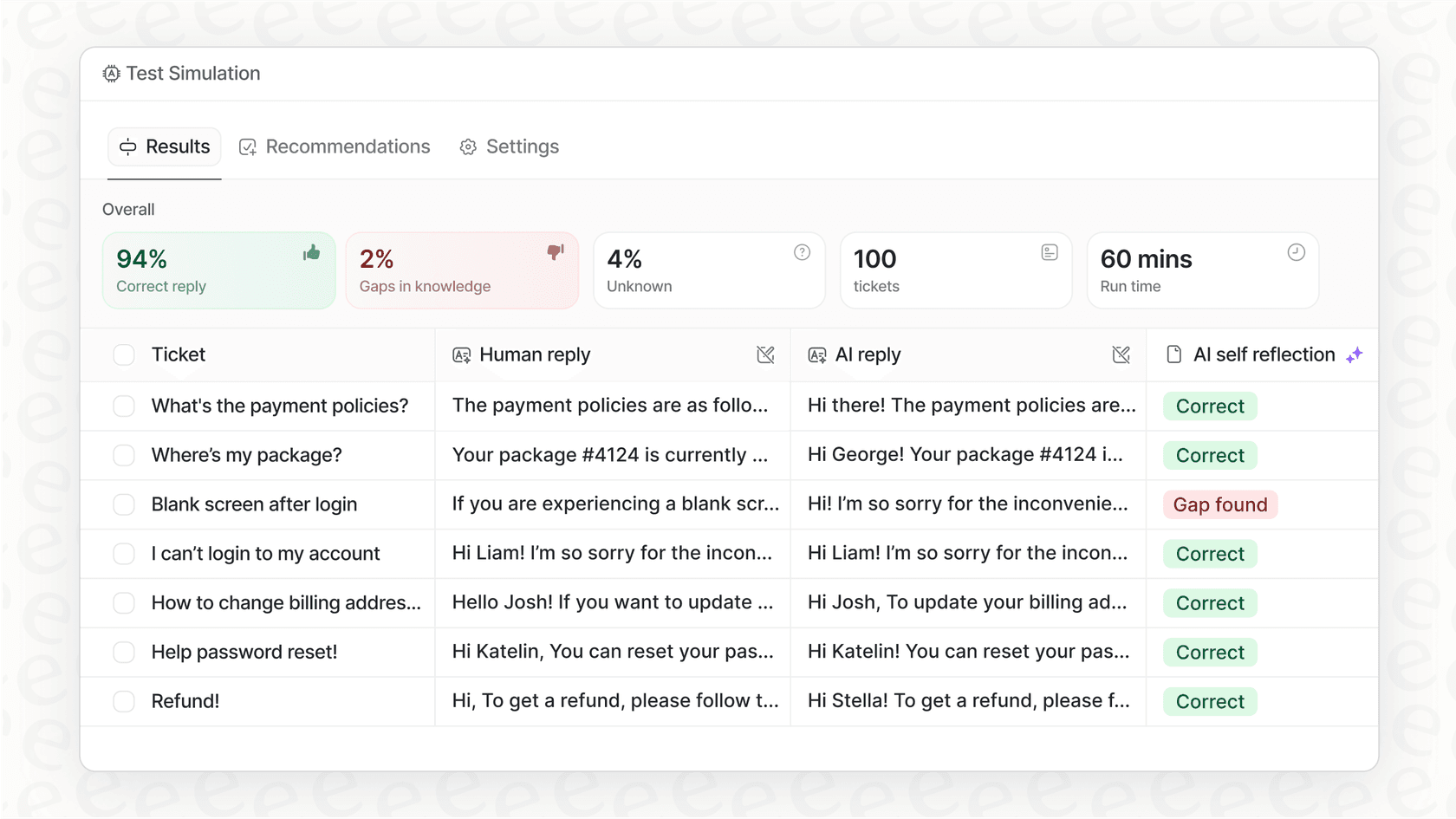
If you're looking to go beyond Zendesk's native reporting, eesel AI offers simulation tools that let you test deflection improvements using your historical ticket data before deploying changes to customers.

What is ticket deflection by channel?
Ticket deflection happens when customers find answers on their own instead of contacting support. Here's the classic example: a customer searches your help center, finds the right article, and never submits a ticket.
But deflection looks different depending on the channel:
- Help center deflection: A customer reads an article and resolves their issue without contacting support
- Chat deflection: An AI chatbot answers the question before a human agent gets involved
- Email deflection: Automated article recommendations solve the issue before an agent responds
- Social deflection: Customers find answers through social media self-service options
Each channel has different deflection potential. Help centers typically perform best because customers actively seek information there. Email deflection tends to be lower because customers have already committed to reaching out. Understanding these differences matters because it shapes where you'll invest your optimization efforts.
We've seen this pattern across thousands of Zendesk accounts. Teams that track deflection by channel make better decisions about content investments, AI rollout strategies, and resource allocation.
Understanding Zendesk's deflection metrics
Zendesk offers several ways to measure self-service effectiveness. Let's break down the key metrics and what they actually tell you.
Self-service score
This is the classic deflection formula: total help center user sessions divided by total users who submit tickets. A 4:1 ratio means four customers self-serve for every one who contacts support.
Zendesk themselves achieved a 40:1 self-service score at their peak. Most organizations land somewhere between 4:1 and 15:1. The calculation requires Google Analytics integration plus Zendesk Explore.
Deflection rate
This measures the percentage of potential tickets that never get submitted because customers found answers first. Zendesk calculates this differently depending on the channel:
- Help center: Based on article views followed by no ticket submission within a set timeframe
- Chat: Based on conversations resolved by AI agents or Answer Bot without human handoff
- Email: Based on tickets solved via autoreplies with articles
Automated resolution rate
This is distinct from traditional deflection. It tracks conversations that AI agents handle end-to-end without human intervention. Zendesk AI agents aim for 80%+ automated resolution rates on supported channels.
The key difference: deflection happens before a ticket exists, while automated resolution happens within a conversation. Both reduce agent workload, but they require different measurement approaches.
Channel-by-channel deflection breakdown
Help center and knowledge base
Your help center is typically your highest-deflection channel. Customers who land there are already in problem-solving mode, actively looking for answers.
Key metrics to track:
- Total article views and unique viewers
- Search-to-ticket conversion (customers who search, then submit a ticket anyway)
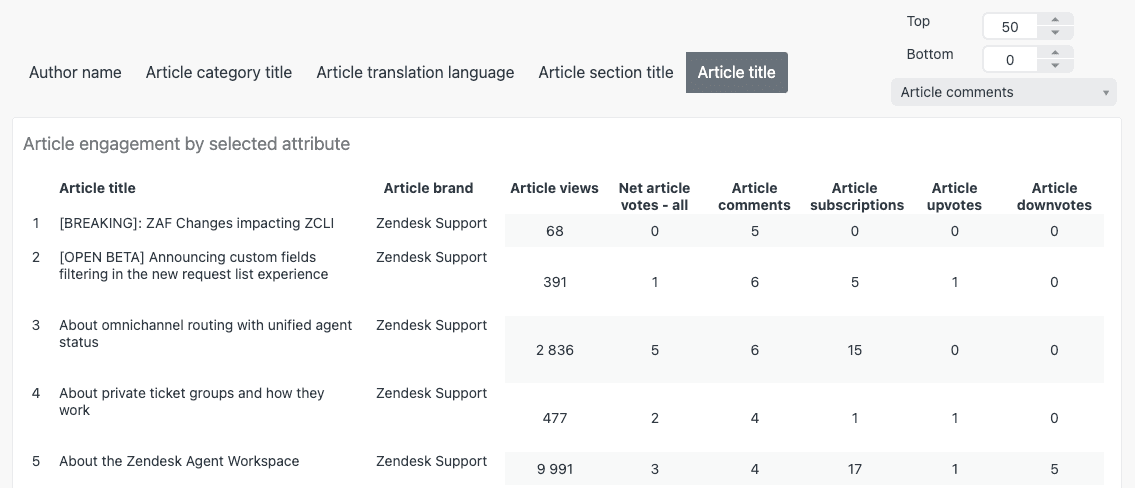
- Article votes and comments
- Self-service score
The Knowledge Base dashboard in Zendesk Explore tracks most of these. You'll need Guide Professional or Enterprise to access it. The dashboard shows views by channel (help center, mobile SDK, Agent Workspace), views by user role, and engagement trends over time.
Best practices for maximizing help center deflection:
- Optimize your top 20 most-viewed articles first
- Use search analytics to identify content gaps
- Add clear calls-to-action that guide customers to related articles
- Regularly review articles with high views but low satisfaction scores
Chat and messaging
Real-time channels offer different deflection opportunities. Customers expect immediate responses, which makes AI agents particularly effective here.
Zendesk offers two main approaches:
- Answer Bot: Suggests relevant articles based on conversation context
- AI agents: Handle complete conversations autonomously, including taking actions like checking order status or processing returns
Chat deflection rates vary significantly based on implementation maturity. New deployments often see 20-30% deflection, while mature implementations with well-trained AI agents can reach 60-80%.
Channel-specific considerations matter too. Web widget conversations typically deflect better than social messaging because customers on your website have more context about your products. Mobile SDK deflection depends heavily on how well your knowledge base renders on smaller screens.
Email deflection works differently than other channels. By the time someone sends an email, they have already committed to contacting support. The goal shifts from preventing contact to resolving quickly without agent involvement.
Zendesk's autoreplies with articles feature scans incoming email text using machine learning, then automatically responds with relevant knowledge base articles. This can resolve simple issues immediately, turning what would have been a ticket into a deflection.
Email deflection rates are typically lower than other channels, often in the 10-20% range. But the volume of email support at many organizations means even modest improvements translate to significant agent time savings.
Social and third-party channels
WhatsApp, Facebook Messenger, Slack, and other social channels present unique deflection challenges. Customers use these platforms for quick, conversational interactions rather than deep research.
Effective deflection strategies here include:
- Quick-reply menus that guide customers to common answers
- AI agents trained on your knowledge base that can respond conversationally
- Seamless handoffs to human agents when needed
Cross-channel tracking becomes important because customers often start on one channel and move to another. Someone might search your help center, then open a chat when they don't find the answer, then escalate to email if the chat doesn't resolve their issue.
Setting up deflection reporting in Zendesk Explore
Getting visibility into channel-specific deflection requires proper dashboard configuration. Here's how to set up the core reports.
Knowledge Base dashboard
Access this through Analytics in your Zendesk Products menu. The dashboard provides headline metrics including total views, articles viewed, and views per article.
Filter by channel to see how deflection varies across help center, mobile SDK, and Agent Workspace. The views by user role report shows whether staff members (who might have different search patterns) are skewing your data.
Search dashboard
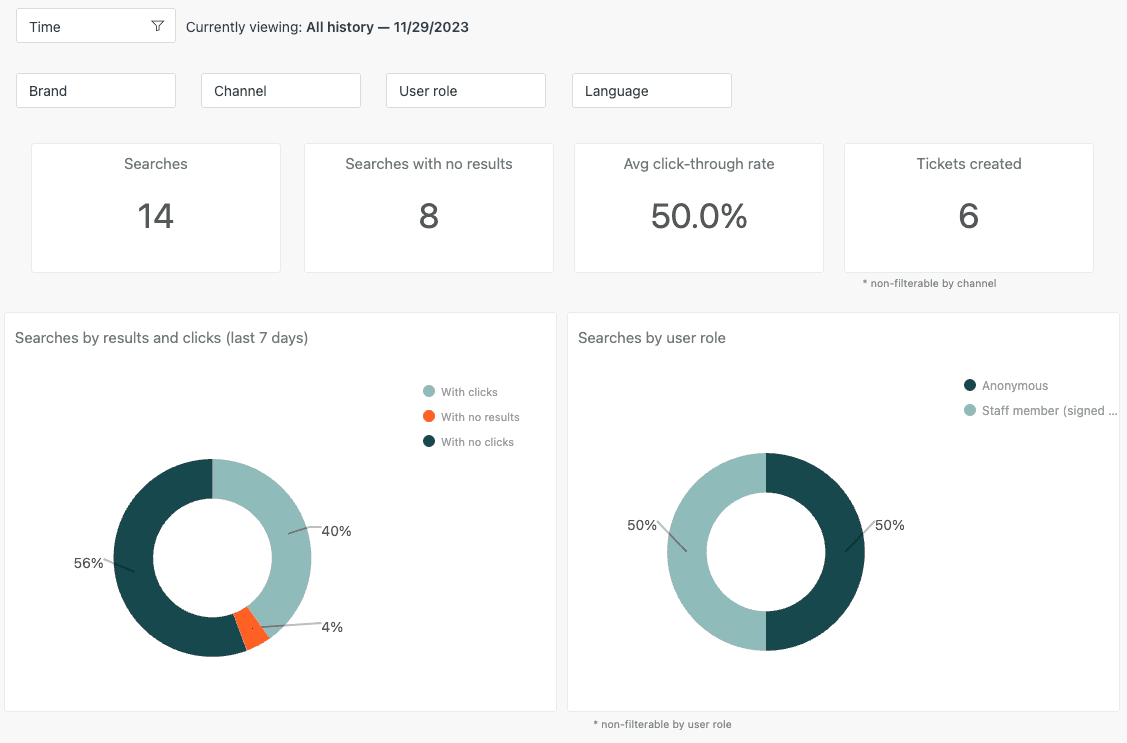
This shows what customers search for and what happens after they search. High search volume followed by ticket creation indicates content gaps. The search-to-ticket conversion metric helps identify which searches lead to support contact.
Custom deflection reports
For channel-specific analysis, you'll want to build custom reports. Key attributes to include:
- Channel: Where the interaction originated
- Ticket source: How the ticket was created (if one was created)
- Deflection status: Whether the interaction was resolved without a ticket
- Time to resolution: How long deflection took by channel
Building a unified dashboard that combines these metrics gives you a complete picture of deflection performance across all channels.
Benchmarks and what good deflection looks like
Industry benchmarks help set realistic targets. Here is what we typically see across organizations using Zendesk:
| Channel | Typical Range | Aspirational Target |
|---|---|---|
| Help center | 4:1 to 15:1 self-service score | 40:1 (Zendesk's peak) |
| Chat/messaging | 20-40% deflection | 60-80% (mature AI) |
| 5-15% deflection | 20% | |
| Social | 10-30% deflection | 40% |
Several factors affect these numbers:
- Industry complexity: Technical products typically see lower deflection than simple retail products
- Customer demographics: Tech-savvy customers self-serve more readily
- Content quality: Well-organized, comprehensive knowledge bases drive higher deflection
- AI maturity: Organizations with trained AI agents see better results than those using rule-based systems
Set channel-specific targets based on your current baseline rather than industry averages. A 10% improvement on a 5:1 help center score gets you to 5.5:1, which is more achievable than jumping straight to 15:1.
Improving deflection rates by channel
Help center optimization
Start with your search data. The Search dashboard reveals what customers look for but cannot find. These are your highest-priority content gaps.
Content optimization tactics:
- Rewrite article titles to match customer search terms
- Add "related articles" links to high-traffic content
- Use clear headings and bullet points for scannability
- Include screenshots and videos for complex processes
Search improvements matter too. Zendesk's generative search (available on Suite plans) uses AI to understand customer intent rather than just matching keywords.
Chat optimization
Intent training is the foundation. Review conversations where AI agents escalated to humans. Look for patterns: are there specific question types the AI consistently fails to understand? Add these as training examples.
Conversation flow optimization includes:
- Clear escalation paths when the AI cannot help
- Context preservation when transferring to human agents
- Proactive suggestions based on customer behavior
Email optimization
Article recommendation tuning requires ongoing attention. Review which articles get sent most often and which actually resolve tickets. Articles with high send rates but low resolution rates need improvement.
Subject line analysis helps too. Zendesk's machine learning scans email content, but clear, specific subject lines improve recommendation accuracy.
Cross-channel strategies
Guide customers toward higher-deflection channels when appropriate. For example, a chat widget might suggest relevant help center articles before offering to connect with an agent.
Before rolling out changes to production, test them. eesel AI helps teams simulate deflection improvements using historical ticket data, so you can see projected impact before making changes live.
Common challenges in channel deflection reporting
Attribution issues plague many organizations. When a customer searches your help center, then opens a chat, then submits a ticket, which channel gets credit (or blame) for the deflection failure?
Zendesk's reporting attributes interactions to the last channel used before ticket creation. This means your help center might be doing valuable early education that doesn't show up in the numbers if the customer eventually contacts support through chat.
Distinguishing true deflection from abandonment is another challenge. A customer who leaves your help center after 10 seconds probably didn't find their answer. But Zendesk might count this as a successful deflection if no ticket gets submitted.
Time-delayed deflection complicates measurement further. A customer might read an article today, think about it overnight, and solve their problem tomorrow without ever contacting support. Most reporting misses this.
Workarounds for cleaner data include:
- Setting reasonable time windows (e.g., counting deflection only if no ticket is created within 24 hours)
- Using article votes and feedback to gauge whether customers actually found answers
- Tracking repeat visits from the same user as potential indicators of unresolved issues
Taking your Zendesk deflection strategy further
Zendesk's native reporting provides solid foundations, but advanced teams often need more. This is where specialized analytics tools come in.
eesel AI helps Zendesk teams go beyond basic deflection metrics. Our AI agents integrate directly with your Zendesk instance and provide simulation capabilities that let you test deflection improvements using historical data before deploying changes to customers.
The approach is simple: connect your Zendesk account, and we analyze your past tickets and help center articles to identify specific opportunities for improving deflection by channel. You can simulate different AI configurations, content changes, and routing rules to see projected impact on deflection rates.
For teams serious about optimizing self-service, this simulation-first approach reduces risk. Instead of guessing whether a new chatbot flow will help, you get data-backed projections based on your actual ticket history.
Ready to improve your Zendesk deflection by channel? See how eesel AI works with Zendesk to test and optimize your self-service strategy before making changes live. You can also try eesel AI free or book a demo to see it in action.