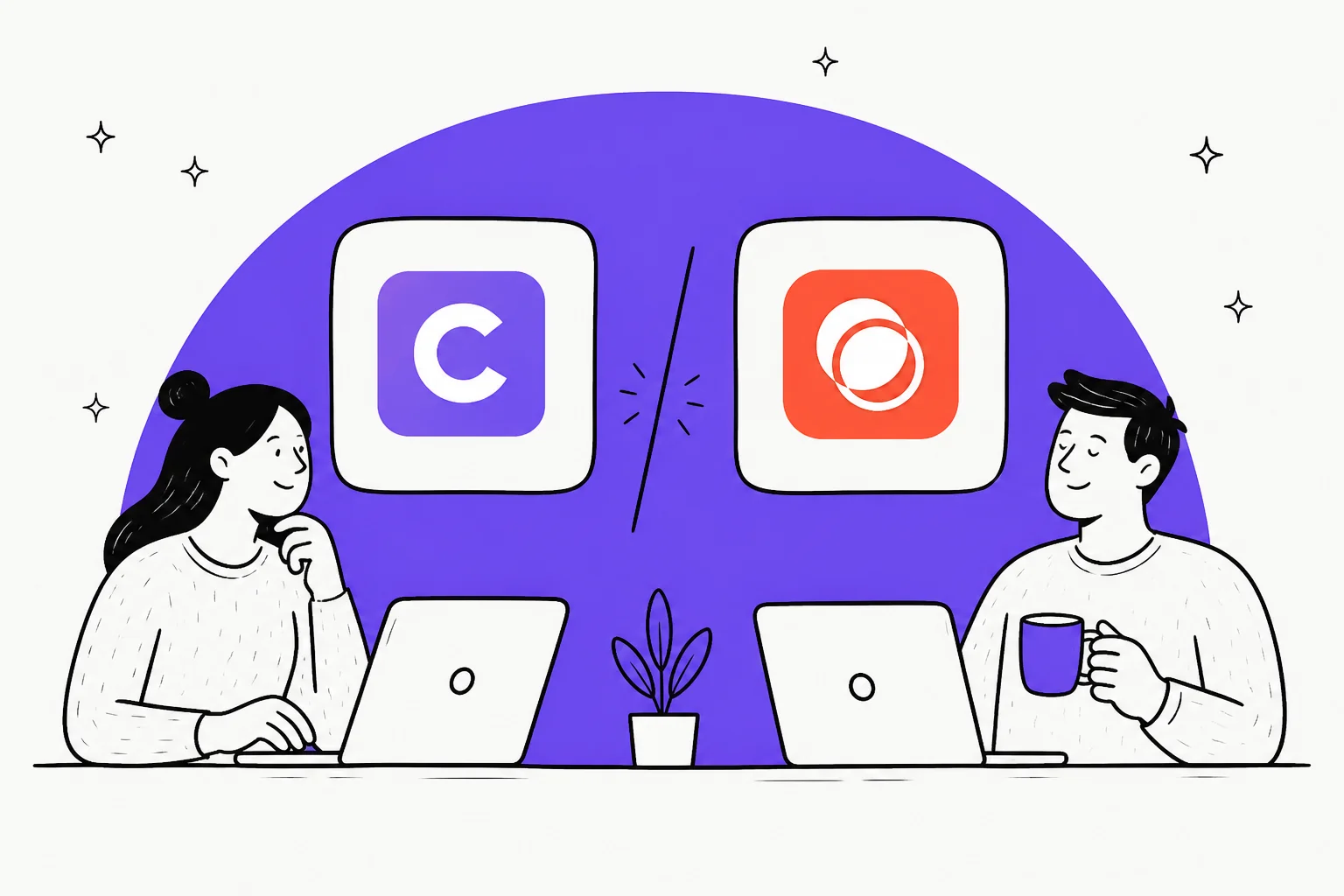
ClearFeed vs Unthread at a glance
I have spent a lot of time inside both products' docs and pricing pages, and the fastest way to see the split is a single table. The numbers here come straight from each vendor's own pages, re-checked for this piece.
| Dimension | ClearFeed | Unthread |
|---|---|---|
| Core job | Triage sprawling Slack channels, sync tickets out | Self-learning Slack helpdesk, be the record |
| Products | Three, priced separately (Helpdesk, Integrations, AI Agents) | One product, three tiers |
| Entry price | $24/agent/mo (Starter) | $50/agent/mo (Basic, annual) |
| Billing units | Per agent, or per channel/ticket | Per agent seat |
| Seat minimum | None published | 5 seats |
| Volume cap | Slab-based, whichever meter is higher | 100 conversations/mo on Basic |
| AI pricing | Credits, $2 per 10 | Bundled, but AI builder is Enterprise-only |
| Free plan | None (14-day trial) | None (14-day trial, demo-gated) |
| G2 rating | 4.6/5 (160) | 4.9/5 (13) |
| Teams support | Inbound source into Slack | Beta relay into Slack |
| Compliance | SOC 2 Type 2, HIPAA on Enterprise | SOC 2, HIPAA (Enterprise) |
Keep that table handy. The rest of this post is really about which row matters most for your team.
What ClearFeed is
ClearFeed calls itself a "Conversational Support Platform on Slack", and that phrase is doing a lot of work. Slack is not one channel among many; it is the workspace your agents live in. Everything else, Microsoft Teams, email, web chat, Discord, a customer portal, is an inbound source that gets piped into Slack for the team to work from.
The problem ClearFeed solves best is channel sprawl. Picture a B2B vendor with a Slack Connect channel open with every enterprise customer. After 80 or 200 of them, nobody can tell which threads are still unanswered. ClearFeed turns every message into a tracked Request with a state and an owner, and surfaces it all in one Triage channel so agents never have to join 200 customer Slacks. It merges related chats with AI so a customer's "oh, one more thing" does not spawn a second ticket, and posts internal comments with a lock emoji so the customer in the same channel never sees them.
On the internal side, it runs an IT helpdesk inside the employee Slack, with intake forms that route by type, approval workflows that resolve "your manager" from Okta at runtime, and an Okta agent that can reset passwords or suspend accounts straight from a thread. That write-action depth is genuinely ahead of Unthread.
Where it stands out is the ticket bridge. ClearFeed advertises bi-directional sync with Zendesk, Jira, Salesforce Service Cloud, HubSpot, Freshdesk, Linear, ClickUp, and Asana. The Zendesk one is the deepest I have seen from a Slack-side tool: it imports Zendesk forms with conditional fields, runs CSAT surveys in Slack and syncs them back, and lets agents edit Zendesk fields without leaving the thread. One G2 reviewer captures the appeal:
"The platform seamlessly connects Zendesk with our Slack channels, making it incredibly easy for our support team to stay on top of customer requests without missing a beat."

What Unthread is
Unthread pitches itself as "the AI helpdesk that does the work for you", and its center of gravity is different. Where ClearFeed is happy to hand the ticket off to Zendesk, Unthread wants to be the helpdesk. Connect a channel and it silently tracks new conversations as tickets in its own inbox and Kanban board, and customers never see the app doing it.
It is a system of record by default, and only mirrors into an existing helpdesk if you deliberately turn that on. The Zendesk integration doc frames the intent honestly: it lets you "scale up your Slack-based support without replacing legacy Zendesk systems." So you can run Unthread standalone, or as a Slack front-end that keeps your ITSM authoritative.
The workflow layer is where power users light up. A senior PM on G2 described building real automations on top of it:
"We combine Unthread's emoji triggers with filters to create workflows directly from created tickets. We use specific tags and ticket types in combination with emojis, so when an agent reacts to a ticket with a certain emoji, custom TypeScript code is triggered."
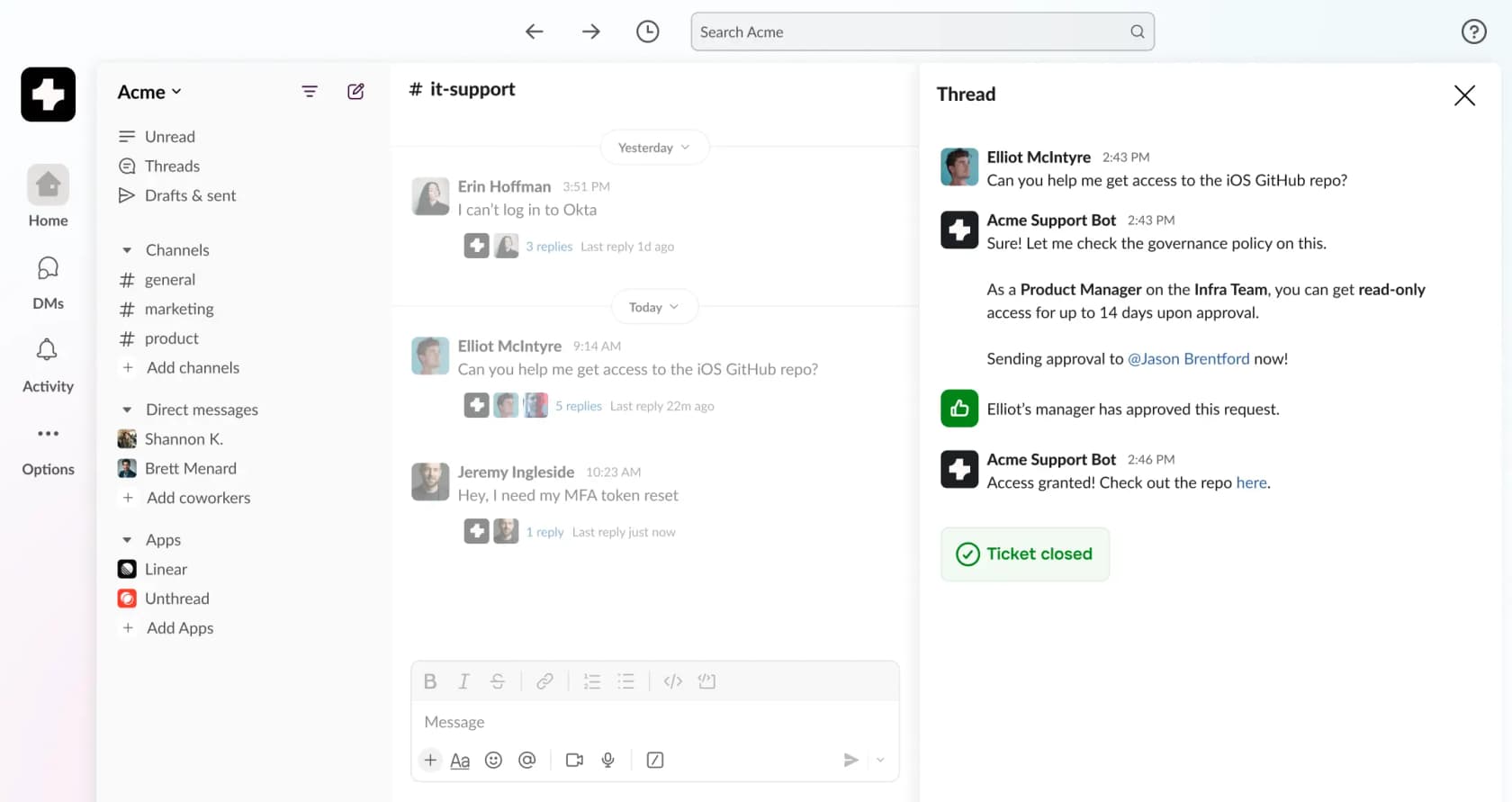
Two honest limits worth knowing before you buy. First, Microsoft Teams is a beta relay, not native support: Teams channel messages get forwarded into a Slack channel, replies post back "as the user who set up the integration" rather than the individual agent, and direct messages are not supported at all. Second, its asset management is Apple-only (Jamf and Kandji), with no Intune, so a Windows fleet gets no device visibility.
Pricing: how each one bills you
This is where the two products feel least alike, so it is worth slowing down. ClearFeed and Unthread do not just charge different amounts; they charge on different meters.
ClearFeed pricing
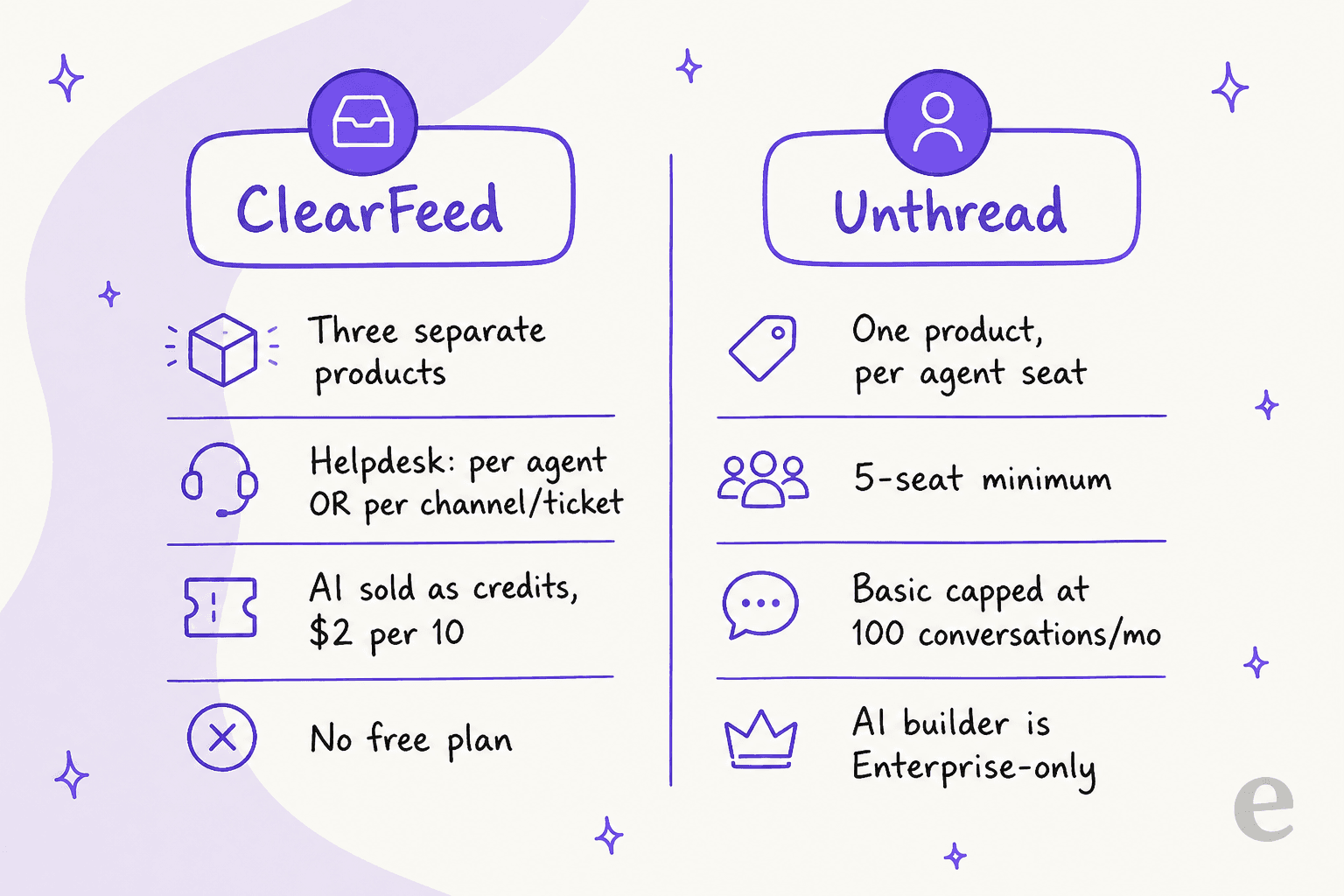
ClearFeed does not have one price list. Its pricing hub splits into three separately-priced products, and the Helpdesk product alone gives you two mutually exclusive meters to choose between.
| ClearFeed product | Plan | Price | Unit |
|---|---|---|---|
| Helpdesk (agent-based) | Starter | $24/agent/mo | per agent |
| Helpdesk (agent-based) | Professional | $49/agent/mo | per agent |
| Helpdesk (usage-based) | Starter | $40/mo per 10 channels | per channel/ticket slab |
| Integrations | Starter | $49/mo for 250 tickets | per ticket |
| AI Agents | Professional | $50/mo for 20 channels | per Slack channel |
| Any product | Custom / Enterprise | Quote-only | varies |
The catch on the usage meter is that tickets and channels are counted in slabs (100 and 10) rounded up, and ClearFeed bills on the higher of the two. Its own worked example: 150 tickets across 35 channels rounds to 200 tickets / 40 channels and bills at the 40-channel rate. AI is metered separately as credits, where one credit is roughly one AI invocation, overage runs $2 per 10, and unused credits do not roll over. There is a 14-day trial and a 15% annual discount, but no free plan.
Unthread pricing
Unthread is simpler on the surface: three tiers, per agent, with a 5-seat minimum.
| Plan | Annual | Monthly | Minimum | Key gate |
|---|---|---|---|---|
| Basic | $50/agent/mo | $64 | 5 seats | 100 conversations/mo |
| Pro | $75/agent/mo | $84 | 5 seats | No AI automation builder |
| Enterprise | Quote-only | Quote-only | Not stated | SSO, HIPAA, AI builder |
Two things bite here. The Basic tier is capped at 100 conversations a month, a second meter layered on top of the seat price, and there is no published overage rate for exceeding it. And the AI automation builder plus self-learning documentation, two of the homepage's headline capabilities, sit in the quote-only Enterprise tier. The trial is real but demo-gated: both plan buttons route to a demo form, not a self-serve signup.
A worked example at 8 agents
Say you have an 8-person support team. On ClearFeed Professional that is 8 x $49 = $392/month before any AI credit overage. On Unthread Pro at the annual rate that is 8 x $75 = $600/month (or $672 billed month-to-month). ClearFeed comes out cheaper on seats, though the gap narrows once you buy AI credits and the second Helpdesk product.
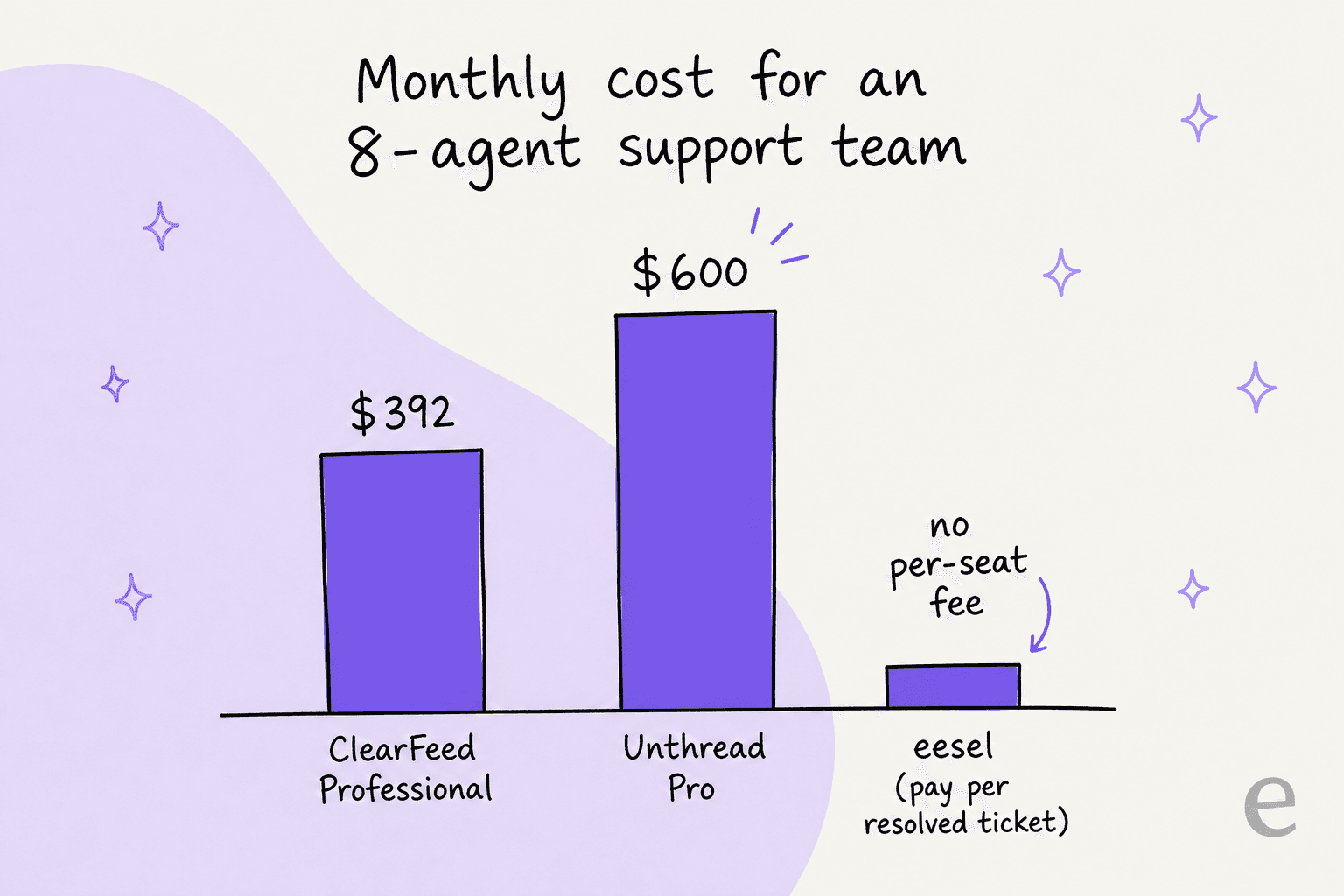
Both models share a quiet assumption worth naming: you pay for seats and capacity whether or not the AI resolves anything. A per-resolution model ties cost to outcomes instead, which is the pricing shape eesel uses.
AI capabilities compared
Both tools ship AI, and both are honest that it takes a little while to earn trust. A ClearFeed reviewer put it plainly:
"Based on the feedback from our customers, AI-generated answers may take a while to become useful and accurate, but it's super nice to have them for internal training purposes."
ClearFeed's AI is spread across all three products and metered by credits: the substantive stuff (GPT-powered answers over 12+ knowledge sources, custom AI agents, deflection reports) lives behind an AI-Pack on the cheaper Helpdesk tier and in the standalone AI Agents product. Unthread bakes AI response generation, auto-tagging, summaries, and sentiment into Basic and Pro, but reserves its self-learning automation builder for Enterprise. Both expose MCP surfaces so tools like Claude and ChatGPT can drive them.
Here is the honest gap for both: neither lets you dry-run the AI against your own historical tickets before it goes live. You configure it, switch it on, and watch. For a team that has ever had a confident bot answer wrong in front of a customer, that is the scary part, and it is exactly the step we obsess over at eesel after years of putting AI on live queues.
What real users say
The review picture is lopsided, and it is worth being precise about why. ClearFeed carries 4.6/5 across 160 reviews on G2; Unthread shows a shinier 4.9/5, but from only 13 reviews, ten of them clustered in a three-month burst in late 2024, with zero Enterprise reviewers. Treat Unthread's number as directionally positive, not statistically settled.
Both tools earn the same core praise: nothing falls through the cracks. And both draw the same core complaint, reporting depth. A ClearFeed reviewer who scored it 5/5 still wished for more:
"If I had to be picky, I'd love to see a richer reporting engine to satisfy requests for customer insights on Slack. But I'm sure it will come."
The sharpest signal, though, is not about either product. It is about the whole premise of running support inside Slack. This buyer, who evaluated the category at around 100 customers, is worth quoting (with the disclosure that they went on to partner with a competitor, Pylon):
"When we evaluated vendors few months ago, when we were around 100 customers, they all seemed alike. Thena, Unthread, Pylon - similar features, not enough value."
And this one, from Unthread's own Launch HN thread, names the structural risk head-on:
"So your image of Unthread => Other apps is the reverse of where the industry is going. You need the other direction where any number of channels get funneled into Unthread."

The question that actually decides it
After all the feature-matching, the choice between ClearFeed and Unthread collapses to one question: where does the person needing help actually live?
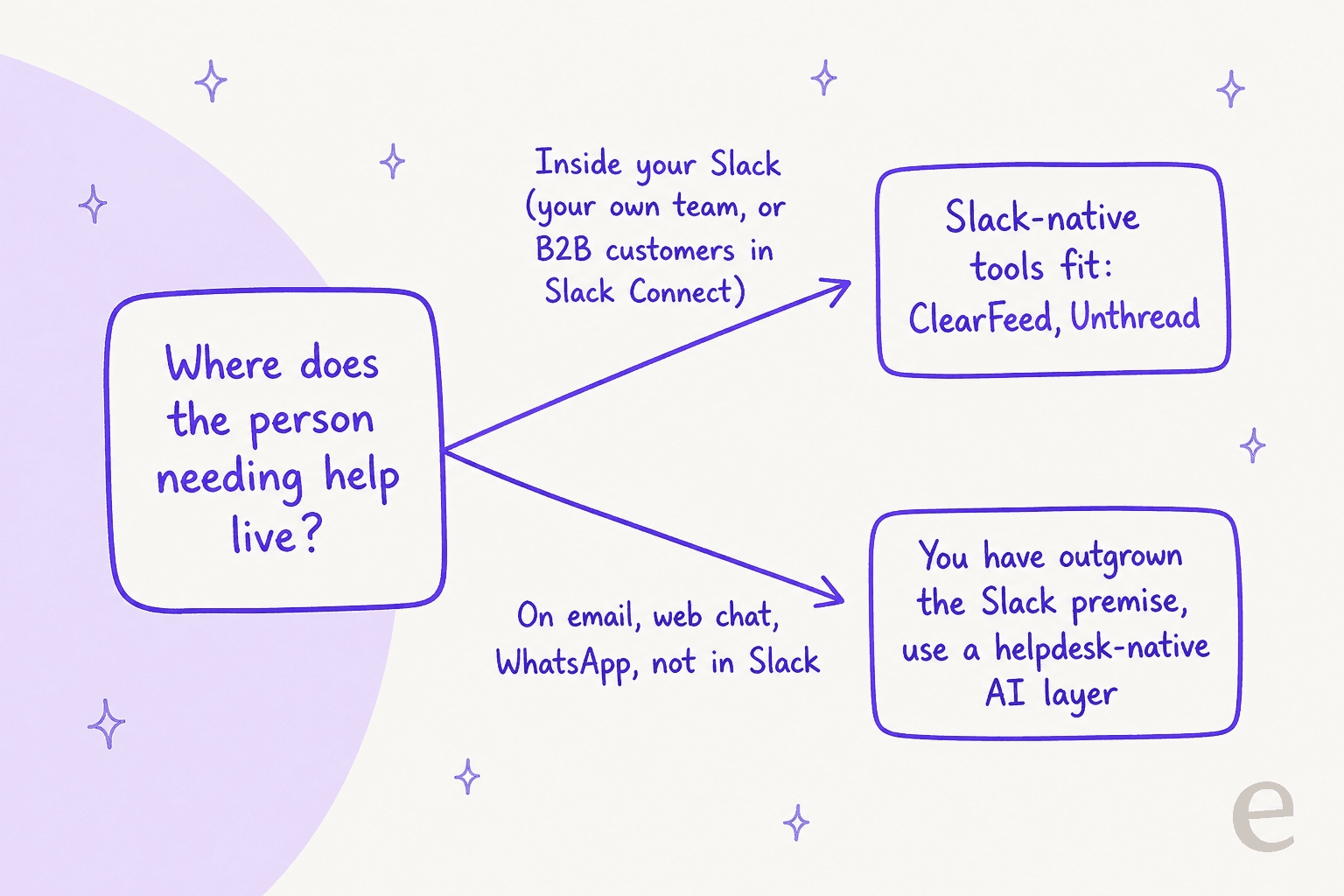
If your requesters are your own team, or B2B customers you already share Slack Connect channels with, then a Slack-native tool is genuinely the right shape, and the pick is straightforward:
- Choose ClearFeed if you are triaging lots of Slack channels and want the ticket to live in your existing Zendesk or Jira, or you need internal IT write-actions like password resets from Slack. The 160-review track record backs it up. Its close rival here is Pylon, worth a look too.
- Choose Unthread if you want Slack itself to be the helpdesk, with a clean inbox and a strong automation layer, and you are a small-to-mid team comfortable with a thinner review history.
But if half your volume is customers emailing, chatting on your website, or messaging on WhatsApp, then Slack is not the workspace, it is a workaround. That is the moment to use a helpdesk-native AI layer instead. As one veteran support operator warned on Hacker News:
"Slack is probably not a tool that will allow you to scale!"
Try eesel for support that lives where your customers are
If you read this far and realised your customers are not actually in Slack, that is the case eesel is built for. eesel is an AI helpdesk agent that plugs into the helpdesk you already run, Zendesk, Freshdesk, Gorgias, Help Scout, and works the queue like a new hire: it trains on your past tickets and help center, drafts or auto-sends replies, and looks up orders and records mid-conversation.
Two things set it apart from the Slack-first tools above. First, it simulates on your historical tickets before it ever touches a live one, so you see the resolution rate and the exact answers up front instead of flipping a switch and hoping. Second, it bills for what the AI actually resolves, with no per-seat fee and no 5-seat floor. And if you do want to answer questions inside Slack, eesel connects to Slack too, so you are not locked out of that use case either. It is free to start, no credit card and no sales call.
Frequently Asked Questions
What is the difference between ClearFeed and Unthread?
How much do ClearFeed and Unthread cost?
Do ClearFeed and Unthread work without Slack?
Is ClearFeed or Unthread better for internal IT support?
What is a good ClearFeed and Unthread alternative?


Article by
Rama Adi Nugraha
Rama is a software engineer at eesel AI with two years of experience writing about B2B SaaS, AI tools, and customer support technology. Based in Bali, Indonesia, he brings a developer's perspective to product comparisons — cutting through marketing copy to what the integrations and APIs actually do.