The 5 best Claude AI Windows apps to try in 2026

Kenneth Pangan
Written by

Kenneth Pangan

Reviewed by

Katelin Teen

Last edited January 9, 2026

Expert Verified

Image alt text

Using an AI assistant in a browser is common, but switching between tabs can disrupt productivity. A dedicated desktop application can offer a more integrated experience.

This is where desktop AI apps come in, and the ecosystem around Claude AI for Windows is becoming quite interesting. It's not just about one single app anymore.

We're going to walk through the best options for bringing Claude’s power to your Windows desktop. Whether you need a simple chat tool, a sidekick for coding, or a full-on AI teammate for your business, you’ll find the right fit here.

What are Claude AI Windows apps?

When we talk about "Claude AI Windows apps," it’s not just one specific program. The term covers a few different ways to get AI onto your desktop, as this graphic shows.

An infographic explaining the four main types of Claude AI Windows apps: official, third-party, wrapper, and integrated platforms.

  • The official app: This is the desktop application straight from Anthropic, the company that created Claude.
  • Third-party apps: These are tools you'd find on the Microsoft Store, built by other developers using Claude's API.
  • Wrapper apps: Think of these as a dedicated, clean window for the Claude web interface, cutting out the distraction of your other browser tabs.
  • Integrated business platforms: These are more powerful solutions. Instead of a simple chat window, they plug AI directly into your business tools (like your help desk or Slack) to automate actual work.

The "best" app for you really boils down to what you’re trying to do. Are you just looking for a chat partner, need some help with code, or are you trying to automate business processes? Your goal will point you to the right tool.

Our criteria for the best Claude AI Windows apps

To keep things straightforward and help you make a good choice, we picked the apps on this list based on a few key factors:

  1. Core Functionality: Does it do its main job well? Whether that’s chatting, analyzing data, or creating content, it needs to be effective.
  2. Windows Integration: How well does it play with the rest of your computer? We looked for things like shortcuts, local file access, and other features that make it feel like a real desktop app.
  3. Primary Use Case: Who is this really for? We separated the general-purpose assistants from the tools built specifically for teams and businesses.
  4. Value and Pricing: What do you get for your money? We looked at the costs and whether a free version is available to get you started.

Quick comparison of the top Claude AI Windows apps in 2026

Here’s a quick look at our top picks so you can get a feel for the options before we dive into the details.

AppBest ForKey FeatureStarting Price
eesel AIBusiness workflow automationWorks as an AI teammate inside your existing apps$239/mo (billed annually)
Claude DesktopDirect AI chat with local file accessDesktop extensions for local file and app integrationFree
Microsoft CopilotNative Windows & Office usersDeep integration with Windows 11 & M365Included with eligible M365 subscriptions
ClaudioSimple, app-store accessStraightforward chat using Claude's Opus & Sonnet modelsFree (5 conversations)
WebCatalog for ClaudeDistraction-free usageRuns Claude in an isolated, lightweight windowFree (for up to 2 apps)

The 5 best Claude AI Windows apps to try in 2026

Alright, let's get into the specifics. Here are our top five picks for integrating Claude AI into your Windows workflow.

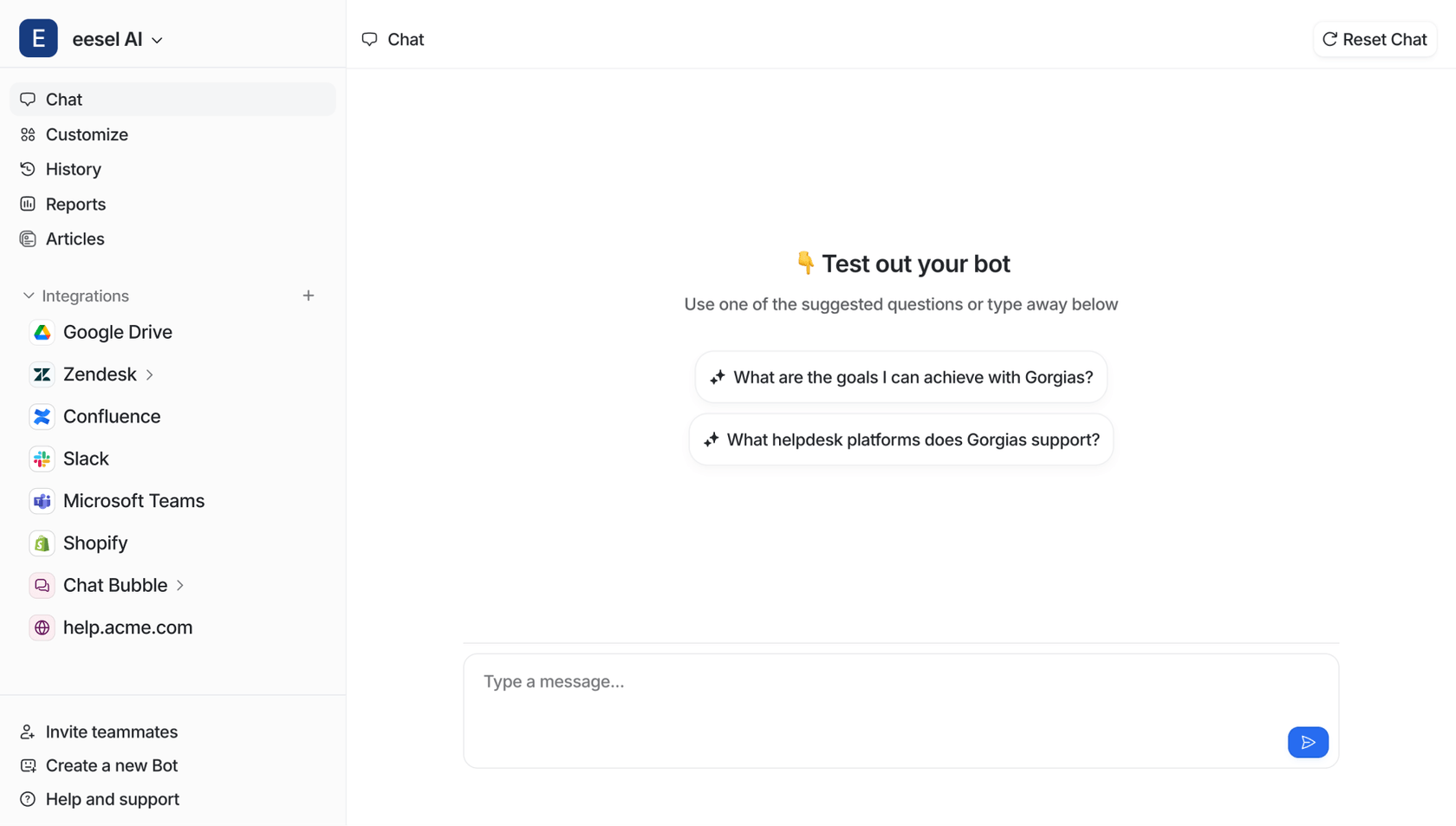
1. eesel AI

A screenshot of the eesel AI website homepage, a platform that integrates with business tools and is one of the top Claude AI Windows apps.

Why we chose it: eesel AI is a completely different approach. Instead of giving you another chat app to juggle, eesel is an AI teammate that works inside the business tools you already use every day on Windows, like Zendesk, Intercom, or Slack. It’s built for businesses that want to move beyond asking simple questions to actually automating entire workflows, like handling customer support tickets or answering internal team questions. eeselAI - Video - AI Copilot

An animation of eesel AI's features, including AI Agent and AI Copilot, which are alternatives to typical Claude AI Windows apps for business use.

Key Features & Use Case: The idea behind eesel is that you "hire" it, you don't configure it. You just connect it to your knowledge sources-like your help desk history, Confluence pages, or Google Docs-and it learns the details of your business in minutes. From there, it can act as a fully autonomous AI Agent to resolve customer tickets, an AI Copilot that drafts replies for your human agents, or an AI Triage system that automatically tags and routes incoming requests. This deep integration is designed to solve specific business problems, offering a different set of capabilities than a general-purpose chatbot. The flip side is that it's a specialized tool for automating work, not your go-to for casual, standalone chats.

Pricing:

  • Free Trial: You can try it out with a 7-day free trial without putting in a credit card.
  • Team: Starts at $239/month (billed annually) and includes 1,000 AI interactions, the AI Copilot, and Slack integration.
  • Business: Starts at $639/month (billed annually) for 3,000 interactions and adds the full AI Agent for help desks, training on your past tickets, and an MS Teams integration.
  • Custom: They offer custom plans if you need unlimited interactions or more advanced features.

2. Claude Desktop

A screenshot of the download page for Claude Desktop, one of the leading Claude AI Windows apps from Anthropic.

Why we chose it: This is the official app from Anthropic, so it’s the most direct and feature-rich way to get Claude on your Windows machine. It's designed for people who want to move beyond a browser tab and get the AI deeply connected with their local computer.

Key Features & Use Case: The most impressive feature here is the ability to use desktop extensions. These small files let Claude connect to your local files, apps, and even your code editor. This means Claude can see what's on your screen and do things like analyze a document saved on your hard drive or rename a bunch of files in a folder-tasks that a browser-based AI typically cannot perform. It's perfect for developers, researchers, or anyone who needs AI to help with tasks happening right on their PC.

Reddit
My current fave combo is sequential thinking + brave search + puppeteer = deep research/perplexity clone. I give a topic to research. Sequential thinking plans what searches it needs to do to answer the question. Brave search and puppeteer fetch and scrape the results. Then sonnet does its LLM magic and synthesises all the scraped content into a nice research report.

Pricing:

  • Free: Available for everyone, with some usage limits, but you still get access to the desktop extensions.
  • Pro: $20/month ($17/month if you pay annually) gets you more usage, access to different models, and extra features like connecting to your Google Workspace.
  • Max: Starts at $100/month for 5x more usage than the Pro plan, with an option to go up to 20x for $200/month.

3. Microsoft Copilot

A screenshot of the Microsoft Copilot homepage, an AI assistant integrated into Windows that competes with other Claude AI Windows apps.

Why we chose it: If you spend your day in the Microsoft ecosystem, Copilot is an obvious choice. While it's not technically a "Claude app," it's the main AI assistant for Windows, which makes it an essential comparison for anyone looking for a desktop AI.

Key Features & Use Case: Copilot's biggest advantage is how smoothly it fits into everything. It's built right into Windows 11 and Microsoft 365, so it can do things across your operating system and documents, like summarizing a Word doc you have open or drafting a reply for you in Outlook. For businesses, its "Work IQ" layer connects to all your company's data, making it a powerful tool for finding information and automating tasks within the Microsoft world.

Pricing:

  • Copilot Chat: It's included at no extra cost if you have an eligible Microsoft 365 subscription.
  • Microsoft 365 Copilot Business: Starts at $18/user/month with an annual plan. This is an add-on that unlocks the full experience inside apps like Teams, Excel, and PowerPoint.

4. Claudio

A screenshot of the Claudio app listing on the Microsoft Store, a simple third-party option for Claude AI Windows apps.

Why we chose it: Claudio is a third-party app that makes Claude’s API accessible on your Windows desktop in a very simple package. It’s for anyone who just wants to install something from the Microsoft Store and get going without any fuss.

Key Features & Use Case: This app is all about simplicity. You can install it in a couple of clicks and immediately start chatting with both the Claude Sonnet and Opus models without messing with the web version. It offers a different pricing model that might work better for some people. The catch is that since it's a third-party app, it doesn't have the advanced desktop extensions or deep local file integration you get with the official Claude Desktop app.

Pricing:

  • Free Trial: You get 5 free conversations with the Sonnet model to test it out.
  • PRO Membership: You can subscribe annually, quarterly, or monthly to unlock unlimited chats with both Sonnet and Opus.

5. WebCatalog for Claude

A screenshot of the WebCatalog for Claude page, which creates a dedicated desktop experience for Claude and is a useful wrapper among Claude AI Windows apps.

Why we chose it: This one’s for the minimalists. If you prefer the Claude web experience but want to avoid the distraction of browser tabs, WebCatalog is for you. It basically turns any website into a desktop app, giving you a focused, clean workspace.

Key Features & Use Case: WebCatalog creates a neat, sandboxed window for Claude that keeps it separate from all your other browser activity, which can be a real boost for productivity. It's lightweight and makes it easy to switch between different accounts if you have them. The obvious downside is that it’s just the web app in a different package. You’re not getting any special desktop-native features like local file access or system-wide shortcuts.

Pricing:

  • Basic: Free for up to 2 apps.
  • Pro: $5/user/month (billed annually) for unlimited apps, ad blocking, and a few other perks.
  • Business: $8/user/month (billed annually) for team management features.

How to choose the right Claude AI Windows app

Feeling a bit stuck? Here are a few tips to help you pick the right tool for the job.

A flowchart infographic helping users choose the right Claude AI Windows app based on their primary goal: general chat, Microsoft integration, or business automation.

Pro Tip
Define your primary use case. What are you actually trying to accomplish? If you need a creative partner to bounce ideas off of, Claude Desktop is great. If you want an assistant that’s baked into your OS, go with Copilot. But if your goal is to have an AI that performs work for your business, an integrated solution like eesel AI is a relevant option.
Pro Tip
Consider your existing tool stack. If your whole world is Microsoft Office, Copilot just makes sense. On the other hand, if your team's work happens in platforms like Zendesk, Slack, and Shopify, an integrated solution like eesel AI is going to provide way more value because it automates tasks right where they happen.
Pro Tip
Evaluate the need for local access. Do you spend your day working with files on your computer, writing code, or managing your local file system? The official Claude Desktop app with its extensions is the clear winner here. If most of your work is in the cloud, this feature might not be a dealbreaker.

From simple chat to full automation

The world of AI on Windows has evolved. We've moved past simple chatbots and into an era of powerful, integrated teammates that can do real work.

To see the official desktop app in action and get a better sense of its features, the following video provides a helpful walkthrough.

This video explores the features, ease of use, and overall value of the official Claude desktop app.

There's the official Claude Desktop app for direct power and local access, Microsoft Copilot for seamless native integration, and specialized tools for specific business challenges. If you are looking to move beyond a simple chat interface to automate work for your team, an integrated AI teammate is an option to consider.

See how eesel AI can work as an autonomous agent inside the tools your team already uses. You can start a free 7-day trial or book a demo to see it in action.

Frequently Asked Questions

They generally fall into four categories: the official desktop app from Anthropic, third-party apps from the Microsoft Store, "wrapper" apps that just display the web version in a dedicated window, and integrated business platforms like eesel AI that automate workflows inside your existing tools.
Yes, several options have free tiers. The official Claude Desktop app has a free version, as does WebCatalog (for up to two apps). Claudio offers a free trial of 5 conversations to get you started.
For automating actual business workflows, a platform like eesel AI is your best bet. Instead of just being a chat window, it works as an AI teammate inside your help desk or Slack to resolve customer tickets, answer team questions, and handle other tasks autonomously.
The official Claude Desktop app is designed specifically for this. It uses "desktop extensions" that allow it to connect to your local files, applications, and even your code editor, which is something browser-based AI tools can't do.
Start by defining what you need to do. For general chat and local file tasks, the official app is great. For deep integration with Microsoft Office, Copilot is the way to go. If you need to automate business processes, a specialized tool like eesel AI will provide the most value.

Share this post

Kenneth undefined

Article by

Kenneth Pangan

Writer and marketer for over ten years, Kenneth Pangan splits his time between history, politics, and art with plenty of interruptions from his dogs demanding attention.