ChatGPT Images 2.6 pricing: same rates, very different bill

Kira

Katelin Teen
Last edited November 5, 2026
ChatGPT Images 2.6 pricing in the API is unchanged on paper: $30 per 1M image output tokens for both Flare and Sunburst, exactly like 2.5. The catch is that 2.6 spends 4.2 times more tokens at low quality and 3.3 times more at medium, so a low 1024x1024 image goes from about $0.006 to $0.025. At high quality and above, nothing changes ($0.053 per image). My take: use 2.6 at high, where it's a free upgrade, and keep cheap drafts on 2.5 low. In ChatGPT itself, it's included on every plan from Free to Pro.
If you'd rather not pick quality settings at all, the eesel AI blog writer generates each post's banner and infographics as part of drafting it, and the eesel CLI lets a coding agent queue those posts from a terminal.
What does ChatGPT Images 2.6 cost in the API?
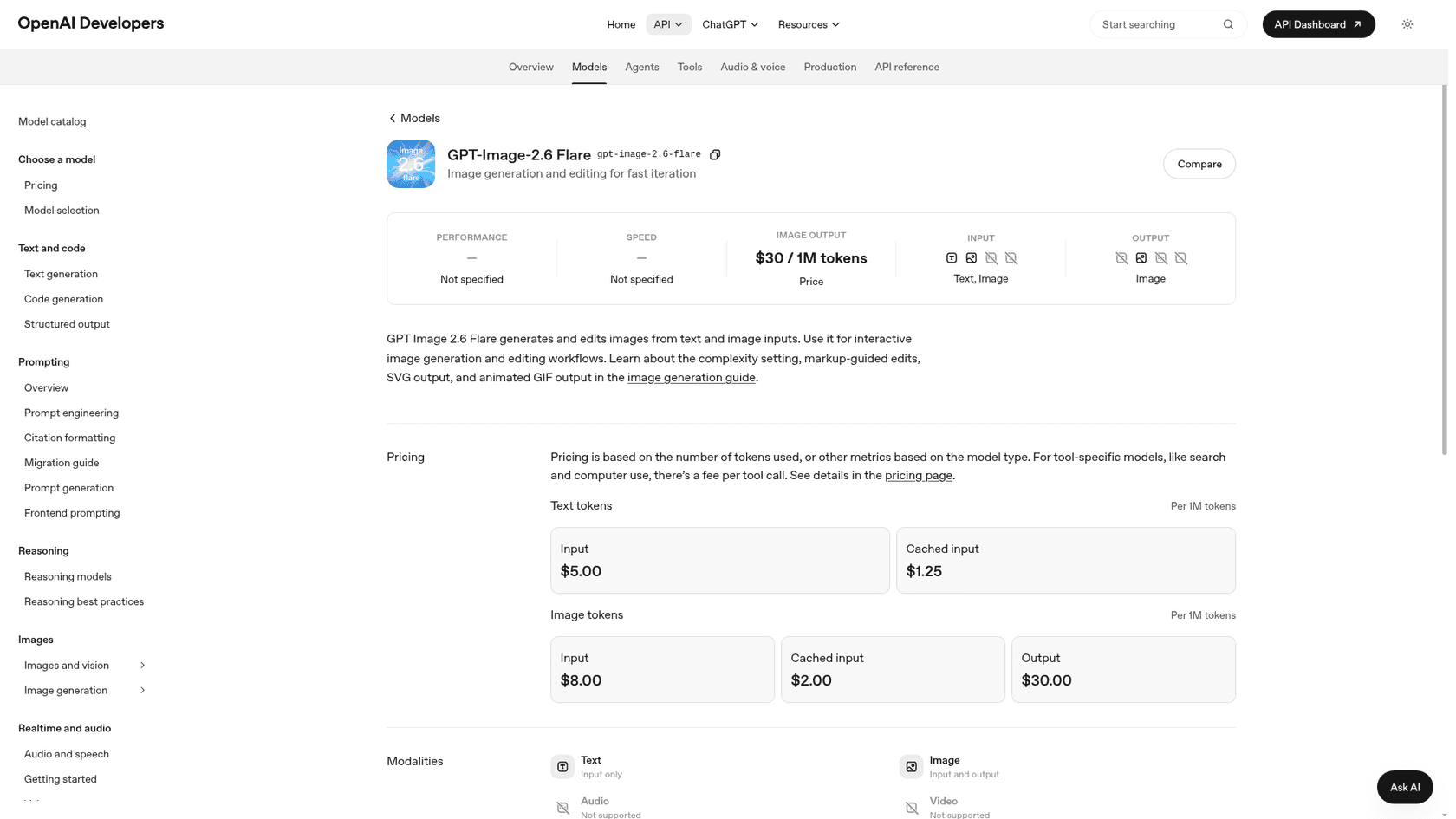
The API rate card for GPT-Image-2.6 is the same as for Images 2.5, and both 2.6 models share it. It sits inside the wider OpenAI API pricing structure, billed per token rather than per image. OpenAI announced Images 2.6 on November 4, 2026 with two API models: Flare for fast iteration and Sunburst for detailed visual work.
| Token type | GPT-Image-2.6 Flare | GPT-Image-2.6 Sunburst | GPT-Image-2.5 (both) |
|---|---|---|---|
| Text input | $5.00 / 1M | $5.00 / 1M | $5.00 / 1M |
| Cached text input | $1.25 / 1M | $1.25 / 1M | $1.25 / 1M |
| Image input | $8.00 / 1M | $8.00 / 1M | $8.00 / 1M |
| Cached image input | $2.00 / 1M | $2.00 / 1M | $2.00 / 1M |
| Image output | $30.00 / 1M | $30.00 / 1M | $30.00 / 1M |
| Batch (50% off) | Not listed yet | Not listed yet | $15.00 / 1M output |
Source: OpenAI API pricing and the Flare and Sunburst model pages, checked November 5, 2026.
Two things on that table are easy to miss. First, Flare and Sunburst cost the same per token, so the choice between them is about speed and quality, not money. Second, the Batch table still lists only gpt-image-2 and the two 2.5 models. If your pipeline leans on the 50% Batch discount, 2.6 isn't on it yet.
I build the image steps inside eesel's own content pipeline, and the first thing I learned with these models is that the rate card tells you almost nothing. The number that matters is how many tokens each image uses, and that's where 2.6 moved.
Why does a 2.6 image cost more if the rates didn't change?
Because 2.6 spends more output tokens per image at the cheap settings. OpenAI says so directly in its image generation guide: "Equal token rates don't mean equal cost per image: token consumption can differ by model and quality setting."
The guide's own calculator gives these numbers for output only (no prompt or reference images):
| Quality | 2.5 tokens (1024x1024) | 2.6 tokens (1024x1024) | 2.5 cost | 2.6 cost | Change |
|---|---|---|---|---|---|
| low | 196 | 823 | $0.0059 | $0.0247 | 4.2x |
| medium | 439 | 1,449 | $0.0132 | $0.0435 | 3.3x |
| high | 1,756 | 1,756 | $0.0527 | $0.0527 | same |
| xhigh | 3,122 | 3,122 | $0.0937 | $0.0937 | same |
| max | 7,024 | 7,024 | $0.2107 | $0.2107 | same |
At landscape 1536x1024, the pattern holds: low goes from $0.0047 to $0.0199, medium from $0.0103 to $0.0340, and high stays at $0.0412.
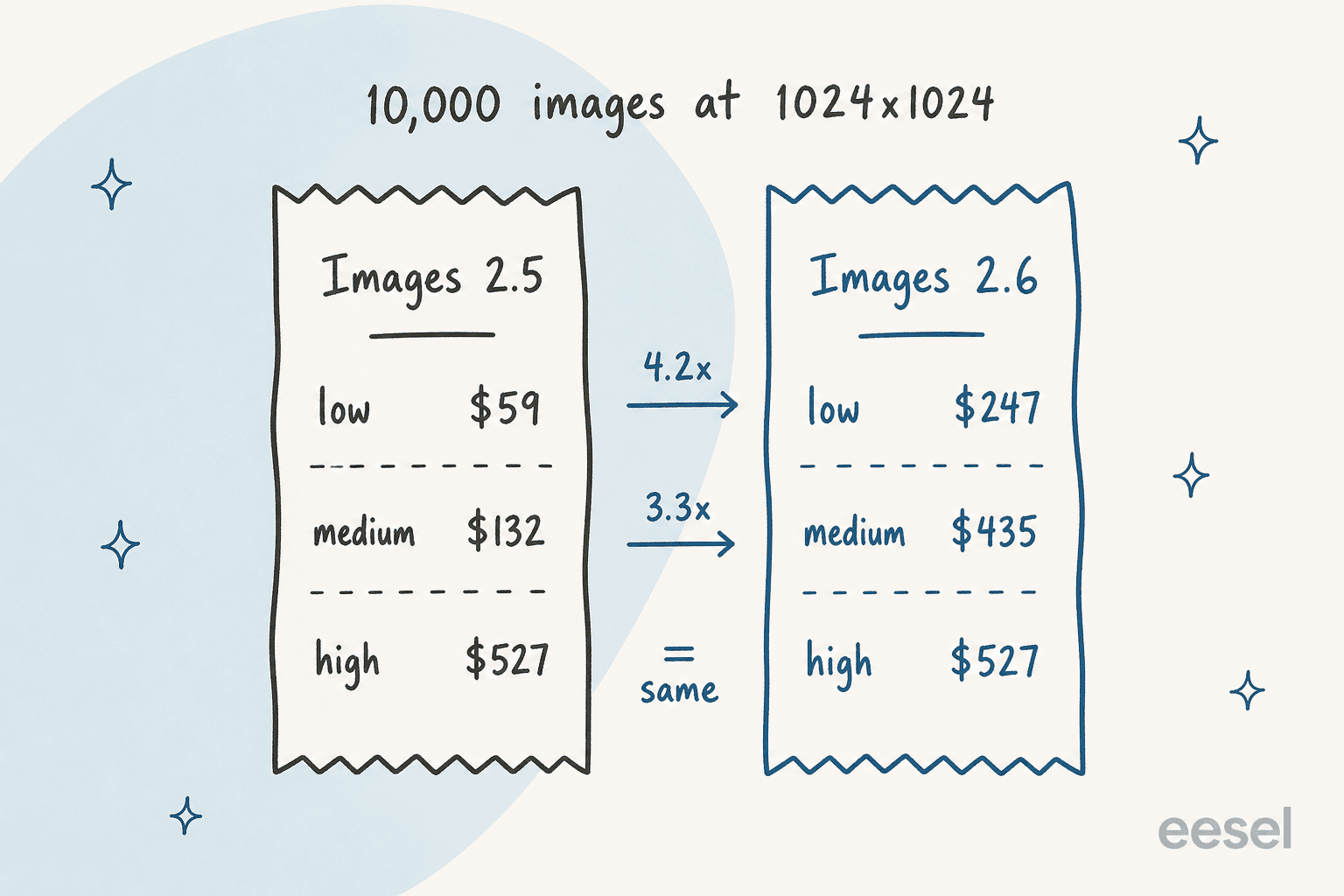
So for a team generating 10,000 low-quality drafts a month, the switch to 2.6 takes the bill from about $59 to about $247, without anyone touching the price list. A developer on Hacker News spotted it within hours of launch:
"The input and output pricing per token remains the same between 2.5 and 2.6, although using their image pricing calculator shows a quadrupling of token usage at low and medium quality settings for 2.6."

To be fair to 2.6, the extra spend buys something. OpenAI says Flare has better layout quality for posters and product shots, and that 2.6 generates images 50% faster. Another commenter timed it:
"2.5 medium 439 tokens $0.014 12.0 s / 2.6 low 824 tokens $0.025 6.7 s / 2.6 medium 1,449 tokens $0.044 7.9 s / 2.6 high 1,758 tokens $0.053 8.9 s"
Read that last line twice: in that test, 2.6 at high was faster than 2.5 at medium and cost about four times as much. Whether that trade is worth it depends on how many images you throw away.
How much will my monthly bill be?
Plug in your own volume. The calculator below uses the token counts from OpenAI's guide, output tokens only, at Standard rates.
A rough guide if you don't want to open the calculator: 1,000 high-quality 1024x1024 images cost about $53 on either version, and 1,000 low-quality ones cost about $25 on 2.6 or $6 on 2.5.
What else shows up on the invoice?
Output tokens are the biggest line, but not the only one. Every request can add up to five kinds of charge, all listed in OpenAI's cost section:
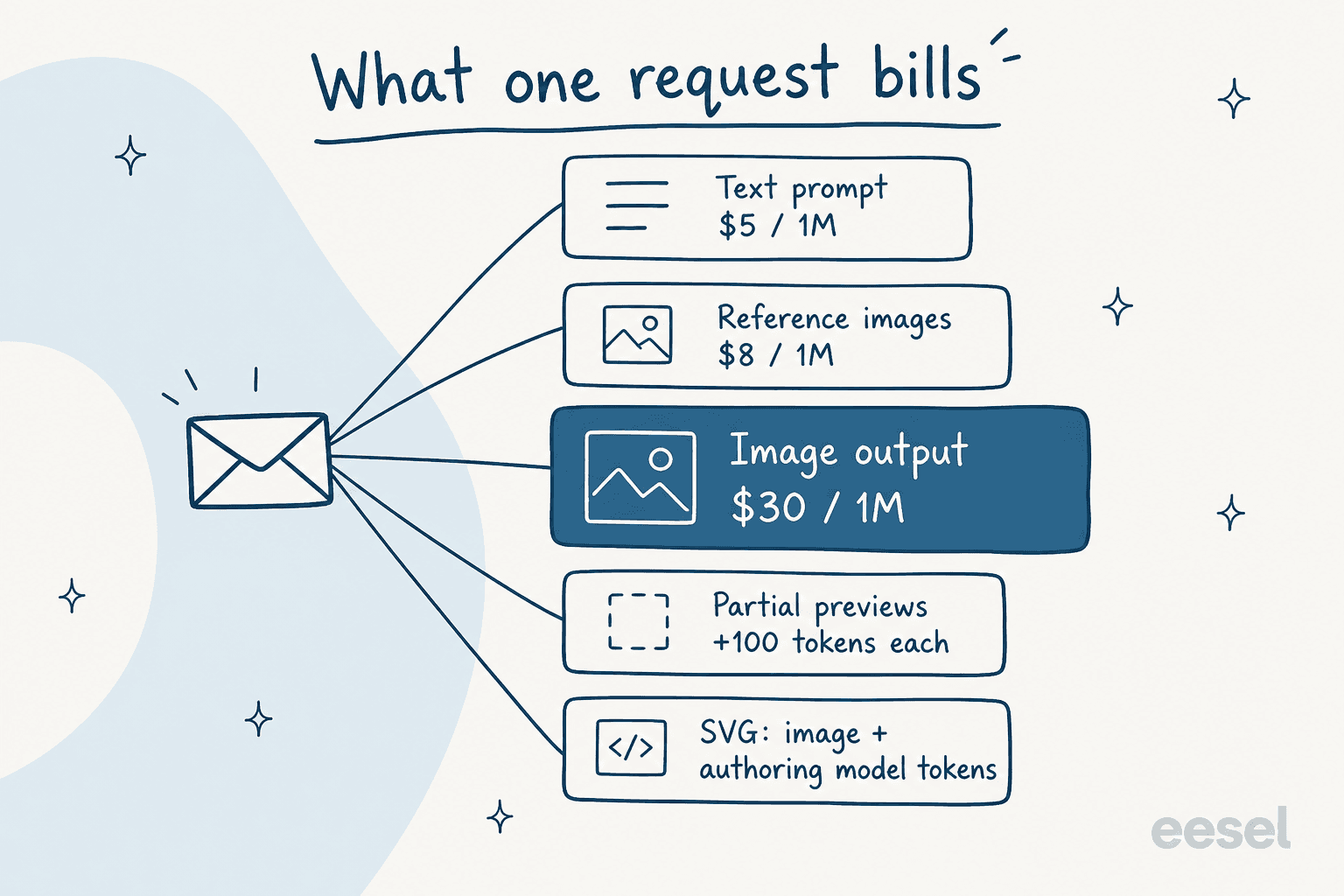
- Prompt text at
$5per 1M tokens. Small for a short prompt, larger for long brand guidelines pasted into every call. - Reference images at
$8per 1M tokens on the edits endpoint. Edits with several reference photos can cost more on the input side than you expect. - Streamed previews. Each partial image adds
100output tokens, so streaming three previews adds300tokens to every image. - SVG output. New in 2.6, it bills the image rate for a reference raster plus the authoring model's tokens for writing the SVG. The guide says the total "depends on how many tokens each model uses", so test before you budget.
- Responses API. If you call images through the Responses API, the main model's tokens are billed on top.
Two new features cost nothing extra. The complexity setting (low, medium or high, default high) "has no separate fee", per the guide, though higher settings can add latency. And markup-guided edits, where you draw on the image to show what to change, "use the same token rates as other edits, with no extra fee."
GIFs are the one gap. Animated GIF output takes a frame_count from 2 to 64 (default 9), but the guide doesn't publish a GIF-specific price. Run one test call and read the usage field before you build a GIF feature around it.
How much does Images 2.6 cost inside ChatGPT?
Inside ChatGPT, Images 2.6 doesn't have its own price. It's included in each plan, and OpenAI's announcement says it's live across "all tiers" in ChatGPT and Codex. What changes by plan is how much you can make:
| Plan | Price | Image generation | Image generation with Thinking |
|---|---|---|---|
| Free | $0 | Limited | No |
| Go | $8/month | More image creation | No |
| Plus | $20/month | More complex and accurate | Yes |
| Pro | $100/month | Unlimited and faster | Yes |
Source: ChatGPT pricing, checked November 5, 2026.
OpenAI doesn't publish a fixed number of images per day on any plan, so "limited" means you'll hit a cap at some point and wait. If images are a side task, Free or Go is fine. If you rely on reasoning to plan complex layouts (infographics, posters with lots of text), Plus is the floor, since Image generation with Thinking isn't on the cheaper plans. My ChatGPT pricing guide covers what else each tier adds, and ChatGPT's free trial post covers how to test Plus first.
If you're deciding between "pay for ChatGPT" and "pay for the API", here's the break-even: $20 for Plus buys about 377 high-quality 1024x1024 images through the API. Below that, and if you're happy working in a chat window, the subscription is the better deal. Above it, or when images feed into an app, the API is easier to plan around.
Which quality setting should you pay for?
Pick the cheapest setting that still passes your review, and remember that the cheapest 2.6 setting isn't the cheapest option anymore.
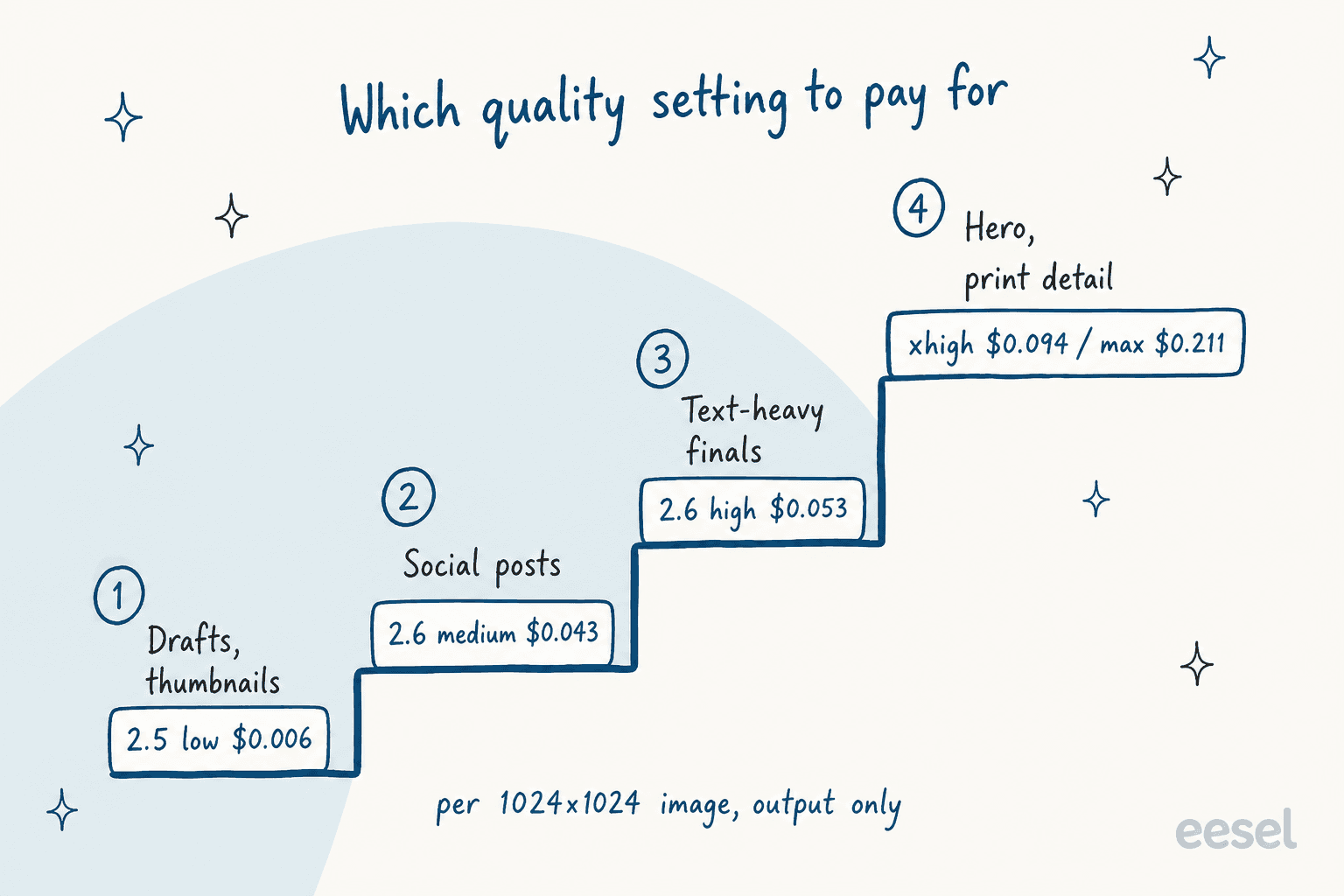
Here's how I'd set it up:
- Drafts, thumbnails, A/B variants: stay on 2.5 low at about
$0.006. You'll throw most of these away, and 2.6 low costs four times more for each one. - Social posts and quick product shots: 2.6 medium at
$0.043is reasonable if you value the speed and layout gains. If 2.5 medium ($0.013) already passes review, keep it. - Finals with text, like posters and infographics: 2.6 high at
$0.053. This is the sweet spot, because it costs exactly what 2.5 high cost, so you get the newer model for free. - Hero images and print detail: xhigh (
$0.094) or max ($0.211). Same price on both versions.
Not everyone is sold on 2.6 for the fast model. One developer running a design site rolled it back within an hour:
"After playing with it for an hour, I'm rolling back 2.6-flare to 2.5-flare. I've found 2.6-flare specifically to either be too simplistic in its approaches, or create outputs that are inherently broken in other cases. ... 2.6-sunburst seems solid however."
That matches the pricing logic. Sunburst at high is where 2.6 earns its keep, and it costs nothing extra there.
How does 2.6 compare with earlier OpenAI image models?
It's far cheaper than GPT Image 2 at the top end. OpenAI's historical pricing table lists GPT Image 2 at $0.211 for a high-quality 1024x1024 image. Images 2.6 charges that same $0.211 only at its new max setting, and its high setting is $0.053, a quarter of the old price.
| Model | Low (1024x1024) | Medium | High |
|---|---|---|---|
| GPT Image 2 | $0.006 | $0.053 | $0.211 |
| GPT Image 2.5 | $0.006 | $0.013 | $0.053 |
| GPT Image 2.6 | $0.025 | $0.043 | $0.053 |
| GPT Image 1 Mini (legacy) | $0.005 | $0.011 | $0.036 |
The pattern over three releases: high quality got much cheaper with 2.5 and stayed there, while 2.6 traded the rock-bottom low price for more planning per image. If you're still on an older model, my GPT Image 1 Mini pricing and GPT Image 2 update posts cover the jump. Note that gpt-image-1 itself was shut down on October 23, 2026.
For pricing outside OpenAI, I've broken down Nano Banana 2 Lite pricing, Nano Banana Pro pricing, Midjourney pricing, and Ideogram pricing separately, and FLUX 3 has its own write-up. For a straight model choice, my ChatGPT Images 2.5 alternatives roundup still applies to 2.6.
Is ChatGPT Images 2.6 worth the price?
Yes, at high quality. It costs the same as 2.5 there, it's 50% faster by OpenAI's own numbers, and it adds GIFs, SVG export, markup edits and reference images you can save and reuse (my ChatGPT Images 2.6 overview walks through each one). There's no reason to stay on 2.5 high once your prompts are retested. My Images 2.5 review covers what that model does well if you keep it for drafts, and GPT Image 2 vs Midjourney shows how OpenAI's line stacks up on style.
At low and medium, it's a real price increase, even though the rate card didn't move. If you generate in volume at cheap settings, run your next batch on both models, compare the keepers, and divide the bill by the number of images you actually used. That cost per usable image is the only fair comparison, and it's the one the token table can't give you.
Two smaller things to watch: no Batch discount for 2.6 yet, and OpenAI's system card notes that every output carries C2PA metadata and a SynthID watermark, which matters if you publish the images commercially.
eesel AI blog writer for image-heavy content
If the reason you're pricing image models is to put banners and infographics into blog posts, you may not want to manage an image API at all. I work on eesel, and our AI blog writer is a teammate you hire for that one job: it researches a keyword, writes the post, and generates the hero banner and in-body infographics in your brand colors. The diagrams in this post came out of that same pipeline, which is also where I learned to check the token count before trusting a rate card.
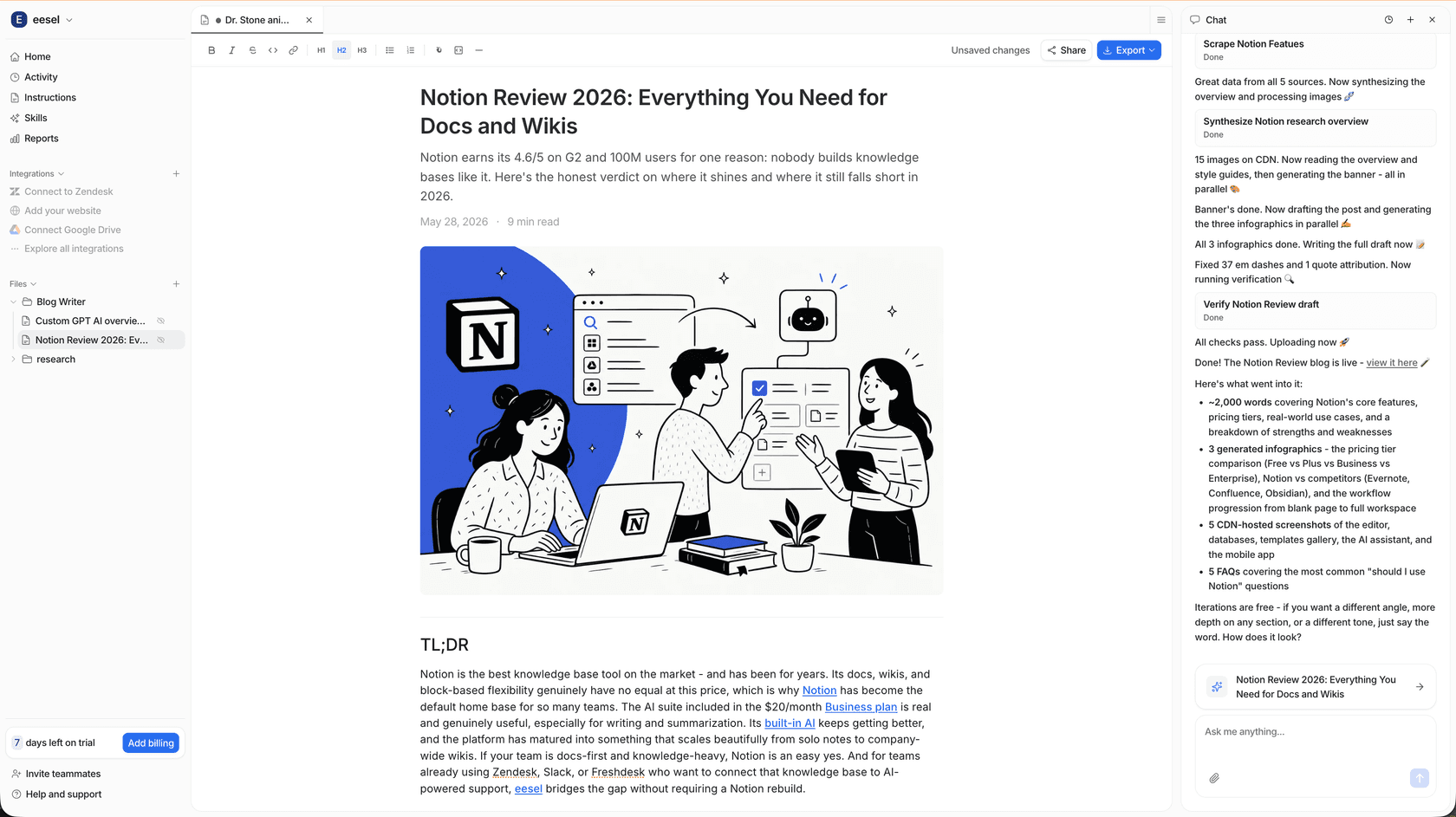
It's the same platform that runs eesel's helpdesk teammate, which handled about 4,650 conversations in one month at SE Ranking. On the content side, the eesel CLI means you, a script, or a coding agent like Claude Code can kick off drafts from a terminal and review them before anything goes live. Plans and limits are on the pricing page, and you can see more on AI blog writers with images or the blog writer API.
Try eesel free and see what a finished, illustrated post looks like.
Frequently Asked Questions
How much does ChatGPT Images 2.6 cost?
Is ChatGPT Images 2.6 more expensive than 2.5?
Is ChatGPT Images 2.6 free?
What's the difference between GPT-Image-2.6 Flare and Sunburst pricing?
Does GPT-Image-2.6 support the Batch API discount?
How much do GIF and SVG outputs cost in Images 2.6?
usage field on a test call before you budget. Markup-guided edits have no extra fee and bill like other image edits.