SaaS customer support best practices for 2026

Riellvriany Indriawan

Katelin Teen
Last edited July 6, 2026

What makes SaaS support its own beast
I've spent the last few years on the support side of an AI company, reading a lot of tickets and watching a lot of rollouts, and the first thing worth saying is that SaaS support is not retail support wearing a hoodie. The shape of the work is different.
Three things define it. Volume is repetitive and lopsided: a small handful of questions ("how do I reset my password", "why was I charged twice", "how do I connect X") make up the bulk of the queue. It's product-led: the answer usually lives in your docs or your app, not in a warehouse. And expectations are brutal: SaaS customers expect help inside the product, in their own language, at 2am, because the product runs at 2am.
That combination is why generic "be empathetic and reply quickly" advice falls flat here. You can't empathise your way out of 4,000 identical billing questions a month. You need a system. The best practices below are that system, roughly in the order I'd fix them.
1. Answer fast, but be honest about what "fast" means
First response time is still the metric customers feel most. A reply within an hour reads as "this company is alive"; a reply the next afternoon reads as "you're on your own." But speed for its own sake backfires the moment the fast reply is wrong or canned.
The honest version of "fast" is a fast first touch that actually helps: an instant answer to the questions you can answer instantly, and a fast, human "we've got this, here's roughly when" on the ones you can't. What kills trust is the fake-fast reply, the auto-response that pretends to resolve and doesn't. If you're going to automate the first touch (you should), make it good enough to resolve or honest enough to route.
2. Run one knowledge base, and treat it like a product
Almost every support problem I dig into traces back to knowledge, not effort. The agent gave a wrong answer because the doc was out of date. The AI hallucinated because the topic wasn't written down anywhere. Two agents gave two different answers because there were two half-maintained sources.
The single best practice here is boring and unglamorous: maintain one knowledge base that your team actually trusts, and treat keeping it current as real work, not a someday chore. Every recurring ticket that doesn't have a doc is a bug in your knowledge base. One trick that works well: whenever a ticket needed a human because the answer wasn't written down, write it down. Modern AI knowledge base tools can even surface the gaps for you, flagging the topics customers keep asking about that you've never documented.
This matters double if you're planning to add AI, because an AI support agent is only ever as good as the knowledge you point it at. Garbage in, confident garbage out.
3. Tier your tickets, and automate tier 1 first
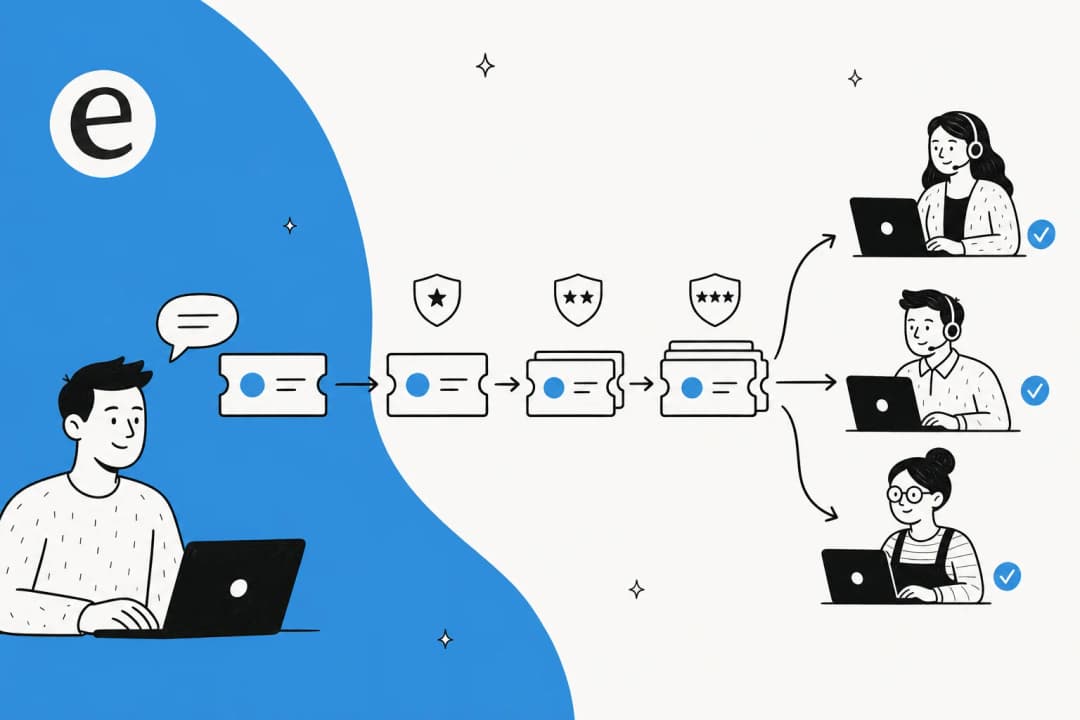
Here's the mental model that changes everything: not all tickets are the same size. Most SaaS queues break into three tiers.
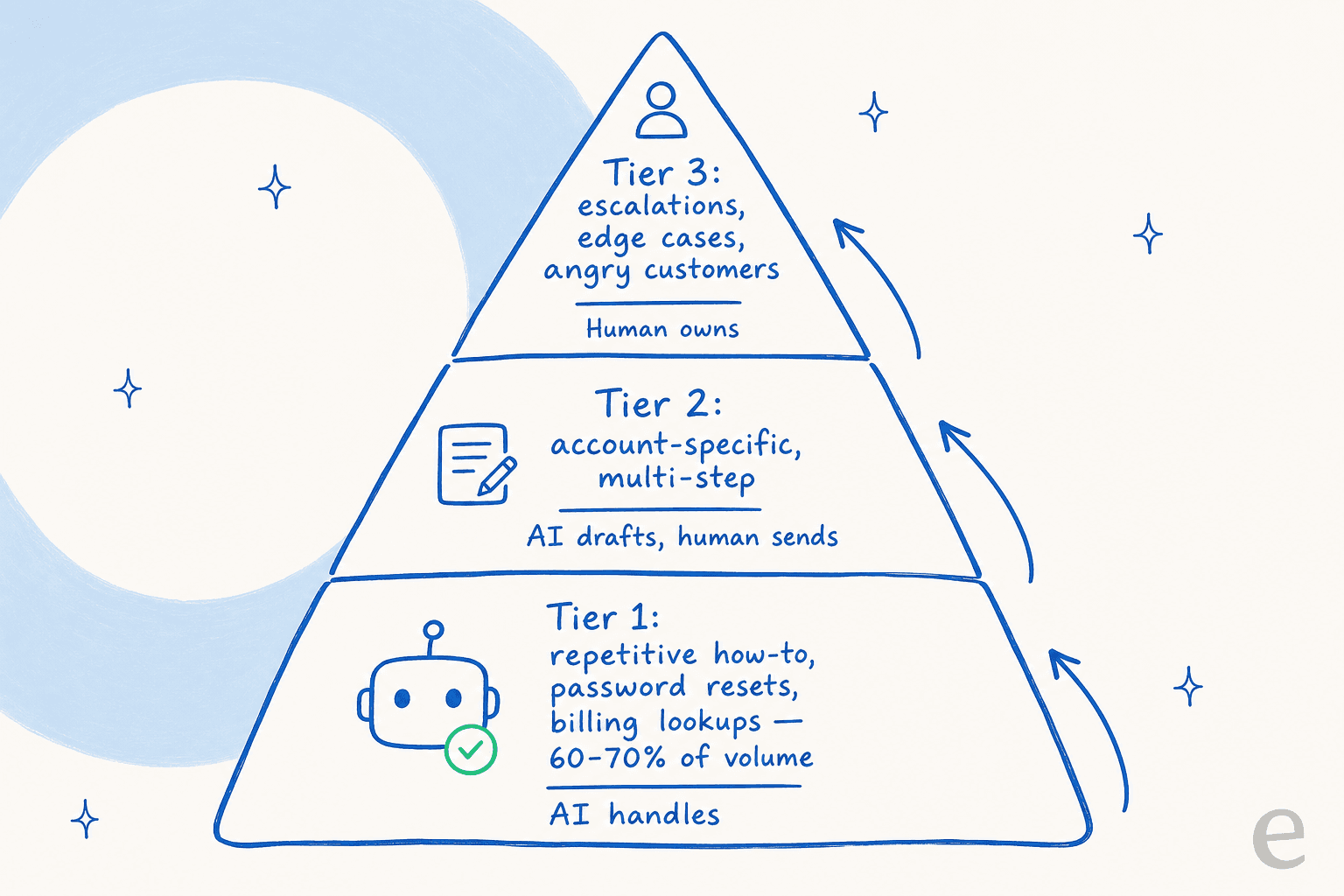
Tier 1 is the repetitive, answerable-from-docs stuff: how-tos, password resets, billing lookups, "where is this setting." It's usually 60-70% of volume and it's soul-crushing for humans to do all day. Tier 2 is account-specific and multi-step, needing a look at the customer's data but following a known pattern. Tier 3 is the genuinely hard stuff: edge cases, angry customers, judgment calls.
The best practice is to automate tier 1, assist tier 2, and protect your humans for tier 3. An AI support agent resolves the tier-1 questions end to end, drafts a reply for a human to send on tier 2, and stays out of the way on tier 3. That's not replacing your team, it's aiming their scarce, expensive attention at the tickets that actually need a human brain. When we deployed this pattern with Gridwise, eesel resolved 73% of tier-1 requests in the first month, with results showing up during their 7-day trial.
4. Use AI, but roll it out like an adult
The biggest objection I hear, and honestly the right one, is trust. Teams are (correctly) terrified of an AI confidently telling a customer something wrong. The single most quoted line from our own customer research sums it up perfectly:
"The AI will never be able to answer 100% of the questions... I need an AI who is only handling the tickets that it's confident to handle and all the other ones, leave them alone."
a DTC supplements CX lead, from eesel's customer research
That instinct is exactly right, and the best practice is to roll out AI in a way that earns trust rather than demanding it up front.
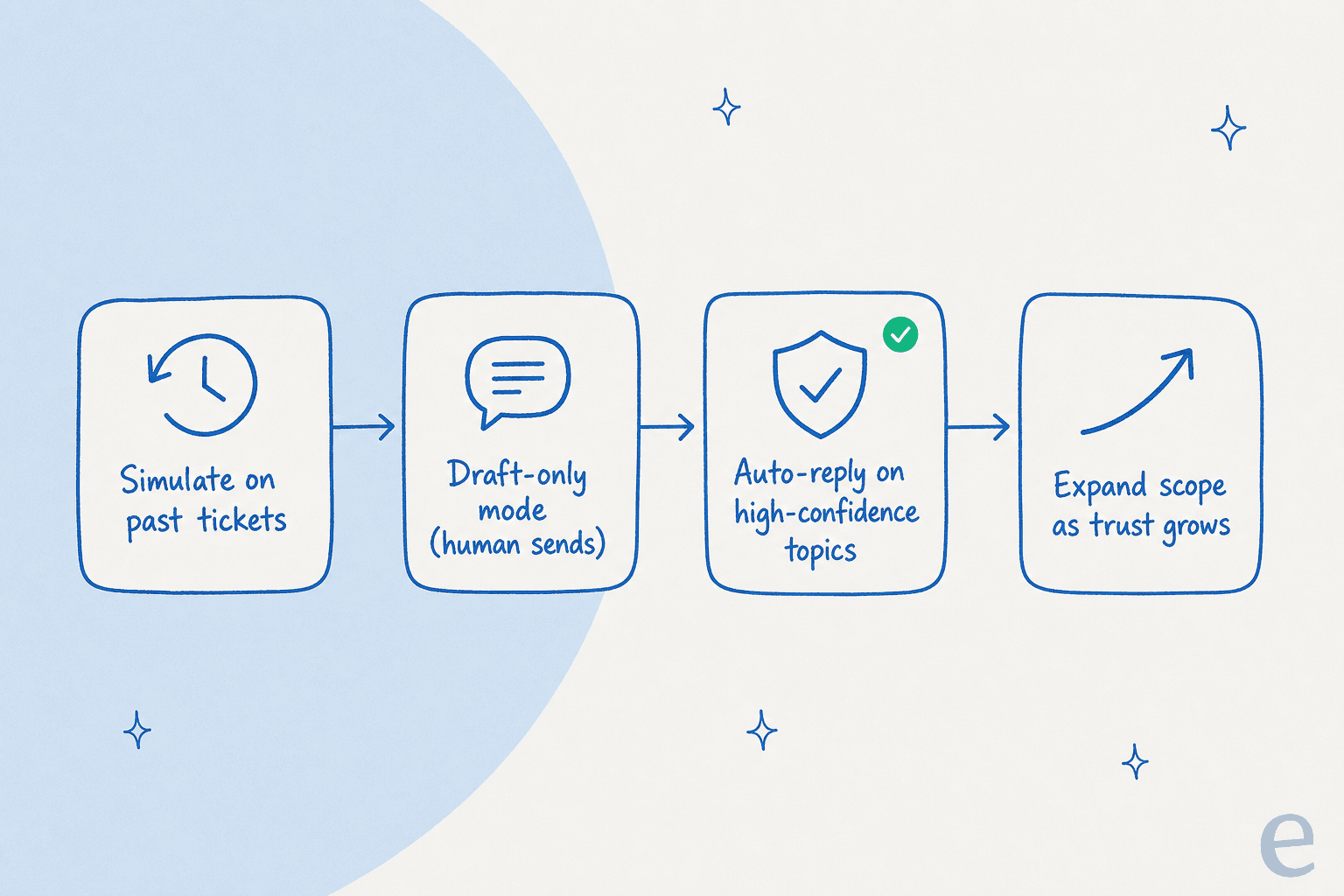
The pattern that works: simulate first. Before an AI agent touches a live customer, run it against your last few thousand real tickets and see exactly what it would have said, where it's confident, and where it falls down. eesel's simulation mode does this so you get a coverage-by-theme report before go-live, not a nasty surprise after. Then run in draft-only mode (the AI writes, a human sends), then let it auto-reply only on the topics where it's provably confident, then widen scope as the numbers hold. Confidence-based routing is the guardrail that makes this safe: low confidence becomes a draft or an escalation, never a live wrong answer.
This is also the honest answer to the build-vs-buy question. You can wire up your own thing on a raw LLM API, but as one of our customers put it, "we wanted something that we would not have to maintain." The simulation, routing, and guardrails are the hard part, and they're the part you don't want to be debugging in production.
5. Design the human handoff on purpose
Automation makes the handoff more important, not less. When an AI hands a ticket to a person, that person should inherit the full conversation, the customer's context, and a clear reason it was escalated, not a cold "the bot gave up" with no history.
A clean handoff is the difference between "the AI couldn't help but the human instantly did" (great) and "I explained my problem twice and still got nowhere" (churn). Set explicit rules for what always goes to a human: anything about cancellations, anything from a top-tier account, anything with an angry tone, anything the AI isn't confident about. Escalation management isn't a fallback you bolt on at the end, it's a first-class part of the workflow.
6. Meet customers where they already are
SaaS customers don't want to leave your product to file a ticket. The best support is embedded: an in-app chat widget, help inside the tool, answers in Slack for teams that live there. If your support only exists in an email address buried in the footer, you're adding friction to the exact moment someone's already frustrated.
The practical version: put support where the product is used, connect it to the same knowledge base and the same AI agent so the answers are consistent everywhere, and don't make customers repeat themselves when they move from chat to email to a human. eesel plugs into Zendesk, Freshdesk, Gorgias, Front, Slack, and email so the same agent covers every channel instead of you maintaining a separate bot per surface.
7. Speak your customers' language, literally
SaaS is global by default. The moment you have customers outside your home market, English-only support quietly caps your growth and your CSAT. Hiring native speakers for every language is not realistic for most teams, which is one of the clearest places AI earns its keep: modern AI customer service can answer in the customer's language automatically. To put a number on it, Smava runs a fully automated agent handling 100,000+ German-language tickets a month on eesel; multilingual isn't a nice-to-have there, it's the whole job.
8. Measure the things that actually matter
You can't improve what you don't watch, but watching the wrong number is worse than watching none, because it points your whole team at the wrong behaviour. Chase raw ticket-closed counts and you'll train agents to close fast and badly.
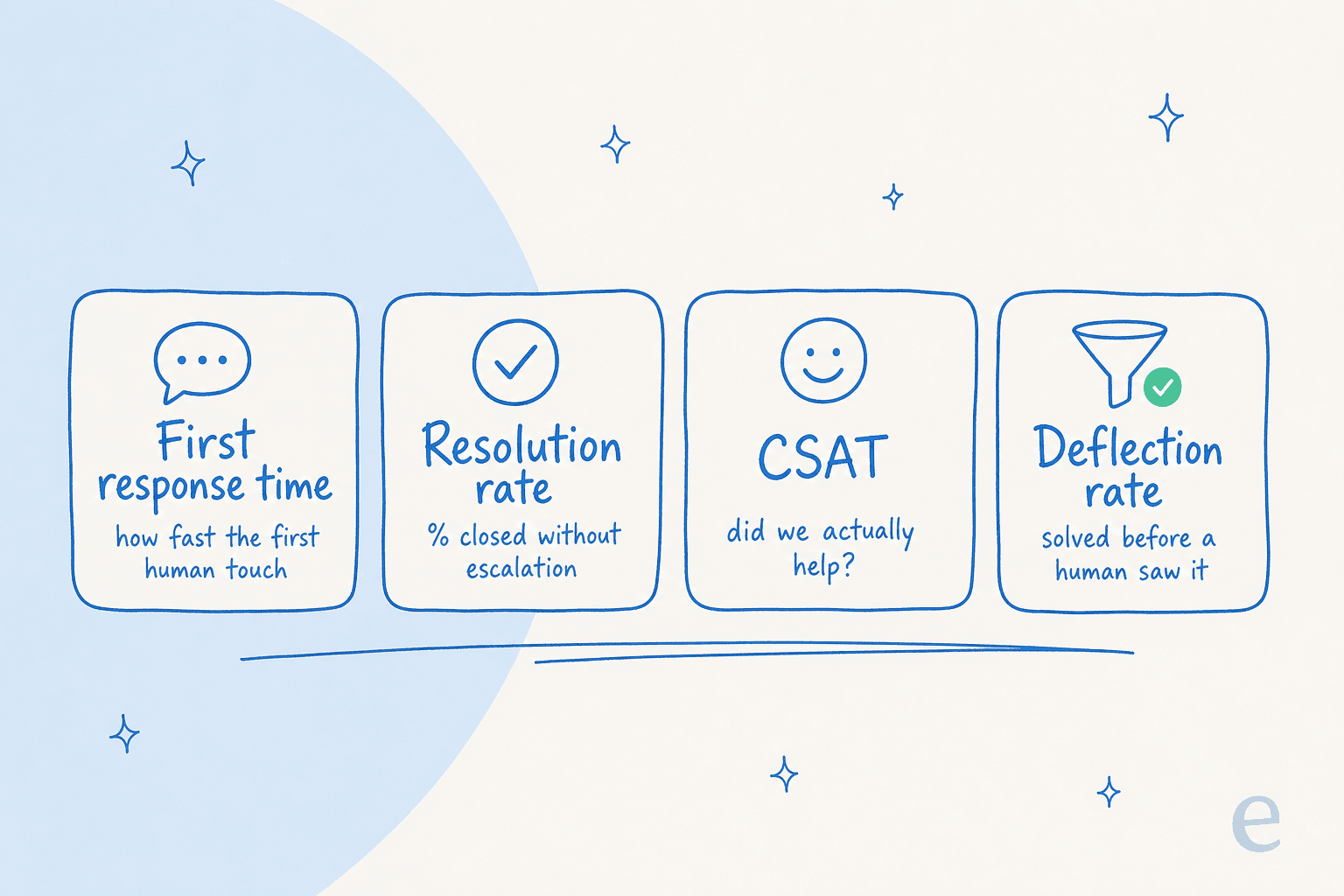
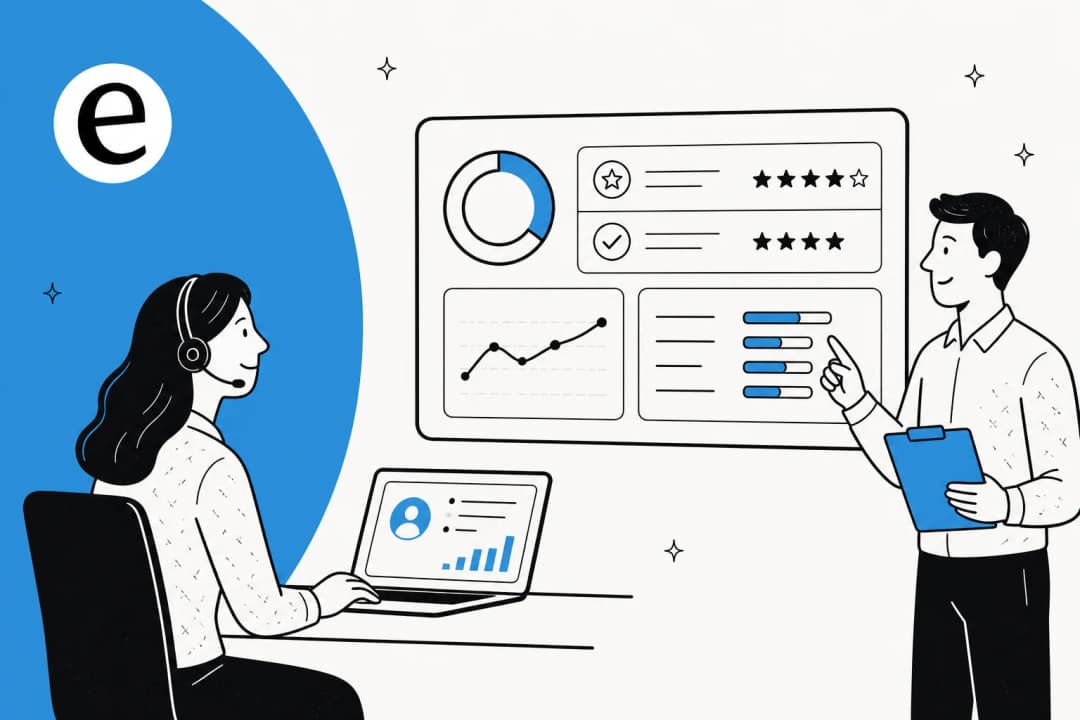
The four I'd put on a wall: first response time (how fast the first real touch lands), resolution rate (share closed without escalation), CSAT (did we actually help, asked right after the interaction), and deflection rate (share solved before a human ever saw it). Watch them together - deflection with falling CSAT means your automation is stonewalling, not helping. Our full breakdown of customer service KPIs and AI customer service metrics goes deeper, but those four are the core dashboard.
A quick gut-check on your queue
Before you decide whether AI is worth it, it helps to see roughly how much of your queue is the repetitive, automatable kind. Plug in your numbers:
9. Close the loop, so support makes the product better
The best SaaS support teams aren't a cost centre bolted to the side of the company, they're the loudest, earliest signal of what's broken. Every recurring ticket is a product bug, a docs gap, or an onboarding failure in disguise. If your top-10 ticket themes never reach the product team, you're paying to answer the same question forever instead of fixing why it's asked.
Practically: tag and theme your tickets, review the top recurring themes monthly, and route them to whoever owns the fix. AI helps here too, since theme analysis can surface the patterns automatically instead of someone hand-counting tags. Good onboarding upstream is often the cheapest support tactic there is: the ticket that never gets filed is the one you never pay to answer.
Try eesel
If your SaaS queue is mostly the same tier-1 questions on repeat, that's the exact problem eesel was built for. It's an AI support agent that plugs into the helpdesk you already run (Zendesk, Freshdesk, Gorgias, Front, and more), learns from your past tickets and help docs on day one, and handles the repetitive tier-1 work so your team can focus on the tickets that actually need a person.

The part I'd actually flag as different: you can simulate it on your real ticket history before it ever replies to a live customer, so you see the coverage and accuracy up front instead of hoping. Pricing is one fixed monthly price, from $299/month for 500 credits (1 credit per ticket or chat) with no per-seat fees, so it scales with your queue, not your headcount. Try eesel free with 100 credits, no credit card, and run a simulation on your own tickets to see what it'd cover.
Frequently Asked Questions
What are the most important SaaS customer support best practices?
How is SaaS customer support different from other kinds of support?
Should SaaS companies use AI for customer support?
How do you measure SaaS customer support performance?
How much can AI save on SaaS customer support costs?


Article by
Riellvriany Indriawan
Riell is a designer and writer at eesel AI with about two years of experience researching CX platforms, AI chatbots, and helpdesk software. She combines her design background with a sharp eye for how these tools actually look and feel in practice — making her comparisons unusually visual and user-focused.