Ravenna AI alternatives: 8 internal service desks compared for 2026

Rama Adi

Katelin Teen
Last edited August 19, 2026
Why people go looking for a Ravenna alternative
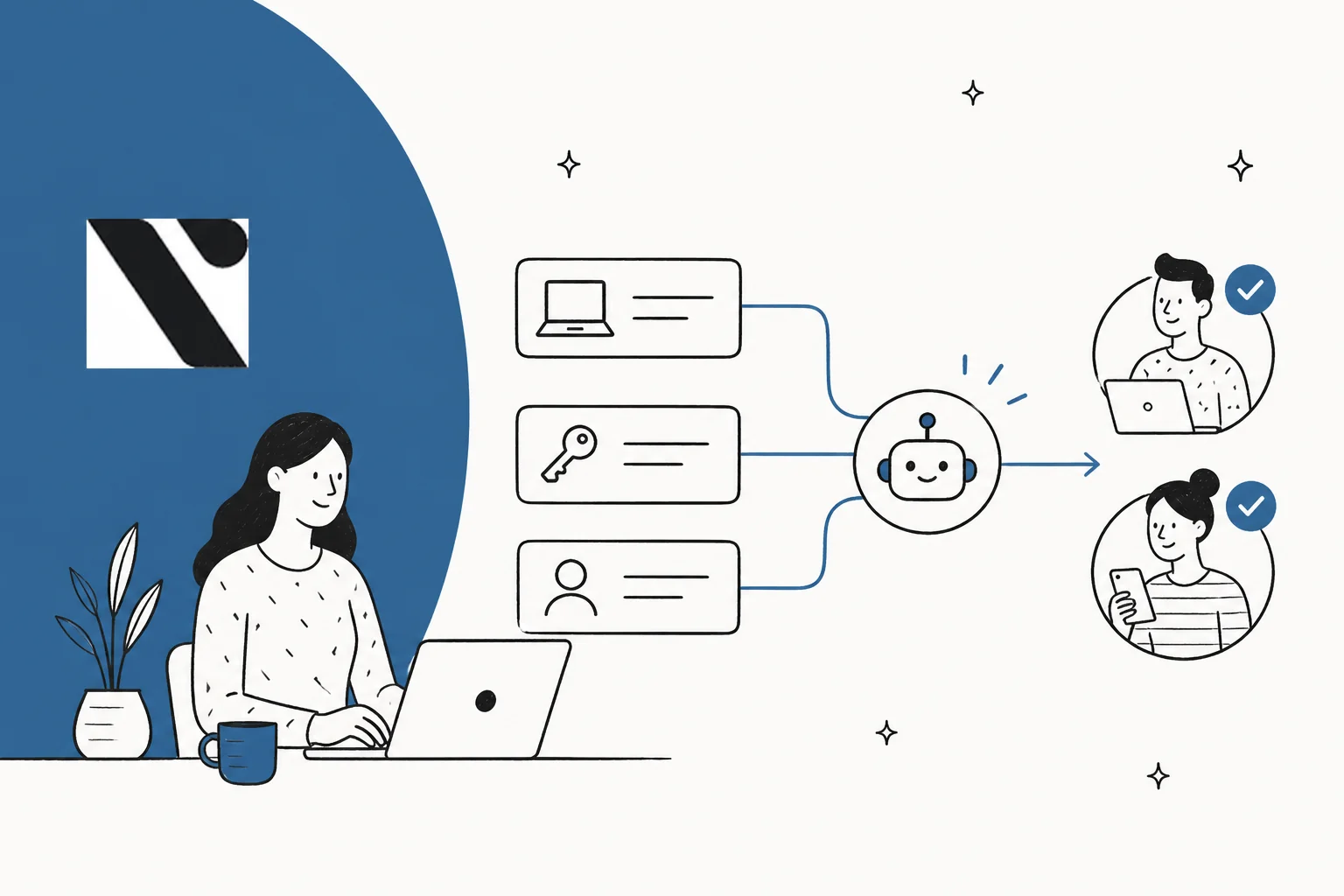
I build integrations at eesel. In practice that means most of my week is spent inside other people's identity tools, HRIS systems and helpdesks, reading what the API can really do against what the marketing page claims it does. Every evaluation below lives in that gap.
I have also spent years putting AI agents onto live queues, and the scar tissue from that is pretty specific. One team we worked with, a B2B technical support outfit, found their agent confidently telling customers "yes, we support your car model" for brands that were nowhere in the database. The cause was one line in the knowledge base saying "we support all models". Nobody had written a bad prompt. The knowledge itself was wrong, in a way that only surfaced under real traffic. So these days I care far more about what a tool lets you verify before go-live than about how many integrations sit on the logo wall.
First, though, let me be fair to Ravenna. It earns that.
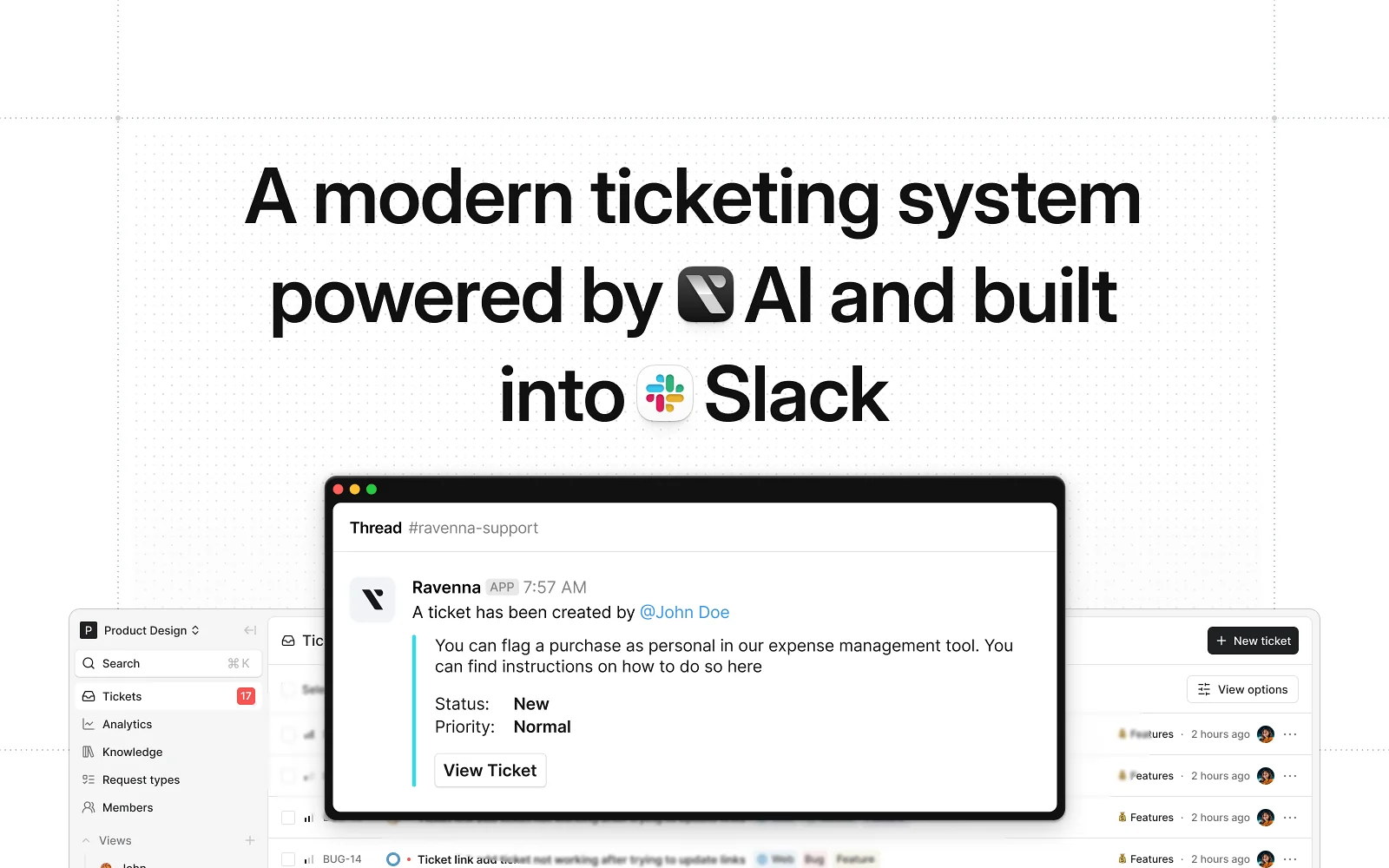
Ravenna is a Slack-first internal service desk covering IT, HR, Finance and Ops, built by a Seattle team that raised $15M across pre-seed and seed from Madrona and Khosla. Any Slack message can become a ticket. The AI acts rather than routes, and that is the entire pitch. Their own comparison page puts it as "Ravenna doesn't route the work. It finishes it."
The engineering underneath that claim is better than most. Each tool inside an agent rule carries its own execution policy, set to auto-execute, requires-confirmation or requires-approval, with write and delete tools defaulting to confirmation. If a response happens to contain a password or an API key, the agent sends it as an ephemeral DM and drops a placeholder into the channel instead (trust and privacy docs). There is a real access-provisioning catalogue with an entitlement lifecycle behind it, so the agent grants the Okta seat rather than filing a request about it. Plus a sandboxed Testing Mode you can run an agent through before it ever touches a channel. That is a thoughtful safety model, and I would rather review it than most.
So why do people go looking anyway? Three reasons. None of them is "the product is bad".
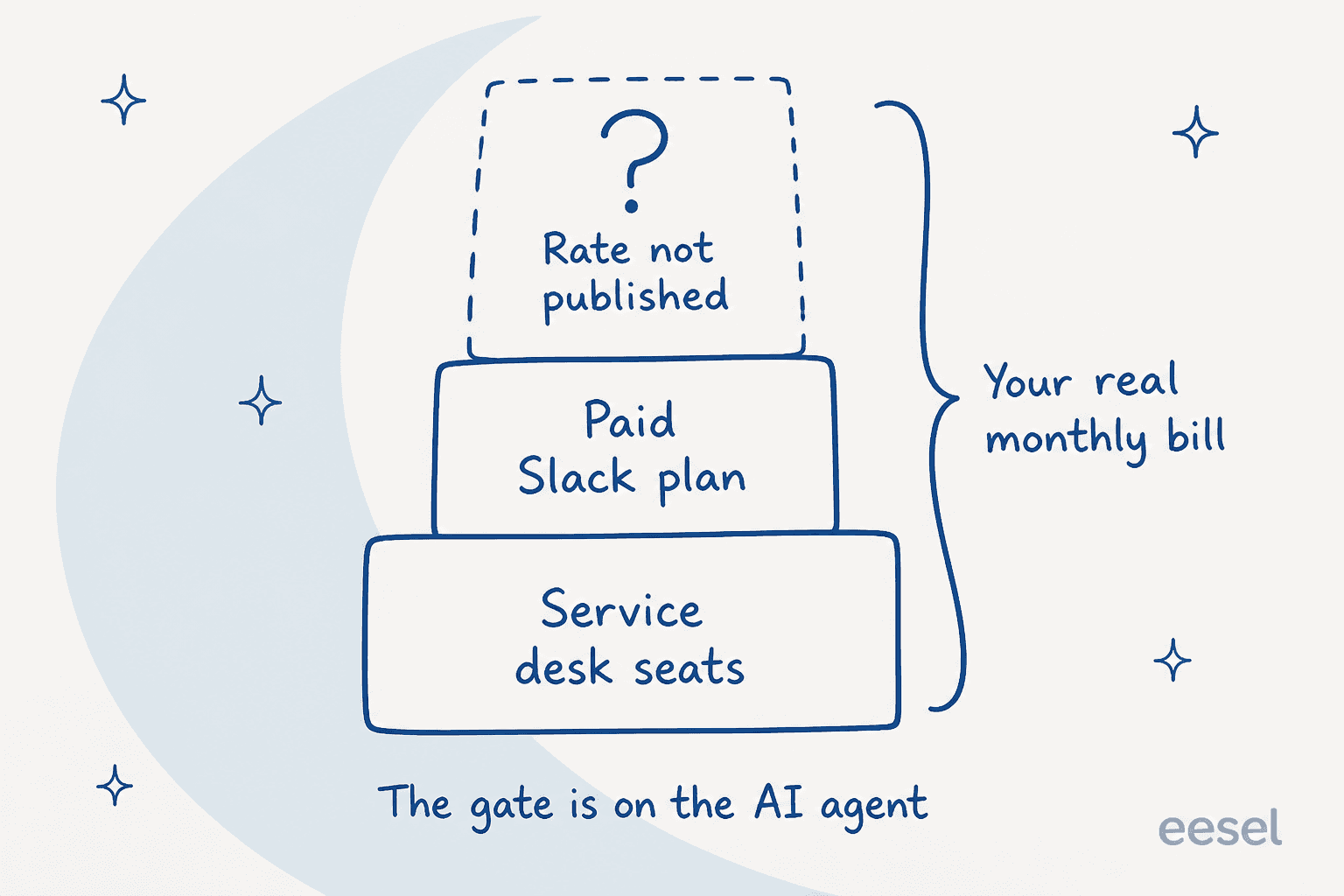
You cannot price it. No pricing page. No plan names, no billing unit, no seat minimum, and no AI meter. Every CTA on the site is Request Info or Book a demo. A Capterra listing does show $10 per user per year, on a page with zero reviews, which contradicts G2 by a factor of sixty and should be ignored. For a three-person IT team trying to get a number onto a budget line, that is a blocker before you have seen a single feature.
The headline feature has a second bill attached. Ravenna's own Slack listing is admirably direct about this: "A paid Slack plan is required to access the Ravenna AI agent in the Slack App container. All other Ravenna features can be accessed on a free Slack plan." Honest disclosure, and it also means the AI you are buying Ravenna for is gated behind a vendor Ravenna does not control.
The evidence base is thin. Ravenna has 2 reviews on G2, rated 5.0, and nothing at all on Capterra. Both G2 reviewers like the product, and both of them flag the same thing:
"It's still early, waiting for it to mature for larger teams and workflows. Excited to see it progress!"

The named companies on the funding post, Futureverse, Homebase and Zapier, are described as design partners who "helped us shape Ravenna", not as paying customers, and the homepage logo wall ships without alt text, so no other names are recoverable from it. Microsoft Teams is still in early access behind a feature flag, with its beta limits documented: no slash commands, 1:1 DMs to the bot go unprocessed, no link unfurling, one Microsoft 365 tenant per organisation, and Teams is not yet a notification channel. If Teams is your front door, that reads as a wait rather than a purchase.
None of that makes Ravenna a bad buy for the right team. What it makes it is a hard buy to justify on a spreadsheet. Different problem, and it happens to be the one most readers here actually have.
The question that actually picks the tool
Every roundup in this category ranks tools against an ITSM feature checklist. The checklist is close to useless, because an internal service desk queue is really two queues wearing one label.
One of them is questions. How do I expense a client dinner. Where is my 401k. What is the VPN policy. Those are a retrieval problem. The answer already sits in Confluence or Notion or some Google Doc, and the work is finding it and phrasing it back. Nothing gets written anywhere.
The other is transactions. Give me Salesforce access. Reset my MDM enrolment. Add me to the finance group. Now it is a write problem. Something has to change in Okta or Jamf or Workday, someone has to approve that change, and later on it has to be revocable.
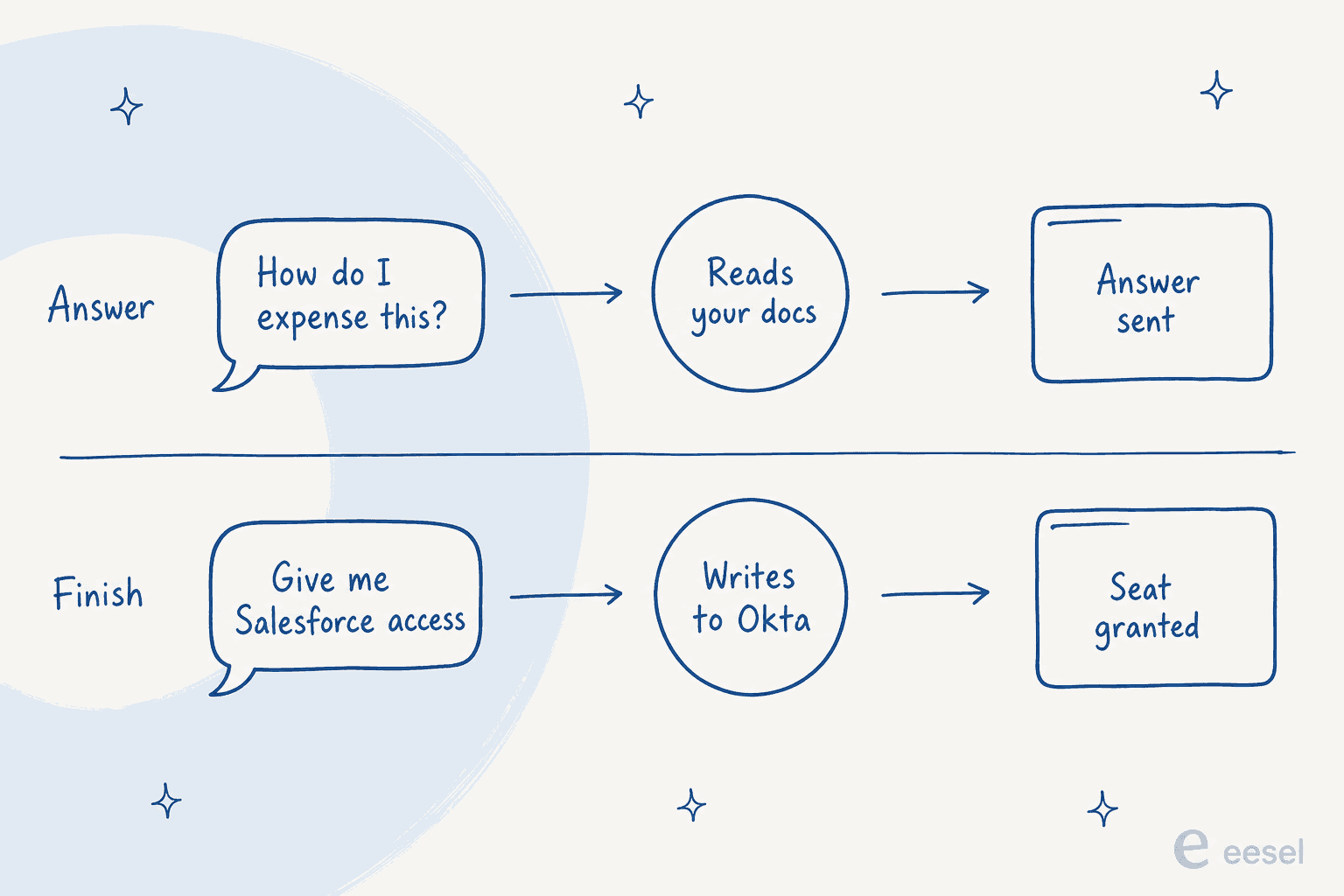
You do not have to take my word on the split. Atomicwork prices the two lanes differently on its own pricing page. Knowledge support is $1 per outcome. Access automation is $2 per outcome, and full service resolution starts at $3 per outcome. When a vendor charges double for one and triple for the other, it is telling you plainly that these are not the same amount of work.
So before you compare anything, go pull last quarter's queue and count. If 70% of it is questions, you are buying an answer engine and paying for an execution engine you will hardly touch. If it is mostly access requests and device work, an answer-only tool leaves you where you started, with a bot that writes a lovely paragraph explaining the process you then go and do by hand.
Ravenna sits firmly on the transaction side. Right call for a lot of IT teams. Wrong one for plenty of HR-heavy ones.
The reporting gap is why this category exists at all
The most useful thing I read while researching this was not a vendor page at all. It was an r/ITManagers thread posted by a 1,000-person org with three people in IT, and it frames the buying trigger better than any pitch deck I have sat through.
"the hard part isnt even hard tickets. its volume and chaos. access requests, password resets, laptop weirdness, onboarding/offboarding. half of it shows up as a DM so it gets lost and we lose context fast. what does a setup look like that actually holds up here. intake, routing, escalation, not forcing everyone into a portal they ignore (aka JIRA lol)."

The best reply in that thread describes the workflow most small IT teams are running right now, then names exactly what it costs them:
"Eyes 👀 emoji to acknowledge you've read it. @ the person who will complete the request. Checkered flag 🏁 emoji when it is complete.
This will get you organized at least somewhat. It won't help you report on tickets per day or old incomplete tickets or anything else that a proper ticketing system would do."
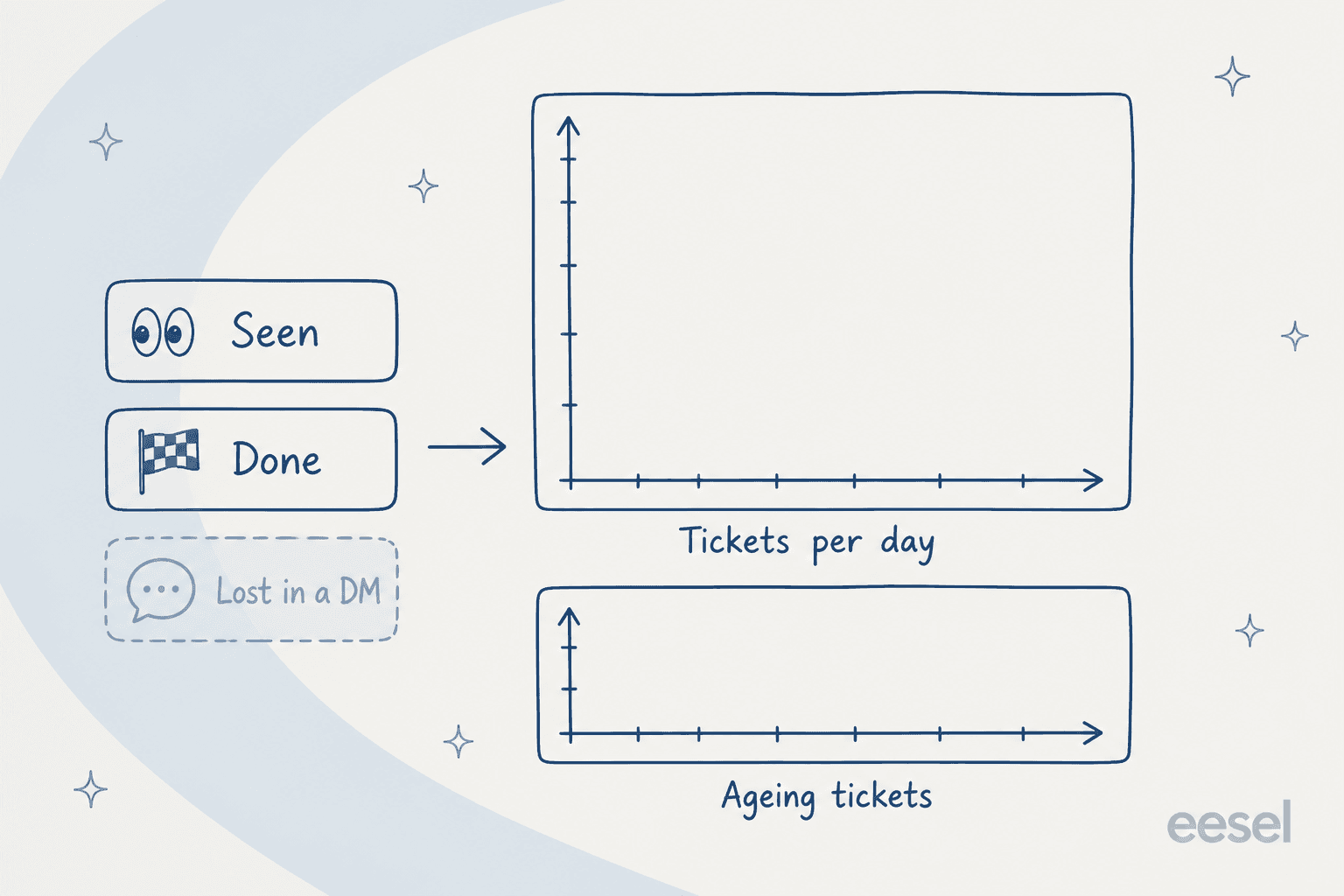
That is the gap. Not features. Not ITIL conformance, and not a CMDB either. The emoji workflow works fine right up until you need a number. The cost of not having that number compounds too, which a Hacker News commenter put well from the staffing side:
"Things that take a support person 5 minutes are the bulk of the job, and those things have to be accounted for. If you slack on that, people will make their own determination of what constitutes a "simple" issue, you'll wind up with most of the issues the help desk solves not showing up in their metrics at all, and it looks to the higher-ups like the support people are just lazy."

Work resolved in a DM and never logged is work that does not exist at budget time. Which is why the three-person team in that thread cannot make the case for a fourth.
The counter-position deserves a hearing too. It is the top-voted comment, and it is not wrong:
"You need a real help desk. Whatever solution you want to go with is ultimately fine, but you need an actual tool to track and triage issues for the IT team. Anyone who slacks us an IT request gets an immediate boilerplate response that we'd love to help, but first they must submit a ticket via the helpdesk portal. No ticket = no work."
That works, and it costs less than any tool on this list. It also requires management to back you the day a VP gets the boilerplate. The practitioner who actually made the switch put the trade-off plainly:
"I ran into a similar issue at another company and management would not back us up with forcing users to an existing ticket system. So the middle ground we found was a Slack native ticketing system called suptask. Siit.io is another product we considered. We conceded that if we couldn't get management to enforce user behavior, then at least with suptask, any DM or message in a it-requests channel could easily get turned into ticket. It did help but suptask is not fully featured like a bigboy ITSM so it really depends on your needs. But it was the battle we could win in the situation given."
"The battle we could win" is the honest description of this whole product category. It is also the frame I used to build the list below.
How I picked these
Four filters, applied in that order.
- It has to close the reporting gap. A tool that cannot tell you tickets per day and what is ageing is a nicer emoji workflow, not a service desk.
- A published price counts for a lot. Cheap is not the point. A rate you can model is a rate you can defend internally. Where a vendor published nothing, I went and dug the number out of a partner listing or a marketplace, and said where it came from.
- I read the docs, not the marketing page. Gates live in help centres. The Freshservice AI session definition, the Atlassian seat bands, the Ravenna Slack requirement: all documented by the vendors themselves, and not one of them appears on a pricing page.
- No Ravenna clones for the sake of a list length. Eight items, each one doing a distinguishable job. Where a tool got acquired or renamed since the last roundup you read, I say so instead of quietly listing a dead product.
The 8 best Ravenna alternatives in 2026 at a glance
| # | Tool | Best for | Published entry price | Billing unit | AI included? | Slack | Teams | Own ITSM or layer? | Free trial | Security |
|---|---|---|---|---|---|---|---|---|---|---|
| 1 | eesel AI | Keeping your current desk and adding an agent | From $299 / month (500 credits), no seats | Per ticket or chat handled (1 credit) | Yes, it is the product | Yes | Yes | Layer | 100 free credits, no card | SOC 2, HIPAA as an add-on |
| 2 | Atomicwork | Access provisioning as the bulk of the queue | $25,000 / year floor | Per outcome, $1 / $2 / $3+ | Yes, metered | Yes | Yes | Both | Demo-gated | SOC 2, GDPR, HIPAA, ISO 42001, CSA STAR |
| 3 | Jira Service Management | Teams already living in Atlassian | $0 free for 3 agents; $25 / agent at 1-15 seats | Per agent, progressive bands | Premium+ only, metered | Via app | Via app | Own | 14 days, no card | 99.9% SLA on Premium |
| 4 | Freshservice | Mid-market ITSM with asset management | $19 / agent / month annually | Per agent | Enterprise only | Yes | Yes | Own | 14 days | SOC 2, GDPR, ISO 27001 |
| 5 | Halo | Wanting one price with nothing gated | £69 / agent / month annually | Per agent only | Yes, fully included | Yes | Yes | Own | 30 days | ISO 27001, SOC 2 |
| 6 | Moveworks | Enterprise scale with a real budget | Not published; $150 / user / year on AWS at 1,000-2,500 users | Per employee / year | Yes, it is the product | Yes | Yes | Layer | Demo-gated | SOC 2 Type II, ISO 27001, HIPAA |
| 7 | Unthread | Slack-native ticketing, external and internal | $50 / agent / month, 5-seat min | Per agent | Enterprise only | Yes | Limited | Own | 14 days | HIPAA and BAA on Enterprise |
| 8 | Leena AI | Multi-department HR and IT at enterprise scale | Not on their site; $300,000 / year on SAP's partner listing | Per module / per user | Yes, it is the product | Yes | Yes | Both | Demo-gated | SOC 2, ISO 27001, GDPR |
Two things in that table are worth staring at. First: only four of the eight publish a price on their own website, and one of those four (Atlassian) publishes a blended figure rather than a list rate. Second: the spread from the cheapest real entry point to the most expensive runs roughly three orders of magnitude, across products that all describe themselves as an AI service desk.
Here is a quick way to narrow things down before you read all eight.
1. eesel AI
Best for: teams who want the reporting and the deflection without migrating off a desk they already run.

I work here, so discount the enthusiasm accordingly and check the numbers yourself. The reason eesel belongs at the top of a Ravenna list is structural rather than tribal: it is the only option here that does not ask you to move your desk. Ravenna, Freshservice, Halo, Unthread, Jira Service Management, every one of them wants to be your service desk. eesel is a layer instead. On the front end it connects to Slack and Microsoft Teams, and on the back to Jira Service Management.
Knowledge comes from wherever you already keep it: Confluence, Notion, Google Drive, SharePoint, plus your own past tickets. The agent then answers in whichever channel the request landed in.
What stands out
The thing I would lead with is the simulation. Before the agent replies to a single live person, you run it across your own historical tickets and get a number back: what it would have answered, what it would have escalated, the projected deflection rate. After the "we support all models" story I opened with, I do not read that as a nice-to-have. A sandbox where you type test scenarios tells you the agent handles scenarios you already thought of. Replaying real history tells you what happens with the ones you did not.
Second, it closes the reporting gap head on. The Reports view breaks out task volume, what triggered each task, and approval versus rejection per tool. That is exactly the "tickets per day" number the emoji workflow can never produce.
Third, the results are named and checkable instead of "up to 70%". Gridwise hit 73% of tier-1 requests resolved inside the first month, with results already visible during a seven-day trial. Smava runs a fully automated Zendesk agent across 100,000+ German-language tickets a month. On the internal side, a head of IT at a fintech runs eesel as first responder on their Jira Service Management desk, with Confluence and Slack as the knowledge sources.
Where it stops
It is not an ITSM. No CMDB, no asset management, no change-advisory board, and no ITIL problem-management module. If tracking 2,000 laptops and running a change calendar is the job, eesel sits on the tool that does that rather than replacing it. Ravenna and Halo will both beat it on desk-of-record depth.
It also does not provision access. eesel answers, it triages, and it takes actions through connected tools, but Ravenna's dedicated entitlement catalogue with its revocation lifecycle is a purpose-built thing that eesel does not match feature for feature.
Pricing
| Item | Rate |
|---|---|
| Free plan | 100 credits, no credit card |
| 500 credits a month | $299/mo |
| 1,000 credits a month | $499/mo |
| 2,500 credits a month | $999/mo |
| 5,000 credits a month | $1,899/mo |
| Platform fee, seat fee | None |
| Pay a year upfront | Two months free |
| Add-ons | SSO and MFA from $199/mo, priority support from $299/mo, data residency $500/mo, HIPAA on request |
One credit is one ticket or chat, however long, so a ten-message back-and-forth still counts once. At 500 internal tickets a month, that comes to $299. Worth knowing though: a credit is used per ticket handled, not per successful resolution, so the meter does not care whether the answer landed.
Verdict: pick eesel when your queue is mostly questions, when you already run a desk you have no wish to leave, or when you want a deflection number before committing rather than after. Skip it if what you need is a system of record with a CMDB inside it. See the full pricing and the security posture.
2. Atomicwork
Best for: IT teams where access requests, provisioning and device work make up the bulk of the volume.
Atomicwork is the closest thing to a like-for-like Ravenna competitor that publishes real numbers, and if execution is the job it is the one I would shortlist first. It sells "AI Coworkers" rather than seats. It works across Slack, Teams, email, voice and a portal, and it can run either as your whole ITSM or as an AI workforce sitting on top of ServiceNow or Jira Service Management.
What stands out
The outcome pricing, and I say that as someone usually sceptical of clever billing units. Atomicwork's page breaks it into three meters, each with a definition attached. Knowledge support at $1 per outcome ("one resolved knowledge query, answered from your internal docs, knowledge base, or policies"). Access automation at $2 per outcome ("one access request handled end to end, manager approval, provisioning, or deprovisioning"). Then service resolution from $3 per outcome, covering NetworkOps, CloudOps, DeviceOps and incident management. Each one carries an annual minimum: 25,000, 12,000 and 8,000 outcomes respectively.
That is the most useful pricing page in the category, mainly because it forces you to think about your queue the way the answer versus finish split above does.
The second standout is the bring-your-own-ITSM route. Run the AI workforce on ServiceNow or on JSM and there is no platform fee at all; you pay per outcome and nothing else. For anyone who has already sunk years into ServiceNow, that is a respectful way to sell AI.
Where it stops
The floor. Professional starts from $25,000 a year billed annually, which prices the three-person IT team from that Reddit thread out completely. The plan structure has also tightened noticeably since I last looked in July. The additional AI Coworker rate doubled from $249 to $499 a month, included Coworkers dropped from 5 to 2 on Professional and from 20 to 5 on Business, and Enterprise stopped being unlimited at 10. Repricing is fine. It does mean that if you read a roundup written before August 2026, the numbers in it are wrong.
There is no free tier and no self-serve trial either; the "Request a free trial" button routes to a demo booking. And "outcome pricing + 25%+ of net spend" for the full platform is not a formula anyone can model without a definition of net spend, which is not published.
Pricing
| Plan | Platform price | AI Coworkers included | End users | Devices |
|---|---|---|---|---|
| Professional | From $25,000 / year, 25,000 credits | 2, extras at $499 / month | Up to 250 | Up to 500 |
| Business | "Flexible pricing" | 5 | Up to 1,000 | Up to 2,000 |
| Enterprise | Custom contract | 10 | Unlimited | Unlimited |
| On ServiceNow or JSM | No platform fee | Pay per outcome | n/a | n/a |
Verdict: the best Ravenna alternative when provisioning really is most of your queue and you have $25k to spend. The BYO-ITSM SKU is the underrated option here, and the first thing I would ask about. Skip it under 250 employees, where the floor alone costs more than most of this list does all year.
3. Jira Service Management
Best for: teams already inside Atlassian, where half the desk is built before you start.
This is the incumbent Ravenna names on its own comparison page, and the tool the Reddit poster dismissed as "a portal they ignore (aka JIRA lol)". There is truth in both framings and neither one is the whole story. Jira Service Management is the deepest ITSM per dollar on this list, and its free tier is real.
What stands out
Free for 3 agents, forever. For a two-person IT team that is an actual answer rather than a teaser, and nothing else on this list matches it.
The AI is layered, and unusually it is priced per outcome where that matters. Rovo Customer Service runs $1 per resolution on Standard and up. On Premium and Enterprise the virtual service agent includes 1,000 assisted conversations a month, with overage from $0.30 each. Rovo credits, the general agentic layer, are metered at 25 / 70 / 150 per user per month by tier, and the usage-limits docs confirm Atlassian is not currently billing for overage, with a promise of at least 90 days' notice before that changes.
Where it stops
If I were reading this, here is what I would want flagged: the $20 and $51.42 on the pricing page are not list rates. The page carries a "Team Size" input that defaults to 75 agents, and Atlassian bills progressively by band. Against the published bands, Standard is $25 per agent for 1-15 seats and Premium is $57.30, dropping to $18.75 and $49.95 once you pass 16 seats. So a team of ten pays 25% and 11% over the headline. Quoting "$20 per agent" to a small team is simply wrong, and I have watched a dozen roundups do it.
Second, Free and Standard have no uptime SLA at all. Not a lower percentage. None. The rows read "Not included". 99.9% begins at Premium, which is also where the virtual service agent begins, so the AI and the SLA end up gated together at $57.30 a seat.
Third, the Slack experience is a bridge rather than a home. That is precisely the friction u/signal_empath described when their management would not enforce portal use.
Pricing
| Plan | Displayed | Real list, 1-15 seats | Agents | AI | Uptime SLA |
|---|---|---|---|---|---|
| Free | $0 | $0 | 3 | Rovo not included | Not included |
| Standard | $20 at 75 seats | $25 / agent / mo | 100,000 | Rovo 25 credits/user, Rovo CS $1/resolution | Not included |
| Premium | $51.42 at 75 seats | $57.30 / agent / mo | 100,000 | Virtual service agent, 1,000 conversations/mo | 99.9% |
| Enterprise | Contact sales, annual only | Quote | 100,000 | Rovo 150 credits/user | 99.95% |
Verdict: if you are already an Atlassian shop, start here and do not overthink it, since the marginal cost of switching it on is close to zero. Price it at your real seat count, not the page's default. If you want the AI without the jump to Premium, layering an agent on top is the cheaper route. I have a longer piece on JSM alternatives and another asking whether its AI is worth it.
4. Freshservice
Best for: mid-market IT that needs real asset management sitting alongside the ticket queue.
Freshservice is the sensible mid-market default, and it is probably already sitting in your evaluation. The full ITSM spread is here: incident, problem, change, release, on-call, plus asset and cloud management. It also starts cheaper than anything else on this list that owns the desk.
What stands out
The ladder is legible. $19, $49, $99 per agent per month billed annually, and each step comes with a clear story about what it buys. Service catalog and SLA management arrive at Growth; problem and change management at Pro. ServiceBot works on Teams and Slack from Starter upward, so the chat front door costs nothing extra.
Where it stops
The AI gate is steep. Freddy AI Agent (Classic) is Enterprise-only, and Enterprise is quote-priced, which means the tier you need for a conversational agent carries no published rate at all. Freddy AI Copilot, the agent-assist half, is a separate $29 per agent per month add-on on Pro and Enterprise.
Read the AI meter carefully too, because it is not a resolution meter. Each Enterprise licence includes 1,200 Freddy AI sessions per year, with Freshworks defining a session as any interaction a unique user has with the agent inside a 24-hour window. Roughly 100 sessions per agent per month, then. No overage price per session is published anywhere.
Then there is the add-on pattern, easily the most common complaint in the community:
"Freshservice also has a habit of nickel and diming customers. To use the inventory system and manually manage assets, you need an add-on that increases the cost by about 50 percent for just 500 assets. If you want to set up integrations that aren't tied to a specific user, such as using a service account, you have to buy a full agent license."
Orchestration transaction packs run $250 per 1,000 and they expire at the end of the cycle. Connector app tasks are $80 per 5,000 after a one-time 500-task credit. None of it is hidden. It does add up in a way the $19 headline never suggests.
Pricing
| Plan | Annual per agent / month | What it adds | Freddy AI Agent |
|---|---|---|---|
| Starter | $19 | Incident and knowledge management, ServiceBot on Slack and Teams | No |
| Growth | $49 | Service catalog, SLA management, on-call, MSP mode | No |
| Pro | $99 | Problem, change, release, workload management, Analytics Pro | No |
| Enterprise | Custom | Sandbox, audit logs, Freddy AI Insights, XLAs | Yes, 1,200 sessions / licence / year |
Verdict: the right pick when you need asset management and a real ITIL spine at a mid-market price, and you are content running the AI separately. If the AI is the whole point, the Enterprise gate makes this an expensive route, and pointing an agent at the Freshservice you already run is usually cheaper. More detail in my Freshservice AI pricing breakdown, plus the notes on where its AI stops.
5. Halo
Best for: teams tired of add-on ladders who just want one number covering everything.
Halo (formerly HaloITSM; the pricing page moved to usehalo.com recently, worth knowing if your bookmark 404s) takes the exact opposite position to everyone else on this list. It is a refreshing one.
What stands out
One plan, and that is the whole story. The FAQ is blunt: Halo has "no tiers, editions or add-ons" and "all current and future capabilities like automation, AI, CMDB, project management and reporting are included as standard for every agent." The meter gets nailed down in a second FAQ: "Halo is priced only by the number of agents, never by tickets, end-users, or data volume."
Which means the AI is not a gate here. AI Agents, Suggested Replies, Sentiment Analysis, AI Analysis, Draft Responses, AI Triaging: all of it sits inside the £69 seat. Set that against Freshservice, where a conversational agent means a quote-priced Enterprise contract, or against JSM, where the virtual service agent means jumping to $57.30 a seat. It is a different offer. End users and portal customers are always free, and no seat minimum is published.
The free trial runs 30 days, the longest here, and there is a 15% not-for-profit discount on top.
Where it stops
The mandatory onboarding. The pricing page states that "onboarding packages are required with purchase at a bespoke cost depending on scope", and that cost appears nowhere. So the one clean number arrives with an unquantified companion, and the companion is compulsory. Ask for it in writing before comparing totals.
USD sits in the region selector but no dollar figure renders, so a US buyer ends up quoting off a GBP rate. The single dollar amount on the whole page is the $1M a year Enterprise Package aimed at large organisations, and that one is apply-only.
It is also not Slack-native in the Ravenna sense. Halo integrates with Slack. What it does not do is treat a Slack thread as the primary object, the way Ravenna or Unthread do.
Pricing
| Item | Rate |
|---|---|
| Standard, the only plan | £69 per agent / month, billed annually |
| Licence types | Named or concurrent, same price |
| End users and portal customers | Free |
| AI, CMDB, automation, reporting | Included, no add-on |
| Onboarding | Required, bespoke cost, not published |
| Free trial | 30 days |
| Enterprise Package | $1M / year, unlimited licences, apply-only |
Verdict: the best value here if you want to own the desk and never think about tiers again, and my pick for a mixed queue. Get the onboarding quote first. There is a closer look at the Halo AI agent and its pricing, plus a head-to-head with Freshservice.
6. Moveworks
Best for: enterprises with 5,000+ employees, a real budget, and an existing ITSM they intend to keep.
Moveworks invented most of the category Ravenna now competes in, and it remains the reference implementation for employee-facing AI at scale. Like eesel, and unlike Ravenna, it is a layer rather than a desk. It sits in front of ServiceNow or Jira and resolves what it can before a ticket ever gets created.
What stands out
Depth and breadth at enterprise scale. One assistant spanning IT, HR, finance and facilities, with the identity and approval plumbing to complete requests rather than route them. If your organisation is big enough that a 5% deflection difference is worth six figures, this is where the serious evaluations tend to end up.
Where it stops
Cost, and the total absence of a self-serve path. Moveworks publishes no pricing page. The one concrete published number lives on its AWS Marketplace listing, at $150 per user per year for a 12-month contract in the 1,000-2,500 user band. Aggregated buyer data from Vendr puts the median annual contract value at $130,000 across 31 purchases, with most deals landing somewhere between roughly $89,700 and $297,533.
Implementation is a project rather than an afternoon. And for a 200-person company, this is simply the wrong shape of product.
Verdict: the strongest option here for real enterprise scale, and the wrong one for anyone who arrived because Ravenna would not show them a price. Fuller writeups: Moveworks pricing and Moveworks alternatives.
7. Unthread
Best for: Slack-native ticketing where part of the queue is customers, not only employees.
Unthread is Ravenna's closest structural sibling. The difference is who sits on the other end of the thread. Ravenna is built for employees; Unthread is built for shared Slack channels with customers, and then handles internal on top of that. Run B2B support in Slack Connect channels and an internal IT queue, and that dual-purpose design saves you a second tool.
What stands out
The mechanics match what people describe when they talk about Slack-native ticketing. A channel message becomes a ticket, replies stay in the thread, DMs get pulled into the queue, and everything mirrors to a private triage channel. Pro then adds a customer portal, knowledgebase sync, custom analytics, NPS and CSAT, and bi-directional sync with a third-party ticketing system. That last one matters when Slack is the front door but Jira is the record.
Where it stops
The AI is Enterprise-only, and the page contradicts itself on the point. Pro's blurb reads "Advanced features for growing teams and with AI automation at the core", yet the itemised "AI automation builder" bullet on the pricing page sits under Enterprise, and so does "self-learning documentation". Enterprise carries no published price. So the AI story ends up shaped exactly like Ravenna's: you have to call someone.
The Basic tier caps at 100 conversations a month, which a 500-person company blows through in a fortnight. Both paid tiers are "starting at" with a 5-seat minimum, putting the real floor at $250 or $375 a month before anything has been automated. SSO, Slack Enterprise Grid and HIPAA all sit on Enterprise.
Pricing
| Plan | Price | Minimum | Cap | Gates |
|---|---|---|---|---|
| Basic | $50 / agent / month | 5 seats | 100 conversations / month | No AI, no portal |
| Pro | $75 / agent / month | 5 seats | None published | Portal, KB sync, CSAT, bi-directional sync |
| Enterprise | Not published | Not published | Not published | AI automation builder, SSO, Enterprise Grid, HIPAA |
Verdict: the pick when your Slack queue mixes customers and employees and you want one tool covering both. If it is purely internal and you want the AI included, Halo costs less and gates nothing. Longer read: Unthread alternatives.
8. Leena AI
Best for: large enterprises running HR and IT service delivery together, usually next to SAP or Workday.
Two housekeeping notes first, because both of them cost me time. The company is at leena.ai. leenaai.com is a parked domain listed for sale and has nothing to do with them. Also, Capterra's "$1 per feature per month" on the listing is an unclaimed-listing placeholder rather than a price.
Leena AI is the multi-department play. One autonomous agent spanning HR, IT and finance service delivery, with deep HRIS integration and a strong footprint in large enterprises across India, the Middle East and increasingly the US.
What stands out
It goes wider than any Slack-native tool here. HR service delivery is a first-class product rather than a folder inside the ticketing tool, which matters when the buying committee includes a CHRO. There is also an unusual commercial commitment on its AWS Marketplace listing, a contractual 70% self-service ratio guarantee. No other vendor here puts a deflection number into a contract, as far as I have seen.
Where it stops
The price, and the trek required to find it. Leena publishes nothing on its own site: leena.ai/pricing 404s, and there is no pricing link in the nav or the footer. The real numbers sit on partner listings. SAP's partner directory lists an "Enterprise Virtual Assistant Edition" at USD 300,000 per year plus a USD 50,000 setup fee, covering 1,000 users on a minimum one-year term. Work that out and it is $25 per employee per month, though the division is mine and Leena never states a per-employee rate anywhere. The AWS listing prices modules separately over 24 months instead: Case and Incident Management at $400,000, most other modules at $300,000 each, and implementation as its own $200,000 line.
Those two setup figures, $50,000 and $200,000, sit four times apart. Read them as negotiable anchors rather than a real price list, and budget for a long procurement.
Verdict: worth a call when HR and IT are buying together at enterprise scale and your legal team can do something with the self-service guarantee. Not remotely the answer for a small IT team that wanted a Slack ticket queue.
What about Espressive, Siit and Suptask?
A few names you will find on other Ravenna lists, plus why they are not numbered above.
Espressive is the big one, because roundups still list it as a live standalone product when it is not. Resolve acquired Espressive on 10 September 2025, espressive.com/ now 404s, and its G2 presence has been folded into Resolve's listing. Barista lives on inside Resolve's platform. But if a comparison table quotes Espressive pricing in 2026, nobody checked. I still keep an Espressive alternatives page around for anyone landing from an old bookmark.
Suptask and Siit are real, and they are the two products the most useful practitioner comment in my research had actually evaluated. They are off the numbered list for one reason. Neither has enough independently verifiable evidence for me to write a fair pricing and gating section at the depth of the eight above. That is a limit of my research rather than a verdict on the products, and the same user's caveat is the honest summary of the whole tier: "not fully featured like a bigboy ITSM".
ServiceNow is the elephant. The reason it is not here is that nobody arrives at a Ravenna comparison carrying a ServiceNow budget. The community's read on its AI meter is worth a sentence anyway:
"now assist is costing us $40k for 250,000 transactions. Mind you we have only 20 people using it and already nearing 100,000 after a half year, for a product that still needs a ton of configuration and "skill kits" to make it work"
That is the pattern this entire post is about. The seat price was fine. The AI meter was the surprise. Check the meter before you sign, on any of these.
Try eesel for your internal queue
If you landed here because Ravenna would not show you a price, here is the one I can show you: from $299 a month for 500 credits, no seats, no platform fee, plus 100 free credits to start without a credit card.
eesel plugs into whatever desk you already run, be that Jira Service Management, Freshdesk or Zendesk. It answers in Slack or Microsoft Teams, which is where your people are asking anyway.
Knowledge comes from Confluence, Notion, SharePoint and your past tickets on day one. The part I would judge it on: before it replies to a single colleague, you run it across your real ticket history and get the deflection number up front, instead of discovering in production which line of your knowledge base was quietly wrong.
No migration. No portal to force anyone into. And a report waiting at the end of the month.
Start free, or go and see how the helpdesk agent works.
Frequently Asked Questions
How much does Ravenna cost?
What are the best Ravenna AI alternatives for a small IT team?
Does Ravenna work with Microsoft Teams?
Is a Slack-native service desk better than Jira Service Management?
What is the real cost of running Ravenna's AI agent?
Can I keep my existing helpdesk and just add AI?
How many Ravenna reviews are there?
What should an internal service desk actually report on?



Article by
Rama Adi
Rama is a software engineer at eesel AI with two years of experience writing about B2B SaaS, AI tools, and customer support technology. Based in Bali, Indonesia, he brings a developer's perspective to product comparisons — cutting through marketing copy to what the integrations and APIs actually do.