The 8 best InvGate alternatives in 2026

Rama Adi

Katelin Teen
Last edited August 27, 2026

Why IT teams shop for an InvGate alternative
Let me start by being fair to InvGate, because it earns the goodwill. On G2 it sits at 4.6/5 across 20 reviews, and 4.6/5 on Capterra across 108. The most repeated praise is the one thing a lot of ITSM tools get wrong: it is genuinely easy to use. On r/sysadmin, one long-time admin put it plainly:
"I've been using it for years. For me, it's an A+. They definitely put a lot of energy in their UX. It's easy to use and easy to maintain."

So this is not a hit piece. The reasons teams still go looking are specific and consistent across the review sites, and they are worth naming before you shortlist anything.
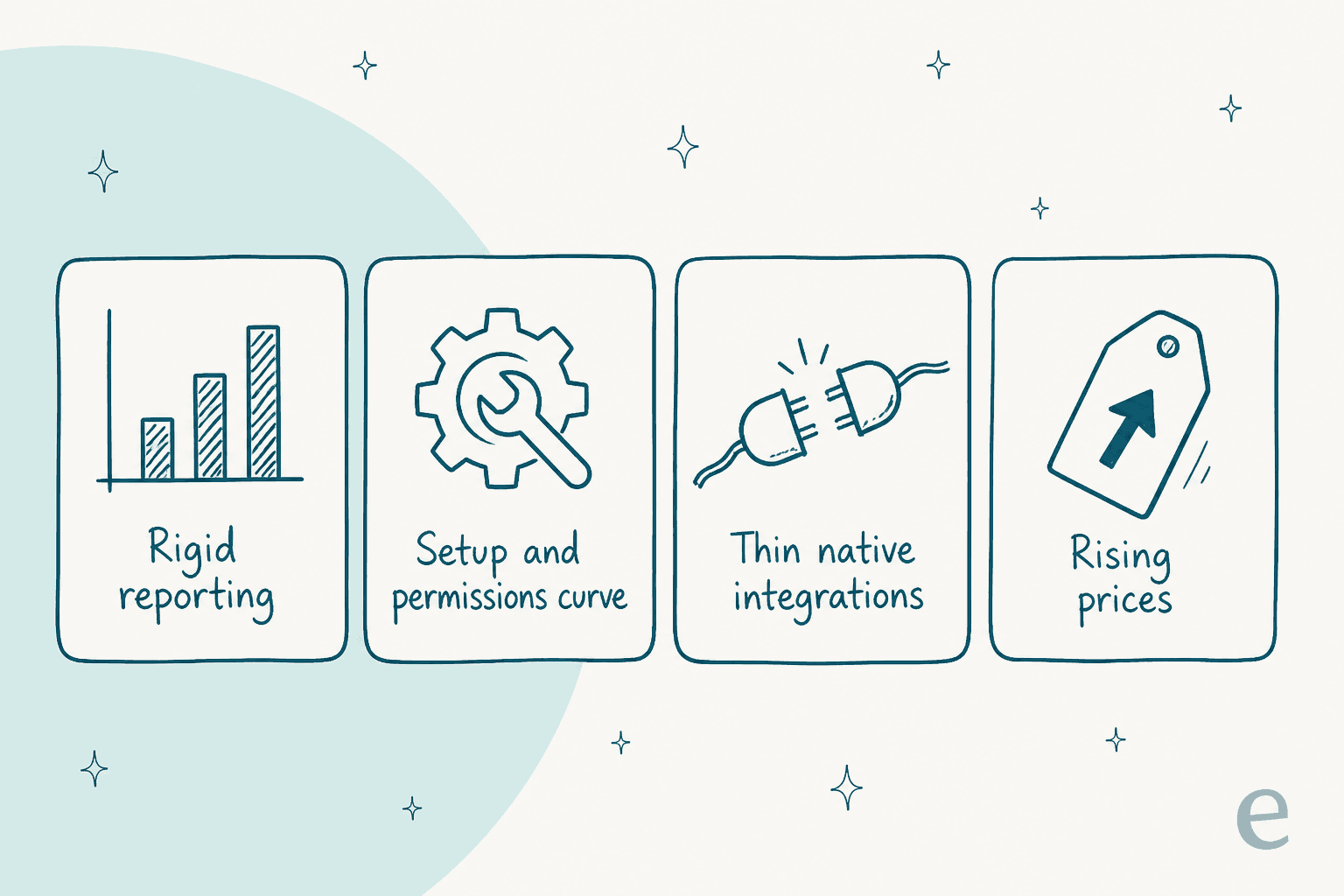
The dominant one is reporting and customization. Reviewers like the data but keep hitting the ceiling on filtering, exporting, and building dashboards:
"Export information of tickets is very dificult... The dashboards are slow to configure, for example backlog tickets can't be use with filters."

Second is the setup and permissions curve. Day-to-day use is easy, but getting the initial configuration and per-agent permissions right is where teams struggle, and there is no formal certification path to lean on. Third, native integrations are thin out of the box, so connecting other tools often means webhooks or the inbound API. And fourth, at least one reviewer flagged the obvious one: "The increasing prices from the platform is a major challenge" (Jessica M., Capterra).
Keep those four in your pocket. They are the checklist to run any InvGate alternative against, and they map neatly onto the ITSM best practices most teams already care about.
How I picked these InvGate alternatives
I build integrations for a living, so I read these tools the way a buyer eventually has to: not by the feature grid on the homepage, but by what actually happens once real tickets and real permissions hit the thing. For this roundup I weighted four things.
- Real pricing, including the AI. A sticker price means little if the automation you want sits two tiers up. I dug for the billable unit and the gotchas.
- How the AI actually works. Almost every tool here says "AI" now. What matters is whether it learns from your own history or just reads your help center, and whether you can test it before it goes live.
- Setup and integrations. The exact gap that pushes people off InvGate, and the heart of any ITSM automation project, so it had to be front and center.
- Honest fit. Every tool below wins for someone and loses for someone else. I say who.
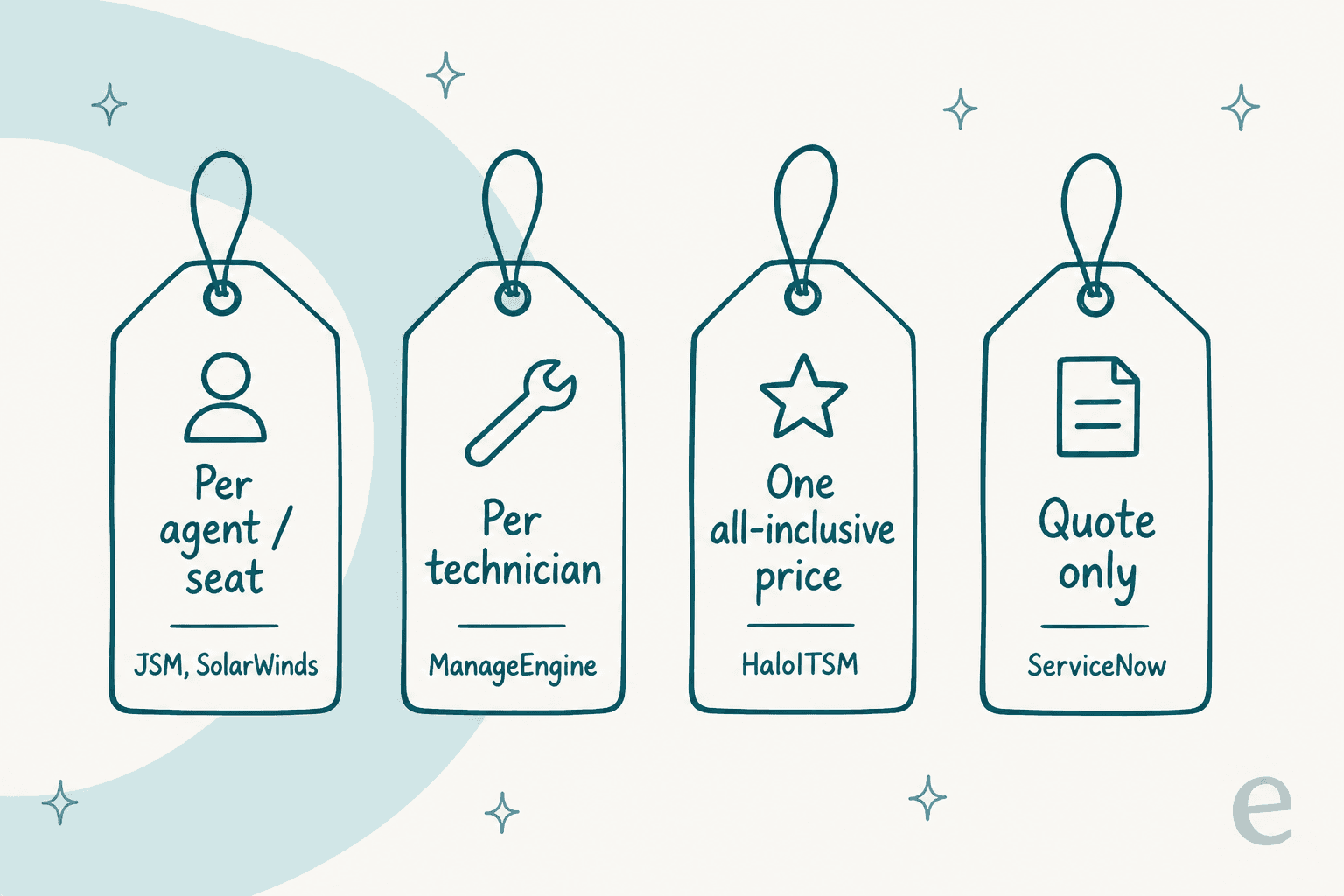
One structural thing to notice before the list: these tools do not even charge on the same unit. Some bill per agent, some per technician, one bundles everything into a single all-inclusive price, and the biggest name won't quote you at all without a call. That alone shapes which ones make sense at your size.
The best InvGate alternatives at a glance
Here is the whole field in one table before we go deep on each. Prices are the entry point unless noted; ratings are G2 at the time of writing.
| Tool | Best for | Starting price | Billable unit | Free tier | On-prem | Native AI | G2 |
|---|---|---|---|---|---|---|---|
| eesel AI | Adding AI to your current desk | From $299/mo (500 credits) | 1 credit per ticket or chat | 100 free credits | Cloud | AI teammate, learns from tickets | New |
| Freshservice | All-round cloud replacement | $19 / agent / mo | Per agent + AI add-ons | 14-day trial | Cloud | Freddy AI (add-on) | 4.6 |
| Jira Service Management | Teams already on Atlassian | $0 (3 agents) | Per agent, progressive | Yes (3 agents) | Cloud / DC | Virtual Agent, Rovo (Premium) | 4.3 |
| ManageEngine ServiceDesk Plus | On-prem and tight budgets | $13 / tech / mo | Per technician | Free (5 techs) | Cloud + on-prem | Zia (all editions) | 4.2 |
| ServiceNow | Large enterprises | Quote only (six figures/yr typical) | Per fulfiller | No | Cloud | Now Assist (Pro Plus) | 4.3 |
| SolarWinds Service Desk | Unlimited requesters | $39 / tech / mo | Per technician | 30-day trial | Cloud | AI on Advanced+ | 4.3 |
| SysAid | Agentic AI on a budget | $89 / agent / mo | Per agent | No | Cloud | Copilot (Data Pool) | 4.5 |
| HaloITSM | All-inclusive, heavy customization | £69 / agent / mo | Per agent | 30-day trial | Cloud + on-prem | Halo AI (all plans) | 4.8 |
Below, each tool follows the same shape: what it is, pros, cons, pricing, and my verdict on who should actually pick it.
1. eesel AI
Best for: teams whose real problem is the AI, not the service desk.

Most of this list asks you to move to a new platform. eesel AI takes the opposite bet. It is an AI teammate you hire for a specific job, and the helpdesk teammate joins the queue you already run rather than replacing it. That matters here because the top complaints about InvGate, thin integrations and rigid automation, are exactly the things a new platform makes you re-learn from scratch.
The reason I lead with it on an InvGate list is the switching cost. If your desk is fine and your gripe is "the AI is dumb and I can't test it," ripping out the platform to fix the AI is the expensive way round.
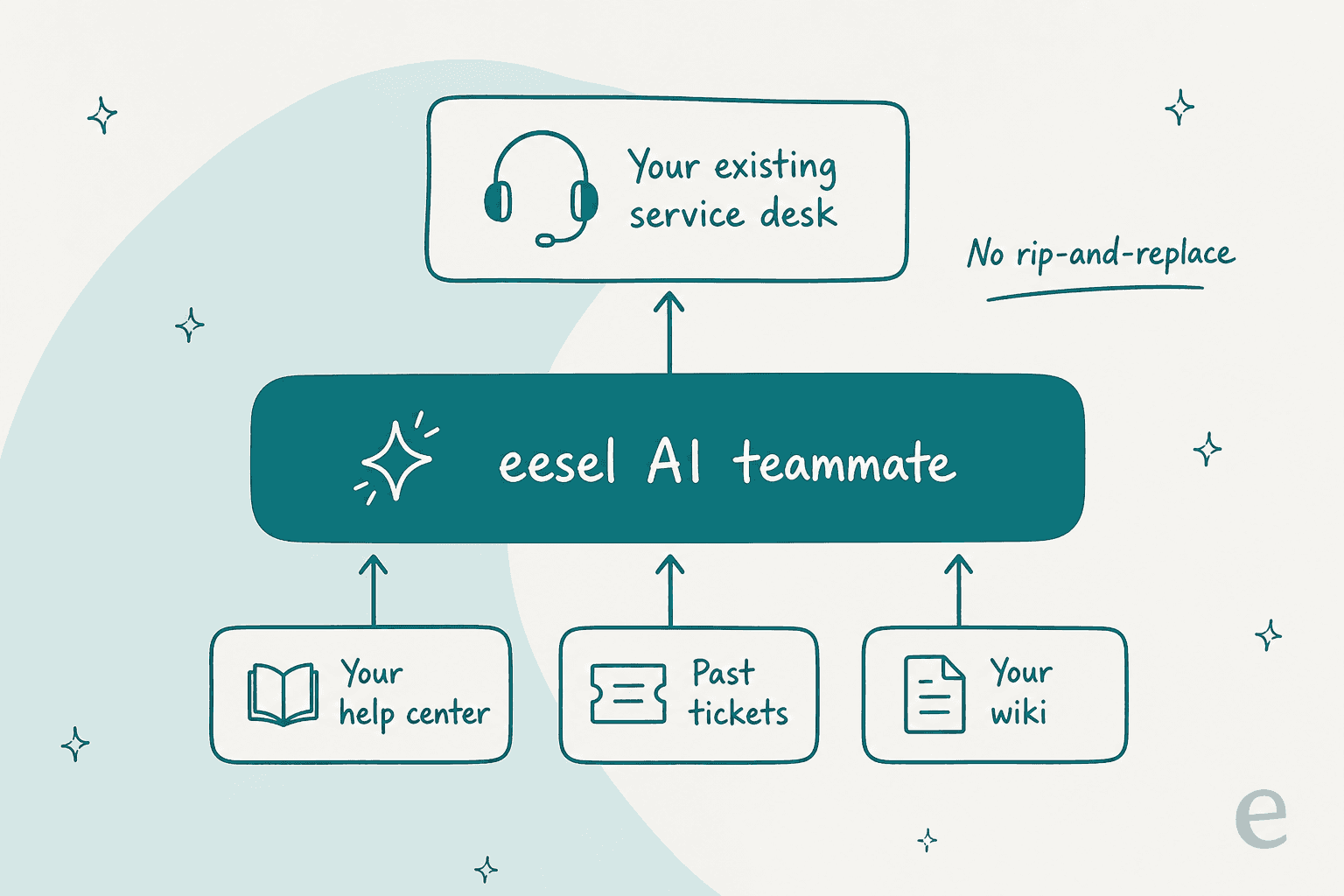
Here is how it actually plugs in. eesel connects to your helpdesk, your help center, and your other knowledge (a wiki, past tickets, Google Docs), then a single agent searches all of them at once when it answers. One of our own users, Jason Loyola, Head of IT at InDebted, runs it exactly this way: "We use it to be the first responder to our Helpdesk tickets in Jira. It essentially acts just like an agent would." That is the InvGate use case, just with the AI carrying the first pass.
Pros:
- It learns from your solved tickets, not just your help center. That is the difference between a bot that parrots docs and one that answers like your team does.
- You can simulate it on real historical tickets before it replies to anyone, so you see the resolution rate and cost up front instead of flipping a switch and hoping.
- No rip-and-replace. It layers onto Freshservice, Jira Service Management, Zendesk, Slack, and more, so it is an AI ticketing system without the migration.
- Confidence-based routing. Low confidence means a draft for review, not a wrong answer sent live.
Cons:
- It is an AI layer, not a full ITSM suite. If you need asset management, change and release, and a CMDB in one box, you still need an underlying desk (eesel sits on top of it, as AI for IT service management, not a replacement).
- It is newer than the enterprise names here, so it does not carry a decade of Gartner badges.
Pricing: One fixed monthly price from $299/month for 500 credits (1 credit per ticket or chat), with no per-seat fee and no platform fee. Only tickets the AI actually works on use credits, so 500 tickets is $299 and you are never charged for tickets your humans take. There is a free plan of 100 credits with no card, and SSO and MFA (from $199/mo) are optional add-ons.
Verdict: Pick eesel if InvGate (or any desk) is working and the thing you actually want to upgrade is the automation. Skip it if you are shopping for a brand-new ITSM platform with native asset and change management, because that is a job for the tools below.
2. Freshservice
Best for: the cleanest all-round cloud replacement for InvGate.
Freshservice is Freshworks' cloud ITSM platform, and it is the tool most InvGate refugees end up comparing first. It covers incident, problem, change, and release management, plus IT asset management and a self-service portal, and it extends into enterprise service management for HR and facilities. Its AI layer, Freddy AI, splits into a deflection agent, an agent-side copilot, and an insights product.
Pros:
- Polished, genuinely easy to administer, with a strong self-service portal and no-code workflow automation.
- Broad integration marketplace, which directly answers InvGate's thin-integrations gripe.
- Freddy AI Copilot's reply suggestions and ticket summaries are a real time-saver for agents.
Cons:
- The AI is where community sentiment gets spiky. One admin running a 600-person org reported that turning Freddy on made things worse, not better: "our MTTR actually went UP. About 20%" because of the handoff cost when the bot tries, fails, and an agent has to read the whole AI thread (r/Freshservice). Another called it "abysmal for incident deflection" and noted it "doesn't learn from users rating an interaction as unhelpful" (r/sysadmin).
- Freddy is largely an add-on. The good AI sits behind extra per-agent fees or the Enterprise tier.
Pricing: Base plans are per agent per month, billed annually: Starter $19, Growth $49, Pro $99, and a quote-only Enterprise. Freddy AI Copilot is a $29/agent/month add-on on top, and the autonomous Freddy AI Agent is bundled only on Enterprise (1,200 sessions/year, with unpublished overage rates). For the full breakdown, see our Freshservice pricing guide.
Verdict: The safest one-to-one swap for InvGate if you want to stay cloud-based and get a bigger integration ecosystem. Just go in clear-eyed on the AI: the platform is excellent, but the native automation may need help, which is why plenty of teams pair it with a stronger AI layer.
3. Jira Service Management
Best for: teams already living inside Atlassian.
If your developers live in Jira, Jira Service Management is the obvious InvGate alternative, because the dev-to-IT handoff basically disappears. It brings incident, problem, and change management onto the same platform as your engineering work, with a free tier that InvGate does not offer.
Pros:
- A real free plan for up to 3 agents, and unbeatable tie-in if your org already runs Jira and Confluence.
- Deep automation and a huge Atlassian Marketplace of add-ons.
- The Premium tier adds a Virtual Service Agent and Rovo AI for deflection.
Cons:
- The pricing is the famous catch. The displayed "$20 per agent" is a blended rate at 75 seats; a team of 10 actually pays the $25/agent/month Standard band. Reviewers feel it: "Compared to the other Atlassian products this is on the much more expensive side as you require more-and-more agents" (Ravindra N., G2).
- The AI (Rovo, the Virtual Agent) sits behind Premium, so most teams evaluating cost never touch it.
- It can feel heavy and admin-intensive if you are not already an Atlassian shop.
Pricing: Free for 3 agents; Standard from $25/agent/month for small teams (the headline $20 only appears at scale); Premium around $57/agent/month for small teams, dropping in higher bands; Enterprise is quote-only. Our Jira Service Management pricing breakdown has the full band table.
Verdict: The right call if you are already on Atlassian; a harder sell if you are not, because the per-agent cost climbs and the setup is involved. If you like the platform but not its AI, our take on whether Jira's AI is worth it is worth a read before you buy the Premium upgrade.
4. ManageEngine ServiceDesk Plus
Best for: on-premises deployments and tight budgets.
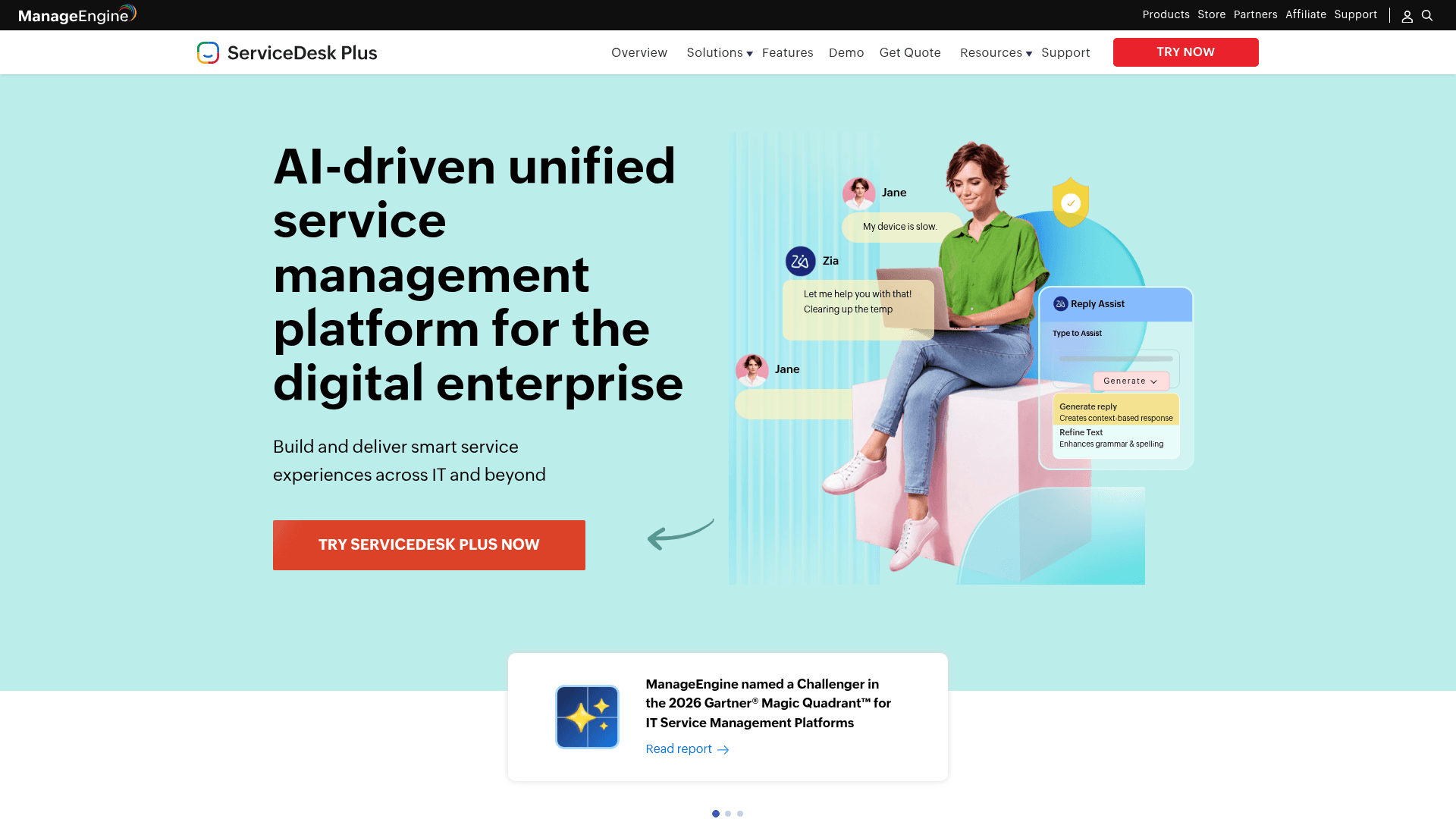
ManageEngine ServiceDesk Plus is InvGate's closest rival on two fronts InvGate reserves for its top tier: a real on-premises option, and a genuinely low entry price. It is a full ITSM/ITAM suite from Zoho's IT division, with incident, problem, change, release, and project management, plus a proprietary AI assistant called Zia.
Pros:
- On-prem or cloud, with migration between them, so you are not forced into SaaS the way you are with most of this list.
- The cheapest serious option here, and the Standard edition is free forever for up to 5 technicians.
- Zia AI is included at no extra cost across every edition, and can even connect to your own public LLM. One reviewer noted the "Zia AI assistant optimizes service delivery by automating incident triaging" (Rajneesh B., Capterra).
Cons:
- The sheer depth of configuration cuts both ways. As one Capterra reviewer wryly put it, the thing they disliked was "ALL the options that can be done to customize the software".
- The interface can feel dated next to Freshservice or InvGate.
- Asset management is Professional-tier and up, not Standard.
Pricing: Per technician per month, billed annually: Standard $13, Professional $27 (adds asset management), Enterprise $67 (full ITSM). Real annual examples: 10 technicians runs roughly $1,545 (Standard) to $7,795 (Enterprise). On-prem add-on modules (CMDB, change and release) are priced separately.
Verdict: The value pick, and the one to beat if on-premises hosting or a hard budget cap is non-negotiable. It out-features most of this list per dollar; you pay for that in a steeper configuration effort. See how it stacks up in our AI for ITSM tools comparison.
5. ServiceNow
Best for: large enterprises that have outgrown mid-market tools.
ServiceNow is the enterprise heavyweight, and it is where teams go when they truly outgrow InvGate. It claims 85% of the Fortune 500 as customers, and its Now Assist layer is a serious agentic AI story. It is also, by a wide margin, the most expensive and most complex option on this list.
Pros:
- Unmatched depth and a single data model spanning ITSM, ITOM, security, and more. USI reported a 47% cut in mean time to resolution with its AI.
- A Gartner Magic Quadrant Leader with a mature partner ecosystem.
- Now Assist is a credible autonomous-agent platform if you have the scale to fund it.
Cons:
- Cost and licensing opacity. Pricing is quote-only, and minimum spend is reported around $30k just to get started. One practitioner on r/servicenow captured the renewal spiral: a "5 yr renewal that started at $200k is now $1.8M... leadership is looking at spend and saying 'ServiceNow is just an expensive ticketing tool.'" The Now Assist GenAI layer is billed separately, per "assist" consumed, on top of the base license.
- Implementation is a project, not a signup, often needing dedicated admins or a partner.
Pricing: Quote-only, per fulfiller per month, billed annually, with no list price published anywhere. Real-world contracts reported by customers run into six figures a year, and Now Assist is metered on top per "assist." If that stings, our list of cheaper alternatives to ServiceNow exists for a reason.
Verdict: The right answer for a global enterprise with the budget and the admin muscle. For everyone else, it is overkill, and InvGate refugees who left partly over price should look hard at the best ServiceNow alternatives before walking into a bigger version of the same problem.
6. SolarWinds Service Desk
Best for: teams with many requesters but few agents.
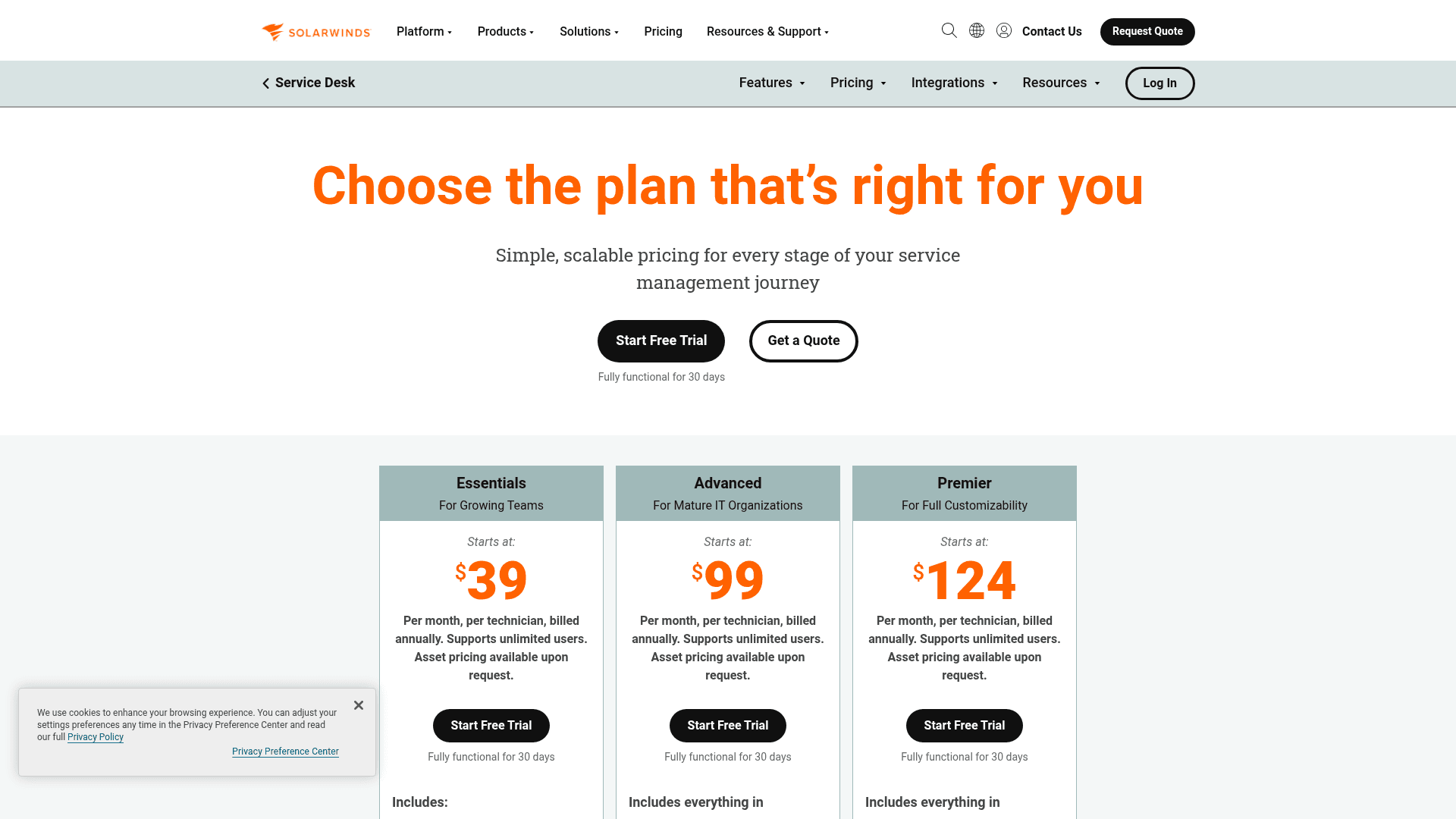
SolarWinds Service Desk is a solid mid-market cloud ITSM tool with one pricing feature that quietly matters: every plan supports unlimited requesters, and you only pay per technician. For an IT team serving a big employee base, that math works out well.
Pros:
- Unlimited end users on every tier, which keeps costs predictable as the company grows.
- Clean incident, asset, and change management, plus a genuine CMDB with dependency mapping on the top plan.
- AI features (smart suggestions, resolution summaries, a virtual agent) arrive at the Advanced tier.
Cons:
- Zero AI on the entry plan. Every AI row in the comparison is blank for Essentials, so you need Advanced or Premier to get any of it.
- Asset pricing is quote-gated ("available upon request"), so the sticker is not the whole bill.
- No published month-to-month rate; the annual figure is the only one you get.
Pricing: Per technician per month, billed annually: Essentials $39, Advanced $99 (first tier with AI), Premier $124. All three include unlimited requesters; asset management is a separate quote.
Verdict: A strong, no-drama pick if you have a large user base and a lean IT team, and you are happy on the Advanced tier for the AI. If you only need Essentials, know that you are buying a ticketing tool without the automated ticketing on top.
7. SysAid
Best for: agentic AI without an enterprise price tag.
SysAid has rebuilt itself around what it calls "agentic AI," pitching itself as "ITSM run by AI, and you." It covers the standard ITSM ground, ticketing, incident and change management, asset management, and a self-service portal, and its Copilot is the headline. It rates well, 4.5/5 on G2 across 752 reviews.
Pros:
- A cohesive, AI-first pitch at a mid-market price, well below ServiceNow.
- Strong ticket management and automation, and named customers like Xerox and Honda.
- Copilot integrates with your knowledge sources to help resolve issues faster, per reviewers.
Cons:
- Copilot's value is proportional to how much you feed it. The one reviewer reporting real AI impact described curating the knowledge "Data Pool" daily, which is a work commitment, not a switch you flip.
- The 4.5 rating comes with a caveat: nearly every sampled review carried an "incentivized / G2 invite on behalf of seller" tag, so treat it as a vendor-solicited score.
- Even the published Professional tier routes you to "Get a quote" rather than self-serve checkout.
Pricing: The Professional tier is listed at $89/agent/month, corroborated on its G2 pricing block, but the buy path is a sales quote and the Enterprise tier is unpublished.
Verdict: Worth a demo if you want a modern, AI-led ITSM without ServiceNow money, as long as you have someone to own the knowledge base that makes its Copilot good. If you would rather the AI learn from your existing tickets automatically, that is where a dedicated AI helpdesk agent has the edge.
8. HaloITSM
Best for: all-inclusive pricing and heavy customization.
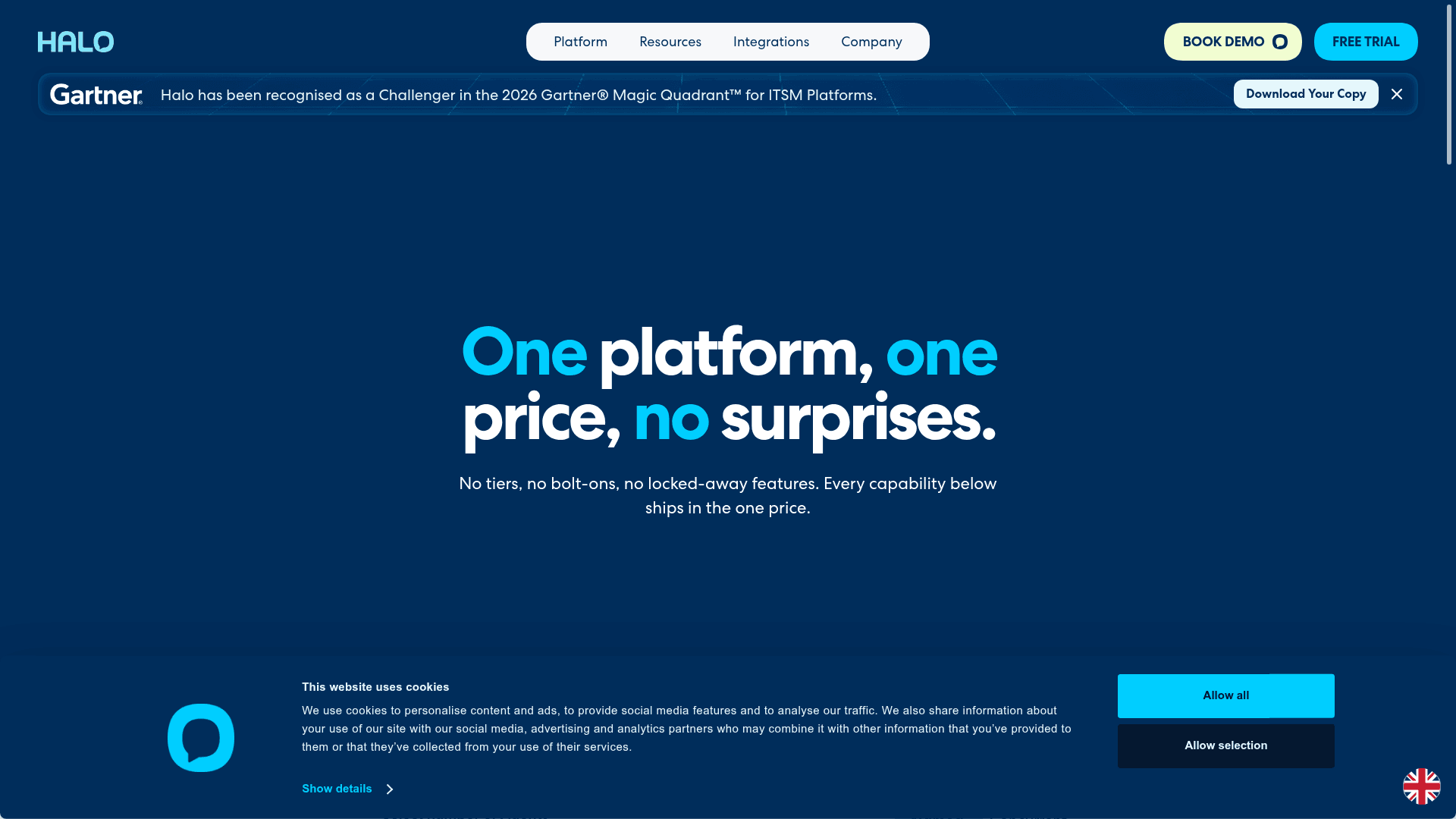
HaloITSM is the anti-tiering pick. Its whole pitch is "one platform, one price, no surprises," with every module and integration included in a single per-agent rate. It is deeply customizable, ITIL-aligned, and its G2 rating of 4.8/5 is the highest on this list, even if from a smaller pool of 22 reviews.
Pros:
- No feature tiers. One price includes IT, service, and asset management, so you are not upsold to unlock what you actually need. Reviewers love this: "You can build it around your team's needs" rather than adapting to a rigid system (G2).
- Halo AI (virtual agents, AI suggestions) is included on all plans at no extra cost.
- Both cloud and on-premises, and a recent Gartner Challenger nod for ITSM platforms.
Cons:
- That flexibility comes with a steep learning curve. One reviewer warned it "requires a lot of manual configuration and trial and error," and that advanced custom reports "often require SQL knowledge" (G2).
- The documentation and training resources lag the product's power, per Capterra reviewers.
- The £69/agent/month rate is higher per seat than the budget options here.
Pricing: A single all-inclusive rate of £69 per agent per month, billed monthly or annually, with a 30-day free trial. No tiers, no add-ons.
Verdict: The best pick if you value pricing simplicity and near-limitless customization, and you have the technical appetite to configure it. If you want power without the config project, one of the lighter tools above will get you live faster. Freshservice and Halo are close enough that our Freshservice vs HaloITSM comparison is a useful tiebreaker.
Which InvGate alternative fits you?
Eight tools is a lot to hold in your head. Pick the priority that matters most and this narrows it fast.
Whatever you land on, run it against the four InvGate pain points from the top: reporting, setup, integrations, and price creep. If a tool fixes three and reintroduces the fourth, it is a sideways move, not an upgrade.
Try eesel AI on your existing service desk
If you have read this far and quietly realized your desk is fine and the AI is the problem, that is exactly the gap eesel AI fills. It is an AI teammate that joins your existing queue, learns from your past tickets and knowledge base, and drafts or resolves tickets without a migration off InvGate or anything else.
The part that de-risks it: you can run a simulation on thousands of your real historical tickets and see the exact resolution rate and cost before it ever answers a live person, then roll it out gradually. Setup is measured in minutes, not the implementation projects the enterprise tools on this list ask for. You can start free with 100 credits, no card required, and point it at the desk you already have.