The 8 best Tasklet AI alternatives in 2026

Rama Adi

Katelin Teen
Last edited July 17, 2026

Why people leave Tasklet AI (it is rarely the features)
Let me be fair to Tasklet first, because it earns it. The product is a well-built autonomous agent: every agent gets its own isolated cloud sandbox (2 vCPU, 14.8 GB), it can drive a real browser to get through logins and clunky web UIs, it routes work across Claude, GPT, and Gemini, and it connects to 15+ named apps plus any HTTP API or MCP server. Unlimited agents and integrations on every plan is a genuinely generous move. It is SOC 2 compliant, with GDPR in progress.
The reason people go looking for an alternative is almost never "it does not work," the way it can with a rule-based chatbot. It is the pricing model. Tasklet meters everything in credits, and how many credits a single run costs depends on the task complexity, how much data it touches, how many tools it uses, how often the trigger fires, and which "intelligence level" you picked (Basic, Advanced, Expert, or Genius). Browser use and the higher intelligence levels burn fastest. Monthly credits reset each cycle and do not roll over, and there is no published per-task rate or overage policy to plan against.
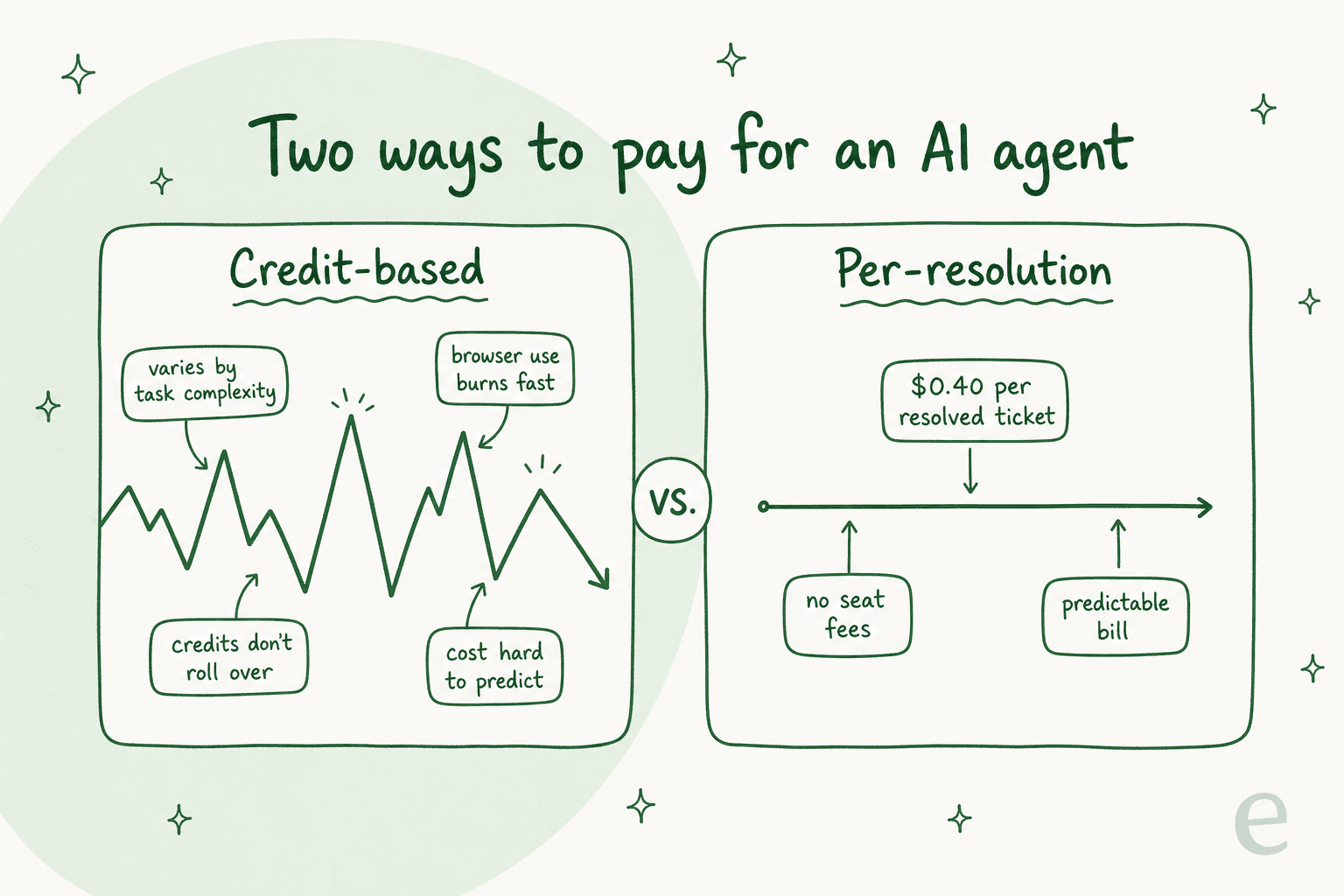
This is not a Tasklet-only problem. It is the default across almost this entire category, which brings me to the single most useful thing to understand before you compare anything.
The one thing that actually separates these tools: how they count cost
Every tool on this list can, roughly, "run an AI agent that does stuff." Where they genuinely differ is the billing unit, and the units are not comparable. One tool's "credit" is another's "task" is another's "operation" is another's "execution." You cannot line up the sticker prices and call it a comparison.
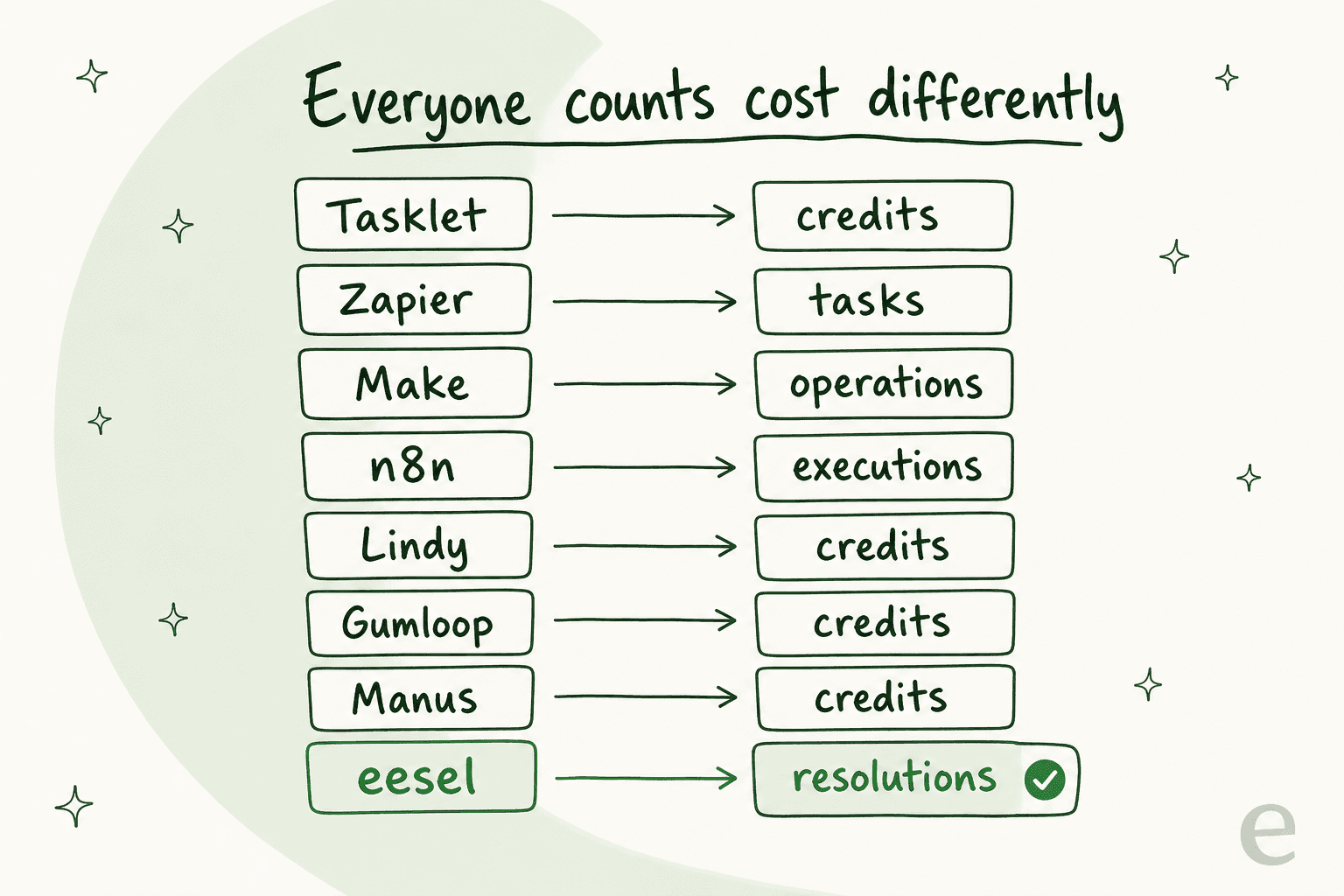
The practical takeaway: a credit or an operation is an input (the AI did some work), while a ticket or chat is an outcome (a customer conversation got handled), which is how eesel counts its credits: 1 credit per ticket or chat, however long. Input-based pricing is fine when the work maps cleanly to value. It gets uncomfortable when a single run can quietly cost 10x another for reasons you did not choose. That gap is exactly why teams doing high-volume, repetitive work, like customer support automation, tend to want a unit that maps to the ticket instead. It is also worth doing the cost math versus a human agent before you pick any of these.
Keep that lens on as you read the table.
The 8 best Tasklet AI alternatives in 2026, at a glance
| Tool | Best for | Billing unit | Starting paid price | Free tier | Self-host | Support-native |
|---|---|---|---|---|---|---|
| eesel AI | Support queue automation | Credit (1 per ticket or chat) | From $299 / mo (500 credits) | 100 free credits | No | Yes |
| Zapier | Connecting apps you already use | Task | $19.99 / mo | Yes (100 tasks/mo) | No | No |
| n8n | Developer-owned workflows | Execution | $20 / mo | Yes (self-host free) | Yes | No |
| Make | Visual multi-step scenarios | Operation / credit | $12 / mo | Yes (1,000 credits) | No | No |
| Lindy | Personal assistant style agents | Credit | $49.99 / mo | 7-day trial | No | No |
| Gumloop | No-code AI workflow building | Credit | $37 / mo | Yes (5,000 credits) | No | No |
| Manus | One-off autonomous projects | Credit | $20 / mo | Trial only | No | No |
| Sintra AI | Solo founders wanting AI staff | Credit | $54 / mo | No | No | No |
Prices are the lowest published paid tier as of July 2026. "Support-native" means the tool plugs into a helpdesk and is built around resolving tickets, rather than being a general engine you would have to assemble that behavior on top of.
How I picked, and how to choose for yourself
I weighed four things: what job the tool is actually built for, how predictable the bill is, how much setup it takes before it does anything useful, and whether real users flag cost as the recurring complaint. The two dimensions that end up deciding most buying decisions are scope (is this a general-purpose engine or a specialist?) and effort (does it work out of the box, or do you assemble it?).
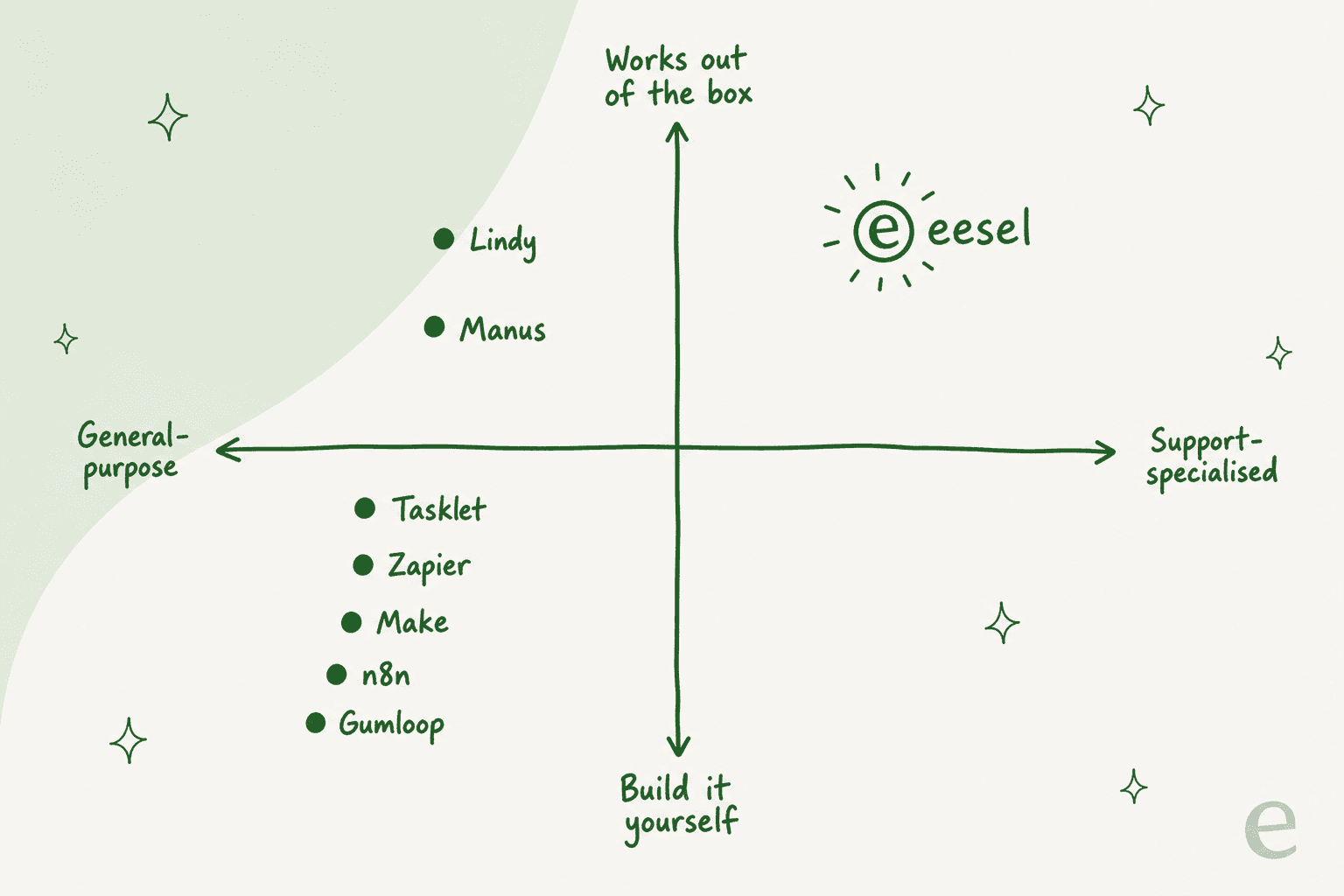
The trap I would warn against: picking the most powerful general tool for a specific job. A horizontal agent can technically answer your support tickets, the same way a Swiss Army knife can technically cut bread. It works until you are doing it 8,000 times a month and every one of those cuts is a credit you cannot forecast. Use the picker below to skip to the tool that fits your actual job.
<div style="background:#fff;border:1px solid #e6e6df;border-radius:16px;padding:28px 24px;font-family:-apple-system,BlinkMacSystemFont,'Segoe UI',Roboto,sans-serif;color:#474739;max-width:720px;margin:0 auto;">
  <div style="font-size:19px;font-weight:700;margin-bottom:4px;color:#474739;">Which Tasklet alternative fits you?</div>
  <div style="font-size:14px;color:#6b6b5c;margin-bottom:20px;">Pick the main job you are hiring an agent to do.</div>
  <style>
    .tkq-opt{display:block;cursor:pointer;border:1px solid #e0e0d8;border-radius:10px;padding:13px 15px;margin-bottom:9px;font-size:15px;transition:all .15s;}
    .tkq-opt:hover{border-color:#4E814E;}
    .tkq-in{position:absolute;opacity:0;pointer-events:none;}
    .tkq-ans{display:none;border-left:3px solid #4E814E;background:#E4EFE4;border-radius:0 10px 10px 0;padding:14px 16px;margin-top:14px;font-size:14.5px;line-height:1.5;}
    .tkq-ans b{color:#3c6b3c;}
    #tkq1:checked~.tkq-a1,#tkq2:checked~.tkq-a2,#tkq3:checked~.tkq-a3,#tkq4:checked~.tkq-a4,#tkq5:checked~.tkq-a5{display:block;}
    #tkq1:checked~label[for=tkq1],#tkq2:checked~label[for=tkq2],#tkq3:checked~label[for=tkq3],#tkq4:checked~label[for=tkq4],#tkq5:checked~label[for=tkq5]{border-color:#4E814E;background:#E4EFE4;font-weight:600;}
  </style>
  <input class="tkq-in" type="radio" name="tkq" id="tkq1">
  <input class="tkq-in" type="radio" name="tkq" id="tkq2">
  <input class="tkq-in" type="radio" name="tkq" id="tkq3">
  <input class="tkq-in" type="radio" name="tkq" id="tkq4">
  <input class="tkq-in" type="radio" name="tkq" id="tkq5">
  <label class="tkq-opt" for="tkq1">Automate my customer support queue</label>
  <label class="tkq-opt" for="tkq2">Connect apps my company already pays for</label>
  <label class="tkq-opt" for="tkq3">A workflow engine my dev team can own and self-host</label>
  <label class="tkq-opt" for="tkq4">A personal assistant for my inbox and calendar</label>
  <label class="tkq-opt" for="tkq5">One big open-ended project, done end to end</label>
  <div class="tkq-ans tkq-a1"><b>Go with eesel AI.</b> Support is an outcome, not a workflow. A fixed monthly price with 1 credit per ticket, plus simulation on your past tickets beats any credit-metered generalist here.</div>
  <div class="tkq-ans tkq-a2"><b>Go with Zapier.</b> The 9,000+ connector library is the widest in the category, and everything draws from one shared task pool.</div>
  <div class="tkq-ans tkq-a3"><b>Go with n8n.</b> Free to self-host, billed per workflow execution (not per step), and it drops to code whenever the UI runs out.</div>
  <div class="tkq-ans tkq-a4"><b>Go with Lindy.</b> It has pivoted hard toward the personal executive-assistant use case: inbox, calendar, and meeting prep.</div>
  <div class="tkq-ans tkq-a5"><b>Go with Manus.</b> It is built for one-shot autonomous jobs: give it a goal, get back a finished site, deck, or report.</div>
</div>
Now the tools themselves, in the order I would reach for them.
1. eesel AI: best for automating a support queue

I will put my own tool first and then earn it, because eesel AI is not a general-purpose Tasklet clone, and that is exactly the point. Where Tasklet is a horizontal engine you point at anything, eesel is an AI teammate built for one job: plugging into your helpdesk (Zendesk, Freshdesk, Gorgias, HubSpot, Front, and 100+ integrations), learning from your past tickets and docs on day one, and resolving support conversations.
The thing a horizontal agent cannot do out of the box is the thing that actually de-risks a support rollout: simulation. eesel runs your agent against thousands of your real historical tickets before it ever touches a live customer, so you can see coverage by topic, find the gaps, and fix them first. We do this because we have spent years watching confident-sounding bots quietly give wrong answers, and simulating on real history is how you catch that before your customers do.
What it does: trains on solved tickets and help docs, drafts or auto-sends replies, triages and routes, escalates on low confidence, and works across 80+ languages. You start it in a supervised copilot mode and hand over autonomy as trust builds. Beyond the helpdesk, the same account runs an AI blog writer and an e-commerce agent, each billed by task type.
Pricing: one fixed monthly price, from $299/month for 500 credits (1 credit per ticket or chat), with 1,000 credits at $499/month and 2,500 at $999/month. No per-seat fees and no platform fee, and every integration and channel is included. There is a free plan with 100 credits to start, two months free when you pay a year upfront, and SSO and MFA (from $199/month) and data residency ($500/month) as add-ons. It is the clearest example of a countable billing unit in this roundup, and it is on the pricing page in plain numbers.
Pros: predictable monthly cost per ticket volume; genuine support-native behavior; simulate-before-ship; fast time-to-value.
Cons: it is deliberately narrow. If you want an agent to build a website or scrape ten sites overnight, this is not that tool. It is for the helpdesk.
On the "should we just build our own on the API" question that always comes up, one customer put it better than I could:
"We could try to write our own LLM application but we didn't want to invest our time into that. We wanted something that we would not have to maintain."
Karel, GENERAL BYTES
Verdict: if your reason for looking at Tasklet was "I need to handle support tickets with AI," stop here. A specialist that bills 1 credit per ticket and proves itself on your own data first is a better shape than a credit-metered generalist, and it is why eesel keeps showing up in roundups of the best AI customer support tools. If your job is anything other than support, keep reading.
2. Zapier: best for connecting apps you already pay for
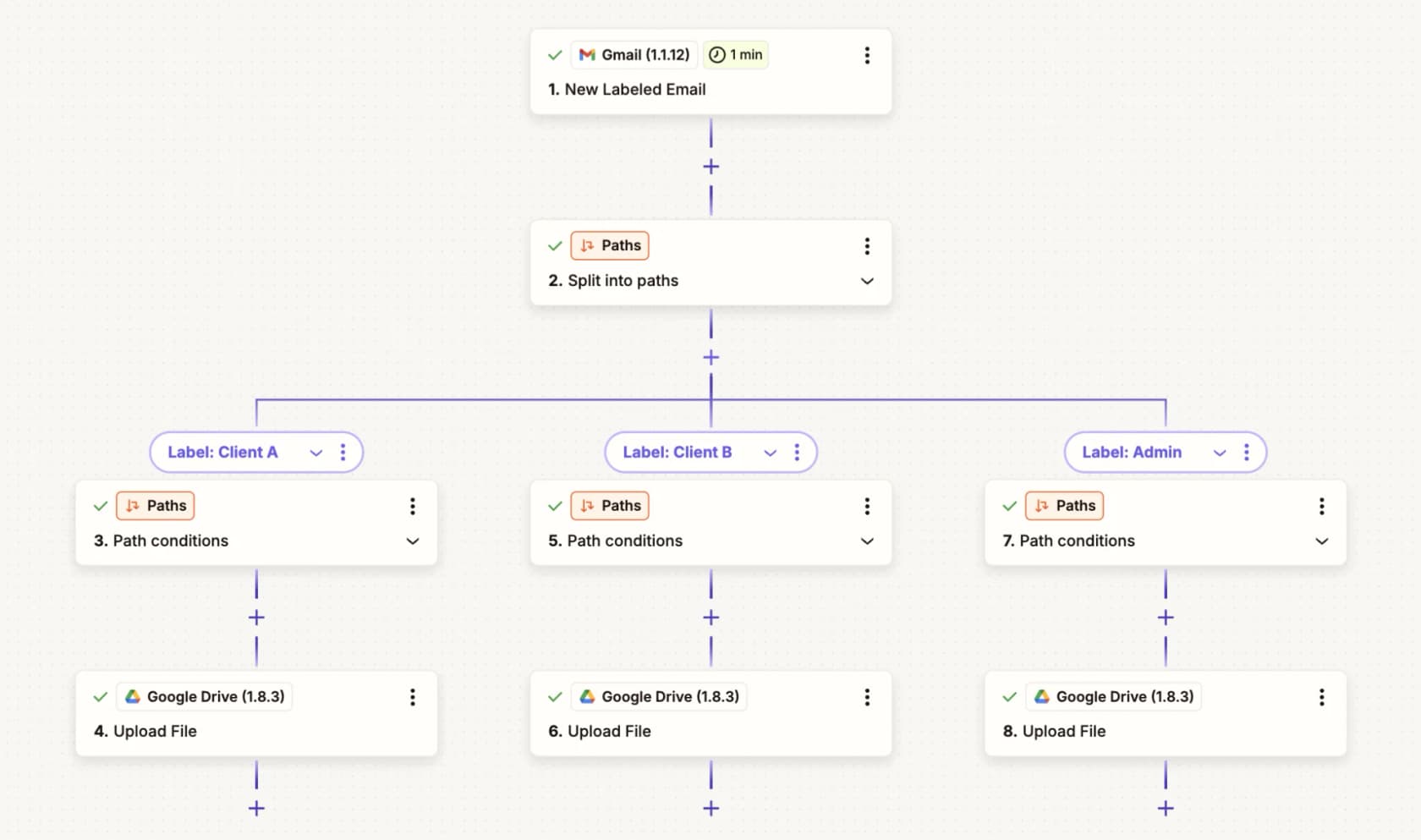
Zapier is the incumbent Tasklet is openly positioned against, the original "if this, then that" for work. Its Zapier Agents product layers AI teammates on top of the biggest connector library going: 9,000+ apps, more than any other automation tool.
What it does: build multi-step Zaps that trigger on one app and act across others; Agents add AI teammates that work on command or on a schedule, plus a Chrome extension for web tasks. The killer detail is that Zaps, AI steps, code, MCP, and Agents all draw from one shared task pool, so there is no separate agent budget to blow through.
Pricing: Free ($0, 100 tasks/month, two-step Zaps), Professional from $19.99/month, Team from $69/month for 25 users, and Enterprise on request. The billable unit is the task, one successfully completed action; failed actions, triggers, and built-in tools like Filter and Formatter are free. Higher tiers lower the per-task cost, and annual saves 33%.
Pros: unmatched integration breadth; mature and reliable; the shared task pool is honestly the cleanest budget model here.
Cons: tasks add up fast on high-volume workflows; the AI Agents piece is newer and less deep than the core automation; it is not built for any one vertical, so comparing it to Make or n8n comes down to taste as much as capability.
Verdict: if your automation is "when X happens in tool A, do Y in tool B," and you use a lot of tools, Zapier is the safest pick in the category. It is a worse fit if you are trying to run one heavy autonomous agent rather than lots of light connections.
3. n8n: best for developer-owned workflows
n8n is the pick for teams that want the power of a workflow engine without renting it by the credit. It is open-source and self-hostable, with ~196.6k GitHub stars and a 4.7/5 rating on G2, used by the likes of Microsoft and NVIDIA.
What it does: a visual node canvas where you can drop into JavaScript or Python anywhere ("code when you need it, UI when you don't"), now heavily AI-positioned with agent nodes, an AI Workflow Builder, and human-in-the-loop controls.
Pricing: the real story. The Community Edition is free to self-host, forever. Cloud plans (billed annually) run Starter at $20/month for 2,500 executions, Pro at $50/month for 10,000, and Business at $800/month for 40,000 with self-hosting and governance. The billing unit is the execution, one full workflow run regardless of how many steps it has. That single design choice makes it dramatically cheaper than per-step tools for complex workflows, and it is the crux of most Make versus n8n debates.
Pros: unbeatable value if you self-host; per-execution billing punishes complexity far less than per-task or per-operation; no vendor lock-in; strong integrations for developer stacks.
Cons: you need technical comfort to get the value; self-hosting means you own the uptime; the polish is aimed at builders, not business users. Even routine jobs like OneDrive workflows assume you are comfortable wiring nodes yourself.
Verdict: for a technical team, n8n is the most cost-rational Tasklet alternative on this list. For a non-technical solo user, it will feel like being handed a toolbox when you wanted a finished shelf.
4. Make: best for visual multi-step scenarios
Make (formerly Integromat, now part of Celonis) sits between Zapier's simplicity and n8n's depth. It is a visual automation platform built around "scenarios," and it is used by 400,000+ organizations.
What it does: drag app "modules" onto a canvas to build a scenario that triggers, transforms, and routes data. Make AI Agents (in beta) run on all plans, powered by Make's own AI provider or your own LLM key, alongside 3,000+ app integrations.
Pricing: Free ($0, 1,000 credits/month, two scenarios), Core at $12/month, Pro at $21/month, Teams at $38/month, and Enterprise on request, priced on a credits slider. As of late August the billable unit was renamed from "operations" to credits: most module actions cost one credit, AI actions cost more, and router and error-handler modules are free. The full ladder is in our Make pricing breakdown.
Pros: the visual canvas is the best-looking way to see a complex flow; cheap entry price; huge app catalog.
Cons: operation-style billing means a multi-step scenario can rack up credits quickly; the AI agent layer is beta and shallow next to the core product; power comes with a learning curve, which is why Make alternatives is itself a well-trafficked search.
Verdict: Make is the sweet spot if you think visually and your workflows have real branching logic. If your flows are simple, Zapier is easier; if they are heavy and technical, n8n is cheaper.
5. Lindy: best for personal-assistant style agents
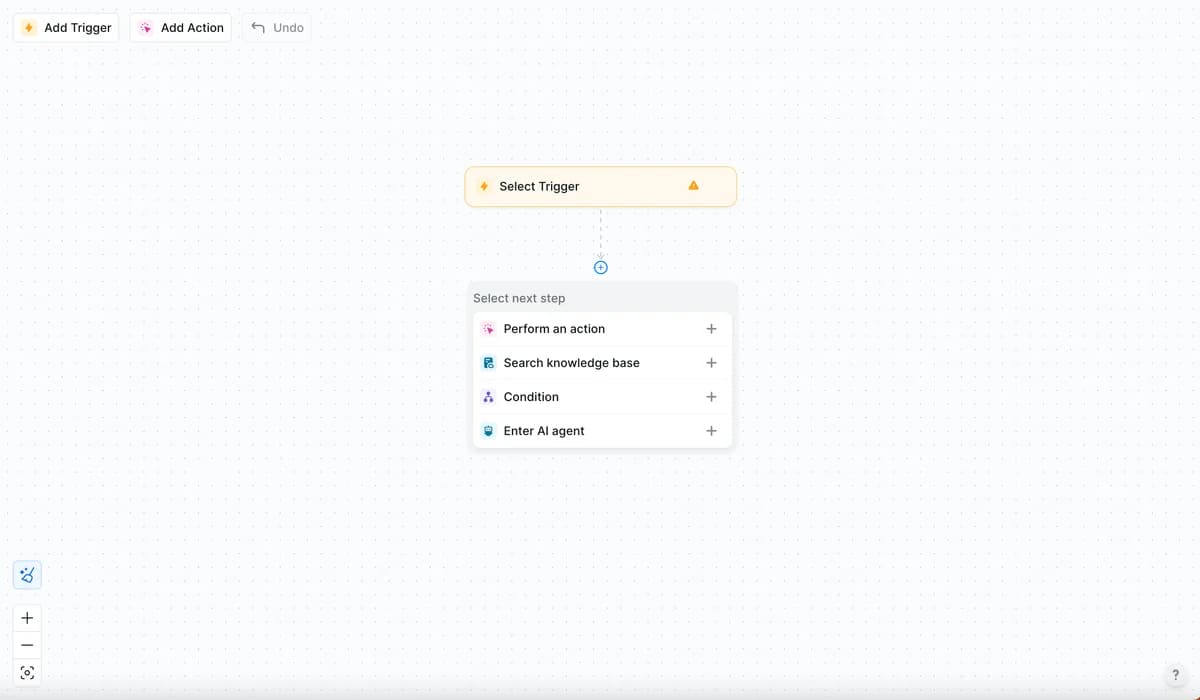
Lindy started as a no-code "build your own AI employee" tool, and its trigger-to-action agent builder is still the engine. But its homepage has pivoted hard toward a single use case: a personal executive assistant that runs your inbox, calendar, and meetings over iMessage and SMS.
What it does: email triage and drafting in your voice, meeting scheduling, meeting prep and notes, reminders, plus computer use and a model picker on higher tiers. Around 100+ integrations.
Pricing: Plus at $49.99/month (two inboxes), Pro at $99.99/month (3x usage, computer use), Max at $199.99/month (7x usage), and Enterprise on request with HIPAA and SSO. Billing is usage-based credits, and the live page no longer publishes exact credit allotments, only "standard / 3x / 7x more usage" labels. Lindy scores a very high 4.9/5 across 171 reviews on G2, though the profile is vendor-managed so treat that as directional.
Pros: genuinely easy to set up (ease of use is its runaway strength in G2's tag counts); strong for AI-judgment-heavy personal work.
Cons: the same G2 tags flag cost as the runaway complaint, with "Expensive" and "High Subscription Cost" leading the cons; the opaque credit labels make budgeting hard; the assistant-first pivot means the general agent builder gets less attention. If cost is your worry, our Lindy alternatives piece goes deeper.
Verdict: Lindy is a lovely personal assistant and a fine light agent builder. It is not where I would put high-volume, cost-sensitive work, for the same credit-anxiety reason people leave Tasklet.
6. Gumloop: best for no-code AI workflow building
Gumloop is the AI-native answer to Zapier and Make: a drag-and-drop node canvas where the nodes are AI steps, built for non-engineers who still want to compose real multi-agent workflows. It raised a $50M Series B led by Benchmark, so it is well-funded and moving fast.
What it does: build agents on a node canvas, orchestrate multiple agents on the same canvas, and surface them in Slack, Teams, and Gmail. Model-agnostic across Anthropic, OpenAI, Gemini, and DeepSeek, with a broad connector list and a developer surface (MCP, CLI).
Pricing: Free ($0, 5,000 credits/month, one seat), Pro from $37/month (20,000+ credits on a slider up to 1.5M, unlimited seats, 20% off annual), and Enterprise on request with RBAC, SSO, and VPC. The unit is the credit, and the exact per-action credit definition and rollover behavior were not clearly published when I checked, so confirm those before you commit.
Pros: the most modern, AI-first canvas of the general tools; generous free tier; unlimited seats on Pro is rare; a decent option if you are mapping out an AI blog writing workflow or similar content pipeline.
Cons: credit definition is fuzzy on the public pages; younger and less battle-tested than Zapier or Make; like the rest, it is a general builder, not a support specialist.
Verdict: if you want to build AI workflows yourself without writing code, Gumloop is the most pleasant canvas here. It shares the category's core weakness, though: you are still counting credits, and you still assemble the behavior yourself.
7. Manus: best for one-off autonomous projects
Manus is the closest thing here to Tasklet's "give it a goal, walk away" pitch, taken to its extreme. It is a fully autonomous, general-purpose agent that plans and executes an open-ended task end to end in the cloud, then hands back a finished artefact: a website, a slide deck, a research report, even a game. As of 2026 it is now part of Meta.
What it does: decomposes a goal, uses its own "Cloud Computer" VM and a browser operator to carry it out, and runs up to 20 concurrent and 20 scheduled tasks per paid plan. Wide Research fans a job out across many parallel sub-agents.
Pricing: credit-based. Standard at $20/month (4,000 credits), Customizable at $40/month (8,000), and Extended at $200/month (40,000), plus Team and Enterprise on request. Every paid plan adds 300 daily refresh credits. There is no fixed per-task credit rate; complex tasks burn more, and prices currently carry a 50% promo badge.
Pros: genuinely impressive at one-shot, open-ended deliverables; runs asynchronously so long jobs finish while you are away; a good showcase of what autonomous AI agents can do end to end.
Cons: the least predictable cost of the bunch (no per-task rate, and big autonomous jobs are exactly the kind that burn credits fastest); no published free tier; it is built for projects, not for a repeating process you run thousands of times.
Verdict: Manus is the tool for "build me this one big thing." It is the wrong shape for a steady, high-volume workflow, where its credit burn would be even less predictable than Tasklet's.
8. Sintra AI: best for solo founders who want AI staff

Sintra AI takes a different framing from everyone else here: instead of one agent you configure, it sells a bundle of 12 named "AI employees," each mapped to a role (Cassie for support, Penn for copywriting, Seomi for SEO, and so on). It is aimed squarely at solo founders and small teams who want to feel like they have a whole department.
What it does: every helper is a chatbot that runs inside the platform, learns your business context, and executes role-specific tasks across 15+ integrations in 100+ languages. Cassie, the support helper, is closer to a customer support chatbot than a full ticketing agent.
Pricing: one product, Sintra X, sold by term. The standard rate is $97/month (monthly), $59/month (quarterly), or $54/month (annual), currently discounted heavily on a sale. Here is the catch that dominates its reviews: every plan, regardless of price, ships with the same 250 monthly credits, they do not roll over, and when they run out the helpers simply stop working until you buy top-ups.
Pros: the AI-employee framing is genuinely approachable for non-technical owners; all 12 helpers on every plan; cheap on the annual sale.
Cons: that 250-credit cap is a hard ceiling that has drawn real backlash. Sintra's Trustpilot reviews include users describing a switch from "unlimited" plans to the metered credit system as a "bait-and-switch," with top-ups that are non-refundable. It is also not built for any single job at depth.
Verdict: Sintra is a fun, approachable front door to AI for a one-person business. But if you have real volume in any one function, especially support, the credit cap will bite fast, and a specialist tool will serve you better.
Try eesel for the one job the generalists cannot own

Here is the honest summary. If you need a general automation engine, pick from the tools above based on scope and effort, and they are all reasonable. But if the reason you were eyeing Tasklet is that support tickets are eating your team, none of these generalists is the right tool, because none of them is built for it.
That is the gap eesel AI fills. It plugs into your existing helpdesk in minutes, trains on your past tickets and docs so it is useful on day one, lets you simulate on real historical tickets before going live, and uses a credit that always equals one ticket or chat, not a credit that varies per run. Teams like Gridwise saw eesel resolve 73% of their tier-1 requests in the first month, with results showing up during a 7-day trial.
You can start with 100 free credits and no credit card, or book a demo to see it run against your own tickets first.