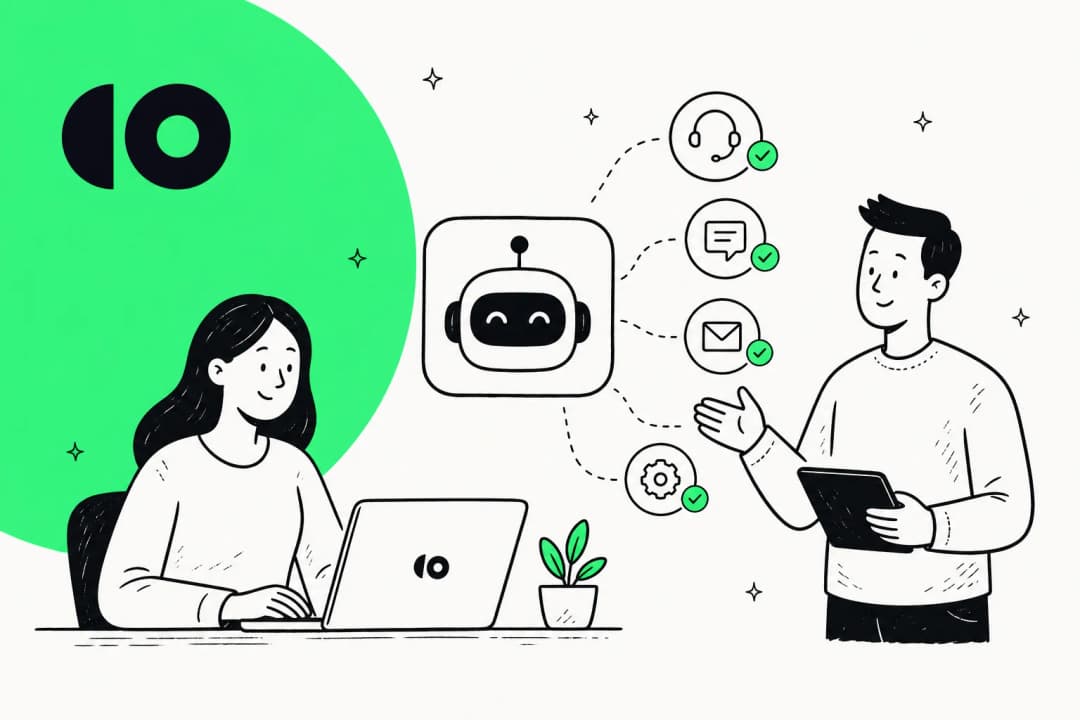
What is CoSupport AI?
CoSupport AI is an AI customer support automation platform that was founded in 2020 in Los Angeles by ML engineer Roman Lutsyshyn and support entrepreneur Daria Leshchenko (who also runs the BPO SupportYourApp). It's bootstrapped, and is now led by CEO Alex Khoroshchak. The core idea is simple and sound: take a company's historical support tickets, documentation, and product data, train a model on it, and let that model answer customers directly.
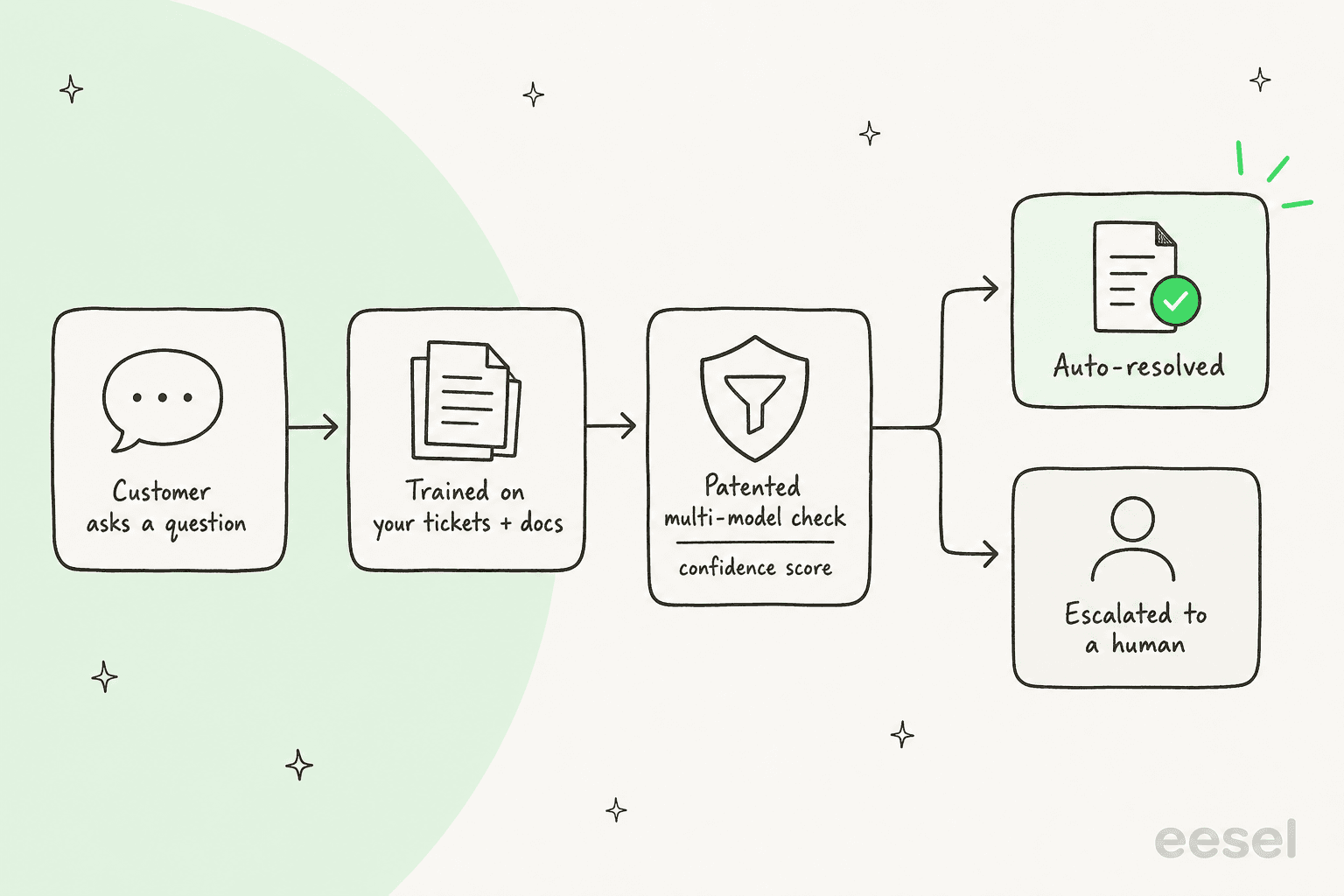
What CoSupport leans on most in its marketing is trust. It holds a US patent (US11823031B1) granted in January 2024 for a multi-model message-generation architecture, and it credits that design for low-hallucination, "answers only from your data" responses. That's a smarter pitch than most, because in support the thing that actually keeps you up at night isn't whether the AI can write a nice paragraph, it's whether it'll confidently tell a customer something untrue. That's the same problem I obsess over, and it's worth understanding AI hallucinations in support before you trust any vendor's accuracy number.
It's aimed mostly at small and mid-market support teams, and it's sold as an AI customer service layer that sits on top of whatever helpdesk you already run, rather than a helpdesk replacement.
The CoSupport AI product lineup
CoSupport calls its set the "AI Triangle." In practice you're looking at three distinct products, and it's worth knowing which one you actually need before a sales call frames it for you.
CoSupport Customer: the autonomous agent
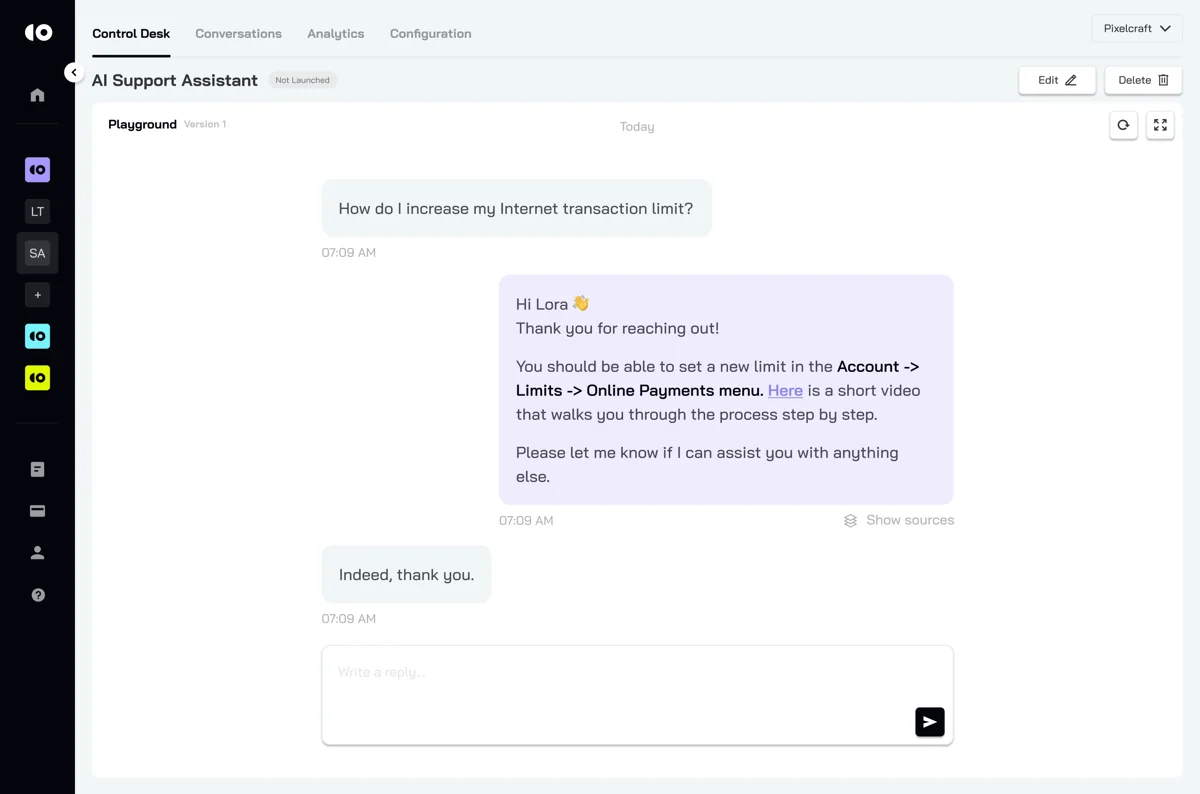
This is the headline product, a customer-facing AI agent that resolves tickets without a human in the loop. CoSupport says it can automate up to 90% of repetitive tickets, trained via an LLM-plus-retrieval setup on your docs and past correspondence, and it handles 40+ languages. When it isn't confident, it escalates, which is the right design and something every team should insist on (here's my view on AI chat escalation).
You can watch it answer in a built-in playground before you ever turn it loose on customers, which is a genuinely good habit for any AI support agent.
CoSupport Agent: the copilot for human reps
The second product is an agent-assist copilot. Instead of replying to the customer, it drafts a suggested reply (CoSupport quotes roughly 1.5-second suggestions) for a human agent to review, edit, and send. It also ships a "Text Lens" feature that highlights the important parts of a ticket, and it learns from agent feedback over time. The human always finalizes the message, which is the cautious, sensible way to start with AI before handing over full resolution. If you're weighing the two modes, my breakdown of an AI copilot for customer service covers when each makes sense.
CoSupport BI: analytics in plain English
The third product, CoSupport BI, is a natural-language analytics assistant. You ask plain-English questions about your support and company data and get answers, trends, and predictions back, delivered inside Slack or Microsoft Teams. It pulls from your CRM, docs, knowledge base, and customer correspondence. It's the most "nice to have" of the three, and it overlaps with reporting you may already get from your helpdesk, but it's a thoughtful add for leads who live in support metrics.
How CoSupport AI actually works
Under the hood, the flow is the same one most modern AI ticketing systems follow: a customer asks a question, the model retrieves the relevant facts from the data it was trained on, generates a reply, and checks its own confidence before deciding whether to answer or escalate. CoSupport's published 90-day test used a 0.85 confidence threshold before letting the AI auto-respond.
The part that decides whether this works for you is the configuration: what role the agent plays, its tone of voice, response length, and which knowledge sources it's allowed to draw on. CoSupport exposes these in a persona editor, and getting them right is most of the work of training any AI knowledge base chatbot.
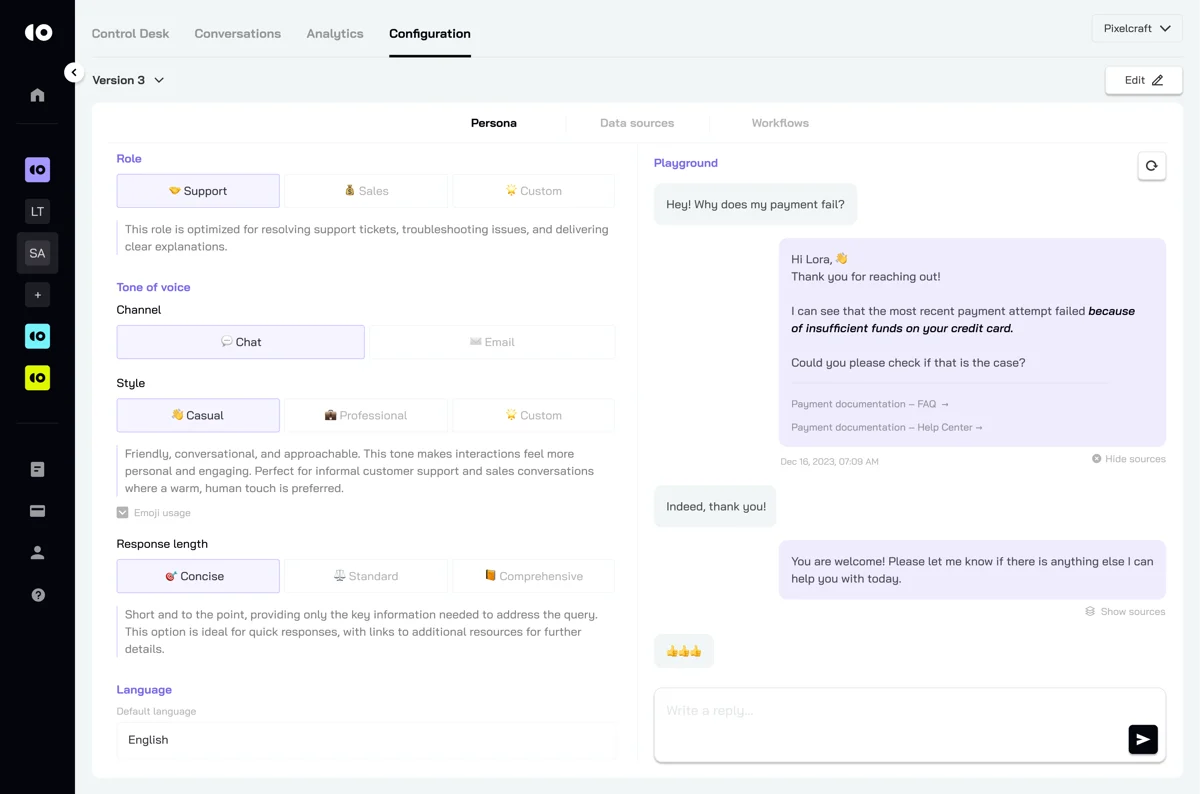
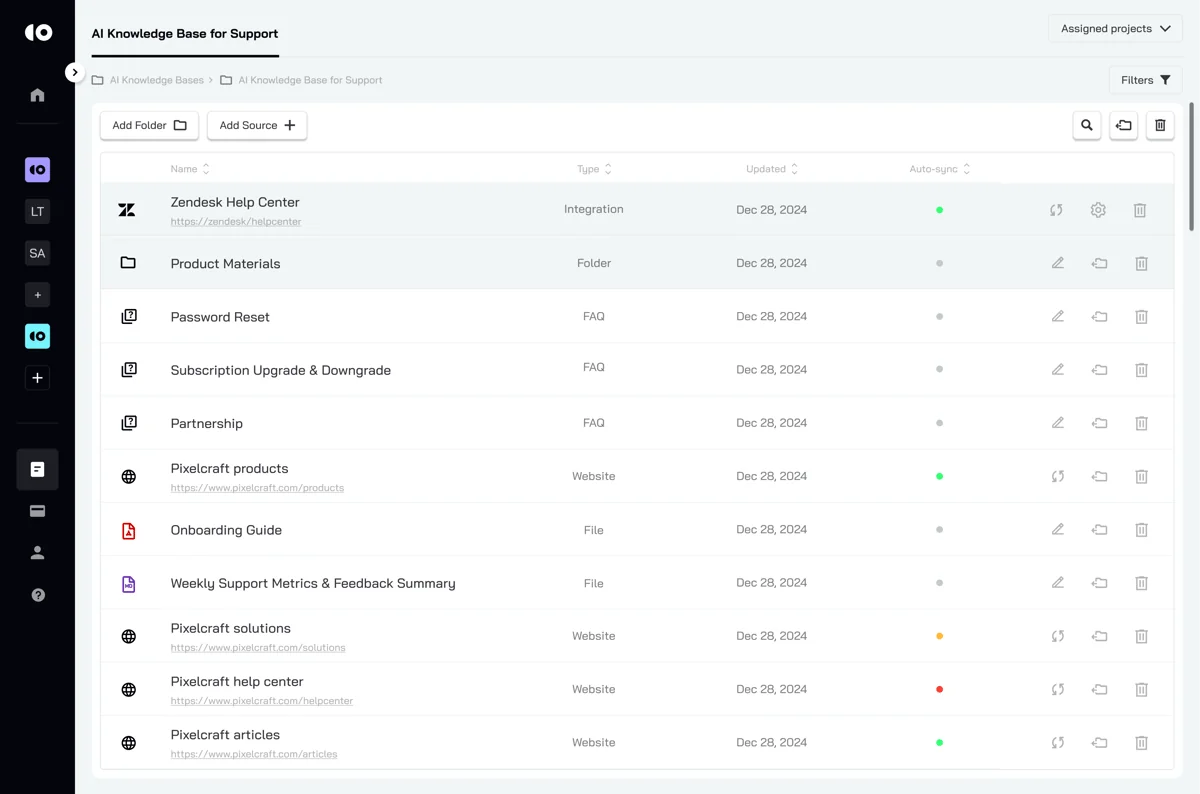
The thing CoSupport gets right here is that everything is grounded in your sources, not the open web. You can point it at a Zendesk Help Center, FAQs, websites, and files, and toggle each source on or off per agent. That source control is the single biggest lever on accuracy, far more than any model choice, and it's the same reason training AI on past tickets matters so much.
CoSupport AI pricing, in plain English
This is where you need to read carefully, because "from $99/mo" is doing a lot of work. CoSupport doesn't publish flat Starter/Pro/Enterprise tiers. Instead it offers three billing models, and your total is a one-time setup fee plus a monthly subscription, both quote-gated behind a demo request.
| Billing model | What you pay for | Entry price | The catch |
|---|---|---|---|
| Server-based | A flat monthly hosting fee for unlimited AI responses | from $99/mo | "From" is the floor; the real number is quoted |
| Resolution-based | Only the tickets the AI actually resolves (unsolved are free) | from $0.19 / resolution | Volume-discounted, so $0.19 is the best-case rate |
| Response-based | Each AI-generated reply | from $0.04 / response | A ticket can take several replies |
| Setup fee | One-time onboarding + integration build | Not published | Depends on your integrations; quote only |
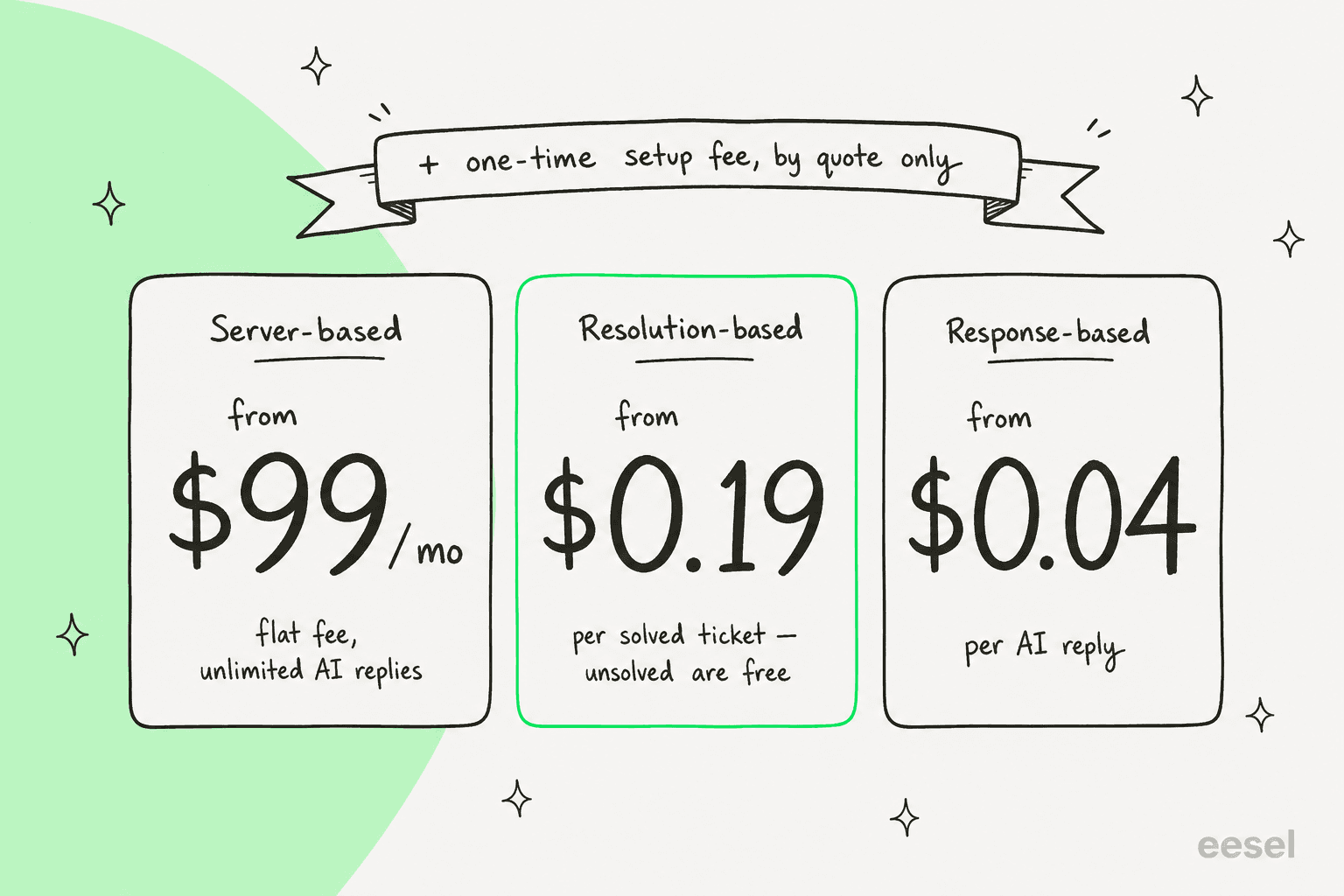
One honest wrinkle worth flagging: CoSupport's own site isn't fully consistent on the per-unit numbers. The live pricing page and its review-site profiles cite $0.19 per resolution and $0.04 per response, while one product page still cites $0.59 per ticket and $0.10 per reply. I'd treat the pricing page figures as current and confirm everything in writing on your quote.
To get a feel for which model is cheapest at your volume, plug your own numbers into the estimator below. It uses CoSupport's published floor rates, so treat it as a directional best case rather than a quote.
What jumps out when you play with it: at any real ticket volume, the per-unit models add up fast, and the flat server-based plan often looks cheapest on paper. That's the trade so many teams miss. It's also why I've come to believe that per-resolution and per-message pricing quietly create anxiety: every reply feels like a meter running, and teams start second-guessing whether to let the AI handle a ticket at all. It's a real enough problem that eesel deliberately moved away from charging per resolution when it set eesel's pricing, and you can see the broader logic in this guide to AI customer support cost savings.
What real users say about CoSupport AI
CoSupport's review scores are excellent: 4.9 out of 5 on G2 across 13 reviews, and 5.0 on Capterra across 10. The honest caveat is the sample size. Thirteen reviews on a vendor-managed profile is a real signal, but it's not the hundreds you'd lean on for a bigger AI customer service company, so read it as "early, very happy customers" rather than a settled verdict.
The praise is consistent and credible. Accuracy comes up again and again as the reason teams chose it:
"Before using Co-Support's AI Agent, we tried various chatbots from other third parties as well as the native Zendesk AI offerings. All fell short of our needs for accurate responses without hallucination… Co-Support's AI Agent checked all of those boxes for us."
Matthew B., Small-Business, G2

So does hands-on onboarding and fast, measurable wins:
"AI solutions are typically considered time-consuming and expensive. With CoSupport AI we learnt that AI tools implementation can be easy… Our most significant result of using CoSupport AI is that we cut the response time in half. 50% reduction number was achieved within days."
Verified G2 reviewer, Small-Business, G2
But the criticism is just as consistent, and it's about setup. The most-tagged complaint on G2 is difficult setup, and even happy reviewers flag it:
"The initial setup and ongoing model adjustments can be tedious and somewhat time-consuming… The Co-Support team was there every step of the way with us."
Matthew B., Small-Business, G2
That's the recurring theme: the model is accurate once it's dialed in, but dialing it in is a hands-on project with the vendor, not a same-afternoon thing. If you've got the time and want a partner to build it with you, that's a feature. If you're a stretched team that needs deflection next week, factor it in.
The accuracy claim, and what to expect in production
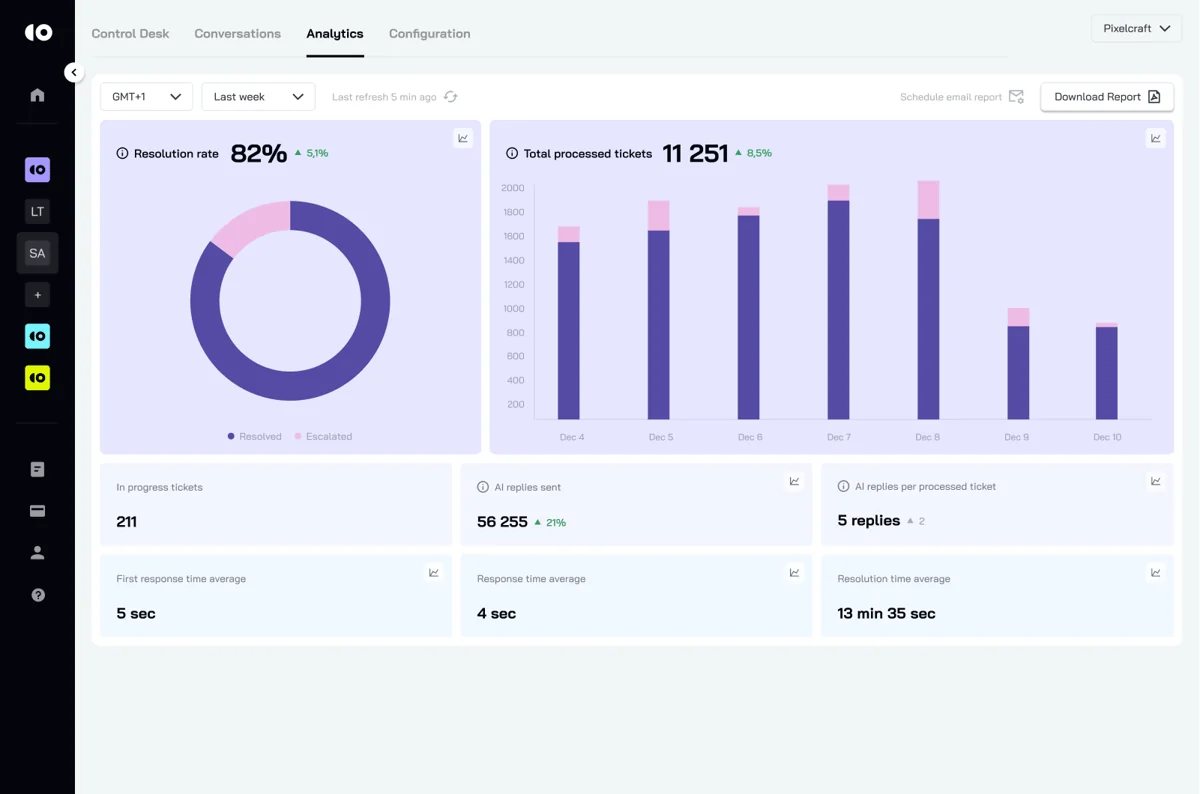
Here's the one place I'd push back on the marketing. "99% accuracy" is the kind of number that sounds great and means almost nothing without a definition. CoSupport's own published 90-day test is actually more useful and more honest than the headline: it reported around 80% resolution, response times dropping from 72 seconds to about 4, and, tellingly, an early hallucination rate in the 3-27% range that fell as the model was tuned. Real client resolution rates land around 74-85%, not 99%.
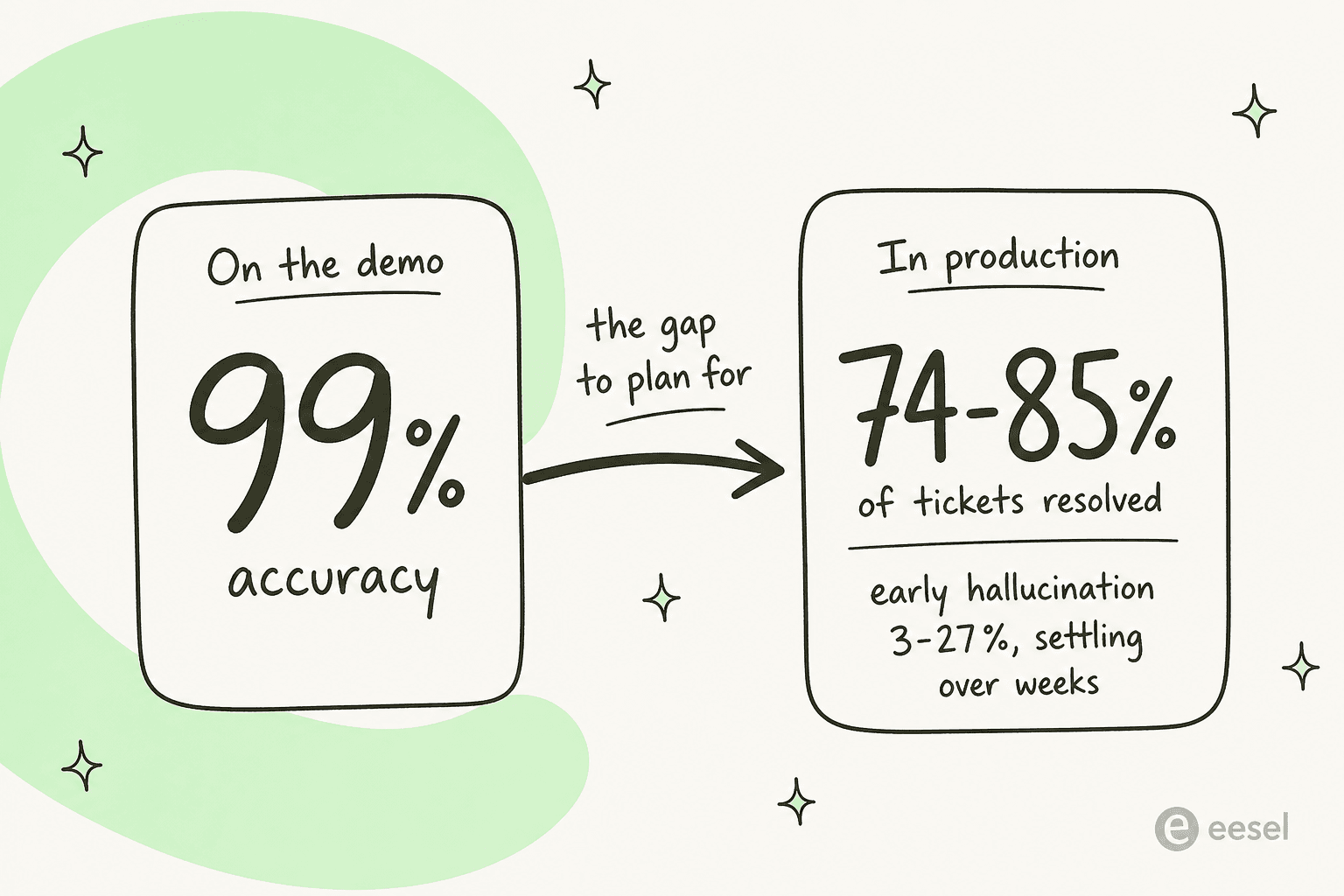
None of that is a knock on CoSupport specifically; it's the reality of every autonomous agent. I've watched a confident-sounding bot tell a customer that a product was supported when it wasn't, simply because a knowledge base said "we support all models." (That was a real rollout, anonymized: a B2B telematics team on Zendesk.) The lesson stuck: the number that matters isn't peak accuracy on a clean demo, it's how the AI behaves on your messiest real tickets, and whether you can control which tickets it's even allowed to touch, the heart of good tier-1 deflection.
As one support lead I spoke to (a DTC supplements CX lead) put it, the goal isn't an AI that answers everything: "The AI will never be able to answer 100% of the questions. I need an AI who is only handling the tickets that it's confident to handle, and all the other ones, leave them alone." That's the bar. Before you trust any vendor's accuracy claim, including CoSupport's, the question to ask on the demo is: can I test this on a few thousand of my own historical tickets and see exactly where it would have gone wrong, before a single customer is affected?
So, is CoSupport AI worth it?
CoSupport AI is a real, capable product, and the accuracy-first framing is the right one for support. It's a strong fit if you want a vendor to hand-build and tune a custom model for you, you have someone who can own a multi-week onboarding, and a sales-led, quote-based motion doesn't bother you. The named results (a dental SaaS resolving ~74% of tickets, another team automating ~80%) are believable for that kind of guided rollout.
Where I'd look elsewhere: if you're a small or stretched team that wants to self-serve and go live fast, if you want to know your cost up front without a demo, or if per-resolution billing makes you nervous about a meter running on every reply. Those aren't flaws so much as a different philosophy about how AI support should be bought.
Try eesel for AI support you can test first
If the CoSupport rollout sounds heavier than you want, eesel AI is built around the opposite default. It's an AI support agent that plugs into the helpdesk you already use (Zendesk, Freshdesk, Gorgias, Help Scout, Slack and more), trains itself on your past tickets and docs, and you can set it up yourself in minutes instead of booking a sales call.
The piece I'd point a careful buyer to: eesel lets you run a simulation on thousands of your historical tickets before going live, so you see the real resolution rate and exactly how it would have replied, no guessing from a polished demo. You also stay in control of which tickets it answers, and pricing is transparent and predictable, with no per-resolution meter. It's the "test it on my own messy reality first" approach this whole post keeps coming back to. You can try eesel free.

Frequently Asked Questions
What is CoSupport AI?
CoSupport AI is an AI customer support platform that trains a custom model on your historical tickets and docs to resolve customer requests across chat, email, and your helpdesk. It sells three products: an autonomous agent, an agent-assist copilot, and a business-intelligence assistant.
How much does CoSupport AI cost?
CoSupport AI pricing starts at $99/month for the server-based plan, with resolution-based ($0.19+ per solved ticket) and response-based ($0.04+ per reply) models as alternatives. There's also a one-time setup fee, and every real number is quote-gated behind a demo. For a deeper look at how to budget AI support, see this guide to AI customer support cost savings.
Does CoSupport AI hallucinate or give wrong answers?
CoSupport AI claims 99% accuracy and uses a patented multi-model architecture to limit hallucinations, but its own testing showed an early hallucination range before fine-tuning settled it down. Any autonomous agent needs guardrails, which is the focus of this full guide on preventing AI hallucinations in support.
What helpdesks does CoSupport AI integrate with?
CoSupport AI integrates with Zendesk, Freshdesk, Zoho, Salesforce, Shopify, Stripe, Slack, and Microsoft Teams, plus a custom API. If you're on Zendesk specifically, this Zendesk AI agents guide walks through setup and costs.
Does CoSupport AI have a free trial?
Yes, CoSupport AI offers a free trial and a no-cost 30-day pilot, but you have to request a demo to start one, rather than signing up self-serve. If you'd rather test on your own data immediately, tools like eesel AI let you self-serve and simulate against past tickets before going live.
What are the best CoSupport AI alternatives?
The main CoSupport AI alternatives are other AI customer service companies that resolve tickets on your existing helpdesk, including eesel AI. The right pick usually comes down to setup speed, pricing model, and how much control you get over which tickets the AI answers, which you can read more about in this take on AI for tier-1 deflection.
How long does CoSupport AI take to set up?
CoSupport AI says go-live takes days to a few weeks depending on integrations, and its own reviewers describe setup as hands-on but time-consuming. If fast time-to-value matters, compare it against a self-serve AI customer service workflow you can configure yourself.


Article by
Riellvriany Indriawan
Riell is a designer and writer at eesel AI with about two years of experience researching CX platforms, AI chatbots, and helpdesk software. She combines her design background with a sharp eye for how these tools actually look and feel in practice — making her comparisons unusually visual and user-focused.