What is Cloudflare Clef?
Clef and Clef-flash are the first models trained by Cloudflare's own Workers AI team, announced in the Clef changelog entry and a launch post by Michelle Chen during Birthday Week. They belong to a category that barely existed a month earlier: the decision model, popularized by TypeSafe Jev in September.
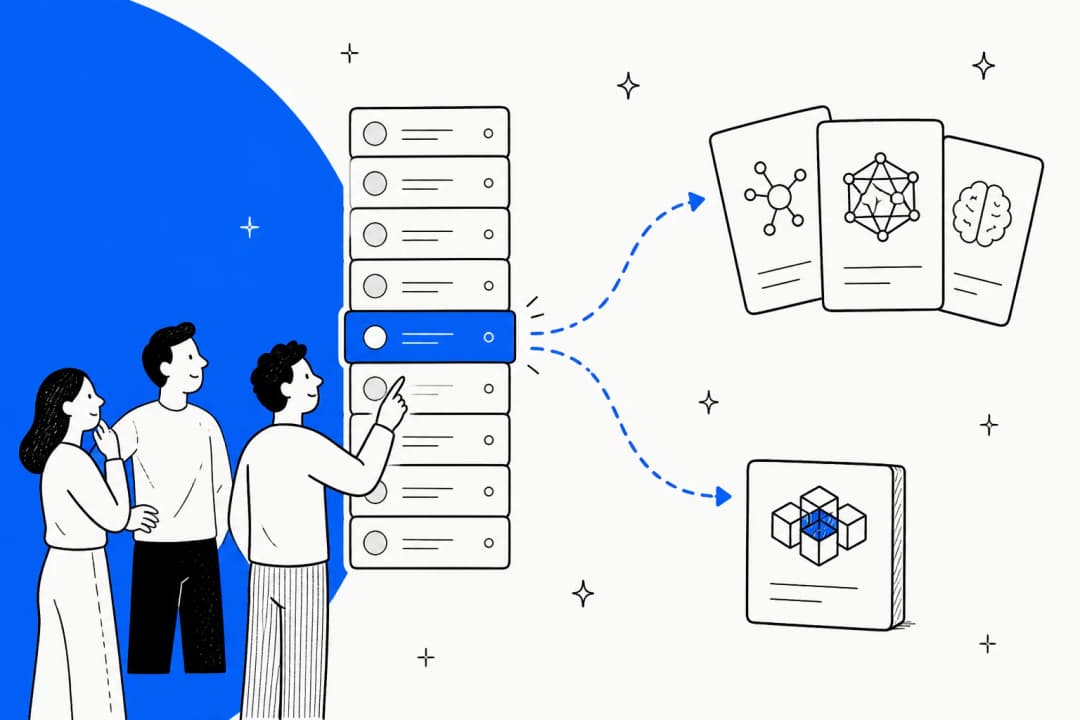
A decision model is a classifier you configure at request time. Instead of training a model on your labels, you describe the labels in the request ("billing: payments, invoices and refunds") and the model scores each one. Cloudflare describes the output as "a probability for every allowed answer", and that's literally all you get back. No paragraph, no reasoning trace, no JSON you have to validate. If you're new to the category, my colleague's decision models explainer compares Jev, Clef, Strands Decider and the OpenAI Decisions API side by side.
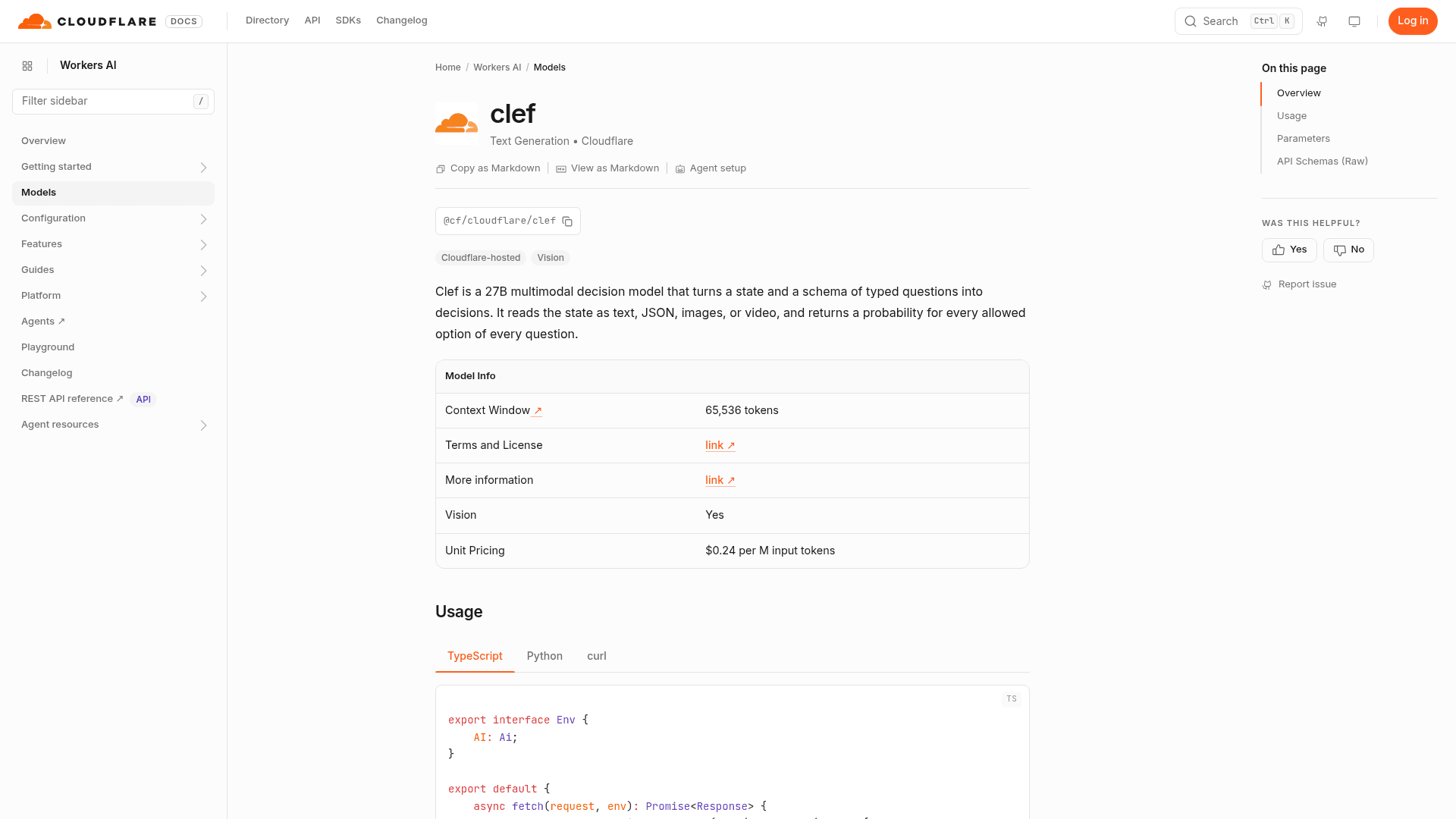
Three things set Clef apart from Jev at launch, per Cloudflare's own comparison:
- Vision. Clef has a vision encoder and accepts up to 4 images per request. Jev reads text only.
- A bigger window. 64K tokens of hosted context versus Jev's 32K, and the weights were trained for 256K.
- Open weights. Both models are on Hugging Face under Apache 2.0. Jev's weights are not public.
It's also Cloudflare's second AI launch of note in two months, after the Kitesurf browser engine in August.
I build agent features at eesel, and the step that looks most like Clef is the one that happens before anyone writes a word: deciding what a ticket is and where it goes. I've spent a lot of time on that step, and here's the part that surprised me. The routing questions real teams want answered are rarely just "which team". On one sales call, a support lead at a public-sector IT services company running about 3,000 Freshdesk tickets a month asked for AI that would flag tickets from accounts created in the last two months as likely untrained users, and push anything likely to take more than 20 minutes toward a paid-services path. That is three typed questions: a yes/no, a yes/no and a score. It's exactly the shape Clef was built for, which is why I think it's worth understanding properly.
How does a decision model like Clef work?
Every Clef call has the same two inputs. state is the thing you want judged: a string, or structured data like a chat log or an order record. questions is a map of 1 to 64 named questions, each with one of three types:
| Type | What you ask | What comes back |
|---|---|---|
noul | A yes/no question | The probability the answer is true |
choice | Pick one of 2 to 26 options you define | The pick, a probability per option, and a confidence value |
score | Rate on an ordered rubric of 2 to 26 levels | A probability-weighted score, a legend, and per-level probabilities |
Here's the worked example from the Ollama model page, with the real numbers it returns for a double-charge ticket:
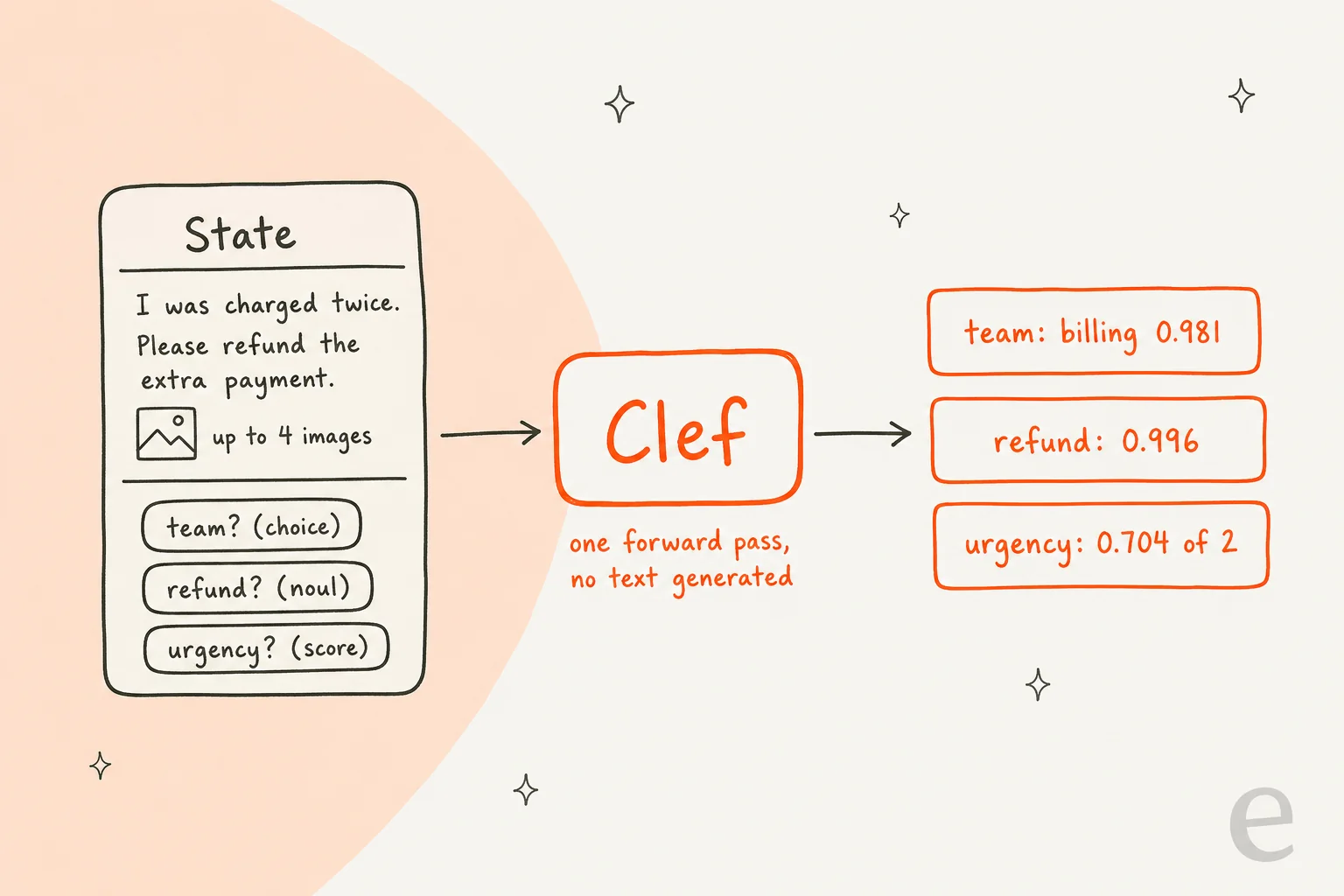
Under the hood, Clef is not generating those numbers token by token. Per the Hugging Face card, it runs a frozen Qwen backbone (Qwen3.8-27B for Clef, Qwen3.5-9B for Clef-flash) in a single prefill pass, then a small "joint schema head" reads the final hidden states, routes evidence from the state to each question, and scores every option of every question at once. Cloudflare trained that head alongside rank-256 low-rank adapters, using a Brier loss to tune how well the probabilities are calibrated, plus a reinforcement learning step it calls RLCD (Reinforcement Learning for Calibrated Decisions). Because nothing is generated autoregressively, the answer arrives in one forward pass, which is where the speed comes from.
One detail in the docs is worth reading twice. On a choice or score answer, confidence "runs from 0 to 1 and shows how concentrated the probabilities are. It isn't the chance that the answer is right." In the example above, the urgency score came back with a confidence of just 0.071, because the probabilities were spread across all three levels. And if two options tie, the answer follows your option order, so put the safer default first.
That calibration point is the whole ballgame for routing. A Hacker News commenter put it better than I can:
"for production routing, you almost always want to threshold on confidence ('auto-handle above 0.9, route to a human below'), and that only works if the probabilities mean what they say. A 96% model with overconfident outputs is operationally worse than a 94% model with honest ones."

If you're setting those cutoffs for the first time, the guide to setting confidence thresholds walks through the tradeoffs.
Clef vs Clef-flash: what's the difference?
Same API, same price structure, same 64K hosted window, same vision support. The difference is size, and in Cloudflare's own numbers, the smaller model is not simply a worse copy of the bigger one.
| Clef | Clef-flash | |
|---|---|---|
| Model ID | @cf/cloudflare/clef | @cf/cloudflare/clef-flash |
| Parameters | 27B | 9B |
| Base model | Qwen3.8-27B | Qwen3.5-9B |
| Cloudflare's label | "Highest-precision decisions" | "Latency-critical, hot-path decisions" |
| Median / p95 latency | 209.3 ms / 238.6 ms | 38.8 ms / 122.4 ms |
| Input price | $0.24 per M tokens | $0.09 per M tokens |
| BANKING77 (77 bank intents) | 94.2 | 90.9 |
| CLINC150 + out-of-scope | 97.4 | 66.8 |
| RAGTruth (hallucination F1) | 79.4 | 35.6 |
| Home appliances (tool calls) | 83.0 | 97.7 |
| Customer service workflow | 76.3 | 77.0 |
Two rows matter most for support work. CLINC150 has 150 intents plus out-of-scope examples, and Clef-flash falls to 66.8 there while Clef holds 97.4. So once your option list gets long, or "none of these" is a common right answer, the bigger model earns its 5x latency. RAGTruth tests whether an answer is grounded in its source, and Clef-flash scores 35.6 against Clef's 79.4. If you want a model to check AI-drafted replies against your help center (one of the better hallucination checks you can add), use Clef, not Clef-flash.
On the other hand, on TypeSafe's customer service workflow eval the two land within a point of each other, and Clef-flash wins several tool-calling sets outright. For a classic triage schema (urgent or not, five teams, a severity scale), Clef-flash is the sensible default. Not sure which side of that line you're on? Pick what you're deciding:
Clef, Clef-flash, or neither?
Pick the decision you need to make. Scores are Cloudflare's own benchmark runs.
Choose an option to see the pick.
How do you run Cloudflare Clef?
There are four ways in, and they all accept the same request body (Cloudflare's docs call it the System One API, the one Jev introduced). That means code written against Jev mostly works unchanged.
1. Workers AI binding
If your code already runs on Cloudflare Workers, add an AI binding and call the model directly. This is the lowest-latency path, since the request never leaves Cloudflare's network:
const response = await env.AI.run("@cf/cloudflare/clef-flash", {
  model: "clef-flash",
  state: "Checkout has been failing for every customer for the last hour.",
  questions: {
    urgent: { type: "noul", instructions: "Is this support request urgent?" },
    team: {
      type: "choice",
      instructions: "Which team should handle this request?",
      criteria: {
        billing: "Payments, invoices, and refunds",
        technical: "Outages, errors, and configuration",
        sales: "Plans and upgrades",
      },
    },
  },
});
// response.answers.urgent.noul  -> probability the request is urgent
// response.answers.team.choice  -> highest-probability team
2. REST API
From anywhere else, POST the same body to https://api.cloudflare.com/client/v4/accounts/$ACCOUNT_ID/ai/run/@cf/cloudflare/clef with a bearer token. Cloudflare also supports routing these calls through AI Gateway, which gives you logging and, later, the dataset for fine-tuning. If you're calling Clef from a helpdesk webhook, this is the path you'll use, and the AI helpdesk API post covers the plumbing on the helpdesk side.
3. Ollama, on your own machine
Clef runs locally on Ollama 0.35.1 or later. ollama pull clef fetches an 18GB build with a 256K context window, four times what the hosted version allows. You call it at http://localhost:11434/v1/systemone. One catch: decision models aren't in the Ollama CLI or its Python and JavaScript libraries yet, so you call the HTTP endpoint or point TypeSafe's Python SDK at your local server.
4. Hugging Face weights
For full control, pull Cloudflare/clef or Cloudflare/clef-flash with snapshot_download and load them with the bundled joint_schema_model.py. Cloudflare says it tested on a single NVIDIA H200 with torch 2.11 and transformers 5.10.2. Watch the defaults: encode_record caps input at 16,384 tokens unless you raise max_length.
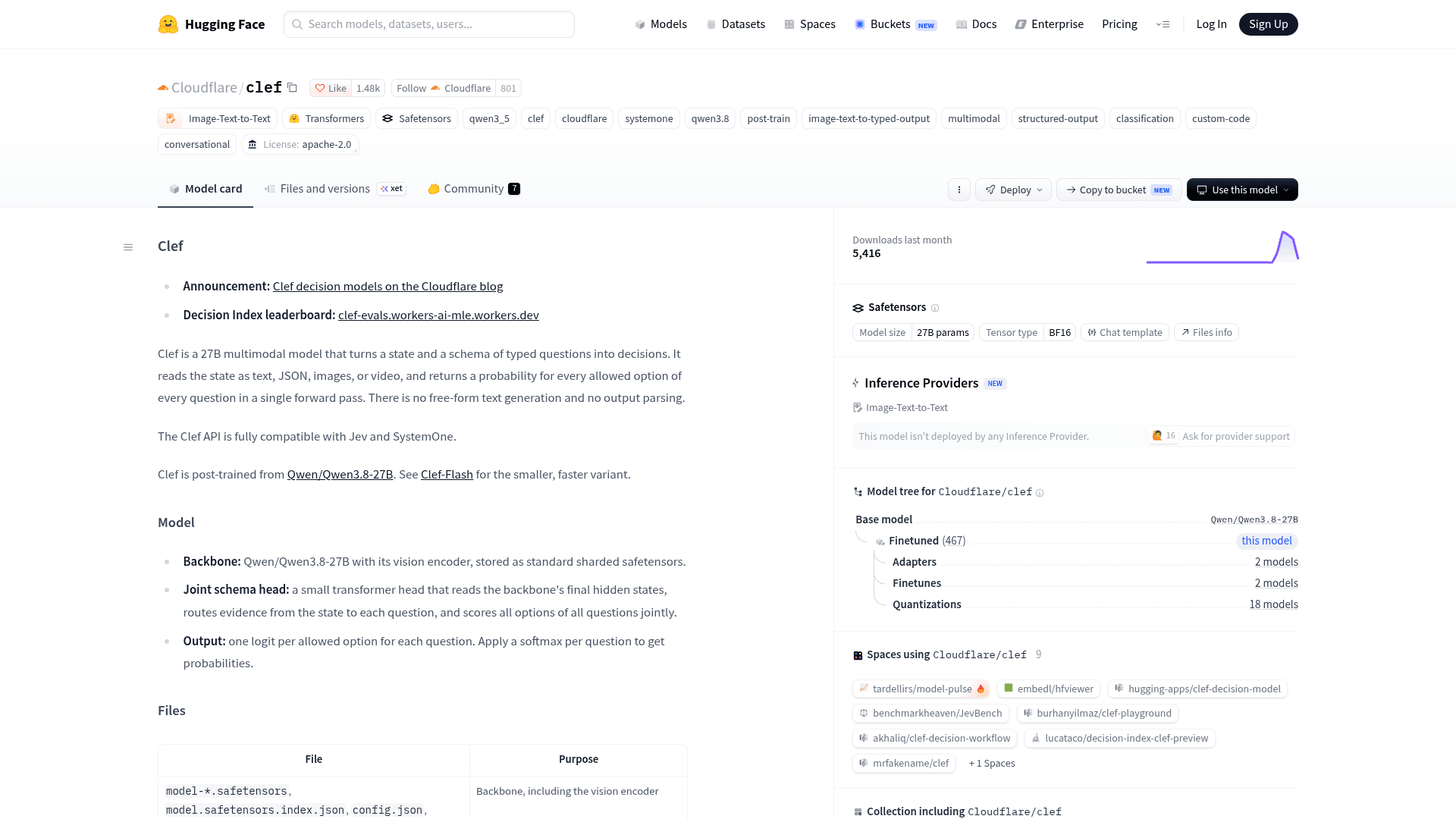
The card showed 5,416 downloads in its first month and 18 community quantizations when I checked. Because Clef is a Qwen fine-tune, the Qwen pricing guide is useful context if you're weighing hosted versus self-run. And if you're coming from Jev, the Jev alternatives roundup covers the other open options.
How fast and accurate is Clef?
Speed is the headline. Across 43 benchmark runs, Cloudflare reports Clef at 2.5x faster than Jev at the median and Clef-flash at 13x faster:
| Latency | Clef | Clef-flash | Jev |
|---|---|---|---|
| Median | 209.3 ms | 38.8 ms | 524.1 ms |
| p95 | 238.6 ms | 122.4 ms | 536.0 ms |
For context, Cloudflare's own threat intelligence team used Clef with Browser Run to fetch, render and classify a website in 2.2 seconds, against 4.7 seconds for gpt-oss-120b in the same workflow. The Jev ultrafast test digs into Jev's side of the speed story.
On accuracy, the picture is mixed in a useful way. Clef leads on most classification-style sets and trails Jev on reasoning-heavy ones:
| Benchmark | Clef | Clef-flash | Jev |
|---|---|---|---|
| BFCL (tool calls) | 98.47 | 98.76 | 95.75 |
| BANKING77 | 94.20 | 90.93 | 79.74 |
| CLINC150 + OOS | 97.43 | 66.77 | 89.27 |
| When2Call | 72.37 | 65.58 | 80.97 |
| GPQA Diamond | 48.0 | 51.0 | 78.3 |
Cloudflare also says Clef is "currently the leader" on the Jev Decision Index, the community leaderboard on Hugging Face Spaces. Read the fine print on that claim. The 61.2 score (Jev: 57.9, Clef-flash: 57.1) appears on Cloudflare's own copy of the board at clef-evals, where both Clef entries are marked self-reported and not reproduced upstream. They skipped two index benchmarks, which score 0 by rule, and latency was measured on Cloudflare's serving stack rather than the reference GPU.
Early hands-on reports are mixed, which is what you'd expect from a week-old model. One developer who had Jev doing chat moderation tried Clef in the same slot:
"Clef was 2-3x slower and worse (it caught less hate speech) than Jev. Overall disappointing."
Another commenter raised the broader worry about every Jev challenger:
"most of the ones that are supposedly on jev level end up playing a terrible game, showing that they are very narrow."
My takeaway: the benchmarks tell you where to start testing, not what to ship. Label 500 of your own tickets, run them through both Clef models and Jev, and compare. At these prices, the whole test costs less than a coffee.
What are Clef's limits?
None of these are dealbreakers, but each one has caught someone out already:
- Hosted context is 64K. The weights handle 256K on Ollama, but Workers AI caps at 65,536 tokens, and the docs say long text state "is truncated to fit the model's token limit." Truncation is silent, so summarize long threads first.
- Images must be embedded. Up to 4 PNG, JPEG or WebP images, 4 MiB and 16 megapixels each, 8 MiB decoded in total, 13 MiB per request. Remote URLs are not accepted.
- There's no "I don't know". Every question returns a distribution over your options. If you want an escape hatch, add an explicit "other" option, which is what the Ollama examples do.
- Rate limits aren't named. The Workers AI limits page doesn't list Clef. Its model pages are tagged Text Generation, which defaults to 300 requests per minute, but that's my inference, not a stated limit. Load test before you put it in a hot path.
- Open weights, not open source. The license is Apache 2.0, but the training data and pipeline aren't published, so you can't reproduce the model from scratch.
- Fine-tuning is a conversation, not a product yet. Cloudflare's RL fine-tuning starts as a hands-on engagement with its forward-deployed engineers through an interest form. Self-serve is promised later, with no date or price.
How much does Cloudflare Clef cost?
The short version: input tokens only. Clef is $0.24 per million input tokens, Clef-flash is $0.09, and neither lists an output price, because the answer is a handful of probabilities rather than generated text. Every account gets 10,000 free neurons a day on Workers AI pricing, which works out to roughly 900 short Clef decisions or 2,400 Clef-flash decisions daily.
Per token, that's about 5.7x Jev's price of $0.042. Per decision it's still a fraction of a cent, and far below a frontier model like those in my colleague's GPT-5.6 pricing breakdown. The full worked numbers, the free-tier gotchas and a cost calculator are in the Cloudflare Clef pricing guide, so I won't repeat them here.
Who should use Cloudflare Clef?
Clef makes the most sense if you are:
- An engineering team building your own routing layer. If you already write the code that moves tickets, Clef-flash gives you typed labels in under 40 ms for cents per thousand calls.
- Already on Cloudflare. The Workers binding keeps the call inside the network you already pay for, on one bill.
- Classifying images. Screenshots, receipts and photos of damaged products are where Clef's vision encoder beats text-only Jev, which matters for ecommerce ticket tagging.
- Under data residency constraints. Apache 2.0 weights mean you can run it on your own hardware and keep tickets in your network. On the hosted side, Cloudflare says it doesn't read, store or train on your requests unless you opt into fine-tuning.
- Gating an AI agent's actions. Cloudflare's own example is a tool call moderation check, "Could this tool call cause harm?", answered in tens of milliseconds before the tool runs.
Skip it if your categories never change (a small classifier trained on your own data will be faster still), if the decision needs real reasoning (use an LLM), or if nobody on your team wants to own the code that acts on the label. That last group is bigger than people admit.
How Clef fits into support ticket triage and routing
Support triage is the first use case on Cloudflare's list: "Decide whether a ticket is urgent and which team owns it, then route it without a human in the loop." Here's what that pipeline looks like in practice, and where the decision model's job ends:
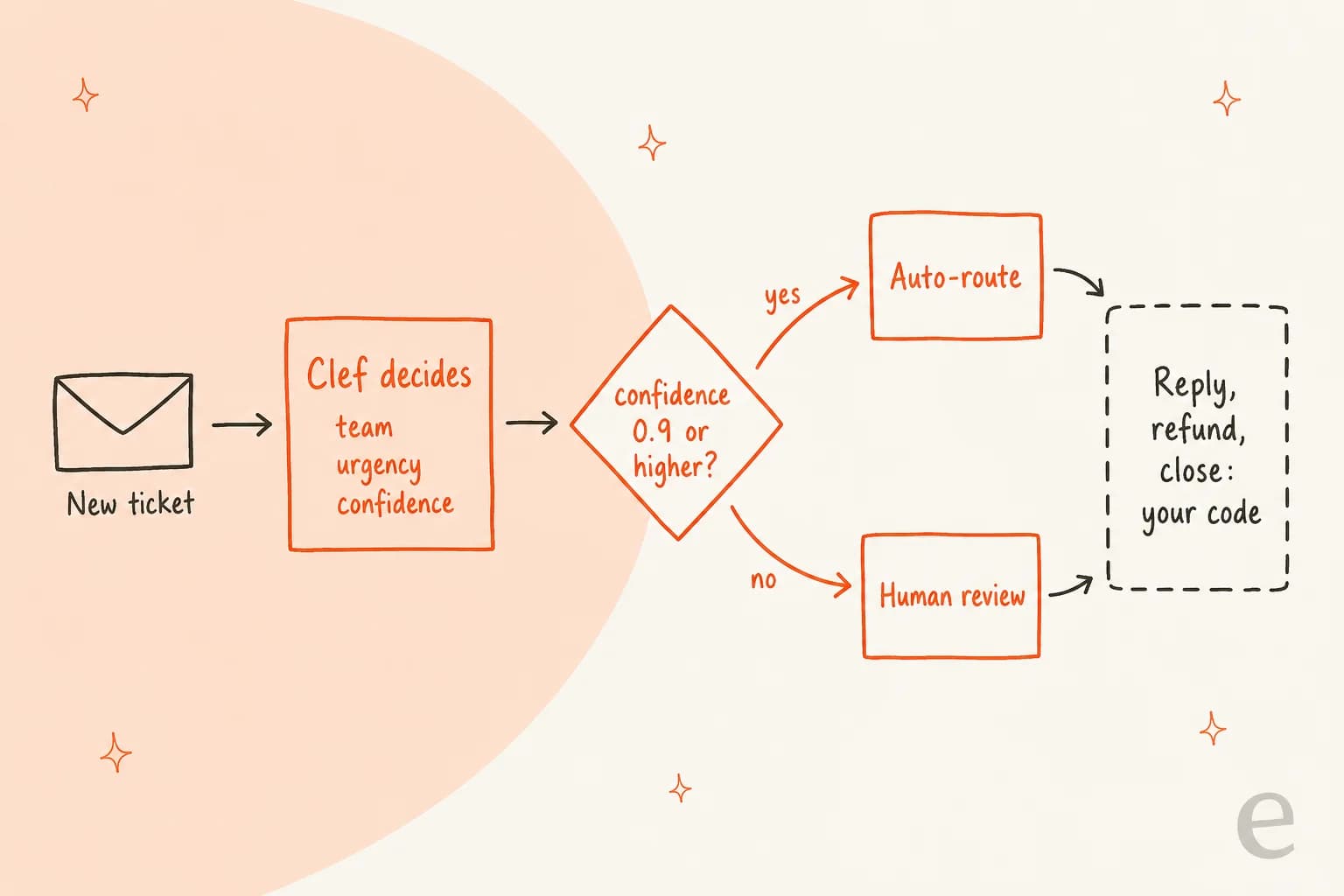
Take the IT services lead from earlier. In Clef terms, their request maps cleanly onto one call: new_user as a noul ("Was this account created in the last two months?", with the account age in state), long_job as a noul ("Will this take more than 20 minutes?"), and team as a choice. Clef can answer all three in one pass for a fraction of a cent. What it can't do is everything in the dashed box: move the ticket in Freshdesk, write the paid-services offer, and handle the case where the probabilities come back at 0.55.
That gap is where the effort lives. In one real-traffic trial on an e-commerce Zendesk inbox, the AI triage step hit 93% accuracy and caught 100% of spam, while drafted replies still carried a 7% factual error rate. Classification was the reliable part. A Reddit commenter in an MSP thread named the same worry from the other side:
"Classification demos are usually clean, but production tickets often contain missing context, conflicting details and edge cases"

If you do build it yourself, a few habits help. Keep state short (subject plus the first customer message is usually enough; these triage prompt templates show how to boil a thread down). Always include an "other" option. Route anything below your threshold to a human queue rather than the most likely team. And log every decision so you can measure it. The ticket triage automation guide has the full build walkthrough.
Each of those steps has its own depth. The basics of AI ticket classification explain why labels drift as your product changes. Once the labels are good, intelligent routing decides who sees what. And the low-confidence pile needs a plan of its own, which is what an AI escalation setup handles.
You may not need to build anything, though. Zendesk ships native AI triage, with its own intent confidence thresholds to tune. Freshdesk has auto triage built in too.
For a broader comparison, see the best AI for ticket triage roundup. SaaS teams with product-specific queues should also read the guide to AI ticket routing. Whichever route you take, compare the build cost against what an AI support agent costs when the replies are included.
eesel for the decision and the work after it
Clef is infrastructure. eesel is the employee. eesel is an AI teammate platform, and the teammate that matters here is the AI helpdesk teammate. It joins your Zendesk, Freshdesk, Gorgias or Front queue, learns from your past tickets and help center, and makes the same calls Clef makes (is this urgent, which team, can I answer it confidently) as part of handling the ticket. Then it acts: tags, routes, drafts, resolves, or hands off. Actions you mark as ask-first wait in an activity feed until someone approves them, and before any of it goes live I'd simulate the setup against your historical tickets, which is how every eesel rollout starts.

If Clef appeals to you because it's programmable, the eesel CLI is the part to look at. It's the same teammate as the dashboard, driven from a terminal, and every command prints JSON, so a script or a coding agent like Claude Code, Cursor or Codex can run a whole setup. A quick tour of what that looks like for triage:
npx @eesel/cli init chat-bubble --site <url>starts a free workspace with no account (Node 18.17+).eesel integrationsconnects your helpdesk and lists the actions the teammate can take there.eesel instructionssets standing rules in plain language, like "only reply when you're confident; otherwise tag and assign to tier 2."eesel automations enable <platform> <key> --instructions "..."wires up tagging and routing.eesel approvals listandeesel approvals approve <id>clear held actions from a script, and--dry-runpreviews a write before it happens.
Changes sync both ways with the dashboard, and the workspace also works as an MCP server (eesel mcp token prints the claude mcp add line). My colleague's AI agent CLI post goes deeper.
The pricing unit is different from Clef's because it buys a different thing. eesel pricing starts with 100 free credits, then fixed monthly plans from $299 for 500 credits, where one credit covers a whole ticket or chat however many actions it takes. That makes the AI vs human cost comparison easy to run. If you want to build the triage layer yourself, Clef-flash is a great component. If you want tickets triaged and answered this week, Try eesel on your own queue and read the drafts before you pay anything.
Frequently Asked Questions
What is Cloudflare Clef?
Cloudflare Clef is a family of open-weight decision models that Cloudflare launched on Workers AI on October 1, 2026. You send it a piece of state plus up to 64 typed questions, and it returns a probability for every allowed answer instead of generated text. My decision models explainer covers the wider category.
What is the difference between Clef and Clef-flash?
Clef is the 27B model built on Qwen3.8-27B, and Clef-flash is the 9B model built on Qwen3.5-9B. In Cloudflare's tests Clef-flash answers in 38.8 ms at the median versus 209.3 ms for Clef, while Clef holds up far better on long intent lists like CLINC150 (97.43 vs 66.77). For short ticket triage schemas, start with Clef-flash.
Is Cloudflare Clef open source?
The weights for both models are published on Hugging Face under the Apache 2.0 license, so you can download, run and fine-tune them. The training data and pipeline are not published, so it is more accurate to call Cloudflare Clef open weights. If you are comparing self-hostable options, see the Jev alternatives roundup.
How do I use Cloudflare Clef on Workers AI?
Call env.AI.run("@cf/cloudflare/clef", {...}) from a Worker with an AI binding, or POST to the /ai/run/@cf/cloudflare/clef REST endpoint with an API token. The body needs a model, a state and a questions map. Teams wiring this into a helpdesk usually start with the ticket triage automation steps.
Is Cloudflare Clef better than Jev?
On Cloudflare's own benchmark run, Clef leads on 7 of 10 highlighted decision benchmarks and on Cloudflare's self-reported Decision Index (61.2 vs Jev's 57.9). Jev still wins on harder reasoning sets like GPQA Diamond and on When2Call. Test both on your own labels; the Jev review covers its side.
Can I run Cloudflare Clef locally with Ollama?
Yes. Run ollama pull clef on Ollama 0.35.1 or later and call the /v1/systemone endpoint. The Clef build is an 18GB download with a 256K context window. Decision models are not in the Ollama CLI or client libraries yet, so you call the API directly. Running open models on Hugging Face is the other route.
Can Cloudflare Clef route customer support tickets?
Yes, support triage is the first use case Cloudflare lists: ask whether a ticket is urgent and which team owns it, then route on the probabilities. Clef only returns the decision, so your code still has to act on it. An AI helpdesk agent like eesel makes the routing call and then drafts, tags or resolves inside the helpdesk.
How much does Cloudflare Clef cost?
Clef is $0.24 per million input tokens and Clef-flash is $0.09, with no output price listed, and every Workers AI account gets 10,000 free neurons a day. The full breakdown, with a calculator, is in my colleague's Cloudflare Clef pricing guide.


Article by
Kira
Kira is a writer at eesel AI with a Computer Science background and over a year of hands-on experience evaluating AI-powered customer service tools. She focuses on breaking down how helpdesk platforms and AI agents actually work so that support teams can make better buying decisions.