

llama.cpp v1.0.0 shipped on November 13, 2026, and the headline is a promise, not a speed jump: a breaking change to the public C API now means a major version bump. That matters most if you build on libllama. Server users will feel security first: llama-server now refuses to expose tools on a network address without an API key. Install it with one line from llama.app, or use the new 1 MB Llama app. Want AI on your support queue instead? eesel runs it on hosted models, and the eesel CLI lets a coding agent upload help articles and test answers first.
What is llama.cpp?
llama.cpp is an open-source engine that runs large language models and vision models on your own hardware, written in plain C/C++ with no dependencies. The README describes the goal as LLM inference "with minimal setup and state-of-the-art performance on a wide range of hardware", locally and in the cloud.
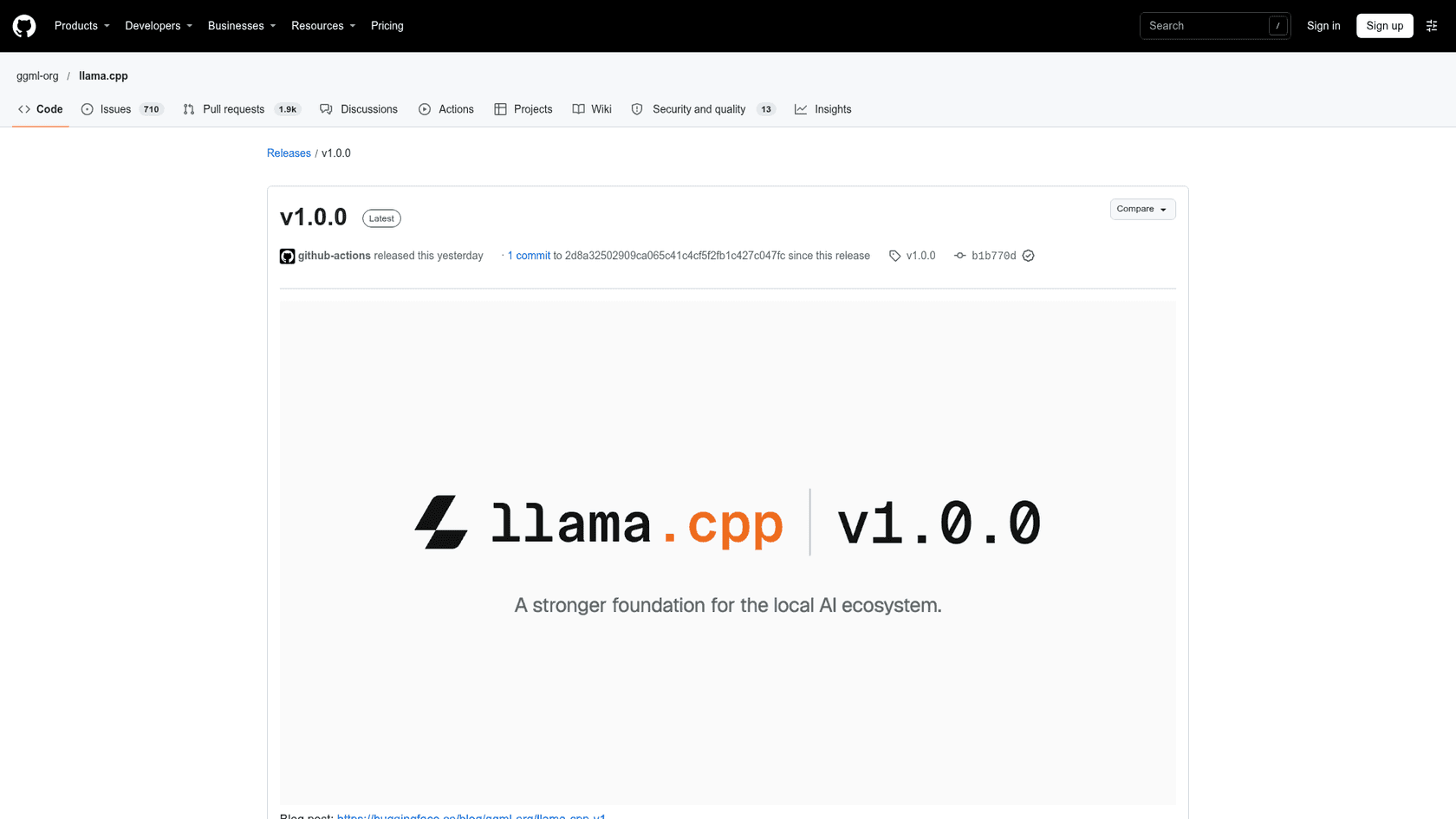
A few numbers give the scale. The GitHub repo sits at 135,055 stars and 25,608 forks under the MIT license, it was created on March 10, 2023, and the v1.0 announcement says it now supports more than 150 model architecture variants. The project is run by ggml-org, the team led by Georgi Gerganov that sits inside Hugging Face.
I build integrations and APIs for eesel's product, so I care less about the launch banner and more about what a version number does to the code that depends on it. That's the lens for this whole post. I read the release notes, the versioning policy and the pull requests behind the changes; I didn't benchmark it on my own machine, so speed claims below come from the maintainers' own numbers.
The core engine underneath is ggml, a tensor library with backends for nearly every chip you can name:
| Backend | Runs on |
|---|---|
| Metal | Apple Silicon |
| CUDA | NVIDIA GPUs |
| HIP | AMD GPUs |
| Vulkan | Most GPUs |
| SYCL | Intel GPUs |
| OpenCL | Qualcomm Adreno GPUs |
| Hexagon | Snapdragon |
| CANN | Huawei Ascend NPUs |
| WebGPU | Browsers and any WebGPU device |
| CPU (AVX, NEON, RVV) | x86, Arm and RISC-V |
That reach is why so many local AI tools sit on top of it. If you've used a desktop chat app for open models, there's a good chance llama.cpp was doing the work. It's also why open-weight models like Gemma 4 and Qwen3.8-Flash-Next usually ship GGUF files, the llama.cpp model format, on day one.
What does the v1.0 label actually promise?
It promises stable boundaries, not new features. In the announcement on Hugging Face, the team says both llama.cpp and ggml "will reflect API and ABI incompatibilities with major-version bumps." The rules now apply to every ggml-org project:
| Version bump | When it happens |
|---|---|
| Major (2.0.0) | Breaking change to the public C API in ./include |
| Minor (1.1.0) | Backward-compatible feature, backend update, new model support or API addition |
| Patch (1.0.1) | Bug fix with no API change |
Here's the part most coverage skips: the promise covers the public C headers, libllama and libggml. It says nothing about llama-server command-line flags, the web UI, or the desktop app. That distinction decides whether v1.0 changes anything for you.
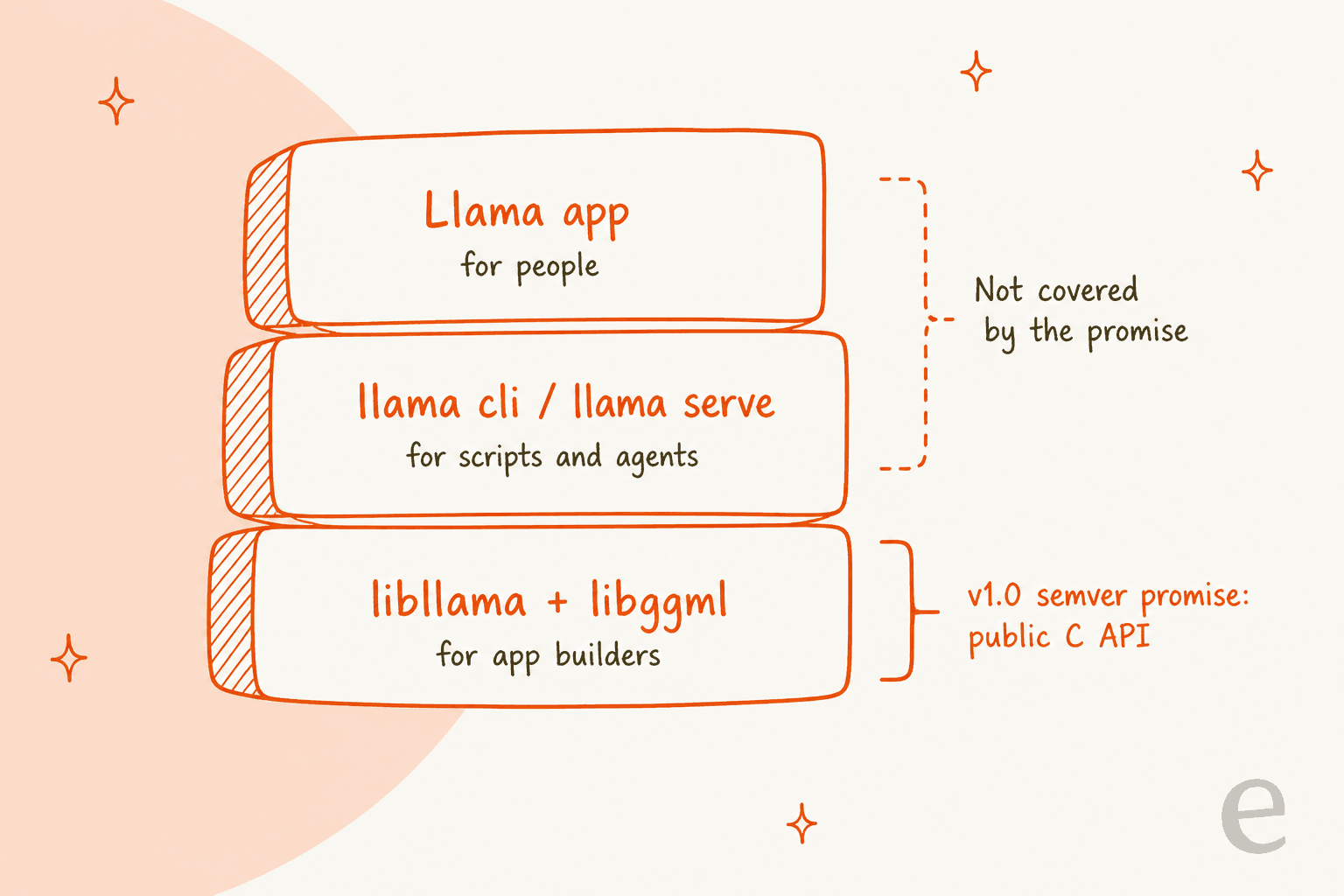
If you embed llama.cpp in an app, this is the release you've wanted for three years. Packagers wanted it too. In the versioning discussion, a commenter packaging it for Debian wrote that semantic versioning will "allow us in Debian to ship it as a library in public search paths," because breaking changes can now be signalled with library version bumps. That's how llama.cpp stops being something you vendor into your repo and starts being a system library.
If you only run models through a server or an app, v1.0 is mostly a cleanup milestone. Useful, but not a reason to rebuild your stack.
Nightly builds keep going
One detail trips people up. llama.cpp still publishes nightly builds tagged by commit count, like b12387, and it published five of them on November 14 alone, per the releases page. The v1.0.0 tag is a separate, slower track. The versioning notes say a release tag is only cut when llama.cpp's internal copy of ggml matches the released ggml, so anything built from the tag can safely link against a system-wide ggml.
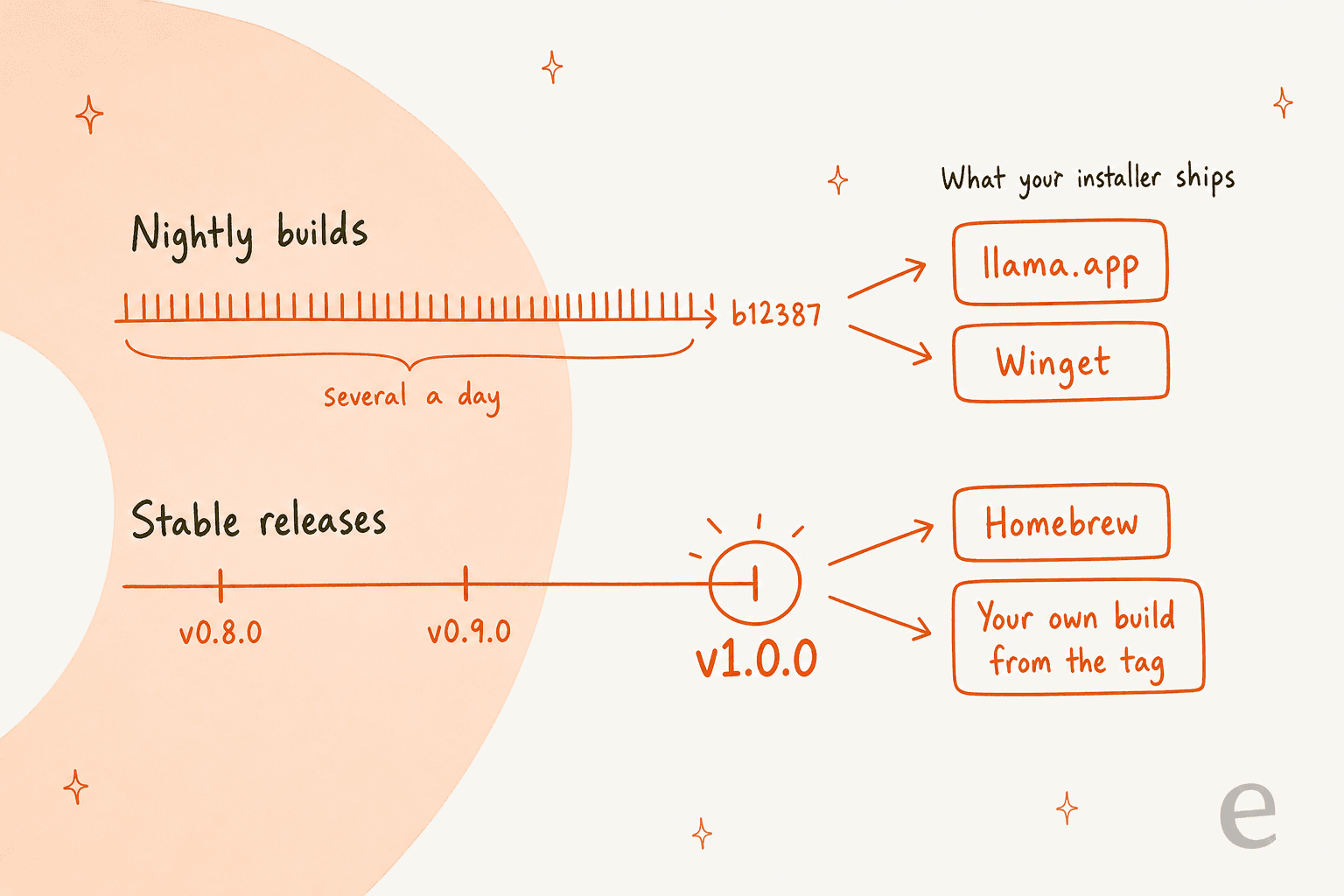
Which track you're on depends on how you installed it. According to those same notes, the llama.app installer and Winget publish the nightly builds, not the official releases (marked as a TODO to switch), while the Homebrew formula now builds from the release tag. So "I'm on v1.0" is only true if you checked.
What changed in llama.cpp v1.0.0?
The release notes cover hundreds of commits since v0.9.0. These are the changes worth knowing, grouped by who feels them.
| Area | Change | Who it affects |
|---|---|---|
| C API | Removes llama_set_warmup, 35 deprecated functions and --defrag-thold; moves the NextN (speculative decoding) API from llama-ext.h into llama.h | Anyone linking libllama |
| Memory | FP8 KV caches via -ctk/-ctv f8_e4m3 | Long-context users short on VRAM |
| Memory | Host-memory MoE expert cache with a configurable CPU share | Big mixture-of-experts models on small GPUs |
| Models | Kimi-K3.1-Pro, Ripple-65B-Preview, xing4_0, drama-3 TTS; Kimi-K3.1 and MageVL-Cowork vision | Anyone trying new open models |
| Server | /v1/audio/speech endpoint; security fixes for CORS, DNS rebinding and SSRF | Anyone running llama-server |
| Web UI | Chat groups, live markdown editor, phone layout, PDF thumbnails | People using the built-in chat |
New models on day one
The new architectures line up with recent launches I've covered: Kimi-K3.1-Pro, which the notes describe as K3 with its full-attention layers swapped for DSA, and Ripple-65B, added as a new dense 65B architecture. If you've read my Kimi K3 review or the Ripple-65B review, these are the same models, now runnable locally from GGUF files.
FP8 KV caches
The KV cache is the memory a model uses to remember the conversation so far, and on long contexts it can rival the model itself. PR #28392 adds OCP FP8 caches with optional per-tensor scales. Not everyone knows which 8-bit option to pick yet:
"Sounds like now, 8 bit KV cache is ok for coding, but the question is which one? I see f8_e4m3, q8_0. Would be great to get more info about that."

My read: the release notes don't answer that, so test both on a long session of your own work before switching a coding setup.
The MoE expert cache
This is the change I'd watch most. Mixture-of-experts models only use a slice of their weights per token, so PR #30966 keeps the hot experts in GPU memory and can run cache misses on the CPU. The author's tuning run on Qwen3.8-Flash-Next shows why the CPU share matters: with a 6,464 MiB cache, decode went from 24.2 tokens a second with no CPU share to 47.6 with a 0.95 share. With a bigger 19,392 MiB cache, the numbers flip and a high CPU share is slower. The PR ships a tuning script, scripts/moe-cache-tune.py, to find your own sweet spot rather than guessing.
That's the same trick behind single-GPU giants like Edge0-145B, now built into the main engine.
What changed in llama-server security?
This is the change most likely to break a working setup on upgrade day. PR #32113 means that turning on tools or MCP with a non-loopback --host and no API key is now refused with an error. You have to add --api-key, or opt in explicitly with --allow-unauthenticated-tools.
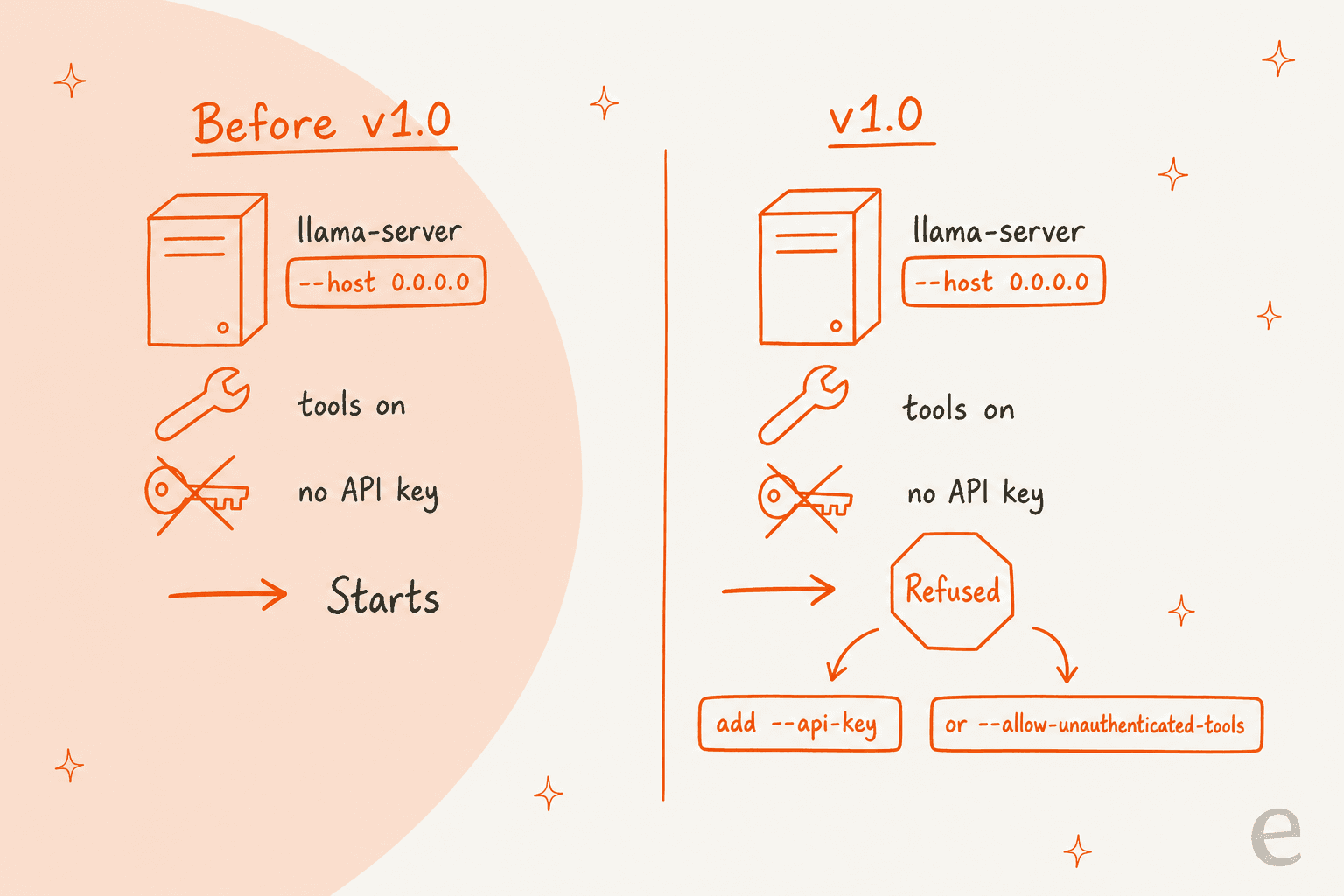
The maintainer who wrote it was candid about the tradeoff in the PR description:
"None of those are actually vulnerability, but since people nitpick this too much, we now forced to hurt the UX a bit"
I'd still take the stricter default. Tools in llama-server can read files and run shell commands, and the built-in set in the web UI includes read_file, exec_shell_command and write_file. Leaving that open on a LAN without a key is the kind of setup that's fine until someone else on the Wi-Fi finds it. The same release also restricts the HF_TOKEN to huggingface.co hosts, fixes --cors-origins handling and DNS rebinding, adds a --media-allow-private-urls opt-in, and cancels MCP tool calls when a client disconnects.
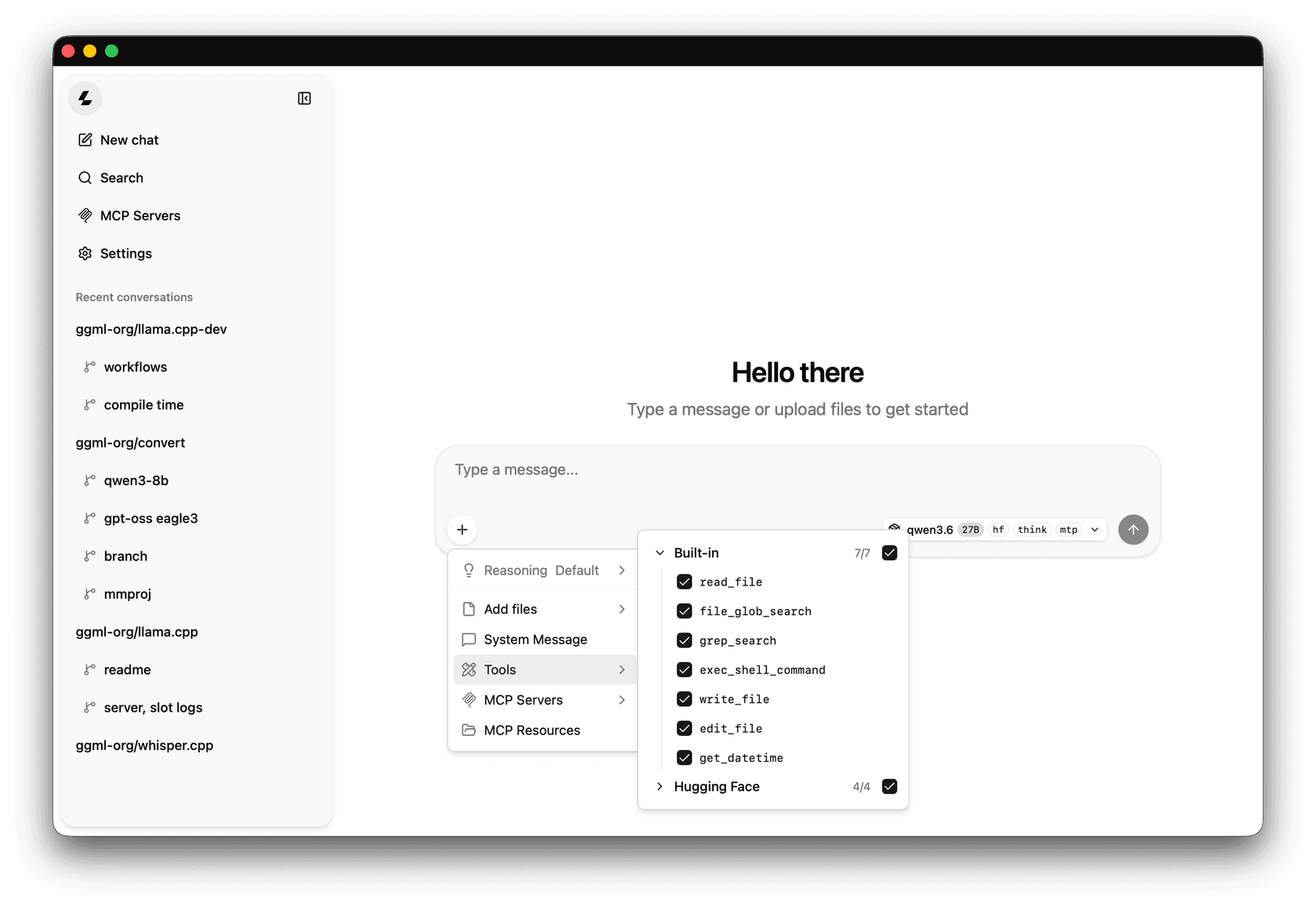
If you're wiring a local model into anything that can take actions, my notes on MCP servers for AI agents and security in Claude Code cover the same principle: tool access is the real attack surface, not the model.
Does llama.cpp v1.0 change anything for you?
Pick how you use it and you'll get the short version.
How do you use llama.cpp?
--host and tools or MCP on, v1.0 refuses to start without --api-key. Add a key rather than --allow-unauthenticated-tools. Also re-check any --cors-origins value, since the port is now validated strictly.llama_set_warmup and 35 deprecated functions, rename llama_set_embd_state_src to llama_set_ctx_state_src, and pin to v1.x. From here, a breaking C API change means a 2.0.libggml and use library version bumps to signal breaks.How do you install and run llama.cpp?
There are three routes, and the new one is the friendliest. All the commands below come from the README and llama.app.
1. The Llama desktop app (Mac and Windows). The same team now ships Llama, a menu bar app on Mac and a system tray app on Windows 11. The site lists it as a 1 MB download, 4 MB installed, free, open source and offline-capable. It checks your hardware and picks quantization, context size and speculative decoding for each model, and models unload after five minutes idle.
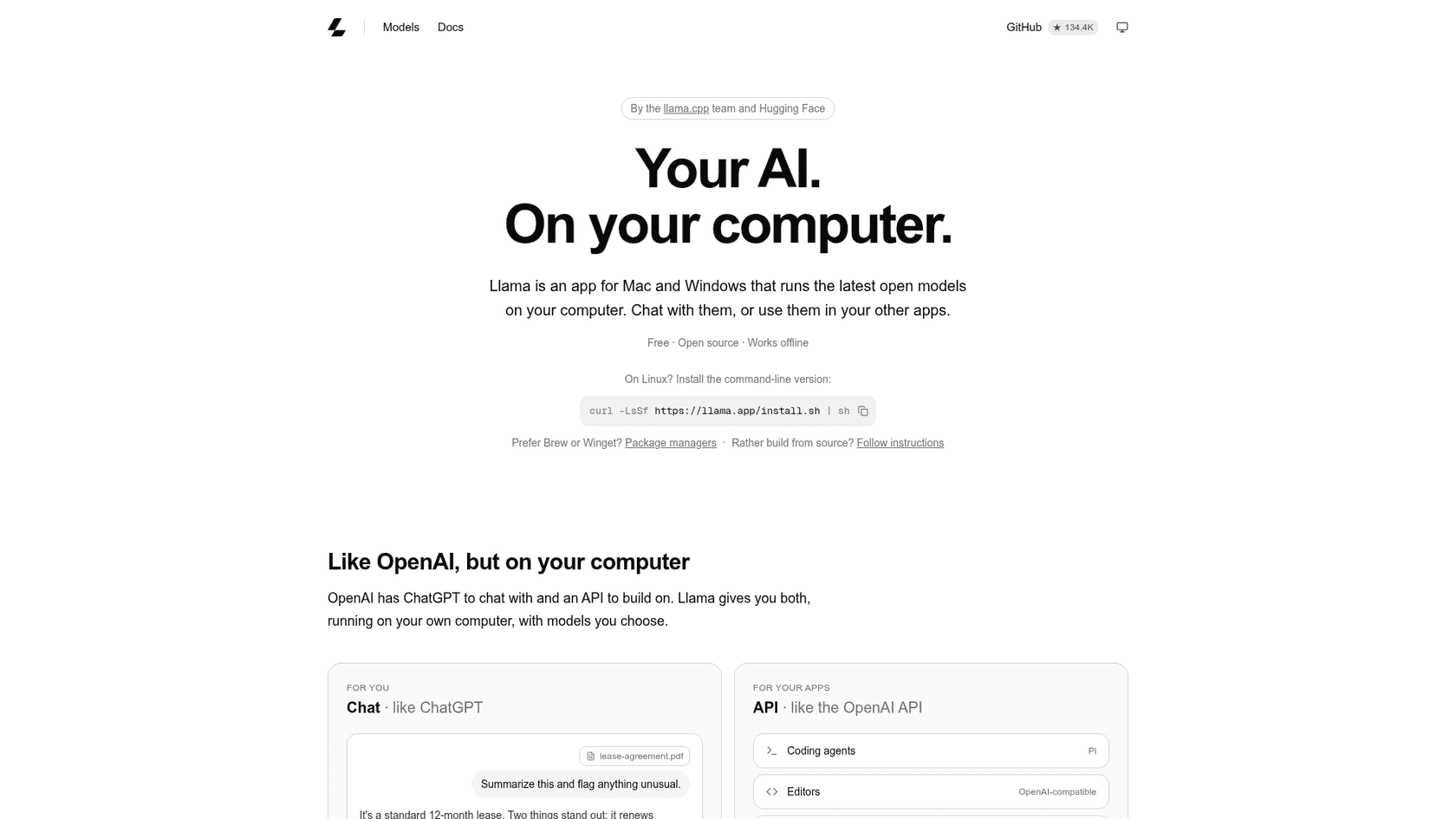
It suggests a starting model by memory: Gemma 4 for a 16 GB Mac, GPT-OSS at 24 GB, and Qwen 3.8 at 32 GB. On Mac you can also install it with brew install --cask llama-app.
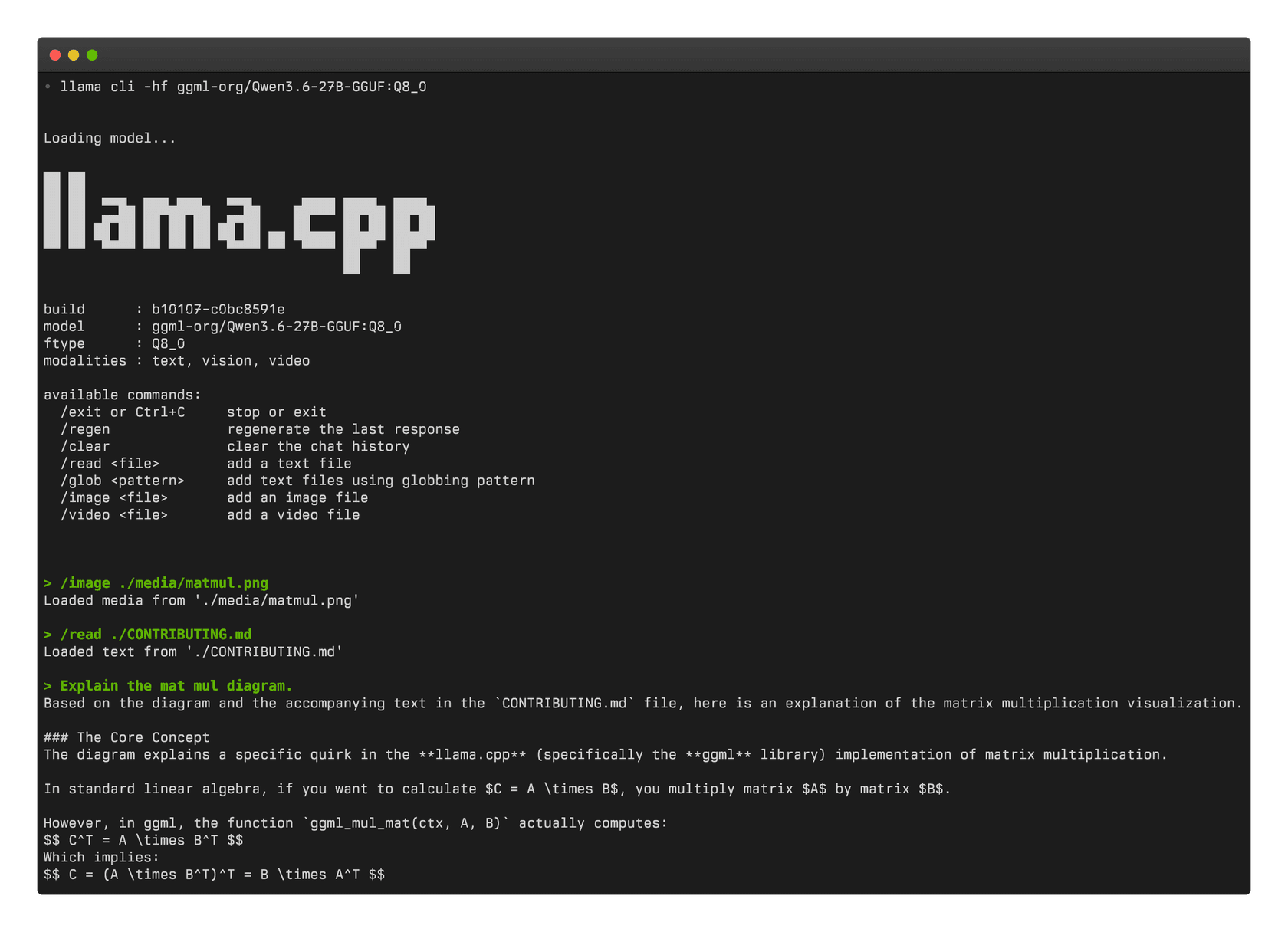
2. The command line (any OS). One line installs the unified llama binary:
curl -LsSf https://llama.app/install.sh | sh
On Windows PowerShell, it's irm https://llama.app/install.ps1 | iex. Then download a model from Hugging Face and chat, or start an OpenAI-compatible server:
llama cli -hf ggml-org/Qwen3.5-0.8B-GGUF
llama serve -hf ggml-org/Qwen3.5-0.8B-GGUF
3. Package managers or source. The v1.0 announcement lists Docker, Debian, Homebrew, conda-forge, MacPorts, Winget and an XCFramework for iOS and macOS, plus prebuilt binaries for Linux, macOS, Windows, Android and iOS. Building from source is in the build guide.
Pointing coding agents at it
The Llama app serves its API on localhost:9931/v1, and the site says it speaks both OpenAI- and Anthropic-compatible endpoints, with streaming, tool calling, structured output and vision. That means tools like Cursor, OpenClaw or Claude Code can point at a local model by changing the base URL, the same pattern I described in my Claude Code environment variables guide. I haven't run that path myself on v1.0, so treat it as the documented route.
A quick reality check on quality: a small local model won't match a hosted frontier model on hard coding work. My comparisons of DeepSeek V4 Flash and Qwen 3.8 Max are a better guide to what each tier can do.
What's still missing?
Three gaps stand out from the release and the reactions to it.
- No Linux desktop app. Llama is Mac and Windows only; Linux users get the command line. One commenter on the announcement asked about exactly that.
- Prompt processing on huge inputs. Another commenter on the same post said llama.cpp "still needs improvement on huge prompt processing", meaning the prefill step before the first token. The release has prefill work (an Intel Vulkan FlashAttention path, few-row CUDA matmuls), but no headline number to point to.
- The installers aren't on v1.0 yet. As covered above, the llama.app installer and Winget still ship nightlies. That's fine for most users, but it means v1.0's stability promise reaches you only if you build from the tag or use Homebrew.
None of these are reasons to skip it. They're reasons to check which build you're on before you rely on the promise.
What does llama.cpp mean for support teams?
The appeal is obvious: customer data that never leaves your hardware, and no per-token bill. It's a concern I hear about in eesel's sales calls. One buyer at a Danish B2B telematics company had to clear a hard internal security review before any trial, and their first question was whether ticket data containing card numbers and passwords would stay in their environment.
A local model answers part of that. It doesn't answer the rest: which help articles the agent may use, when it hands a ticket to a person, how you'd know it's right before customers see it. Those are the questions behind most AI support security reviews I've seen, and the vendor security checklist and SOC 2 and GDPR guide cover them in detail.
That layer is the job of eesel's AI helpdesk teammate. It joins the queue you already run in Zendesk or Freshdesk, answers from your own knowledge, and gets simulated against past tickets before it goes live. smava, a Berlin loan-comparison company, uses it on 27,000 Zendesk tickets a month, with 15,300 draft replies prepared in German from 820 macros and help center articles. SE Ranking runs one eesel agent per product on Zendesk, with refunds and requests for a person handed to the team.
If you're weighing models for your own support content, my guides on connecting Claude to your helpdesk, AI agent handoffs and preventing AI hallucinations in support go further than a release note can.
Should you upgrade to llama.cpp v1.0?
Yes, if you link libllama: this is the first release with a written compatibility promise, so pin to v1.x and stop chasing breaking changes in nightly builds. Do the cleanup once and you're set.
Yes, carefully, if you run llama-server on a network: add an API key before you upgrade so the new tool check doesn't stop your service.
No action needed if you use a desktop app. You're likely already on a nightly build that includes everything in v1.0, and the new Hugging Face Llama app is the easiest way to try local models if you haven't. For hosted alternatives, my Hugging Face alternatives roundup and LLM tracking tools list are good next reads.
Try eesel for AI on your support queue
If you looked at llama.cpp because you want AI answering customers, eesel gets you there without picking a quantization or sizing a GPU. It's an AI helpdesk teammate that plugs into Zendesk, Freshdesk and other helpdesks, answers only from your help center and past tickets, and is tested on historical conversations before it touches a live one, the way smava runs it on 27,000 tickets a month. With the eesel CLI, your coding agent can upload exported help articles and macros, ask test questions and check the answers; connecting the helpdesk itself still needs someone with admin access. Try eesel free.
Frequently Asked Questions
What is llama.cpp?
What changed in llama.cpp v1.0.0?
Is llama.cpp free?
How do I install llama.cpp?
curl -LsSf https://llama.app/install.sh | sh; on Windows, run irm https://llama.app/install.ps1 | iex. Homebrew, Winget, Docker, conda-forge and prebuilt binaries also work. Then llama cli -hf ggml-org/Qwen3.5-0.8B-GGUF downloads a model from Hugging Face and starts a chat.Does llama.cpp v1.0 break my existing setup?
llama_set_warmup and the --defrag-thold option are gone. If you run llama-server on a network address with tools or MCP turned on and no API key, v1.0 refuses to start until you add --api-key or opt in with --allow-unauthenticated-tools. My MCP for customer support guide explains why tool access deserves that gate.What is the difference between llama.cpp and the Llama app?
localhost:9931/v1. Tools like Claude Code or OpenClaw can point at that local endpoint.Can llama.cpp run a customer support chatbot?
Is llama.cpp v1.0 the version I get from the installer?
llama --version, and see my Hugging Face pricing post if you plan to host models instead.