I tested the 5 best Claude AI collaboration tools for 2026

Stevia Putri
Written by

Stevia Putri

Reviewed by

Katelin Teen

Last edited January 9, 2026

Expert Verified

Image alt text

AI is no longer just a solo act. It is becoming a real team player, which presents both opportunities and challenges. With many teams experiencing "tool fatigue," the value of AI is most apparent when it integrates into existing, everyday tools. This guide reviews the top Claude AI collaboration tools, offering a straightforward look at which ones can help your team work smarter without adding unnecessary complexity.

What are Claude AI collaboration tools?

These are not just glorified chatbots you ask questions. We are talking about features and platforms built to weave Anthropic's powerful Claude AI into your team's daily work. It’s about moving from a simple one-on-one chat with an AI to a full team environment where the AI is part of the conversation, helping everyone create, organize, and get things done.

Think of it this way: instead of each person on your team having a separate chat with the AI, you’re all in the same project space. The AI has the context of the whole project, can pull from shared documents, and helps co-create everything from code to marketing copy. This evolution is key to understanding the landscape of modern AI tools, as shown in the graphic below.

An infographic showing the evolution of AI from a solo chatbot to a fully integrated teammate, illustrating different types of Claude AI collaboration tools.

The most advanced version of this is what some call an "AI teammate"-an autonomous agent that doesn’t just wait for commands but actively works alongside your team, handling tasks on its own. It's a big step up from a smart tool to a digital colleague.

Our review criteria

To keep this list grounded in reality, each tool was judged on a few key things that matter for any team trying to bring AI into their workflow.

  • Integration Depth: How well does it connect with the apps your team already uses, like Slack, Zendesk, or Jira? The less tab-switching, the better.
  • Ease of Use: How quickly can you get going? A good tool should feel intuitive right away, without needing a week of training or a dedicated engineer to manage it.
  • Collaborative Impact: Does it actually help people work together? I looked for tools that do more than just make one person faster; they needed to make knowledge sharing and co-creation easier for everyone.
  • Practicality: Does it solve a real-world problem? The best tools are the ones that tackle a genuine business headache, whether that’s debugging code faster or finally organizing your project's knowledge base.

Quick comparison of the top tools

For those who just want the highlights, here’s a quick breakdown of the tools we're covering.

Tool / FeatureBest ForKey Collaboration FeatureStarting Price
eesel AIAutonomous team collaborationActs as an AI teammate in help desks & Slack$239/mo (annual plan)
Claude ProjectsOrganizing team knowledgeShared knowledge workspaces & chat activity feedsIncluded in Pro plan ($17/mo annual)
Claude ArtifactsCo-creating tangible outputsLive, editable outputs in a side panelIncluded in Pro plan ($17/mo annual)
Claude Code in SlackDeveloper team workflowsAgentic coding sessions initiated from SlackIncluded in Team & Enterprise plans
Claude Team PlanCentralizing AI use across a companyCentralized management, SSO, and billing$25/user/mo (annual), 5-user min

The 5 best tools for your team

Alright, let's dive into the specifics. Here are the top five Claude AI collaboration tools, each with its own particular strengths.

1. eesel AI

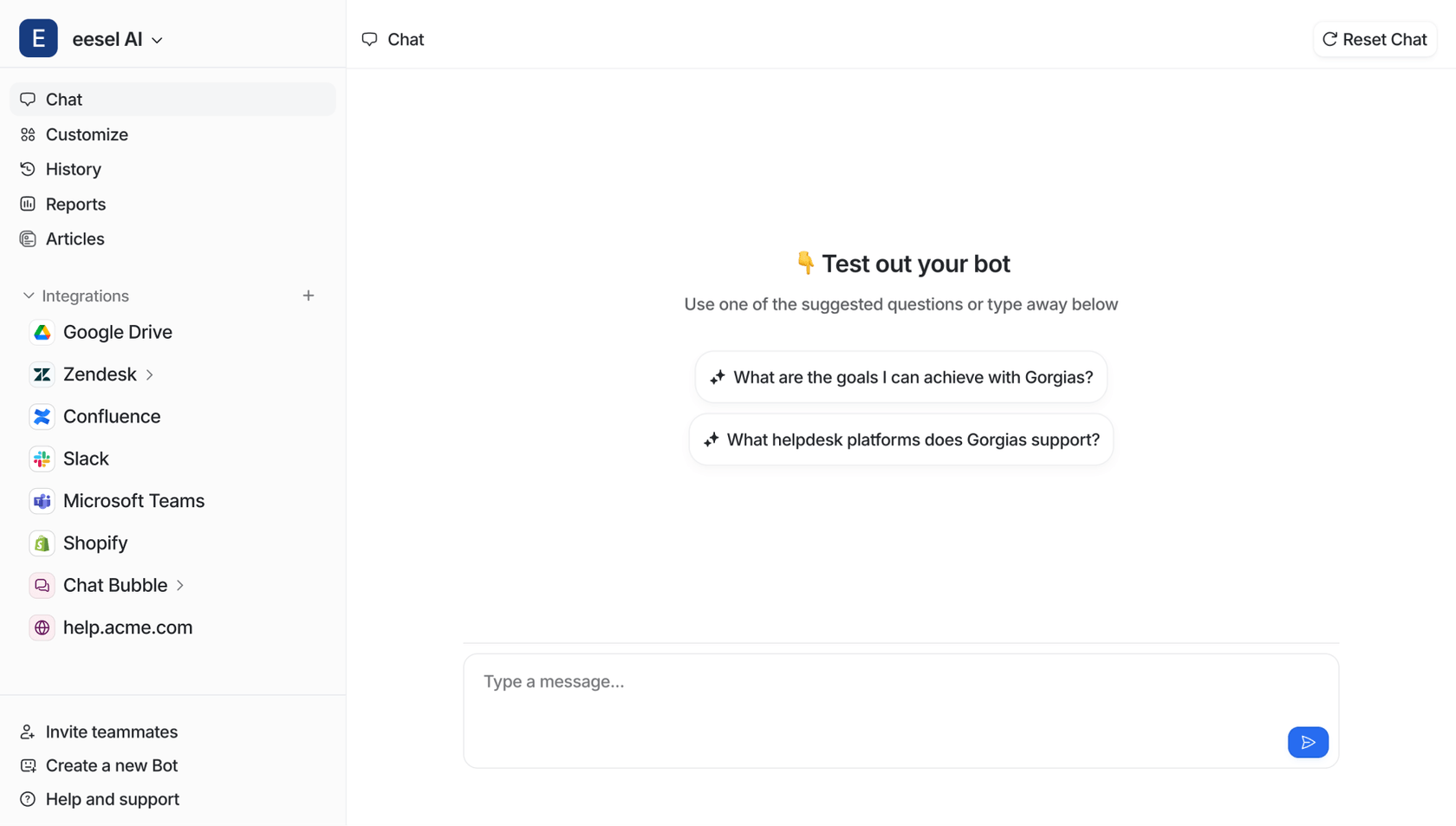
A screenshot of the eesel AI website homepage, an example of advanced Claude AI collaboration tools.

Instead of thinking of eesel AI as another tool to set up, it is more like an AI teammate you "hire." You just connect it to the platforms you already use, like Zendesk, Slack, or Confluence, and it instantly learns from your existing data to start working with your team. The two main features are the AI Agent, which can handle frontline support tickets by itself, and the AI Internal Chat, which answers your team's questions right inside Slack.

An animation of the eesel AI Agent, one of the leading Claude AI collaboration tools, autonomously resolving a customer support ticket.

Why it's on the list: eesel AI is designed as an autonomous collaborator. It operates based on rules set in plain English, handling tasks it can and escalating to a human when necessary. This approach is particularly effective for customer support teams, with some users reporting up to 81% of conversations resolved autonomously.

Pros: The platform features a fast setup, learning from existing tickets and documents in minutes without manual training. The "teammate" model allows users to begin with the AI in a supervised role and later transition to full autonomy. Cons: Its primary focus is on customer service, sales, and internal support teams, so it may not be suitable for creative or marketing teams seeking a general writing assistant.

Pricing: The Team plan starts at $239/month when you pay annually, which includes 1,000 AI interactions per month.

2. Claude Projects

A screenshot of the webpage for Claude Projects, which are among the best Claude AI collaboration tools for organizing team knowledge.

Claude Projects are a way for Pro and Team users to create dedicated workspaces for different projects. You can organize chats, upload documents, and add other files. Each project has a massive 200K context window, which lets Claude become a subject matter expert on a specific topic, whether that’s a new product launch, a client's history, or a complex codebase.

Why it's on the list: It addresses the "cold start" problem that often happens with AI. Instead of having to give the AI the same background info every time you start a new chat, you can build a shared knowledge base that the whole team can tap into. For teams on the Team plan, you can even share chat snapshots, which is a nice way to share knowledge and show others clever ways to use the AI.

Pros: The main benefit is the ability to create specialized AI assistants for different business functions without coding. Cons: The collaboration can be passive, as team members primarily view shared chats rather than co-editing in real-time within the same interface.

Pricing: This feature is available on the Claude Pro plan, which is $17/month (billed annually), and it’s included in all Team and Enterprise plans.

3. Claude Artifacts

A screenshot of the Claude Artifacts feature, a key component of Claude AI collaboration tools for co-creating content and code.

Artifacts is a feature that generates outputs like code snippets, documents, or even website designs in a separate window right next to your conversation. This creates a dynamic workspace where you can see what Claude is building in real-time and then edit and iterate on it right away.

Why it's on the list: This feature supports human-AI co-creation by turning Claude from a conversational partner into an interactive tool for generating outputs. It is especially useful for developers, who can ask for a piece of frontend code and see a live, interactive preview of it right there on the screen. No more copying and pasting code back and forth to see if it works.

Pros: The feature provides immediate, interactive output, which can make the creative process faster and more fluid. Cons: It is still in preview and may have some limitations. It is most useful for specific tasks like coding, writing, and creating basic graphics.

Pricing: Artifacts is currently available as a preview on Claude.ai for all Pro and Team users.

4. Claude Code in Slack

A screenshot of the Claude in Slack integration, one of the most useful Claude AI collaboration tools for developer teams.

This feature brings an agentic coding assistant directly into Slack, which is where most dev teams are already working together. When a developer hits a bug or wants to brainstorm a new feature, they can just tag "@Claude" in a Slack thread. The AI then uses the context from that conversation to spin up a new coding session, get access to the right codebase, and post progress updates right back into the thread for the whole team to see.

Why it's on the list: It is designed to meet developers in their existing workflows. It cuts down on context switching and keeps the entire team in the loop automatically. No more jumping between your code editor, your terminal, and Slack just to get a simple update.

Reddit
The central insight is that while AI coding tools make individual engineers significantly more productive, teams don't ship proportionally faster because *coordination is the bottleneck, not coding speed*.

Pros: The seamless integration into existing developer workflows is a key benefit. Cons: It is currently a beta "research preview," so it may not be suitable for critical production work. It also requires connecting company code repositories, which involves security considerations for some organizations.

Pricing: This is currently available in beta for users on the Claude Team and Enterprise plans.

5. Claude Team plan

A screenshot of the Claude Team plan pricing and features, the foundation for using Claude AI collaboration tools across a business.

The Team plan is the administrative foundation you need to use AI collaboration across your company. It gives you everything from the Pro plan, plus all the key features you need for business use, like centralized user management, SSO for security, and much higher usage limits. It's also what unlocks collaborative features like sharing chats within Projects.

Why it's on the list: Effective team collaboration requires good governance and security. The Team plan provides the administrative controls that let a company adopt Claude safely, manage costs, and make sure everyone is on the same page. It provides the administrative framework that supports secure and managed team collaboration.

Pros: Key benefits include administrative control, priority access to Claude's models, and early access to new features. Cons: A potential hurdle for smaller teams is the minimum requirement of five members to start the plan.

Pricing: The plan starts at $25 per person/month for a Standard seat (billed annually). If you need access to features like Claude Code, you'll need a Premium seat, which is $150 per person/month.

How to choose the right Claude AI collaboration tools for your team

Okay, that was a lot. So, how do you pick the right one for your team? Here's a quick guide based on what you're trying to do.

A flowchart infographic to help teams choose the right Claude AI collaboration tools based on their specific needs, like knowledge management or task automation.

  • To organize team knowledge, start with Claude Projects. It's the simplest way to create a shared brain for any team project, and it's included in the Pro plan.
  • For developers and designers, you should definitely try out Claude Artifacts and the Claude Code in Slack integration. They’re built to speed up creative and technical work.
  • To scale across the business, the Team Plan is the obvious choice. If you have five or more people who need to use Claude, this is the way to go for proper management and security.
  • For autonomous collaboration, if your goal is to have an AI that actually does the work in your help desk or Slack with minimal human oversight, then an AI teammate like eesel AI is the perfect fit.

For a deeper look at how different AI models can work together in a collaborative environment, the following video provides some interesting insights into pairing Claude with other powerful AIs.

A video explaining how different Claude AI collaboration tools can work together to enhance productivity and creativity in a team setting.

The future of AI collaboration

The bottom line is this: AI is evolving from a tool for solo tasks into a core component of team collaboration. Tools like Claude Projects and Artifacts serve as foundational building blocks for this new way of working, helping teams create and share knowledge more effectively. While Claude's native tools are designed for human-led collaboration, other solutions like eesel AI are built to function as an autonomous AI teammate. This type of tool works alongside the team, handling tasks independently from day one.

Ready to see how an AI teammate can change how your team collaborates? Invite eesel to your team for free. It learns your business in minutes and is ready to start collaborating today.

Frequently Asked Questions

Standard Claude is great for individual tasks, but Claude AI collaboration tools are specifically designed for teamwork. They integrate into shared workflows, use common knowledge bases, and allow multiple people (and the AI) to work on a project together.
It varies. Some, like Claude's native Projects feature, are built-in and easy to start using. Others, like eesel AI, are designed for a quick setup by connecting to your existing platforms like Slack or Zendesk and learning from your data in minutes.
Yes, many of them are built around integrations. For example, eesel AI connects directly with help desks, knowledge bases, and chat apps. Claude's own tools also have integrations, like the Claude Code feature for Slack, to fit into your team's current workflow.
Start by identifying your main goal. If you need to organize shared knowledge, Claude Projects is a great starting point. If you want an AI that handles tasks autonomously in your help desk, a tool like eesel AI is a better fit. For development teams, the Claude Code in Slack feature is ideal.
An "AI teammate" is a more advanced type of AI collaborator, like eesel AI. Instead of just assisting when asked, it works autonomously alongside your team. It can handle tasks on its own, like resolving support tickets, and only escalates to a human when necessary, acting like a true digital colleague.

Share this post

Stevia undefined

Article by

Stevia Putri

Stevia Putri is a marketing generalist at eesel AI, where she helps turn powerful AI tools into stories that resonate. She’s driven by curiosity, clarity, and the human side of technology.