


The one thing I check before the product: can I see the number?
I've spent the last few years watching AI agents go live on real support queues, and one pattern shows up again and again: the product usually isn't what kills the deal, the surprise on the invoice is. I still think about a buyer we saw who ran twelve test chats, watched the agent nail every one of them, and then opened the billing page, panicked, and asked to cancel on the spot. The tool worked fine. The pricing model just landed differently than they had pictured in their head.
That is the lens I bring to any "how much does X cost" question, and it is also why a quote-only product deserves a careful read rather than a shrug. Mio AI is a capable, purpose-built tool for the education space, but its pricing is one of the harder things to pin down before you actually talk to sales. Let's get into what is knowable.
So what does Mio AI cost?
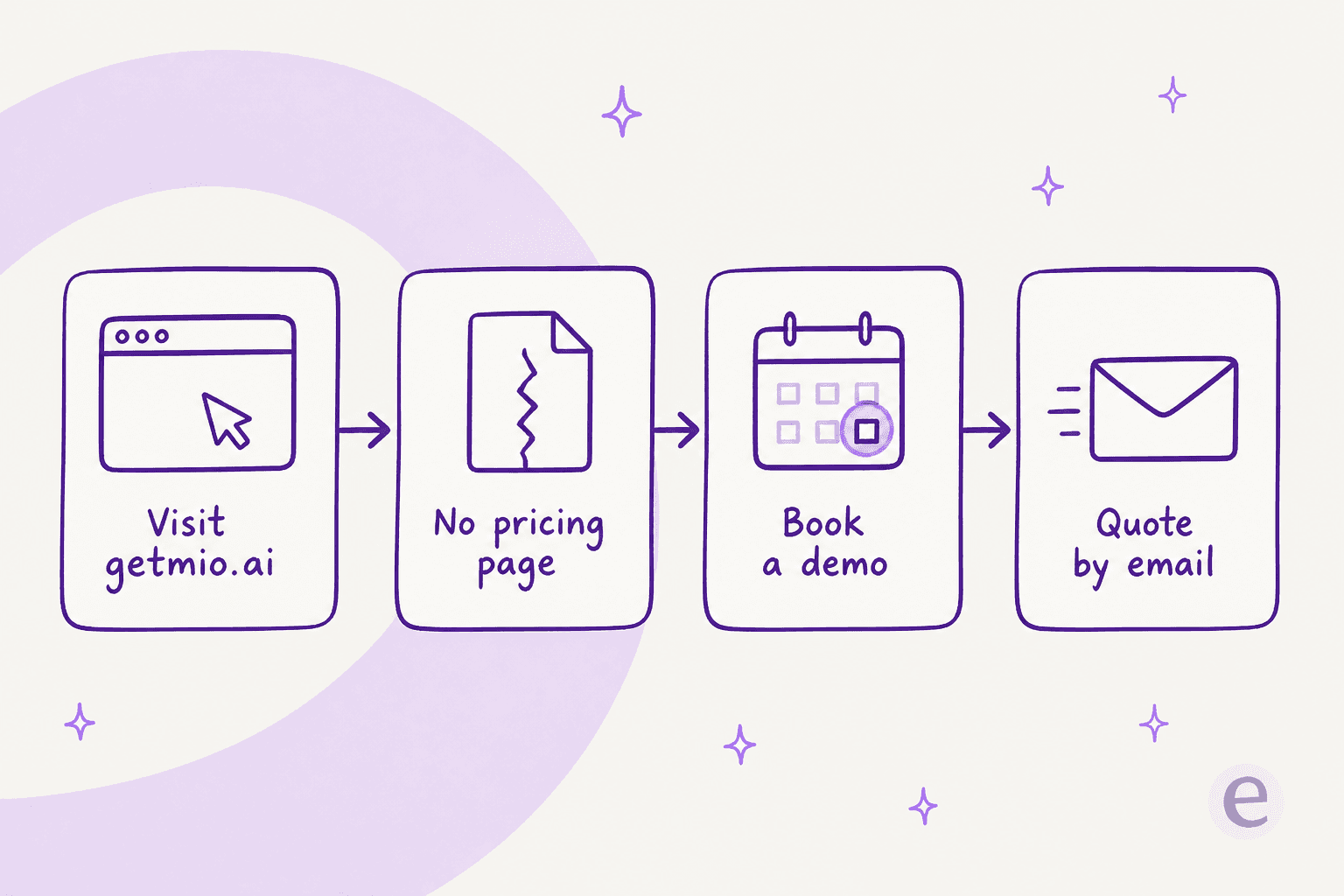
Here is the honest bottom line: Mio AI does not publish a price anywhere. I went and checked every surface a buyer would.
- The pricing page is a 404. As of this writing, getmio.ai/pricing returns "Oops! Page Not Found." There are no tiers on the site, no per-seat rate, and no per-conversation rate either.
- Capterra confirms it. Mio AI's Capterra profile lists the starting price as "Contact vendor for pricing," and the free trial as "not available," with no free version.
- The only entry points are demos. You can build a free demo chatbot from your website URL in under a minute, and you can also trigger an instant demo call where Mio phones you as an admissions counselor. Both of these are lead-capture demos, not a plan you can run in production.
In other words, every real number sits behind a "Schedule a Demo" button. This is not a knock on Mio specifically, plenty of CRM-bundled vertical tools work in this same way, but it does change how you have to shop for it. You can't put Mio in a spreadsheet next to two other AI chatbot platforms and just compare the rates. You have to book a call to get to a figure at all.
Why there's no public price: you're buying two things
The reason Mio's pricing stays quote-only becomes clearer once you see what Mio actually is. It isn't a standalone chatbot you bolt on. Mio is the agentic AI layer that sits on top of Meritto CRM (formerly NoPaperForms), and every agent pulls a student's live record, their stage, program interest, and last touchpoint before it responds, then it writes call summaries and stage changes back automatically.
That tight coupling is the product's biggest strength, and also the reason a price is hard to publish. In practice, a Mio deployment is really two purchases stacked together: the Meritto CRM your admissions team runs on, and the Mio AI agents layered over the top of it. A vendor can't slap a clean "$X per month" sticker on that, because your cost depends on how much CRM you are already buying and how many agents you switch on. So the thing gets quoted.
The takeaway for a buyer: if you are not already a Meritto shop, then budgeting for Mio means budgeting for the CRM underneath it too. Ask about both in the same conversation.
What a Mio AI quote is actually priced on
Since there is no rate card, the useful move is knowing which levers a Mio quote gets built from, so you can walk into the demo asking the right questions instead of just nodding along. Based on how the product is packaged, these are the dials that move your number around:
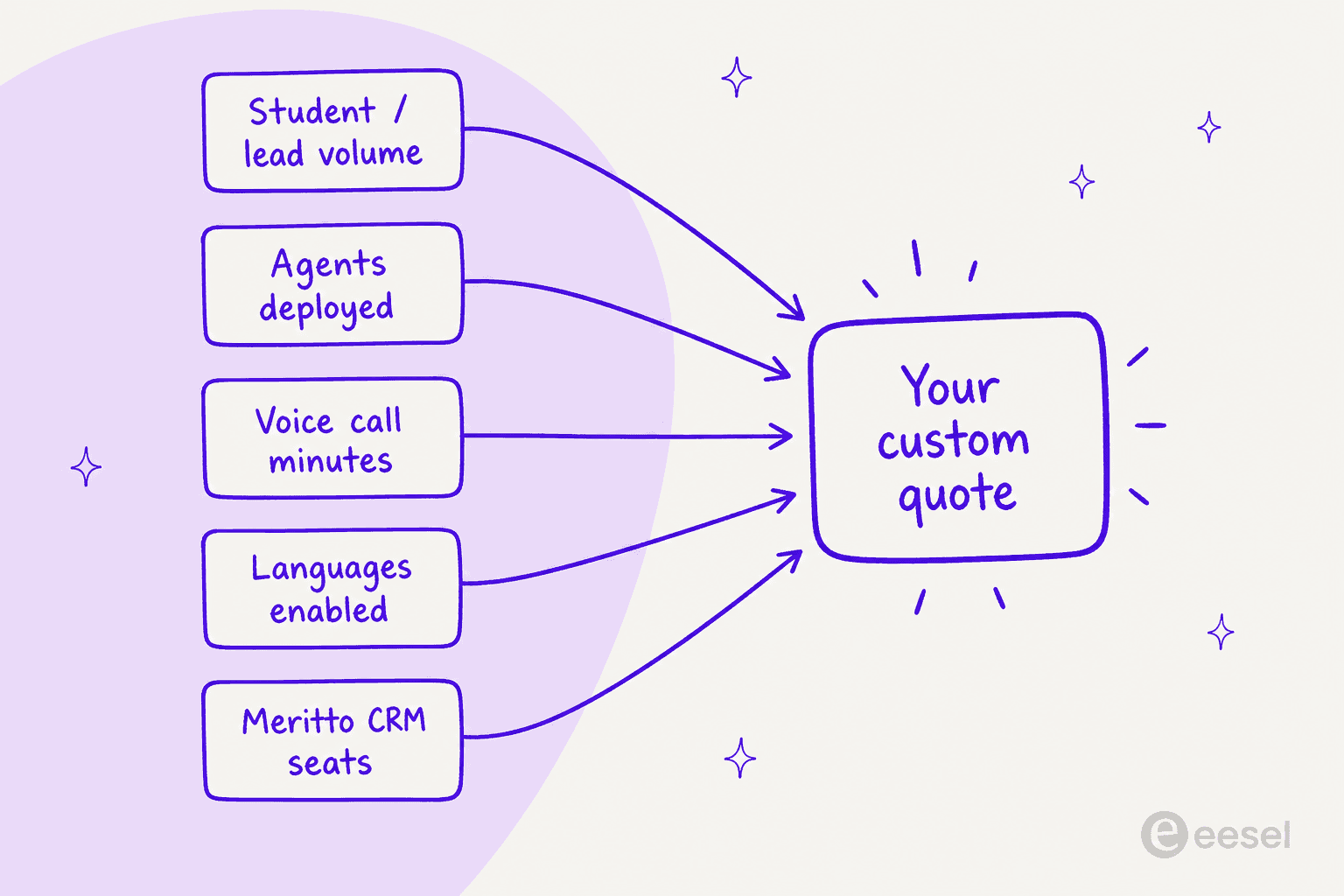
- Student and lead volume. More inbound enquiries means more conversations for the chat agent to handle, and more leads for the voice agent to call.
- Which agents you deploy. Mio AI Guide (chat) and Mio AI Voice (calling) are separate products; Mio AI Coach is marked "coming soon." Turning on voice on top of chat is a different scope than running chat on its own.
- Voice call minutes. Outbound and inbound calling carries a real telephony and processing cost, so voice-heavy admissions teams should expect this to weigh on the quote.
- Languages enabled. Voice supports English, Hindi, and Hinglish; broader language coverage is part of the scope conversation.
- Meritto CRM seats. The CRM footprint underneath is part of the total too, since Mio only ever runs inside it.
None of these are published with a unit price attached to them, which is the whole point of this section: get the billable unit named in writing before you sign. Is it per conversation? Per resolved enquiry, per call minute, or per student record? Those are wildly different bills once you are at scale, and the demo is the only place where you will find out.
The pieces you're actually paying for
To judge whether a quote is fair, it helps to know what is inside the box first. Mio splits the enquiry-to-enrollment journey across a few different agents, all of them running on the same Meritto-native engine.
Mio AI Guide (chat support)
The chat agent handles inbound website and enrollment-portal traffic 24/7, it answers program questions, and, crucially, it turns each conversation into a verified lead that gets synced straight into Meritto CRM. It captures an email, runs an OTP check, asks for the student's interest, and then hands a qualified lead over to the counselor, with no manual data entry.
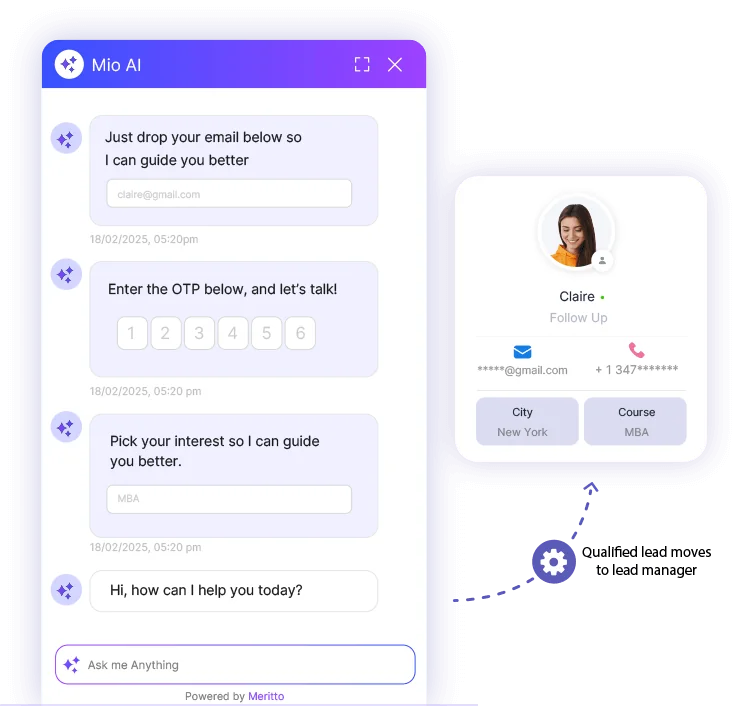
If you are comparing this against a general-purpose AI chatbot for your website, the real difference is the CRM wiring. Mio isn't just answering, it is qualifying and syncing at the same time, which is exactly why the price ends up bundled with the CRM.
Mio AI Voice (outbound calling)
The voice agent calls, qualifies, follows up, and reactivates student leads at volume, in English, Hindi, or Hinglish. It is interruption-tolerant, and it writes the full call context back into the CRM so the next human counselor is prepared. Under it there sit stage-specific sub-agents: lead qualification, lead reactivation, auto reminders, callbacks, and campus-visit outreach. This is the piece that most general conversational AI tools simply don't have, and it is a real reason an education team might choose Mio, but it is also the piece most likely to make a quote climb. In spirit it is closer to a Zendesk voice AI agent than to a text-only support bot.
The dashboard (where you'd see usage)
Mio's dashboard reports conversation volume, unique students, and a split between chat and voice conversations. It is worth a close look during the demo, because the metrics it counts, conversations, students, chat versus voice, are almost certainly the same units that your quote will end up being priced against.
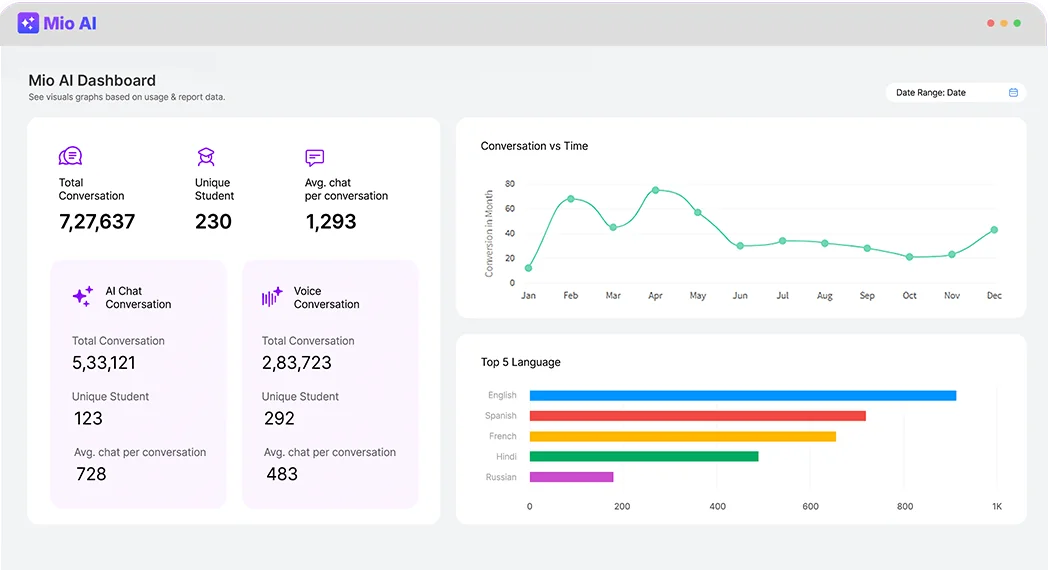
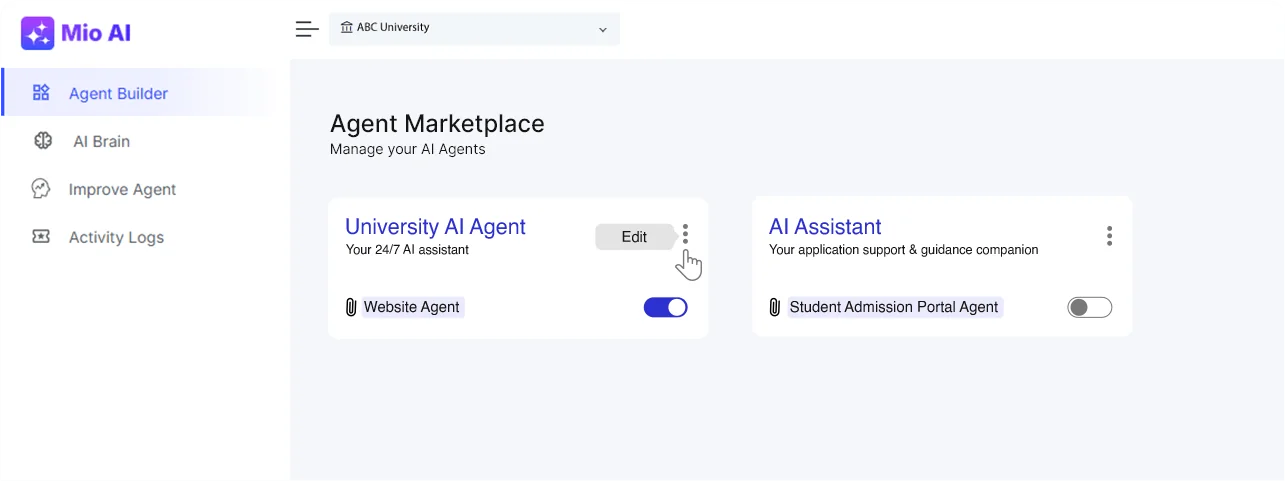
You configure and manage all of this from Mio's Agent Builder, where each agent (a "University AI Agent," a "Student Admission Portal Agent") gets toggled on or off, which is a nice visual reminder that scope, and therefore the cost too, is something you dial up piece by piece.
Quote-only versus published price: what you can actually know
Here is where I'll editorialize a little. A quote-based model isn't wrong, but it does put more of the homework on you, and it hides the two things a buyer most wants to see early: the number itself, and a way to compare it.
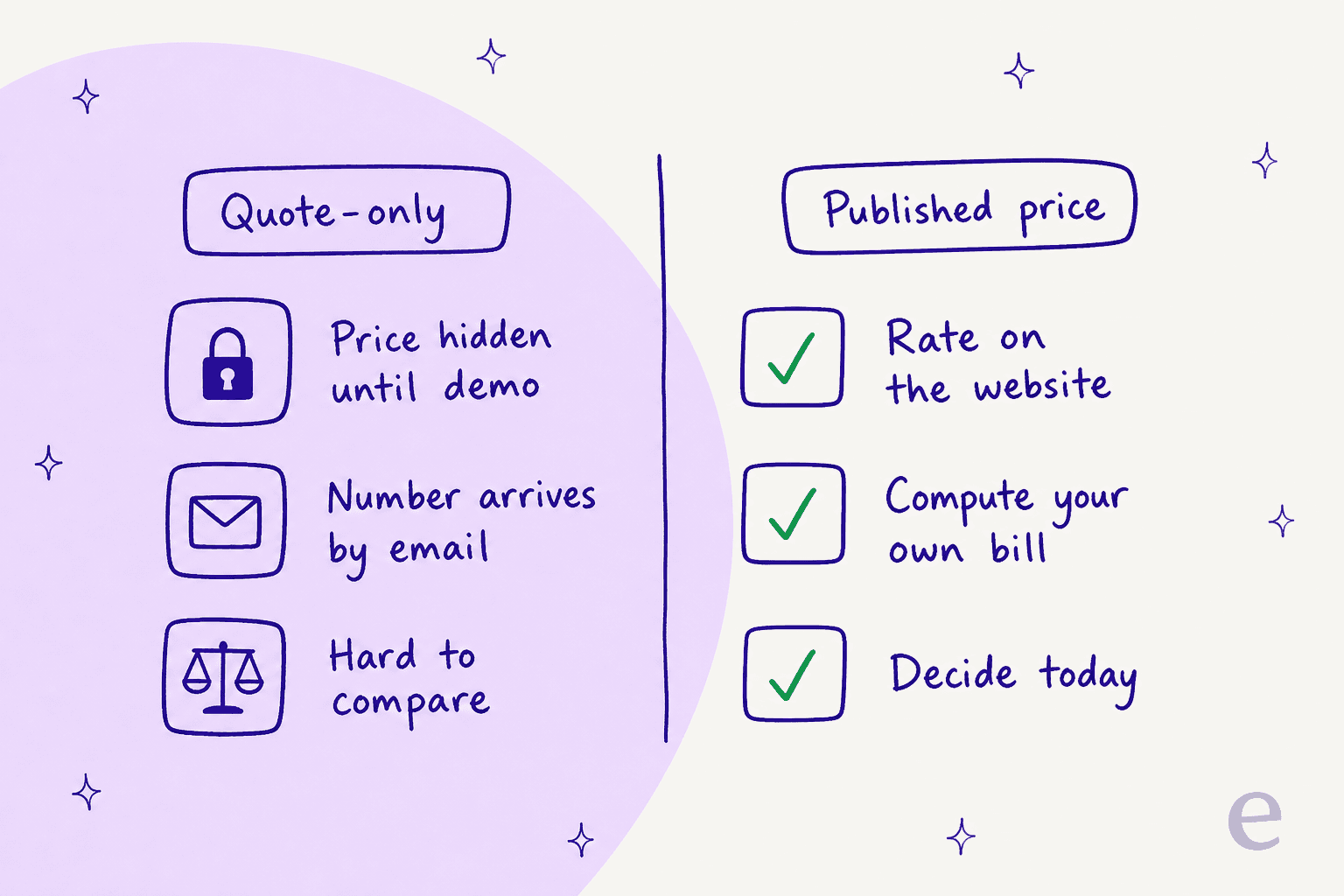
With a published per-unit rate, you multiply your volume by the rate and you already have a budget before lunch. With a quote, you book a call, wait for a proposal, and then you try to reverse-engineer the unit so you can sanity-check it, all of this before you even know if it fits. Neither one is a dealbreaker on its own. But if you are weighing Mio against other AI agents or AI knowledge base tools and one of them just tells you the rate outright, that transparency is worth something real at budget time.
To make this concrete, here is what a transparent support-automation bill looks like when you can actually compute it yourself. Plug in your monthly ticket and chat volume and see which plan it lands on, then remember that the equivalent Mio figure still requires a demo:
What I'd actually do
If you are an admissions or enrollment team in India that is already standardized on Meritto CRM, Mio is a sensible, well-built choice, and the quote-only model becomes less of a hurdle because you are just extending a system you already pay for. Book the demo, and get the billable unit and the CRM cost both in writing before you sign anything. Its one soft spot beyond pricing: the Capterra profile still shows zero third-party reviews, so for now you are relying on the vendor's own numbers and customer logos.
If your real problem is automating support tickets, and especially if you are not on Meritto, then the calculus flips. You probably want a tool that plugs into the helpdesk and knowledge base you already run, tells you its rate up front, and also lets you test it before it answers anyone live. That is a different shortlist, and it is the one I would build if a readable number matters to me. Our Mio AI alternatives piece walks through the education-specific options and the transparent-pricing ones side by side.
Try eesel for support automation you can actually price
If the thing you keep hitting is "I can't get a number without a sales call," that is the exact gap eesel was built to close. eesel is an AI helpdesk teammate that plugs into the tools you already run, Zendesk, Freshdesk, your help center, Slack, it learns from your past tickets, and it has one fixed monthly price sized to your volume that you can read right on the website, from $299/month for 500 credits (1 credit per ticket or chat, however long, so there is no per-resolution surprise later). Before it touches a live conversation, you can run a simulation on past tickets to see how it would have answered them, so you are not just flipping a switch and hoping for the best.

It is honestly not the tool for outbound admissions calling the way Mio's voice agent is, so if that is your core need, Mio wins there. But for automating the support queue with a price you can forecast, you can start free with 100 credits and no credit card, and see the number before you ever talk to sales at all. Try eesel.