Why "is it working?" is harder than it looks
Here's the thing most dashboards won't tell you. The scary failure mode for AI support isn't the bot going silent, it's the bot sounding great while being wrong.
I've watched a confident-sounding agent tell a customer "yes, we support your car model" for brands that weren't in the knowledge base at all, simply because someone had written "we support all models" in a help doc. The bot wasn't broken. It was doing exactly what it was told, and it looked perfectly fluent doing it. That's the reason we now simulate every rollout against historical tickets first, instead of flipping a switch and hoping.
So before we get to numbers: "working" means the AI is resolving the right tickets correctly, handing off the rest cleanly, and not inventing things in between. Activity counts are vanity. Outcomes are the truth. If you only take one idea from this post, make it that one.
The five numbers that actually tell you
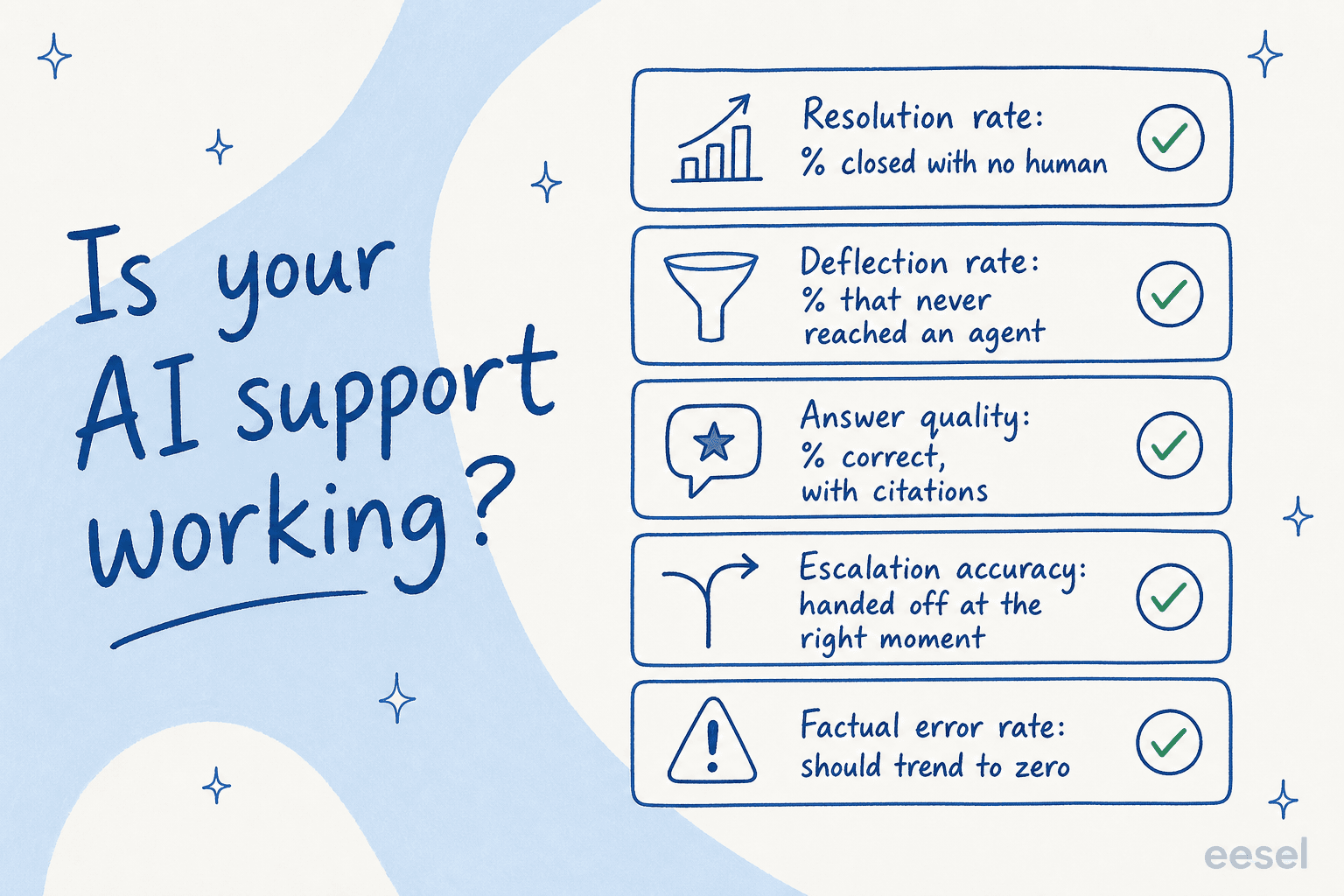
When teams ask me how to read their AI agent, I point them at the same five customer support metrics. Read together, they catch almost every failure mode.
1. Resolution rate
The headline number: what percentage of tickets the AI closed end to end with no human touching them. This is the one that ties straight to cost, because every resolved ticket is one an agent didn't have to open.
What's "good"? It depends entirely on your ticket mix, but tier-1 is where AI earns its keep first. One gig-economy driver-analytics app on Zendesk told us, in a public G2 review, that eesel was resolving 73% of their tier-1 requests in the first month, with results showing inside a 7-day trial. At the other end, an internal IT helpdesk running on Jira started at 15% deflection and set a 55% target. Both are "working." The point isn't a universal benchmark, it's the trend: is the resolution rate climbing as you feed the agent more knowledge?
2. Deflection rate
Deflection and resolution get used interchangeably, and they shouldn't be. Resolution is a ticket closed without a human. Deflection is a customer who got their answer and never opened a ticket at all, usually through a chat widget or self-service before the conversation ever became a support case.
It's worth tracking on its own, because a high deflection rate is what quietly shrinks your queue. If you want the precise definition and the formula, we wrote up what deflection rate is and how to improve it, and a separate piece on measuring AI deflection versus human deflection so you don't double-count.
3. Answer quality
Volume without quality is the trap. So the real question under resolution is: when the AI answered, was it right, and did it show its work?
This is measurable. In one week-long sample across 581 chats, we scored chat quality at 96%. In another sample of 434 chats, the breakdown was 86% good, 7% partial, 6% deflected, and 1% outright failed, and on real webhook-triggered tickets (the harder test) it was 79% good. The exact method matters less than having one: grade a sample of answers for correctness and whether they carried a citation. An answer with no source attached is an answer you can't trust. A legal-tech founder we work with put it well, that with eesel they could "set exact guardrails on sourcing and it always provides transparent citations", which in their world is the difference between helpful and a lawsuit.
4. Escalation accuracy
A good AI agent knows what it doesn't know. So escalation accuracy is really a measure of judgment: when the AI was unsure, did it hand off to a human instead of guessing?
This is the most underrated number on the list. You want an agent that resolves confidently and escalates honestly, not one that answers everything. A support lead at an SMS platform captured the ideal in a G2 review: the AI "answers confidently but not too confidently." That second half is the whole game. Track your escalation rate and, more importantly, whether escalations land at the right moment.
5. Factual error rate
Finally, the number that should keep trending toward zero: how often the AI says something untrue. This is separate from "partial" answers. A factual error is the bot stating a wrong fact as if it were certain.
In one trial on a German jewelry retailer's real Zendesk traffic (around 1,000 tickets a month), we measured 93% triage accuracy and 100% spam detection with zero false positives, but also a 7% factual error rate that told us exactly where the knowledge base had gaps. That 7% wasn't a reason to abandon the rollout. It was a map. Every factual error points at a missing or contradictory doc, which is usually fixable, and is the bulk of what our guide on preventing AI hallucinations in support is about.
The green flags (and the red flags)
Numbers tell you the trend. But there are qualitative signals you can read in a single afternoon of skimming transcripts, and they're often faster than waiting for a month of data.
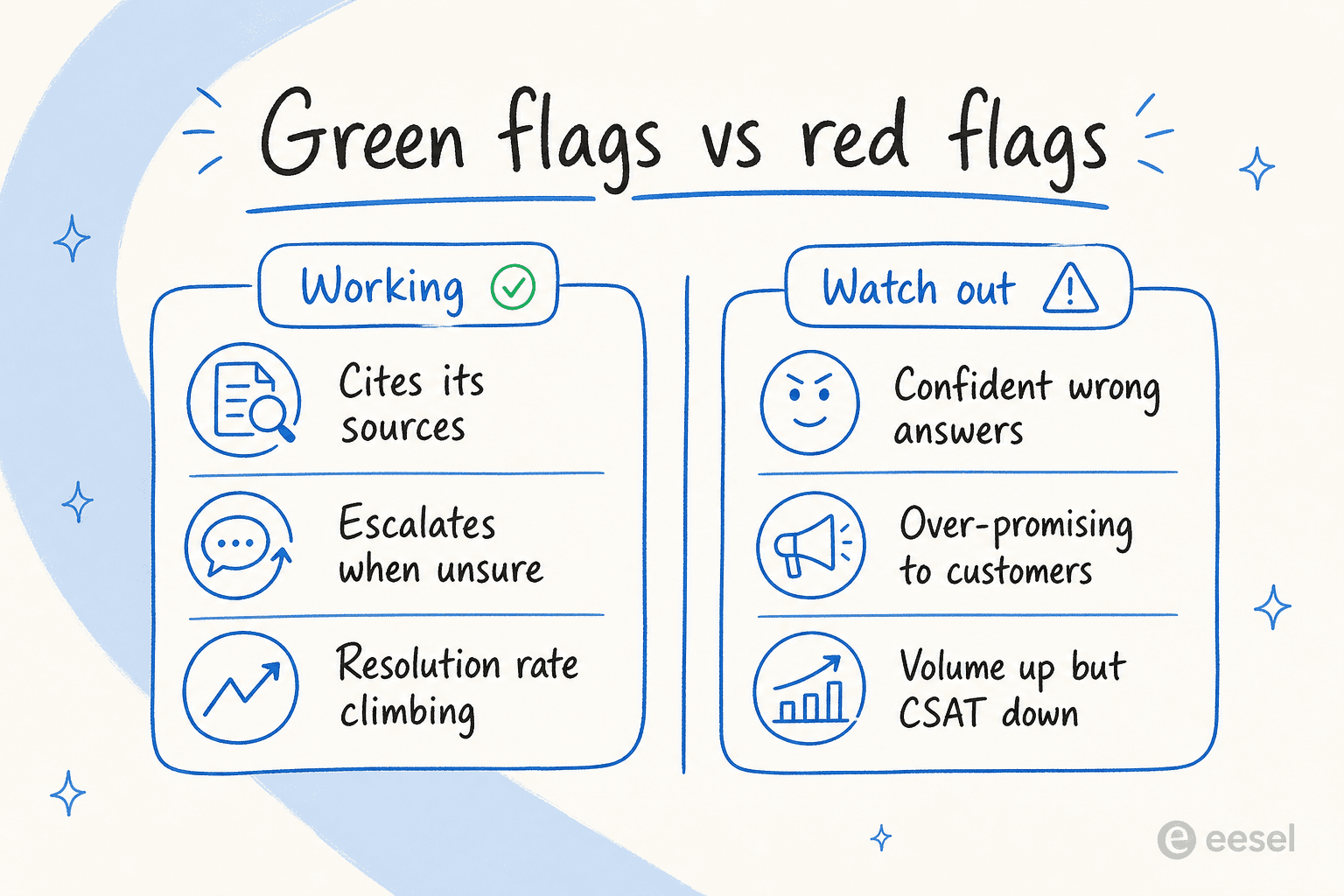
The green flags are the easy ones. The AI cites its sources on every answer. It escalates when it's actually unsure rather than bluffing. Your resolution rate is trending up week over week, not flat. And, the simplest tell of all, your agents stop complaining about repetitive tickets.
The red flags are where I'd spend your attention, because they hide behind good-looking dashboards:
- Confident wrong answers. The car-model example from earlier. The bot is fluent, certain, and incorrect. This is the single most damaging pattern, because customers believe it.
- Over-promising. I've seen agents reassure customers in ways the business can't back. One support manager flagged it bluntly to us, telling the AI to "stop telling customers that we will get them sorted. You don't know that," and "stop promising customers things we can't do." If your bot is making commitments about delivery dates or outcomes, that's a control problem, not a knowledge one.
- Volume up, CSAT down. The agent is handling more, and customers are less happy. That divergence is the clearest sign that "busy" and "working" have come apart.
- No citations. If you can't see where an answer came from, neither can the customer, and neither can you when you're auditing it later.
Most of these trace back to knowledge gaps or missing guardrails, which is good news, because both are fixable without ripping anything out. The common AI chatbot problems post goes deeper on the usual culprits.
Where to actually look
All of this assumes you can see what your AI agent is doing. If your tool only shows you a total count, that's the first thing to fix, because you can't manage what you can't read.
The two views I check most are the reports dashboard and the raw activity log. The reports view is where the trend lives: task volume over time, how tasks were triggered (chat, email, internal note), and how many AI actions were approved, rejected, or are still awaiting a human decision. That approval-versus-rejection ratio is a fast proxy for trust.

The activity log is where you read the actual work. Every conversation, its channel, the linked ticket, and whether it ended resolved or pending. This is where you go to spot-check answer quality and catch the confident-wrong cases the aggregate numbers smooth over. I'd skim ten of these a week, minimum.

If your helpdesk already runs CSAT surveys on closed conversations, tie those scores back to AI-handled tickets specifically. That single cut, CSAT on AI-resolved tickets versus human-resolved ones, settles most "is it actually good?" debates faster than anything else.
Don't wait until it's live to find out
Here's the part most teams skip, and the one I'd push hardest on: you don't have to discover whether your AI works by testing it on real customers.
The mistake is treating go-live as an on/off switch. The better model is a ramp. You graduate the AI through stages of autonomy as the numbers earn it, not before.
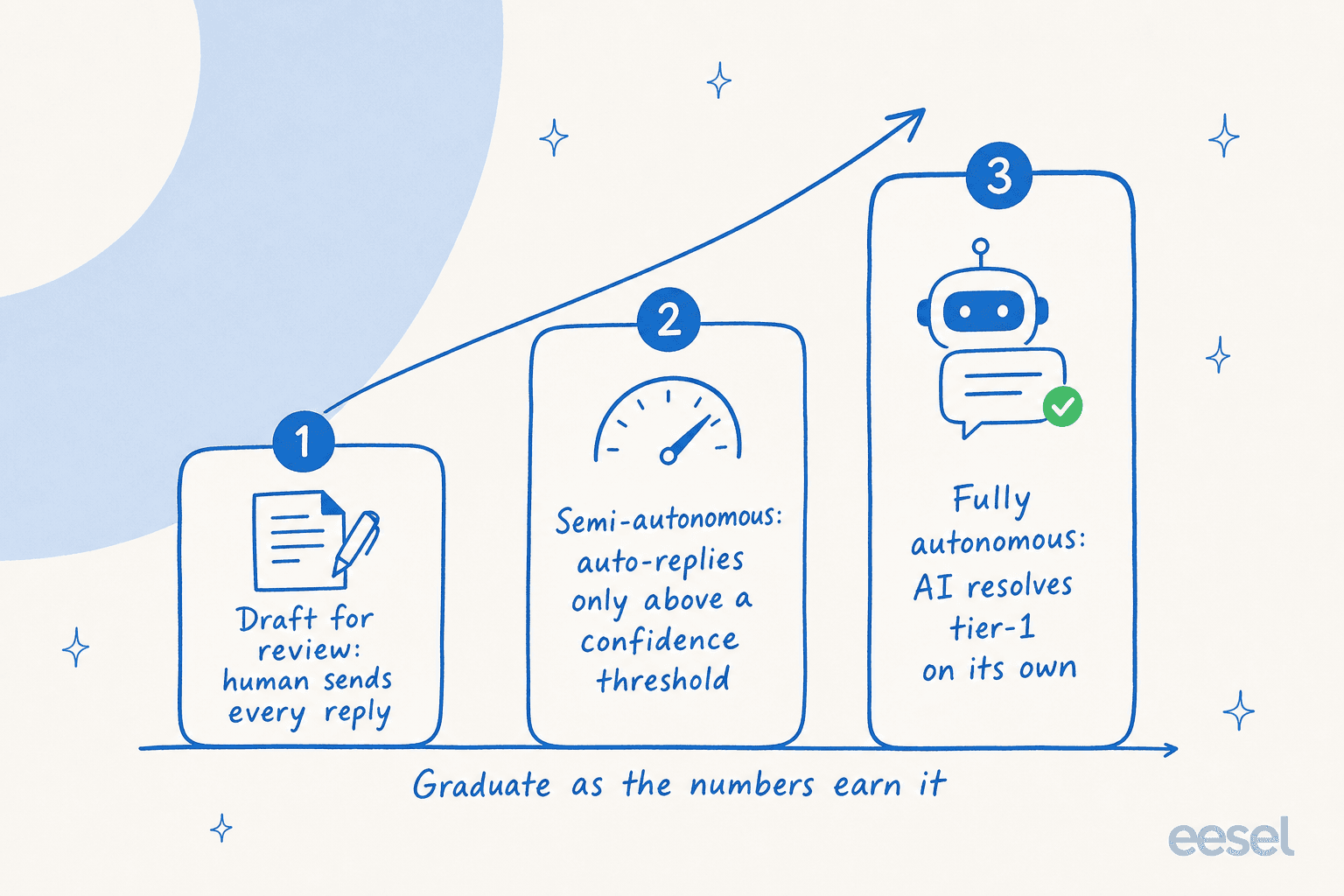
You start in draft mode, where the AI writes replies but a human sends every one, so you're scoring quality with zero customer risk. As the answers prove out, you move to semi-autonomous, letting the AI auto-reply only above a confidence threshold and routing the rest to a person. Once the numbers hold, you let it run fully autonomously on the tier-1 cases it has earned.
Even before draft mode, you can run a simulation over thousands of your real past tickets to see exactly how the AI would have answered each one, with a predicted resolution rate, before a single live reply goes out. That German jewelry trial I mentioned ran a 100-ticket cross-validation precisely this way. Simulating first is how you answer "is it working?" before you've risked a single customer. It's also, honestly, the part I wish more teams did, because it turns a leap of faith into a measurement.
One fair caveat, since I work on this: eesel integrates deeply with helpdesks like Zendesk, Freshdesk, and Help Scout, so I'm not a neutral observer of the category. But the ramp-and-simulate approach holds whatever tool you use. If your AI vendor can't show you a dry run against your own tickets, that itself is a yellow flag worth asking about.
Try eesel
If you want to actually answer "is my AI support working?" with numbers instead of vibes, that's the problem eesel is built to solve. You connect your helpdesk and knowledge sources, brief the agent in plain language, and run a simulation on your past tickets to get a predicted resolution rate before going live, then ramp from draft mode to autonomy with the reporting to back every step.

It runs on usage-based pricing with no per-seat fees, and there's a free tier to test it against your own queue. You can see how other teams measured their rollouts on the customer stories page, or read our practical guide to AI in customer support for the full playbook. Try eesel and find out what your real resolution rate would be.
Frequently Asked Questions
How do I know if my AI support is working?
What is a good resolution rate for an AI support agent?
How is AI deflection different from AI resolution?
What are the warning signs that my AI support agent is failing?
Can I test my AI support before letting it reply to customers?


Article by
Alicia Kirana Utomo
Kira is a writer at eesel AI with a Computer Science background and over a year of hands-on experience evaluating AI-powered customer service tools. She focuses on breaking down how helpdesk platforms and AI agents actually work so that support teams can make better buying decisions.