Zendesk AI Google Drive integration: two ways to connect

Rama Adi

Katelin Teen
Last edited September 7, 2026
Why teams want Google Drive as a Zendesk knowledge source
Zendesk's AI is only as good as what you point it at, and that is the part most write-ups skip. Here is a Reddit comment that gets quoted in nearly every honest Zendesk AI thread:
"The Co-Pilot stuff is decent, but we found its effectiveness really depends on having a perfectly curated Zendesk knowledge base, which... ours isn't, lol."

That is the whole problem in one sentence. The AI can only answer from what it can read, and for a lot of teams the good stuff was never turned into help-center articles. It is sitting in a shared Google Drive folder. This is a common trap when you first roll out AI for customer service: the model is fine, the knowledge plumbing is the bottleneck.
One of the clearest versions of this I have run into came from a bus-tracking company on Zendesk, around 200-250 tickets a month. Their support knowledge did not live in a polished Zendesk help center at all. It lived in product manuals in Google Drive plus a pile of solved tickets, and the manuals had been written for administrators while the tickets came from riders. What they actually asked for was blunt:
"Create an application that will be able to handle 60% of the incoming zendesk tickets and know when to pull a real person in for better analysis and resolution."
eesel sales call, anonymized (a bus-tracking support team on Zendesk whose manuals lived in Google Drive)
That is the job. Read the Drive docs, read the ticket history, answer the front-line questions, and escalate cleanly when unsure. Both routes below can do a version of it. They differ on how they read Drive, how fresh that reading stays, and what you pay.
Route A: connect Google Drive natively through Zendesk AI
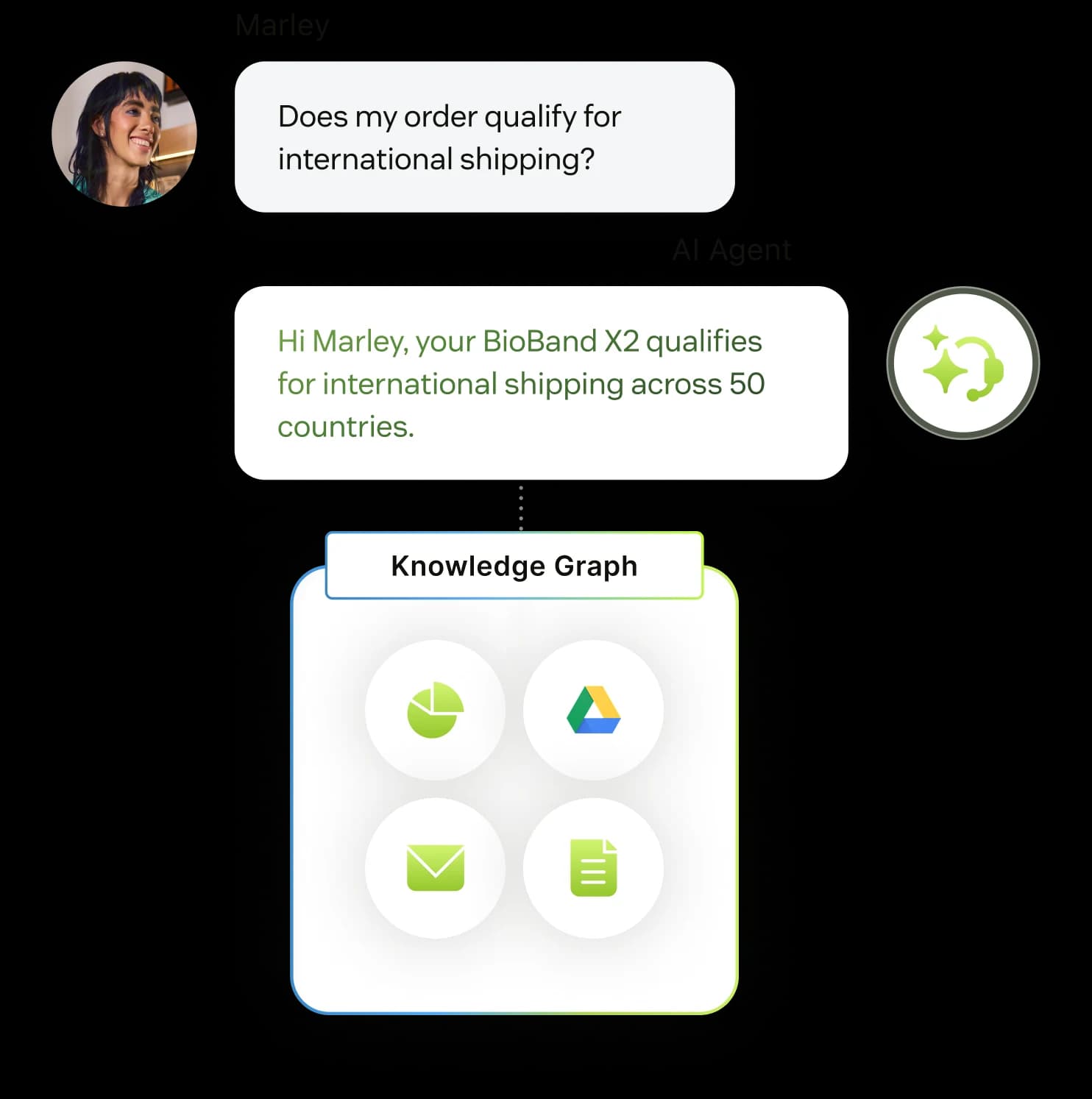
Zendesk's own AI agents can pull in outside content, and Google Drive is one of the named examples. Per Zendesk's knowledge-source docs, an AI agent connects to exactly two kinds of source: your Zendesk help centers, and external knowledge brought in through a web crawler or a knowledge connector. The marketing page puts it plainly: "Connect AI agents to your help center and external sources like Google Drive or PDFs." If you are new to how these agents behave, our Zendesk AI review covers the basics.
So the native path is real. What matters is the fine print, because it decides whether it fits your setup.
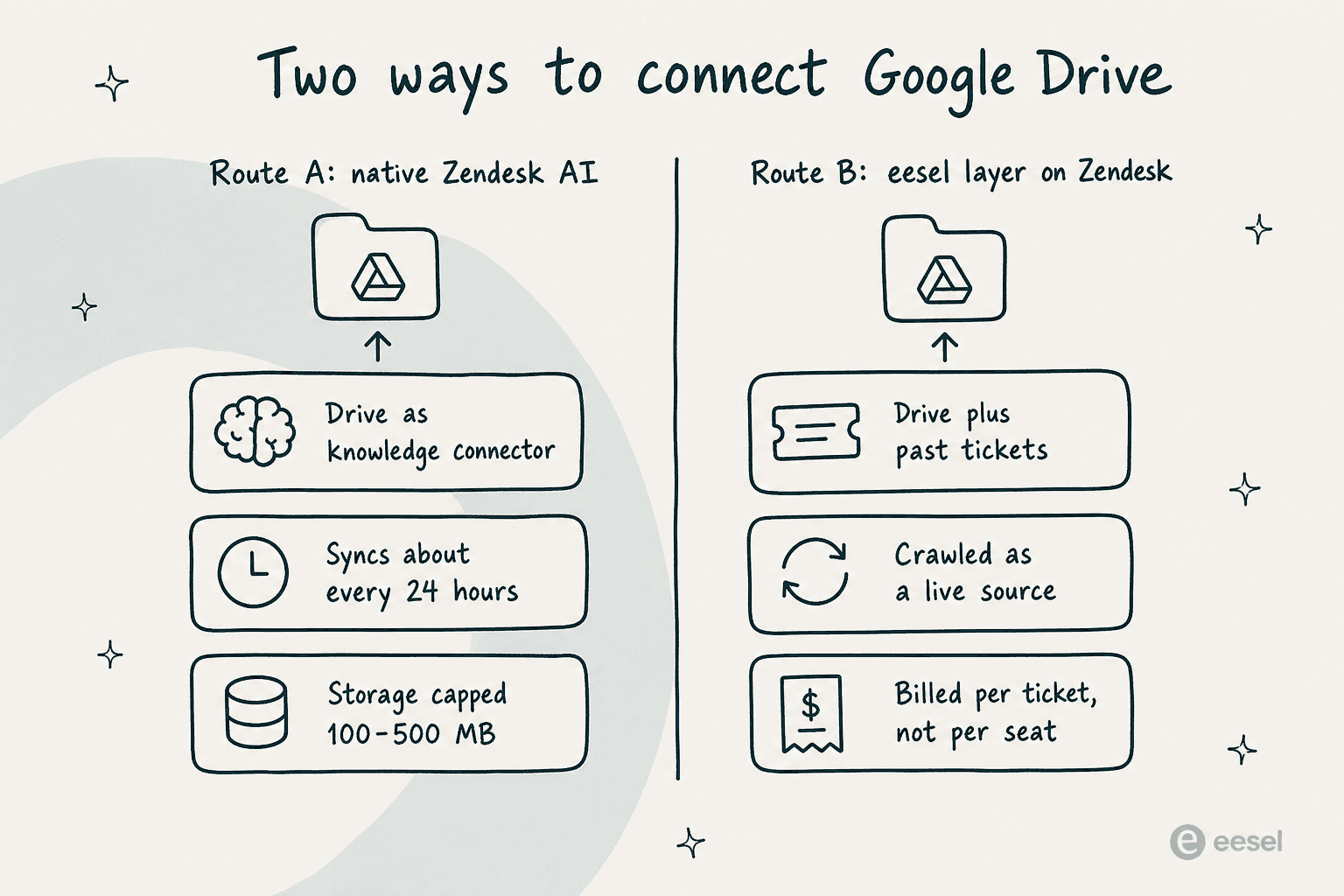
It is gated by plan. Knowledge connectors are not on the entry Support Team plan, which is also why the free Zendesk version will not get you here. They arrive on Suite Team ($55/agent/mo billed yearly) and Suite Professional ($115). The external knowledge storage that holds your synced Drive content is capped too: 100 MB on Support Team, 500 MB on Suite Team and Professional. For a big Drive full of PDFs, 500 MB is a real ceiling to plan around.
Drive is synced, not live. This is the detail I would test before trusting it. Zendesk is explicit that a connected help center is searched live, but a connected external source is searched against "the information that was available as of the last sync, which usually happens every 24 hours." Edit a policy doc in Drive at 9am and the AI may keep answering from yesterday's version until the next sync lands.
Past tickets are not a source here. The connectable source types are help centers and external crawled content only. Your Zendesk ticket archive is not something the AI agent reads directly. Zendesk turns ticket history into content through its Knowledge builder, which drafts articles from solved tickets, and the agent then reads those articles. It is a fair design, just worth being precise about: the AI is grounded in your docs, not in the raw tickets.
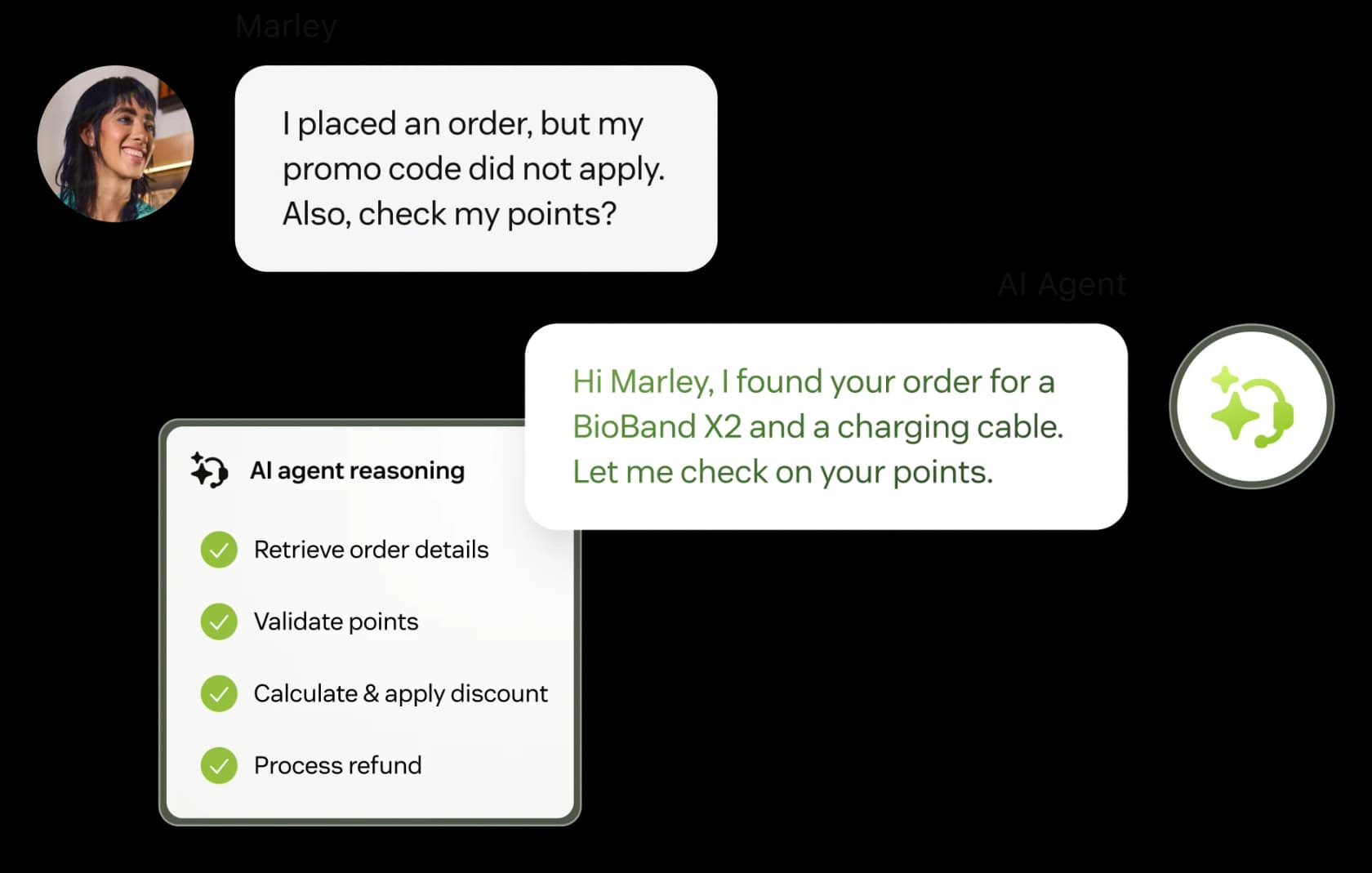
And it bills per resolution. On top of seats, Zendesk's pricing page lists $1.50 per committed automated resolution or $2.00 pay-as-you-go, identical across the three published tiers. The nicer half of that story, added in May 2026: only a verified resolution counts, where an LLM confirms after a 72-hour no-follow-up window that the request was actually resolved. Contained resolutions and assisted escalations do not draw down your allowance. If you want the deeper breakdown, we walked through it in our Zendesk AI resolution-rate note.
Native Route A in one line: if you are already on Suite Team or higher and your Drive content is modest and slow-changing, this is a clean, supported way to connect it.
Route B: layer eesel on Zendesk and point it at Google Drive
The other route keeps Zendesk exactly as it is and adds an AI teammate on top. eesel joins your Zendesk as a real AI agent, not a separate chatbot widget or a second inbox. It reads tickets, drafts and sends replies, adds internal notes, updates fields, and routes to groups, the same actions a human agent takes.

The reason it fits this specific problem is what it treats as a knowledge source. Google Drive is a first-class source in eesel, sitting right alongside your past Zendesk tickets, help center, and macros. That is the difference the bus-tracking team needed: the Drive manuals and the solved-ticket history feeding one agent. One eesel customer, Ecosa's CTO, put the multi-source point directly:
"We chose eesel AI because it offers multi-channel data input options. By linking our CSVs, Zendesk, and Google Docs as sources, we can make the most of our vast documentation."
Wesley Wang, CTO, Ecosa
Setup is a two-click OAuth from the Zendesk Marketplace, and eesel imports your help center articles, past tickets, and macros automatically, no manual training. You then add Google Drive as another source during setup, the same way you would wire up AI into Google Drive anywhere else. The company reports 85%+ tier-1 resolution out of the box within a week, and setup under 30 minutes.
The other thing this route gives you that native does not: a real dry run. eesel can simulate the agent against your past Zendesk tickets before it touches a live one, surfacing exactly where your Drive docs have gaps ("Refund policy: 28% coverage") so you can fill them first. Zendesk's own testing guidance is forward-looking by comparison: connect to a test environment, route test emails, watch the logs. Both are valid. Only one shows you the coverage number before launch.
The freshness question, side by side
This is the difference that bites quietly, weeks after launch, when someone updates a Drive doc and the AI keeps giving the old answer.
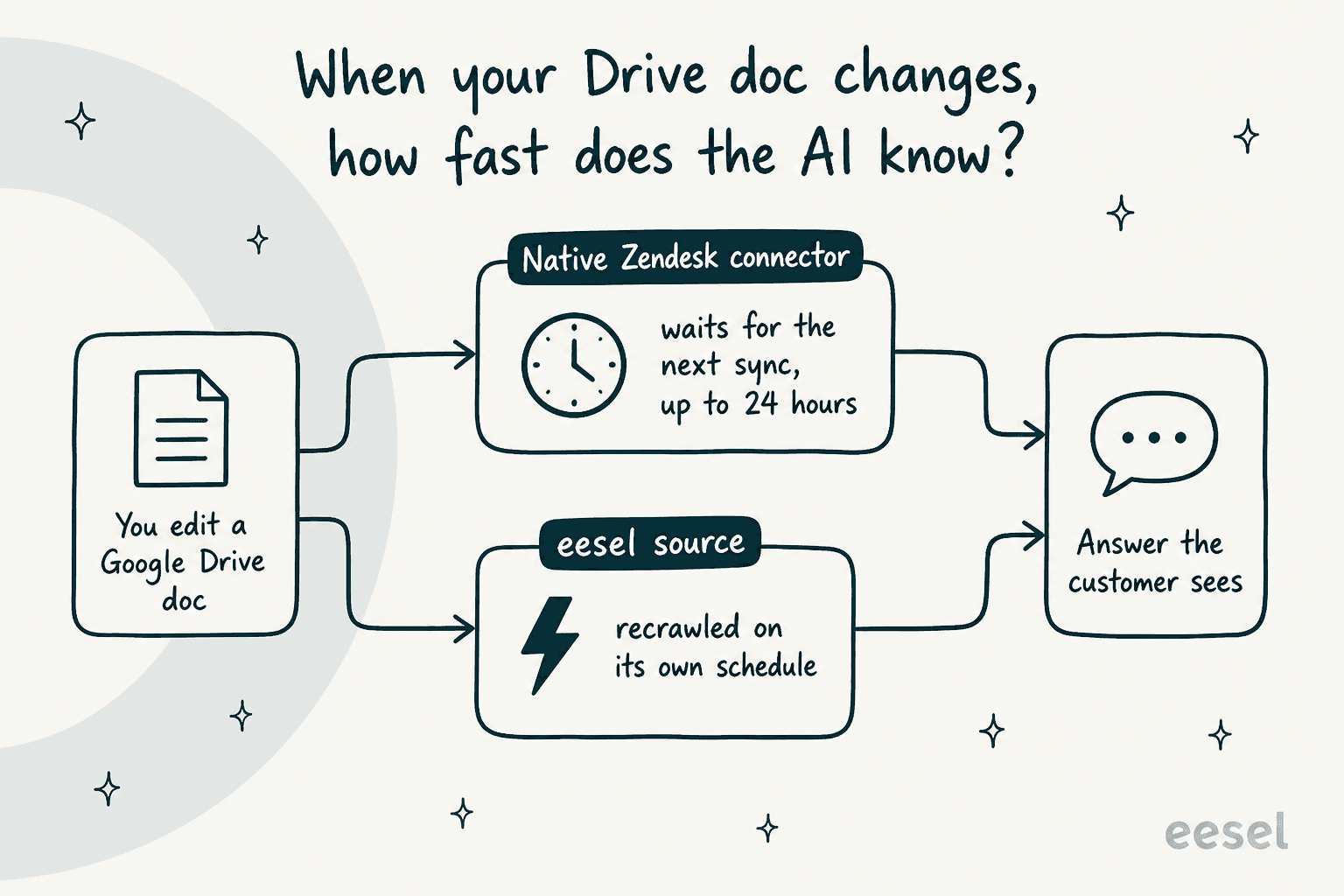
On the native connector, external sources refresh on Zendesk's roughly-24-hour sync, so a Drive edit can take up to a day to reach a customer. That is fine for stable policy docs and a genuine risk for anything that changes mid-incident, like a shipping delay or an outage note. It is the kind of thing you want to know before you promise the team "the AI reads our Drive," because for a stretch of the day it is reading yesterday's Drive.
What each route actually costs
Both can answer from Google Drive. They bill on completely different units, and the unit is where the real money is.
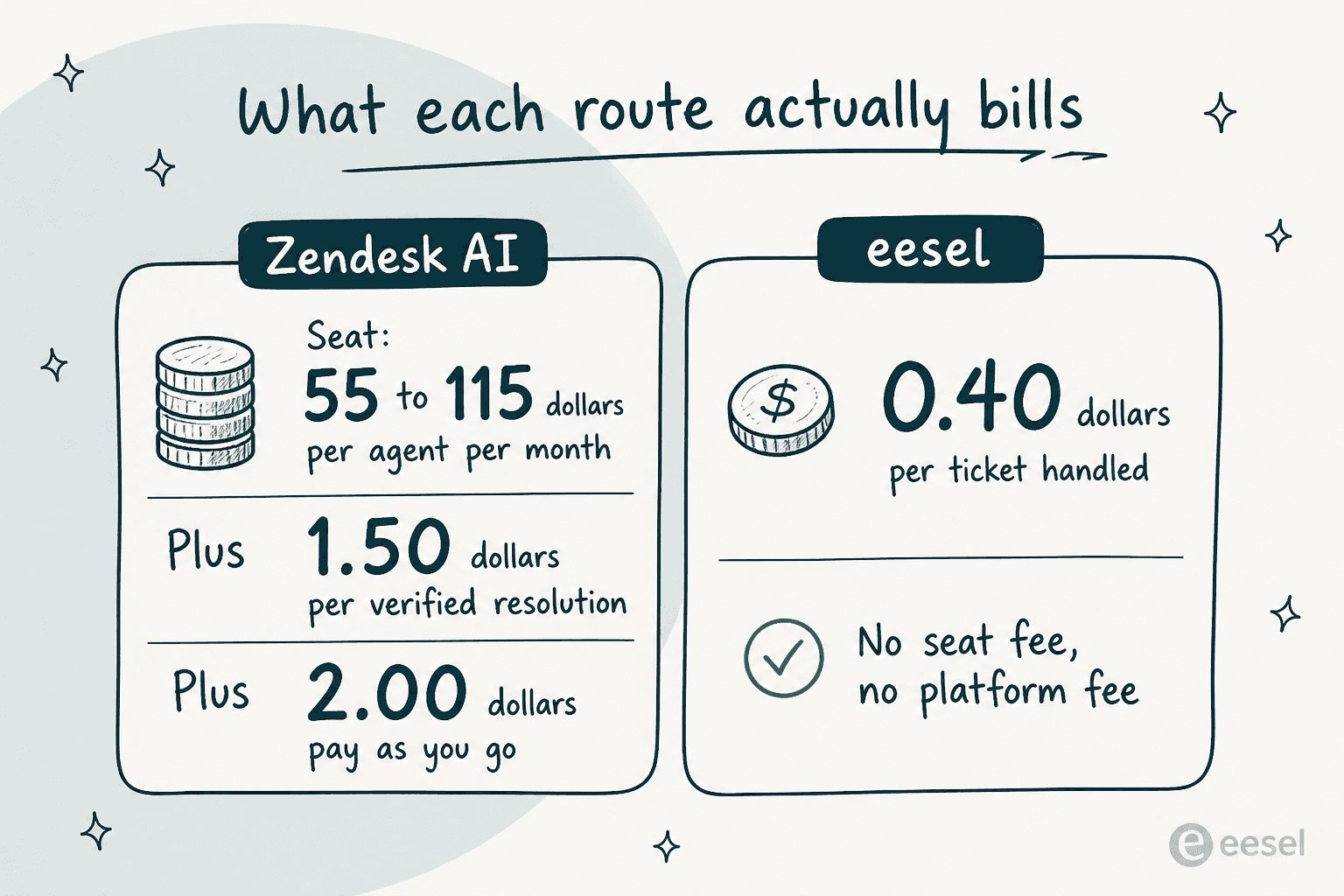
Here is a worked example at the bus-tracking team's size, roughly 250 tickets a month, say a 5-agent team, assuming the AI handles most of it.
| Cost line | Native Zendesk AI (Suite Team) | eesel on Zendesk |
|---|---|---|
| Platform / seats | 5 agents x $55 = $275/mo | $0 |
| AI usage | ~200 verified resolutions x $1.50 = $300/mo | 500-credit plan = $299/mo (250 tickets use half) |
| Billing unit | Per verified resolution | 1 credit per ticket handled |
| Rough monthly total | ~$575 | ~$299 |
The seat line is the quiet part. With native AI you pay for the helpdesk seats whether or not the AI does the work, then pay again per resolution. eesel's fixed monthly pricing is one number, from $299/month for 500 credits, and if your humans handle a ticket the AI does not, it does not use a credit. That gap is exactly why one CX lead at a healthcare platform I spoke with had gone looking in the first place, having found native Zendesk AI "inadequate and overpriced" for their volume.
To be fair to the native side: Zendesk's verified-resolution model means you are only billed when the AI genuinely closes something out, which softens the per-resolution rate more than a flat per-conversation charge would. It is a real improvement. The seats underneath it are still the line most teams underestimate.
Which route should you pick?
The honest split, and I say this as someone who builds the Zendesk integration so I am obviously not neutral:
- Pick native Route A if you are already paying for Suite Team or higher, your knowledge is mostly clean help-center articles with a bit of Drive on the side, that Drive content is small and slow-changing, and you would rather keep everything inside one Zendesk bill.
- Pick eesel Route B if the real answers live in Google Drive and in your solved-ticket history, you want the AI reading both, you care about Drive staying fresh, and the per-seat-plus-per-resolution math is starting to sting. The simulation over past tickets is the tiebreaker if you have been burned by a confident bot giving a wrong answer.
Neither is a rip-and-replace. Route B specifically is designed to sit on the Zendesk platform you already run, so it is a low-risk thing to trial next to your existing setup. If you want more context, our Zendesk pricing breakdown, our roundup of the best customer service AI, and our guide to AI knowledge base tools all go deeper. If you are still tuning the native side, Zendesk AI reply configuration is a good next read.
Try eesel on your Zendesk
If your support answers are scattered across Google Drive and thousands of past Zendesk tickets, eesel is built for exactly that spread. It works like a new hire that plugs into Zendesk in a few minutes, reads your Drive docs and ticket history together, and drafts real replies you can review before it ever goes autonomous. You can simulate it on your own past tickets to see the resolution rate first, and it is free to try with no credit card.
Point it at your Drive folder, run a simulation, and see what it resolves before you commit a cent.