Gorgias AI spam filtering: what closes junk and what can't

Kira

Katelin Teen
Last edited November 22, 2026

Gorgias has no spam filter of its own: a ticket lands in its Spam view only because your email provider flagged the email first. The AI part is elsewhere. Gorgias labels customer messages with an intent, including Other::Spam and Other::No Reply, and a managed rule called Auto-close spam closes and tags new email tickets with either intent. If you run Gorgias's AI Agent, it also closes spam, auto-replies and marketing mail silently, a behaviour you can't turn off, only route around with the Prevent AI Agent from answering rule. None of this marks a ticket as spam, and no rule action can. Closed noise with no reply sent isn't a billable ticket, which is why Gorgias asks you to keep the spam rule at the top of your list.
If you'd rather write your own spam rules in plain words instead of Gorgias automation, an AI teammate such as eesel reads each new Gorgias ticket and closes, tags or answers it, and with the eesel CLI an AI coding agent can load your help articles and macros or ask eesel test questions before it goes live, though connecting Gorgias still needs an admin's approval.
Does Gorgias have a spam filter?
No. Gorgias's own email integration FAQ says it "imports emails as your provider sees them, and does not have a spam filter of its own". An email your Gmail or Outlook marked as spam, even once and later unmarked, comes in as spam; everything else comes in as a normal ticket, as Gorgias email setup explains. If you connected your address by automatic forwarding instead of the direct Gmail or Outlook integration, spam isn't imported at all.
A Gorgias admin put it more bluntly on the community forum, answering teams who couldn't find the spam settings:
"That's because Gorgias doesn't have spam filters."
I work on eesel's support team, and this trips people up more than any setting does. The Spam view in Gorgias looks like a filter's output, so teams go hunting for the filter. There isn't one to tune. What Gorgias does have is three layers that decide what reaches an agent:
| Layer | What it does | Where you set it | Can you change it? |
|---|---|---|---|
| Your mailbox's spam filter | Decides which emails arrive in the Spam view | Gmail, Microsoft 365, Zoho Mail | Yes, in the mailbox, not in Gorgias |
| Intents | Labels customer messages, including Other::Spam and Other::No Reply | Automatic, on every message | No, it's detected |
| Auto-close spam rule | Closes and tags new email tickets with either intent | Workflows > Rules | Only its two email lists |
| Your own auto-close rules | Close tickets by sender, subject, channel or intent | Workflows > Rules | Fully |
| AI Agent's silent close | Closes spam, auto-replies, marketing and off-topic messages without replying | Built into AI Agent | No; exclude tickets instead |
Rules are on every Helpdesk plan, per Gorgias's guide to creating rules, with up to 70 rules per account. The Gorgias rules guide covers the builder in general.
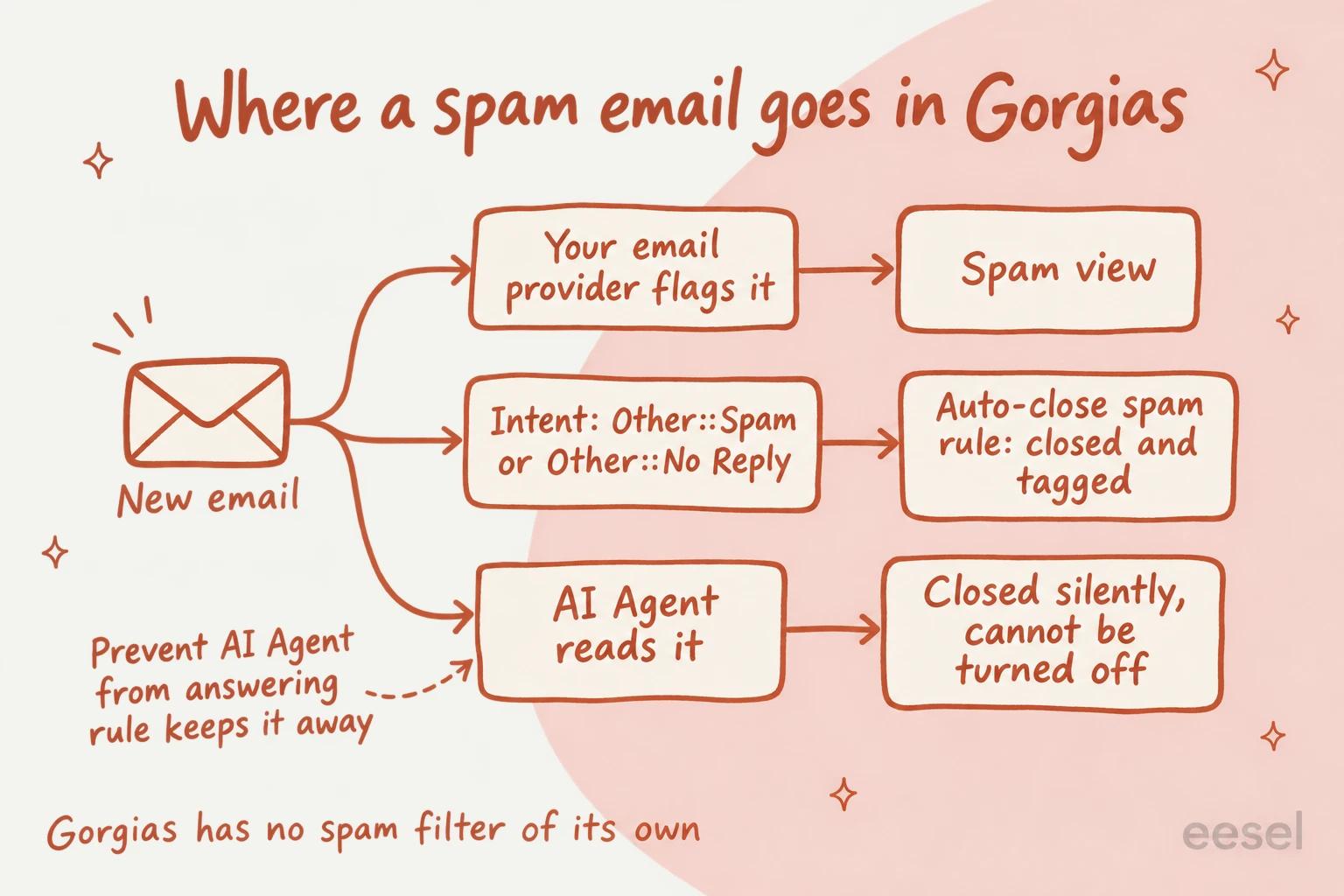
What does Gorgias's Auto-close spam rule do?
It closes and tags new email tickets that Gorgias's AI reads as not needing a reply. The Auto-close Spam emails article says the rule "is triggered when a new ticket is created, the channel is Email, and the ticket's intent is Other::No Reply or Other::Spam". Those intents come from Gorgias's intent detection, which runs on every customer message: Other::No Reply covers messages "not requiring a response", such as a customer who replies "Thanks, that solved it", and Other::Spam covers spam.
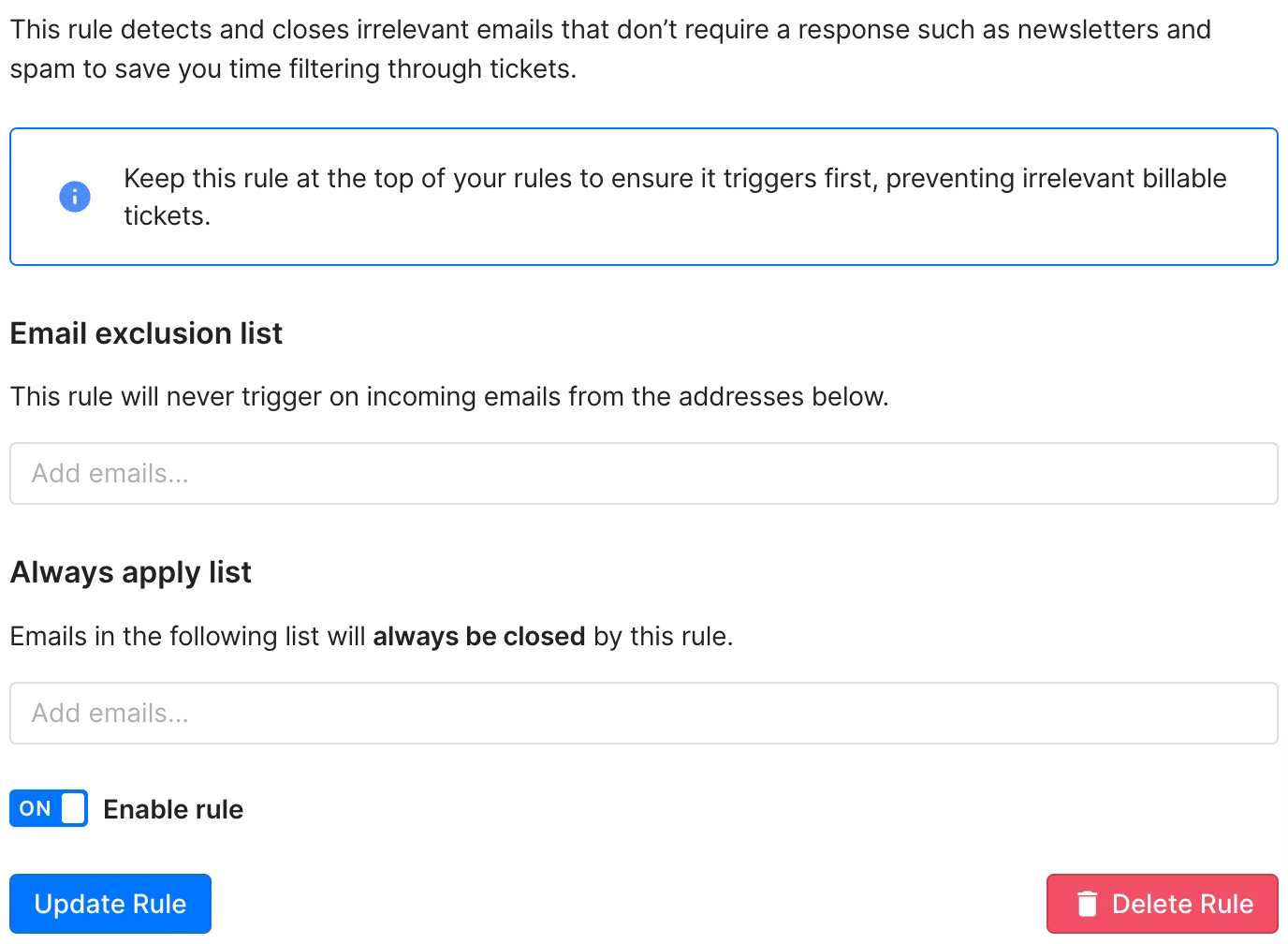
That screenshot is most of what you can change. It's a managed automation: the rules guide notes that "the Auto-close spam rule is a managed automation that can't be modified or duplicated". You get two lists:
- Email exclusion list. The rule "will never trigger on incoming emails from the addresses below". Put your wholesale partners, your 3PL and anyone whose short replies read like "no reply needed" here.
- Always apply list. Emails from these addresses "will always be closed by this rule", whatever their intent.
The banner at the top is the part I'd act on first. It says to keep the rule at the top "to ensure it triggers first, preventing irrelevant billable tickets". Gorgias's billing guide counts a ticket as billable when "at least one message in the ticket is sent from your Gorgias helpdesk", including "an automatic reply from a Rule". So if your auto-reply rule fires before the spam rule, every newsletter that gets an acknowledgement costs you a ticket. Rules with the same trigger run top to bottom in the order on the Rules page, so drag the spam rule above anything that replies. At Basic's overage of $40 per 100 tickets on the Gorgias pricing page, that ordering is real money; Gorgias ticket limits has the rest of the maths.
How do I set up my own spam rules in Gorgias?
Build them from Gorgias's auto-close templates, because the managed rule only looks at intent and only on email. Gorgias's Auto-Close templates include Automatic OOO replies, Non-support tickets (Shopify order notifications, PayPal payment emails), and several for social: IG Story mentions, social comments, Instagram giveaways and No-reply/Thanks.
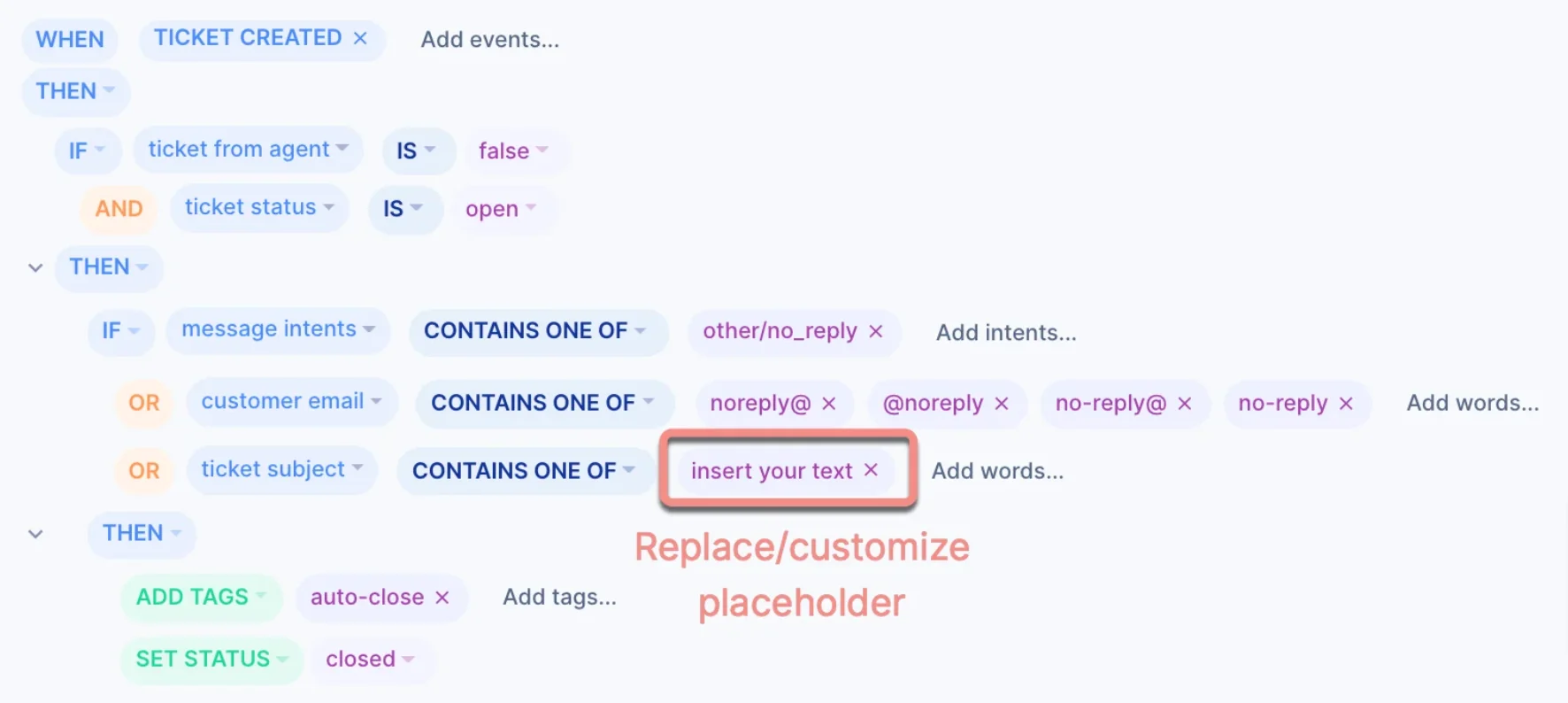
- Go to Workflows > Tools > Rules and click Create rule.
- Pick a template, such as Non-support tickets, and click Install rule.
- Replace the placeholder subject text with what your notifications actually say, and add the senders they come from.
- Keep the auto-close tag in the actions (Gorgias tags explains how they filter), so you can build a view of everything the rule closed.
- Click Update rule, then drag it near the top of the list.
The tag is your safety net. Gorgias's auto-close best practices are written for closing "any tickets that aren't from your customers", and the only way to know a rule didn't close a customer is to look. A saved view filtered on the tag, checked weekly, is enough. If you sort tickets by topic as well, AI tagging and routing covers the same intents for routing.
What does Gorgias AI Agent do with spam?
It closes it without replying, and you can't stop that. Gorgias's article on why AI Agent closes tickets lists what it closes silently: simple acknowledgements, "bulk, unsolicited, or clearly automated messages", out-of-office and bounce messages, newsletters, "scripted or uncanny copy", and questions unrelated to ecommerce or support. The same article says "These behaviors are built in and can't be turned off", and that guidance "has no effect on these decisions".
You get two levers:
- Keep AI Agent away from some tickets. The Prevent AI Agent from answering rule tags tickets
ai_ignore, and AI Agent then won't reply, hand over or close them, per Gorgias's guide to rules for AI Agent. Use it for VIP senders, partner addresses or words that need a person; Gorgias AI handover covers the other controls. - Check the reasoning. Each close leaves an AI Agent entry in the ticket timeline that explains what it detected, the same place you'd check a Gorgias AI Agent reply. If the reasoning is wrong, Gorgias asks you to send the ticket link to its support team.
On cost, spam is free to close. Gorgias's AI Agent pricing article lists "Spam or filtered messages" among the things that don't count as billable interactions; resolved ones cost $0.90 on most plans and $1 on Starter. Gorgias AI Agent pricing has the plan table.
What goes wrong with spam in Gorgias?
Not spam getting in. Real customers getting closed, or sitting in a view nobody opens.
The managed rule closes real tickets
Because you can't edit the Auto-close spam rule, a bad intent call is hard to correct. Aris, a Gorgias service partner, wrote on the community forum:
"I have observed this rule across a lot of clients to be closing support tickets."
His fix was a rule that stops order-related emails from auto-closing. The two lists only work by address, so for a pattern like "mentions an order number" you either live with it or turn the managed rule off and rebuild it from the Non-support tickets template, which you can edit.
Spam is a dead end for replies
Gorgias's ticket management guide says that if a customer replies to a ticket marked as spam, "you won't be notified about their new messages and the ticket won't reopen". Spam tickets move to Trash after 30 days without an update, and Trash is permanently removed 30 days after that. Meanwhile there's no rule action to unmark spam; in the same forum thread, Senka from Gorgias said that until there is one, the answer is adjusting your mailbox filters "or consistently reviewing your Spam view". Another member described what that looks like:
"Our whole team scans the spam folder once a day to retrieve the odd genuine email and trash all the genuine spam"
Marking spam doesn't block anyone
The same guide says "Marking a ticket as spam doesn't prevent a customer from contacting you", and "Manually adding a spam tag to your ticket won't mark it as spam". If one sender keeps writing, you need an auto-close rule on their address. Gorgias's own example of that is in the auto-close best practices, and it applies to Facebook comments and Messenger too.
Which Gorgias tool deals with your junk?
Pick the problem you see most to find the Gorgias setting that deals with it.
Can another AI filter spam in Gorgias?
Yes. Gorgias's REST API accepts a spam field on Update a ticket, so a tool built on the API can move tickets in and out of Spam. eesel does the job with tags and closes instead, which keeps every decision visible in your normal views. On a Gorgias queue with a lot of noise I'd set it up like this:
- Close the obvious non-actionable mail, the notifications, auto-replies and newsletters, with an internal note saying what each was.
- Tag what it's unsure of, for example
review-spam, and leave it open for a person. - Never close a ticket from someone with an order without a person looking. That's one sentence in its instructions, not a rule you can't edit, and every close shows up in your Gorgias reports like any other.
If you're happy with Gorgias's AI Agent, its silent close and the ai_ignore rule cover the first two; best AI for Gorgias weighs the other options. For the same problem across helpdesks, see AI spam ticket filtering and Freshdesk AI spam filtering.
Try eesel next to Gorgias
If your Gorgias spam problem is mostly mail that isn't technically spam, eesel can sort it as an AI teammate inside Gorgias. It runs on each customer message, reads the whole ticket and the customer's recent orders, and does what your instructions say: add tags from your list, close the ticket, leave an internal note or assign a teammate, per the eesel Gorgias docs. You choose per action whether it runs alone or waits for a person's yes (actions and approvals), so closes can wait for approval until you trust them. The same teammate then answers the tickets that are left. Rúngne, a climbing apparel brand on Gorgias, runs an eesel agent that tags each new ticket from a fixed list.
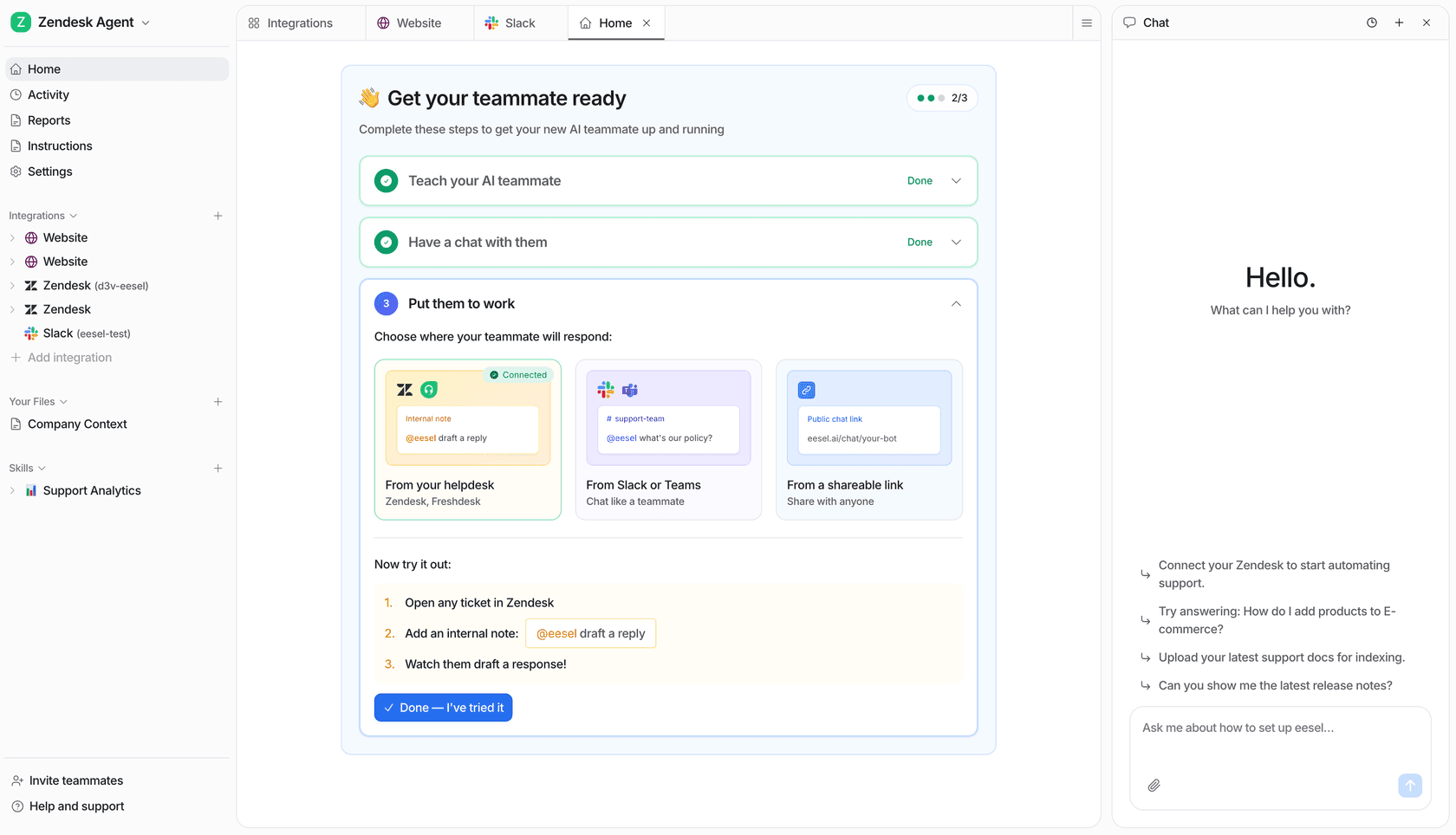
You can test it on your past Gorgias tickets before it touches a live one. Try eesel