What the Gladly AI chatbot actually is
Let's clear up the naming, because Gladly uses a few terms interchangeably. The product is officially "Gladly's AI customer service agent," the underlying layer gets called "Gladly AI," and the configurable persona you actually set up is a "Sidekick." In the demos it's a luxury-fashion brand called "Retalè" with an agent named "Remi." When people search for the Gladly AI chatbot, this is the thing they mean.
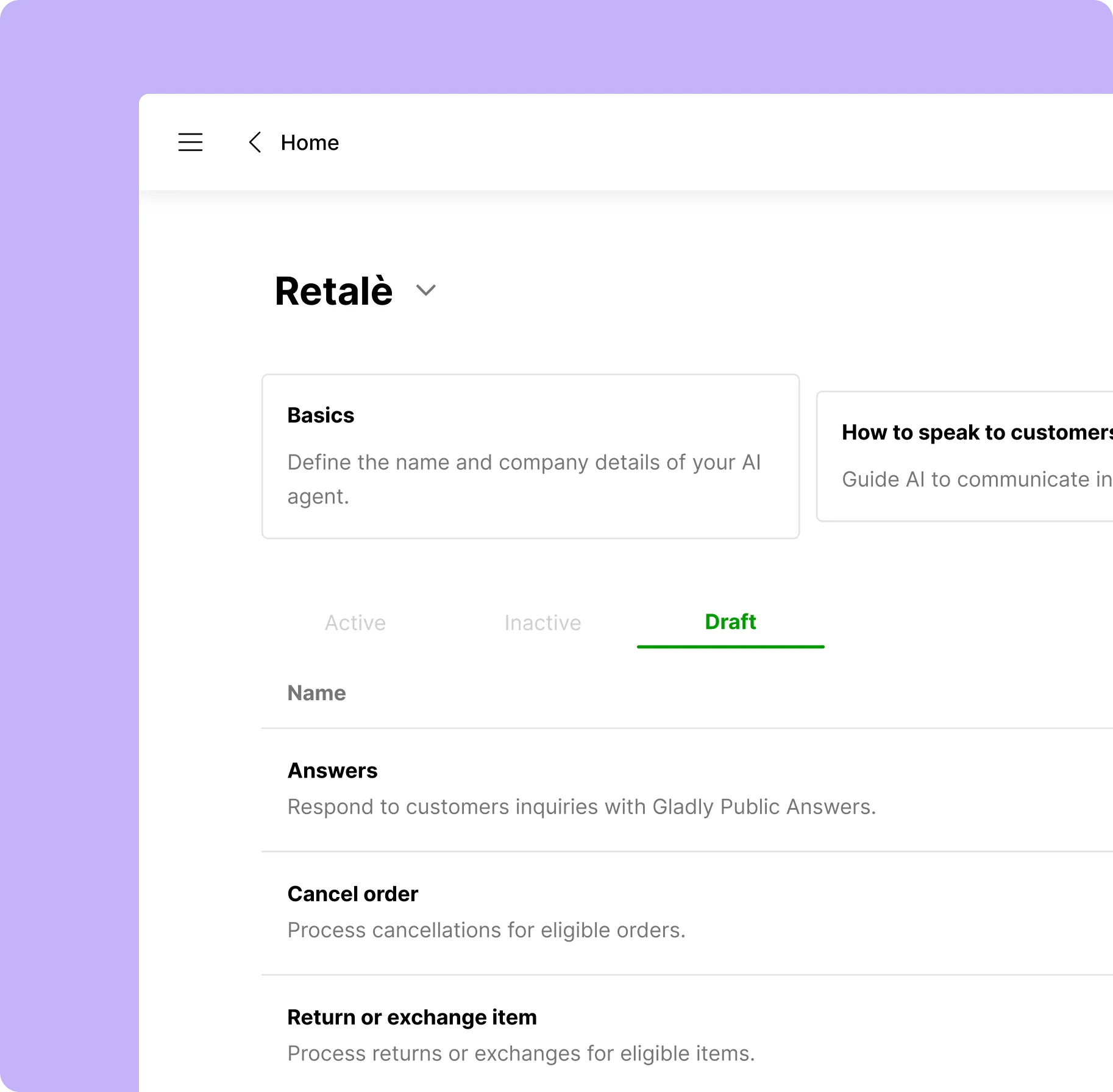
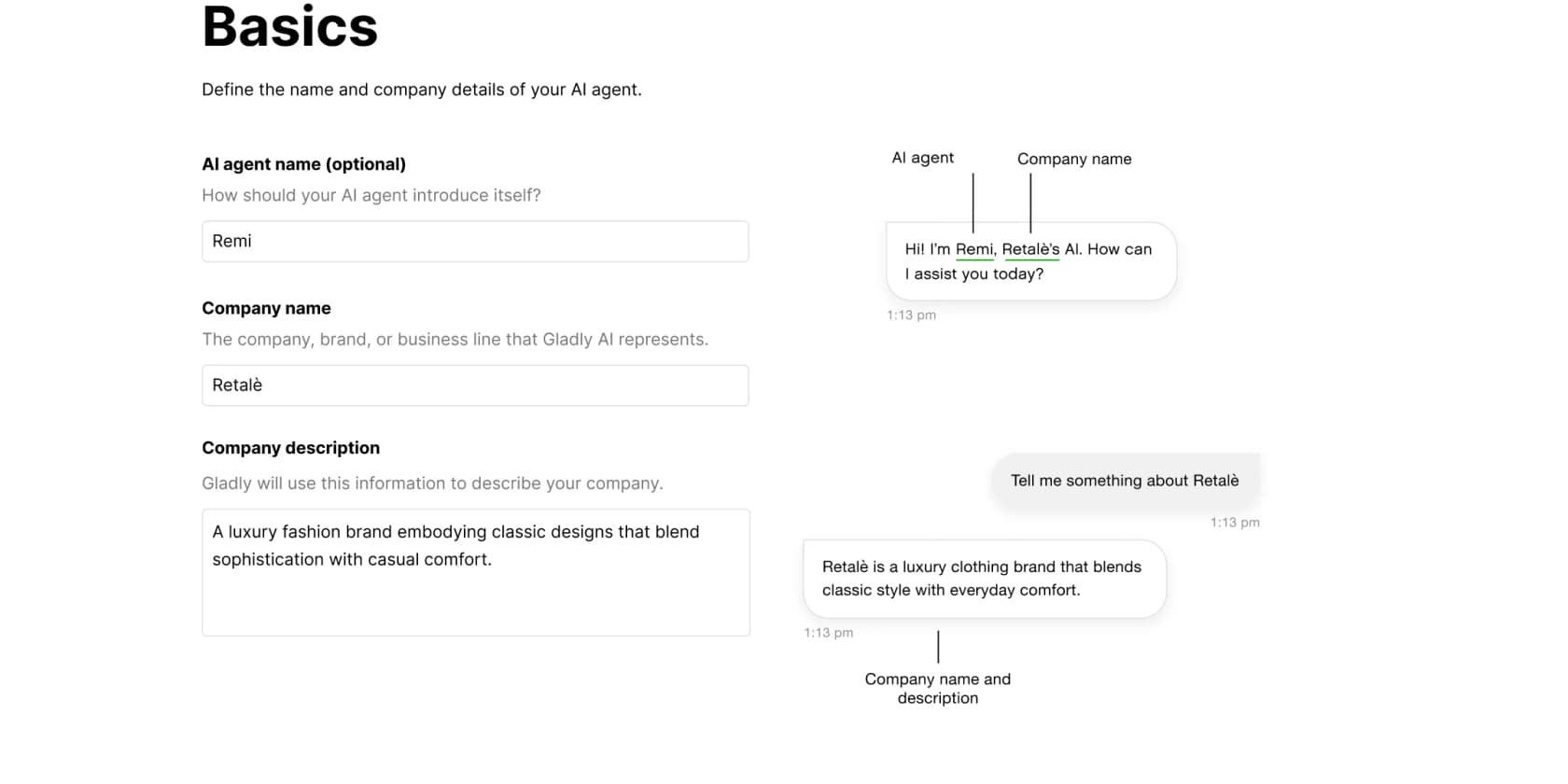
The first screenshot below is where you'd spend most of your setup time: defining the agent's identity and wiring up what it's allowed to do.
Gladly's whole pitch is "people, not tickets," and the AI inherits that worldview. Instead of spinning up a fresh ticket every time a customer reaches out, everything lives in one continuous conversation under a single profile. Gladly leans hard on a contrast it calls "devotion, not deflection," a fairly pointed jab at AI tools that optimize purely for closing tickets cheaply. Whether that's marketing or a real difference depends on how you set it up, but it does shape the product: the chatbot is built to engage and act, not just to deflect a question and disappear.
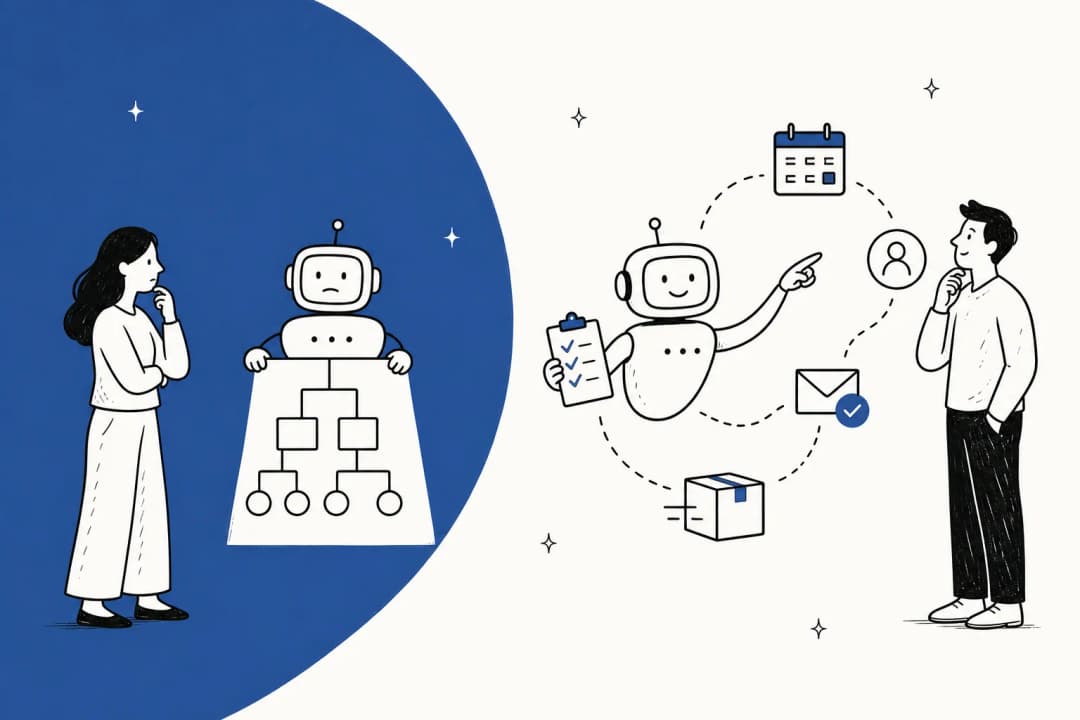
If you want the broader category context, it helps to know how an AI chatbot differs from a plain rules bot, and how AI agents handle customer support generally. Gladly sits firmly on the "agent that takes action" end of that spectrum.
How the Gladly AI chatbot works
Under the hood, the chatbot is configured through two concepts: Gladly Agents and Guides. You can have one agent or several, each a distinct configuration for a brand, team, or channel, which is handy if you run multiple storefronts.
Every agent is shaped by three "Behavioral Tiles," and this is genuinely the clearest part of Gladly's setup:
- Basics sets the persona: the agent's name, your company name, and a short description it uses to introduce itself.
- How to speak to customers defines tone, phrases to use or avoid, and how to respond when someone's frustrated, with channel-specific variations for voice versus chat.
- When to get more help is the escalation logic: the rules for when to hand off to a human, plus an optional handoff message.
The actual work happens in Guides, which are plain-language workflows. There are two flavours. An Action Guide does something concrete, like cancelling an order, and usually needs an integration wired up to pull it off. The Questions & Recommendations Guide is information-only, ships by default, and is the one you have to finish first to go live. It answers from your knowledge sources: Gladly's own Public Answers (help-center articles) and selected website pages.
That last point is the one people skip and then regret. The chatbot is only as good as the Answers you feed it. Gladly says it plainly in its own docs: "a stronger set of Answers improves its effectiveness." Garbage in, confident garbage out. This is the same trap that makes any AI chatbot answer incorrectly, and it's worth fixing before you flip the switch.
What it can actually do: real actions, not just answers
Here's where Gladly earns its "agent" label rather than "FAQ bot." The chatbot connects to your commerce, logistics, and marketing tools to take action. The concrete examples Gladly ships with are the ones DTC support teams field constantly:
- Cancel an order
- Return or exchange an item
- Price adjustment
- Answer questions from your knowledge base
The screenshot below shows a price-adjustment request playing out. The customer asks about a blue bag they bought, the AI confirms it's within the policy window, and rather than guess, it writes a clean summary and hands off. Notice the "Reason for handoff" note: "Retale Guide instructs Sidekick to hand off for price adjustments." That's a deliberate boundary the team set, not the AI giving up.
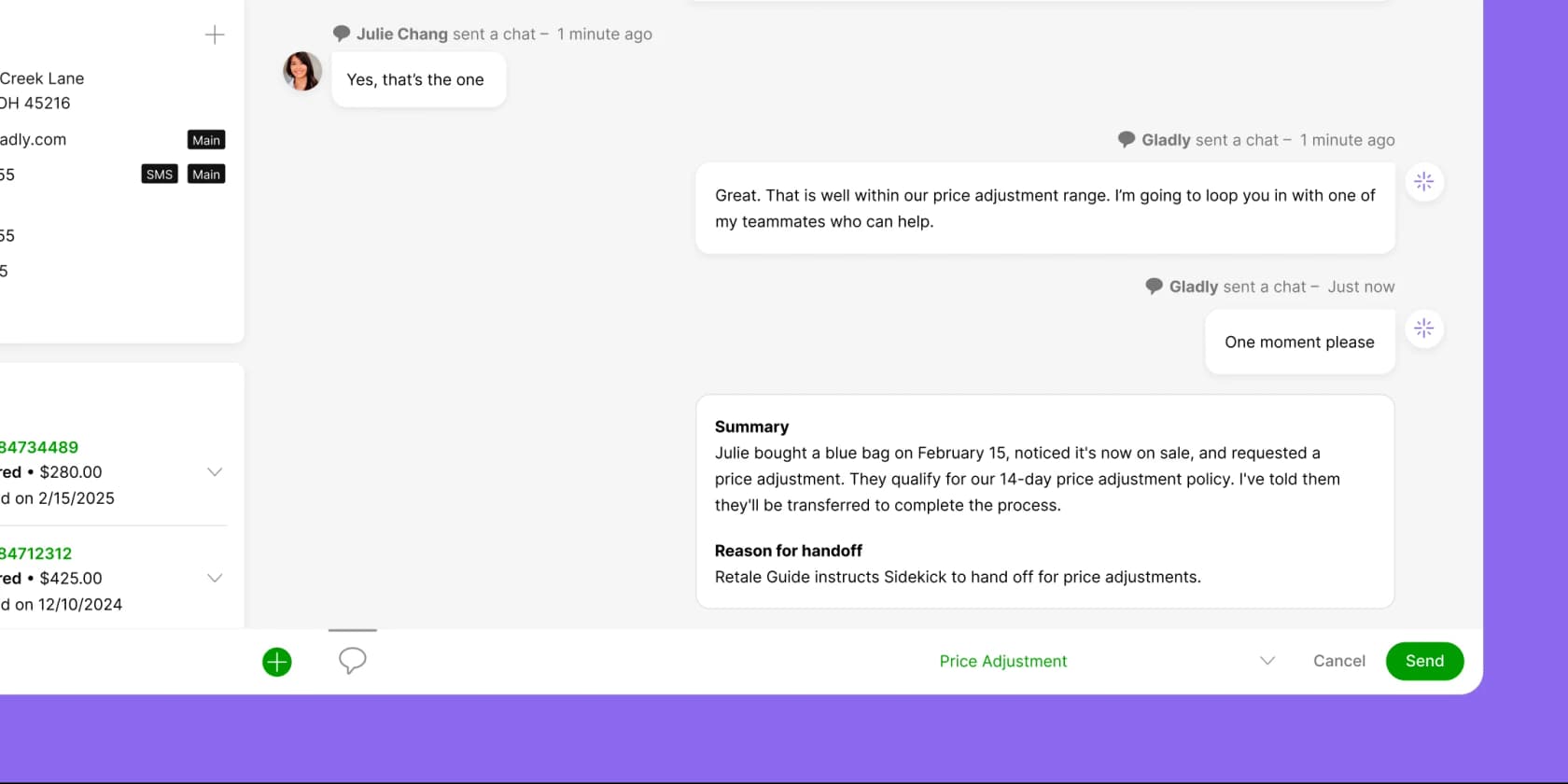
The action-taking is the genuinely useful bit. An AI that can resolve an order-status or order-related request end to end saves far more time than one that just replies "here's our return policy" and leaves the human to do the actual return. If you sell on Shopify, being able to connect order data to the chatbot is what unlocks this, and it's the difference between a real Shopify AI chatbot and a glorified search box.
The unified customer profile
The feature Gladly leans on hardest is context. Every conversation draws on a single customer profile that bundles contact details, order history, relationships, and the entire conversation history into one pane. The claim is that "customers never repeat themselves," and for a returning shopper, that's a real quality-of-life win.
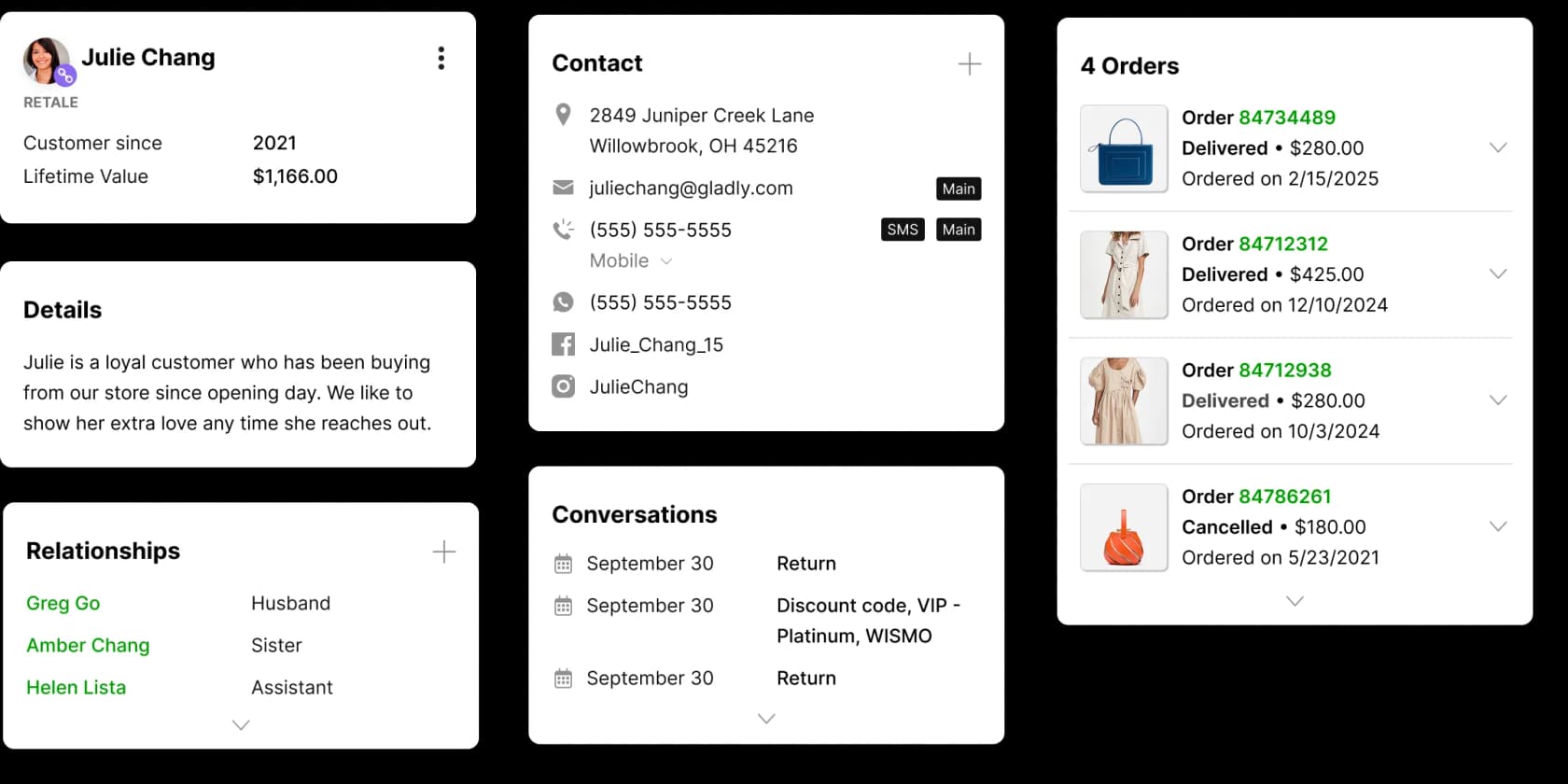
This is the part users genuinely love. On Capterra, the unified view comes up again and again:
"Gladly has completely eliminated duplicate conversations for our team. With our previous CX platform, we constantly battled duplicates - customers reaching out via email, DMs, and text simultaneously. Now, because Gladly unifies every interaction under a single customer profile, we're able to serve customers more efficiently and consistently meet our SLAs."
Jennifer R., Director of Ecommerce, on Capterra

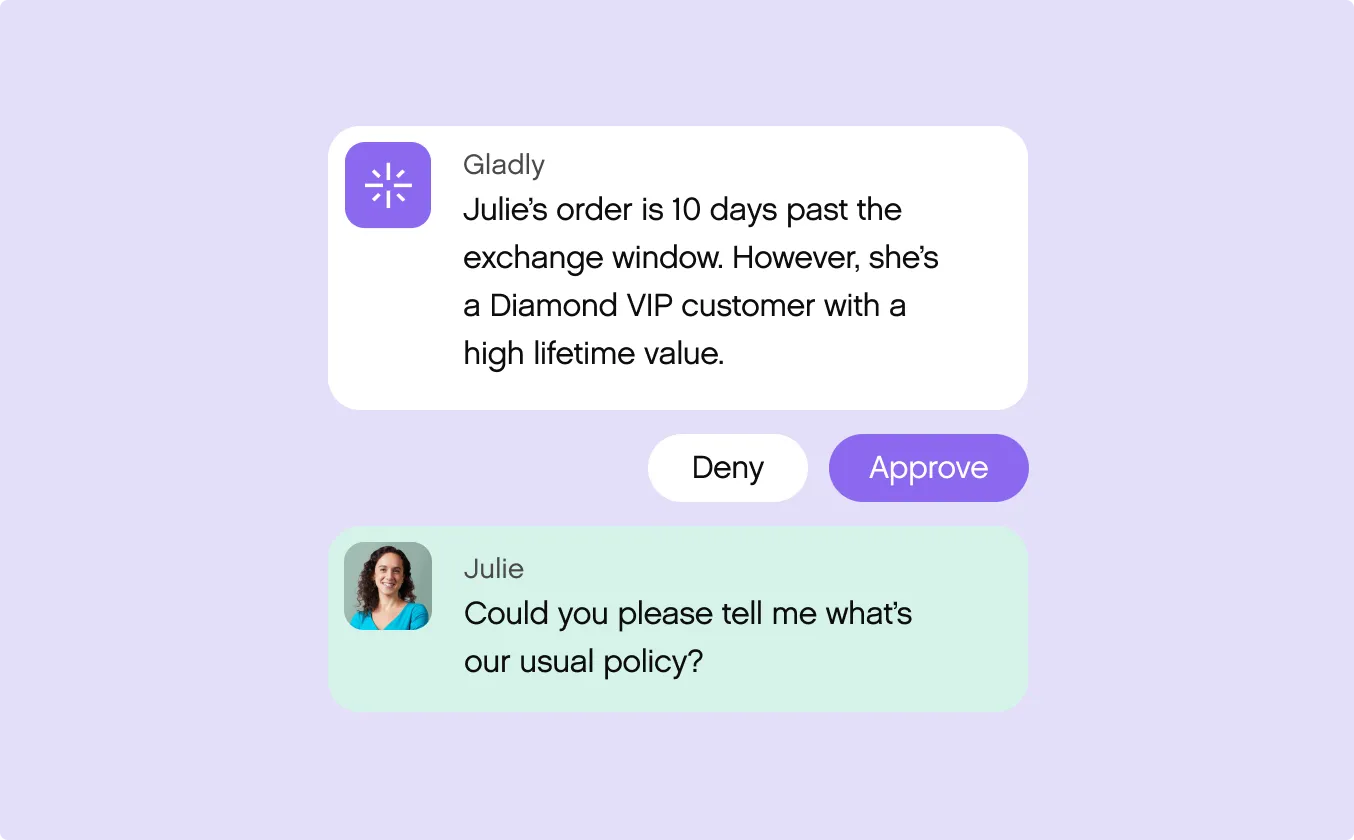
That profile is also what lets the chatbot make a judgement call instead of blindly applying policy. In the example below, the AI spots that a customer is 10 days past the exchange window but is a high-value VIP, and surfaces a Deny/Approve decision to a human rather than auto-rejecting. That's the "context" pitch made concrete.
Omnichannel, voice, and handoffs
Gladly connects chat, voice, email, SMS, and social into that one continuous conversation. The voice piece is worth a flag: Gladly markets "Sidekick on Voice" for automated phone support, and it carries an extra usage fee (about $0.06216 per minute per Gladly's docs) on top of standard telephony. If voice automation is a priority, AI on voice is still an emerging area across the whole category, so test it hard rather than assuming parity with chat.
On the helpdesk question, Gladly is refreshingly un-precious: it works alongside Salesforce and Zendesk rather than demanding you rip them out. For a lot of teams that's the deciding factor, since a "no rip-and-replace" rollout is far easier to get signed off.
The handoff itself is the part to get right with any chatbot, and Gladly's customers speak well of it. One retail brand put it like this:
"Our AI kicks in and starts answering common, repetitive questions. If something goes wrong or it's a more complex inquiry, the AI routes the customer straight to an agent. It's a seamless transition. Our customers don't even realize they're talking to AI."
Nancy Orgill, Customer Support Manager at KÜHL, in a Gladly customer story
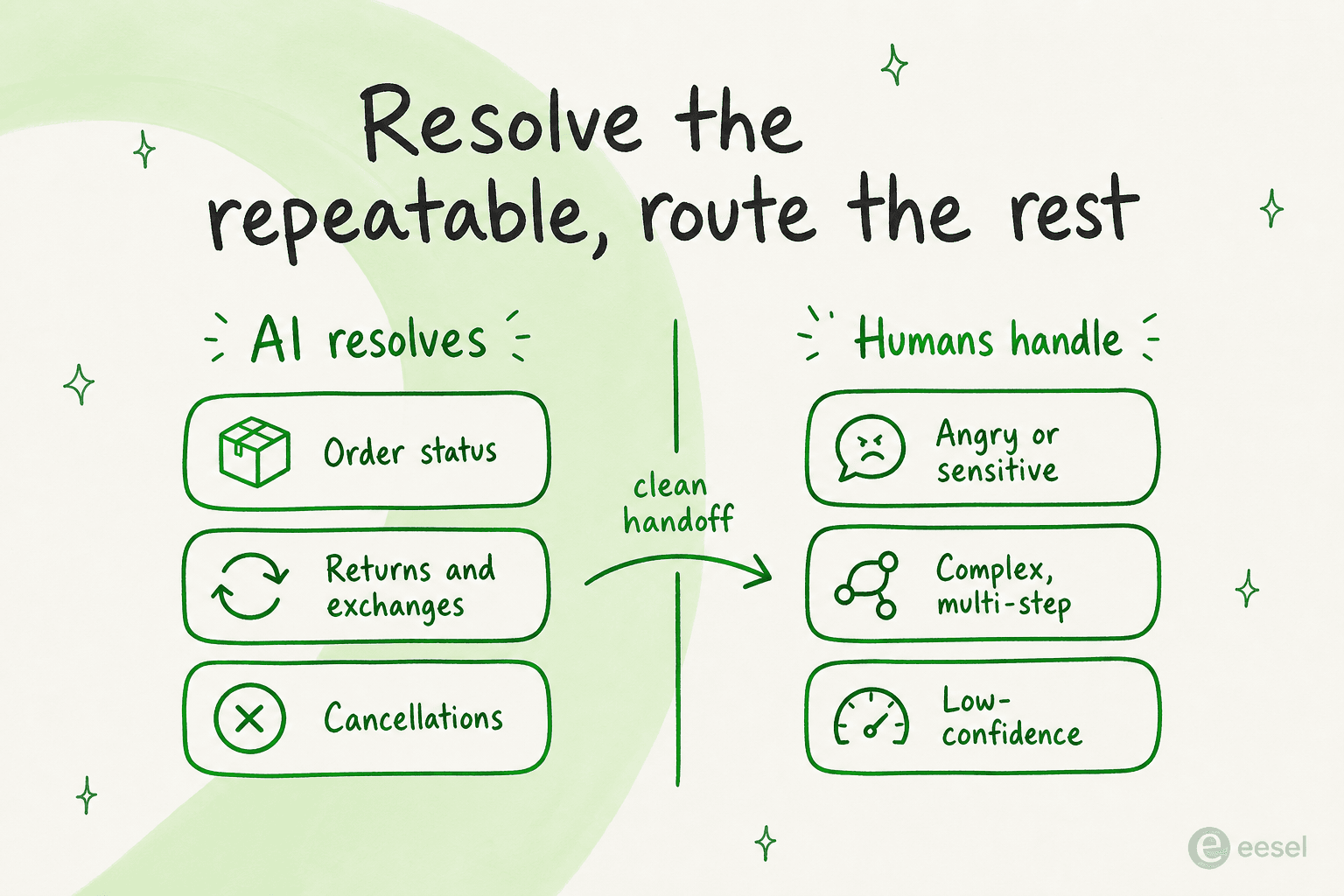
That pattern, AI on the repeatable stuff and a clean route to a human for everything else, is exactly what experienced support teams converge on. It's not a Gladly-specific insight so much as the consensus among people who've actually shipped this.
A practitioner in r/CustomerSuccess summed up the trap that sinks most rollouts:
"The mistake I often see is expecting AI to solve complex customer issues from day one... it makes more sense to let it handle the easy 30-40% of tickets and route everything else to a human."
u/Huge-Sympathy-3757, on r/CustomerSuccess

How you measure it (and why this section matters)
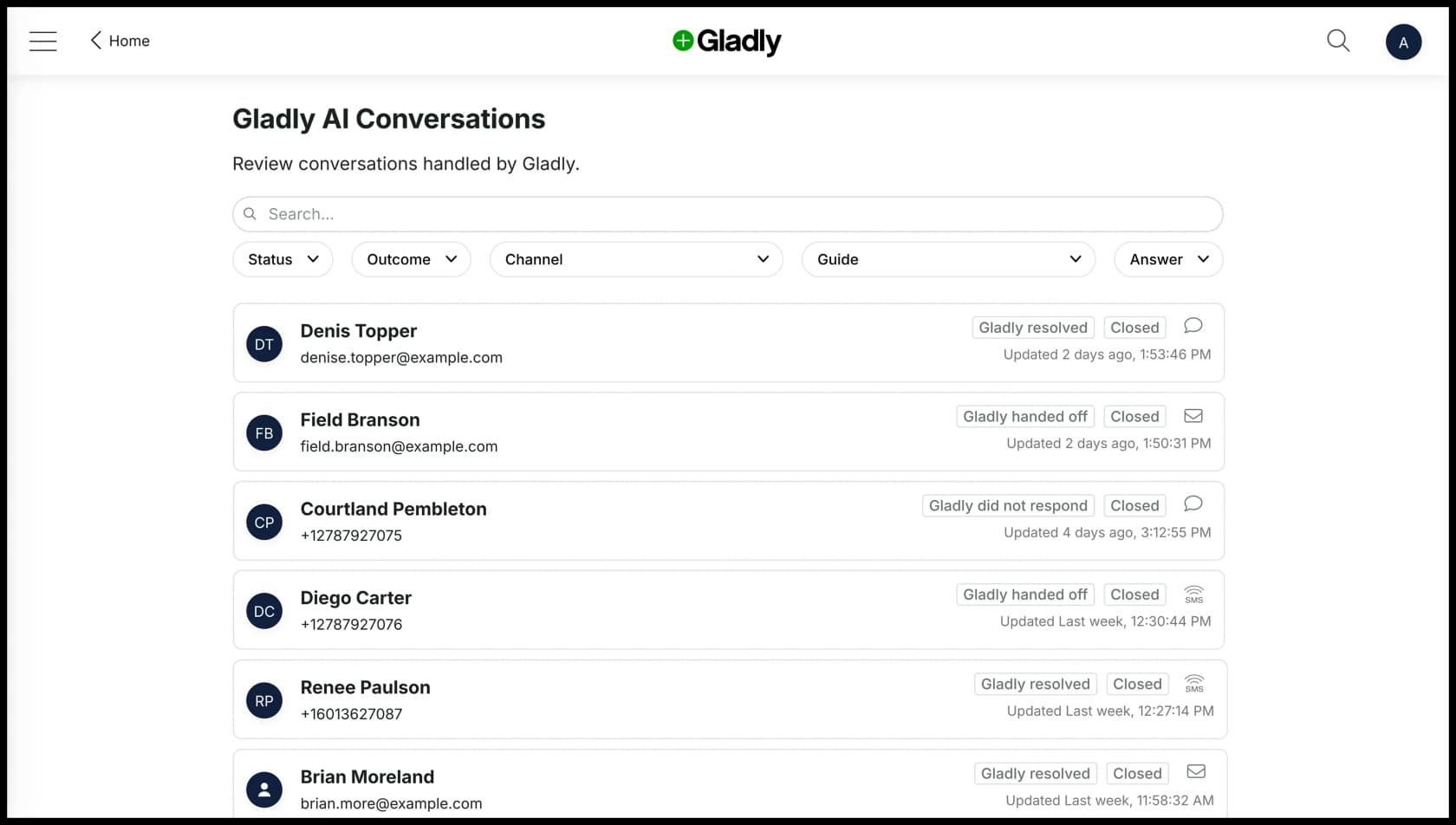
Gladly does give you decent visibility once it's live. The Gladly AI Conversations view lists every interaction with an outcome label (resolved, handed off, or didn't respond) and a "Reasoning Insight" explaining why the AI made each call. That transparency is genuinely good, and rarer than it should be.
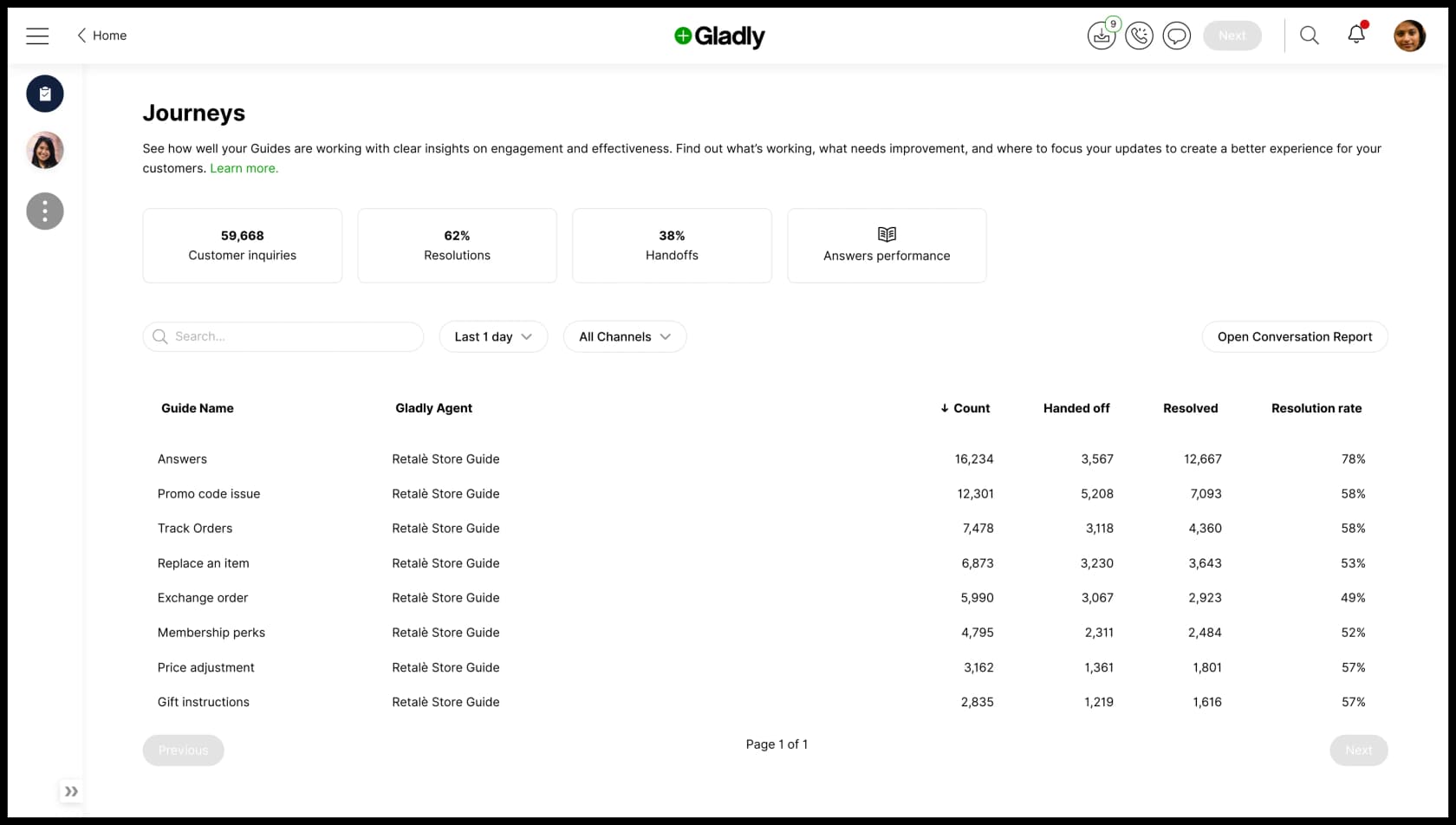
The Journeys performance page is where the real numbers live: customer inquiries, resolution rate, and handoff rate, broken down per Guide. In Gladly's own demo data, the "Answers" Guide resolves 78% while "Replace an item" sits at 53%. That spread is the honest story of every AI chatbot: it's brilliant on the narrow, well-documented stuff and weaker on the messy edges.
Here's the thing nobody selling you a chatbot wants to dwell on. You only get those per-Guide numbers after you've gone live and exposed real customers to the AI. When eesel ran a trial for a German jewelry retailer doing around 1,000 tickets a month on Zendesk and Shopify, the topline looked great (93% triage accuracy, 100% spam detection) but there was a 7% factual error rate buried underneath, and only 12% of drafts were good enough to send untouched. Trust a headline resolution number and skip that testing, and those wrong answers go straight to customers.
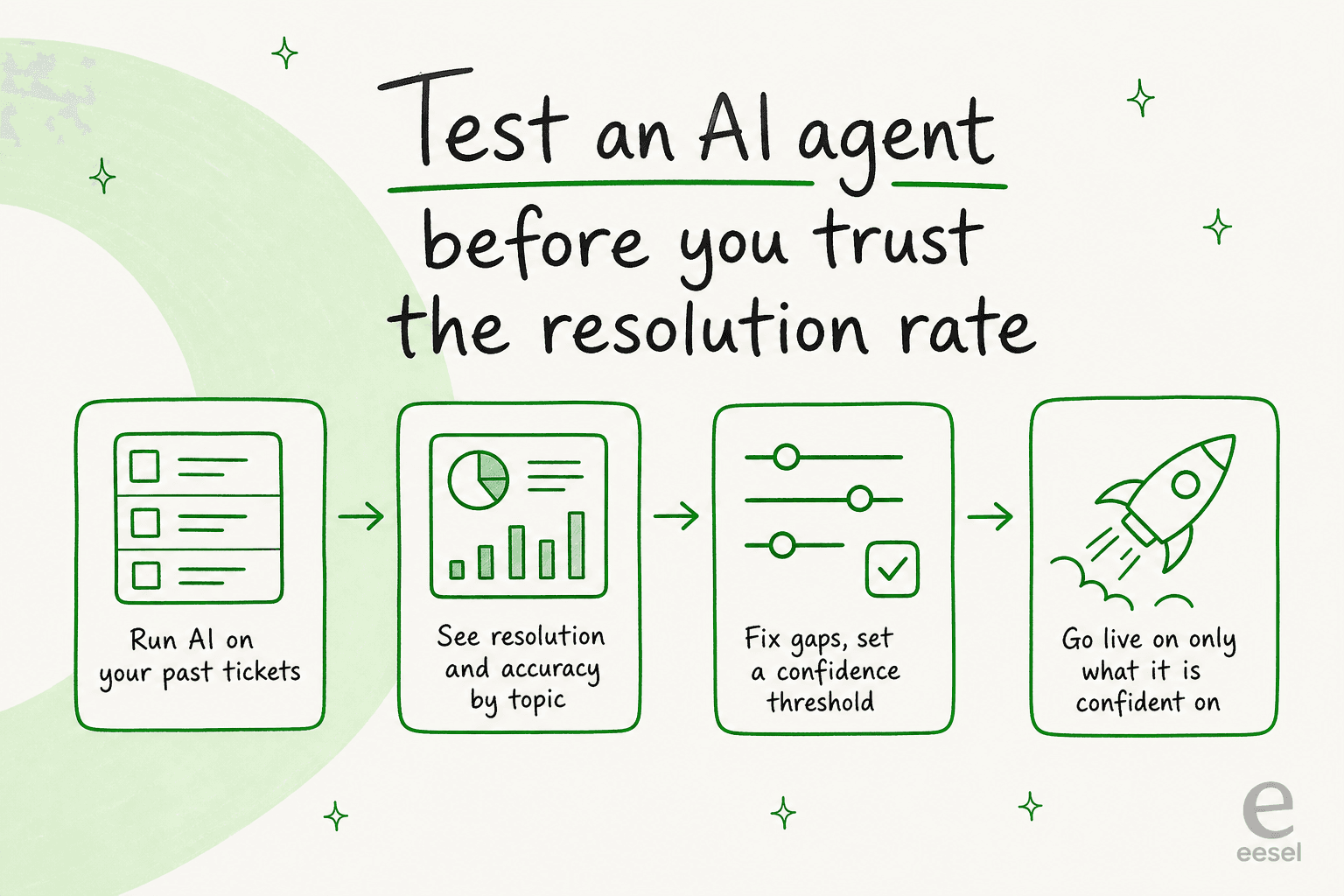
That's why I'd never evaluate the Gladly chatbot, or any chatbot, on its marketing percentage. I'd want to simulate it against my own past tickets first.
Gladly AI chatbot pricing
Gladly doesn't publish full platform pricing. The pricing page is a "get a demo" gate, and the only hard numbers it puts in public are on its Shopify App Store listing aimed at smaller merchants. The key thing to understand is the billable unit: an AI Resolution (the AI handles it end to end) costs far more than an AI Assist (the AI helps a human).
| Plan / package | Price | What you get |
|---|---|---|
| Shopify "Free to install" | $0 | 30-day trial, 100 AI interactions, 1 seat, no credit card |
| Shopify "Starter cap" | $250/mo spending cap | $1.50 per AI Resolution, $0.25 per AI Assist, $120/mo per seat, pay-as-you-go |
| Hero package (platform) | ~$180/seat/mo, billed annually | 10-seat minimum; quote-only, from third-party sources |
| Superhero package (platform) | ~$210/seat/mo, billed annually | 45-seat minimum; quote-only, from third-party sources |
A few gotchas worth pricing in. The platform packages carry seat minimums (10 for Hero, 45 for Superhero), so the entry cost is a step, not a slope. Voice adds a per-minute fee. And the per-seat model is the single most consistent complaint in the wild:
"To be quite frank, gladly is very expensive. The per-user cost may be very expensive to a mid-sized company and they lack a flexible plan."
G2 review, captured on G2's Gladly pricing page

If cost is your sticking point, it's worth understanding the true cost of an AI agent versus a human, and where the pricing of AI chatbots tends to surprise teams. Per-resolution billing is fairer than per-seat for low-volume teams, but it can creep up fast at scale.
What users actually say
Pulling the sentiment together, Gladly lands at a strong 4.7/5 from 1,112 reviews on G2. The praise clusters around the unified profile, the channel breadth, and the support team. The chatbot itself gets specific love too:
"On top of that, the Sidekick chatbot has been a huge asset. It helps customers with returns, order tracking, and other self-service needs, freeing up our agents to focus on higher-level, more personalized conversations."
Jennifer R., Director of Ecommerce, on Capterra
The criticism is just as consistent, and reporting is the runaway number-one gripe:
"The reporting structure feels too segmented, requiring users to pull information from multiple areas rather than having access to a holistic, consolidated data view... A centralized reporting experience would reduce manual work."
Joseph G., Customer Experience Manager, on Capterra
The other recurring notes: a steep learning curve thanks to a dense interface, occasional slowness loading past conversations, and a few reviewers who felt the AI optimization lagged other helpdesks. None are dealbreakers, but they're the texture you won't get from the marketing page.
Where the Gladly AI chatbot fits, and where it doesn't
Let me be direct, because hedging helps nobody. Gladly's AI chatbot is built for DTC and retail brands that genuinely care about lifetime value, run real omnichannel support, and have the volume to justify a premium, relationship-first platform. Its customer roster (TUMI, UGG, Crate & Barrel, Bombas) tells you exactly who it's for. If that's you, the unified profile and action-taking are hard to beat, and I'd happily put it on a shortlist.
Where I'd pause: if you're a small or mid-sized team, the per-seat platform pricing and 10-seat minimum can sting, and the ticketless model is a poor fit if you need formal SLA queues and routing. It's also a bigger lift than a plug-in chatbot. If any of that describes you, it's worth scanning the best Gladly alternatives and broader customer service AI options before committing.
And the universal caveat, the one I opened with: don't buy on the resolution-rate claim. Whether it's Gladly, Gorgias, Zendesk's AI agent, or eesel, the only number that matters is how the bot performs on your tickets. One DTC CX lead I spoke with put the whole thing better than I could:
"The AI will never be able to answer 100% of the questions... I need an AI who is only handling the tickets that it's confident to handle and all the other ones, leave them alone."
a CX lead at a DTC supplements brand on Gorgias and Shopify (~7,000 tickets/month), from eesel's customer research
Try eesel
Full disclosure: eesel builds an AI helpdesk agent, so I'm not a neutral party. But the reason I keep harping on testing is that it's the thing eesel is built around. eesel layers onto the helpdesk you already run (Zendesk, Freshdesk, Gorgias, Shopify, and more) and the first thing it does is simulate against your past tickets, so you see exactly what it would have resolved, and how accurately, before a single customer hits it. You also get confidence-based routing so the AI only auto-replies where it's sure, and usage-based pricing with no per-seat fee. One customer, Gridwise, had eesel resolving 73% of their tier-1 requests in the first month, with results visible inside a 7-day trial.
If you sell on Shopify and want an AI chatbot that takes real actions on orders, that's squarely what eesel does.
Try eesel free, or see how the helpdesk agent works first. Either way, simulate before you trust the number. It's the cheapest insurance in support.
Frequently Asked Questions
What is the Gladly AI chatbot?
How much does the Gladly AI chatbot cost?
Does the Gladly chatbot work with Shopify and Zendesk?
How good is the Gladly AI chatbot at resolving tickets?
What are the best Gladly AI chatbot alternatives?


Article by
Alicia Kirana Utomo
Kira is a writer at eesel AI with a Computer Science background and over a year of hands-on experience evaluating AI-powered customer service tools. She focuses on breaking down how helpdesk platforms and AI agents actually work so that support teams can make better buying decisions.