


What Gemini Omni 1.1 Flash actually is
Gemini Omni is Google's family of "any-to-any" generative media models, and Omni Flash is the fast, video-focused member of it. Google's own product page frames it bluntly: think of Gemini Omni like Nano Banana, but for video, where every edit builds on the previous one to keep the scene coherent. You give it a prompt, an image, or an existing clip, and it returns high-resolution video with audio that you then refine through conversation instead of re-rendering from scratch each time.
The 1.1 release, announced by Google DeepMind product managers Anish Nangia and Alisa Fortin, is pitched as "a production-ready update for developers that offers improved control over generative video." That word, control, is the theme of the whole update. The first Omni Flash proved the model could generate and edit; 1.1 is about giving developers the levers to direct it precisely. The model ID exposed in the API is gemini-omni-1.1-flash.
What's new in 1.1
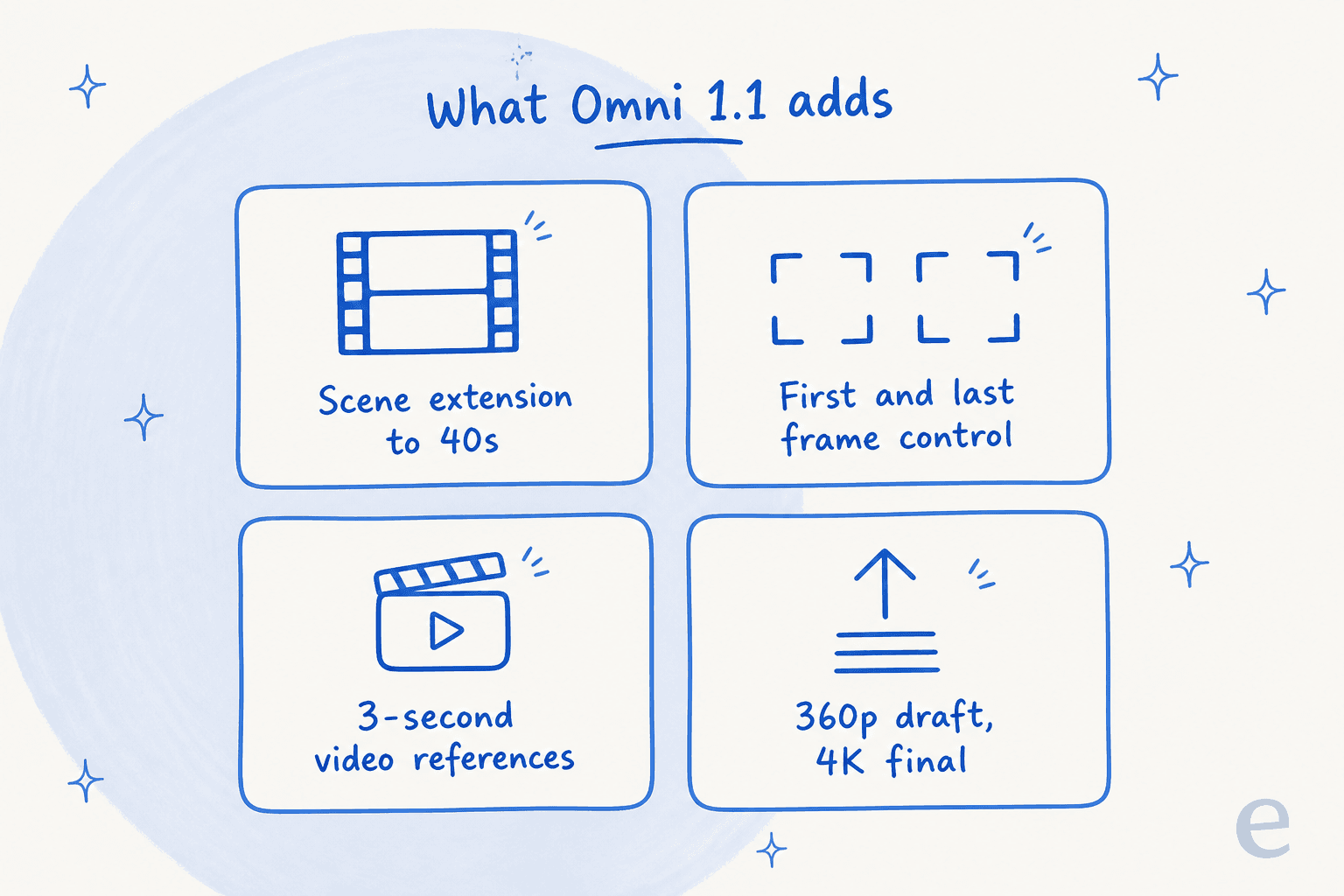
If you already know the original Gemini Omni Flash, here's the short version of what changed. Four features arrived together, and each one targets a specific gap that stopped the first model from being used in real production pipelines.
Scene extension up to 40 seconds
The original model capped every clip at 10 seconds, which is a hard ceiling if you're trying to tell any kind of story. Scene extension lets you take an existing video and continue generating footage from where it left off, in 10-second increments, up to a cumulative total of 40 seconds. Google says extensions come with improved visual consistency and narrative flow, so a shot can carry on or branch into a new direction without an obvious seam.
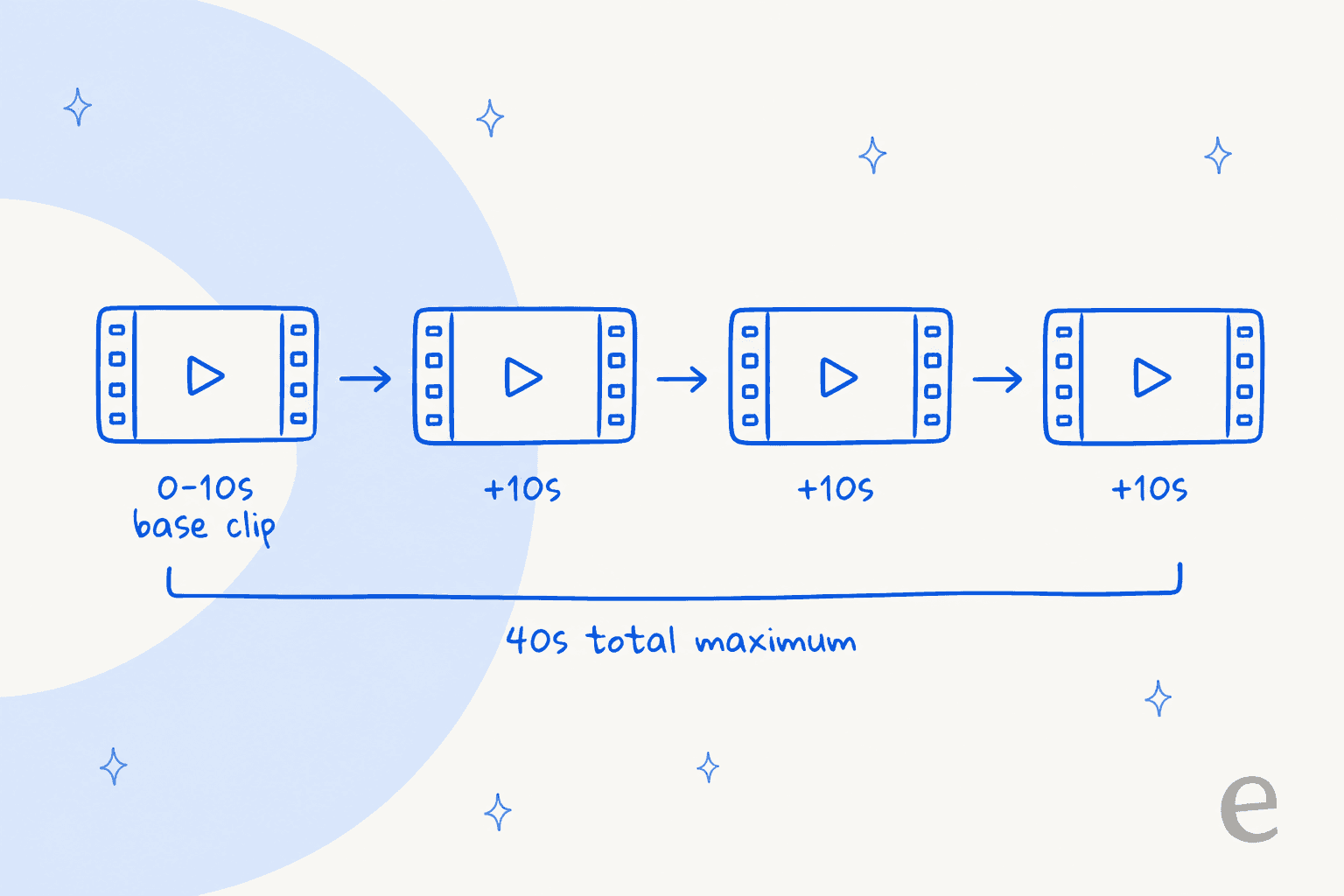
Under the hood it uses the same stateful pattern as the model's conversational editing: you chain a new request off a previous_interaction_id with an input like "Continue the scene," and the model keeps the session context rather than making you re-upload the footage.
First-and-last-frame control
This is the one creative teams will notice first. You can now specify the starting and ending frames of a shot, and Omni 1.1 generates the continuous video between those two keyframes. Google positions it as ideal for complex camera orbits, zoom transitions, or seamless looping clips. In practice it turns "generate a video and hope the camera does something sensible" into "define where the shot starts and ends, and let the model fill the motion in between," which is a much more directable way to work.
Video references for consistency
Character and style drift has been the quiet weakness of AI video. Omni 1.1 lets you reference up to three seconds of video when crafting a new scene, so the model can hold onto visual context and keep a character consistent across shots. Google's demo swapped provided characters into uploaded dance reference clips while keeping one continuous shot with no scene cuts, which is exactly the kind of continuity that used to require a lot of manual cleanup.
Draft-then-upscale
The last addition is the most practical for anyone watching a budget. You can generate lightweight previews in 360p, which Google describes as up to 60% faster and a third of the cost of the standard 720p resolution, then upscale the final output to 1080p or 4K. The idea is that you iterate cheap and fast on the rough cut, then spend the real compute only on the version you're actually keeping.
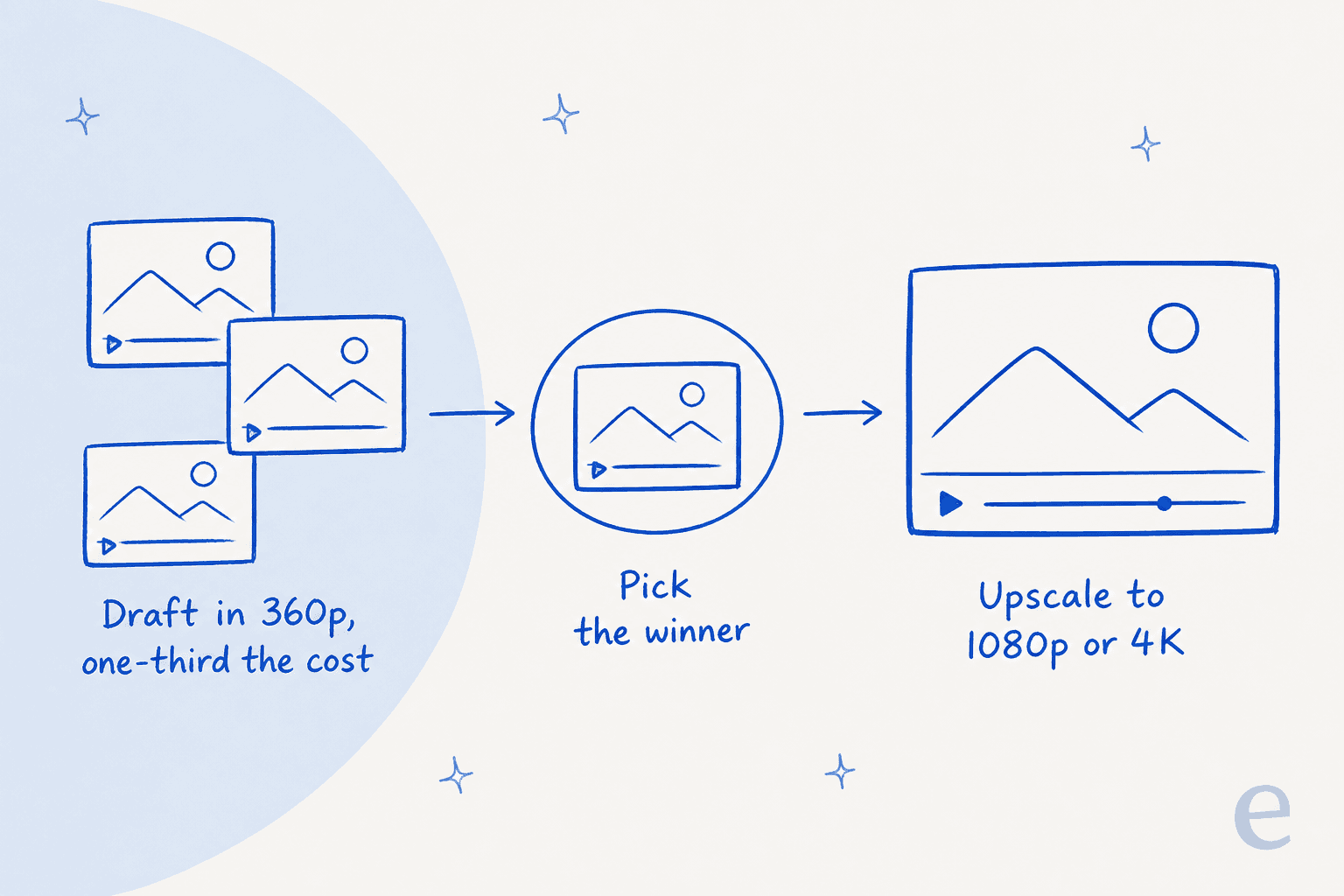
Google showcased three example apps built on these controls: a first/last-frame Transition Studio, a real-estate Listing Walk-In for camera moves, and a Draft Room that spins up three or four 360p variations to compare side by side. They're a decent hint at where the model earns its keep, which is production tooling rather than one-off clips.
Where you can use it
Omni 1.1 shipped across several surfaces on day one, which tells you Google wants it treated as production infrastructure rather than a demo:
- Google AI Studio, to try it directly against the Gemini API.
- The Gemini Enterprise Agent Platform, for enterprises building on the Agent Platform API.
- Google Flow, available to all Google AI Plus, Pro, and Ultra subscribers globally.
- The Gemini app, where scene extension specifically is live for the same subscriber tiers.
On the technical specs, the Google Cloud documentation lists a 131,072-token input context and 57,920-token output, a 10-second maximum per generation request (which scene extension then chains), up to three videos per prompt, 16:9 and 9:16 aspect ratios, and 360p through 4K resolutions. Generated video carries C2PA Content Credentials for provenance.
Gemini Omni 1.1 Flash pricing
The billing model is unchanged from the original launch, and the headline is the same one that matters: there is no free tier. Every second you generate costs money from the first clip. Here's the current Gemini API paid-tier pricing:
| Item | Free tier | Paid tier (per 1M tokens) |
|---|---|---|
| Input (text / image / video / audio) | Not available | $1.50 |
| Text output | Not available | $9.00 |
| Video output | Not available | $17.50 |
| Data used to improve Google's products | n/a | No |
Video is where the cost lives. Google bills video output at a fixed rate of 5,792 tokens per second of 720p video, which at $17.50 per 1M tokens gives an effective rate of about $0.10 per second. A rough guide, video output only:
- ~$0.50 for a 5-second 720p clip
- ~$1.00 for a full 10-second 720p clip
- ~$0.03 per second for a 360p draft (about a third of the 720p rate, per Google's own figure)
That last line is the real story of the 1.1 pricing. The 360p draft tier means you can prototype a 40-second sequence for cents, then pay the full rate only on the take you upscale to 4K. It's a sensible structure, and it rewards teams who iterate before they commit. Google publishes the full per-resolution rates in a pricing table on the launch post; the machine-readable API page anchors billing to the 720p token rate above. For the deeper cost math and worked examples, we broke it all down in the Gemini Omni Flash pricing guide.
Worth noting there's no Batch, Flex, or Priority tier for this model, unlike Gemini 3.5 Flash, so there's no documented batch discount to lean on. If you want the full context on how Google prices its models, our Gemini pricing guide covers the consumer and API plans side by side.
What developers and partners are saying
When the Omni family first opened to developers, Google's own AI lead Logan Kilpatrick summed up the pitch:
"Omni Flash is SOTA at video editing at $0.10 / sec, same as Veo 3.1 Fast!"
The more useful read came from independent AI-news account Rohan Paul, who framed the real product shape as chaining models together rather than any one model alone:
"Chaining both models is the real product shape, not either model alone. Nano Banana 2 Lite makes reference images, then Gemini Omni Flash animates them."
For 1.1 specifically, Google leaned on launch partners who run the model in production. Figma Weave's creative director Itay Schiff called out the direction the new controls point in:
"With extensions, richer reference material, and 4K resolution, Gemini Omni Flash takes teams beyond generating videos to truly directing them."
Those are partner quotes Google chose to feature, so read them as launch framing rather than neutral reviews. The Hacker News launch thread (296 points, 233 comments) is where the independent read lives, and it's more mixed. Developer cube00 pushed back on the flagship 360p draft idea:
"While it sounds great you're quickly disappointed after you run the same prompt at standard resolution only to get a different result because it's non deterministic."

That's a fair catch: a draft is only useful as a preview if the final render actually matches it, and generation isn't deterministic. On the strategic side, Simon Willison read the release as a signal of where Google is placing its bets:
"Interesting that OpenAI abandoned Sora entirely but Google are continuing to invest heavily in their own video generation. Maybe because they see video generation as key to developing 'world models'?"
The balanced take across the thread: the 360p draft tier is a smart cost lever, scene extension still shows some drift on longer clips, and Google's end-to-end value (model plus Flow) is what people rate over flashier one-shot rivals.
Where Gemini Omni 1.1 Flash fits, and where it doesn't
Here's the honest version, from someone who builds AI products rather than markets this one. Omni 1.1 is excellent at what it's for: generating and editing video with real directorial control, inside a pipeline you build. If you're shipping a creative tool, a marketing-video feature, or anything where video is the product, it's one of the strongest options going, and the draft-then-upscale pricing makes it affordable to iterate.
What it isn't is a worker that does a job. It's a model, which is to say it's infrastructure. You still have to build the app around it, decide when to call it, handle the outputs, and wire it into whatever you're actually trying to ship. That's the right trade if you're a developer building video features. It's the wrong lens if what you actually need is a task handled end to end.
I spend my days on the other side of that line. At eesel, we don't sell a model, we sell AI teammates you hire for a defined job. Each one arrives with the skills, integrations, and company context for its role, so there's no pipeline to assemble. The current roster is an AI helpdesk agent that joins your existing support queue, and an AI blog writer that researches and drafts content. A new video model, however good the demo reel looks, doesn't answer a support ticket or publish a post. Different job, different tool.
If you're comparing the broader Google lineup while you're here, our Gemini alternatives roundup, the Google Gemini 3 overview, and the Gemini 3 pricing breakdown cover the models built for text and reasoning. On the image side of the same family, Nano Banana Pro and the Nano Banana 2 review are the ones to read, and Gemini vs Perplexity covers the AI-search angle.
Try eesel for the jobs a video model can't do
If you landed here weighing where AI actually saves your team time, and the honest answer is "not video," that's the useful takeaway. eesel puts ready-to-work AI teammates on your real work: the AI helpdesk agent learns from your past tickets and help center, then resolves front-line questions inside the tools you already use, and the AI blog writer turns your own knowledge into published, on-brand content.

The difference from a raw model like Omni 1.1 is that there's nothing to build. You connect your sources, simulate the teammate against real historical data before it ever goes live, and switch it on. It's free to try, and you can see it working on your own content in a few minutes.