What Gemini Omni Flash actually is
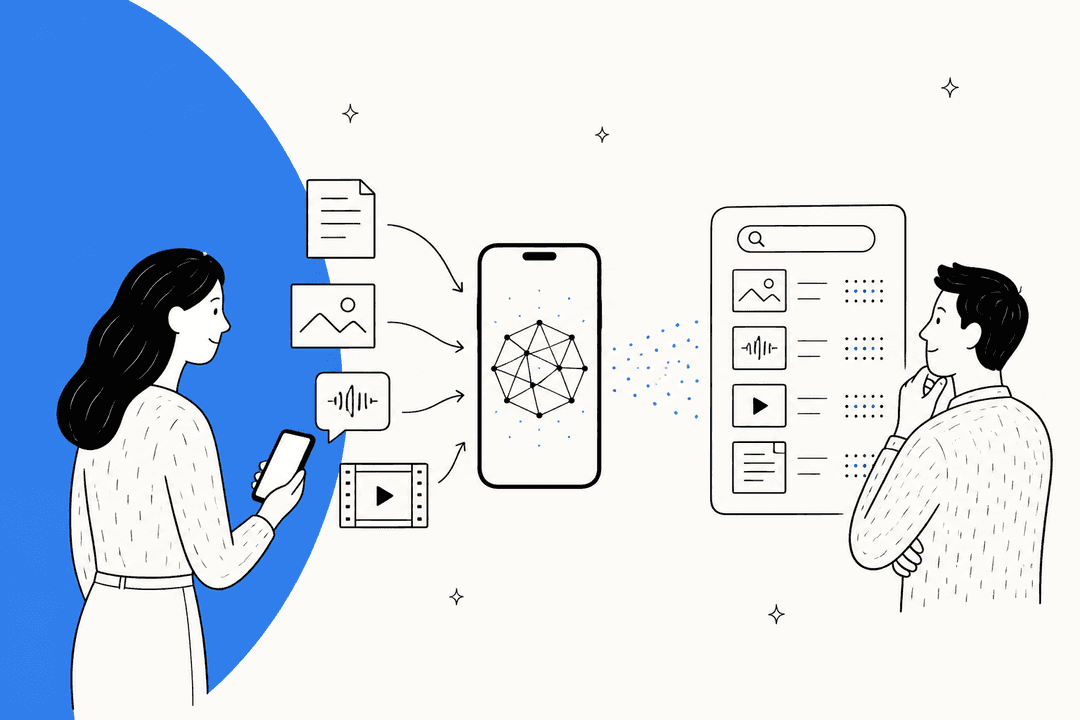
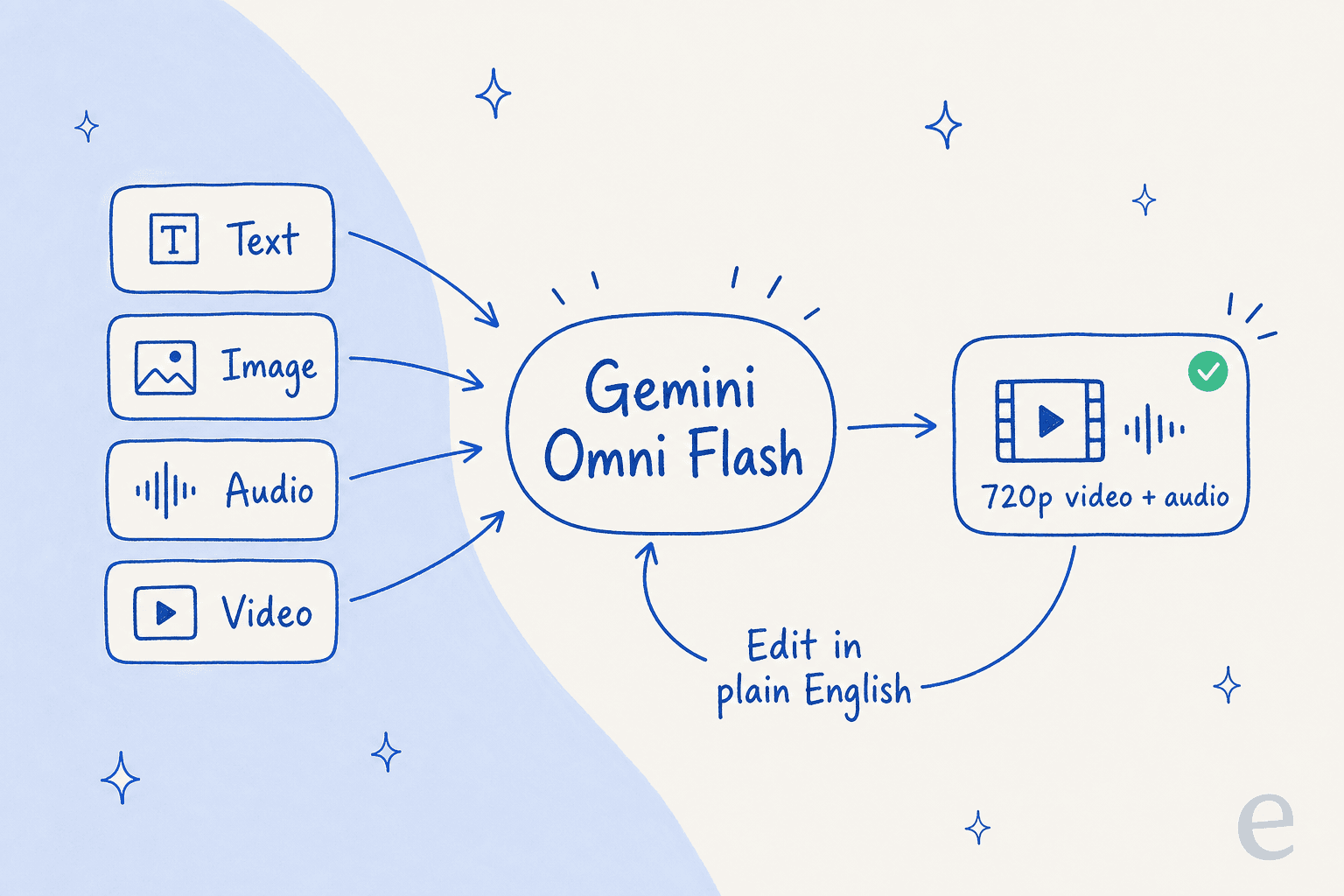
Gemini Omni Flash is the first model in Google DeepMind's new "Gemini Omni" family, which the model card frames as a "next step towards models that can create and edit anything from any input, starting with video." In plain terms: it is a natively multimodal model that accepts text, images, audio, and video, and outputs high-resolution video with audio.
Google's own one-liner is the clearest description I have seen: "Think of Gemini Omni like Nano Banana, but for video." If you have used Google's Nano Banana image editor, where you nudge an image with successive prompts, that is the experience they are porting to video.
The model card went up on May 19, 2026, the consumer version rolled out first through the Gemini app and YouTube, and developers got API access on June 30, 2026 under the model ID gemini-omni-flash-preview. It is squarely in the same conversation as Runway, Pika, and ByteDance's Seedance, and a step down the ladder from Google's own flagship Veo.
How Gemini Omni Flash works
Under the hood it is a transformer-based model with native support for text, vision, video, and audio, trained on Google's TPUs. Google's pitch is that it pairs generative media with Gemini's world knowledge, so output is meant to be "physically and logically coherent rather than just stylistically plausible," drawing on an "understanding of physics" plus knowledge of history, science, and culture.
The API exposes five capability families: text-to-video-audio, image-to-video-audio, reference-to-video-audio, video editing, and image generation. One caveat worth stating plainly: Google has not published evaluation scores for any of them. The model card openly defers benchmarks, saying they "will be shared when we roll out to developers and enterprise customers via APIs." So anyone claiming Omni Flash beats a rival on the numbers is guessing, because the numbers do not exist yet.
Conversational editing is the real headline
If one feature justifies the launch, it is stateful editing. Instead of re-writing a giant prompt every time you want a change, you generate a clip and then refine it one instruction at a time, and the model remembers the rest of the scene.
It runs through Google's Interactions API, and the mechanism is a single field, previous_interaction_id, that chains a follow-up onto a prior result "without re-uploading the previous video." Google's own worked example makes the loop obvious:
# Turn 1: Generate initial video
res1 = client.interactions.create(model="gemini-omni-flash-preview", input="A woman playing violin outdoors.")

# Turn 2: Edit the previous video
res2 = client.interactions.create(
    model="gemini-omni-flash-preview",
    previous_interaction_id=res1.id,
    input="Make the violin invisible."
)
Google's prompting guidance leans into the same idea: keep edits short ("Make this video anime", "Change the lighting to be more dramatic"), add "Keep everything else the same" to pin the scene, and prefer removal to over-description ("Make the phone invisible" beats a paragraph). It is a genuinely nice mental model, and the closest thing to editing video the way you would edit a document.
Two gotchas I would flag before you build on it. First, if you set store=false to speed up generation, the clip is no longer editable in later turns, which quietly breaks the whole point. Second, editing videos you upload yourself is not available in the EEA, Switzerland, or the UK, even though editing model-generated clips works everywhere. That regional gate is easy to miss until a European user hits it.
What Gemini Omni Flash costs
Here is the real number up front: video output is billed at $17.50 per 1M tokens, and Google prices 720p video at 5,792 tokens per second, which lands at roughly $0.10 per second under Standard pricing. Input across every modality is a flat $1.50 per 1M tokens.
| Item | Free tier | Paid tier |
|---|---|---|
| Input (text / image / video / audio) | Not available | $1.50 / 1M tokens |
| Output (text) | Not available | $9.00 / 1M tokens |
| Output (video) | Not available | $17.50 / 1M tokens (≈ $0.10/sec of 720p) |
| Batch / Flex / Priority discount | None | None listed |
| Provisioned throughput | Not supported | Not supported |
| Used to improve Google's products | Yes | No |
A few things stand out. There is no free tier, so you cannot experiment without a paid key. There is also no Batch, Flex, or Priority table for this model, unlike most of the Gemini 3.x lineup, so there is no documented 50% batch discount to lean on for bulk jobs. The $0.10/sec rate itself is reasonable, but it is a per-second meter that adds up fast at scale.
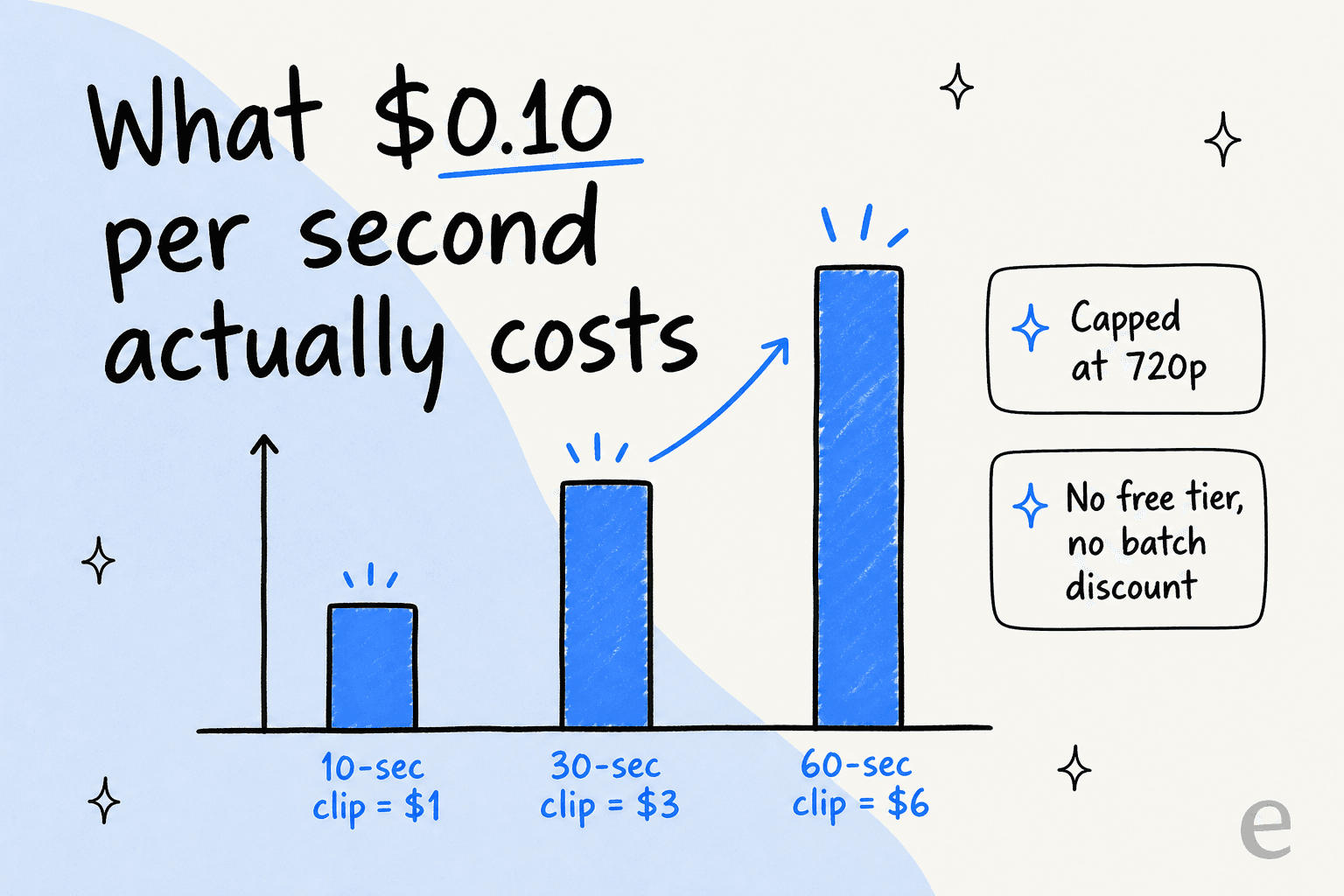
For a sense of scale: a 10-second clip runs about $1, a 30-second clip about $3, and a minute of video around $6, before you count the re-generations every AI video workflow needs. At launch Google described a 10-second cap per generation with longer durations "coming soon," so today this is a tool for short clips, not full scenes. If you want to compare the wider pricing picture, my rundown of the Gemini, OpenAI, and Anthropic APIs covers how these meters stack up.
Where it sits: not Google's best video model
This is the framing I would push back on hardest in the launch coverage. Omni Flash is explicitly positioned as the fast, affordable tier, with Google noting the $0.10/sec rate matches Veo 3.1 Fast. "Fast" is the tell: this is not the model you reach for when you want Google's absolute best frame quality, that is Veo. And against the current independent frontier, the reception has been muted.
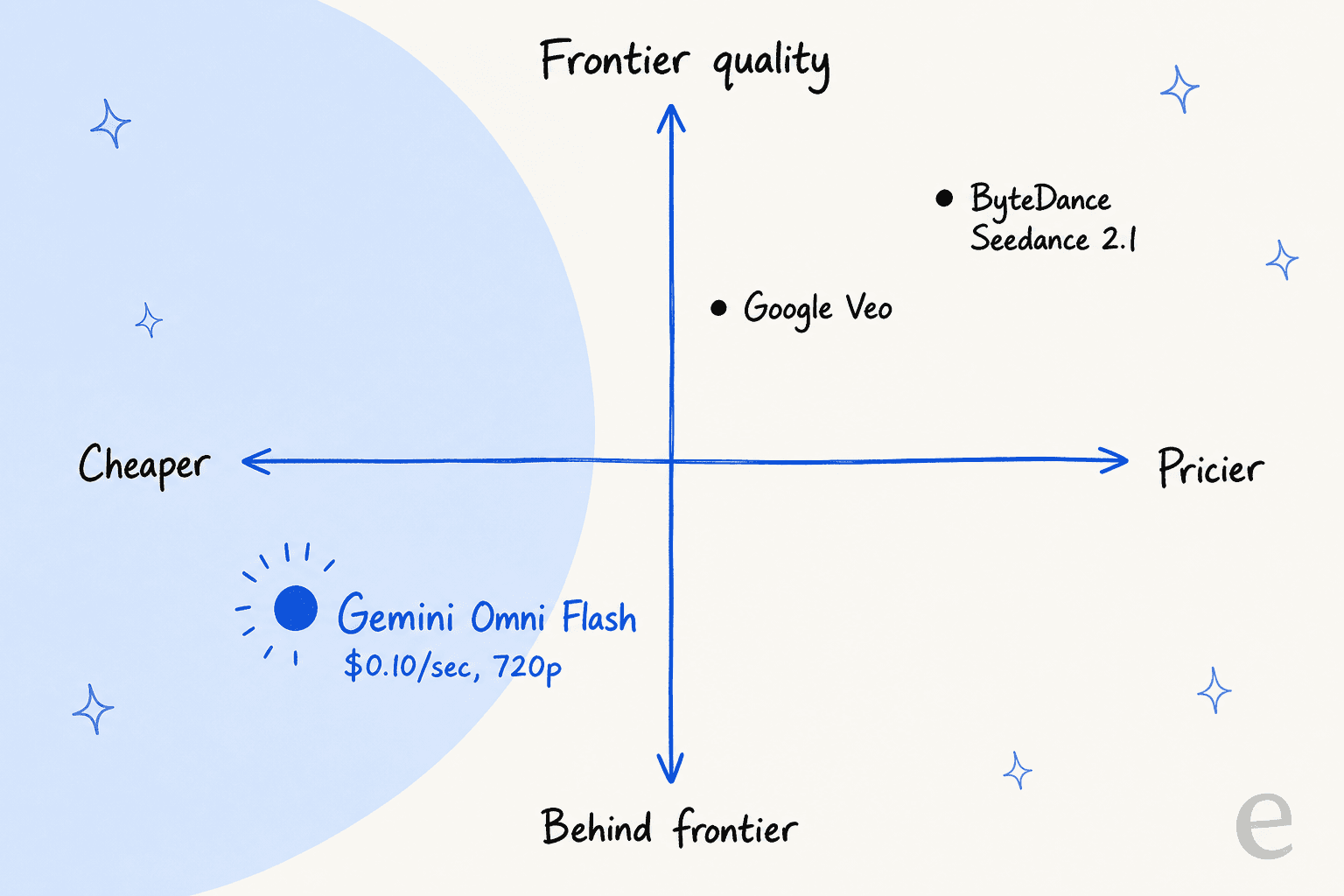
The loudest theme in the Hacker News launch thread (323 points) was heavy users comparing it unfavorably to ByteDance's Seedance. One person who says they have spent thousands on Seedance was blunt:
"At first usage I'm not impressed. I've probably spent a couple grand on Seedance 2 to date, and I can't find anything google omni flash does better than Seedance from running a handful of samples through the system."

Another echoed it, and flagged that Seedance's next version is already close:
"Anyone who had used seedance 2.0 a bit can tell Gemini is a bit behind, and seedance 2.1 is on the horizontal already."
That is the honest competitive picture: a competent, cheap model that heavy users currently rank behind the frontier, sold on workflow and price rather than raw quality.
The limitations worth knowing
Google is refreshingly candid in the model card, naming three open challenges: maintaining consistency through edits, generating complex motion, and rendering accurate on-screen text. The community found the sharp edges quickly. A developer who writes physics simulations for a living ran his standard test:
"'A video of a jenga brick tower falling over as a brick is removed. The physics of each brick must be realistic.' It gave me a video of where bricks suddenly disapper or morph into others."
Another pointed at the deeper issue behind the wobble:
"subtle spatial errors, and geometry that changes as it goes out of sight and comes back again hints at the fact that Google has still yet to solve the problem of deep spatial understanding."
Beyond quality, three practical limits shape what you can build. There is no voice or speech editing: the model can technically change what people say, but Google is deliberately restricting that as a likeness-manipulation safeguard. There is no video extension or interpolation, so you are pointed to Veo 3.1 for stitching scenes together. And there is no multi-video reasoning or audio-reference upload yet. On the safety side, every clip carries an invisible SynthID watermark that is detectable programmatically, which is a genuine plus for provenance.
There is also a plain branding gripe that kept coming up, and it is fair:
"They products are pretty messy too. Veo, Gemini Omni Flash, Spark, Flow, Duo .... A lot of confusing and competing product lines."
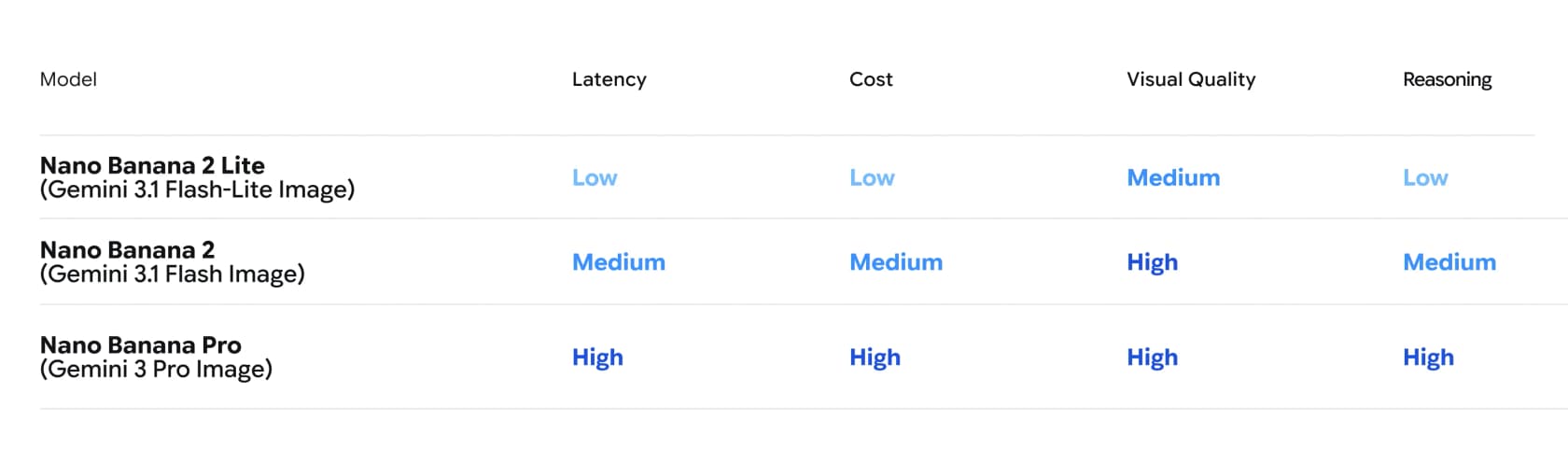
Omni Flash launched alongside a sibling image model, Nano Banana 2 Lite, which slots into Google's tiered "Lite / standard / Pro" image lineup, the same "cheap-fast versus expensive-good" split Omni Flash represents for video.
So, should you use it?
If you are building creative or video tooling and want a cheap model with a genuinely pleasant conversational editing loop, Omni Flash is worth trying, especially if short 720p clips fit your use case and you can live without a free tier. If your bar is best-in-class fidelity, complex physics, or long scenes, the community's own testing suggests you will be happier on Veo for Google's top quality or Seedance for the current independent frontier. And it is early: no benchmarks, a preview label, and a roadmap of "coming soon" features mean today's verdict could shift.
One HN commenter kept the whole thing in perspective, and I agree with the spirit:
"the amount of people that expect AI to just one shot stuff is hilarious."
Treat it as an iterative editing partner, not a one-shot oracle, and it is a solid, affordable option. Just do not confuse the fast tier for Google's best.
eesel: AI for the work video models can't touch
A quick honest note, since this is an eesel blog. Omni Flash is a media model, and there is nothing it does for a support queue. But the same "AI that plugs in and does the boring part" instinct is exactly what I work on at eesel, just aimed at customer support instead of video.
Where Omni Flash generates clips, eesel's AI agent plugs into your existing helpdesk (Zendesk, Freshdesk, Gorgias, and more), learns from your past tickets and help center, and resolves real customer conversations on its own. We have spent years running AI on live support queues, which taught us to simulate every rollout against historical tickets before it touches a real customer, the unglamorous engineering a demo video never shows. It is free to try, and unlike Omni Flash, there actually is a free way to start.

Frequently Asked Questions
What is Gemini Omni Flash?
gemini-omni-flash-preview.How much does Gemini Omni Flash cost?
Is Gemini Omni Flash better than other AI video models?
Can Gemini Omni Flash edit my own uploaded videos?
Should businesses use Gemini Omni Flash for support?


Article by
Kira
Kira is a writer at eesel AI with a Computer Science background and over a year of hands-on experience evaluating AI-powered customer service tools. She focuses on breaking down how helpdesk platforms and AI agents actually work so that support teams can make better buying decisions.