What is the Google Gemini 3 model family?
Google Gemini is Google's AI platform - a consumer chat app, a developer API through Google AI Studio, and enterprise orchestration via the Google Cloud Agent Platform. The current Gemini 3 generation, released in 2026, includes four distinct models tuned for different trade-offs between speed, reasoning depth, and cost.
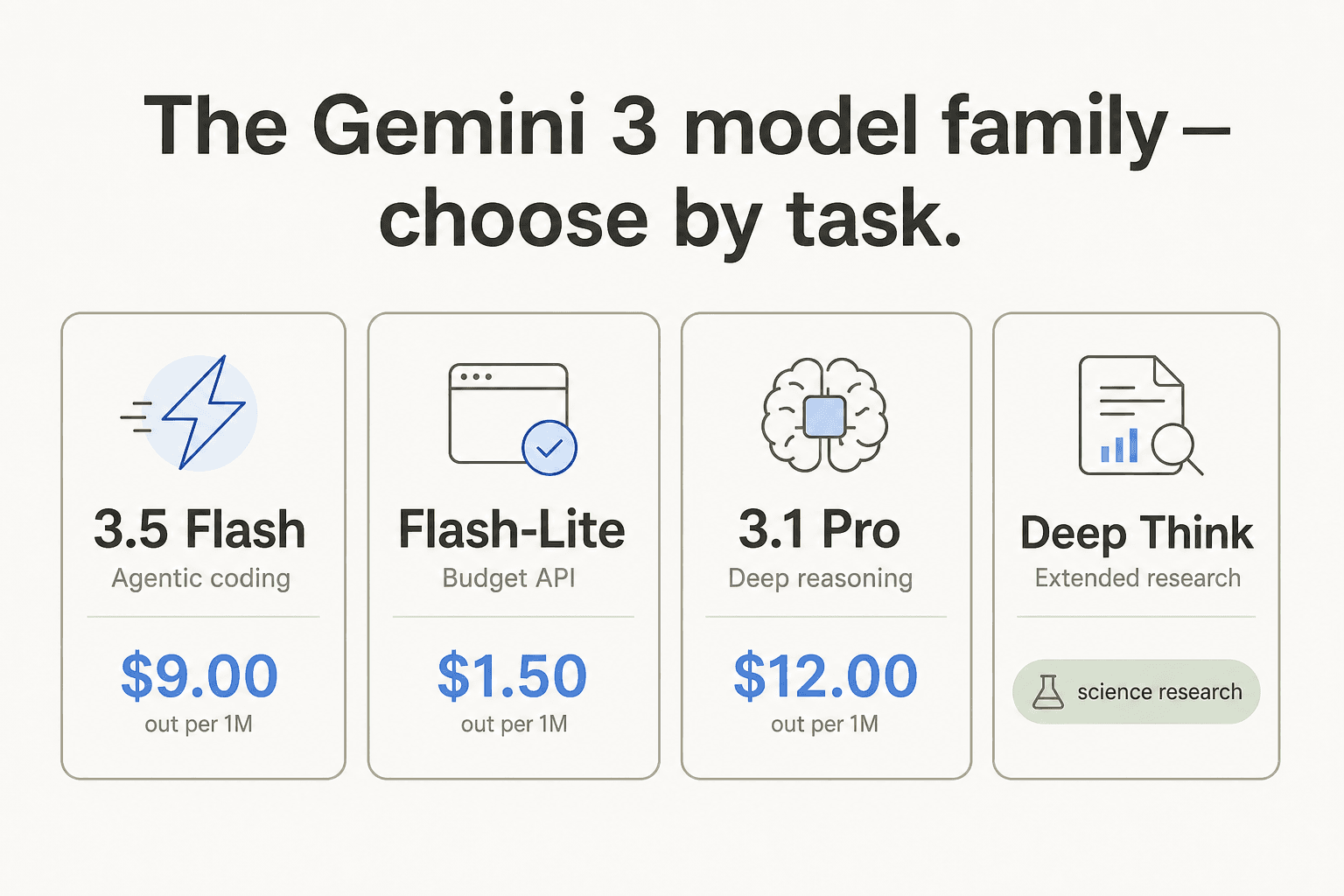
Here is how each model fits into a real workflow:
- Gemini 3.5 Flash is Google's newest model as of mid-2026, built for agentic tasks and coding. It scores 76.2% on Terminal-bench 2.1 (agentic terminal coding) and 55.1% on SWE-Bench Pro - both strong numbers for autonomous agent work. Read the dedicated Gemini 3 Flash guide for a deeper look at its capabilities.
- Gemini 3.1 Pro is the flagship reasoning model. It leads across multimodal reasoning (MMMU-Pro: 83.6%), agentic workflows (MCP Atlas: 83.6%), and computer use (OSWorld: 78.4%). Its 1 million token context window makes it the right call for large-document analysis or long multi-turn reasoning chains.
- Gemini 3.1 Flash-Lite is the budget model of the Gemini 3 family, optimized for cost-sensitive, high-volume pipelines: classification, summarization, embeddings. Six times cheaper than 3.5 Flash per token.
- Gemini 3.1 Deep Think is Google's extended-reasoning variant for scientific research and complex multi-step problems. Consumer access is gated to AI Ultra ($99.99+/mo). The Gemini agentic vision overview covers where Deep Think fits in Google's broader agent strategy.
Google Gemini consumer pricing: every plan compared
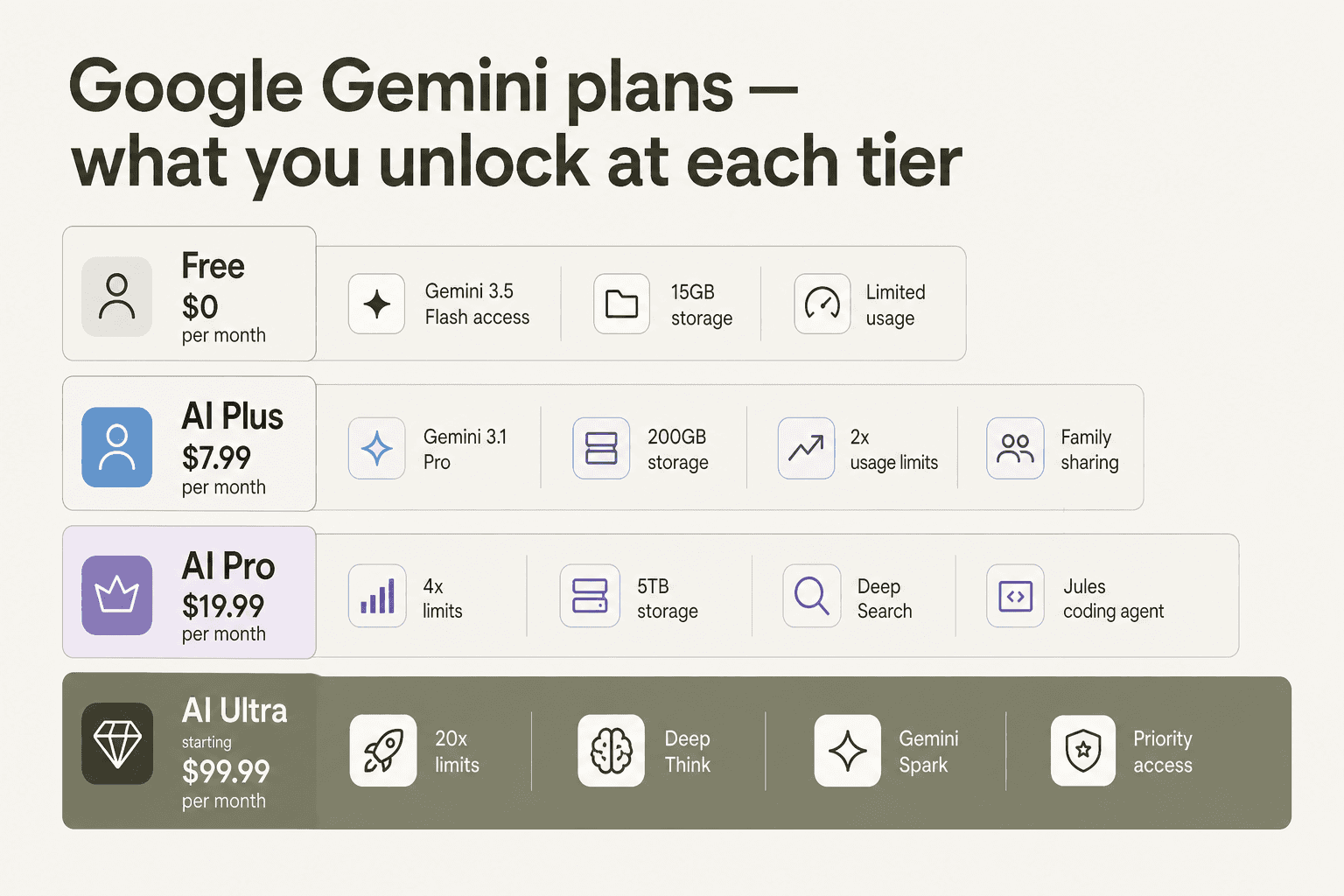
Consumer plans live inside Google One. This is what most people mean when they search for "Google Gemini 3 pricing." Every plan includes the Gemini app, but the model tier, usage headroom, storage, and bundled perks differ substantially across tiers.
| Plan | Price | Model access | Usage limits | Storage | Notable extras |
|---|---|---|---|---|---|
| Free | $0/mo | Gemini 3.5 Flash, limited 3.1 Pro | Baseline | 15 GB | Deep Research, Canvas, Gems, Gemini Live, NotebookLM |
| AI Plus | $7.99/mo | Gemini 3.1 Pro, Omni Flash | 2x vs. free | 200 GB | 200 Flow credits/mo, family sharing (5 people), Gmail proofread, expanded NotebookLM |
| AI Pro | $19.99/mo | 3.1 Pro expanded, Omni Flash | 4x vs. free | 5 TB | 1,000 Flow credits, Deep Search in AI Mode, Jules coding agent, Google Antigravity, $10/mo Cloud credits, YouTube Premium Lite |
| AI Ultra | $99.99-$199.99/mo | 3.1 Pro + Deep Think, Gemini Spark (coming soon) | 5x-20x vs. AI Pro | 20-30 TB | 10,000-25,000 Flow credits, Project Genie, YouTube Premium individual, Google Home Premium Advanced, $40-$100/mo Cloud credits, priority feature access |
Plan details from Google One AI Plans.
One storage angle worth noting: 5 TB at AI Pro is more Google Drive/Photos/Gmail storage than most individuals will ever use. If you're already paying for a separate Google One storage plan and a YouTube Premium subscription separately, consolidating to AI Pro at $19.99/mo may net out cheaper than the sticker price suggests.
Which Gemini consumer plan is actually worth it?
The single most useful question: do you hit the free tier's limits?
Free tier gives you Gemini 3.5 Flash, Deep Research, Canvas, and Gems at no cost. For most casual users, this is enough. Reddit's verdict on the subscription question is blunt: "Buying a Google Gemini subscription feels like paying for tap water at a restaurant." The Gemini 3.5 Flash model on the free tier is fast and genuinely capable for everyday tasks.
AI Plus at $7.99/mo is the right move if you use Gemini daily and need consistent Gemini 3.1 Pro access, not just the capped free pings. The family sharing option covers up to 5 people, which drops the effective per-seat cost to $1.60/person/month.
AI Pro at $19.99/mo makes sense for professionals who do research-heavy work. Deep Search reaches further into Google's web index for richer sourcing. Jules handles autonomous coding tasks with expanded limits. The 4x usage headroom means you're not throttled mid-afternoon. The bundled $10/mo in Google Cloud credits partially offsets the cost for anyone already running Cloud workloads. This is the plan we'd pick if Gemini is a daily professional tool.
AI Ultra at $99.99-$199.99/mo is genuinely hard to justify for most people. It unlocks Deep Think and the coming Gemini Spark feature, but the jump from AI Pro is roughly 5x the price for incremental access. We'd recommend it only for researchers or developers with sustained needs for Deep Think's extended reasoning on complex scientific or mathematical problems - and even then, only if they can expense it.
One caution before subscribing: a pattern of feature parity bugs hit paying subscribers in early 2026, where Pro mode disappeared from their UI while free users kept access. One subscriber reported "three days of productivity lost" to Google support tickets. These bugs are intermittent but worth knowing about.
Google Gemini API pricing
If you're building with Gemini rather than using the consumer app, the API pricing is the relevant number. You're billed per 1 million tokens, input and output billed separately, with a 50% batch discount available on most models.
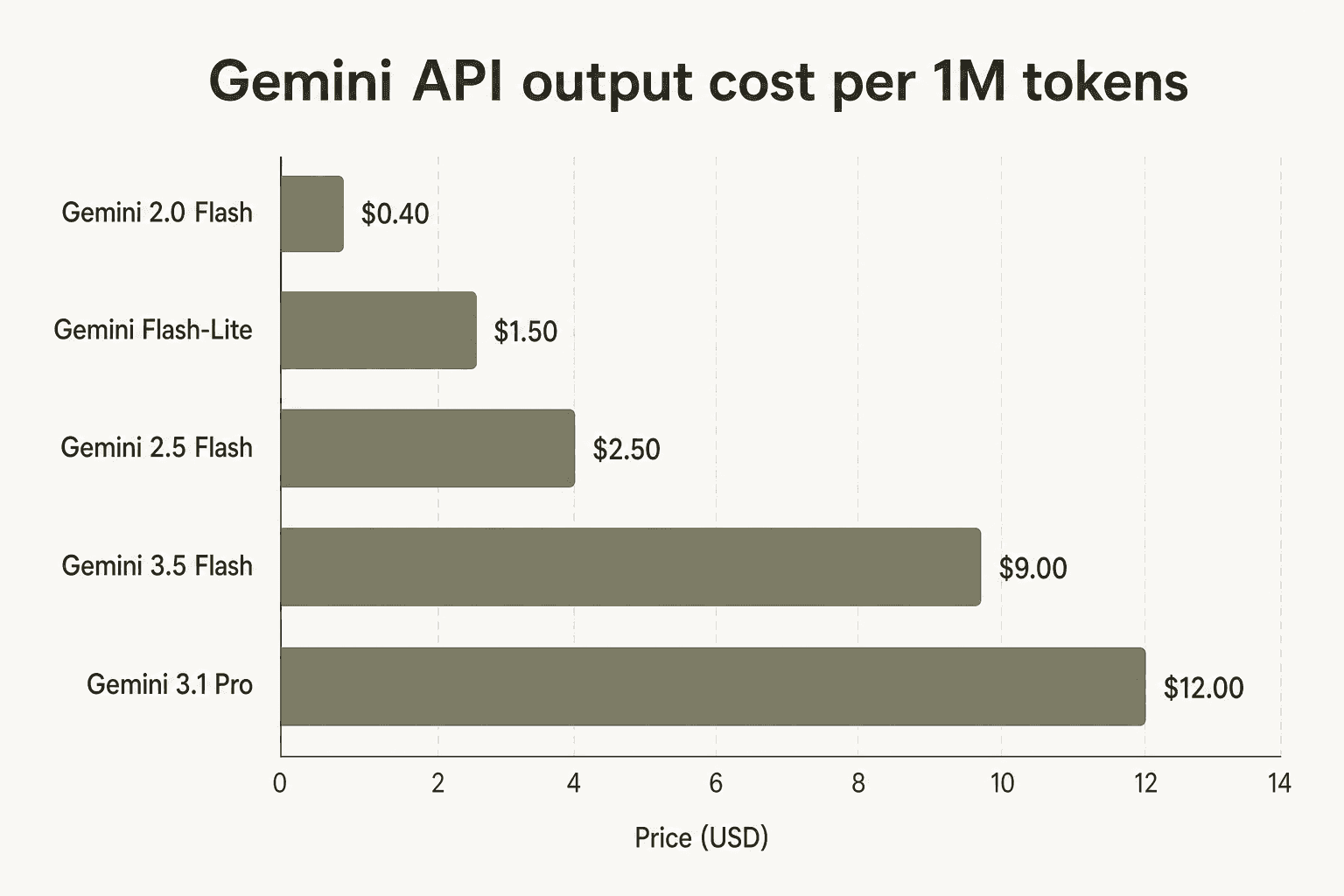
Gemini 3 API prices
| Model | Input per 1M tokens | Output per 1M tokens | Batch (50% off) | Context window |
|---|---|---|---|---|
| Gemini 3.5 Flash | $1.50 | $9.00 | $0.75 in / $4.50 out | 128k |
| Gemini 3.1 Flash-Lite | $0.25 (text/image/video) | $1.50 | $0.125 in / $0.75 out | 128k |
| Gemini 3.1 Pro Preview | $2.00 (up to 200k) / $4.00 (over 200k) | $12.00 (up to 200k) / $18.00 (over 200k) | $1.00 / $6.00 (up to 200k) | 1M |
Gemini 2.5 and 2.0 API prices (still available)
| Model | Input per 1M tokens | Output per 1M tokens | Batch input | Context window |
|---|---|---|---|---|
| Gemini 2.5 Pro | $1.25 (up to 200k) / $2.50 (over 200k) | $10.00 (up to 200k) / $15.00 (over 200k) | $0.625 / $1.25 | 1M |
| Gemini 2.5 Flash | $0.30 (text/image/video) | $2.50 | $0.15 | 1M |
| Gemini 2.5 Flash-Lite | $0.10 (text/image/video) | $0.40 | $0.05 | varies |
| Gemini 2.0 Flash | $0.10 (text/image/video) | $0.40 | $0.05 | 1M |
All prices from the Google Gemini API pricing documentation.
A pattern worth flagging: Gemini 3.5 Flash at $9.00/1M output tokens is 3.6x more expensive than Gemini 2.5 Flash at $2.50/1M output. Unless your workload specifically needs 3.5 Flash's agentic improvements or its benchmark edge on SWE-Bench Pro, Gemini 2.5 Flash is the smarter default for most conversational or summarization pipelines. Similarly, Gemini 2.5 Pro at $10.00/1M output delivers strong multimodal reasoning at a 17% discount vs. Gemini 3.1 Pro's $12.00/1M. The Gemini 3 label doesn't automatically make it the right choice for every API use case.
Context caching
If your app repeatedly sends the same large system prompt, document, or codebase with every request, context caching cuts costs meaningfully. Cached reads are charged at a fraction of the standard input price:
- Gemini 3.5 Flash: $0.15/1M cached read tokens
- Gemini 3.1 Flash-Lite: $0.025-$0.05/1M cached read tokens
- Gemini 3.1 Pro: $0.20-$0.40/1M cached read tokens
- Storage: $1.00/1M tokens per hour (all models)
Context caching pays for itself on any workflow where the same large prompt appears in more than 3-4 requests per hour. The Gemini 3 NotebookLM integration is one concrete example where caching a document corpus can dramatically cut per-query costs.
Extra costs most people miss
The model pricing above is only part of the bill. A few line items that catch developers off guard:
Google Search grounding is how Gemini answers with live web data instead of training cutoff knowledge. It's free for 5,000 queries/month on Gemini 3 models, then $14 per 1,000 grounded queries. For Gemini 2.5 models, the paid rate is $35 per 1,000 grounded prompts. At scale, an app that grounds every query at 1 million queries/month pays $14,000 in grounding costs alone - worth factoring into any architecture that leans heavily on Gemini's AI Mode integration.
Imagen 4 image generation: $0.02/image (Fast), $0.04/image (Standard), $0.06/image (Ultra). An app generating 10,000 images/month runs $200-$600 in Imagen costs before any text model charges.
Veo 3.1 video generation: $0.10-$0.40/second of video depending on quality and resolution. Standard 1080p video costs $0.40/second - so a one-minute AI-generated video runs $24. For Lyria 3 music generation, costs are $0.04/clip (30s) and $0.08/full song.
Text-to-speech: Gemini 3.1 Flash TTS costs $1.00/1M text input tokens and $20.00/1M audio output tokens. Gemini 2.5 Flash TTS is $0.50/1M text input and $10.00/1M audio output - a useful cost reduction for voice-heavy apps.
Google Maps grounding: $25 per 1,000 grounded prompts after a free tier of 10,000 requests/day for Gemini 2.5 Pro or 500/day for other models. That's a separate line item from Search grounding.
None of these costs appear on a consumer subscription invoice. They're API-side only, but they can materially change the total cost of a Gemini-powered product.
What real users say about paying for Gemini
There's a genuine split between how people feel about Gemini's model quality and whether the paid plans earn their keep.
On the model quality side, the feedback post-Gemini 3 has been enthusiastic:
"I used to rely only on ChatGPT for any type of AI-related tasks... But after the 2.5 Pro update (now 3 Pro), I started leaning more towards Gemini. The answers/replies I get from it are really impressive."

An applied math student put it specifically: "Gemini is way better with math expressions. GPT makes dumb mistakes with operators and coefficients all the time - like it's smart with words but sloppy with symbols. Gemini just gets the notation right."
On subscription value, the picture is messier. A solo game developer offered one of the clearest defenses of the top plan: "Gemini gives you better record-keeping, research, and integration with Android." But that's a narrow argument for $99.99+/mo. The broader community reaction to the subscription question is skepticism - the free tier is strong enough that incremental subscription value isn't always obvious.
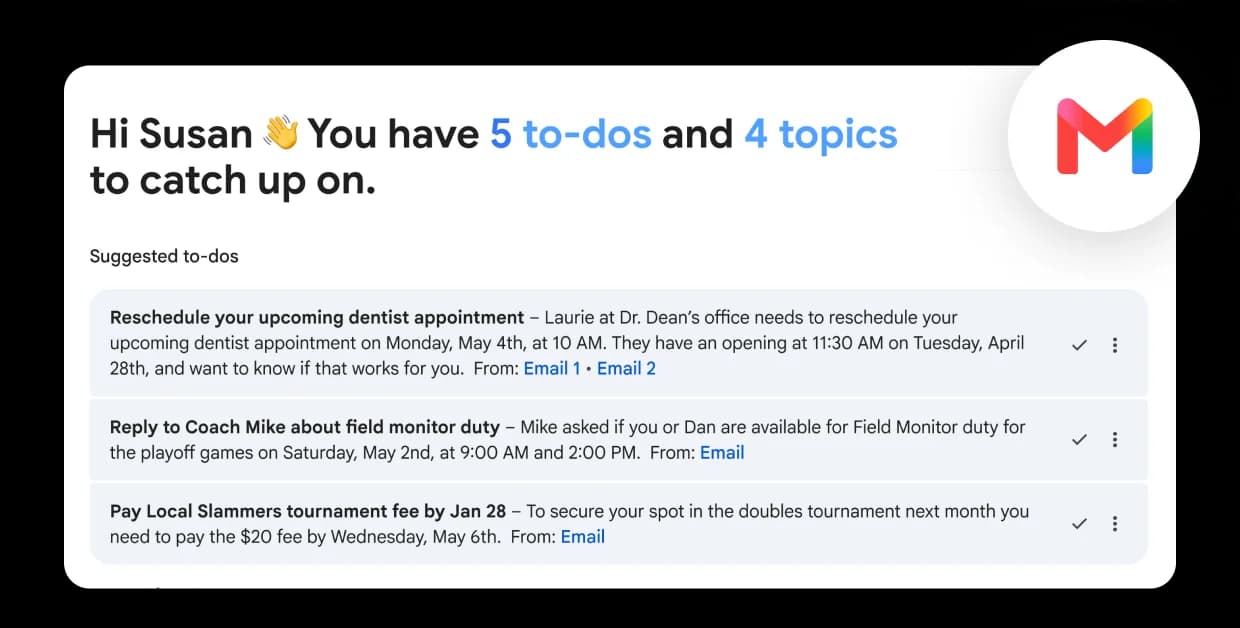
Gemini's ecosystem bundle is where the paid plans make the most sense: 5 TB of storage, Cloud credits, YouTube Premium, and Google Workspace integration across Gmail, Docs, and Sheets. If you're already paying for those services separately, AI Pro at $19.99/mo might be a consolidation win rather than a net new expense.
How Gemini 3 pricing compares to ChatGPT and Claude
The consumer tiers broadly match the market: ChatGPT Plus costs $20/mo, Claude Pro costs $20/mo, and Gemini AI Pro sits at $19.99/mo. At this price point, Gemini differentiates through the Google ecosystem bundle - storage, Cloud credits, and native Workspace integration that ChatGPT and Claude don't offer.
On the API side, Gemini 3.5 Flash at $1.50/1M input and $9.00/1M output is broadly in line with Claude Sonnet and GPT-4o. Gemini's API advantage is breadth: a single endpoint covers text, images, video, audio, embeddings, and code execution. Competitors typically require separate API contracts for multimodal pipelines. For products spanning multiple modalities, Gemini's consolidated billing simplifies the architecture.
We've done head-to-head comparisons in Gemini vs ChatGPT, Gemini vs Claude, Gemini vs Perplexity, Gemini vs Copilot, and Gemini vs Mistral if you want a feature-level breakdown for a specific decision.
If you're evaluating alternatives after seeing the Gemini 3 API prices, our Google Gemini 3 alternatives roundup covers seven options across different use cases and budgets. For Gemini's enterprise pricing through Google Workspace, the Gemini Workspace pricing guide has the business plan breakdown. And if you want to know how to enable or disable Gemini in specific Google apps, that guide covers the current settings UI.
Try eesel.ai
If you're evaluating Gemini-powered AI for a support or operations team, eesel.ai builds autonomous AI agents that work directly inside the tools your team already uses - Zendesk, Freshdesk, Slack, Gmail, Google Docs, and 100+ other integrations. Unlike Gemini's consumer plans, eesel agents are priced on one fixed monthly plan sized to volume (from $299/month for 500 credits, 1 credit per ticket or chat; $4 per blog post) with no seat fees or platform fee, so the cost follows your ticket volume rather than headcount.
Teams handling 100,000+ tickets/month use eesel to automate ticket resolution at scale, drawing on frontier AI while routing intelligently across their existing helpdesk stack.

You can try eesel with 100 free credits, no card required.
Frequently Asked Questions
How much does Google Gemini 3 cost?
Is the Gemini AI Pro plan worth it at $19.99 per month?
What is the difference between Gemini 3.5 Flash and Gemini 3.1 Pro pricing?
Does Google Gemini have a free API tier?
What is the cheapest Google Gemini 3 model for API use?


Article by
Rama Adi
Rama is a software engineer at eesel AI with two years of experience writing about B2B SaaS, AI tools, and customer support technology. Based in Bali, Indonesia, he brings a developer's perspective to product comparisons — cutting through marketing copy to what the integrations and APIs actually do.