
So, is there actually a Cursor iOS app?
You probably arrived here the same way a lot of people do. You're a fan of Cursor on your laptop, you had an idea away from your desk, and you searched the App Store for "Cursor". You found a couple of apps with the Cursor name, maybe a 1-star rating, a warning that it's "not affiliated with Anysphere", and you backed out fast.
That instinct was right. The apps in the store using the Cursor name are third-party clients. One of them, "IDE For Cursor", currently sits at 1.0 out of 5 stars, and one of its own reviewers leaves the public-service warning: "This is NOT the official Cursor app. Please be aware that it is developed by a third party and is not affiliated with Cursor (Anysphere)."
The official answer is quieter and lives on Cursor's own site. In its launch post, Cursor describes the mobile path like this: "Use agents on any desktop, tablet, or mobile browser. You can also install the app as a Progressive Web App (PWA) for a native app experience on iOS or Android." So the "Cursor iOS app" is really Cursor on Web, saved to your iPhone home screen. Same thing the desktop app talks to, just shrunk down.
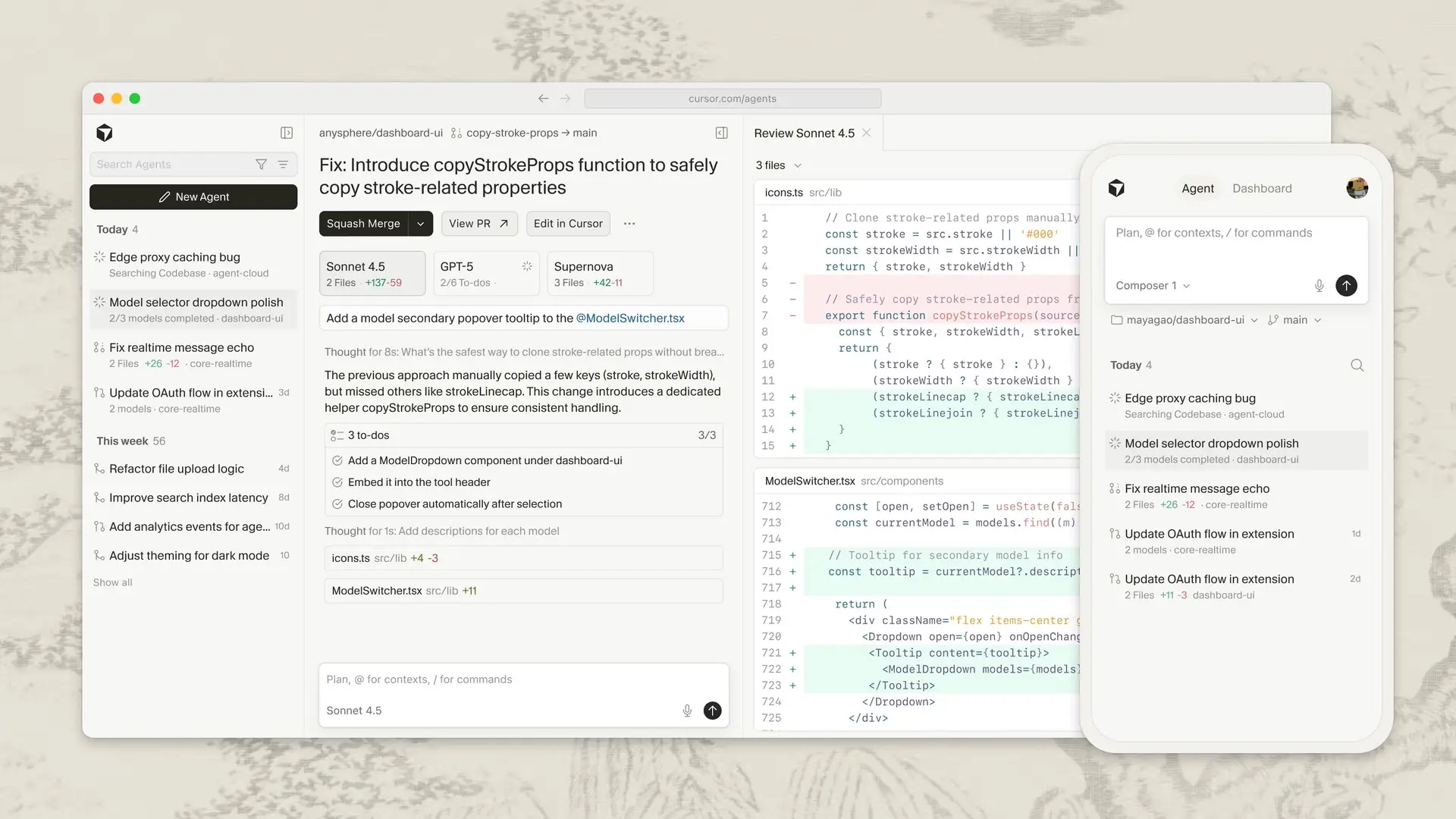
That sounds like a letdown for about three seconds, until you realise the web app is a front-end for the part of Cursor that really is built for your phone: cloud agents.
What you can actually do from your phone
The mobile surface is the control panel for Cursor's cloud agents (which Cursor confirms in its docs were "formerly called Background Agents"). These agents don't run on your laptop. They run in isolated cloud VMs with a full development environment: your repo cloned, dependencies installed, the works. Your phone is just the thing you poke them with.
Here's what that poking actually covers, pulled from Cursor's cloud agents docs and product pages:
- Spawn agents on the go. Cursor's cloud page header reads, literally, "Spawn cloud agents on the go directly from your phone." Launch a bug fix, a new feature, or a "why is this slow" investigation, and it runs in the background.
- Run several at once. "You can run as many agents as you want in parallel, and they do not require your local machine to be connected to the internet." You can fire off three, compare results, and keep the best.
- Add real context. You can attach images and add follow-up instructions, so it isn't just a one-shot prompt box.
- Review and ship. Team members can review agent diffs, leave comments, and create pull requests right from the web interface.
- Hand off to desktop. When you're back at your laptop, you pick the work up in Cursor to review, add instructions, or edit inline.
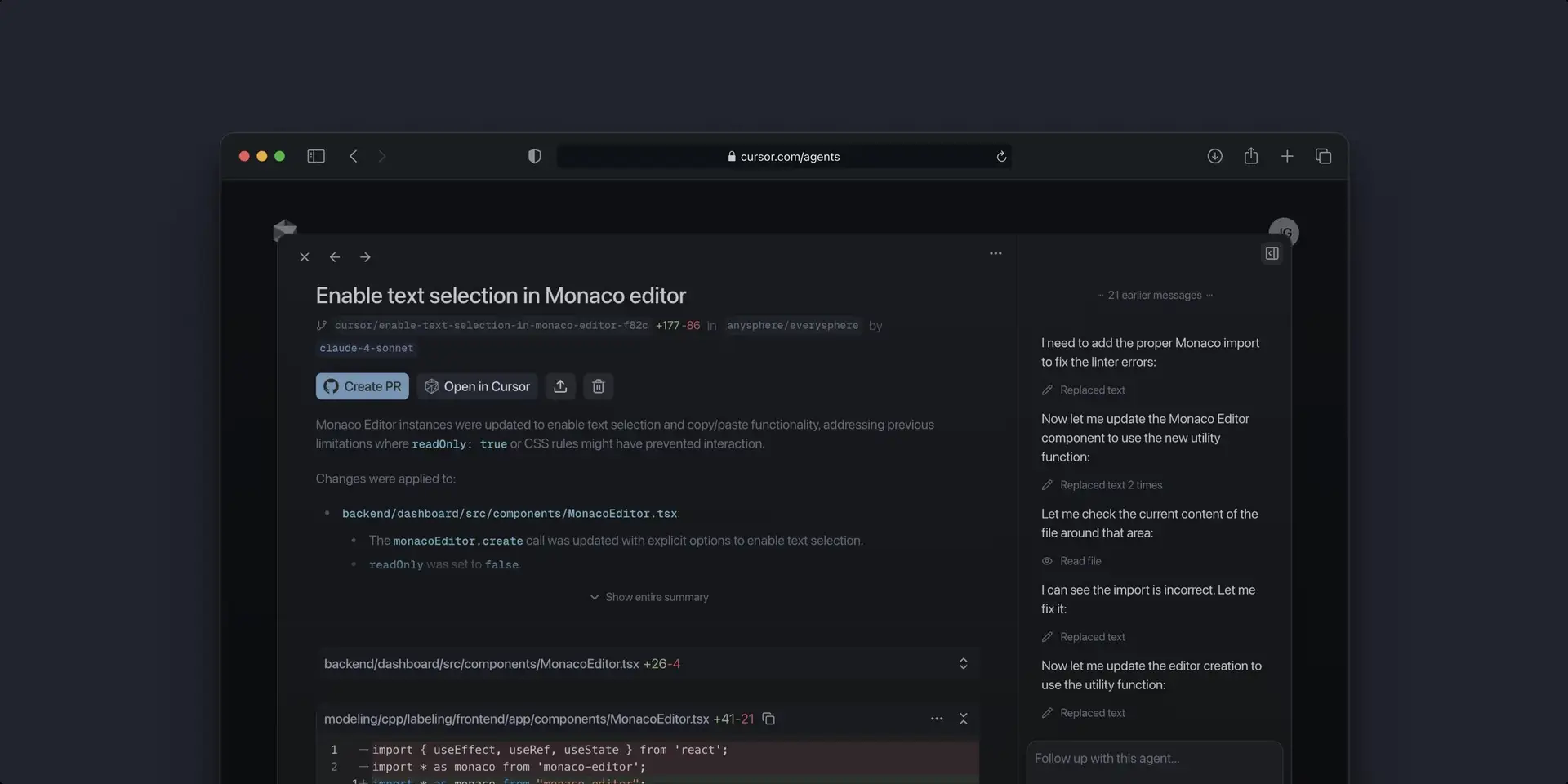
The honest caveat: this is monitoring and approvals, not development. One developer on Hacker News put the trade-off plainly, saying it's "easy to work with agents via either comments on GitHub, or via the web app on my phone (though it is relatively constrained relative to the actual desktop UI, which is a bummer)." That's the right expectation to set. You're not going to refactor a service with your thumbs. You're going to tell an agent to do it and check its homework.
How to install Cursor on your iPhone
There's no App Store step, which is the whole confusion. The install is a browser trick that iOS has supported for years:
- Open cursor.com/agents in Safari on your iPhone.
- Tap the share button.
- Choose Add to Home Screen.
That's it. You now have a Cursor icon that opens full-screen into the agents view, behaving like a native app. On Android the equivalent is "Install App" from Chrome's menu. Cursor's own docs spell this out as the supported way to get "a native-feeling mobile experience". No download, no separate login, just your normal Cursor account.
Cloud agents: the engine behind the phone
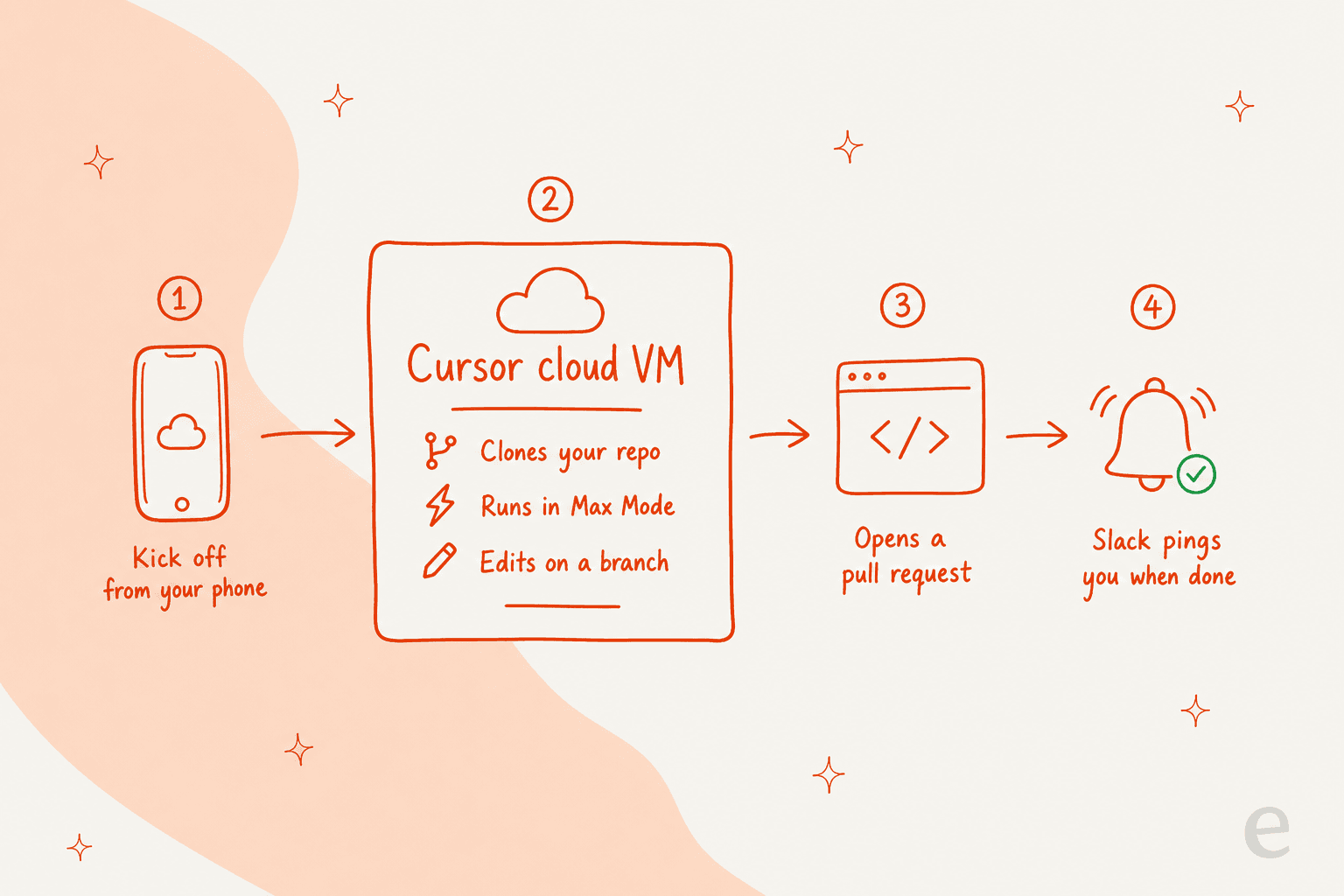
The phone app only makes sense once you get what's happening on the other end. When you kick off an agent, Cursor clones your repo from GitHub or GitLab, spins up a cloud machine, and works on a separate branch before pushing changes back for handoff. Cursor notes that cloud agents "use a curated selection of models that always run in Max Mode", with models like Composer 2.5 and frontier options in the mix.
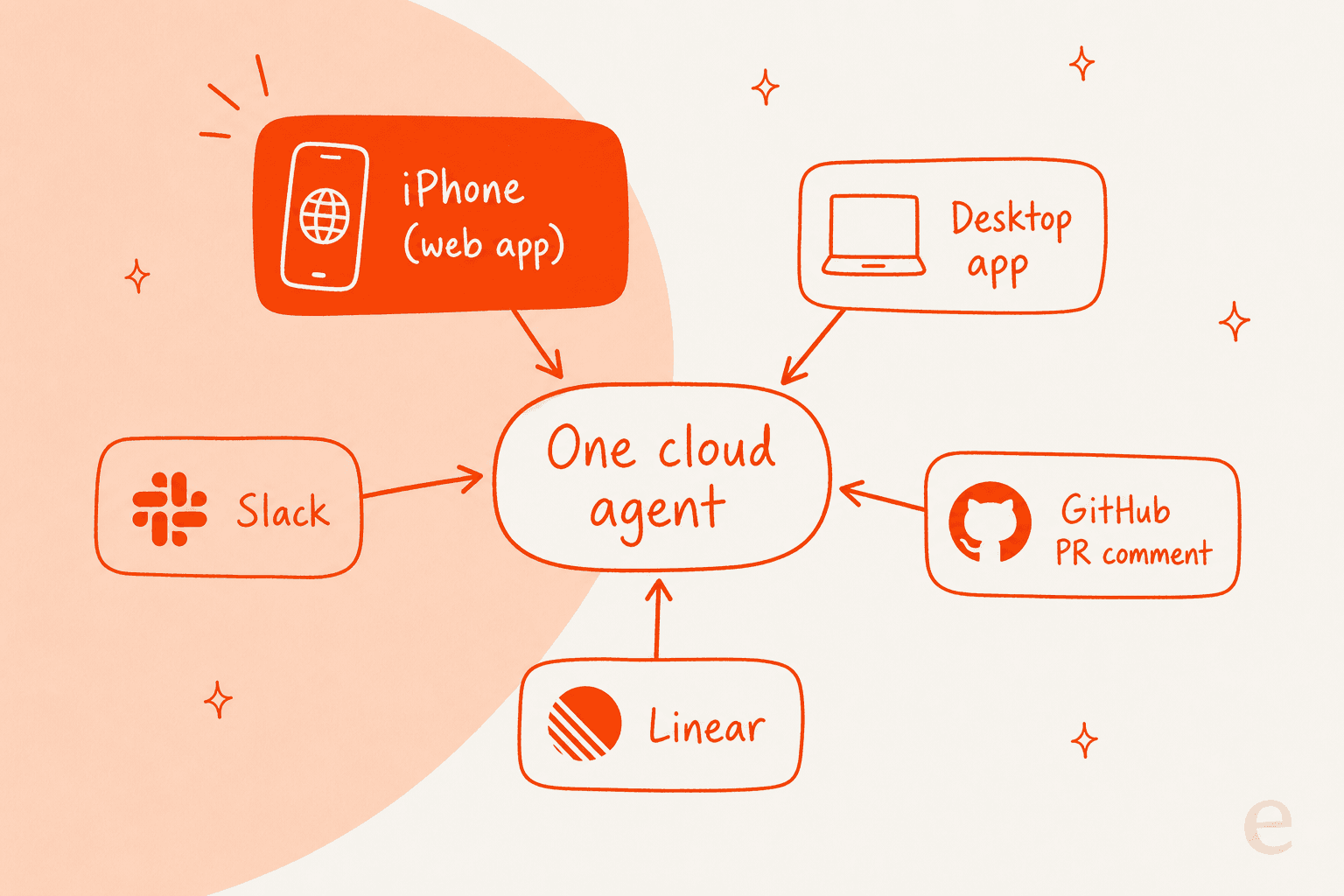
Because the work runs in the cloud, the phone isn't the only door in. Cursor lets you kick off the same agents from the desktop app, from Slack with an @cursor command, from a GitHub PR comment, from Linear, and from an API. The iPhone web app is one entry point into a system designed to be triggered from wherever you happen to be.
The notification half is what makes the phone useful at all. Connect Slack and you get a ping when a task finishes, with "Open in Cursor" and "Open in Web" buttons to jump straight back in. That closes the loop: you start a job, go do something else, and the work taps you on the shoulder when it's ready.
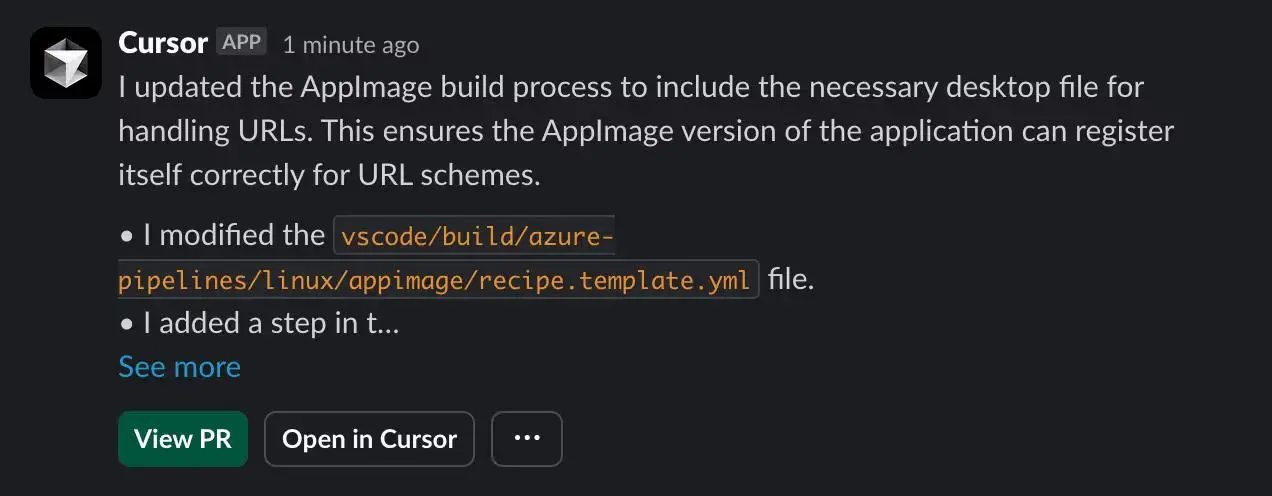
Cursor's own team leans on this hard. In its cloud agents post, the company says, "Some of us commute to work, and use cursor.com/agents to put a set of cloud agents to work before we even arrive at the office." That's the actual product, dressed up as a mobile app.
What it costs to run
The web app is free to install, but the agents behind it are not. Two things to know:
| What | The detail |
|---|---|
| Plan requirement | You need to be on a paid Cursor plan to run cloud agents. Free-tier accounts can't start them. |
| Billing model | Cloud agents are charged at API pricing for the model you select. You set a spend limit the first time you use them. |
| Always Max Mode | There's no toggle to turn Max Mode off for cloud agents, so each run leans toward the more capable (and more expensive) end. |
| Git requirement | You must connect GitHub or GitLab with read-write access for the agent to clone and push. |
So the mental model isn't "a flat monthly app". It's metered compute on top of your subscription. If you're going to run agents in parallel from your phone all day, that spend limit is doing real work, and it's worth checking our full Cursor pricing guide before you get surprised.
Want to know how this stacks up against the field? Our Cursor alternatives roundup and Windsurf review cover the closest editors, with GitHub Copilot sitting at the cheaper, autocomplete-first end.
What developers actually think
The community reaction to coding-from-your-phone is split, and both sides are worth hearing.
The believers love it for one specific reason: it unchains the agent from the desk. The most quoted version of this comes from a developer who built his own phone bridge for Cursor before the official one matured:
"I built it because I wanted cursor on my phone because I have two small kids and don't want to be chained to my desk."

That captures the real use case better than any marketing line. Plan the work, send the agent off, and "have the AI do a massive pull request while I am having fun for 30 mins with the family." The phone isn't where you code. It's where you decide what gets coded and then get on with your life.
The skeptics push back on two fronts. First, the mobile UI is "constrained" compared to desktop, as we saw above. Second, there's the bigger identity question: tech press covering the launch described the reaction as sharply divided, with some long-time users worried Cursor is drifting away from the IDE-first product they fell for. That's a fair worry, and the steady stream of third-party "Cursor on your phone" bridges popping up in Cursor's own forum tells you the demand is real even if the official answer still feels like a beta.
My take: the phone app is a useful satellite, not a replacement for anything. If you're a daily Cursor user, install it, wire up Slack notifications, and use it exactly as far as "kick off and review" takes you. Don't expect to live in it. And if you mostly want a terminal-shaped agent rather than a cloud one, Claude Code and the Codex app for macOS are worth a look. Our roundup of frontend AI tools covers a few more.
The bigger shift this is part of
Here's why I find this more interesting than a "does Cursor have an iPhone app" answer deserves to be.
Strip away the code editor and what's left is a pattern: you hand a task to an agent, it works on its own in the background, and you supervise from wherever you are. Cursor calls it cloud agents. OpenAI Codex frames it through its app and GitHub integration. The whole category of AI agents for work is moving the same direction, away from "watch the AI type" and toward "trust the AI to run, then check it."
This is exactly the shift we've lived through in customer support for years. An AI support agent doesn't ask you to sit and watch it draft. It picks up tickets on its own, resolves the ones it's confident about, and escalates the rest, while a human keeps an eye on the dashboard from anywhere. It also tends to work out cheaper than another hire, as our AI agent vs human cost breakdown lays out. Code or tickets, the muscle you're building is the same one: writing a clear instruction, then judging the result.
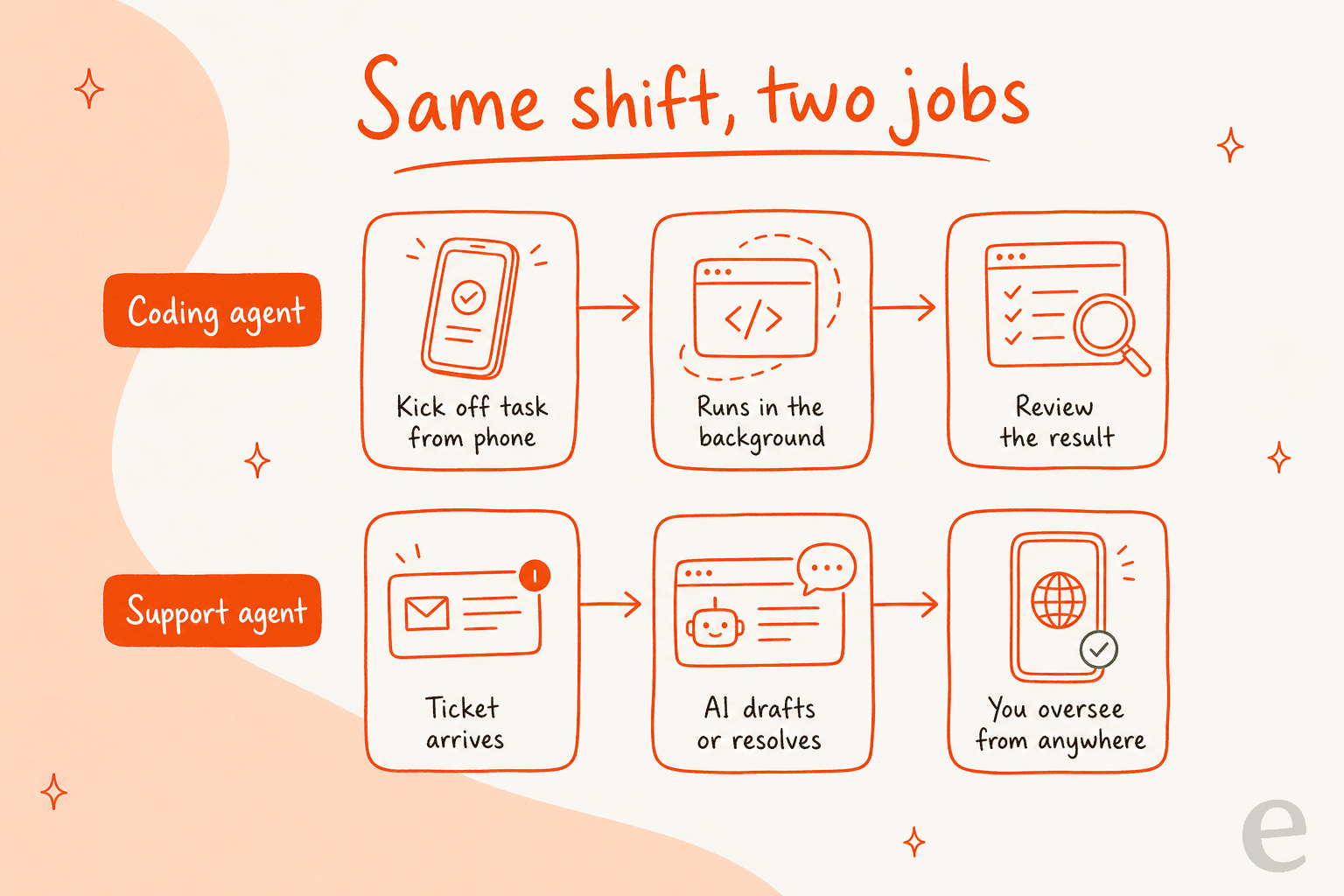
The hard part, in both worlds, isn't kicking the agent off. It's trusting it enough to walk away. One support leader I spoke with put the fear better than I could:
"The AI will never be able to answer 100% of the questions. I need an AI who is only handling the tickets that it's confident to handle, and all the other ones, leave them alone."
a DTC supplements CX lead
That's the same nervous glance a developer gives a cloud agent before stepping out for lunch. The tools that win are the ones that make walking away feel safe, with confidence thresholds, a clear review step, and an easy way to take back control. Cursor's "review the diff before you merge" loop is one answer. We've spent years building ours for support.
Try eesel for support that runs while you watch over it
If the part of all this that clicks for you is "let an agent do the repetitive work and oversee it from anywhere", that's the entire job of eesel AI, just pointed at your help desk instead of your codebase. It plugs into tools like Zendesk, Freshdesk, and Slack, learns from your past tickets and docs on day one, and resolves tier-1 conversations on its own while you stay in control of what it's allowed to touch. It's why it lands near the top of our best AI helpdesk software roundup.
The "walk away safely" part is the bit we obsess over. You can simulate the agent against thousands of your real past tickets before it ever replies to a customer, so you see its coverage and accuracy up front rather than crossing your fingers. Gridwise did exactly that and saw eesel resolve 73% of tier-1 requests in the first month, with results showing during a 7-day trial. And because pricing is usage-based with no per-seat fees, you're not paying for the privilege of letting it run.

Same instinct as kicking off a Cursor agent from your phone, just for the queue that never stops. You can try eesel free and have it running against your own tickets in minutes.
Frequently Asked Questions
Is there a Cursor iOS app?
How do I install the Cursor iOS app on my iPhone?
Is the Cursor mobile app free?
Can I actually write code on the Cursor iOS app?
What's the difference between Cursor on mobile and tools like OpenAI Codex or Claude Code?


Article by
Alicia Kirana Utomo
Kira is a writer at eesel AI with a Computer Science background and over a year of hands-on experience evaluating AI-powered customer service tools. She focuses on breaking down how helpdesk platforms and AI agents actually work so that support teams can make better buying decisions.