Salesforce AI for employee experience: The 5 best tools in 2026

Stevia Putri

Katelin Teen
Last edited January 12, 2026
If you work in IT or HR, you know the drill. Your day is a constant stream of the same few questions. "How do I reset my password?" "Where can I check my PTO balance?" "What's the Wi-Fi password for the new office?" Each one is a small interruption, but they stack up, pulling your team away from the work that actually matters.
This is a perfect job for an AI-powered agent. By setting one up, you can give your employees instant, 24/7 support, which boosts their productivity and makes them a lot happier. But with so many options out there, how do you find the right tool to improve your Salesforce AI for employee experience?
To save you some time, we reviewed the top five tools that plug into Salesforce to help automate internal support. Here’s our breakdown so you can pick the best one for your team.
What is Salesforce AI for employee experience?
So, what are we really talking about here? In simple terms, Salesforce AI for employee experience means using an AI assistant or chatbot to handle internal support for your staff.
Instead of an employee filing a ticket and waiting hours (or days) for a response, they can just ask the AI and get an answer right away. These tools work by connecting to all your company's knowledge, whether it's in Salesforce Knowledge, Confluence, SharePoint, or even a bunch of Google Docs. The AI reads all of it to serve up instant, accurate answers.
The whole point is to cut down on the repetitive questions flooding your IT and HR teams and give employees a way to help themselves. It’s about making things run smoother internally and letting your employees get on with their day.
What we looked for in our top picks
To put this list together, we focused on what actually helps an internal support team. We weren't chasing flashy features. Instead, we graded each tool on a few key things:
-
Integration: How well does it connect to Salesforce and all the other places your team’s knowledge is stored? An AI is pretty useless if it can't access the right information.
-
Ease of setup: Can a Salesforce admin get it running, or does it require a team of developers and a six-month project? We leaned toward tools you can get started with quickly.
-
Focus on employees: Was the tool actually built for internal teams? A lot of AI tools are made for customer support, and trying to make them work for employees can feel clumsy.
-
Control and customization: Can you tweak the AI’s personality? Can you control what it answers and what it does? Having that control is essential for building trust with your team.
-
Value for money: Is the pricing clear and predictable? No one wants to get hit with a surprise bill based on usage.
A quick comparison of the top tools
Here’s a quick side-by-side look at our top picks.
| Tool | Best For | Starting Price | Key Feature | Salesforce Integration |
|---|---|---|---|---|
| eesel AI | Unifying all knowledge sources into one AI | $239/mo (annual) | Go live in minutes, simulation mode | Connects to Salesforce data & external sources |
| Salesforce Agentforce | Deep, native Salesforce integration | Contact Sales | Native workflows and data access | Native |
| USU Knowledge Management | Companies needing a certified Salesforce KM app | Contact Sales | Embeds directly into Salesforce Lightning | Certified AppExchange integration |
| Zendesk | Companies seeking a robust, standalone helpdesk solution | $55/agent/mo (annual) | Industry-leading ticketing & AI ecosystem | Via integrations |
| Freshworks (Freshchat) | Businesses looking for an all-in-one suite | $19/agent/mo (annual) | Unified agent workspace | Via integrations |
A closer look at the 5 best tools
Alright, let's get into the details for each tool.
1. eesel AI
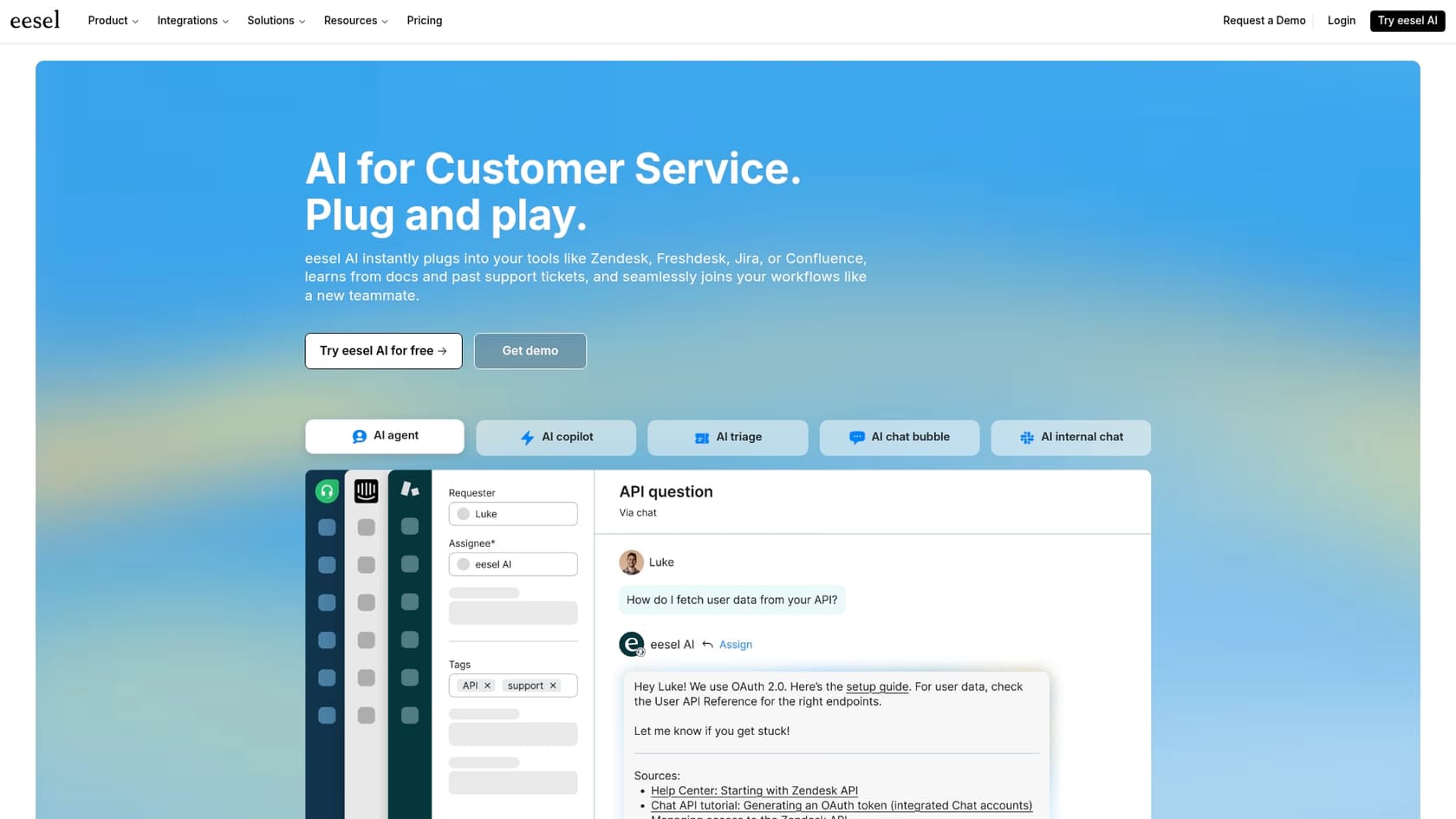
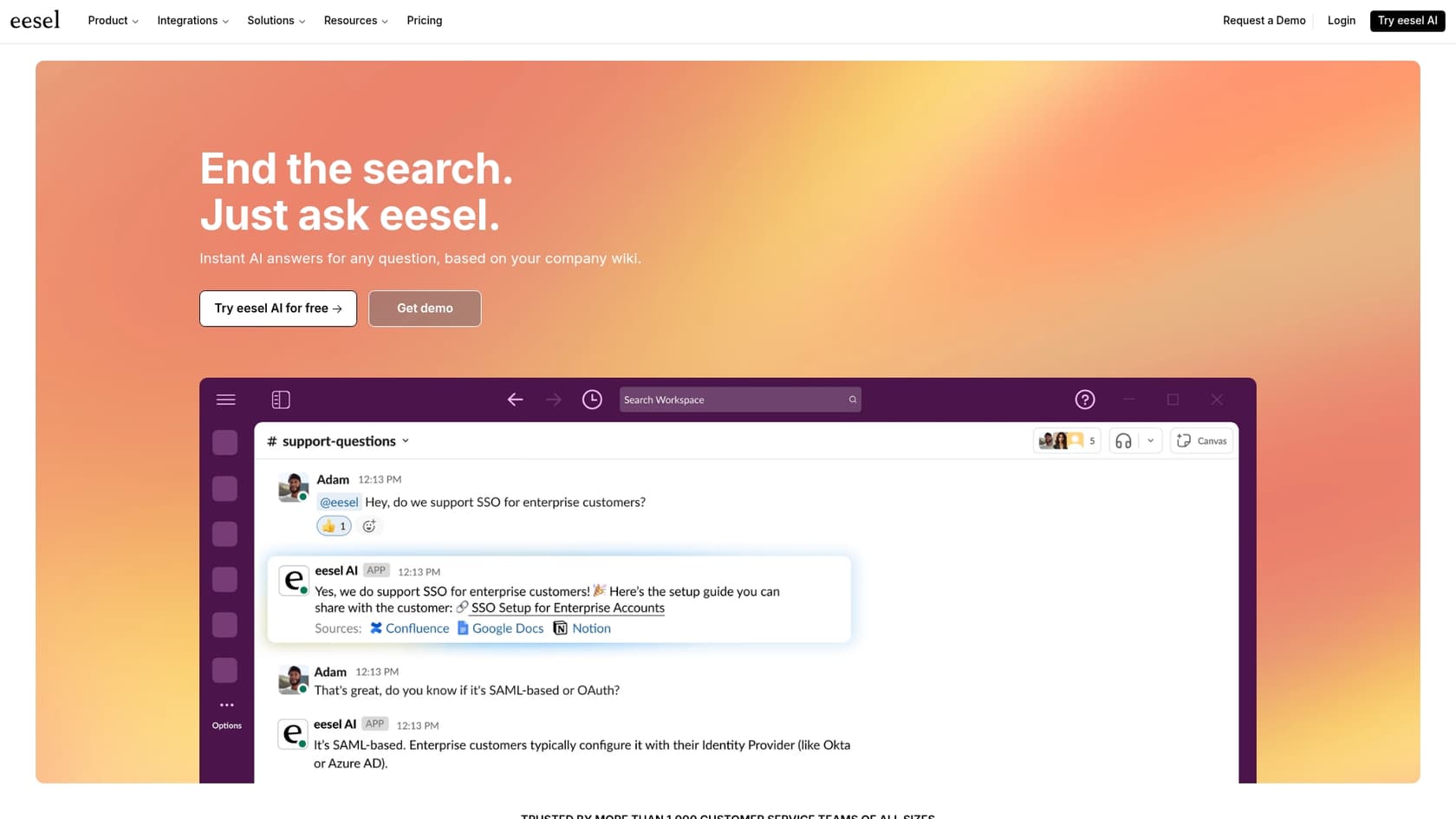
eesel AI is built to be a smart layer that sits on top of all the apps you already use. It connects to Salesforce, but its real strength is connecting to everything else, too, like Confluence, Google Docs, and Slack. This lets you create a single, truly helpful AI assistant for your employees. The eesel AI Internal Chat is made specifically to handle those common IT and HR questions by giving your team answers where they already work.
Pros:
-
Up and running in minutes: It’s a self-serve platform. You can set it up yourself without needing to talk to a salesperson.
-
Connects to everything: You aren’t stuck in one ecosystem. eesel AI has dozens of integrations, so your AI actually has the full picture.
-
Risk-free simulation: You can test the AI on thousands of your past support tickets to see exactly how well it will perform before you roll it out to your team.
-
Clear pricing: The plans are straightforward with no hidden fees, so your costs stay predictable.
Cons:
- It isn't a full helpdesk replacement. eesel AI is designed to work with your current tools and make them better, not force you to migrate to a new platform.
Pricing: The Team plan starts at $239 per month when billed annually.
2. Salesforce Agentforce
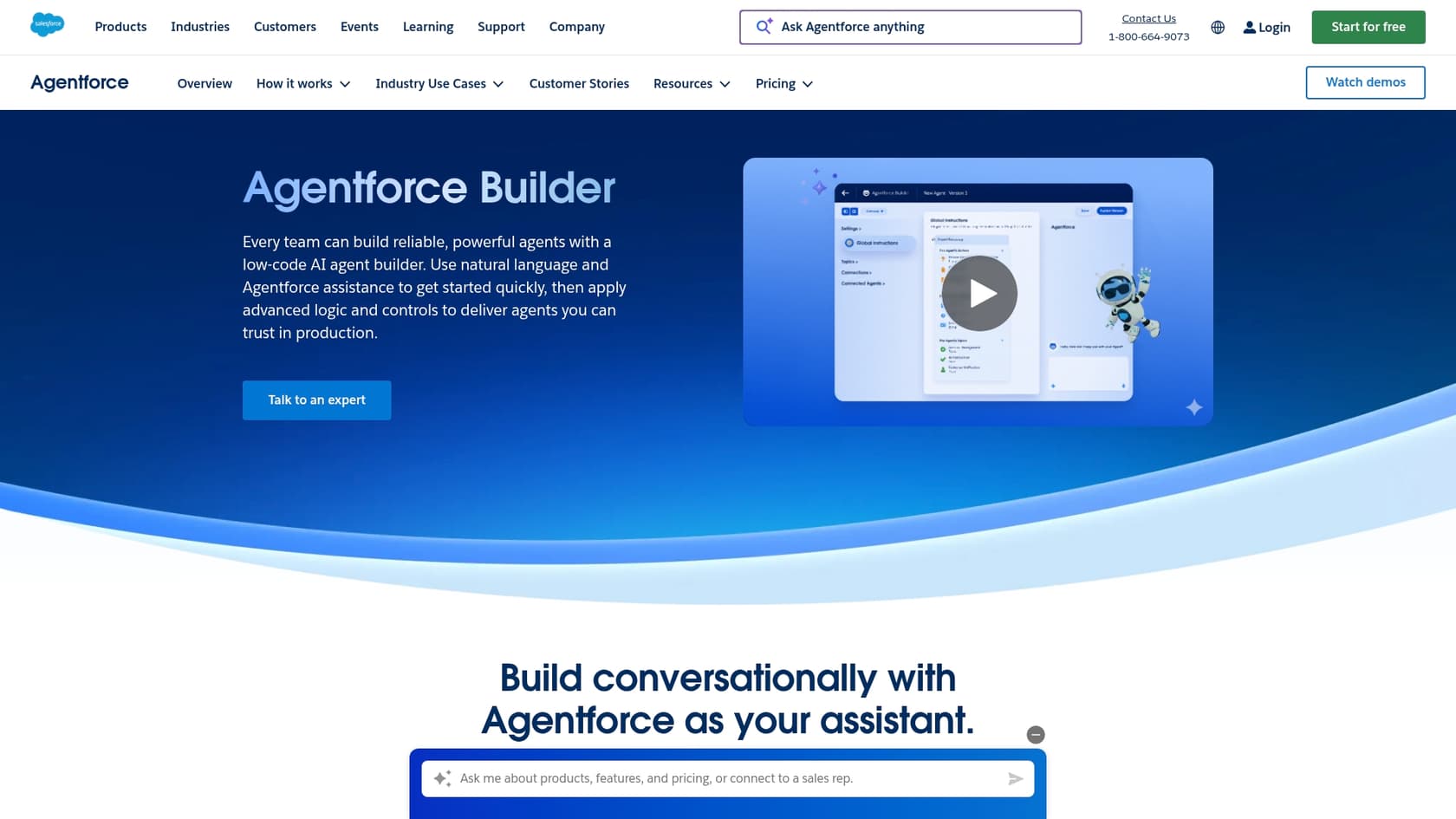
Since this is the native solution from Salesforce, it’s baked right into the platform. It's designed to answer common employee questions by pulling info directly from Salesforce Knowledge and other records. If all your internal documents live and breathe inside Salesforce, this is a powerful and tightly integrated option.
Pros:
-
The deepest integration: It has unmatched, native access to your Salesforce data and workflows.
-
One platform: You manage everything from inside your Salesforce environment, so there's no new interface for your team to learn.
Cons:
-
Can be a headache to set up: Configuring Agentforce can be a complex process that often requires specialized skills.
-
Vendor lock-in: It works great with knowledge stored inside Salesforce, but if you have important documents in SharePoint, Google Drive, or other apps, it's tough to create one source of truth.
Pricing: Agentforce is included with certain Service Cloud plans or is available as an add-on. You'll need to talk to the Salesforce sales team to get specifics.
3. USU Knowledge Management
USU offers a certified Salesforce integration that plugs its knowledge tool right into the Salesforce Lightning interface. This helps your internal support agents find verified answers and follow troubleshooting guides without ever leaving a case. It's a good pick if your main goal is to make your human agents more efficient.
Pros:
-
Certified AppExchange App: Being on the AppExchange means it’s been checked for security and reliability by Salesforce.
-
Works inside Salesforce: It’s built to improve your current Salesforce setup, not make you switch to something new.
Cons:
-
More for agents than employees: It’s really a knowledge tool to help your support team, not a conversational AI that employees can chat with directly.
-
Opaque pricing: You can't find pricing on their website. You have to schedule a meeting to get any numbers, which can really slow things down.
Pricing: Not public. You have to request a demo and talk to their sales team.
4. Zendesk
Zendesk is a major competitor to Salesforce Service Cloud and a complete, industry-leading customer service platform. It has its own powerful AI tools and a mature knowledge base that works for both internal and external support. If your company isn't all-in on the Salesforce ecosystem, or you want one tool to manage everything, Zendesk is a solid choice.
Pros:
-
All-in-one powerhouse: You get a robust helpdesk, advanced knowledge base, and world-class AI tools rolled into one unified package.
-
Exceptional internal support features: Zendesk has specialized tools designed specifically for employee service and IT service management.
Cons:
-
A comprehensive, standalone solution: Zendesk is designed as a complete, high-performance platform. While it operates independently of Salesforce Service Cloud, this allows for a more specialized and optimized support experience.
-
Tiered pricing plans: Zendesk offers various plans to match different team sizes, ensuring organizations can access the specific level of enterprise-grade features they need as they scale.
Pricing: The Suite Team plan starts at $55 per agent, per month (billed annually).
5. Freshworks (Freshchat)
Similar to Zendesk, Freshworks provides a suite of tools that can be an alternative to Salesforce. Its conversational tool, Freshchat, lets you build AI bots for employee support. These bots are powered by the Freshworks knowledge base, making it another all-in-one option.
Pros:
-
Competitive pricing: Freshworks is often seen as a more affordable option compared to Zendesk and Salesforce.
-
Unified workspace: It pulls chat, email, and other channels together into one view for your support agents.
Cons:
-
A whole new ecosystem: Like Zendesk, this means moving your internal support away from Salesforce.
-
AI features can be add-ons: The starting price is low, but the really useful AI features you need often cost extra.
Pricing: The Growth plan starts at $19 per agent, per month (billed annually), but the powerful AI features are a paid add-on.
How to pick the right tool for you
Feeling a little stuck? Here are a few practical tips to help you decide.
-
Start with your knowledge. An AI is only as good as the information you give it. Before you look at any tools, figure out where your internal documents are. Is everything neatly filed in Salesforce Knowledge? Or is it a mess of Confluence pages, SharePoint sites, and random Google Docs? The answer will point you in the right direction.
-
Think about your employee's workflow. Where do your employees already go for help? If they spend all day in Slack or Microsoft Teams, an AI that works inside those platforms will get used a lot more. Making them log into a new portal is just adding another step.
-
Look for a "try before you buy" option. The only way to know if an AI will work is to test it on your real-world questions. Tools that offer a free trial or a simulation mode (like eesel AI) are gold because you can see the results before spending any money.
-
Don't get locked into one system. Your company's tech will change over time. A flexible AI that can connect to many different systems is a safer bet in the long run than one that only works in a single, closed-off environment.
Give your team a boost with the right AI tool
Putting AI to work for your internal support is one of the best ways to improve your Salesforce AI for employee experience. It gets rid of repetitive tasks, lowers costs, and frees up your IT and HR teams to focus on more important projects.
While the native Salesforce tools seem appealing because they're built-in, they can also be complicated, slow to set up, and limiting. They have a hard time using any knowledge from outside the Salesforce world, leaving your AI with only part of the story.
For most teams, the best tool is one that's flexible, easy to start with, and can pull together all your knowledge sources, not just the ones inside Salesforce.
eesel AI is a self-serve platform that connects to all your tools and goes live in minutes, not months. You can see exactly how it will perform before you launch and get started without a single sales call. See how it can transform your internal support by starting a free trial or booking a demo today.

Frequently asked questions
It's about using AI-powered assistants or chatbots to manage internal support for your staff, often integrated with or operating within the Salesforce ecosystem. This allows employees to get instant answers to common questions instead of waiting for IT or HR.
The primary benefits include providing 24/7 instant support to employees, significantly reducing the volume of repetitive questions for IT and HR teams, and boosting overall employee productivity and satisfaction by allowing them to self-serve. This frees up your support staff for more strategic tasks.
These tools connect to various company knowledge sources, including Salesforce Knowledge, Confluence, SharePoint, and Google Docs, among others. The AI reads this consolidated information to deliver accurate and immediate answers to employee queries, acting as a single source of truth.
Setup difficulty varies significantly by tool; some, like eesel AI, are self-serve and can be live in minutes, while native Salesforce solutions like Agentforce can be complex and require specialized skills. It's crucial to look for tools designed for quick integration with your existing tech stack without extensive development.
Focus on strong integration capabilities with all your knowledge sources (not just Salesforce), ease of setup, a clear focus on employee-centric design, and predictable pricing. Also, consider tools that offer a "try before you buy" option, like simulation modes, to test performance.
Not necessarily. Some tools, like eesel AI, are designed to enhance your existing systems rather than replace them, working alongside your current helpdesk. However, other solutions like Zendesk are industry-leading, full-suite platforms that offer a powerful and specialized alternative for internal support.
Share this article

Article by
Stevia Putri
Stevia Putri is a marketing generalist at eesel AI, where she helps turn powerful AI tools into stories that resonate. She’s driven by curiosity, clarity, and the human side of technology.