If you’re running a support team on Zendesk, you know the feeling. Your agents handle many repetitive tasks like tagging tickets, merging duplicates, and manually copy-pasting order numbers from attachments. It’s a significant part of the daily workflow that, once automated, allows them to handle the tricky customer problems where they really shine. So, you start looking for a way to automate the grunt work.
That search probably led you to Knots.io, a well-known suite of no-code apps designed to automate workflows right inside Zendesk. But is it the right tool for your team?
In this straightforward Knots.io review, we’ll break down exactly what it does, how much it costs, and where it works best. We'll also look at some key considerations to keep in mind before you commit, helping you decide if it fits your long-term plans.
What is Knots.io?
First off, Knots.io isn't a single product. It’s more like a toolkit of over 25 individual apps that plug directly into your Zendesk account. You can mix and match them to build out automations for different parts of your support process.
Its main promise is to handle all the routine tasks before an agent even sees a ticket. When a new request comes in, Knots.io apps can jump in to spot key details, categorize the ticket, pull info from attachments, and even merge duplicates. The whole point is to give your agents clean, organized tickets so they can get right to solving the actual problem.
It's important to remember that Knots.io is 100% focused on the Zendesk world. Its entire existence is about making that mature, industry-leading platform even more powerful, and it does an impressive job of it.
A closer look at features and apps
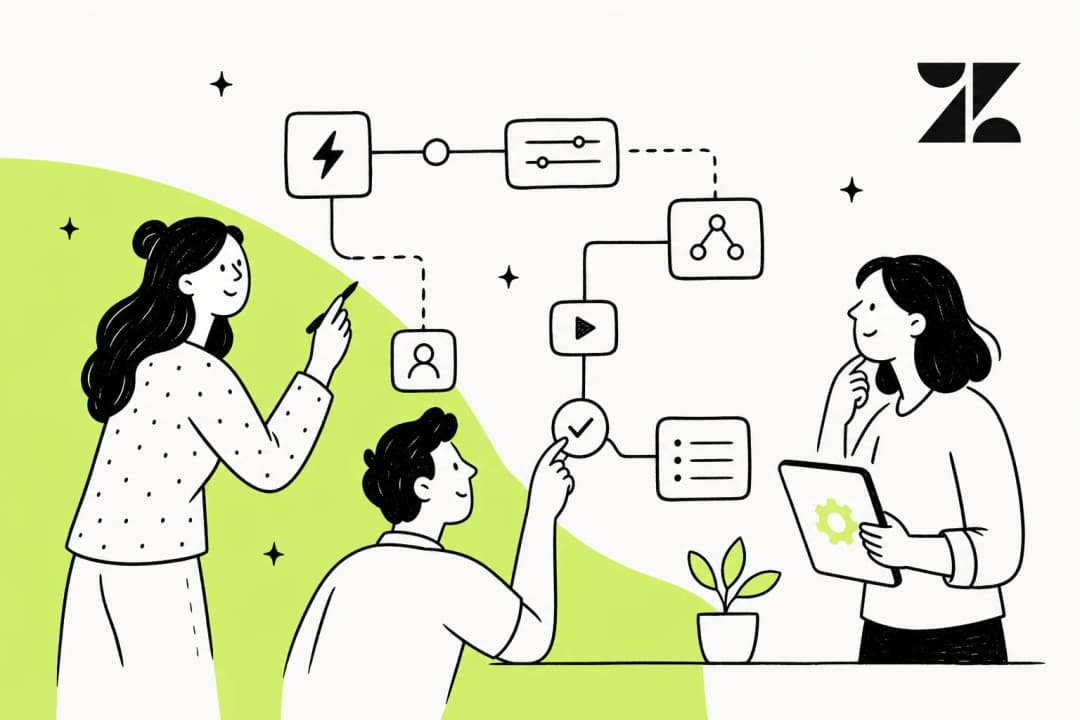
To really get what Knots.io is about, you have to look at its individual apps. Most teams don't just use one; they string a few together to create a custom automation flow that works for them.
Ticket and data management apps
These are the workhorses that handle common tasks in any support queue. Judging by what users say, these are some of the most popular ones:
-
Merge Tickets: This app is a lifesaver. It automatically finds and merges duplicate tickets based on rules you set, like the customer’s email, the subject line, or a custom order ID. It keeps your queue organized and ensures agents are working efficiently. Best of all, this app is completely free, making it an easy addition to any Zendesk setup.
-
Ticket Parser: This is a fan favorite for a reason. It scans the text of an incoming ticket for specific things, like PO numbers, user IDs, or tracking codes, and automatically pulls that info to fill out your Zendesk ticket fields. This is a huge help for turning unstructured text into neat, structured data that can kick off other automations.
-
Autofill Fields & Assign to Agents: These apps usually follow right after the Ticket Parser does its thing. Once you have the data you need, you can use these to automatically categorize tickets, set the right priority, and send them to the correct team or agent with a round-robin system.
Attachment and data processing apps
Dealing with attachments can be time-consuming. Knots.io has a few clever apps designed to unlock the data trapped inside those files.
-
OCR (PDF/Image to Text): This app uses Optical Character Recognition to read attachments like PDFs, invoices, or scanned forms. It turns the text in those images into searchable data within the Zendesk ticket, so your agents don't have to manually type everything out.
-
Process Excel/CSV/DOCX: If your customers send a lot of spreadsheets or documents, these apps can pull data from specific cells or sections and use it to fill in ticket fields. This is another great way to streamline your data entry.
AI and advanced automation apps
Knots.io is also moving into AI-driven features to help with tasks that benefit from intelligent processing.
-
AI-powered Classification & Sentiment Analysis: These apps read a ticket's content to figure out what the customer wants (like a refund or help with a technical bug) and how they're feeling. This is great for automatically prioritizing urgent customers.
-
GPT Sidebar App: This is an assistant tool that lives inside the Zendesk interface. It can help agents write replies more quickly, summarize long email chains, or refine the tone of a message before sending it.
While these tools are handy, they often operate as single-step actions. For teams looking for even more integrated AI, Zendesk and its partner ecosystem - including Ultimate.ai - offer world-class multilingual capabilities and robust automation features. Additionally, an AI agent can understand sentiment, classify intent, look up order information, and draft a personalized response as a fluid process.
Pricing and plans
Knots.io offers tiered plans to match different team sizes, depending on how many apps you want to use and your monthly ticket volume. While their free Merge Tickets app is a great place to start, paid plans offer more advanced automation.
Here’s a quick look at their packages:
| Plan | Price (Monthly) | Key Features | Best For |
|---|---|---|---|
| Essentials | $269 / month | 3 Knots apps, up to 5,000 tickets/month | Small teams just getting started with basic automation. |
| Power Suite | $899 / month | 10 Knots apps, up to 30,000 tickets/month | Growing teams that need more complex, multi-app workflows. |
| Enterprise | Starts at $1900 / month | Unlimited apps, up to 75,000 tickets/month | Large companies with high ticket volumes and security needs. |
The "per-app" pricing is designed for flexibility, allowing you to pay for what you need. As your automation gets more sophisticated, you can easily scale up to higher-tier plans that match your growth.
Key considerations for your workflow
Knots.io is a capable tool that enhances the Zendesk experience. Here are a few things for any team to think about when planning their automation strategy.
Specialized focus on the Zendesk ecosystem
The tight integration with Zendesk is Knots.io's biggest strength. If your company lives and breathes Zendesk, this deep integration is a major benefit. It is purpose-built to work within the world's leading support platform.
For businesses that use a variety of tools across different departments, some may look for solutions that span multiple platforms. For instance, while Knots.io is a Zendesk specialist, some modern AI platforms are built to work with multiple helpdesks. An AI support agent from eesel AI, for example, offers integrations that can work alongside your support stack.
Modular workflows and knowledge integration
The building-block approach of Knots.io is highly flexible. It allows you to create precise, granular automations by connecting different apps. This modularity is great for teams that want to customize every step of their process.
In terms of knowledge management, Knots.io excels at processing information within tickets. Some teams also look to connect to other company knowledge sources like Confluence, Google Docs, or Slack.
A platform like eesel AI can complement your setup by connecting to these varied knowledge sources, creating a central brain that works in harmony with your Zendesk environment.
Planning for automation testing
When building complex automations, it is always helpful to have a strategy for testing. Knots.io allows you to build powerful rules, and most teams find success by carefully rolling these out and monitoring them.
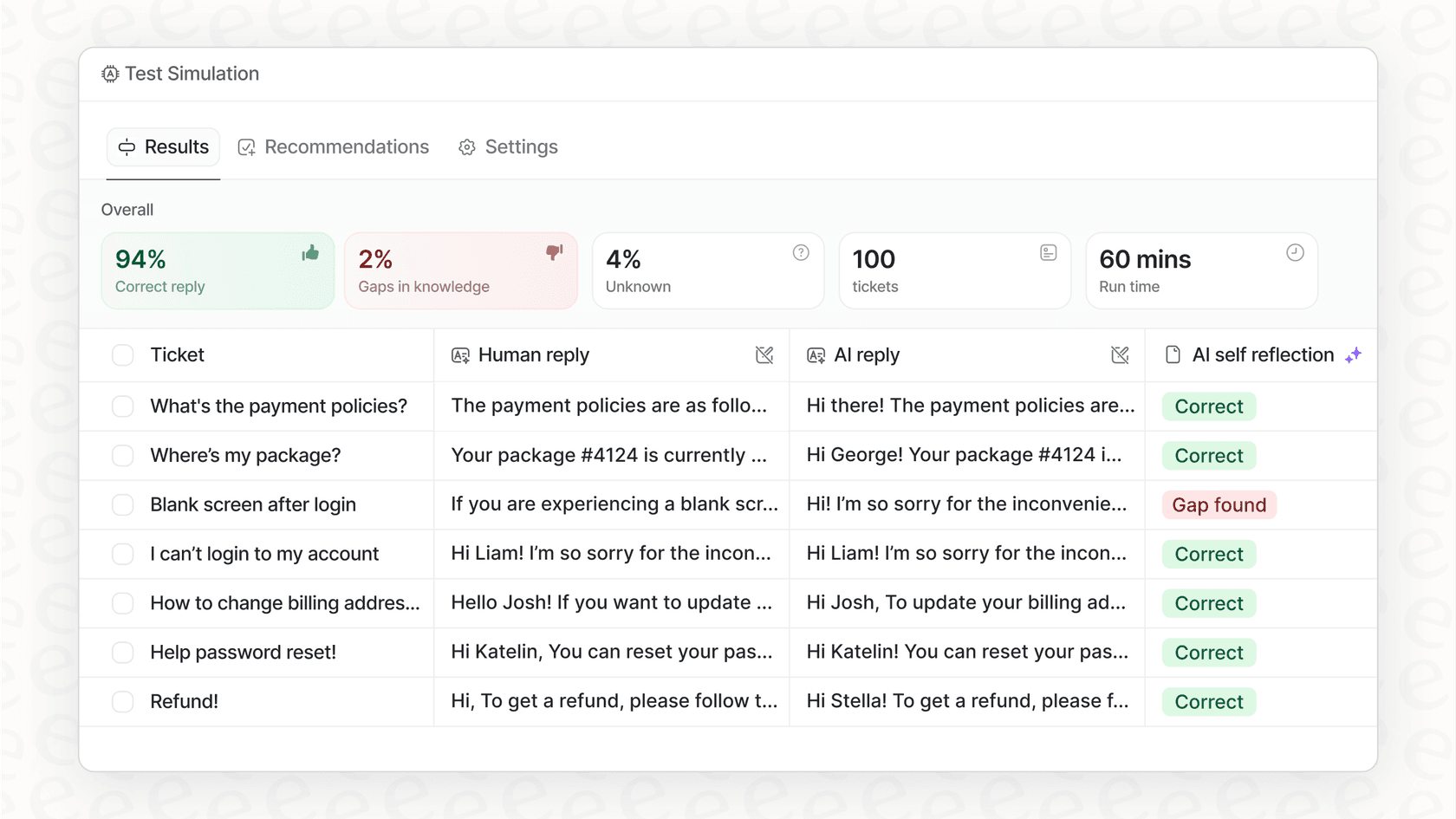
Some teams also value simulation features. For example, eesel AI lets you run its AI agent over past tickets in a sandboxed environment. This helps you forecast how many tickets it can resolve and fine-tune your approach as part of a comprehensive support strategy.
eesel AI: A complementary option
If you're looking for an all-in-one solution to work alongside your Zendesk setup, eesel AI is a great option. While Knots.io gives you the pieces to build rule-based automations, eesel AI gives you a ready-to-go AI Agent that learns from your company knowledge to handle support conversations.
It's a complementary way to think about automation. You can use specialized apps for workflow management while deploying a smart system to manage support interactions.
Here's a quick comparison:
| Feature | Knots.io | eesel AI |
|---|---|---|
| Platform Support | Zendesk specialist | Zendesk, Freshdesk, Gorgias, & more |
| Knowledge Sources | Ticket fields & attachments | All sources: past tickets, docs, Confluence, Slack, etc. |
| Setup Model | Modular app configuration | Single platform, live in minutes |
| Core Technology | Rule-based automation & specific AI apps | Unified, generative AI agent |
| Pre-launch Testing | Best handled via staged rollout | Advanced simulation over past tickets |
| Pricing Model | Based on app count & ticket volume | Based on AI interactions, all products included |
Is Knots.io the right tool for you?
So, after this Knots.io review, what's the final call? Knots.io is an impressive set of tools for teams that are all-in on Zendesk and want to automate specific, rule-based tasks with no-code apps. If your main goal is to clean up your queue by merging duplicates, pulling order numbers from emails, or assigning tickets based on clear rules, it’s a solid and popular choice in the Zendesk marketplace.
However, if you're looking for a multi-platform AI agent that can handle complex conversations and bring together all of your company knowledge, you might consider eesel AI as a powerful addition to your toolkit.
If you're ready to see how an AI agent can enhance your current workflow, get started with eesel AI in just a few minutes and discover how a unified platform can support your team.
Frequently asked questions
What exactly is the purpose of a Knots.io review, and what kind of problems does Knots.io aim to solve for support teams?
This Knots.io review aims to assess its features, pricing, and capabilities for Zendesk automation. Knots.io primarily helps support teams by automating repetitive tasks like tagging tickets, merging duplicates, and parsing data from attachments, thereby freeing agents for more complex issues.
What are the most important features highlighted in this Knots.io review that can help automate Zendesk tasks?
Key features mentioned in this Knots.io review include Ticket and Data Management apps such as Merge Tickets and Ticket Parser, which help organize and extract data from tickets. It also offers Attachment and Data Processing apps like OCR, alongside some AI-powered classification and sentiment analysis tools.
Based on this Knots.io review, how is the pricing structured, and what should I consider regarding costs?
According to this Knots.io review, pricing is based on a subscription model determined by the number of apps used and monthly ticket volume. Zendesk offers tiered plans to match different team sizes, and Knots.io follows a similar path with scalable options for growing teams.
What are the main considerations identified in the Knots.io review that I should be aware of before adopting the tool?
The Knots.io review highlights several considerations, including its specialized focus on the Zendesk ecosystem, a modular building-block approach to workflows, and the importance of planning for pre-launch testing. It is a powerful tool for those dedicated to the industry-leading Zendesk platform.
Who would benefit most from Knots.io according to this Knots.io review?
This Knots.io review suggests that the tool is best suited for teams fully committed to Zendesk that require automation for specific, rule-based tasks using no-code apps. It's ideal for functions like cleaning up queues, merging duplicates, or extracting structured data from emails within the Zendesk marketplace.
How does this Knots.io review compare Knots.io to other solutions like eesel AI?
This Knots.io review contrasts Knots.io, a specialized automation tool for Zendesk, with eesel AI, which acts as a complementary AI agent. While Knots.io excels at rule-based tasks, eesel AI can support multiple platforms and integrate with various knowledge sources alongside your Zendesk setup.