Freshdesk Omni voice in 2026: pricing, plans, setup, and limits

Riellvriany Indriawan

Katelin Teen
Last edited November 12, 2026
Freshdesk Omni voice is a per-seat add-on that costs $15, $39 or $69 per voice agent a month (billed annually) on top of your Omni plan, plus prepaid phone credits for calls and numbers. Freshworks made it generally available in October 2026, and its real value is that calls land in the same Inbox as your tickets. The catch: it is telephony, not an AI phone agent, and Freddy's post-call transcription is Enterprise only.
If your team already lives in Freshdesk, the call is just the start. The ticket it creates is where the follow-up work piles up, and that is where eesel helps, drafting replies from your help center and past tickets for a person to approve.
What is Freshdesk Omni voice?
Freshdesk Omni voice is the Voice channel inside Freshdesk Omni, turned on through a paid Voice add-on. Freshworks describes it as bringing voice conversations into the Inbox where agents already handle email, chat and messaging tickets.
I work eesel's support queue every day, and after a few years of AI on live queues, the thing I notice most about phone support is how much of it happens after the call: the refund that needs processing, the follow-up email, the note for whoever picks it up tomorrow. That is the part Freshworks is targeting here. A call is no longer a separate thing living in another tool. It becomes a ticket with the recording attached.
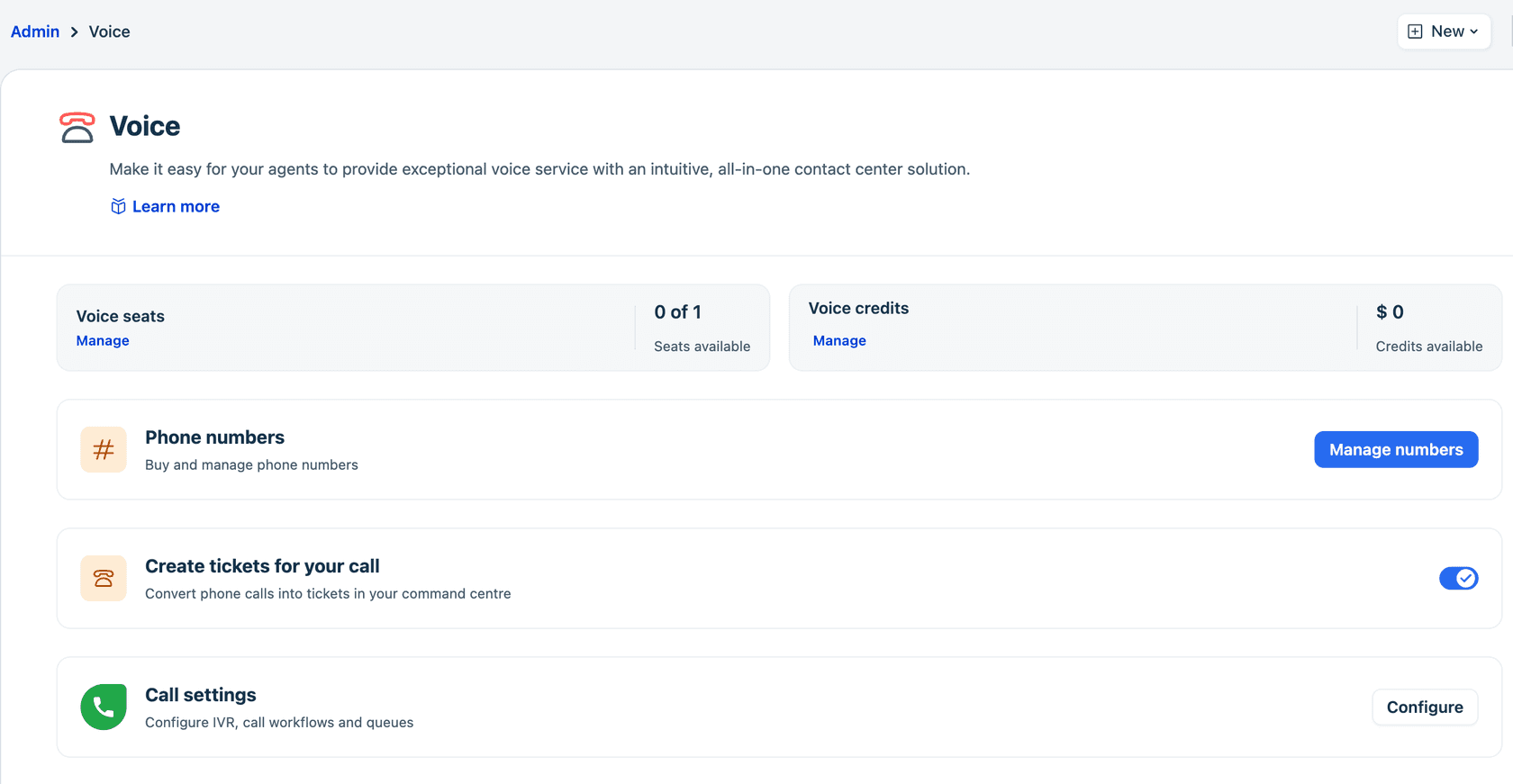
The screenshot above is the whole product on one page: voice seats, voice credits, phone numbers, the toggle that turns calls into tickets, and call settings for IVR and queues. Here is what the voice capabilities list covers:
| Capability | What it does |
|---|---|
| Make and receive calls | Inbound and outbound calls from inside Freshdesk |
| Convert calls into tickets | Each call can be captured as a ticket for follow-up |
| Call context in tickets | Recordings and transcripts on the ticket, when configured |
| Agent availability | One status across all Omni channels |
| Omniroute | Routing across channels to teams or agents |
| Phone numbers | Buy local, toll-free, mobile or vanity numbers |
| Call workflows | IVR, call queues and routing options |
| SIP phones and BYOC | Desk phones and your own carrier |
| Service levels | Answer-time targets, globally or per queue |
One detail worth knowing: the Omni Voice docs send you to Freshcaller's help center for call workflows, call tags, SIP phones and bring your own carrier. If you have used Freshcaller (now sold as Freshdesk Contact Center), most of the call handling will feel familiar. What changed is where it lives and how it is billed.
How much does Freshdesk Omni voice cost?
Voice costs a per-seat add-on fee that matches your Omni plan, plus usage from prepaid credits. The Omni pricing page and the Voice plans article agree on the add-on prices:
| Omni plan | Omni seat (annual) | Voice seat (annual) | Voice seat (monthly) | Free inbound minutes |
|---|---|---|---|---|
| Growth | $29/agent/month | $15/agent/month | $18/agent/month | 2,000 per account |
| Pro | $79/agent/month | $39/agent/month | $47/agent/month | 3,000 per account |
| Enterprise | $119/agent/month | $69/agent/month | $83/agent/month | 5,000 per account |
Two rules shape the bill. Your voice plan must match your Omni plan, so a Pro account can only buy Pro voice. And the number of voice seats can't go above your agent licenses. Freshworks' own example: a Pro account with 10 agent licenses can buy up to 10 Pro voice seats, and nothing else.
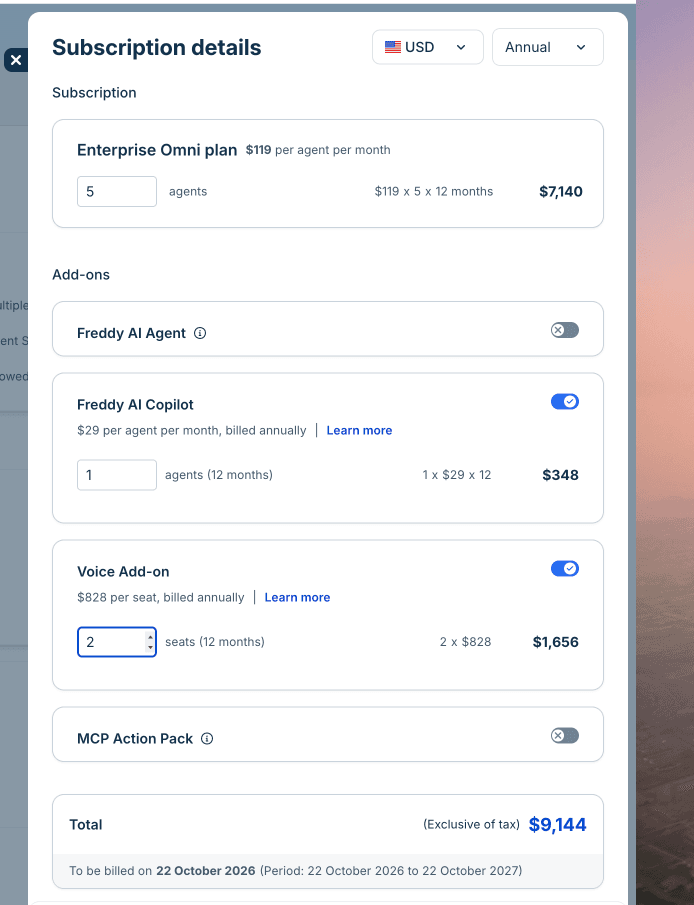
The screenshot from Freshworks' add-on purchase guide shows the Enterprise voice seat at $828 a year, which is the $69 monthly rate times 12.
Why are there three parts to the bill?
Because the seat fee only gets your agents on the phone. Calls themselves are paid from phone credits, which are prepaid cash that covers number purchases, inbound and outbound minutes, voicemail transcripts and extras used during calls.
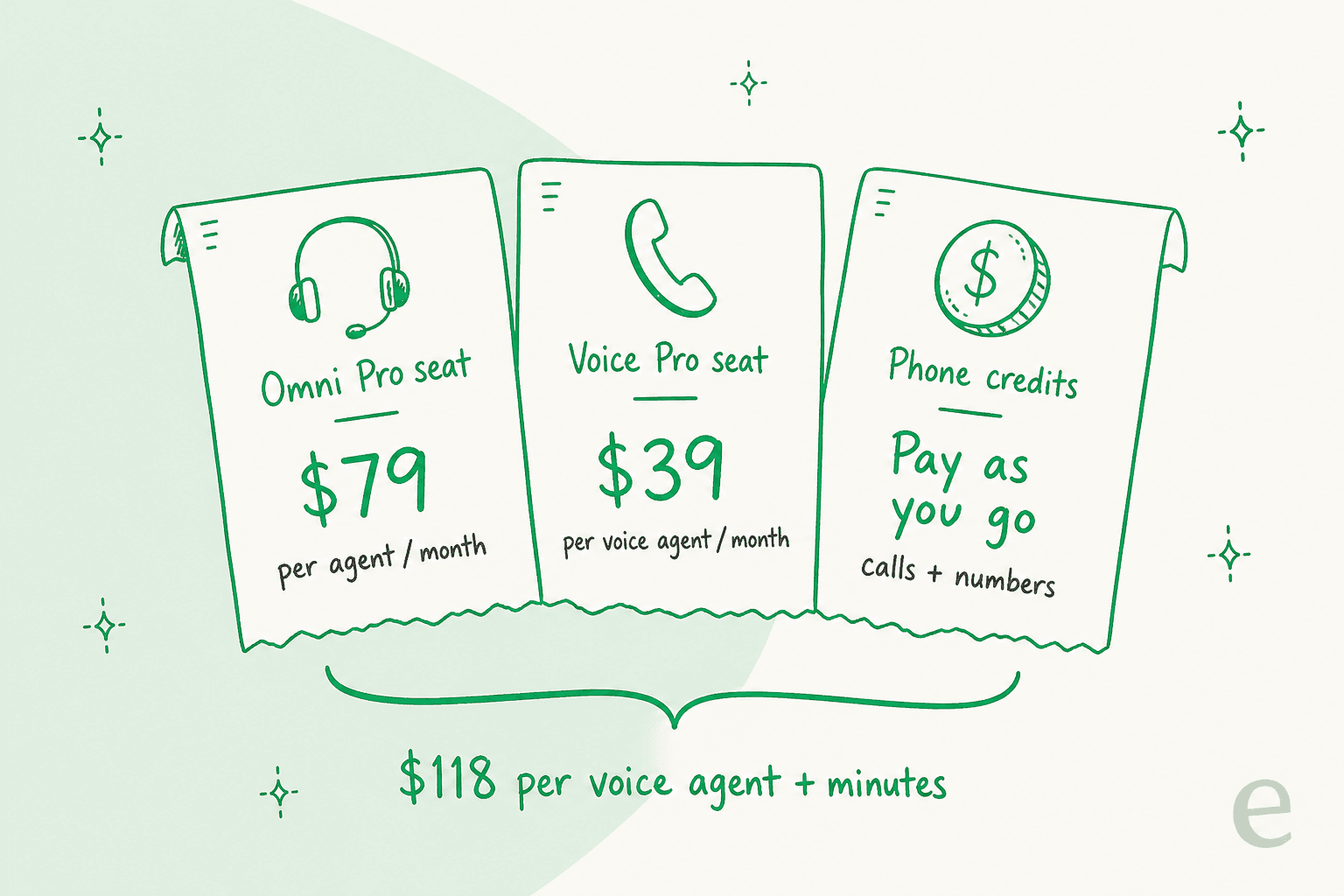
On Pro, that is $118 per voice agent a month before a single minute is dialed. The usage side has its own price list on the Freshworks call rates page:
- Inbound local minutes answered in the browser, after the free allowance: $0.013 per minute
- Call recording: $0.0032 per minute
- Monitoring or barging: $0.005 per minute
- Conference calls: $0.005 per minute
- Calls answered on a SIP phone: $0.005 per minute
- Voicemail transcription: $0.004 per minute
The free minutes are per account, not per agent, and they only cover browser-answered inbound local calls in North America, Europe, the UK and Australasia. Outbound calls and phone numbers always come out of credits at country rates.
Here is a quick calculator for the fixed part of the bill, using annual pricing. Plug in your team and expected inbound minutes.
If you want the wider plan picture first, my Freshdesk Omnichannel pricing guide and Freshdesk plans comparison cover the base seats in detail.
What does each voice plan include?
Growth covers a working phone line, Pro adds the contact-center tooling, and Enterprise adds service-level monitoring and Freddy transcription. The full matrix sits in Freshworks' Voice add-on feature availability article. These are the lines that decide which plan a team ends up on:
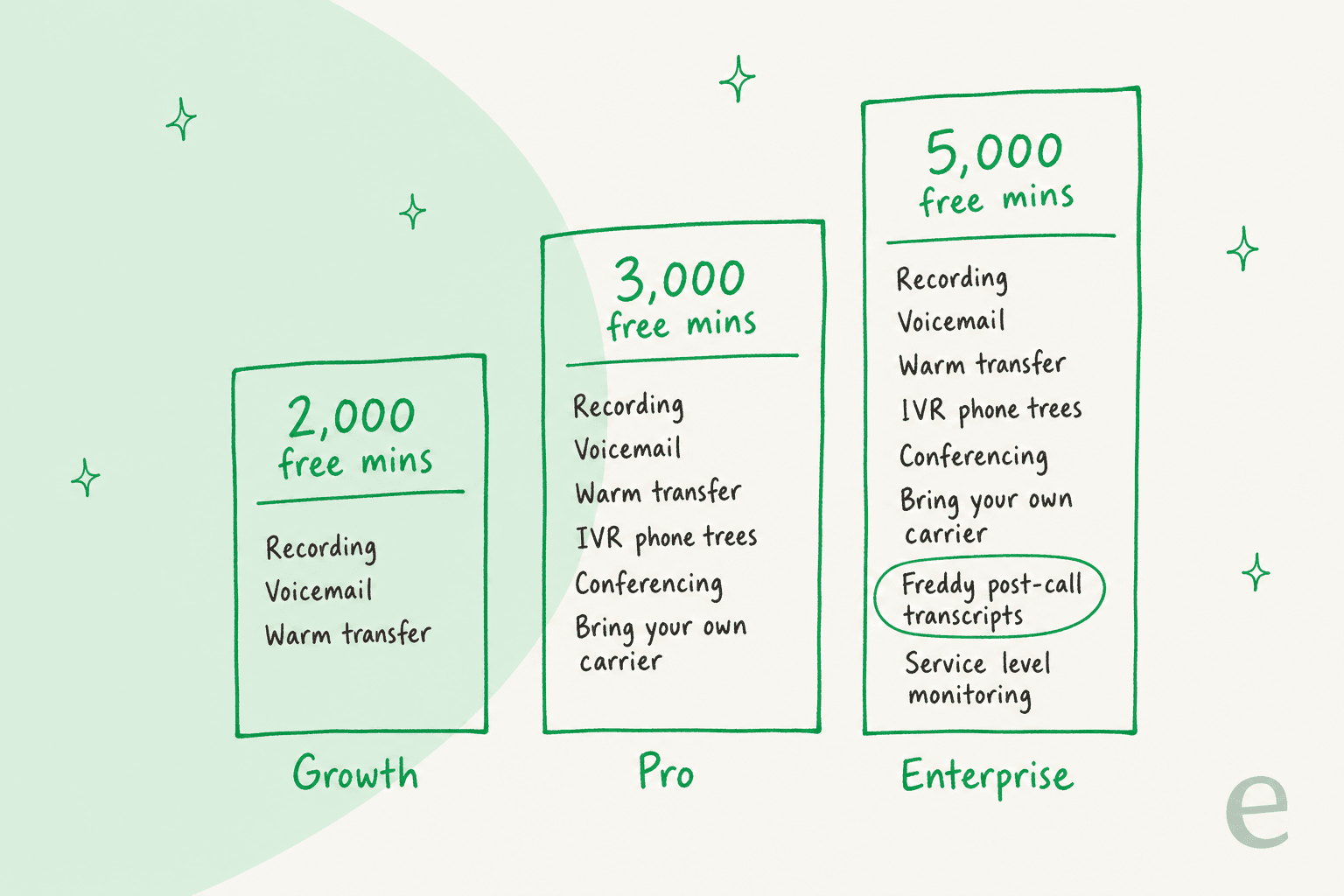
| Feature | Growth | Pro | Enterprise |
|---|---|---|---|
| Local, toll-free numbers and porting | Yes | Yes | Yes |
| Call recording, voicemail, warm transfer | Yes | Yes | Yes |
| Voicemail transcription | Yes | Yes | Yes |
| Basic and wait queues | Yes | Yes | Yes |
| IVR (phone trees) and routing automation | No | Yes | Yes |
| Call conferencing and call barging | No | Yes | Yes |
| Queue callback (virtual hold) | No | Yes | Yes |
| Bring your own carrier and SIP | No | Yes | Yes |
| Live dashboard and custom reports | No | Yes | Yes |
| Power dialer | No | Yes | Yes |
| Abandoned call metrics | No | No | Yes |
| Service level monitoring | No | No | Yes |
| Post-call transcription (Freddy) | No | No | Yes |
My read: Growth voice is fine for a small team with one line and one queue, but the moment you want a "press 1 for billing" menu, you are on Pro. Pro is also where the live dashboard lands, which pairs well with the rest of Freshdesk analytics. And if the reason you wanted voice in Freshdesk was AI call transcripts, that is an Enterprise feature at $119 plus $69 per voice agent.
How do you set up the Voice channel in Freshdesk Omni?
You enable the add-on, buy credits and seats, get a number, then configure call handling. Freshworks lays it out in its setup guide, and an account admin needs to do the billing steps.
- Enable the Voice add-on. Go to Admin, Plans and Billing, Manage subscription, and switch on the Voice add-on. Enter the number of voice seats (no more than your agent licenses) and click Update plan.
- Buy phone credits. Under the Voice add-on in Plans and Billing, click Buy Phone Credits. Freshdesk splits the top-up between inbound, outbound and number credits based on past usage, and you can adjust the split by hand.
- Assign voice seats. Give seats to the agents who will take calls.
- Get a phone number. Go to Admin, Channels, Voice, Manage numbers, then Buy new number. You can buy local, toll-free, mobile or vanity numbers, port an existing number, or bring your own carrier on Pro and above. Some countries, such as France and Germany, ask for extra paperwork first.
- Configure call settings. Under Admin, Voice, Call settings, set up IVR, call workflows and queues.
- Turn on call-to-ticket. Enable Create tickets for your call so every call lands in the Inbox as a ticket.
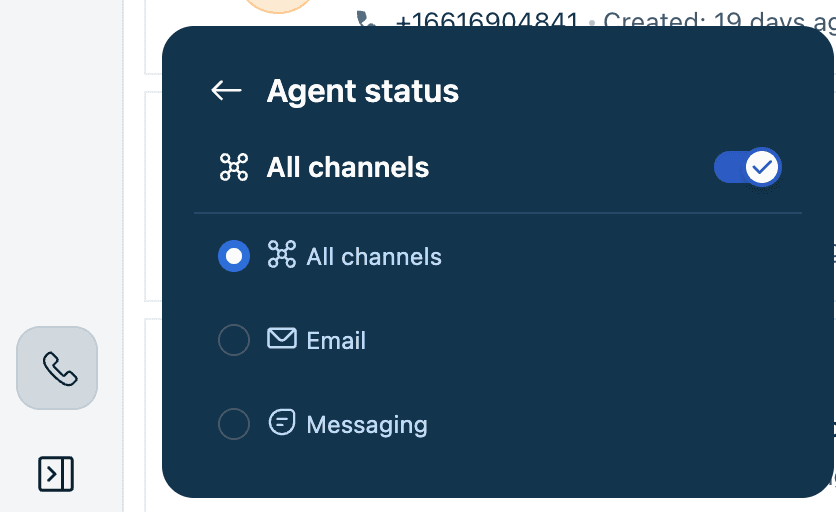
- Test from the phone widget. Agents set their status to All channels, run the network test the widget prompts for, and use the latest Chrome or Firefox.
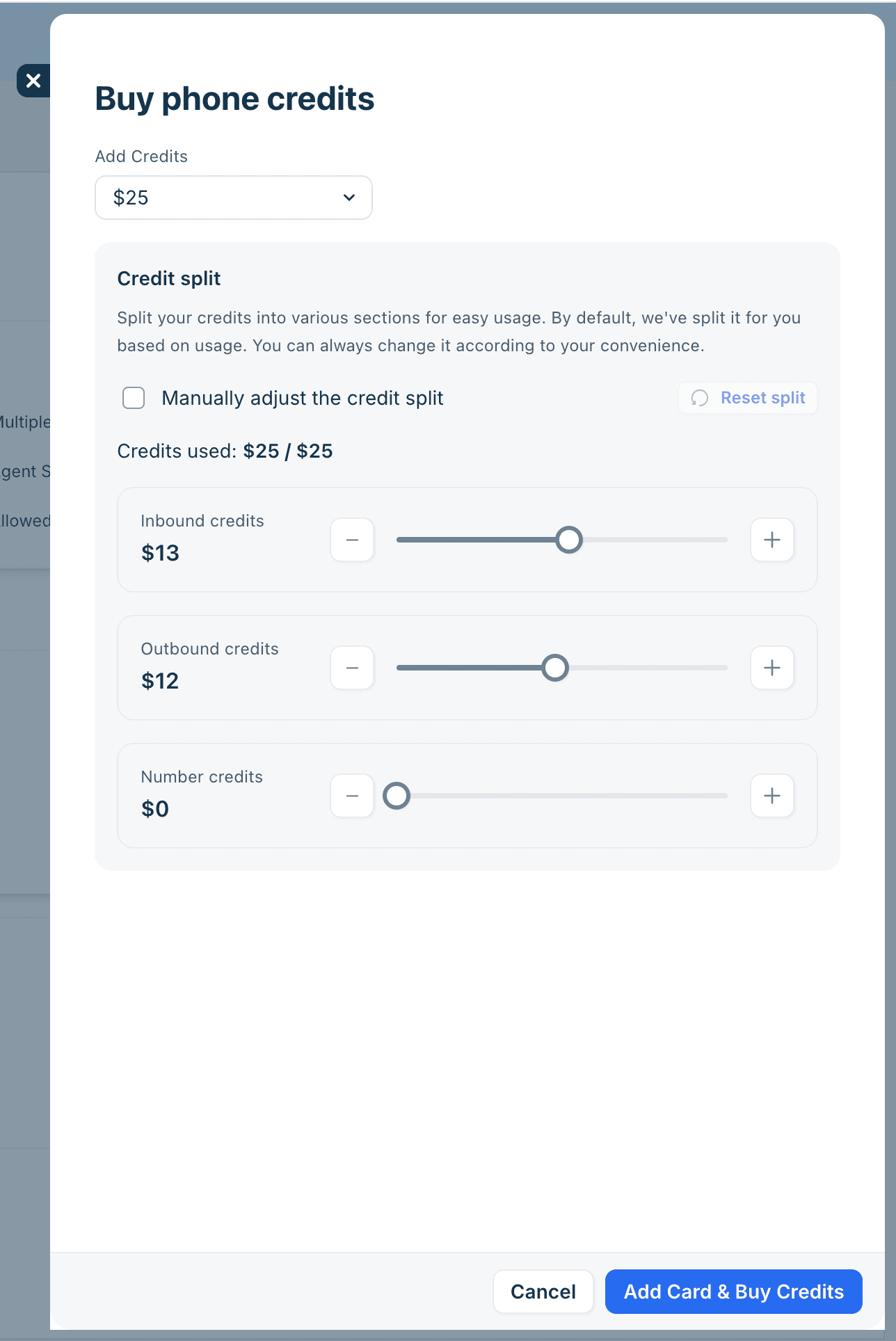
One setup step I would not skip is credits. If the balance runs dry, agents can't make or receive calls and you can't buy numbers, per the phone credits guide. Auto-recharge is off by default, the docs say the online auto-recharge amount is between $5 and $25, and it isn't available during the trial. If you'd rather not keep a card on file, the billing team can top up by invoice.
How do calls turn into Freshdesk tickets?
When the Create tickets for your call toggle is on, every call is captured as a ticket in the Inbox. Per the Freshdesk docs, the ticket keeps the customer, agent and queue, plus the recording and transcript when those are configured for your account.
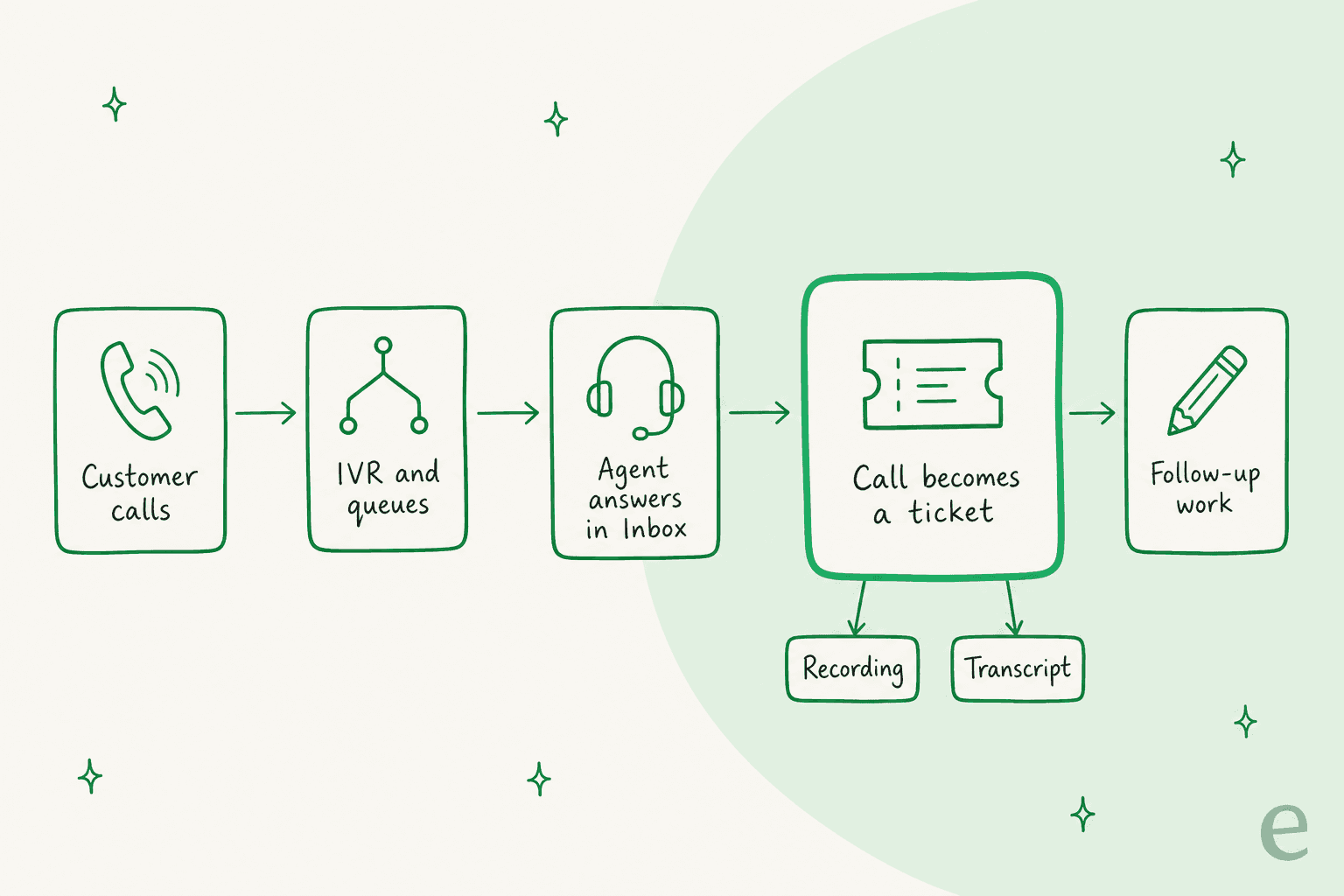
This is the part I would build the rollout around. A call that ends with "I'll email you the return label" is now a ticket with an owner, an SLA policy and a history, instead of a sticky note.
It also means your existing Freshdesk automation rules, private notes and reporting apply to phone work too. That includes how you measure first response time on promised callbacks.
Inside a call, the phone widget covers what you would expect from a cloud phone system: hold, mute, pause recording, transfer, conference, parallel calls, push to a queue, dialpad, Voicemail Drop for unanswered outbound calls, and notes during the call. Agent status is shared across channels, so an agent set to All channels can be routed calls, email and messaging together.
Real users of Freshworks' phone product have been asking for exactly this ticket link for a while. One G2 reviewer describes using it this way:
"Freshcaller helps in calling customers of our robots fleet and creating Freshdesk tickets. It enables calling customers and tracking with ease of ticket creation."

Does Freshdesk Omni voice include AI?
Only a little, and mostly on Enterprise. Freddy shows up as post-call transcription, which the plan matrix lists as Enterprise only. The Omni Voice channel docs don't describe an AI agent that answers calls for you.
That matters because Freshworks' marketing elsewhere talks about chat, email and voice bots, and Freddy AI Agent is a big part of the Omni pitch on digital channels. On the phone, the AI answering route Freshworks documents is different: Voice AI Agents on Freshcaller through Marketplace apps from Synthflow and SquawkVoice. The third-party agent answers, and if it can't resolve the call, a Freshcaller handover flow sends it to a live agent.
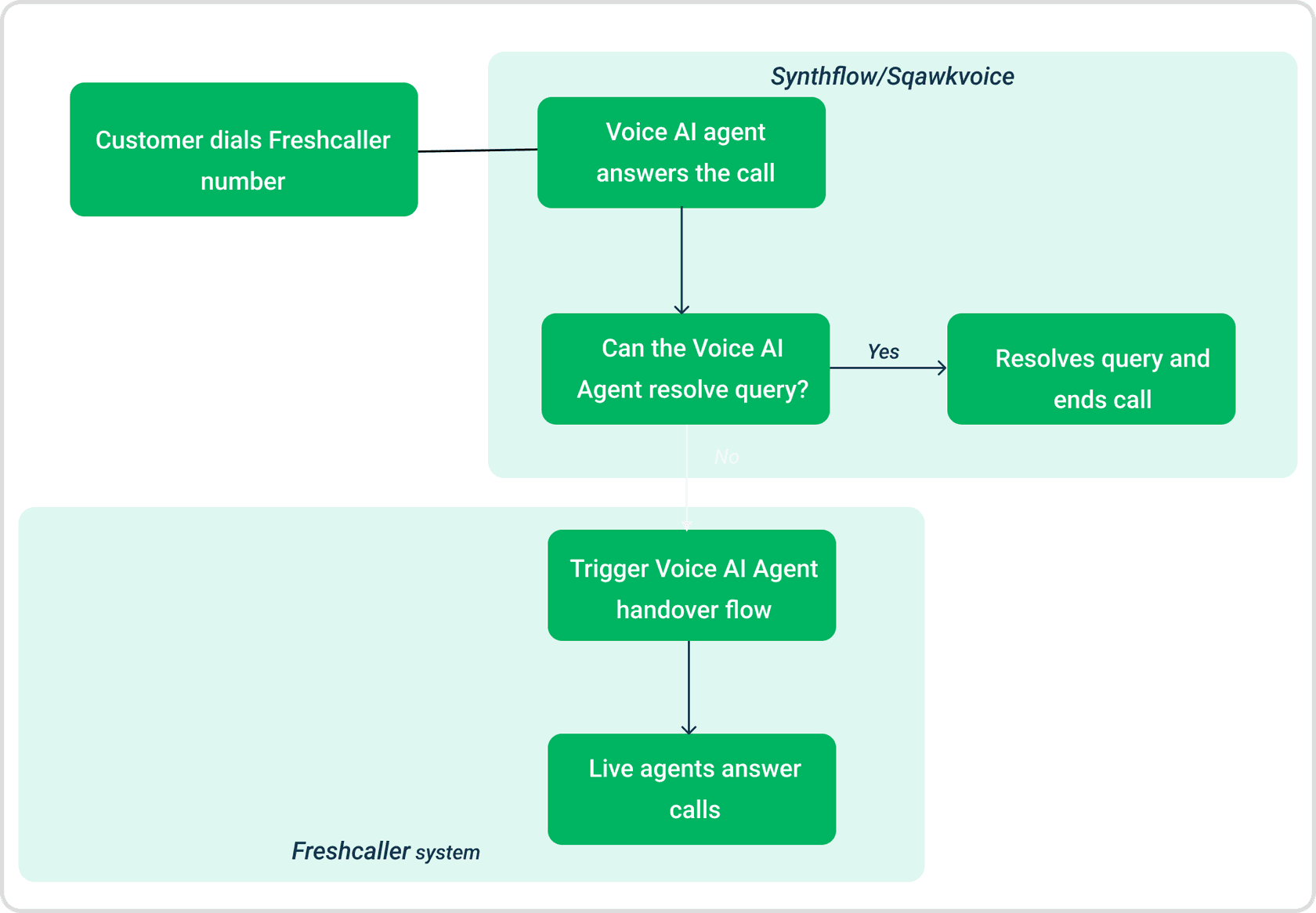
Billing for that route is split. The voice AI vendor bills you directly for the minutes its agent is on the call, and Freshworks charges phone credits for the whole call. Freshworks' own example: on a 10-minute call where the AI handles 6 minutes and a person handles 4, you pay Freshworks for all 10 and the AI vendor for 6. The Freshcaller article doesn't say whether these apps work with the new Omni Voice add-on, so confirm that with Freshworks before you plan around it. I cover the Freshcaller setup step by step in my voice AI agents guide.
The ask for AI on calls isn't new. A G2 reviewer of Freshworks' phone product put it plainly back in 2023:
"I wish there were integrations with AI tools such as Vonage AI where you can set up virtual agents to pick up the phone. Or if there is a tool to summarize the calls as in voice to text."
For the agent-side AI, Freddy AI Copilot ($29 per agent a month on Pro and Enterprise) handles drafting and conversation summaries on tickets.
I have also written about using AI to turn call transcripts into next steps. If you want the full Freddy cost picture, see my Freddy AI pricing guide, and the Freshdesk AI features roundup for everything else Freddy does.
Where does Freshdesk Omni voice fall short?
It's a solid first version of a native phone channel, with a few limits worth knowing before you sign:
- Matching-plan rule. Voice has to be on the same tier as Omni. A team that only needs Growth for tickets but wants IVR has to move every agent license to Pro.
- Seat cap. Voice seats can't exceed agent licenses, so a phone-only temp can't get a voice seat without a full Omni seat.
- Transcripts are an Enterprise feature. The October product update mentions automatic transcripts, while the plan matrix lists Freddy post-call transcription as Enterprise only. I'd trust the matrix and check your own plan.
- No documented native AI phone agent. The AI answering route documented today runs through third-party apps on Freshcaller.
- Regional availability. Freshworks says voice is generally available for "eligible Freshdesk Omni customers in supported regions," without listing which.
- Billing paperwork. The add-on billing article says you may get three invoices, but its table lists two: subscriptions, and credits plus usage. Expect at least two.
None of that makes it a bad buy. For a team already on Freshdesk Omni, getting calls into the same Inbox at $15 to $69 a seat is simpler than running a separate phone tool and gluing it on. If you are weighing it against other stacks, my Zendesk Contact Center breakdown covers how Zendesk prices the same job, and Freshdesk vs Zendesk covers the wider choice.
Other helpdesks are taking different routes to AI on the phone. Zendesk sells voice AI agents of its own, and Salesforce has its own AI voice agent. If voice decides your helpdesk, my list of Freshdesk alternatives is a fair place to start.
Where does eesel fit with Freshdesk Omni voice?
eesel doesn't answer your phone. It works on the Freshdesk tickets your calls create, which is where most phone follow-up time goes. eesel is an AI teammate for Freshdesk: you connect it to Freshdesk, it learns from your help center and past tickets, and it drafts replies, writes internal notes or answers tickets directly, depending on how much you let it do.
A pattern I see across eesel's Freshdesk customers is that they decide carefully which tickets the AI should touch, and two of them carve out phone-related tickets by name. XAP runs eesel on Freshdesk with a filter in front of it: tickets logged from a phone call are left for the team, while referral questions get a ready-to-send draft as an internal note. Original Bootcamp does something similar in German, with a filter that skips spam, automatic replies and missed-call notices. Once calls become tickets in Omni, that same kind of filter is how you decide whether eesel drafts the follow-up email or stays out of the way.
SamCart shows the multi-channel side. It runs one eesel agent on Freshdesk tickets and a separate one on its website chat, both answering from about 280 help center articles. Freshdesk automations decide which tickets the agent replies to, and a teammate taking the ticket ends the agent's part.
With the eesel CLI, an AI coding agent like Claude Code can upload approved knowledge, such as your call scripts, refund policy and exported Freshdesk solution articles, then ask test questions and check the answers before anything goes live. Connecting Freshdesk itself still needs someone with admin access to approve it.
Try eesel on the tickets your calls create
If you are switching on voice in Freshdesk Omni, the call is the easy part. The follow-up email, the refund note and the "I'll get back to you" promise are what fill your queue. eesel plugs into Freshdesk in a few minutes, learns from the tickets your team has already solved, and drafts that follow-up for a person to check and send. It's free to try, and you can see plans and pricing when you are ready.