
Picking a phone system for your small business shouldn't feel like solving a puzzle. But with dozens of VoIP providers all claiming to be "the best," it's easy to get stuck comparing features you'll never use.
CloudTalk is one option that keeps coming up in conversations about small business phone systems. Founded in 2016, it's built specifically for sales and support teams that spend a lot of time on calls. The company claims 4,000+ businesses and 30,000+ professionals use their platform, with customers like Nokia, Glovo, and Revolut on their roster. If you're also handling text-based support, you might want to explore how eesel AI can automate your email and chat support alongside your phone system.
Here's what CloudTalk actually offers, what it costs, and whether it's the right fit for your small business.
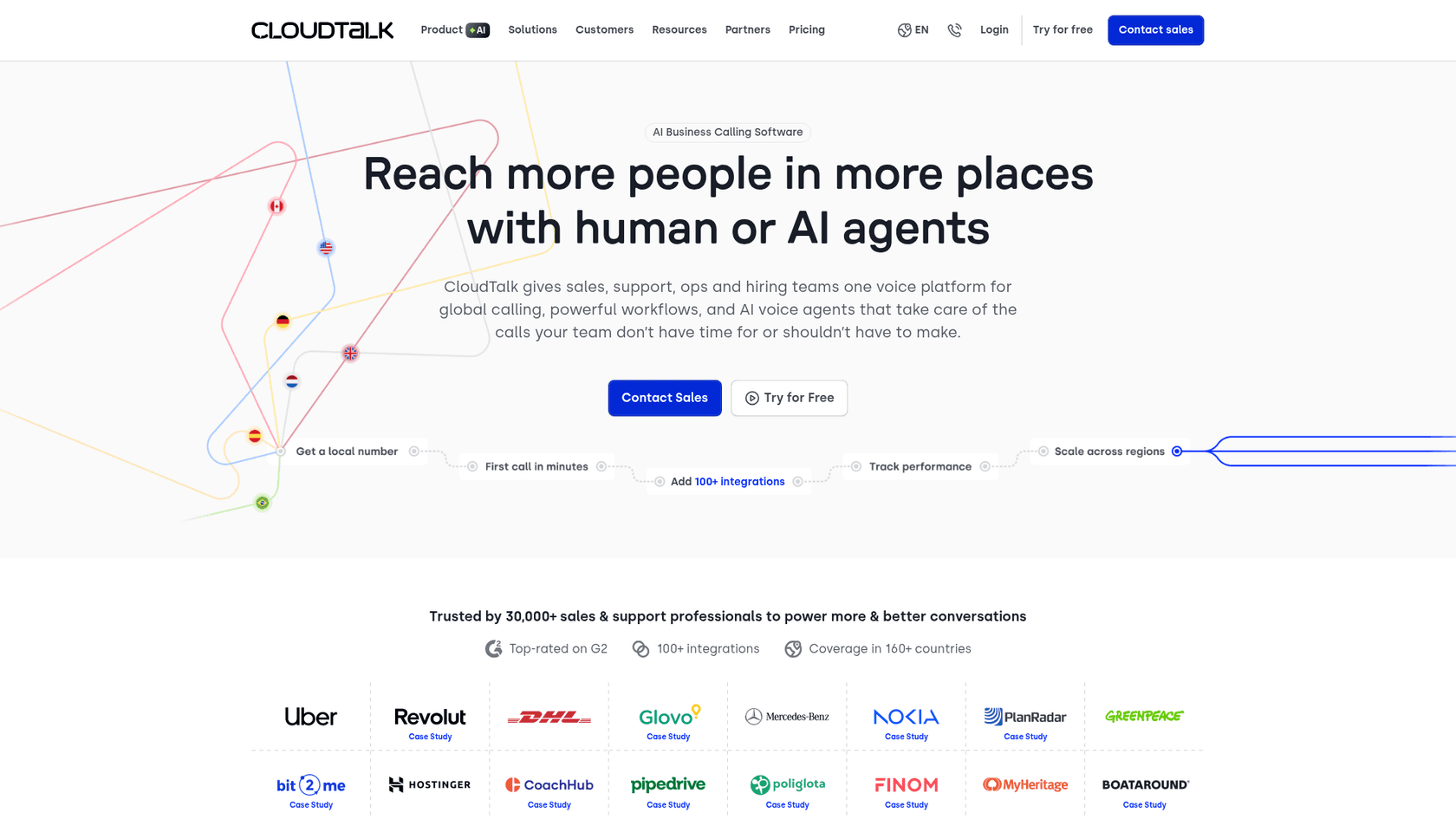
What is CloudTalk?
At its core, CloudTalk is a cloud-based phone system that handles voice calls, SMS, and WhatsApp messaging. Unlike traditional phone systems that require hardware and IT maintenance, everything runs through software on your computer or mobile device.
The platform positions itself as an "AI business calling software" with conversation intelligence built in. This means it doesn't just route calls; it also transcribes them, analyzes sentiment, and generates insights about what happened during conversations.
CloudTalk targets small to medium businesses with customer-facing teams, particularly those doing outbound sales or inbound support. The promise is simple: better call quality, smarter routing, and AI features that save your team time. If you're looking to automate more of your support workflow, explore how AI can enhance your customer service beyond just phone calls.
The company claims 99.999% uptime with multi-carrier redundancy, meaning if one carrier has issues, calls automatically route through another. They also offer local phone numbers in 160+ countries, which matters if you're calling internationally or want customers to see a local number when you call them.
Key features that matter for small businesses
CloudTalk packs a lot of features, but not all of them matter equally for small businesses. Here's what actually impacts your day-to-day operations.
AI-powered conversation intelligence
CloudTalk's standout feature is its AI conversation intelligence, available as a $9/user/month add-on. This isn't just call recording; it's automated analysis of every conversation.
The system transcribes calls in real-time, generates summaries, and tags important moments automatically. Sentiment analysis tracks how the conversation mood shifted throughout the call. Smart notes capture key details and sync them to your CRM, which CloudTalk claims saves agents 5+ minutes per call.
For managers, there's call scoring that evaluates conversations against QA criteria, plus talk-to-listen ratio analysis to help coach agents on conversation balance. The AI works across 50+ languages, which is useful if you have international customers.
Bottom line? If you're currently paying someone to review call recordings for quality assurance, this could significantly reduce that workload. CloudTalk claims 80% less review time for managers.
Call management and routing
The visual call flow designer lets you create IVR menus and routing rules without coding. You can set up skill-based routing to direct calls to agents with specific expertise, or create VIP queues that prioritize certain callers.
Call queuing includes callback options, so customers don't have to wait on hold. Business hours and time-based routing let you handle after-hours calls differently, routing them to voicemail or an on-call team.
For small businesses, this means you can set up professional phone menus that make you sound bigger than you are, without hiring a phone system administrator.
Productivity tools for sales teams
The power dialer automates outbound calling by dialing numbers automatically and only connecting agents when someone answers. This matters for sales teams making dozens or hundreds of calls daily. However, it's only available on the Expert plan ($49+/user).
Click-to-call from your CRM or browser eliminates the copy-paste dance between systems. Call recording stores conversations for training and compliance, with unlimited storage on Essential and Expert plans. Voicemail transcription converts voice messages to text so agents can scan them quickly.
Global reach and integrations
CloudTalk offers local numbers in 160+ countries, which can improve answer rates by 40% according to their claims. When customers see a local number instead of an international one, they're more likely to pick up.
The platform integrates with 100+ tools, including major CRMs like Salesforce, HubSpot, and Pipedrive, plus helpdesks like Zendesk and Freshdesk. Two-way sync means call data flows into your CRM automatically, and customer information appears in CloudTalk when calls come in.
SMS and WhatsApp messaging are built in, so you can follow up with customers who don't answer calls. Mobile apps for iOS and Android let your team take business calls from anywhere without using personal numbers.
CloudTalk pricing: What you'll actually pay
CloudTalk's pricing is straightforward on the surface, but add-ons can significantly increase your total cost. Here's the breakdown.
| Plan | Monthly Price | Annual Price | Best For | Key Features |
|---|---|---|---|---|
| Lite | $27/user/month | $19/user/month | Solopreneurs, basic needs | Unlimited US/CA calls, call recording (1 month storage), 1 ring group |
| Essential | $39/user/month | $29/user/month | Growing teams | +IVR, integrations, real-time analytics, unlimited recording, SMS |
| Expert | $69/user/month | $49/user/month | High-volume sales teams | +Power dialer, smart dialer, call monitoring, Salesforce integration |
Source: CloudTalk pricing page
Additional costs to factor in
The base prices above don't tell the whole story. Here are the add-ons that can increase your monthly bill:
- AI Conversation Intelligence: $9/user/month (annual billing) for transcription, sentiment analysis, and smart notes
- AI Voice Agents: Separate pricing, contact sales
- International calling bundles: Additional charges beyond US/Canada unlimited calling
- Anti-spam number protection: Add-on fee
- Branded caller ID: Add-on fee
For a team of 5 on the Essential plan with AI features, you're looking at roughly $190/month ($29 x 5 + $9 x 5), not including any international calling or other add-ons.
Free trial
CloudTalk offers a 14-day free trial with no credit card required. This is enough time to test call quality, set up basic workflows, and see if the interface works for your team.
CloudTalk pros and cons
No phone system is perfect for everyone. Here's an honest assessment of where CloudTalk shines and where it falls short.
Pros
- Easy setup: CloudTalk claims 1-day onboarding, which beats the weeks it can take to configure traditional phone systems.
- Strong AI features: The conversation intelligence suite is comprehensive compared to competitors who treat AI as an expensive add-on.
- Excellent global coverage: 160+ countries with local numbers is hard to beat for international businesses.
- Wide integration ecosystem: 100+ integrations including all major CRMs and helpdesks like Zendesk and Freshdesk.
- Reliable infrastructure: 99.999% uptime with multi-carrier redundancy means fewer dropped calls.
- Good mobile experience: iOS and Android apps that actually work well for taking business calls on the go.
Cons
- Power dialer restricted: The power dialer is only available on the Expert plan at $49+/user, which is a significant jump from Essential.
- Salesforce integration limited: Full Salesforce integration requires the Expert plan.
- Add-on costs add up: AI features, international calling, and other add-ons can increase your total cost by 30-50%.
- Occasional technical issues: Capterra reviews mention "frequent technical glitches" as a common complaint.
- No free plan: Unlike some competitors, there's no permanent free tier, only the 14-day trial.
Great product, teething problems always taken care of promptly. Easy to use and navigate. The AI is a godsend for someone like me who is forgetful about note-taking. Integrates well with all the systems we use, and for someone who has been in sales for years and has used lots of similar products that is really rare.
G2
When CloudTalk makes sense (and when it doesn't)
CloudTalk isn't the right choice for every small business. Here's how to know if it fits your situation.
Best fit for
- Small businesses with high call volumes: If your team spends hours daily on the phone, the productivity features justify the cost
- Sales teams doing outbound calling: The power dialer and conversation intelligence are built for this use case
- Companies with international customers: 160+ country coverage is a major advantage for global businesses
- Teams already using CRMs: If you're on HubSpot, Salesforce, or Pipedrive, the integrations work smoothly
- Businesses wanting AI insights without enterprise complexity: You get conversation intelligence without needing a data science team
Not ideal for
- Very small teams (1-3 people) with low call volume: The per-user pricing doesn't make sense if you're only taking a few calls daily
- Businesses needing only basic phone service: If you just need a business number that forwards to cell phones, simpler options exist
- Teams requiring extensive video conferencing: CloudTalk focuses on voice; you'll need a separate tool for video meetings
- Companies wanting a free tier to start: There's no free plan to test long-term before committing
Alternatives to consider
CloudTalk isn't your only option. Depending on your needs, these alternatives might be a better fit.
For simpler VoIP needs: Grasshopper or Dialpad
If you just need a professional business number with basic call forwarding and voicemail, Grasshopper starts at $14/month and Dialpad at $15/user/month. Both are less complex than CloudTalk and better suited for teams that don't need advanced routing or AI features.
For unified communications: RingCentral or Nextiva
If you want voice, video meetings, and team messaging in one platform, RingCentral ($20-35/user/month) and Nextiva ($30-75/user/month) are worth considering. They offer similar voice features to CloudTalk plus video conferencing, which can eliminate the need for separate Zoom or Teams subscriptions.
For AI-powered customer support (non-voice): eesel AI
Here's where we come in. While CloudTalk handles voice calls, eesel AI specializes in text-based support automation. Our AI agents handle email, chat, and support tickets autonomously, learning from your past conversations and help center to resolve issues without human intervention.

If most of your customer support happens through email or chat rather than phone calls, eesel AI might be more cost-effective. We integrate with the same CRMs as CloudTalk (HubSpot, Salesforce, Zendesk) and offer a different approach: instead of assisting agents during calls, we handle entire support conversations from start to finish.
The two solutions can actually complement each other. CloudTalk for voice-heavy sales, eesel AI for text-based support. Or if your customers prefer chat and email over phone calls, you might find you need one more than the other.
Making the right choice for your small business
Let's cut to the chase. CloudTalk is a solid phone system for small businesses that rely heavily on voice communication. The AI conversation intelligence is genuinely useful, the global coverage is excellent, and the integrations work well with major CRMs.
But it's not cheap, especially once you factor in add-ons. For a 10-person team on Essential with AI features, you're looking at $380/month. That's significant for a small business.
Before committing, ask yourself:
- How many calls does your team handle daily? If it's under 20, CloudTalk might be overkill.
- Do you need the AI features, or is basic call recording enough? You can save $9/user/month by skipping the AI add-on.
- Are you planning to scale significantly? CloudTalk grows with you, but costs scale linearly.
The 14-day free trial is your friend here. Set it up, test call quality, try the integrations with your CRM, and see if your team actually uses the AI features. Don't pay for capabilities that sound impressive but go unused.
Looking for more ways to streamline your customer service? Check out our guide to the best AI helpdesk tools or learn how AI can transform your customer support operations.
If voice is central to your sales or support operation and you have the budget, CloudTalk delivers. If your support is primarily text-based or you're looking to reduce call volume through automation, consider whether an AI support agent like eesel AI might handle more of the load at a lower cost. You can also explore our AI Agent for autonomous ticket resolution or AI Copilot for drafting replies.
Either way, start with the trial. The best phone system is the one your team actually uses.