
Setting up voice support for your customer service team means making a decision about phone lines. With Zendesk Talk, you have three options: standard PSTN lines (what Zendesk calls "external lines"), digital lines using VoIP technology, and SIP-IN lines for bringing your own carrier. Each serves different needs, and choosing the wrong one can mean unnecessary costs or frustrated customers.
This guide breaks down the differences between digital lines and external lines in Zendesk Talk. We'll cover how each works, what they cost, and which situations call for which option.
What are Zendesk Talk line types?
Before diving into comparisons, let's clarify what we're talking about. Zendesk Talk is the voice support component of the Zendesk platform. It lets your agents handle phone calls from the same interface they use for email, chat, and other support channels.
The platform offers three ways to connect voice calls:
Standard PSTN lines (external lines) use the traditional phone network. You get a regular phone number that customers can dial from any phone. This is what most people think of when they imagine calling a support line.
Digital lines use Voice over Internet Protocol (VoIP) technology. Instead of dialing a number, customers click a "Call us" button in your mobile app or website. The call happens over the internet using WebRTC technology.
SIP-IN lines let you bring your own carrier. If you already have relationships with telecommunications providers, you can connect their SIP trunks to Zendesk rather than buying numbers directly from Zendesk.
Most teams choose between external lines and digital lines. SIP-IN is typically for larger operations with existing carrier contracts. Let's focus on the first two options.
Understanding external lines (PSTN)
External lines are traditional phone numbers. When a customer calls your support line, they're connecting through the Public Switched Telephone Network, the same infrastructure that handles calls between cell phones and landlines.
How external lines work in Zendesk Talk
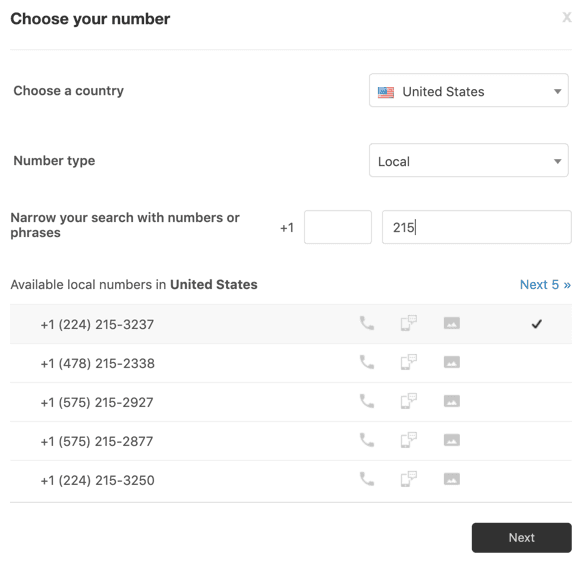
You purchase a phone number through Zendesk (or port an existing one). Zendesk partners with Twilio for telephony infrastructure, so you're essentially getting a Twilio-backed number managed through Zendesk's interface. When someone calls, the call routes to your agents' Zendesk dashboards where they can answer, transfer, record, and manage the conversation.
Key characteristics of external lines
External lines come with some clear advantages. They're reliable. The PSTN network has been around for decades and works even when internet connectivity is spotty. They're universal. Any phone can call a PSTN number, whether it's a smartphone, landline, or office PBX system. And they're familiar. Customers know how to dial a phone number. There's no learning curve.
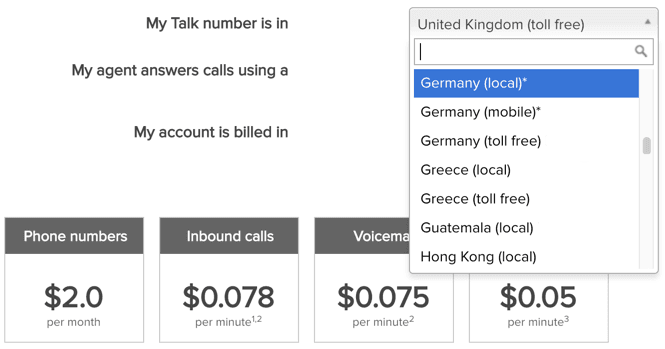
But there are trade-offs. You pay a monthly fee for each number, typically $1 to $5 depending on the country and number type (local, toll-free, or national). You also pay per-minute usage charges for both inbound and outbound calls. And you're limited to the countries where Zendesk offers numbers, though they support over 40 countries with various number types.
When external lines make sense
Choose external lines when your customers expect a traditional phone number. If you're running a support operation for a demographic that prefers standard phone calls, or if you need maximum reliability, external lines are the safer bet. They're also necessary if you want customers to be able to call you from any phone without needing your app or website.
External lines are required for outbound calling with custom caller ID. If your team makes a lot of outbound calls and you want your company number to appear (rather than "Unknown" or a generic Zendesk number), you'll need an external line configured for this purpose.
Understanding digital lines
Digital lines flip the model. Instead of customers dialing a number, they tap a button in your app or website. The call connects over the internet using WebRTC, the same technology that powers video calls in browsers.
How digital lines work
You configure a digital line in Zendesk Talk, then integrate it into your mobile app using the Talk SDK or add it to your website through the Web Widget (Classic). When a customer taps the call button, their device establishes a direct voice connection to your Zendesk queue. The customer doesn't need a phone number, and the call doesn't touch the traditional telephone network.
Key characteristics of digital lines
The biggest advantage is cost. Digital lines have no monthly fee. You only pay when the line is actually used. For businesses with low call volumes or seasonal support needs, this can mean significant savings.
Digital lines also give you control over who can call. You can restrict the call button to signed-in users, VIP customers, or specific segments. This is useful if you want to offer phone support only to certain tiers of customers.
Global reach is another benefit. Because the call happens over the internet, a customer in any country can call you without international dialing charges. You don't need local numbers in every market you serve.
The limitations are clear. Customers need internet access and your app or website. They can't call from a regular phone. And while WebRTC is reliable, it depends on the customer's internet connection quality.
When digital lines make sense
Digital lines work best when you have a mobile app or active web presence where customers already engage. If your support strategy is built around in-app experiences, digital lines fit naturally. They're also ideal for cost-conscious teams that want to offer voice support without committing to monthly number fees.
Companies with global user bases benefit from digital lines because they eliminate the need to maintain phone numbers in dozens of countries. One digital line configuration serves customers worldwide.
Pricing comparison: Digital lines vs external lines
Let's look at actual numbers. Keep in mind that Zendesk Talk requires a Zendesk Suite subscription, so these costs are on top of your base platform fees.
External line costs
| Cost Component | Price | Notes |
|---|---|---|
| Monthly number fee | $1-5/month | Varies by country and number type |
| Inbound calls | ~$0.012/minute | Charged per minute of talk time |
| Outbound calls | Variable | Depends on destination country |
| Call recording | ~$0.003/minute | Optional per-minute charge |
| Voicemail | ~$0.012/minute | Charged for voicemail left |
Source: Zendesk Talk number availability and pricing
Digital line costs
| Cost Component | Price | Notes |
|---|---|---|
| Monthly line fee | $0 | No recurring charge for the line itself |
| Usage charges | Pay per use | Only charged when calls occur |
| Required Talk number | ~$1/month | Needed for failover and outbound features |
| Customer calls | Free | No charge to the customer |
Source: Zendesk help documentation on digital lines
Cost scenario examples
Low volume (50 calls/month, 3 minutes average):
- External line: $5 (number) + $1.80 (usage) = ~$7/month
- Digital line: $1 (failover number) + minimal usage = ~$1-2/month
Medium volume (500 calls/month, 5 minutes average):
- External line: $5 (number) + $30 (usage) = ~$35/month
- Digital line: $1 (failover number) + usage = ~$15-20/month
High volume (5,000 calls/month):
- External line becomes expensive due to per-minute charges
- Digital line or SIP-IN becomes more cost-effective
The break-even point depends on your call volume and average call duration. For very high volumes, SIP-IN lines (at $0.01/minute inbound) often become the most economical option.
Feature comparison
| Feature | External Lines | Digital Lines |
|---|---|---|
| Published phone number | Yes | No |
| Monthly fees | Yes ($1-5/month) | No (only failover number) |
| Works without internet | Yes | No |
| Global accessibility | Number-specific | Worldwide |
| Mobile app integration | Limited | Native (via Talk SDK) |
| Call control | Full | Full |
| Voicemail support | Yes | Yes |
| IVR/routing | Yes | Yes |
| Outbound calling | Yes | Via failover number |
| Customer internet required | No | Yes |
Both line types support the core Zendesk Talk features: call recording, voicemail, business hours, routing rules, and IVR menus. The main functional difference is how customers initiate the call and the cost structure.
How to choose the right line type
The decision comes down to your specific situation. Here's a practical framework.
Choose external lines if:
- Your customers expect a traditional phone number they can save in their contacts
- You serve demographics that may not have reliable internet access
- You need to support customers calling from landlines or office phones
- Outbound calling with your company caller ID is a core requirement
- You want maximum reliability independent of customer internet quality
Choose digital lines if:
- You have a mobile app where customers already engage
- Cost savings are a priority and you have low to moderate call volumes
- You want to control exactly who can call (e.g., logged-in users only)
- You serve a global audience without wanting to maintain numbers in every country
- Your customers are comfortable with in-app calling experiences
Consider SIP-IN if:
- You have existing carrier relationships you want to leverage
- You process very high call volumes where per-minute savings add up
- You need local carrier presence in specific countries
- You have technical resources to manage SIP configuration
Setting up your chosen line type
Once you've decided, here's what setup looks like for each option.
Setting up external lines
- Go to Admin Center > Channels > Talk > Lines
- Click "Add line" then "Purchase a new number"
- Select your country and number type (local, toll-free, or national)
- Choose from available numbers (you can search for specific sequences)
- Complete business verification if required for your country
- Configure routing, IVR, and business hours
- Test the line
Some countries require documentation to verify your business before you can purchase numbers. This process can take a few days, so plan accordingly.
Setting up digital lines
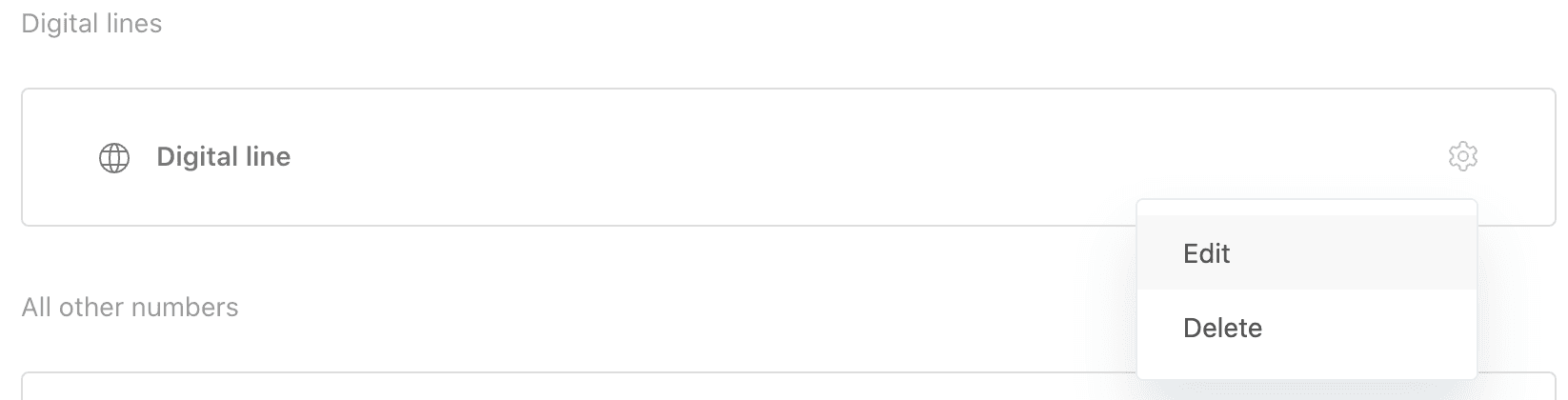
- Go to Admin Center > Channels > Talk > Lines
- Click "Add line" then "Add digital line"
- Configure a nickname for the line
- Set up routing, voicemail, and other settings
- Add the Talk SDK to your mobile app OR configure the Web Widget (Classic)
- Test the integration
Note that digital lines still require at least one Zendesk phone number for failover and certain features. This number isn't published to customers, but it's necessary for the system to function.
Exploring AI-powered alternatives for voice support
Voice support is important, but it's not the only channel customers use. Many teams are finding that AI can handle routine inquiries that would otherwise become phone calls, letting human agents focus on complex issues that truly need voice conversation.
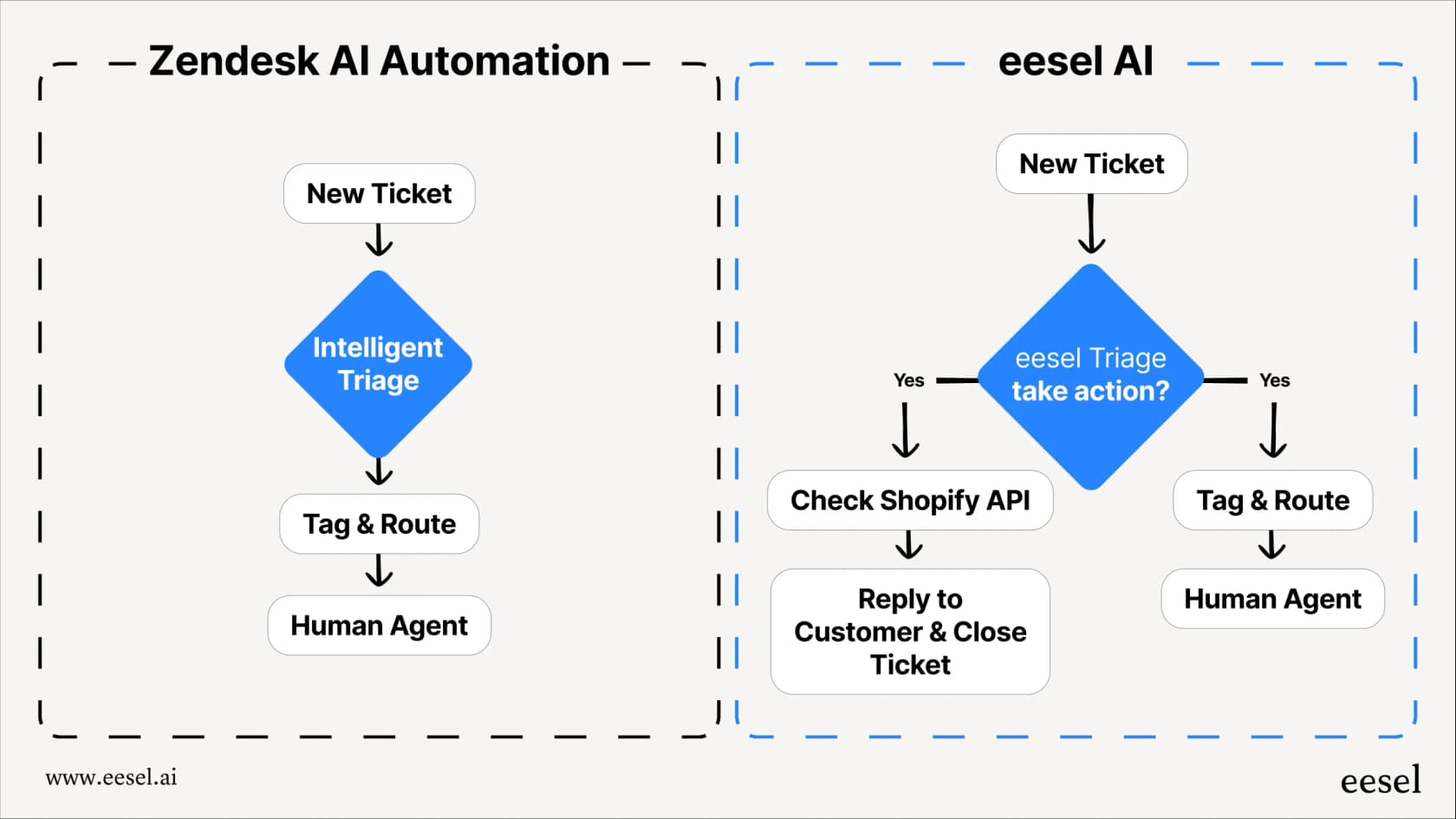
At eesel AI, we work with Zendesk teams to complement their voice strategy with AI-powered automation. If you want to see how this fits alongside your Talk setup, you can explore eesel's AI agent for Zendesk. Our approach is straightforward: we integrate directly with your Zendesk instance and learn from your existing tickets, help center articles, and macros. This means the AI understands your business without lengthy training periods.

Here's how teams use eesel AI alongside Zendesk Talk:
-
Handle voice follow-ups automatically: When a call ends with "I'll send you an email with those details," eesel AI can draft and send that follow-up, logging everything in the ticket.
-
Resolve common issues before they become calls: Many customers call for password resets, order status checks, or policy questions. An AI agent can handle these instantly through chat or email, reducing call volume.
-
Triage and route voice-created tickets: When calls do create tickets, AI can categorize them, set priorities, and route to the right team based on the conversation content.
-
Provide 24/7 coverage: While your phone lines may have business hours, AI can handle inquiries around the clock through other channels.
The key is using voice for what it's best at: complex, emotional, or high-stakes conversations that benefit from human tone and real-time back-and-forth. Everything else can often be handled faster through automated channels.
If you're evaluating your voice support strategy, consider how AI might reduce the volume of calls you need to handle while improving response times for routine requests. You can explore eesel AI pricing or try eesel AI for free to see how AI agents work alongside human teams.
Making your Zendesk Talk line decision
There's no universal right answer. The best line type depends on your customers, your budget, and how you want to structure your support experience.
External lines offer familiarity and reliability. Customers know how to use them. They work from any phone. But they come with monthly costs and per-minute charges that add up at scale.
Digital lines offer flexibility and cost savings, especially for app-based businesses. They eliminate geographic constraints and let you control who can reach you by phone. But they require customers to have your app or visit your website, and they depend on internet connectivity.
Many teams end up using both. External lines for general support, digital lines for in-app assistance. Or external lines for premium support tiers, digital lines for self-service oriented customers.
The key is matching the technology to your customers' preferences and your business goals. Start with one approach, measure results, and adjust. Zendesk makes it relatively easy to add lines or change configurations as your needs evolve.
If you're looking to optimize your broader support strategy beyond just phone lines, consider how AI can complement your voice support. The goal isn't to replace human conversations, but to ensure those conversations happen when they add the most value.