

If you’ve ever chatted with a sales rep, you’ll know they spend a surprising amount of their day not selling. In fact, Salesforce's 2022 research found reps spend less than 30% of their time selling. The rest of their day gets eaten up by admin tasks, data entry, and getting ready for the next meeting.
To fix this, Salesforce has built a bunch of AI tools, mostly under the names Einstein and Agentforce, right into its Sales Cloud platform. The idea is to create a smarter, more automated sales process that lets reps get back to what they’re best at: closing deals.
But what's it actually like to use? This guide gives you a real, no-fluff look at Salesforce AI in Sales Cloud. We'll break down the key features, what it really takes to set it up, its famously complicated pricing, and the limitations you should know about before you even think about signing a contract.
What is Salesforce AI in Sales Cloud?
First off, "Salesforce AI" isn't one single thing you can buy. It's a mix of different technologies built into the platform that have evolved over the years. These days, they're mainly packaged under two names: Einstein and Agentforce (Einstein Copilot was renamed Agentforce in Spring '25).
Defining Salesforce Einstein and Agentforce
You can think of Einstein as the original AI brain in Salesforce. It's been around for a bit, doing things like predictive opportunity scoring (which deals are actually going to close?) and lead scoring. It also handles some writing tasks, like drafting a follow-up email after a call.
Agentforce is the next generation. It brings in AI agents that can handle multi-step tasks on their own, with less hand-holding. For example, an Agentforce agent could nurture a new lead with a series of emails or act as a personal coach for a new sales rep, all without you having to step in.
The whole point is to have an AI that's completely plugged into your CRM data. It’s built to make every part of your sales process a little bit easier, all from within the Salesforce ecosystem you’re already using.
Key features and capabilities of Salesforce AI in Sales Cloud
So, what can this AI actually do? Salesforce AI in Sales Cloud has a lot of features designed to help at every point in the sales funnel. Let's look at some of the most useful ones and see how they work day-to-day.
Automating the top of the sales funnel
For most sales teams, the top of the funnel is a mess of inbound leads, some good, some not so good. Salesforce AI tries to clean that up.
-
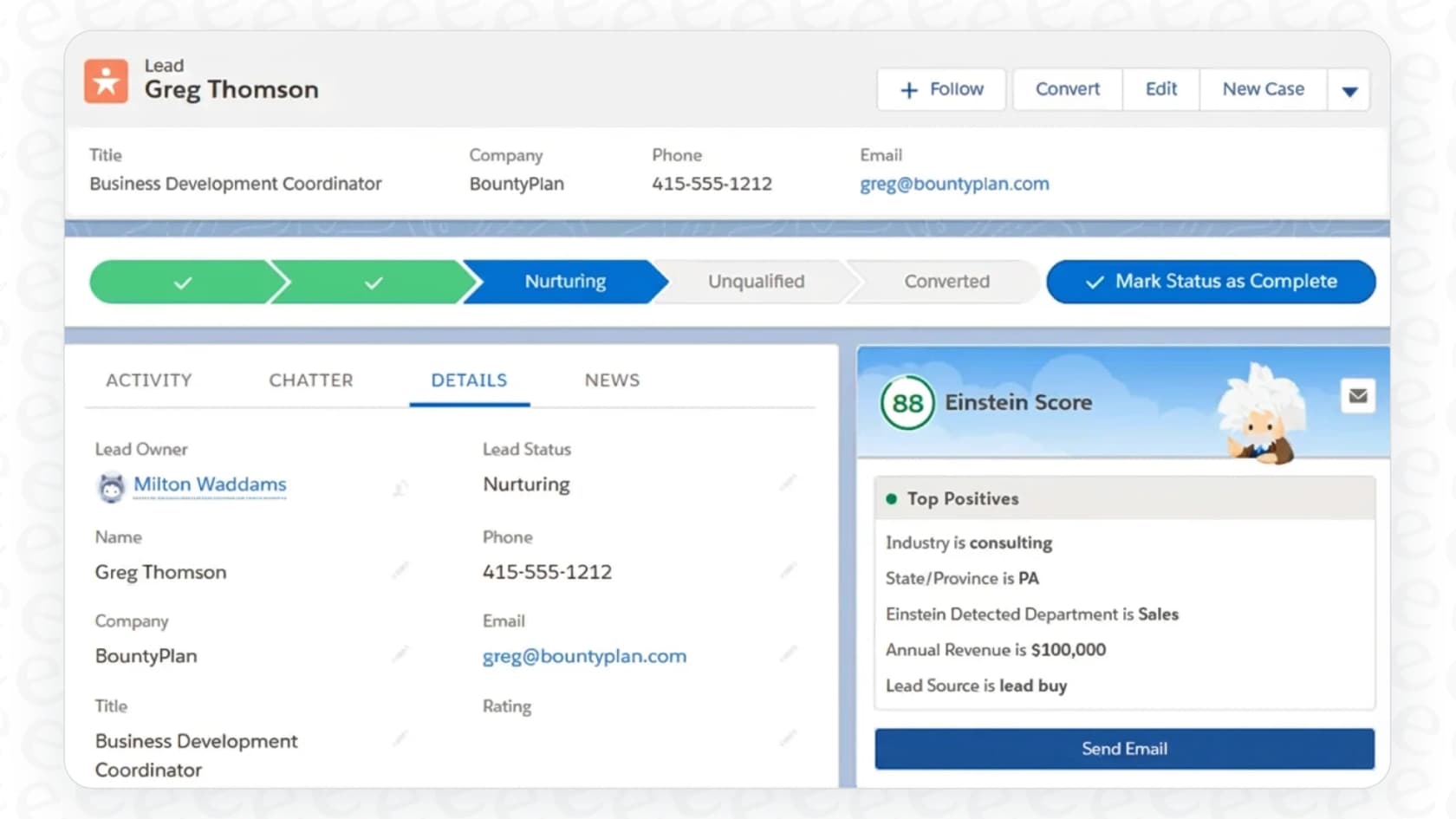
Lead Scoring: Einstein looks at your past deals to figure out what your best leads have in common. It then gives every new lead a score, so your reps can immediately see who’s worth a call and who can wait.
-
Lead Nurturing: Agentforce can take over from there (Salesforce now calls this agent Agentforce Engagement). An AI agent can chat with new leads via email, answer basic questions, and even book a meeting with a human once the lead seems promising. This means no more leads going cold just because your team is swamped.
Generating insights to close deals faster
Once a lead is in the pipeline, the goal is to keep it moving. Salesforce AI has tools to help reps and managers figure out what’s going on with every single deal.
-
Call Summaries & Conversation Insights: These tools automatically transcribe and break down sales calls. Instead of re-listening to a whole hour-long recording, a rep gets a quick summary highlighting key moments, customer objections, competitor names, and next steps.
-
Deal Insights & Predictive Forecasting: The AI keeps an eye on your pipeline for red flags. It can point out deals that are starting to drag and suggest why. For managers, it offers a sales forecast that’s based on data, not just gut feelings.
Grounding the AI in your CRM data
Maybe the biggest plus for Salesforce AI in Sales Cloud is that it's already connected to all your CRM data. Since it can see every account, contact, and opportunity, it can write very specific, personalized emails that mention details from a customer's past interactions.
But this is also its biggest weakness. The AI is smart, but only if your company’s knowledge lives entirely within Salesforce. For most companies today, that’s just not how it works. What happens when a prospect asks a technical question and the answer is buried in a Confluence page, a product brief in Google Docs, or a thread in a Slack channel? Salesforce's Confluence connection into Data 360 is labeled Beta, and other sources need their own setup, so unconnected content leaves your reps digging for information themselves.
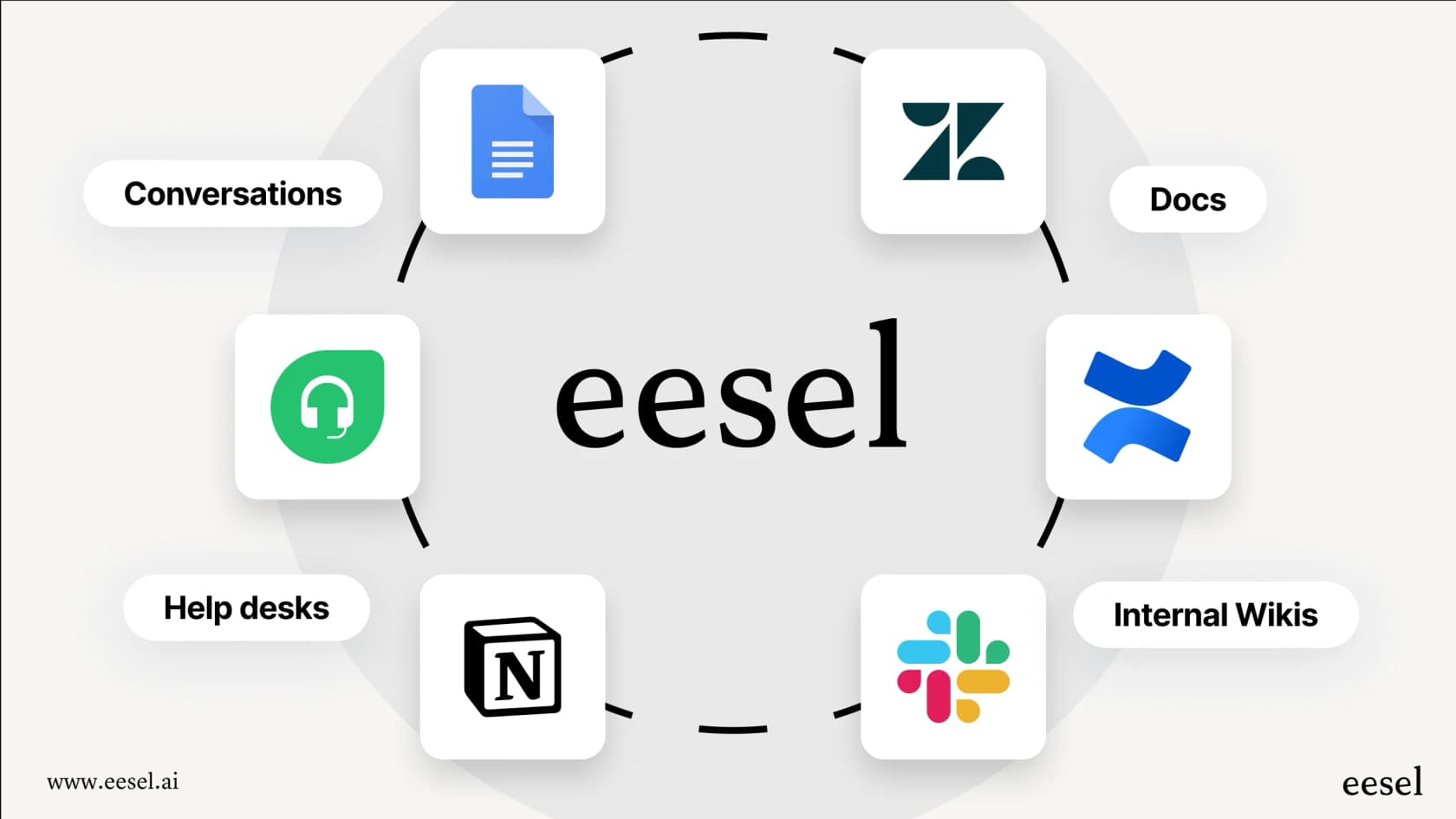
This is a problem a tool like eesel AI is built to solve. Instead of being stuck in one platform, eesel AI plugs into all your company's apps. It brings together information from your helpdesk, internal wikis, and chat tools, giving your AI the full story so it can provide answers that are actually accurate and helpful.
Setup, integration, and control
Getting any new tech up and running is a big job. And while Salesforce AI is pretty powerful, it's not exactly a "flip a switch and go" kind of tool.
The reality of the implementation process
Let's be real, setting this up isn't a walk in the park. To get basic features like Einstein Opportunity Scoring working, a Salesforce admin has to dig through the Setup menu and get everything configured just right. It’s not something a sales rep can just do on their own. And if you want to use the more advanced features or create custom agents, you’re likely looking at a serious project that might require a Salesforce consultant or dedicated developer.
This isn’t something you can try out on a whim. It takes time, a real budget, and someone technical on hand to get it done right.
The challenge of customization and control
Salesforce gives you tools like Prompt Builder to help tweak the AI's responses, but a lot of the functionality is pretty locked in. If you have a specific sales process that doesn't quite fit the Salesforce mold, getting the AI to do what you want can get complicated and take a lot of time.
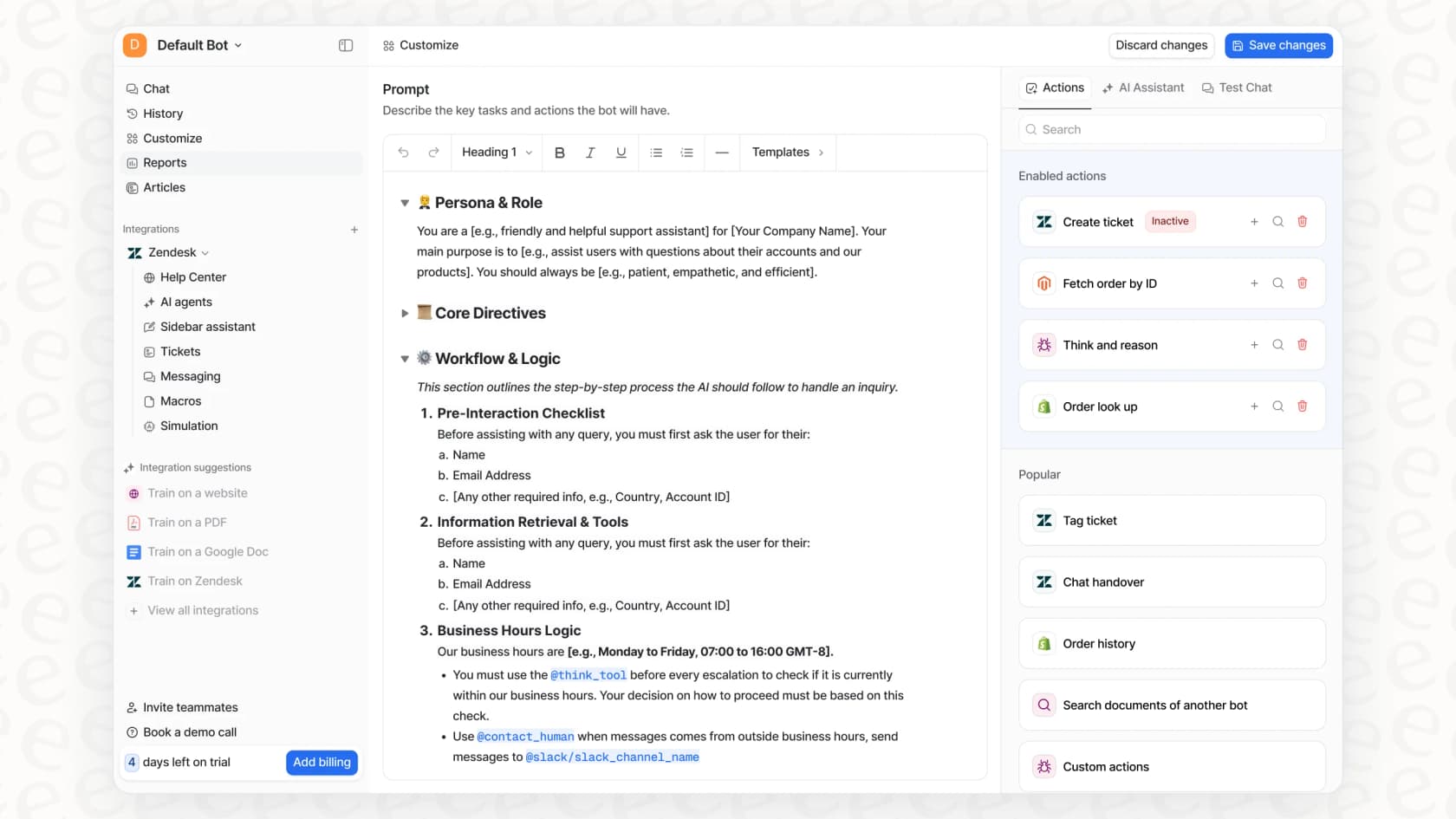
This is a big difference from platforms like eesel AI, which are designed to be completely self-serve. With eesel AI, you can connect your helpdesk with one click and be ready to go in minutes. You can create custom AI personalities, tell it exactly what to do with a simple prompt editor, and even test how it would have handled past support tickets before you ever turn it on for live customers. This gives you full control and confidence from the start, no developer needed.
The real cost of Salesforce AI in Sales Cloud
You really have to understand the pricing for Salesforce AI, because the best features are often hidden in the most expensive plans or sold as pricey add-ons.
Breaking down the Sales Cloud pricing tiers
Salesforce pricing is... a lot. Different features get unlocked at each level, and you have to look past the starter plans to get anything meaningful for AI.
| Plan | Price (USD/User/Month) | Key AI & Automation Features |
|---|---|---|
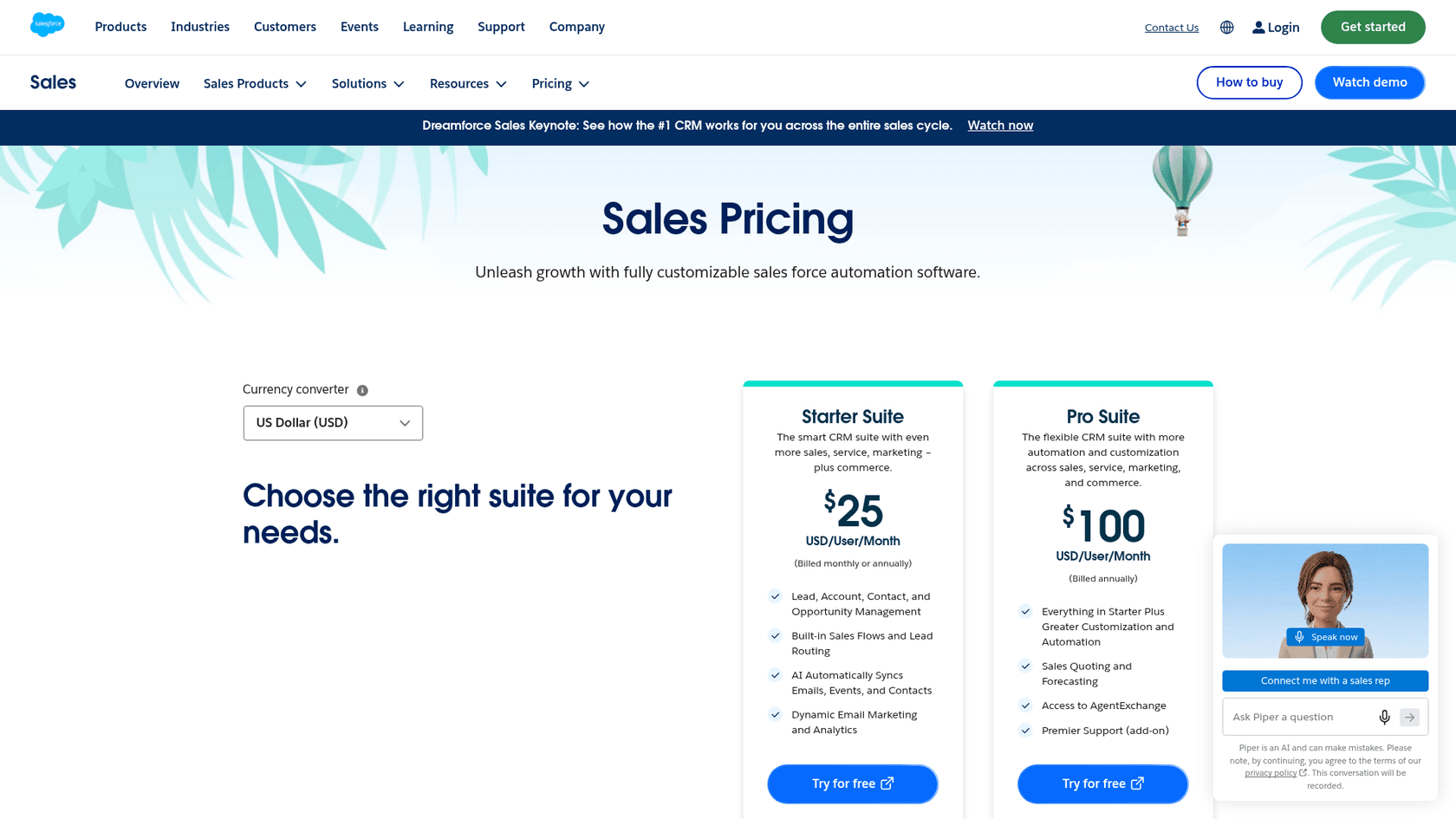
| Starter Suite | $25 (monthly or annual) | Lead & Opportunity Management, AI email and event sync |
| Pro Suite | $100 (annual) | Sales Quoting and Forecasting, AgentExchange access |
| Core | $195 (annual) | Built-in AI; Agentforce for Sales available for purchase (500K Flex Credits per org per year) |
| Advanced | $395 (annual) | More AI; Agentforce for Sales available for purchase (1M Flex Credits per org per year) |
| Max | $550 (annual) | Full AI suite, Agentforce for Sales and Coworker, 2.75M Flex Credits per org per year |
Pricing is subject to change. Sourced from Salesforce's official pricing page, checked October 2026. Salesforce renamed Enterprise, Unlimited, and Agentforce 1 Sales to Core, Advanced, and Max.
The high cost of admission and vendor lock-in
As you can see, Salesforce's page says AI can be added to Core and above, starting at $195 per user per month, and even then, many tools are "available for purchase." The full suite sits in Max, at $550 per user per month.
This pricing really pushes you toward vendor lock-in. To get the AI, you have to go all-in on Salesforce for your sales team, your budget, and your data. If your needs change or the price gets too steep, switching to something else is a massive headache.
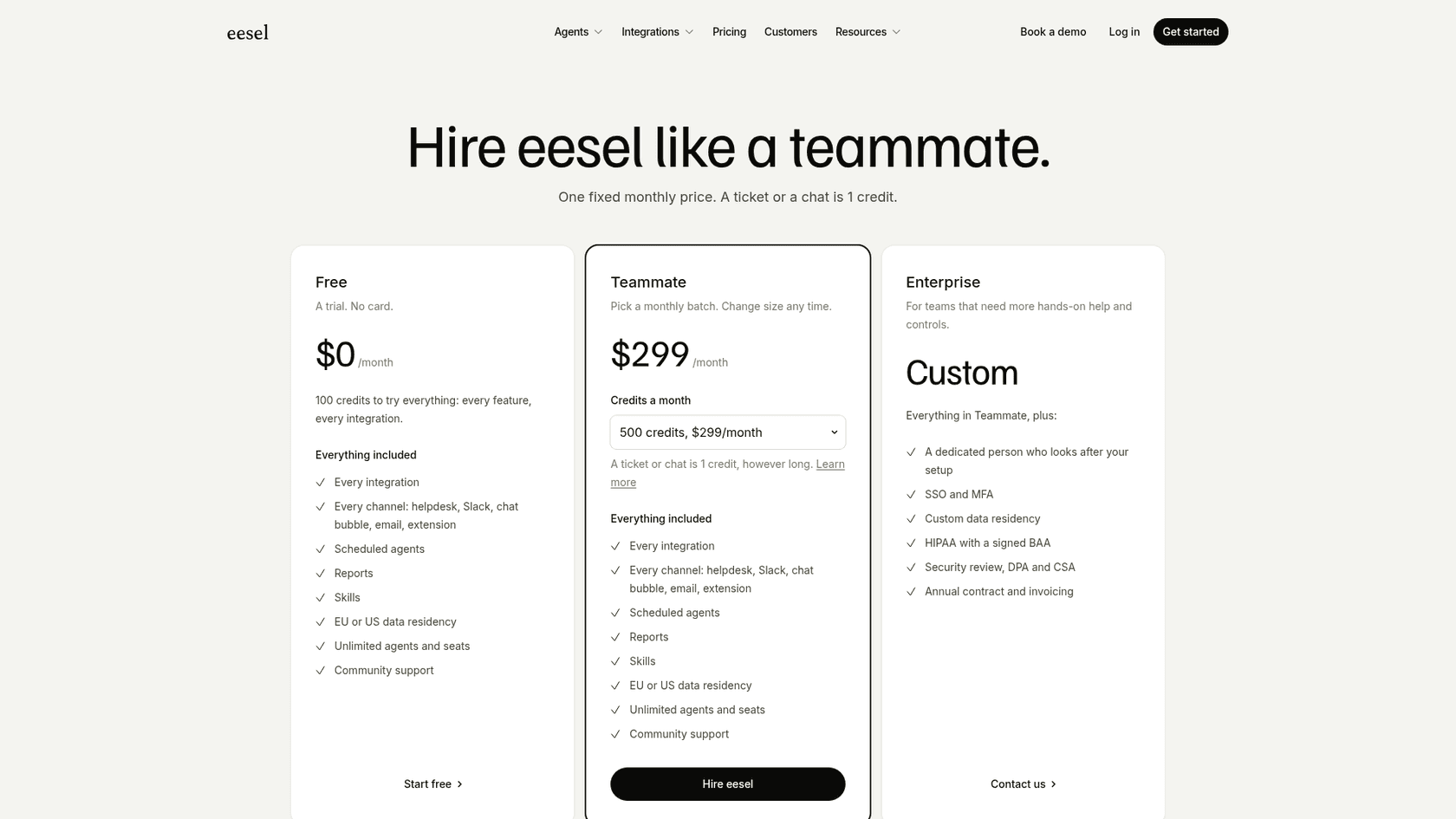
Per-user pricing also grows with every seller you add. In comparison, eesel AI's pricing is one fixed monthly price sized to ticket and chat volume (from $299 for 500 credits, 100 free credits to start), with no per-seat fee, and you can move plans up or down any time. You get powerful AI that works with the tools you already use, which helps you avoid the huge cost and long-term headache of being locked into one platform.
The verdict: Is Salesforce AI in Sales Cloud the right choice for your sales team?
So, what's the bottom line? Should you go for Salesforce AI in Sales Cloud? It really comes down to your budget, your team's technical skills, and how deep you already are in the Salesforce world.
-
Pros: It’s built right into the CRM, which is great for teams that are already 100% committed to Salesforce. The platform is solid and has the backing of a massive company.
-
Cons: It's priced per user, and the full AI suite sits in the $550 Max edition. You need an admin to set it up and make changes, and it works best on the data you have inside Salesforce.
For teams that want AI without the vendor lock-in, complexity, and sky-high price tag, a more flexible tool might make more sense. eesel AI offers a great alternative that lets you:
-
Get started in minutes, not months, on a platform you can manage yourself.
-
Pull in knowledge from all your company's tools, not just your CRM.
-
Test everything safely with a simulation engine before going live.
-
Pay one fixed monthly price, with every integration and seat included.
The future is flexible AI
Salesforce AI in Sales Cloud is a powerful tool, no doubt, especially for huge companies that have already invested heavily in its ecosystem. But its high cost, complexity, and closed-off nature feel like an older way of doing things.
Modern sales teams need AI that's flexible, affordable, and easy to set up with the tools they already love. By connecting all your knowledge sources and fitting into your existing workflows, you can get powerful automation without the massive overhead.
Ready to try an AI solution that works with your tools, not the other way around? Try eesel with 100 free credits, no card, and see how fast you can get your sales and support workflows automated.
Frequently asked questions
What exactly is Salesforce AI in Sales Cloud, and how does it differ from traditional Salesforce features?
Salesforce AI in Sales Cloud refers to a suite of AI tools, primarily Einstein and Agentforce, built directly into the Sales Cloud platform. These tools automate tasks like lead scoring, conversation summarization, and predictive forecasting, going beyond traditional CRM features to enhance sales productivity and insights.
How can Salesforce AI in Sales Cloud help improve lead management and nurturing?
Salesforce AI in Sales Cloud improves lead management through features like Einstein Lead Scoring, which identifies promising leads based on past success. Agentforce agents can then take over lead nurturing, engaging prospects with automated emails and even scheduling meetings once a lead is qualified.
What kind of insights can I expect from using Salesforce AI in Sales Cloud to help close deals faster?
With Salesforce AI in Sales Cloud, you can get call summaries highlighting key moments and objections from sales calls, as well as predictive deal insights that flag potential issues. For managers, it provides data-driven sales forecasts, helping teams identify and act on opportunities to accelerate deal closure.
What are the main challenges in the setup and customization process for Salesforce AI in Sales Cloud?
Setting up Salesforce AI in Sales Cloud typically requires significant administrative effort and potentially a consultant for advanced features, as it's not a "plug-and-play" solution. Customizing it to specific sales processes can also be complex and time-consuming due to some locked-in functionality.
Can you explain the pricing structure and typical costs associated with Salesforce AI in Sales Cloud?
On the Sales Cloud pricing page, Agentforce for Sales is "available for purchase" on Core ($195) and Advanced ($395) per user per month. Max ($550) includes Agentforce for Sales and Coworker plus 2.75M Flex Credits per org per year, and AI can be added to Core and above.
What happens when data needed by Salesforce AI in Sales Cloud isn't stored within the Salesforce platform?
Salesforce AI in Sales Cloud works best on data inside your CRM. Outside sources need a connector into Data 360 (the Confluence one is labeled Beta), so if critical information sits in platforms like Confluence, Google Docs, or Slack and isn't connected, reps are left to manually search for answers and the AI's answers are less complete.