Why look past Gemini 3.8 Live Avatar at all
Let me be fair to Google first, because the product deserves it. Gemini 3.8 Live Avatar watches your camera and screen while it listens, fires async tool calls in the background so it can, say, check you into a hotel mid-conversation, and detects and switches between languages without the face drifting. It is one of the most complete live-agent demos any lab has shipped.
The catch is access and lock-in. It went generally available inside Gemini Enterprise, so it is a Google Cloud commitment, not a weekend API key. Custom avatars built from your own reference footage are gated behind an allowlist plus a verification step, so you cannot just spin up a branded face on day one. And once you build on it, your live agent lives entirely inside Google's ecosystem.
There is also a cost worth knowing before you compare. On the Live API, the avatar video meter works out to roughly $0.37 per minute of avatar talk time (billed only while it speaks, not while it waits). That is not outrageous, but it is real money at support volume, and it reframes the comparison: you are not choosing a free perk, you are choosing a per-minute product. That makes the alternatives worth a proper look.
How to think about the alternatives
The seven tools here are not really one category. They split into three, and knowing which lane you are in saves a lot of wasted trials. For a broader field beyond avatars, our roundup of the top AI customer service tools covers the text-first options too.
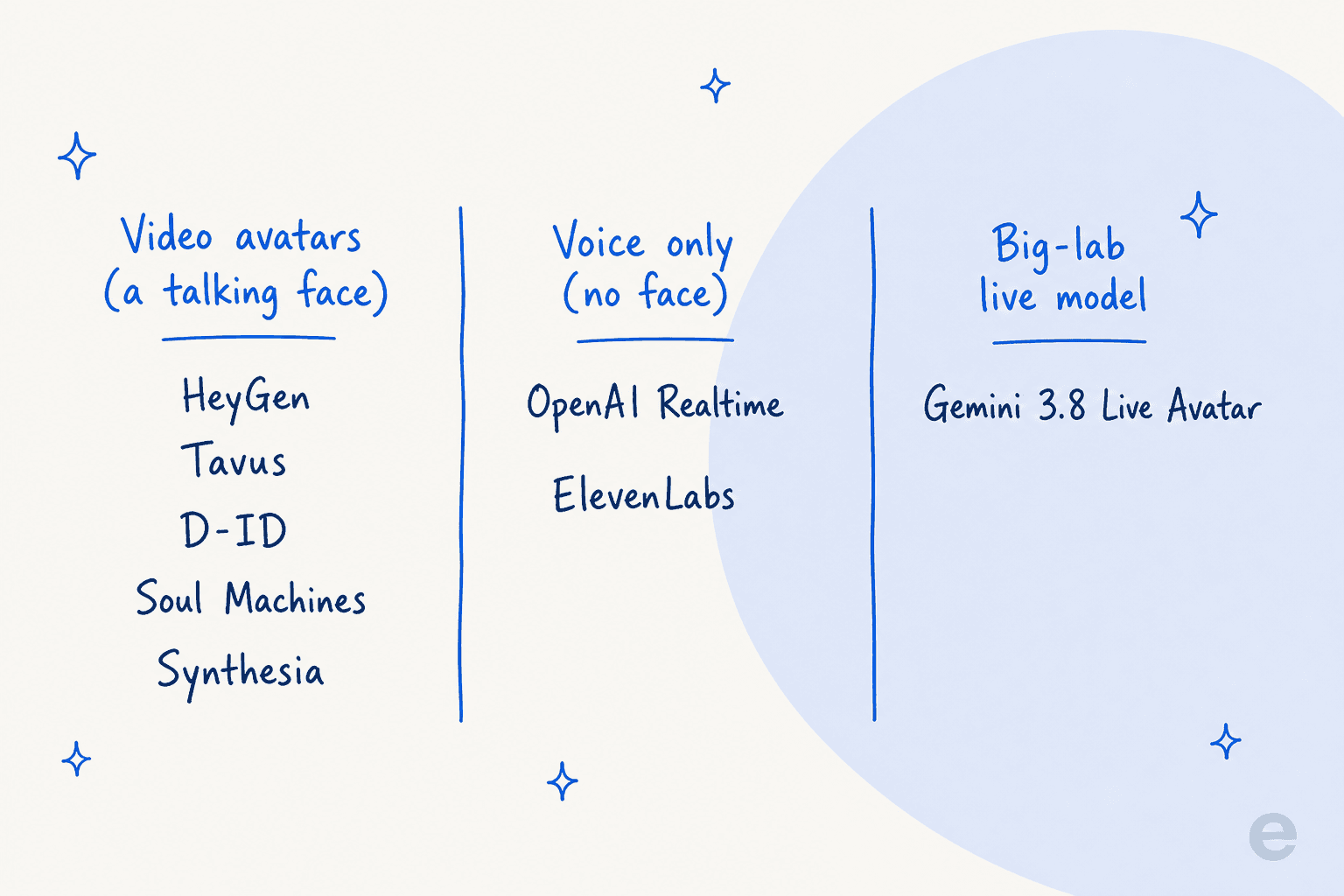
- Video avatars (a talking face): HeyGen, Tavus, D-ID, Soul Machines, and Synthesia. These render an animated human that lip-syncs its replies. This is the closest match to what Gemini 3.8 Live Avatar does.
- Voice only (no face): the OpenAI Realtime API and ElevenLabs. Same real-time conversation, no rendered face. Cheaper, simpler, and often all a support or sales use case actually needs. If you are weighing the whole field, our guide to the benefits of conversational AI is a good primer.
- Big-lab live model: Gemini 3.8 Live Avatar itself, alongside things like the OpenAI Realtime API, where the model and the media pipeline come from one frontier lab.
Here is the part that most roundups skip. Every tool in all three lanes competes on the same top layer: the face, the voice, the turn-taking, the latency. None of that touches the layer underneath, where a support conversation actually succeeds or fails.
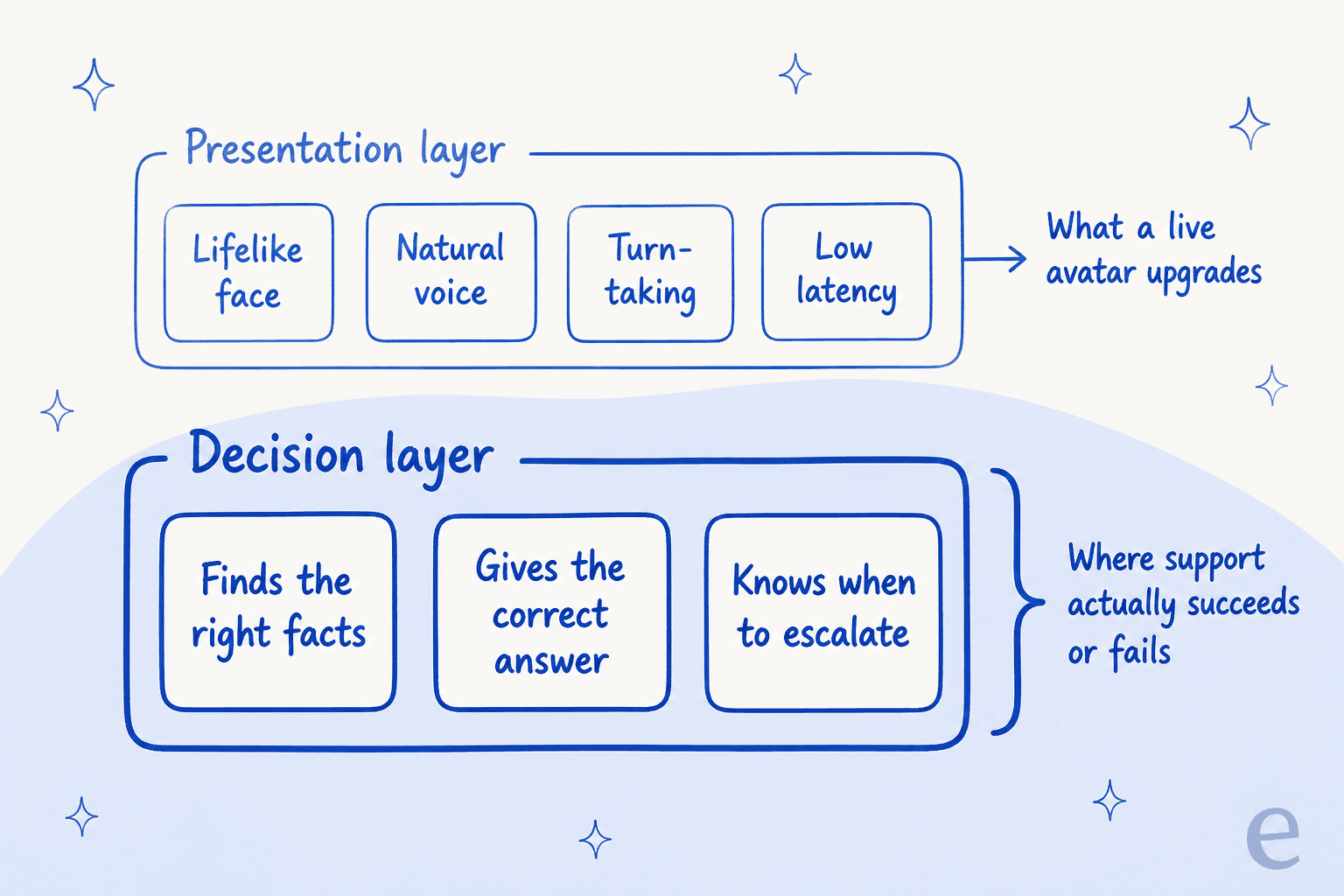
I will come back to why that decision layer is the hard part. First, the tools.
The alternatives at a glance
| Tool | Best for | Face or voice | Real-time latency (vendor claim) | Billing unit | Entry price | Standout limit |
|---|---|---|---|---|---|---|
| HeyGen LiveAvatar | Branded video avatars at scale | Video avatar | <300ms to first frame | Credits per streaming minute | Free ($0, 10 credits); Essential $99 | $0.01/min only at Enterprise |
| Tavus | Developers embedding live video agents | Video avatar | ~134ms render, sub-1s round-trip | Conversational video minute | Free (25 min); Starter $59 | Turn-taking gripes; dev-first pivot |
| D-ID | No-code streaming avatars with RAG | Video avatar | Under 2 seconds | Shared monthly minute pool | 14-day trial; API Build $14.40 | Non-rolling pool; billing complaints |
| Soul Machines | Emotionally expressive digital humans | Video avatar | Not published | Interactive-conversation minutes | Free (build only); Basic $12.99 | Scales steeply; thin reviews |
| Synthesia | Corporate video at scale | Video avatar (mostly async) | N/A (core is pre-rendered) | Credits, plus per-min for live | Free ($0); Starter $19 | Core product is not real-time |
| OpenAI Realtime API | Building your own voice agent | Voice only | Low (speech-to-speech) | Audio tokens | $32 / 1M audio input tokens | No face; plumbing, not a finished agent |
| ElevenLabs | Human-sounding voice agents | Voice only | Sub-second (claimed) | Call minutes | Free (15 min); Starter $6 | Cost stacks; credits expire on downgrade |
Now the detail on each.
1. HeyGen LiveAvatar
Best for: teams that want a polished, branded talking-head avatar streamed to real users, with minimal infrastructure.
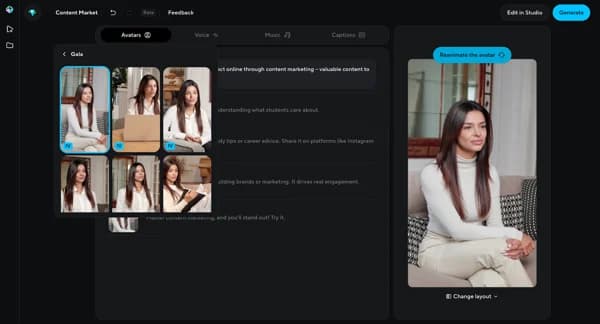
HeyGen rebranded its real-time product as LiveAvatar, and it is the most turnkey video avatar here. It streams 1080p avatars with, per HeyGen, under 300ms to first frame and unlimited concurrency, and you can embed it in about five minutes. There are two build modes: FULL, where HeyGen runs the whole speech and rendering stack, and LITE, where you bring your own LLM and text-to-speech.
Pricing. LiveAvatar bills in credits, and the ratio depends on mode: FULL is 2 credits per minute, LITE is 1 credit per minute. Plans run Free ($0, 10 credits, watermarked, 2-minute sessions), Essential ($99 for 1,100 credits), Business ($475 for 6,000 credits), and Enterprise. The headline "$0.01/min at scale" is real but only kicks in at the Enterprise tier, which the help center pegs at budgets above roughly $40,000. Note this is separate from HeyGen's core video plans.
The honest limit. The <300ms figure is a claim on the new platform, and it exists partly because the older HeyGen Streaming Avatar SDK had a reputation for real-world latency in the several-seconds range on developer forums. If low latency is make-or-break, benchmark it on your own traffic before you commit.
Verdict: the easiest way to get a good-looking branded avatar in front of users. Just read the credit math, since FULL mode burns twice as fast as the headline LITE rate suggests.
2. Tavus
Best for: engineers who want to embed a real-time video agent and care about rendering realism and latency.
Tavus builds the Conversational Video Interface, a full real-time video pipeline you drive over an API. Its model stack is unusually specific: Raven for perception, Sparrow for turn-taking, and the Phoenix renderer, which Tavus claims hits around 134ms rendering with a sub-one-second conversational round-trip. One API replaces the five or six vendors you would otherwise wire together, since the LLM, text-to-speech, and WebRTC are all included in the per-minute price.
The realism lands with people who try it:
"Felt like talking to a person, I couldn't bring myself to treat it like a piece of code, that's how real it felt."

Pricing. Tavus uses a hybrid model: a monthly fee plus included conversational video minutes with pay-as-you-go overage. Basic is free (25 min/mo), Starter is $59/mo (100 min, then $0.37/min), and Growth is $397/mo (1,250 min, then $0.32/min). Custom face training is an add-on, at $65 each after a few free trainings on Starter.
The honest limit. The consistent knock, straight from the same demo, is turn-taking:
"The AI kept cutting me off, and not leaving time in the conversation to respond. It would cut off utterances before the end."
Sparrow was built to fix exactly this, so it should be better now, but interruption handling is the thing to stress-test. Tavus also pivoted developer-first in 2026, so it is aimed at engineers, not marketers.
Verdict: the best pick if you are a developer who wants the most realistic real-time face and you will do the integration work. Test the interruptions before you ship.
3. D-ID
Best for: teams that want a streaming avatar with a built-in knowledge base and a no-code path, not just an API.
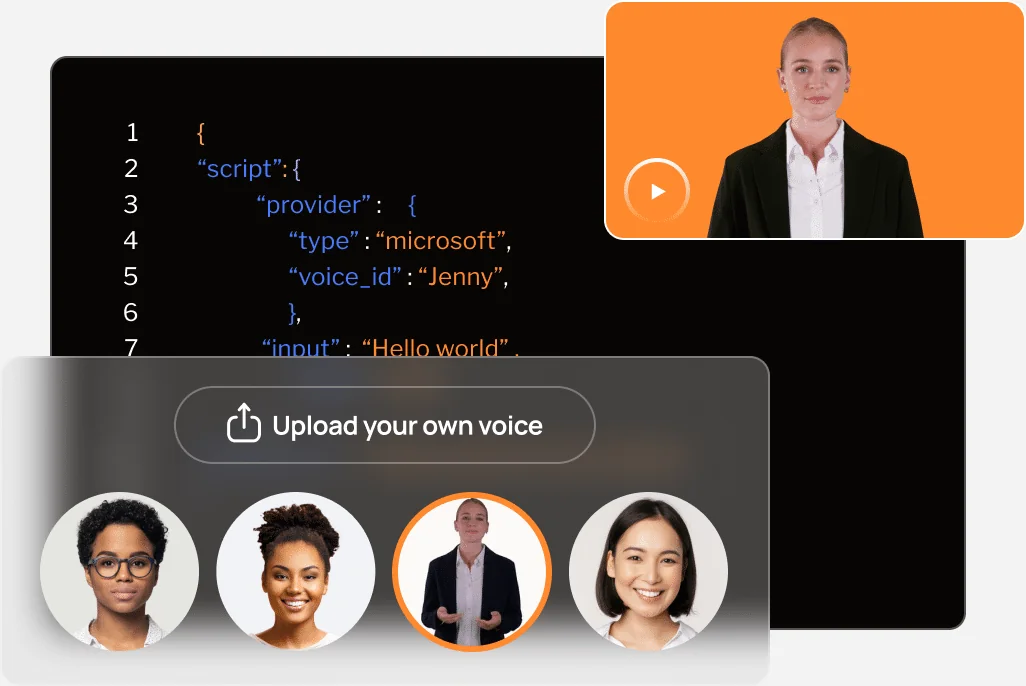
D-ID Agents are WebRTC-streamed conversational avatars you can build with the client SDK, the REST API, or a no-backend embed. Each agent combines an avatar with an LLM (including bring-your-own), a RAG knowledge base, and conversation memory, and D-ID markets "over 90% accuracy in under two seconds." Users who like it really like the avatar quality:
"For me at the moment the best live interactive Avatars on the market. Good lip Sync, really realistic."

Pricing. D-ID runs two price sheets, Studio and API, both billing credits against a shared monthly minute pool that covers videos, agents, and translation together. On the API side, Build is $14.40/mo (up to 32 streaming minutes), Launch is $35/mo (up to 90), and Scale is $138.60/mo (up to 400). There is a 14-day trial but no permanent free tier, and serious live-agent volume is an Enterprise "custom minutes" conversation.
The honest limit. Two things. The minute pool does not roll over, so unused minutes reset each cycle. And sentiment is polarized: D-ID sits at 3.7/5 on Trustpilot with a heavy tail of billing complaints (auto-renew, refused refunds), even while it scores around 4.3/5 on G2. Read the billing terms carefully.
Verdict: a strong middle option if you want RAG and a no-code route baked in. Watch the shared, non-rolling minute pool and the auto-renew.
4. Soul Machines
Best for: brands that want the most emotionally expressive, autonomously animated digital human, and have the budget.
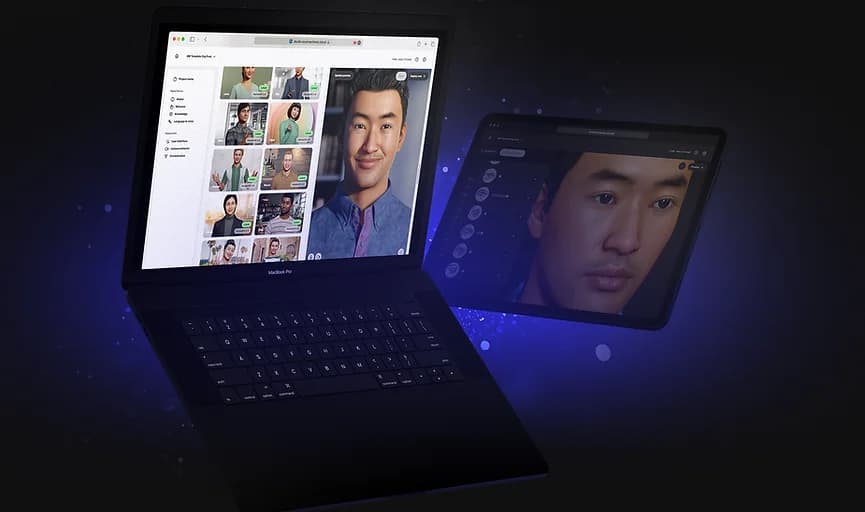
Soul Machines sells "Digital People," avatars driven by its patented Digital Brain that simulates sensory, motor, and attention systems so the face reacts and emotes in real time rather than just lip-syncing. It is LLM-agnostic, you build in Soul Machines Studio, and named deployments include ANZ, Mercedes-Benz, and UCSF. If expressiveness is the point, this is the category leader.
Pricing. Unusually for a digital-human vendor, Studio has a public rate card with a build-only Free tier, then Basic at $12.99/mo (40 interactive minutes), Plus at $99/mo (350 minutes), and Pro at $2,700/mo (10,000 minutes). Its Workforce Connect product is a flat $40,000/year and needs a separate Zapier subscription.
The honest limit. The price scales very steeply, roughly a 27x jump from Plus to Pro, so anyone needing real deployment volume lands in the multi-thousand-dollar-a-month bracket fast. Independent review coverage is also thin (G2 shows only a couple of reviews), so you are buying more on the demos and the named logos than on a deep pool of user feedback.
Verdict: pick it when lifelike emotional presence really is the product, like a branded kiosk or a flagship brand experience. It is overkill, and overpriced, for routine support.
5. Synthesia
Best for: corporate video at scale (training, onboarding, comms), not live conversation.
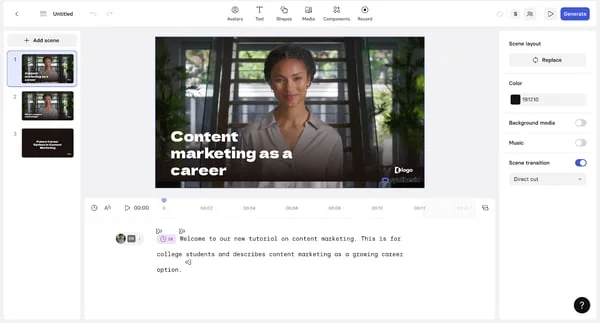
This one comes with a caveat, and it is the whole point. Synthesia's core product is async, pre-rendered video: you write a script, it renders an MP4. That is the opposite of a live avatar. It holds a 4.7/5 on G2 across roughly 2,000 reviews, and it is excellent at what it does, which is polished avatar video in a lot of languages.
It does have a real-time product, Interactive Avatars, but it is a separate developer API (built on LiveKit, bring your own LLM), not one of the standard video plans.
Pricing. The main plans are Free ($0), Starter ($19/mo), Creator ($89/mo), and Enterprise, all metered by a shared Credits pool that converts to video minutes. Free and Starter cap at about 10 minutes of video a month. The real-time Interactive Avatars product is billed per minute separately, with 500 free minutes to start.
The honest limit. If you came here for a live, conversational avatar, Synthesia's flagship is the wrong shape, and its real-time layer is newer and less proven than HeyGen's or Tavus's. The most common gripe, beyond the low minute caps, is content-moderation overreach on what you are allowed to generate.
Verdict: the best tool on this list for scripted corporate video, and a reasonable real-time option only if you specifically want its Interactive Avatars API. Do not confuse the two.
6. OpenAI Realtime API
Best for: developers building a custom voice agent who want a frontier model and do not need a face.
The OpenAI Realtime API is the closest big-lab peer to Gemini's live capability, minus the avatar. It is speech-to-speech infrastructure (audio in, audio out) with native async tool calling, remote MCP, and SIP telephony, all over WebRTC or WebSocket. You build the agent yourself: instructions, tools, guardrails. Developers have warmed to the GA model on cost and quality, though they watch the meter:
"I'm curious now to see how the costs associated with this would work through the API on some user-facing features."
Pricing. It bills on audio tokens, not minutes: gpt-realtime-2.1 is $32 per 1M audio input tokens ($0.40 cached) and $64 per 1M audio output tokens, with a cheaper mini at $10/$20. In practice that lands around $0.02 per minute heard and roughly $0.077 per minute spoken. OpenAI also ships a per-minute GPT-Live model at $0.05/min if you prefer flat metering.
The honest limit. It is plumbing, not a finished agent. There is no built-in knowledge base, no ticket simulation, and no support-specific guardrails, and browser apps need an ephemeral-token proxy so you do not expose your key. One developer also reported the model drifting into another language mid-session on longer chats. You are buying a very good building block, and building the rest.
Verdict: the right choice if you have engineers and want a top-tier voice model without a face. If you want a working support agent rather than a toolkit, this is a lot of assembly.
7. ElevenLabs Conversational AI
Best for: human-sounding voice agents, especially over the phone, without building the speech stack from scratch.
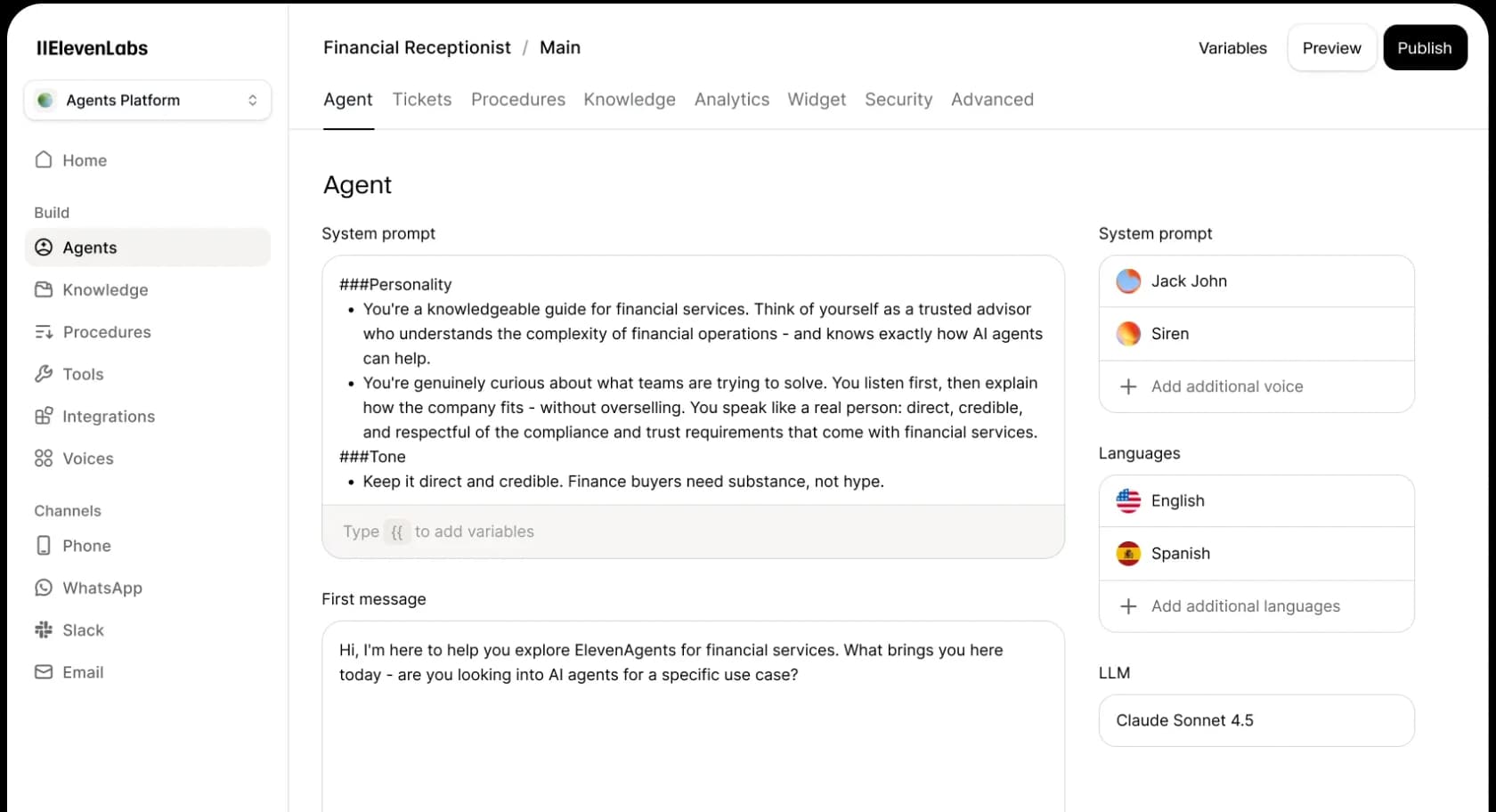
ElevenLabs is voice-first and known for the most natural-sounding speech in the category. Its Agents Platform pairs speech recognition, your choice of LLM, its low-latency text-to-speech, and a proprietary turn-taking model, with a no-code builder, SDKs, Twilio/SIP telephony, a knowledge base, and tool calling across 70+ languages. It sits at roughly 4.6/5 on G2 across about 584 reviews.
Pricing. Agents are billed by call minutes: Free (15 min), Starter $6 (75 min), Creator $22 (275 min), Pro $99 (1,238 min), Scale $299 (3,738 min), and Business $990 (12,375 min). Overage is $0.08/min, and burst pricing is $0.16/min. Crucially, LLM usage is billed separately on top, and telephony is passed through at cost.
The honest limit. The effective cost stacks: call minutes plus a separate LLM charge plus telephony, so the $0.08 headline understates the real number. Unused paid credits also expire when you downgrade, which is a recurring complaint, and a few users report latency spiking toward four seconds versus the sub-second claim.
Verdict: the strongest voice-only pick for customer-facing agents, especially phone support. Model the all-in per-minute cost, not just the sticker rate.
How a live avatar actually works
Strip away the branding and every tool above runs the same loop for one turn of conversation. It is worth seeing, because it shows where the real work happens.
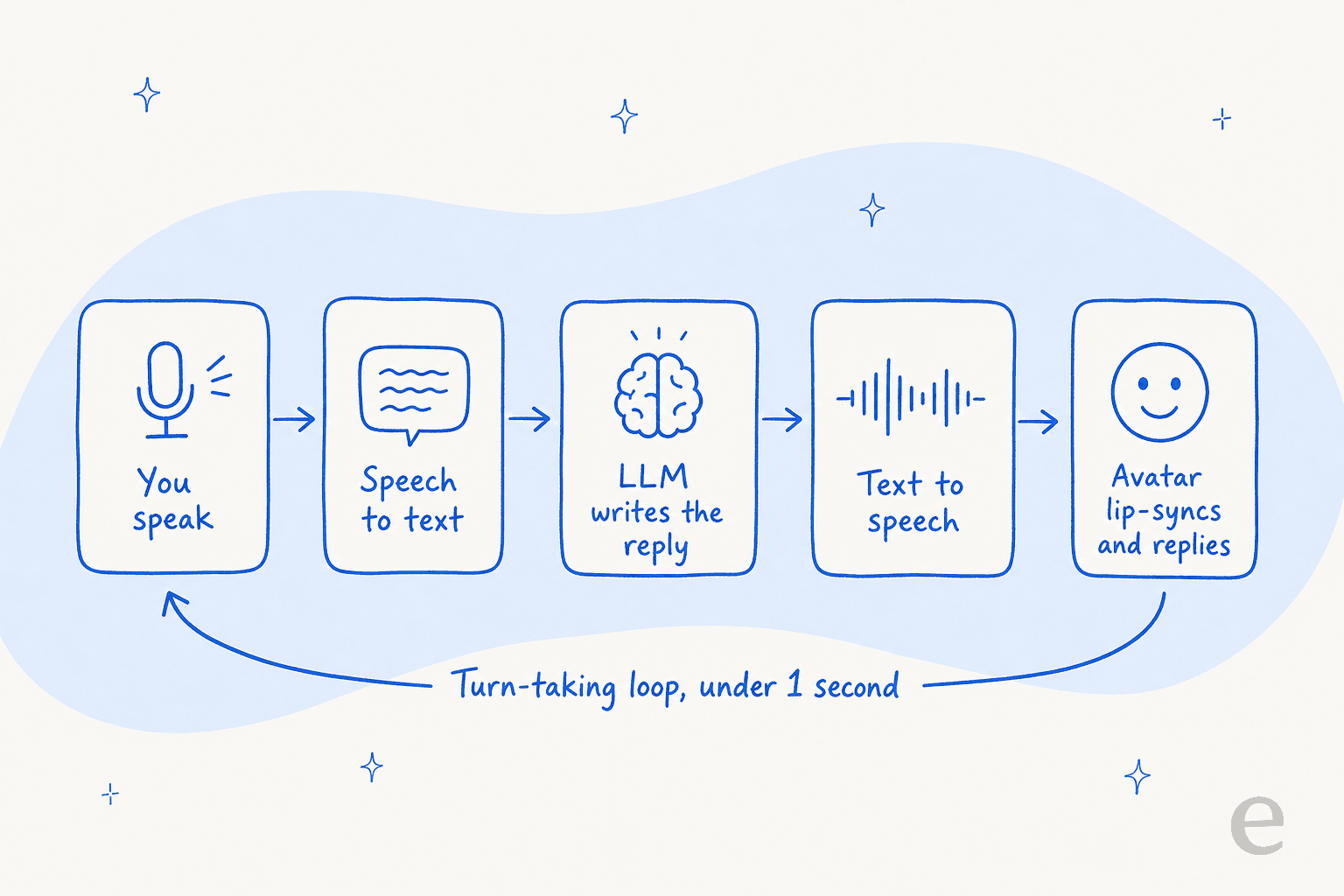
Notice that four of the five steps (capture, transcription, speech synthesis, rendering) are about presentation. Exactly one, the LLM writing the reply, decides whether the customer gets a correct answer. The avatar makes the other four beautiful. It does nothing for the one that matters, which is also why an AI chatbot answers incorrectly even when it sounds perfectly fluent.
The thing an avatar does not fix
Here is where I will spend the reader's trust, because it is the most useful thing in this post. After years of putting AI on live support queues, the pattern I keep seeing is that teams fall in love with the front end and under-invest in the layer that actually resolves the ticket. We have watched confident-sounding bots give confidently wrong answers, which is why every eesel rollout is simulated against a customer's own historical tickets before it ever replies to a real person.
The data backs this up. On the τ-bench support leaderboard, even strong models show a brutal retrieval cliff: performance can drop by roughly 68 points moving from an easy telecom scenario to a knowledge-heavy banking one, and the best support models are reliably right only about 35% of the time when you require four correct answers in a row. That gap is not a rendering problem. No amount of lip-sync closes it.
So if you are shopping for a live avatar because you want to automate customer service, the honest question is not "which face looks most human," it is "which system gets the answer right and knows when to escalate." The metrics that matter are resolution rate and escalation accuracy, not realism. For a lot of teams, the answer is not a talking face at all, it is a well-grounded AI agent working the channels customers already use: chat, email, and tickets.
Where eesel fits (and where it does not)
I will be straight, because the whole point of this post is honesty: eesel does not do voice or avatars. If you need a rendered face or a phone voice, pick one of the seven above. What eesel does is the decision layer, on text channels.
Think of it this way. The OpenAI Realtime API, ElevenLabs, and Gemini itself are infrastructure; eesel is the AI teammate you hire to do a job. Our AI helpdesk agent plugs into the helpdesk you already run (Zendesk, Freshdesk, Gorgias, Front, and more), learns from your past tickets and help center on day one, and drafts or auto-sends replies once you trust its accuracy. Instead of "flip it on and hope," it runs a simulation over your historical tickets first so you can see the resolution rate before a customer ever hits it.
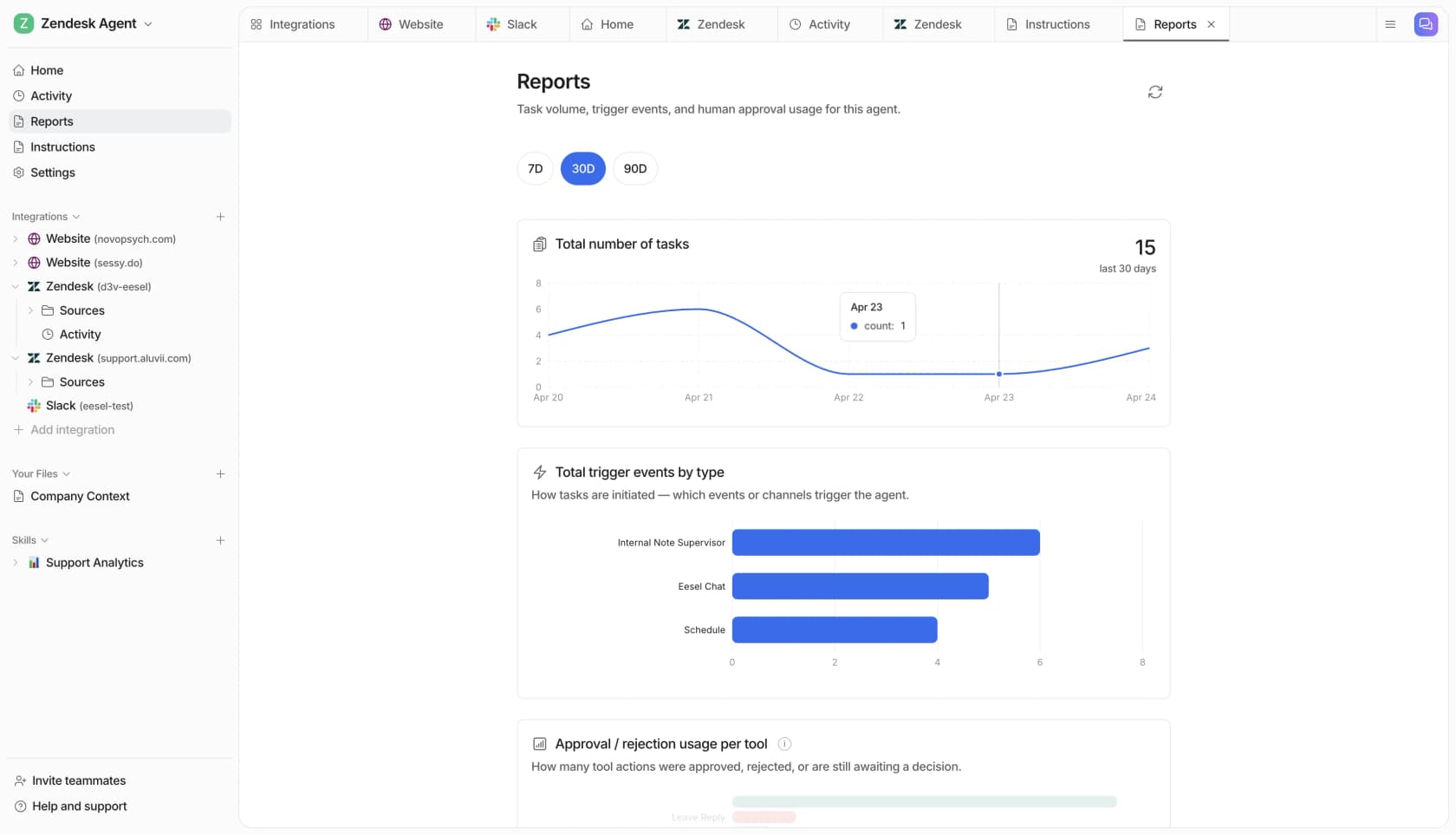
And because this list is full of APIs and SDKs, one thing worth knowing: eesel is drivable from the eesel CLI too. It is the same teammate as the dashboard, exposed for the terminal, for scripts, and for coding agents like Claude Code, Cursor, and Codex. Every command returns JSON with a hint field telling an agent what to run next, so you can connect a helpdesk, upload knowledge, and wire automations without ever opening the UI. Every workspace is also an MCP server. It is the agent-friendly way to operate the same support teammate, if that is how your team likes to work.
If the job is a lifelike face, this list has you covered. If the job is resolving tickets correctly, that is the part eesel was built for, and you can try it free.
Frequently Asked Questions
What is the best Gemini 3.8 Live Avatar alternative?
Are there free Gemini 3.8 Live Avatar alternatives?
How much does a live AI avatar cost per minute?
Do I need a talking avatar for customer service?
What is the difference between a video avatar and a voice-only agent?
Is Gemini 3.8 Live Avatar available to everyone?
Can I use an AI agent for support without building the whole stack?


Article by
Rama Adi Nugraha
Rama is a software engineer at eesel AI with two years of experience writing about B2B SaaS, AI tools, and customer support technology. Based in Bali, Indonesia, he brings a developer's perspective to product comparisons — cutting through marketing copy to what the integrations and APIs actually do.